

11 min read

eCW Billing Text-to-Pay | Cut Statement Costs & Automate Posting

eCW Billing Text-to-Pay | Cut Statement Costs & Automate Posting
💡 eClinicalWorks billing teams spend a large part of their time managing paper statements, chasing balances, and posting payments by hand. This creates a slow and costly loop that repeats month after month.

Curogram's text-to-pay tool breaks that loop. It sends secure payment links by SMS after a claim is processed. Patients pay from their phone. The payment then posts to the eCW billing module on its own, with no manual steps needed.

Billing staff gets time back. Statement volume drops. Days in accounts receivable shrink. The billing team can shift focus from routine posting tasks to higher-value revenue cycle work.

Based on our internal data, networks using this approach see paper statement volume fall by over 40% within 90 days.


Billing teams at large eClinicalWorks networks are stuck in a loop. Every month, they generate thousands of paper statements, wait for payments to come in, and then post each one by hand. It is slow. It is costly. And the cycle never stops.

The average enterprise eCW billing department handles 8,000 to 10,000 statements per statement run. That is before counting the phone calls, mailed checks, and third-party portal payments that each need their own posting workflow.

When you add it all up, manual payment posting alone can consume one full staff position.

The deeper problem is that most patients would pay quickly if you made it easy. They are not ignoring their bills out of bad faith. They are busy.

A paper statement that arrives two weeks after a visit does not match how people live today. By then, the moment has passed.

That is the gap eClinicalWorks billing team text-to-pay automation was built to close. Instead of waiting for patients to act on a paper bill, it puts a payment link in their hands right away, via the channel they already use: their phone.

Curogram connects directly to the eCW billing module through the eCW API. After a claim clears and a patient balance is set, Curogram sends a secure payment link by text.

The patient pays on a mobile-friendly page. The payment posts to eCW automatically. No manual entry. No reconciling from a separate system.

For billing directors managing revenue cycles across dozens of providers and locations, this changes the math. Fewer statements to generate.

Less time spent on the phone. Fewer hours lost to manual payment posting. For patients, a much simpler way to pay.

The sections below walk through how this works, why the traditional statement cycle falls short, and what teams typically see once they make the switch.

The Villain: The Statement Run Treadmill

The statement cycle looks simple on the surface. Print bills, mail them, collect payments. But for anyone who works in billing at an enterprise eCW network, the reality is far more complicated.

Each step creates its own backlog, and the whole process repeats before the last round is even finished.

The Monthly Grind of Paper Statement Management

At a 50-provider eCW network, the billing team typically runs patient statements twice a month. Each run can generate 8,000 to 10,000 statements.

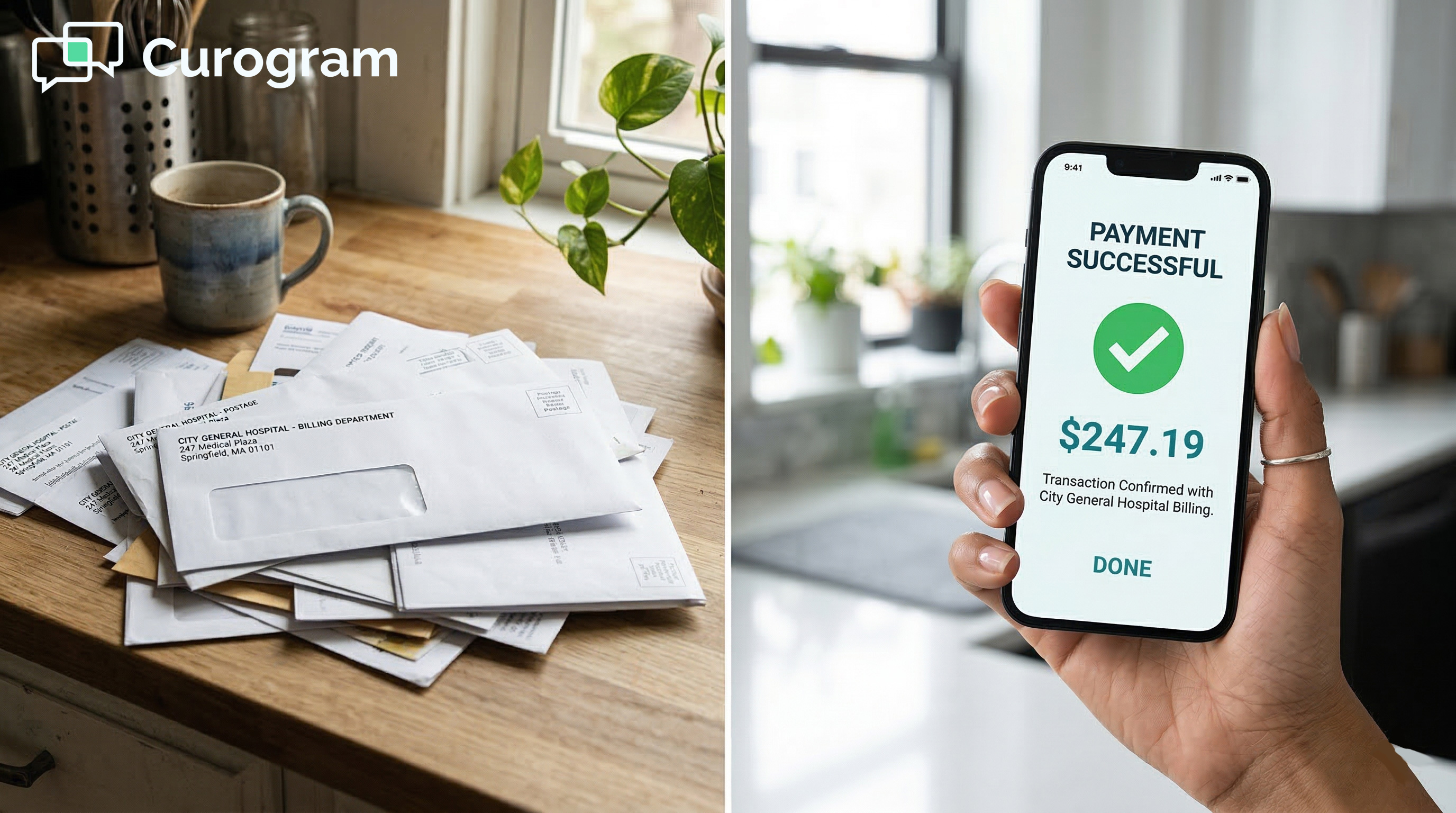
These go to a print vendor, get stuffed into envelopes, and land in mailboxes three to five business days later.

Then the waiting begins. Payments trickle in over the next two to three weeks via mailed checks, front-desk payments, and the occasional portal transaction.

Meanwhile, a share of those statements generates patient phone calls. Patients want to know what they owe and why. Billing staff pull up accounts, explain charges, and sometimes process payments over the phone one at a time.

This cycle repeats every two weeks. The treadmill never stops, and it consumes staff time that could go toward more strategic work.

Manual Posting: The Hidden Time Sink

Take a billing team of six specialists. Based on our internal data, teams like this can spend roughly 15 hours a week posting payments that arrive outside the automated ERA/EOB workflow.

Mailed checks need to be opened, matched to accounts, posted in eCW, and deposited. Phone payments require card details to be taken over the phone, raising PCI compliance concerns on top of the extra time they require.

Payments from third-party portals need their own reconciliation step before they can be matched in eCW. Each source has a different process.

None of them posts automatically. The result is a significant block of staff time spent on low-value, repetitive data entry.

The Aging Escalation Problem

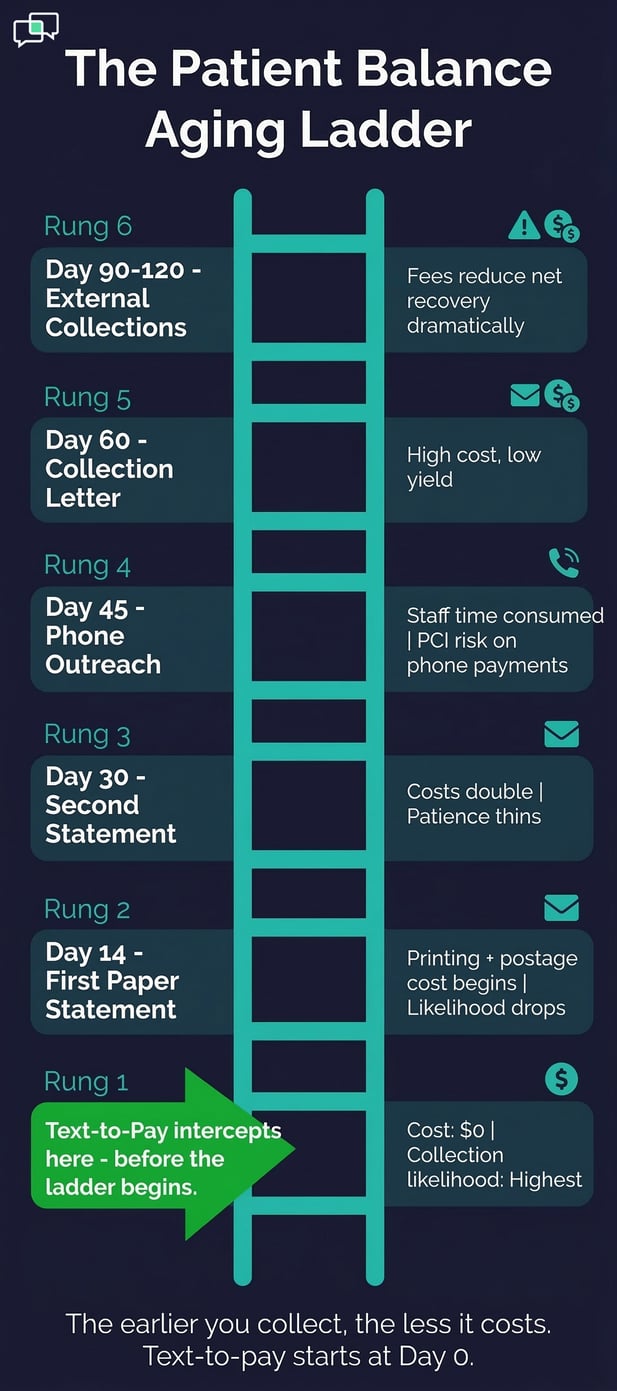
When a first statement does not produce a payment, the billing team enters escalation mode. A second statement goes out at day 30.

Phone outreach starts at day 45. Collection letters follow at day 60. Some balances reach an outside collections agency at day 90 to 120.

Each step costs more and returns less. By the time a billing staff member is making calls about a $45 copay, the cost of that outreach has eaten into the balance itself.

The painful irony is that many of these patients would have paid right away if a payment link had reached them in a convenient, timely way.

The Visibility Gap in Paper-Based Collections

Paper statements offer no tracking once they leave the office. Billing teams have no way to know whether a statement was delivered, opened, or read.

They cannot tell whether a patient did not pay because they never got the bill, did not understand it, or simply forgot.

Without that data, billing teams cannot adapt their strategy. They run the same process every cycle and hope for better results.

There is no way to know which balance ranges respond best to outreach, which timing works better, or which approach to try next.

What Gets Lost Without Delivery Data

Think about what a billing director could do with real insight. She could see that payment links sent within four hours of a visit convert at a higher rate.

She could identify that balances under $100 collect faster than those over $500 and route them differently. She could spot patterns by location, provider, or payer.

None of that is possible with paper. There is no open rate, no click rate, no completion data. Just a stack of aging accounts and a phone list to work through.

The Cost of Not Knowing

The visibility gap is not just a convenience issue. It has a real financial cost. Without knowing why a balance is unpaid, billing teams default to the same escalation steps regardless of the situation.

A patient who never received a statement gets the same treatment as one who received three and ignored them all.

That wastes time and creates friction. It also makes it hard to write accurate reports, forecast collections, or present clear data to a CFO about where revenue is being left behind.

Patient collections aging ladder showing text-to-pay interception

The Guide: The Automated Collection Pipeline

Curogram's approach to billing automation is built around one core idea: collect patient balances before the statement cycle begins.

That means sending a secure payment link by text immediately after a claim is processed and a balance is set, not weeks later when a paper bill finally arrives.

How the Automated Collection Pipeline Works

After a claim is adjudicated and a patient balance appears in eCW, Curogram intercepts it. A secure payment link goes out by SMS. The patient taps the link, lands on a mobile-friendly payment page, and pays.

The payment posts to the correct patient account in eCW right away, matched to the right encounter and balance, with no manual steps required.

For balances that are not paid on the first text, automated follow-up messages can be scheduled at intervals the billing director sets. A second text might go out at day 7, a third at day 14.

All of this happens before a single paper statement would have been generated. That is what the text-to-pay billing workflow for eCW networks is designed to do: replace the waiting with action.

Real-Time Visibility for Billing Directors

The real-time payment dashboard gives billing directors a level of insight that paper statements never could.

You can see every payment link that was sent, whether it was delivered, whether the patient opened it, and whether they completed the payment. All of this is visible as it happens.

Data can be filtered by provider, location, balance range, or payer. This turns the collection strategy from guesswork into something data-driven. Over time, billing teams can see which segments respond best to texts, which timing works, and where follow-up is most needed.

The SMS payment posting in the eCW billing module means there is no lag between payment and record.

Automated Posting Back to eCW

Every payment made through text-to-pay posts to the eCW billing module through the API integration. Billing staff sees it in the patient account just as they would see a front-desk payment or an ERA posting. The transaction includes the amount, method, date, and a reference ID for audit purposes.

There is no separate system to check. No manual reconciliation. The payment appears in eCW automatically, with a full audit trail.

For a team spending 15 hours a week on manual payment posting, this alone can reclaim most of that time for text-to-pay balances.

Enterprise Configuration and Multi-Location Flexibility

Large eCW networks often have locations with different needs. Some may want payment links sent for every balance. Others might set a minimum amount.

High-value balances might include a payment plan option in the link itself. Curogram lets billing directors set these rules centrally.

This is what patient collections automation at the enterprise billing level actually looks like: one configuration that runs consistently across every location, with no manual coordination needed at the practice level.

The eCW API fee that enables this integration is typically offset many times over by the savings in statement printing, postage, and manual labor.

Reducing Paper Statement Volume at Scale

When patients pay via text before the statement generation cycle runs, those balances never need a paper statement. Based on our internal data, enterprise eCW networks typically see paper statement volume drop by over 40% in the first 90 days.

That translates directly to lower printing costs, lower postage costs, and fewer hours spent on statement management.

For balances that are not paid after the automated text sequence, paper statements can still serve as a backup. The goal is not to eliminate paper entirely on day one.

The goal is to reduce the paper statement volume in eClinicalWorks dramatically, and to let automation handle the front end of collections so your team handles less of it by hand.

SMS Compliance and Patient Experience

Text-to-pay links are HIPAA-compliant. The SMS message does not include protected health information. It directs the patient to a secure page to view their balance and pay.

This keeps the convenience of mobile communication intact while staying inside compliance guardrails.

Patients appreciate the simplicity. They do not need to log into a portal, find their account number, or write a check.

One tap and they are done. That ease of use is a big part of why SMS-based collection rates tend to outperform paper-based ones.

Here is a side-by-side view of how the two approaches compare:

Factor

Paper Statement Cycle

Curogram Text-to-Pay

Time to reach patient

3 to 5 business days

Within minutes of claim processing

Payment tracking

No tracking available

Real-time delivery and completion data

Posting to eCW

Manual, multi-source

Automatic via eCW API

Staff time (posting)

~15 hours/week

Under 5 hours/week (internal data)

Statement volume

8,000 to 10,000 per run

Reduced 40%+ in 90 days (internal data)

Escalation cost

High, increases with each step

Reduced through early SMS collection

Patient experience

Slow, paper-dependent

One tap on a mobile device


The Success: Valerie's Billing Revolution

The numbers matter, but so does the shift in how a billing team spends its time. When automated patient payment collection handles the routine end of the revenue cycle, billing staff can move to work that actually requires their expertise.

What the Numbers Look Like After 90 Days

Based on our internal data, billing teams that activate text-to-pay see paper statement volume fall by over 40% within the first 90 days.

Manual payment posting hours drop from around 15 per week to under 5. Days in accounts receivable for patient balances improve meaningfully.

The monthly savings in printing, postage, and staff time typically exceed the cost of the Curogram platform by a wide margin. That is before counting the improvement in collection rates from reaching patients faster and through a more convenient channel.

From Statement Processors to Revenue Cycle Strategists

The real win is not the cost savings alone. It is what the billing team can do with the time they get back. When staff are no longer spending hours on manual payment posting, statement management, and phone-based collections follow-up, they can focus on denial management, payer contract analysis, and charge capture review.

These are the parts of the revenue cycle that require human judgment and knowledge. Automation handles the repetitive work. People handle the strategic work. That division makes the whole operation stronger.

The CFO Conversation

Six months in, a billing director can walk into a CFO meeting with clear data. Patient balance collection rates have improved. Days in accounts receivable for patient responsibility have dropped.

Statement costs are down by tens of thousands annually. The billing team may even be smaller by one role through natural attrition, since manual payment posting and statement management no longer require a dedicated position.

The CFO's question is usually the same: why did we wait this long? The answer is often that nobody knew there was an alternative to the paper statement cycle that also posted directly to eCW.

The Shift in Billing Team Identity

Billing teams at enterprise eCW networks are made up of skilled professionals. But the statement runs treadmill buries that skill under repetitive tasks.

When the task to eliminate manual payment posting is no longer on the daily checklist, the team's focus shifts. The role of a billing specialist becomes more analytical and more valuable.

That shift matters for hiring and retention, too. Skilled billing staff are more likely to stay in roles where they are solving complex problems, not stuffing envelopes or posting checks by hand. The automated collection pipeline changes the nature of the job for the better.

Building a Smarter Collection Strategy Over Time

After the first few months, billing directors gain something they have never had before: a body of data about how their patient population responds to payment outreach.

They can see which balance ranges convert best, which timing works for which locations, and where follow-up texts make the biggest difference.

This data makes the collection strategy smarter over time. Instead of running the same process every cycle and hoping for improvement, billing directors can make decisions based on what they actually see.

That is the kind of insight the eCW billing staff automated payment collection approach enables.

The Broader Revenue Cycle Impact

Text-to-pay addresses one specific part of the revenue cycle: collecting patient responsibility balances after adjudication. But the impact extends further.

When cash flow from patient balances is faster and more predictable, it is easier to manage overall revenue cycle performance.

Billing directors can plan staffing more accurately. They can project collections with more confidence.

They can show leadership a clear picture of where efficiency gains have come from, backed by real data from the Curogram dashboard.


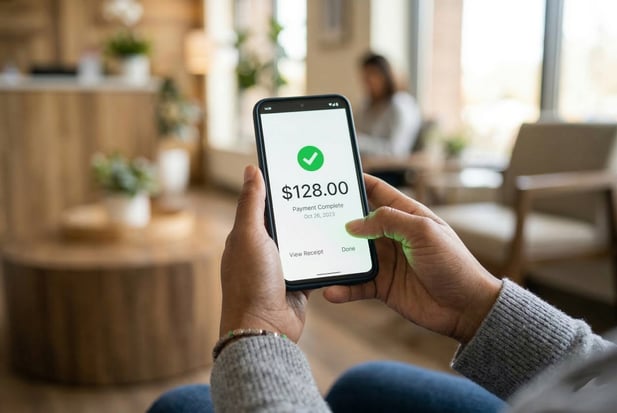
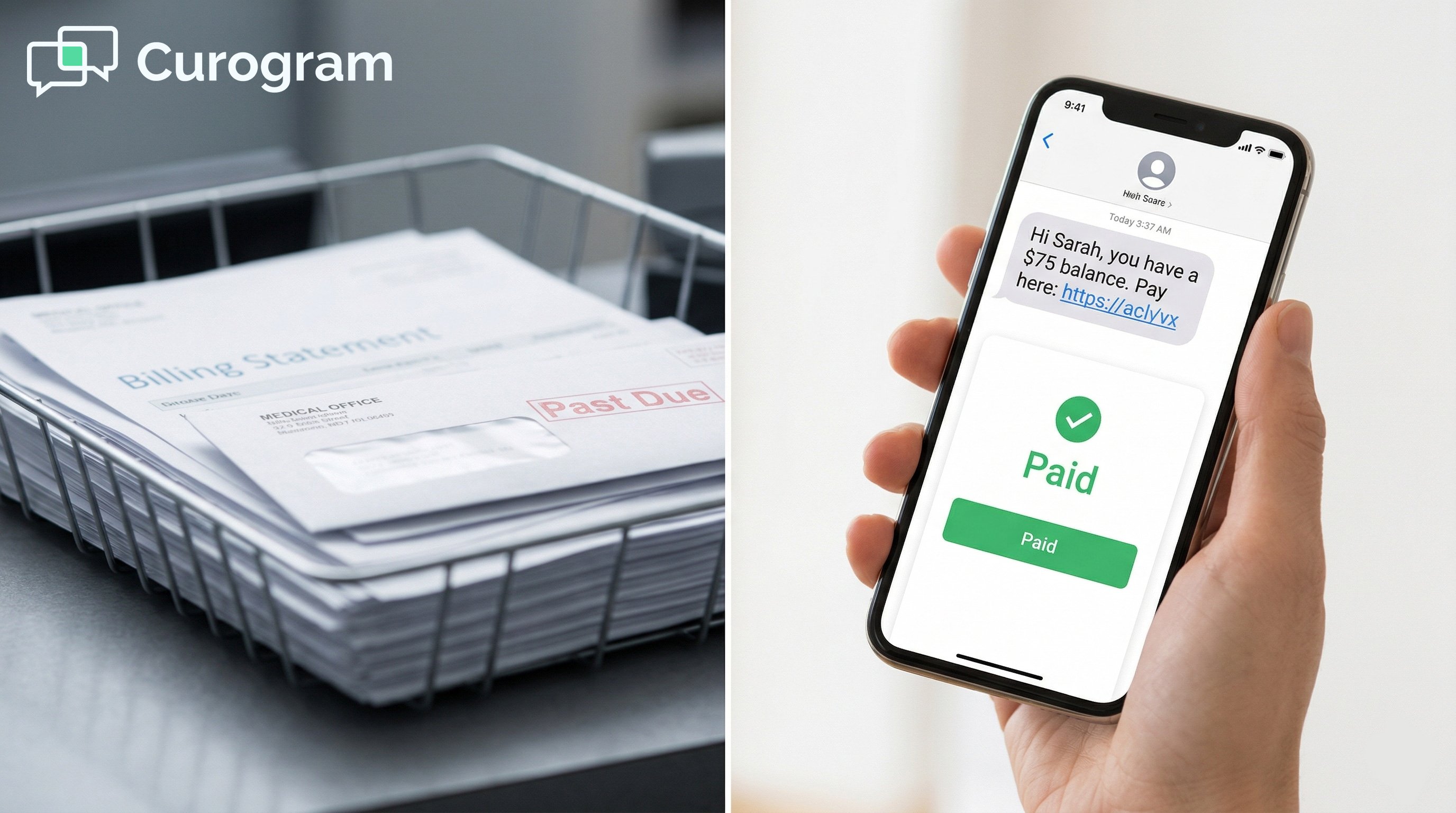
Successful mobile healthcare payment showing green checkmark and amount on smartphone

Free Your Billing Team from the Statement Treadmill

The statement run treadmill costs more than most billing directors realize. Printing, postage, staff time, manual posting, and slow cash flow add up fast.

The underlying issue is simple: paper statements are a slow way to reach patients in a mobile world.

eClinicalWorks is built to manage the revenue cycle from claims to adjudication. Curogram is built to accelerate the patient payment portion of that cycle.

The billing module calculates what is owed. The automated collection pipeline gets it paid faster and with less manual effort.

Stop printing statements for balances that could be collected with a text. Let your billing team focus on the revenue cycle work that requires human expertise. 

Schedule a demo today and let the numbers make the case on their own.


Frequently Asked Questions

Does text-to-pay eliminate the need for paper statements entirely?

Not necessarily, but it cuts statement volume significantly. Balances collected via text before the statement cycle runs never need a paper statement. For patients who do not pay after follow-up texts, paper statements can still serve as a backup.

Based on our internal data, most enterprise networks see statement volume drop by over 40% in the first 90 days, and the savings in printing and postage alone tend to exceed the cost of the platform.

Can billing staff see text-to-pay transactions in eCW?

Yes. Payments collected through text-to-pay are posted directly to the eCW billing module via the API integration. Billing staff sees the payment in the patient account the same way they would see a front-desk payment or an ERA posting.

The record includes the payment amount, method, date, and a reference ID for audit purposes. There is no separate system to check, and no manual reconciliation required.

How does the eCW API fee factor into the overall cost?

The eCW API fee makes the automated posting integration possible, and it is usually covered many times over by the savings it enables. When you add up reduced statement printing and postage, eliminated manual posting hours, faster cash flow, and lower bad debt write-offs, the API fee is a small fraction of the total operational savings.

Most enterprise networks find that the text-to-pay savings alone justify the full platform cost, with Curogram's other features adding further value on top.

Why do patients respond better to text-based payment requests?

Patients pay faster through text because it meets them where they already are. A payment link delivered to their phone is immediate and requires very little effort on their end. There is no portal to log into, no account number to find, and no check to write.

Based on our internal data, payment links sent within a few hours of a visit show the highest completion rates, which suggests that timing and convenience together drive the behavior change.

How does automated payment posting work for multi-location eCW networks?

Billing directors configure the collection rules centrally in Curogram, then those rules run automatically across all locations. You can set different policies by location, provider, or balance threshold.

Some locations may send payment links for every balance; others may set a minimum amount. High-value balances can include a payment plan option in the link. Curogram executes the rules consistently across the whole network, with no manual coordination needed at the practice level.

eClinicalWorks Text-to-Pay | SMS Payment Links for Enterprise RCM

eClinicalWorks Text-to-Pay | SMS Payment Links for Enterprise RCM

💡 eClinicalWorks text-to-pay SMS patient payment billing sends secure links to patients right after a visit. Patients pay in seconds from their...
Read More
Text-to-Pay for Prime Clinical | Collect Faster & Cut Costs

Text-to-Pay for Prime Clinical | Collect Faster & Cut Costs

💡 Text-to-pay for Prime Clinical Systems lets medical practices send secure payment links to patients by SMS. Instead of mailing paper bills, your...

Read More
Text-to-Pay for MD Systems Patient Billing | Get Paid Faster

Text-to-Pay for MD Systems Patient Billing | Get Paid Faster

💡 Text-to-pay for MD Systems patient billing lets practices swap paper statements for instant SMS payment links, cutting days in A/R by up to 30%.

Read More