11 min read

Text-Launched Video Visits for Tebra: No Login, No Barriers

Text-Launched Video Visits for Tebra: No Login, No Barriers
💡 Tebra telemedicine works — but the portal login stops too many patients from joining video visits. Curogram fixes this with a one-tap text link.
  • Patients get a text with a secure video visit link before their appointment
  • They tap the link and join the call in their phone's browser
  • No portal login, no app download, no account needed
  • The video visit is fully HIPAA compliant and SOC 2 Type II certified
  • Works alongside Tebra's scheduling and charting workflow
Practices using text-launched video visits see more patients finish their virtual appointments. Curogram turns Tebra telehealth from a feature on a screen into a service patients actually use.

Picture this. It's 1:55 PM. Your patient has a virtual follow-up at 2:00. She opens the link — and hits a login screen.

She tries her password. Wrong. She tries again. Locked out. She calls your front desk. Your staff walks her through a reset while the provider waits in an empty virtual room. Ten minutes gone. Half the visit slot — wasted.

This happens every day in Tebra practices that rely on portal-based telehealth. The video visit feature works fine. The problem is getting patients into it.

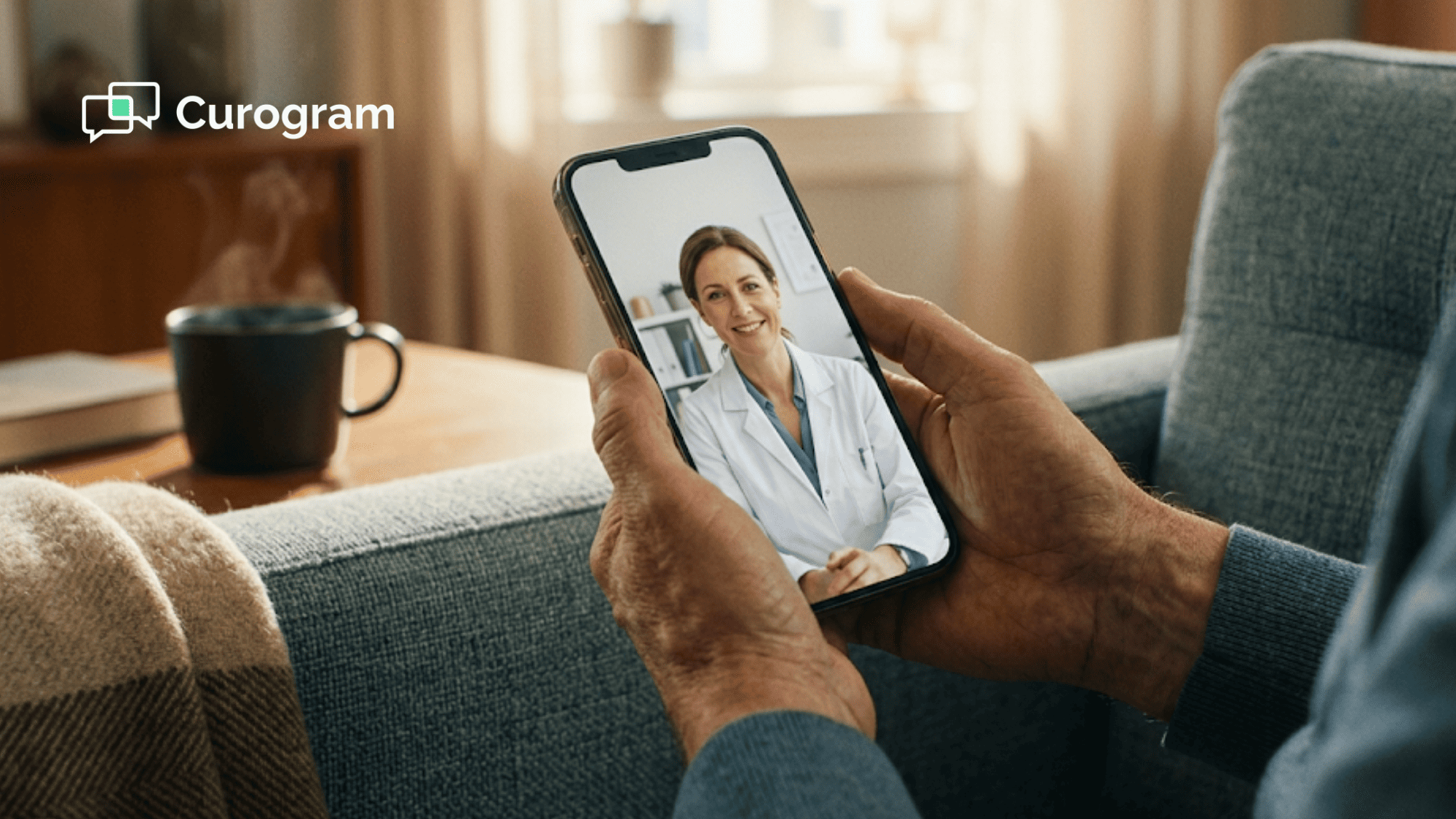
Tebra telemedicine powered by Curogram's one-tap video visit changes this. Instead of a portal login, your patient gets a text message with a secure link. She taps it. Her phone opens the video call in the browser. She sees her doctor. The visit starts — in under 30 seconds.

No portal. No app. No download. No login. No account.

This is what zero-friction telehealth patient access looks like when you launch a text message video visit link with no download and no credentials. The patient doesn't need to remember a password or set up a new account. They just tap and join.

For Tebra practices with 1 to 20 providers, this means more patients show up to virtual visits. It means fewer calls to the front desk about login issues. And it means telehealth stops being a feature on a list — and starts being a service your patients use.

In this article, we'll break down why the portal login is the real barrier to Tebra telehealth adoption, how text-launched video visits solve it, and what happens when you make it easy for patients to see their provider from home.

The Villain: The Login Before the Visit

Let's be clear about one thing: Tebra's telehealth works. It has video visits. It has virtual waiting rooms. It has built-in scheduling. The tech is solid.

The problem is the front door.

To join a video visit in Tebra, patients go through the same login used for all portal features. That means a username, a password, and sometimes a two-step check. For patients who use the portal often, it's simple. For everyone else, it's a wall.

Think about who falls into that "everyone else" group. Elderly patients who don't use online portals. First-time telehealth users.

Patients who forgot their login details months ago. Patients who never set up a portal account in the first place. These aren't rare cases — they make up a large share of most practice panels.

The Tebra telehealth portal login barrier drives patient adoption low across these groups. And the irony is sharp: telehealth was built to increase access to care. But the portal login limits it to patients who already have the highest digital comfort.

What Happens at the Moment of the Visit

Here's how the scene plays out. A patient is set for a 2:00 PM follow-up. At 1:55 PM, they open the visit link. The portal login screen shows up. They type their password — wrong. They try again — locked out.

Now they call the office. The front desk picks up and tries to help with a reset. Meanwhile, the provider sits in an empty virtual room. Five minutes pass. Then ten. A 15-minute visit slot is now half gone before the patient even shows up.

Some patients give up and ask to come in person instead. Others just don't come back at all. The practice built telehealth to save time. But the login before the visit cost them the whole appointment.

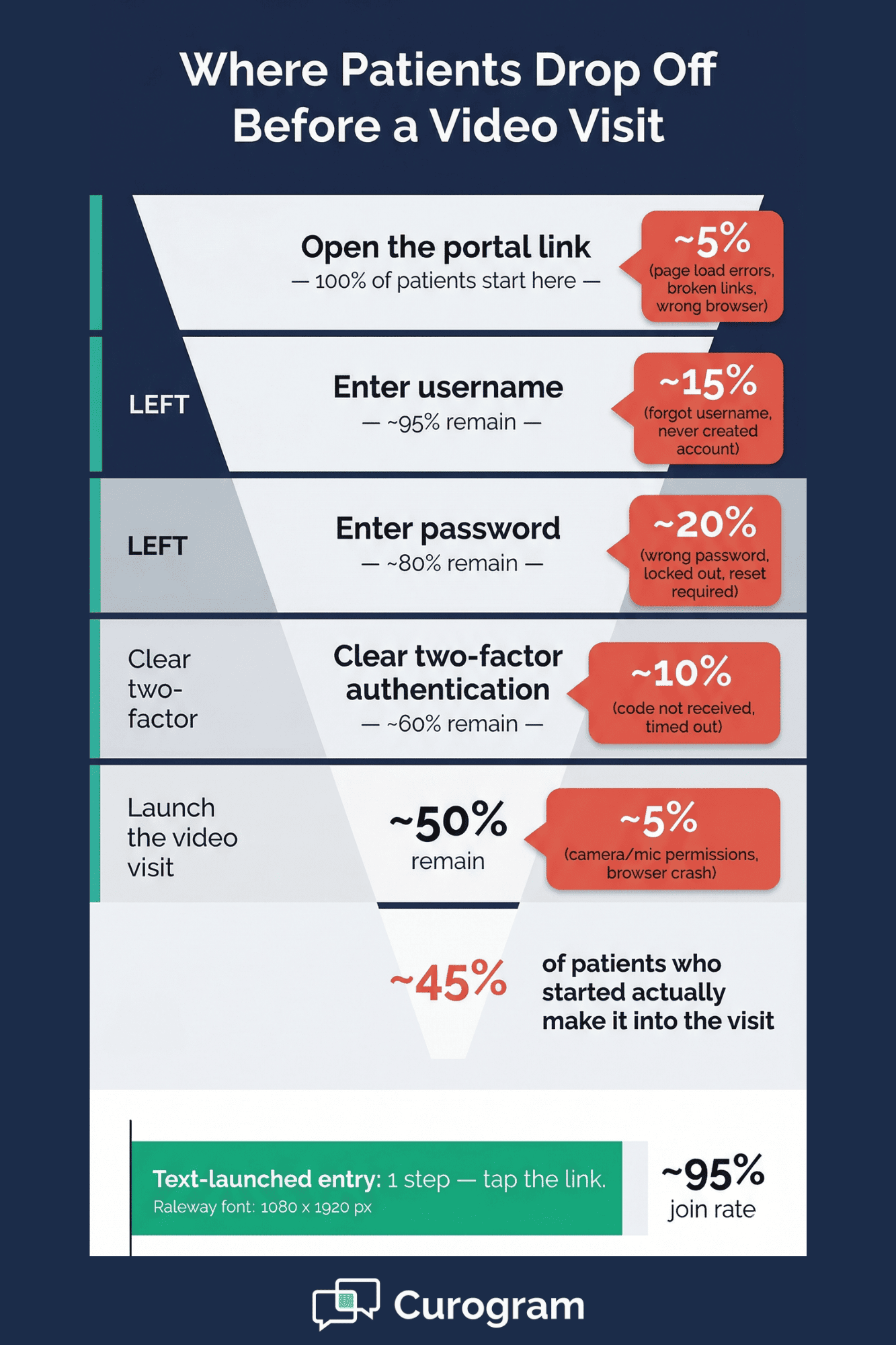
Funnel chart comparing five-step portal telehealth login drop-offs to single-step text link video visit access

The Ripple Effect

Low virtual visit completion doesn't just waste time. It has a chain of effects across the practice.

The practice put money into telehealth but only sees a small fraction of visits go virtual. Patients who could have been seen on video — med checks, post-op follow-ups, therapy sessions, chronic care visits — come in person instead. That fills up waiting rooms and exam rooms with visits that didn't need a physical exam.

The practice can't grow through telehealth because too few patients make it through the login. Telehealth stays a line item on the feature list instead of a working part of the schedule.

The Wrong Conclusion

Over time, providers and office staff start to believe something that isn't true: "Our patients just prefer in-person."

But that's not what's going on. Patients don't prefer in-person over virtual care. They prefer in-person over fighting with a login screen. There's a big gap between those two things.

When the Tebra patient telehealth access barrier from portal authentication goes away, the numbers look very different. The patients who "couldn't do video" were really just patients who couldn't get past the front door.

Portal Login Step

What Can Go Wrong

Enter username

Patient forgot or never set one up

Enter password

Wrong password, locked out

Two-factor code

Patient doesn't get the code in time

Browser issue

Portal page doesn't load on phone

Total time lost

5–15 minutes per failed attempt


This table is not made up. It's what front desk teams deal with every day. And every one of those steps is a chance for the patient to give up, hang up, or drive in instead.

The visit feature isn't the problem. The access method is.

The Guide: The One-Tap Video Visit

So how do you fix the front door without changing the whole house?

Curogram's one-tap video visit takes a totally different path. Instead of asking the patient to log in, you send them a text. That's it.

Before the visit time, the patient gets a text message in the same thread where they confirmed their appointment and filled out intake forms. The text has a secure link. At the right time, they tap the link. Their phone opens a video call in the browser. They see their provider. The visit starts.

The full process — from text to face-to-face — takes less than 30 seconds. No portal. No app. No download. No login. No account.

How the Tech Works

Curogram's telehealth runs on browser-based video that works right in the patient's phone browser. There's no app to install.

The video quality matches what you'd expect from any modern video tool. Audio and video are both encrypted, and the whole thing meets HIPAA rules.

The text delivery is a big part of why this works. Text messages have a 98% open rate. That means the visit link reaches the patient almost every time. Compare that to email, where open rates hover near 20%, or portal messages that many patients never check.

This is what a HIPAA compliant video visit text link built for an independent practice using Tebra looks like in action. The patient gets the link in a channel they trust and check daily. They tap it and they're in.

How It Fits with Tebra

Curogram doesn't replace Tebra. It works right next to it.

The appointment lives in Tebra. The video visit link goes out through Curogram. The provider runs the visit and charts in Tebra just like they always do. The only change is how the patient gets into the visit: a text link instead of a portal login.

Think of it like two lanes on the same road. Tebra handles the scheduling and the clinical record. Curogram handles the patient's entry point. The workflow stays the same for the provider. The only thing that changes is the patient's first step.

Why It Works Across Specialties

Different types of practices get different gains from a zero-friction telehealth launch from SMS for their Tebra practice.

  • Behavioral health providers see the most demand for video visits. Their patients often deal with anxiety or depression, which makes portal trouble even harder to handle. A simple text link removes that stress.

  • Primary care uses video for med management, chronic care check-ins, and sick visit triage. A patient with a cold doesn't want to fight a login screen — they want to see a doctor.

  • Dermatology leans on video for first consults and treatment follow-ups. The patient shows the provider their skin on camera. No need to drive in.

  • Pediatric practices offer video visits for parents who can't take time off work for a routine check-in. A text link means the parent taps and joins during a break — no app install, no IT help.

In each case, the text-launched entry removes the one thing that blocks who can join: the login.

Specialty

Top Telehealth Use Case

Why Text Entry Helps

Behavioral Health

Therapy and follow-ups

Reduces patient stress at entry

Primary Care

Med checks, sick visits

Quick access for simple needs

Dermatology

Visual consults, treatment tracking

Easy camera-based visit

Pediatrics

Routine check-ins

Fits into a busy parent's day


Every one of these use cases works better when the patient can get in with a single tap.

The Success: Telehealth That Patients Actually Use

Here's the thing about telehealth in most Tebra practices: it's turned on, but it's barely used. The feature exists. The visits are set up.

But the numbers tell a flat story — a small share of total visits go virtual, and many of those fall through due to login trouble.

When you switch the entry point from a portal to a text, that story changes fast.

What the Numbers Show

Practices that move from portal-based to text-based telehealth entry see a clear jump in how many virtual visits get finished. The reason is simple math: fewer steps means fewer drop-offs.

With portal entry, a patient must open a link, load the portal page, enter a username, enter a password, clear any two-factor check, then launch the video. That's five or more steps. Each step is a chance to quit.

With text entry, the patient taps one link. Done.

Based on our internal data, Curogram clients see over 75% average appointment confirmation rates through automated text reminders. That same text channel delivers the video visit link — meaning the patient is already in the right place at the right time.

When the entry process drops from five steps to one, the patients who gave up before — or called the front desk in a panic — now finish their visits with no help at all.

Real Capacity Without New Space

Here's where it gets even more useful. When more visits go virtual, you free up physical space.

A 5-provider primary care and behavioral health practice adds Curogram's text-launched video visits. The behavioral health providers stop losing visits to login issues. Primary care adds a virtual option for chronic care follow-ups — the kind of visit where the patient doesn't need a physical exam.

Think about a patient with high blood pressure who comes in every 3 months for a check. The visit is 10 minutes: review the numbers, adjust the meds, move on. That visit doesn't need an exam room. It needs 10 minutes on video.

The Patient Who "Couldn't Do Video"

Every practice has them. The 78-year-old who "isn't good with computers." The 45-year-old who "doesn't do apps." The new patient who never set up a portal account.

These patients aren't bad with tech. They just can't clear a five-step login process on their phone to join a 10-minute visit. The barrier isn't ability — it's design.

When a HIPAA compliant video visit arrives as a text link at an independent Tebra practice, these patients join for the first time. The elderly patient who "couldn't do video" taps a text and sees her doctor on screen.

The new patient who never made a portal account doesn't need one. The busy parent who didn't have 10 minutes to fight a login screen has 10 seconds to tap and join.

This is what Tebra telemedicine looks like when you give patients the access they need — no portal login, no app, and a HIPAA compliant path to zero-friction telehealth patient access.

What Changes in the Daily Routine

For the provider, not much changes. They still schedule in Tebra. They still chart in Tebra. They still run their visit the same way.

For the front desk, a lot changes — in a good way. The calls drop. No more walking patients through password resets at 1:58 PM

 No more hearing "I can't get in" three times a day. The text goes out, the patient taps in, and the visit starts on time.

For the patient, the whole feel of telehealth changes. It goes from "stressful and confusing" to "easy and fast." And when something is easy, people use it again.

The Bigger Picture

When you remove the barrier to virtual visits, telehealth becomes what it was meant to be — a way to see more patients, serve them better, and give them care without asking them to drive in for something that takes 10 minutes.

Practices stop saying "our patients don't do telehealth." They start saying "our patients prefer it."

Because when you text a patient a video visit link with no download and no credentials needed, the only reason they wouldn't join is if they don't want the visit. And that's a different problem — one that a login screen was never going to solve.


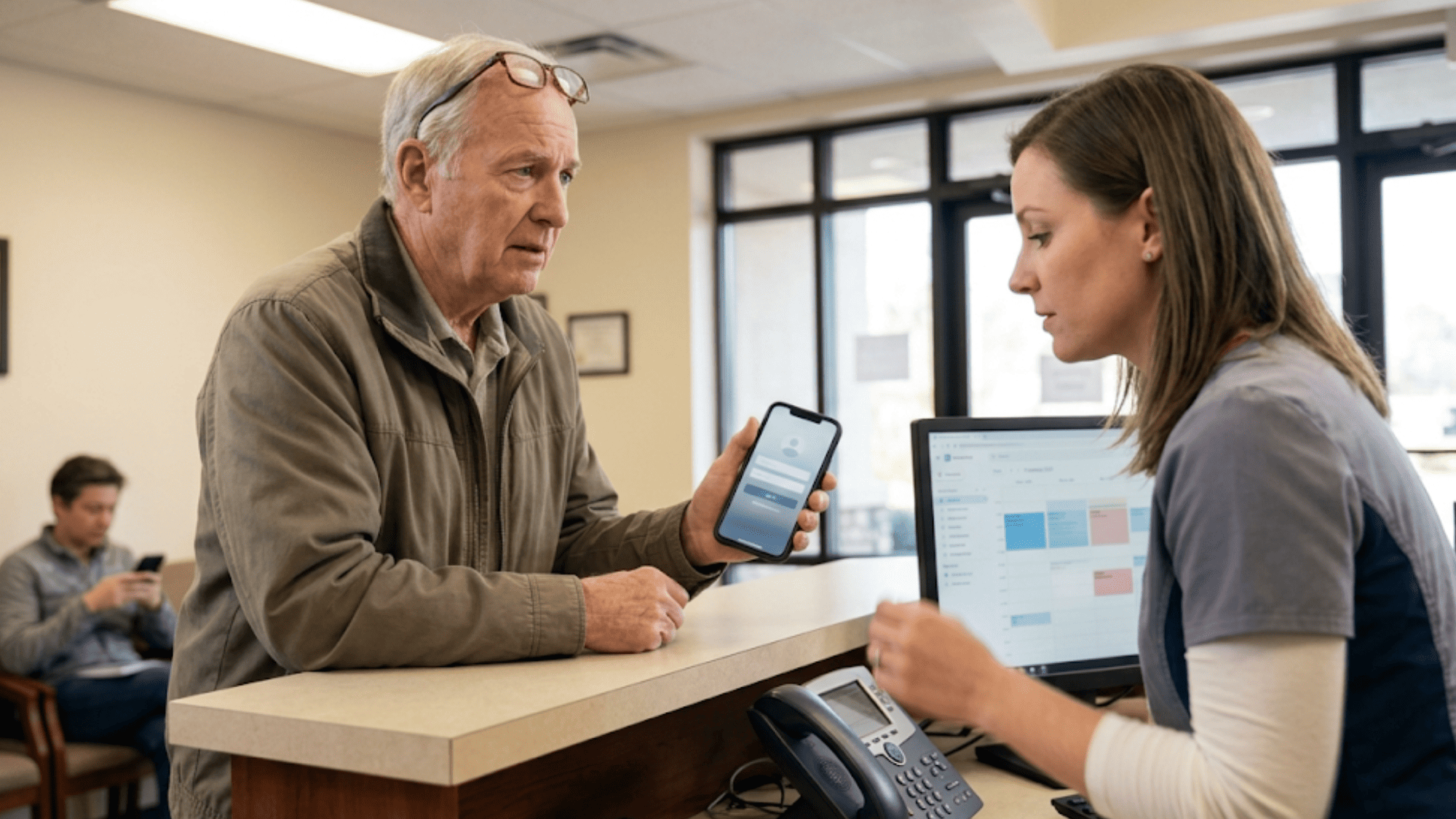
Elderly patient showing phone to front desk receptionist after failing to log into telehealth portal

How Curogram Makes Tebra Telehealth Work for Every Patient

Curogram was built to solve one core problem: patients can't access care when the entry point is too complex. For Tebra practices, that means turning a capable telehealth feature into a service that patients of all ages and tech levels can use.

The visit link arrives by text — the same channel patients already use to confirm appointments and fill out forms. There's no new tool to learn. No new login to create. Just a tap.

The patient's phone browser handles the whole visit. No app store, no install, no updates, no storage space taken up. Based on our internal data, this single change is the biggest driver of higher visit completion for practices that switch from portal-only access.

Curogram is HIPAA-compliant, SOC 2 Type II certified. Every video session is encrypted end to end. The text contains no patient health details — only a secure link. Curogram meets the same compliance standards that large health systems require.

Curogram was built to solve one core problem: patients can't access care when the entry point is too complex. For Tebra practices, that means turning a capable telehealth feature into a service that patients of all ages and tech levels can use.

Here's what Curogram brings to the table for your Tebra practice:

The visit link arrives by text — the same channel patients already use to confirm appointments and fill out forms. There's no new tool to learn. No new login to create. Just a tap.

The patient's phone browser handles the whole visit. No app store, no install, no updates, no storage space taken up. Based on our internal data, this single change is the biggest driver of higher visit completion for practices that switch from portal-only access.

Curogram is HIPAA-compliant, SOC 2 Type II certified. Every video session is encrypted end to end. The text contains no patient health details — only a secure link. Curogram meets the same compliance standards that large health systems require.

The appointment stays in Tebra. The chart stays in Tebra. Curogram handles only the patient's entry point. Staff don't switch platforms or change how they document visits.

Whether you're a solo provider or a 20-provider group, the setup takes minutes and staff training takes even less. Based on our internal data, staff onboarding is done in as little as 10 minutes.

The bottom line: Curogram doesn't replace your EHR. It opens the door that the portal keeps closed. When any patient — young or old, tech-savvy or not — can join a visit with one tap, telehealth works the way it was meant to.

Conclusion: One Tap Away from Their Provider

Tebra's telehealth is real. The video works. The virtual waiting room works. The scheduling works. None of that is the issue.

The issue is access. Portal login limits who can join. And the patients who can't get past the login screen aren't avoiding telehealth — they're avoiding the barrier.

Curogram's text-launched video visits remove that barrier in the simplest way possible. One text. One tap. One visit.

Tebra schedules the visit and holds the chart. Curogram gets the patient through the door. The EHR handles the clinical side. The text handles the access side. Together, they create a telehealth flow where the tech fades into the background and the care takes center stage.

When you pair Tebra's strong clinical tools with Curogram's text-first patient entry, you get a system that works for all of your patients — not just the ones who use the portal.

The ones who forgot their password? They tap a link. The ones who never made an account? They tap a link. The ones who get anxious about tech? They tap a link.

The result is simple: more patients seen, fewer visits lost, and a practice that runs closer to full capacity every day.

Every patient who joins a video visit instead of driving to the office is capacity you didn't have to build. Every follow-up that goes virtual frees an exam room for a visit that needs one. Every no-show that turns into a completed visit is revenue recovered.

Stop losing virtual visits to login screens. Schedule a demo to see how one text link gets patients into their appointment in under 30 seconds.


Frequently Asked Questions

Is Curogram’s text-launched telehealth HIPAA compliant?
Yes. Curogram’s video visits use encrypted audio and video transmission that meets HIPAA requirements. The platform is SOC 2 Type II certified and fully HIPAA compliant. The text message contains a secure link — no patient information is included in the text itself. 
Do patients need to download an app to join a video visit?
No. Curogram’s telehealth uses browser-based video (WebRTC) that runs directly in the patient’s mobile browser. The patient taps the text link and the video visit opens in Safari, Chrome, or whatever browser their phone uses. No app download, no portal login, no account creation. If the patient can tap a link and allow camera/microphone access, they can join the visit.
Can we keep using Tebra’s telehealth for patients who prefer it?

Absolutely. Curogram’s text-launched video visits add a telehealth access method; they don’t replace Tebra’s native telehealth. Patients who are comfortable with the portal can continue using Tebra’s virtual visit workflow. Curogram’s text-launched option serves the patients who don’t use the portal — expanding your telehealth reach to the population that portal-dependent access excludes.

How does Curogram's text-launched telehealth integrate with Tebra's existing workflow?

Appointments are scheduled in Tebra. Curogram delivers the visit link by text. Providers document in Tebra as usual. The only change is how the patient enters — text link instead of portal login.

How does text-launched telehealth help behavioral health providers reduce missed visits?

Therapy patients often deal with anxiety that makes tech issues harder to handle. A single-tap text link removes that stress and helps patients join sessions without portal friction or app downloads.