9 min read

Tebra Patient 2-Way Texting Without Portal Login: The Missing Layer

Tebra Patient 2-Way Texting Without Portal Login: The Missing Layer
💡 Tebra 2-way HIPAA texting without portal login lets practices text patients directly — no app, no password, no portal needed.
  • Curogram adds a text-first layer to any Tebra practice using direct SMS
  • Patients reply in seconds instead of logging into a portal they rarely use
  • Practices cut inbound phone calls by up to 50%, based on our internal data
  • Staff reclaim 2–3 hours per day by moving routine chats to text
  • Works alongside Tebra with no need to switch EHRs or change workflows
The result is same Tebra platform, same clinical tools, and a far better way to reach every patient.

Your Tebra platform has a two-way messaging tool. It's right there in the portal. So why is your front desk still buried in phone calls?

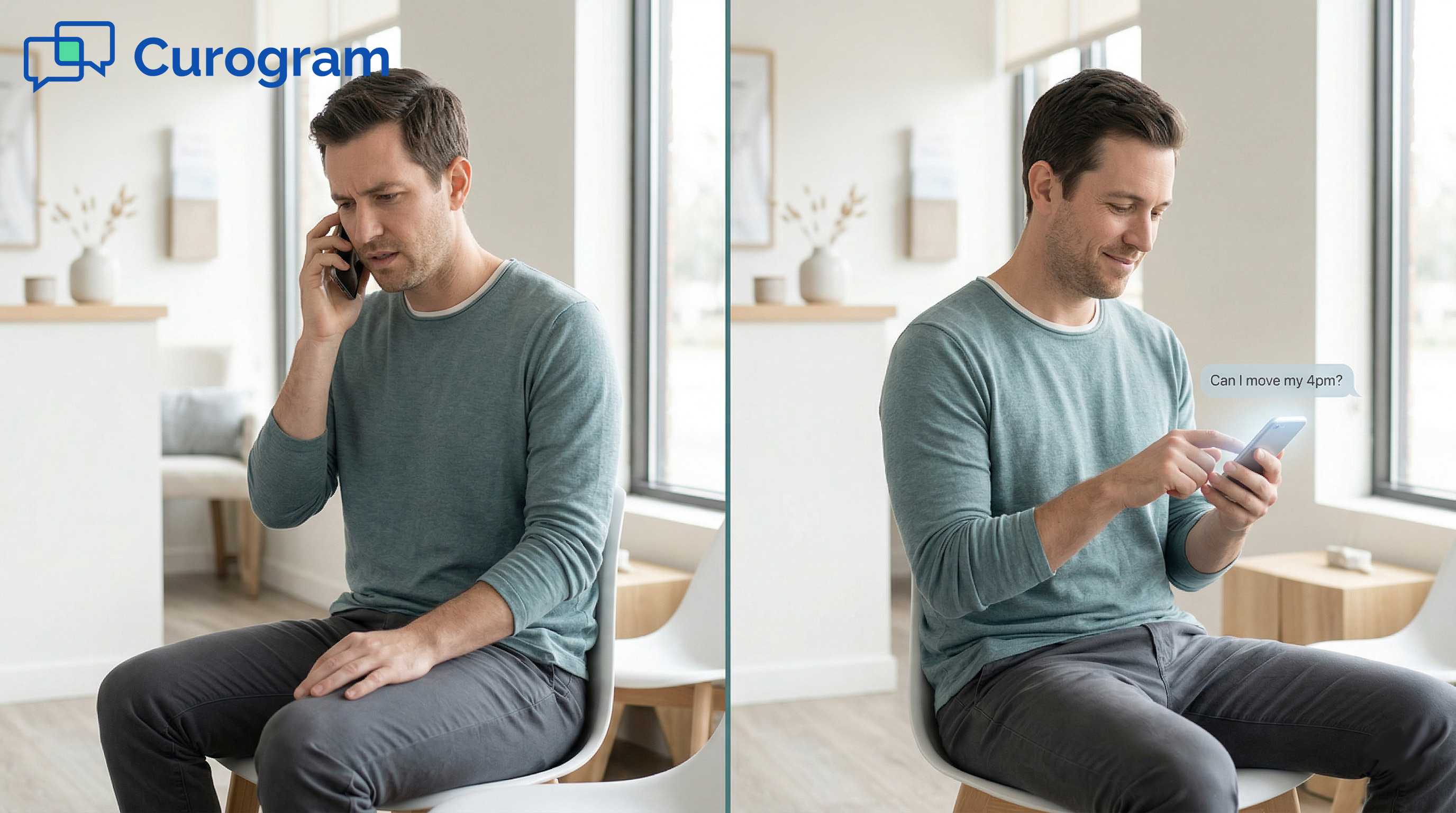
Here's the short answer: your patients aren't using it. They don't want to open an app, type a password, or click through menus just to confirm a visit. They want to send a quick text — the same way they talk to everyone else.

This gap between what Tebra offers and what patients actually do creates a real problem. Tebra portal messaging has low patient adoption, and text is the only real alternative that fits how people communicate today.

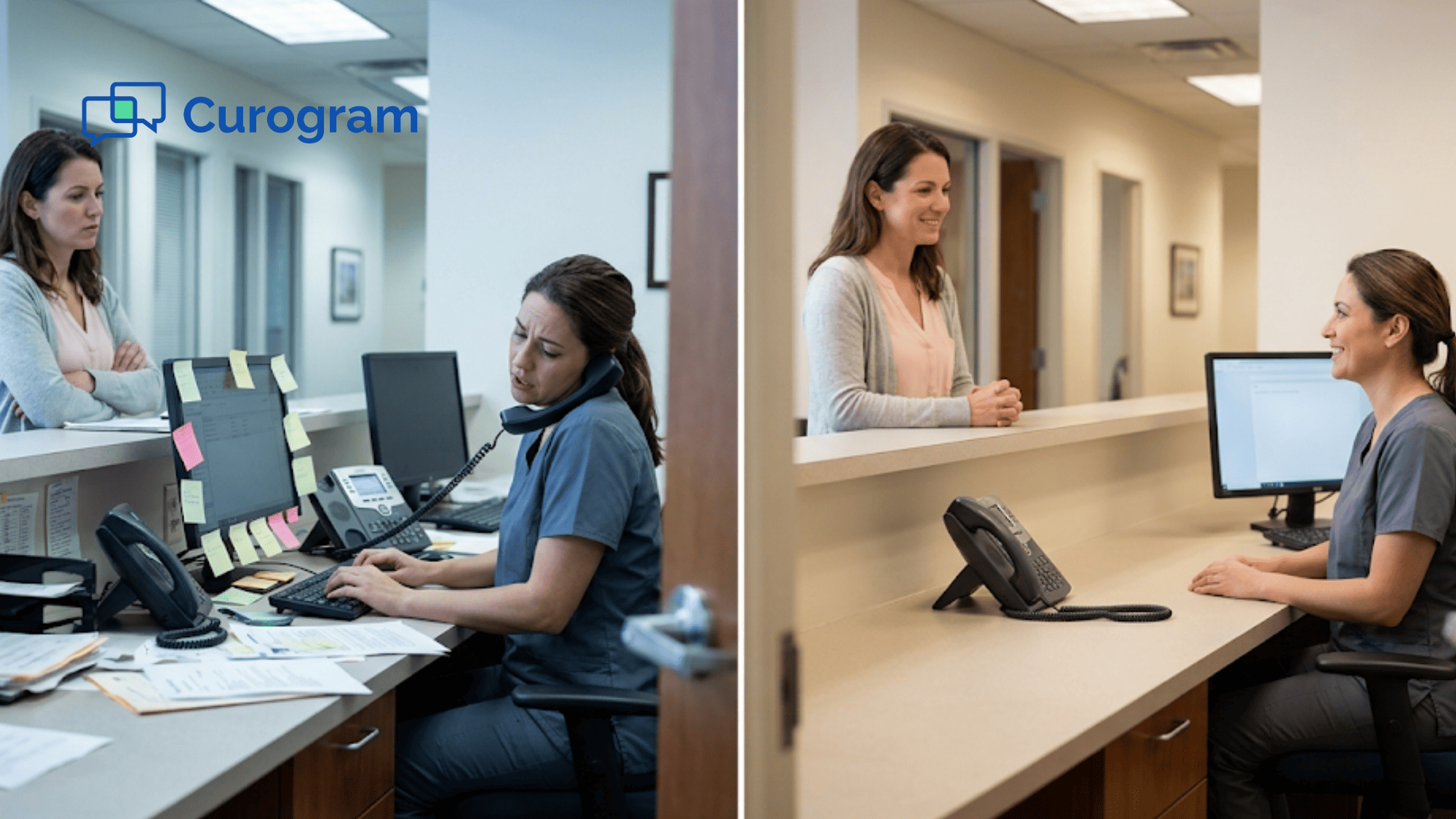
Your staff ends up fielding 80 or more calls a day. Each one takes 3 to 5 minutes. That adds up to hours of lost time, long hold queues, and a front desk that can barely keep up.

The good news? You don't need to leave Tebra to fix this. You need a text-first communication layer that complements your Tebra all-in-one EHR — one that sits right next to your current setup. Curogram does exactly that. It gives your practice 2-way HIPAA texting through direct SMS patient communication with Tebra, so patients can reach you the way they prefer.

No portal login. No app download. No friction.

In this guide, we'll break down why Tebra's portal messaging creates what we call "The Portal Wall" — and how adding a simple text layer solves it. You'll see real numbers, practical use cases, and a clear path to cut your phone volume in half.

If your Tebra practice fields 80 calls per day and patient texting could reduce that burden, this guide is for you. Let's look at the problem first.

The Villain: The Portal Wall

Tebra markets itself as the only all-in-one platform built just for private practices. And on paper, it delivers. You get charting, billing, reminders, digital intake, telehealth, and yes — two-way secure messaging. Check every box on the feature list, and Tebra's suite looks complete.

But there's a catch. The messaging tool — the one your patients use most — lives behind the patient portal. Every single routine message needs a login. And that's where the wall goes up.

How the Friction Path Works

Picture this. A patient needs to confirm tomorrow's visit. With Tebra's portal, the steps look like this:

  1. Get a notice from Tebra (email or push alert)
  2. Open the Tebra app or go to the website
  3. Enter a username and password (or reset a lost one)
  4. Find the messaging section
  5. Type a response

That process takes 3 to 5 minutes for a task that takes 10 seconds by text. Most patients give up and call instead. Many just don't respond at all.

Now, multiply that by every refill request, billing question, and schedule change your practice handles each day. The Tebra patient portal login friction doesn't just slow things down — it stops the whole conversation before it starts. That's why so many practices need to reduce phone volume, and text is the answer.

The Real Cost of 80+ Daily Calls

Based on our internal data, the average Tebra practice fields 80 or more inbound phone calls per day. Each call takes 3 to 5 minutes of staff time. Here's what that looks like over a week:

Metric

Per Day

Per Week

Inbound calls

80+

400+

Minutes per call

3–5 min

Staff hours on calls

4–6.5 hrs

20–32.5 hrs


That's up to 32 hours a week — nearly a full-time employee — spent only on phone calls. While your front desk handles that load, patients in the lobby wait longer for check-in. Insurance tasks pile up. Scheduling falls behind.

The portal exists. But the phone stays the main channel because the portal wall blocks the easy path.

The "Good Enough" Trap

Here's the part that's easy to miss. Practice owners who chose Tebra did so because they wanted a simple, all-in-one tool. They trust that if a feature is listed, it must be working.

But "listed" and "working" are not the same thing. Most practices never track how many patients actually reply through the portal. They don't calculate the true cost of 80 daily phone calls. They don't see the blind spot.

Think of it this way. If you sent 100 messages through the portal and only 20 to 30 got read, would you call that working? Compare that to text, where 98% of messages get opened. The numbers tell a clear story.

Tebra's messaging checks the box. But checking a box and getting results are two very different things. The portal wall turns what should be a quick, easy exchange into a slow, one-sided process that most patients avoid.

The fix isn't to replace Tebra. It's to add the missing layer — the one that meets patients where they already are.

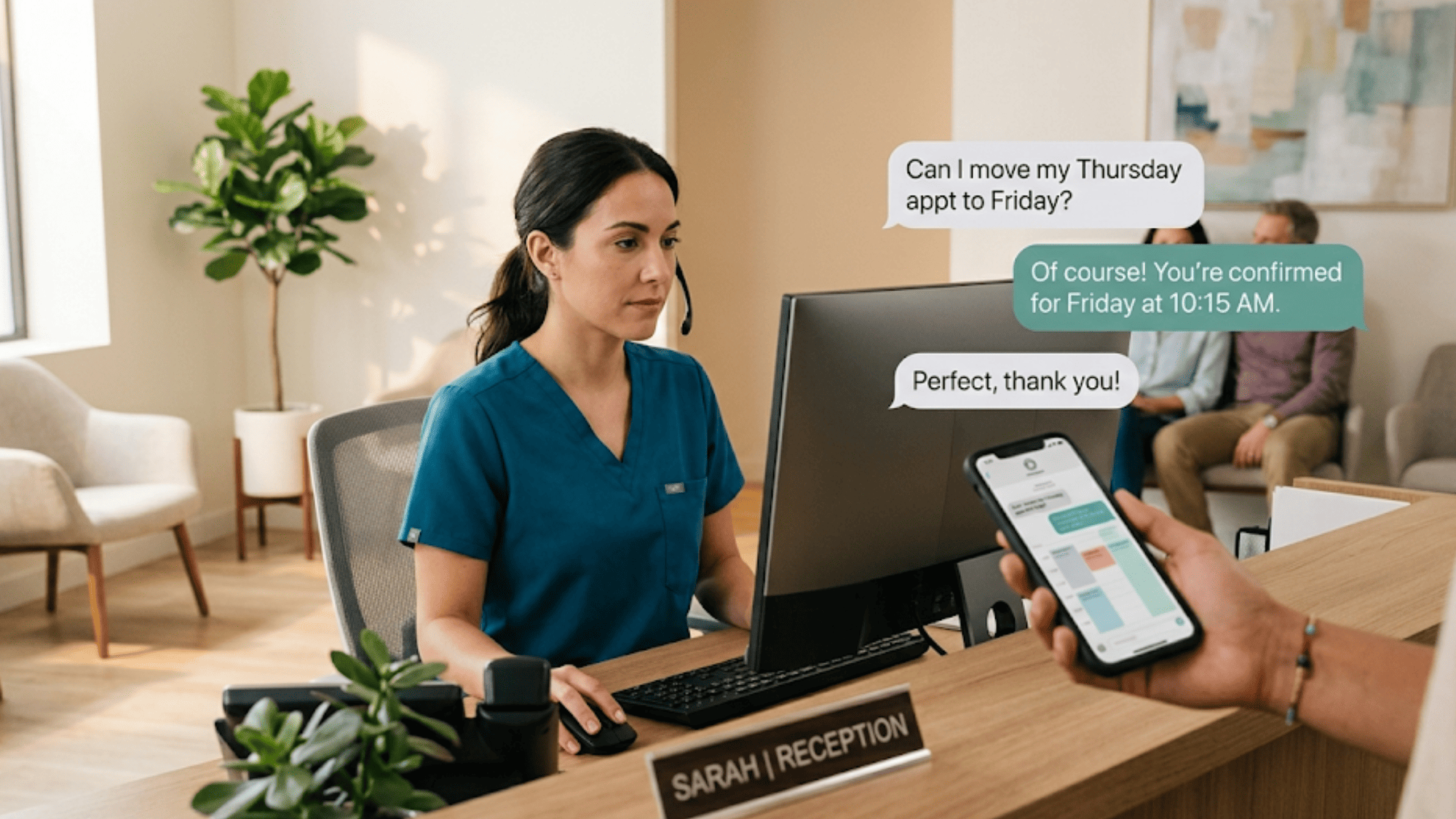
Front desk staff responding to a patient text message from her computer while the patient texts from a smartphone

The Guide: The Text-First Layer

The gap in Tebra's messaging isn't a reason to switch platforms. It's a reason to add the right layer on top. That's what Curogram's Text-First Layer does — it brings 2-way HIPAA texting through direct SMS to your Tebra practice without replacing a single tool you already use.

Patients text your practice's real phone number. Staff see every message in one place. No portal needed. No app download. No login wall.

One Inbox for Every Conversation

Right now, your front desk juggles calls, portal messages, sticky notes, and verbal requests from the lobby. Curogram puts all patient texts — schedule requests, billing questions, refill asks, and pre-visit notes — into a single dashboard called the Unified Inbox.

Here's what that looks like in practice:

  • A patient texts "Can I move my Thursday visit to Friday?" Staff see it instantly, reply in seconds, and the task is done.
  • A billing question comes in at 2 PM. Instead of a 4-minute phone call, staff type a quick reply. The patient gets an answer before they even think to call.
  • Three refill requests come in while the front desk checks in a patient. The texts wait quietly in the inbox — no hold music, no missed calls.

Every message is sorted by patient, threaded by topic, and logged with a time stamp for compliance. One screen replaces the portal tab, the phone queue, and the stack of notes on the counter.

How Curogram Works Alongside Tebra

Curogram doesn't ask you to change your EHR. It works alongside Tebra as a focused tool for patient communication. Your charting, billing, and scheduling stay right where they are. Staff don't need to learn a new system — based on our internal research, training takes as little as 10 minutes.

The setup also means no data migration. No workflow disruption. You simply add a text layer that Tebra's portal-based messaging can't provide on its own.

For practices that already feel worn out by too many software tools, Curogram is the exception. It earns its place by doing one thing better than the all-in-one's built-in module — patient communication.

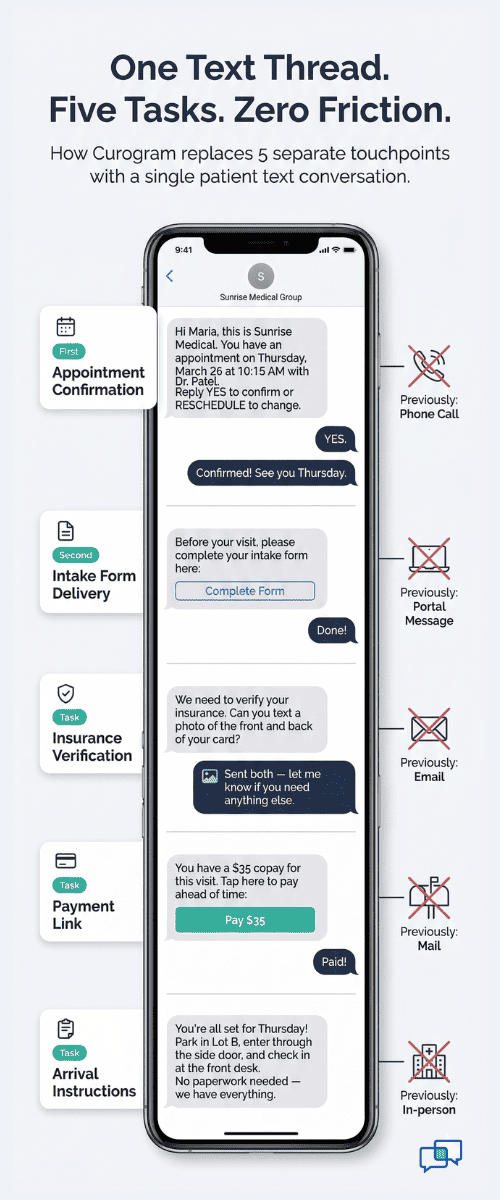
Visual comparison of five separate patient communication touchpoints consolidated into a single SMS conversation

Why This Fits Independent Practices

Tebra practices — from solo primary care providers to growing groups with 10 to 20 providers — chose their platform because they value simple tools. Curogram matches that mindset.

Think about the text-first communication layer as a complement to your Tebra all-in-one EHR — not a rival. Tebra runs your clinical workflow. Curogram runs your patient conversations. Together, they cover the full picture.

Here's a quick way to compare the two channels:

Feature

Tebra Portal Messaging

Curogram Text-First Layer

Requires patient login

Yes

No

App download needed

Yes

No

Open rate

20–30%

98%

Average response time

Hours to days

Under 3 minutes

HIPAA compliant

Yes

Yes (SOC 2 Type II)

Works with Tebra

Built-in

Add-on layer


The choice isn't between one or the other. It's about using each where it works best. Tebra handles clinical records and lab results behind the portal. Curogram handles the daily back-and-forth that patients want to do by text.

When you add the missing layer, your all-in-one actually starts to feel like one.

The Success: Same Platform, Better Conversations

Adding a text layer to Tebra isn't a theory. It's a shift that shows up in the numbers almost right away.

Curogram clients report a 50% drop in inbound phone calls after turning on text-first messaging. For a practice that handles 80 or more calls per day, that means 40 fewer calls, 2 to 3 hours of reclaimed staff time, and faster patient replies across the board.

But the numbers only tell part of the story. The real shift is in how your practice communicates — and how patients respond.

From Portal Silence to Real Conversations

Before the text layer, a typical Tebra practice sends portal messages and waits. After adding Curogram, the flow inverts. Here's a real-world example of what this looks like for a mid-size practice:

Scenario: A 10-provider multi-specialty group on Tebra

Before Curogram

After 30 Days with Curogram

  • 85 inbound calls per day
  • Front desk staff spend 5+ hours daily on the phone
  • Portal messages go unanswered for hours
  • Patients complain about long hold times
  • Phone volume drops by roughly half
  • Patients confirm visits, ask billing questions, and request refills via text
  • Staff spend less time on the phone and more time with patients in the office
  • The practice still uses Tebra for charting, billing, and scheduling


Why Text Gets Results (and Portals Don't)

The math behind this shift is simple. Text messages have a 98% open rate. Portal messages sit in the 20–30% range. That's a gap no amount of patient reminders or portal redesigns can close.

Think of it from the patient's point of view. They get dozens of texts every day from friends, family, and other businesses. Texting is second nature. But logging into a health portal? That's a chore they put off — or skip entirely.

When a Tebra practice moves routine conversations to text, the response rate jumps dramatically. Patients reply because the barrier is gone. No password. No app. Just a text thread on the phone they already hold.

Measurable Impact Across Key Areas

The effects of going text-first ripple across the whole practice, not just the phone lines. Here's how the shift plays out in specific areas:

Appointment Confirmations: Curogram clients see a 75% or higher average confirmation rate through automated text reminders. Compare that to portal-based reminders, where many patients never open the message.

Billing and Collections: When a patient owes a copay or has a balance, a quick text with a payment link gets faster results than a mailed statement or a portal alert. Patients can pay with a few taps.

Refill Requests: Instead of calling in, waiting on hold, and talking to a staffer for 3 minutes, a patient sends a text: "Can I get a refill on my blood pressure meds?" Staff process it from the inbox and reply when it's ready.

Pre-Visit Coordination: Intake forms, insurance details, and arrival instructions all go out by text before the visit. Patients fill out forms on their phone ahead of time. When they walk in, check-in takes a fraction of the usual time.


How Curogram Gives Tebra Practices the Text-First Edge


Curogram was built for practices that need better patient outreach without the headache of a full system change. For Tebra users, it fills the one gap the all-in-one platform leaves wide open: fast, simple, two-way texting that patients will actually use.

It's HIPAA compliant from the ground up. Curogram is SOC 2 Type II certified and signs a Business Associate Agreement (BAA) with every practice. Every text is encrypted, logged, and ready for an audit. Whether you have 1 provider or 20, the same standard applies.

Curogram works on the channel patients prefer. Instead of asking patients to download an app or create an account, Curogram uses direct SMS. Patients text your real office number and get a reply — that's it. No portal wall. No extra steps.

It handles more than just messages. From the same text thread, patients can confirm visits, fill out intake forms, pay a balance, and receive reminders. Your staff manage all of this from one Unified Inbox. It replaces sticky notes, voicemails, and scattered portal threads with a single view.

The platform fits alongside Tebra — not against it. Your charting, billing, and clinical workflows don't change. Curogram simply adds the communication layer that Tebra's built-in messaging can't match. Staff training takes as little as 10 minutes, and there's no data migration involved.

The results speak clearly. Based on our internal data, practices using Curogram cut phone calls by 50%, boost staff productivity by 30% or more, and see no-show rates 53% lower than the industry average. One multi-location client brought back 1,240 patients through text-based recalls alone — a 35% reconversion rate.

For any Tebra practice that's tired of portal silence and nonstop phone calls, Curogram is the upgrade that was always missing.

Conclusion: The Upgrade Your All-in-One Was Missing

Tebra's patient portal messaging checks the communication box. But checking a box and getting results are not the same thing.

The portal works fine for clinical records and lab results — tasks where a secure login makes sense. But for the daily flow of scheduling, billing questions, and quick patient requests, the portal wall turns fast exchanges into slow, one-sided silence.

That's where a text-first layer changes everything. Curogram gives your Tebra practice direct SMS communication that patients actually respond to. No login. No app. No friction.

Tebra is for your clinical workflow — charting, billing, scheduling. Curogram is for your patients' convenience — the text channel that turns portal silence into real conversations. Together, they deliver the all-in-one experience Tebra practices expected from day one.

If your practice is still fielding 80 or more calls a day, it's not because your patients don't want to reach you. It's because the path you've given them is too hard. Give them a text line, and watch the phones quiet down.

Your patients are already texting. Give them a way to text you.

If your front desk is still drowning in 80+ calls a day, the fix takes 15 minutes to see. Schedule a demo now to find out what your Tebra messaging is missing.


Frequently Asked Questions

How does Curogram keep patient texts HIPAA compliant alongside Tebra?
Curogram is SOC 2 Type II certified and signs a BAA with every practice. All texts are encrypted, time-stamped, and audit-ready — so compliance stays intact as your practice grows.
How is Curogram's texting different from Tebra's built-in two-way messaging?
Tebra's messaging requires a portal login. Curogram uses direct SMS — patients text your office number and get a reply without downloading an app, making an account, or navigating a portal.
How long does it take to set up Curogram with an existing Tebra practice?

Setup works alongside your current Tebra platform with no data migration. Based on our internal research, staff training takes as little as 10 minutes, and most practices go live within days.

Why does adding Curogram save money when it's another monthly cost?

The average practice spends 4 to 6 staff hours daily on phone calls. Curogram cuts that volume in half. The labor savings from even one day of reduced calls typically outweigh the monthly cost of the platform.

How does text-first messaging affect no-show rates for Tebra practices?

Automated text reminders reach patients on the channel they check most. Based on our internal data, Curogram users see no-show rates 53% lower than the industry average — meaning more kept appointments and more revenue.


How Practice Fusion Texting Can Reduce Phone Calls with One Inbox

How Practice Fusion Texting Can Reduce Phone Calls with One Inbox

💡 Practice Fusion front desk texting powered by Curogram's One-Inbox Workflow puts all patient communication into a single screen.Scheduling...

Read More
HIPAA Texting for Athenahealth: No Portal or App Download Needed

HIPAA Texting for Athenahealth: No Portal or App Download Needed

💡 Athenahealth patient texting through Curogram lets every patient reach their practice by SMS — no portal login, no app download, no hold time. ...

Read More
Reducing Phone Volume in MD Systems Clinics Through 2-Way Texting

Reducing Phone Volume in MD Systems Clinics Through 2-Way Texting

💡 AImproving patient access for MD Systems starts with removing the two biggest barriers: portal fatigue and phone tag. Curogram adds 2-way SMS...

Read More