10 min read

Direct SMS Patient Texting for Tebra: Schedule, Billing, and Refills

Direct SMS Patient Texting for Tebra: Schedule, Billing, and Refills
💡 Curogram gives Tebra practices a direct SMS text line so patients can reach the office with no portal login or app download needed.
  • Patients text the practice from their phone's native messaging app — no account or password required
  • Works for scheduling, billing questions, refill requests, and pre-visit coordination
  • Text messages see a 98% open rate versus 20–30% for portal messages
  • Practices using Curogram report up to 50% fewer patient-initiated phone calls, based on our internal data
  • Elderly and non-tech-savvy patients can reach the office just as easily as anyone else
Tebra's portal still handles clinical records and lab results. Curogram handles the daily back-and-forth that patients skip when a login wall stands in the way. The result is faster responses, happier patients, and a front desk that can breathe.

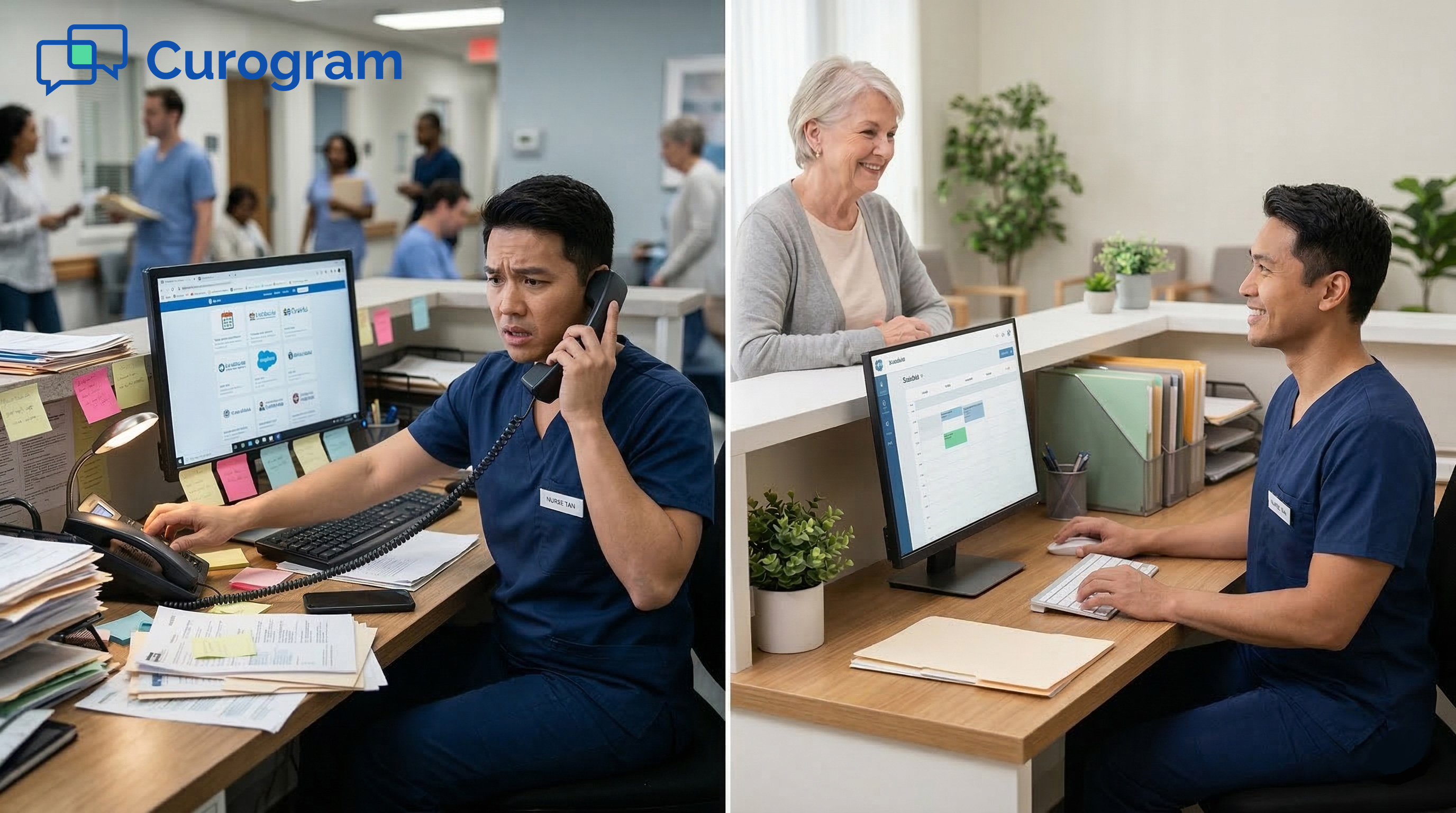
Picture this. A 67-year-old patient gets a notification about a message from your office. She taps it. The Tebra portal opens and asks for her email and password. She doesn't remember either one. She taps "Forgot Password," waits for a reset link, and gives up halfway through.

She picks up the phone and calls your front desk instead. Now she's on hold for four minutes — just to confirm tomorrow's 9 a.m. appointment.

This story plays out dozens of times a day in Tebra practices across the country. The portal exists. The messaging feature works. But the login wall turns a 10-second task into a 5-minute headache. Most patients skip the portal entirely and call — or worse, they stop reaching out at all.

That's the gap Curogram fills. When Tebra practices add Curogram, patients can text the doctor's office directly by SMS with no portal, no app, and no credentials needed. They use the same messaging app they already use to text family and friends. A quick "Confirm" text, and the appointment is locked in. A billing question gets answered in minutes, not days.

This is Tebra patient texting without the friction that portal logins create. It's direct, fast, and open to every patient — even those who have never logged into a portal in their lives.

In this article, we'll break down why the portal login is the biggest silent barrier to patient engagement in Tebra practices. We'll show how a no-login text line works, what results it drives, and why the practices that adopt it keep more patients. If you run a Tebra practice and wonder why your "two-way messaging" still can't stop the phone from ringing, keep reading.

The Villain: The Login That Loses Patients

Tebra's patient portal is packed with useful features. Secure messaging, appointment scheduling, bill pay, health records — it's all there. But to access any of it, a patient must create an account, verify their identity, and log in every single time.

For the patient who just wants to confirm a visit or ask about a copay, that login is a wall. It sits between a 10-second task and a multi-step process that most people abandon before they finish.

The Friction Path No One Wants to Walk

Let's trace the steps: A patient gets a notification about a new message. They tap it. The Tebra app or website opens. They enter their email and password — or, more likely, they tap "Forgot Password" for the third time this year.

They wait for the reset email. They create a new password. They log in, navigate to the inbox, read the message, type a reply, and finally hit send. That's at least eight steps for one simple reply.

Or they skip all of that and just call the office. The phone call takes 3–5 minutes. The portal process takes longer. A text message would have taken 10 seconds. The fastest option doesn't require a portal at all.

Why Open Rates Tell the Real Story

Portal messages have a 20–30% open rate. Text messages have a 98% open rate. That gap is massive — and it explains a problem that many Tebra office managers know too well.

Even though Tebra includes "two-way messaging," most practices still handle 80+ phone calls a day for routine tasks. Patients aren't ignoring the practice. They're ignoring the delivery channel because the portal adds friction to every single message.

Think of it this way. If a patient has to log in just to read "Your appointment is tomorrow at 2 p.m.," many of them won't bother. But if that same message shows up as a text on their lock screen, they read it in seconds and reply right away.

The Real Risk: Patient Leakage

Here's the part that keeps practice owners up at night. Patients don't leave practices because of bad clinical care. They leave because of bad experience.

When every question requires a portal login or a long phone hold, patients start to look for options. The urgent care down the street answers in 30 seconds. The new primary care office sends text reminders that are easy to confirm. Patients notice these things.

For Tebra practices in competitive markets, the portal wall isn't just an inconvenience. It's a patient retention risk that the "all-in-one" platform creates by design. The Tebra patient communication system requires a portal login and app download for every interaction — and that requirement quietly pushes patients toward the exit.

Channel

Open Rate

Avg. Response Time

Steps to Reply

Portal Message

20–30%

Hours to days

5–8 steps

Phone Call

N/A

3–5 min hold

1 step (but slow)

SMS Text

98%

Under 3 min

1 step


The table above paints a clear picture. The portal has the lowest engagement. The phone eats staff time. SMS wins on every metric — open rate, speed, and ease of use.

The portal was built for secure clinical records and lab results. It does that job well. But it was never the right channel for the quick, daily messages that keep patients engaged and connected to your practice. Forcing those messages through a portal login is like asking someone to show a passport just to check their mailbox.

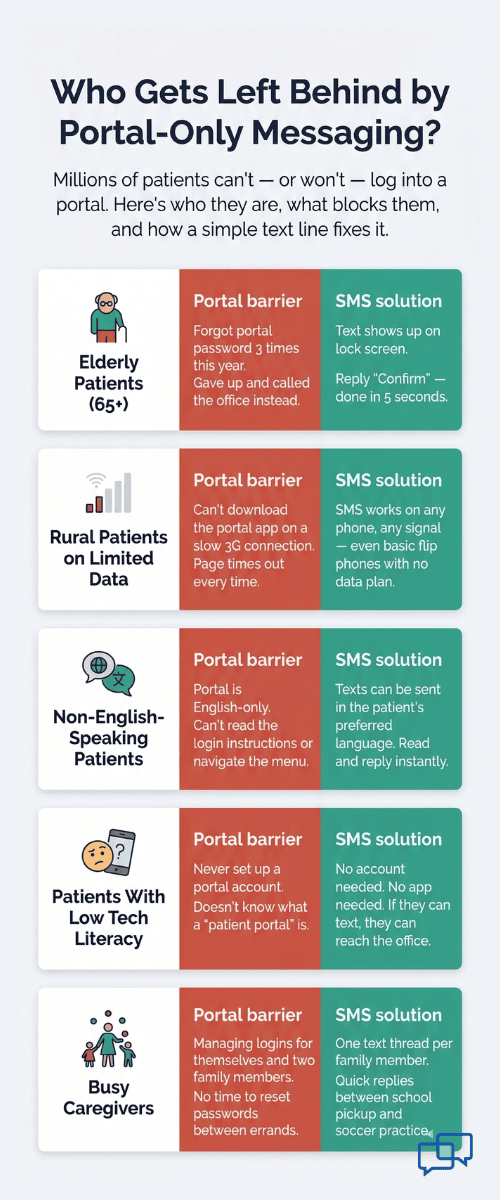
Infographic showing five patient groups who struggle with portal logins and how SMS texting removes each barrier

The Guide: The No-Login Text Line

Here's the fix: Curogram gives patients at Tebra practices a direct SMS channel to the office. No app to download. No account to create. No password to remember. Patients text the practice's phone number — the same number they'd call — and get a reply from staff in real time.

It works exactly like texting a friend, because it is texting.

Text Like You Text Anyone Else

The patient doesn't need to learn anything new. They open the messaging app already on their phone. They type a message. They hit send. Done.

Here's what that looks like in practice:

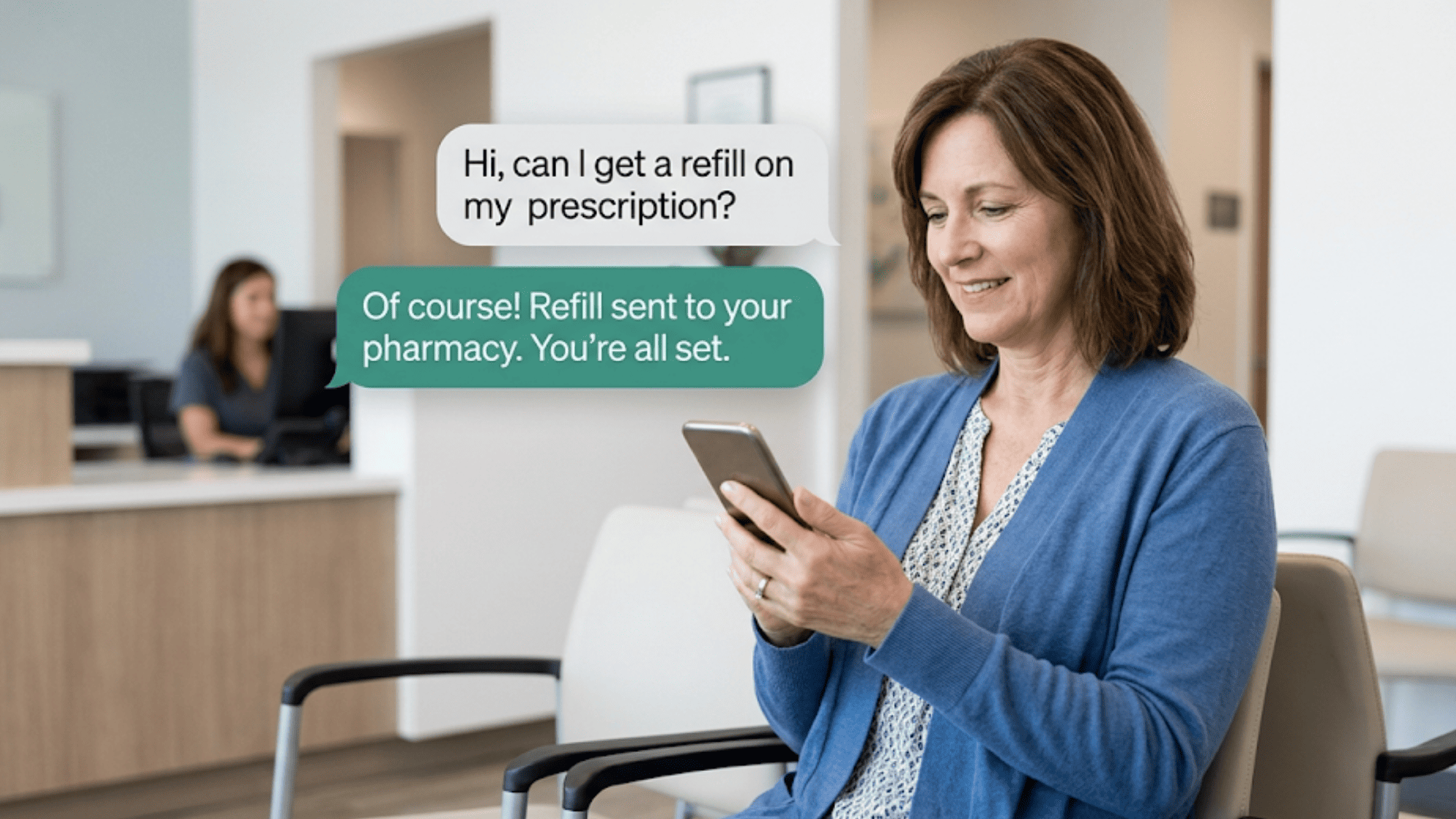
A patient needs to confirm an appointment. She types "Confirm" and sends it to the office number. A patient has a billing question about a charge on his last visit. He texts the question and gets a clear answer within minutes. A patient needs a prescription refill. She sends one text, and the staff takes it from there.


Every one of these tasks used to require a portal login or a phone call. Now they happen in the same text thread patients use all day long. This is text-based patient access for scheduling, billing, and refills on Tebra — without any of the portal friction.

Who Benefits Most

Some patients can handle portal logins just fine. But a large share of your patient panel can't — or won't.

Think about the elderly patient who struggles with portal navigation. She knows how to text her daughter, but she has never set up a portal account. The portal is a brick wall for her. A text message is an open door.

Think about the rural patient on limited data who can't download another app. Or the busy parent who doesn't have five minutes to reset a password between school pickup and soccer practice.

Elderly patients who need digital access can text message the Tebra practice with no portal barrier standing in the way. Curogram removes the one thing that kept them from reaching the office — the login itself.

Woman holding a smartphone in a clinic waiting room with text message bubbles showing a refill conversation with her practice

Why This Fits Growing Tebra Practices

Tebra practices compete on patient experience, not just clinical quality. The practice that responds to a scheduling question in 30 seconds keeps the patient. The practice that sends patients to a portal login and a 5-minute hold queue loses them.

For practices expanding to new locations, the math gets worse. More locations mean more phone lines, more hold queues, and more staff needed to answer calls. A no-login text line scales patient communication without scaling headcount.

Picture a group with three locations:

Instead of hiring extra front desk staff at each site to handle phone volume, they route routine messages through Curogram's text line.

Patients can text the doctor's office directly by SMS with no credentials — no matter which location they visit. Staff at any site can manage the text thread. The result is the same personal feel with far less overhead.


Based on our internal data, practices using Curogram see phone calls drop by as much as 50%. That's not because patients stop reaching out. It's because they switch to a faster, easier channel.

How It Stays Secure

A common concern is HIPAA compliance. Curogram handles this head-on. Every text conversation is encrypted, logged, and fully HIPAA compliant. Curogram is SOC 2 Type II certified and signs a Business Associate Agreement with every practice. Patient data is protected at the same level as the Tebra portal — without the login barrier.

The security is built into the platform. Patients don't need to think about it. They just text.


The Success: Patients Who Can Reach You, Stay With You

SMS messages have a 98% open rate. Portal messages sit at 20–30%. That single comparison tells you where patients are paying attention — and where they aren't.

But the open rate is just the start. The average response time for a text message is under 3 minutes. Portal messages? Hours. Sometimes days. Patients respond to texts because texts meet them where they already are — their phone's lock screen.

Based on our internal research, Curogram clients report a 50% reduction in patient-initiated phone calls after activating the text line. That's a real, measurable drop. It doesn't mean patients stop asking questions. It means they ask by text instead of by phone.

Here's a simple way to see the impact. Say your practice handles 100 patient calls a day. Each call takes an average of 4 minutes of staff time. That's nearly 7 hours of phone work every day. Cut that by 50%, and you free up more than 3 hours of staff capacity — without hiring anyone new.

Metric

Before Curogram

After Curogram

Daily patient calls

~100

~50

Staff phone time per day

~7 hours

~3.5 hours

Message open rate

20–30% (portal)

98% (SMS)

Avg. patient response time

Hours–days

Under 3 min

Appointment confirmation rate

Low

75%+


Based on our internal data, Curogram clients also see appointment confirmation rates above 75% when using automated SMS reminders. That translates to fewer no-shows and better use of every time slot on the schedule.

From Portal Silence to Instant Access

The patient experience changes fast once the text line goes live. Patients no longer need to navigate a login screen for every interaction. They text and get a response in minutes.

Appointment confirmations happen through a quick reply. Billing questions get answered the same day — often within the hour. Refill requests take one message instead of one phone call and two holds. Pre-visit questions get handled before the patient even walks through the door.

The portal doesn't go away. It still holds clinical records, lab results, and detailed health data. But routine communication moves to the channel patients actually use. The Tebra patient engagement that practices struggled to get through the portal happens naturally through direct SMS without the friction.

Real Outcomes From Real Practices

Let's look at what happens when a growing multi-specialty Tebra practice activates Curogram's text line.

In the first quarter, patient satisfaction scores go up. This makes sense — patients who get quick answers are happier patients. Portal complaints drop because patients no longer need the portal for the tasks that frustrated them most.

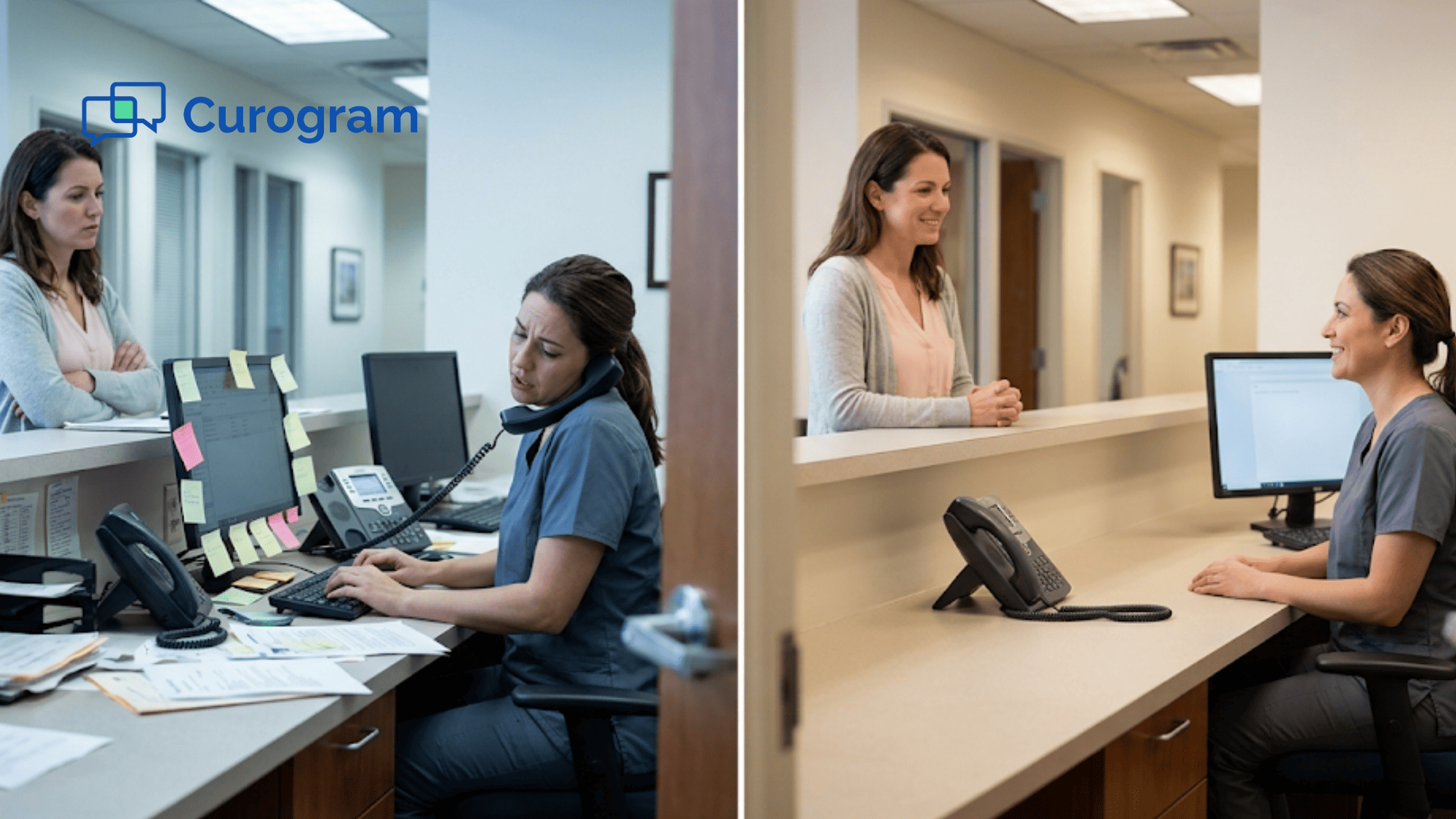
Phone hold times shrink. Not because fewer patients want to reach the office, but because the patients who used to call for simple questions now text instead. The phones are freed up for the calls that actually need a live conversation — new patient intake, complex insurance questions, and clinical concerns.

Based on our internal data, one multi-location practice saw 35% of patients who received a text recall message schedule an appointment within a month. That's 1,240 patients seen from recall texts alone. Those are patients who might have been lost without that simple text nudge.

Here's another angle: Atlas Medical Center cut their no-show rate from 14.20% to 4.91% in just three months using Curogram's automated reminder system. That's 3x better than the industry average, based on our internal research. Every recovered appointment is a time slot that generates revenue instead of sitting empty.


Why Direct SMS Access Changes the Game for Tebra Practices

Most patient engagement platforms promise better communication. But they still force patients through the same old barriers — portal logins, app downloads, and account creation. Curogram takes a different approach.

Instead of building another portal patients won't use, Curogram adds a direct SMS text line to the Tebra practice's existing phone number. Patients don't need to change anything about how they use their phone. They just text.

That simplicity drives real results. Practices see phone call volume drop by up to 50% because patients shift to texting for routine tasks. Appointment confirmation rates climb above 75% with automated SMS reminders. And no-show rates fall — one practice cut their rate from 14.20% to 4.91% in three months, based on our internal data.

Curogram integrates directly with Tebra's practice management system. Staff see texts alongside their normal workflow. There's no separate dashboard to check, no extra software to learn. Training takes about 10 minutes, and the platform is live the same day.

For practices that serve older patients, rural communities, or anyone who struggles with digital tools, the impact is even bigger. Texting is universal. A patient who can't navigate a portal can still send a text. That means practices reach more of their patient panel — not just the tech-savvy ones.

Every message through Curogram is encrypted and HIPAA compliant. The platform is SOC 2 Type II certified and includes a Business Associate Agreement with every practice. Security meets simplicity.

Curogram doesn't replace Tebra. It removes the friction Tebra's portal creates for everyday tasks. The portal stays for clinical records. The text line handles the daily back-and-forth. Together, they give patients the full experience — secure when it matters and simple when it should be.

Conclusion: Give Your Patients the Access They Expect

Tebra's portal was built for secure clinical tasks. It handles medical records, lab results, and health summaries well. But patients don't want to log in for an appointment confirmation or a billing question.

Curogram's no-login text line gives patients the instant, low-friction access they expect from every other service in their lives. They text their bank. They text their dentist. They text their barber. Now they can text their doctor's office too.

Tebra holds your patients' medical records. Curogram holds their attention. The portal serves clinical depth. The text line serves daily convenience. Together, they cover the full patient experience.

This isn't about replacing Tebra. It's about filling the gap Tebra leaves open. The portal does what the portal does best — store and secure clinical data. Curogram does what SMS does best — deliver fast, easy, two-way exchanges that patients actually respond to.

When practices pair the two, patients get the best of both worlds. Secure records in the portal. Instant access in their text thread. No more choosing between safety and speed.

Your patients already text every other business they work with. They text to order food, check a delivery, or reschedule a haircut. If they can't text your practice, you're the exception — and not in a good way.

Give them a way to text you. Watch what happens to engagement, satisfaction, and retention.

The practice that answers fastest keeps the patient. Book a demo to see how Curogram gives your Tebra patients a direct text line — no portal, no app, no waiting.


Frequently Asked Questions

How does Curogram keep patient text messages HIPAA compliant without a portal login?
Every text through Curogram is encrypted, logged, and stored on HIPAA-compliant servers. Curogram is SOC 2 Type II certified and signs a BAA with every practice, so patient data stays protected even without a portal layer.
How quickly can a Tebra practice go live with Curogram's text line?
Most practices are fully set up and sending texts the same day. Staff training takes about 10 minutes since the platform works inside existing workflows — no complex onboarding or IT projects required.
How does Curogram handle patients who still prefer using the Tebra portal?

Curogram runs alongside Tebra, not in place of it. Patients who use the portal can keep doing so for clinical records and lab results. The text line simply adds a faster channel for routine tasks like confirmations and billing questions.

Why do text messages get better patient response rates than portal messages?

Texts show up on the patient's lock screen instantly — no login needed. Portal messages require the patient to open an app, enter credentials, and navigate to an inbox. That extra friction causes most patients to ignore or delay their response.

How does the no-login text line reduce front desk phone volume?

Patients who can text a quick question don't need to call and wait on hold. Based on our internal data, practices see up to a 50% drop in daily patient calls because scheduling confirmations, billing questions, and refill requests all shift to SMS.


Tebra Patient 2-Way Texting Without Portal Login: The Missing Layer

Tebra Patient 2-Way Texting Without Portal Login: The Missing Layer

💡 Tebra 2-way HIPAA texting without portal login lets practices text patients directly — no app, no password, no portal needed. Curogram adds a...
Read More
HIPAA Texting for Athenahealth: No Portal or App Download Needed

HIPAA Texting for Athenahealth: No Portal or App Download Needed

💡 Athenahealth patient texting through Curogram lets every patient reach their practice by SMS — no portal login, no app download, no hold time. ...

Read More
How Practice Fusion Texting Can Reduce Phone Calls with One Inbox

How Practice Fusion Texting Can Reduce Phone Calls with One Inbox

💡 Practice Fusion front desk texting powered by Curogram's One-Inbox Workflow puts all patient communication into a single screen.Scheduling...

Read More