
How Patients Text Their Doctor's Office Without an App or a Portal
 Jo Galvez : Mar 17, 2026, 2:00:01 PM
Cut clinic phone calls by 50% with Practice Fusion texting. Curogram’s one-inbox workflow replaces Updox and faxes in one simple screen.
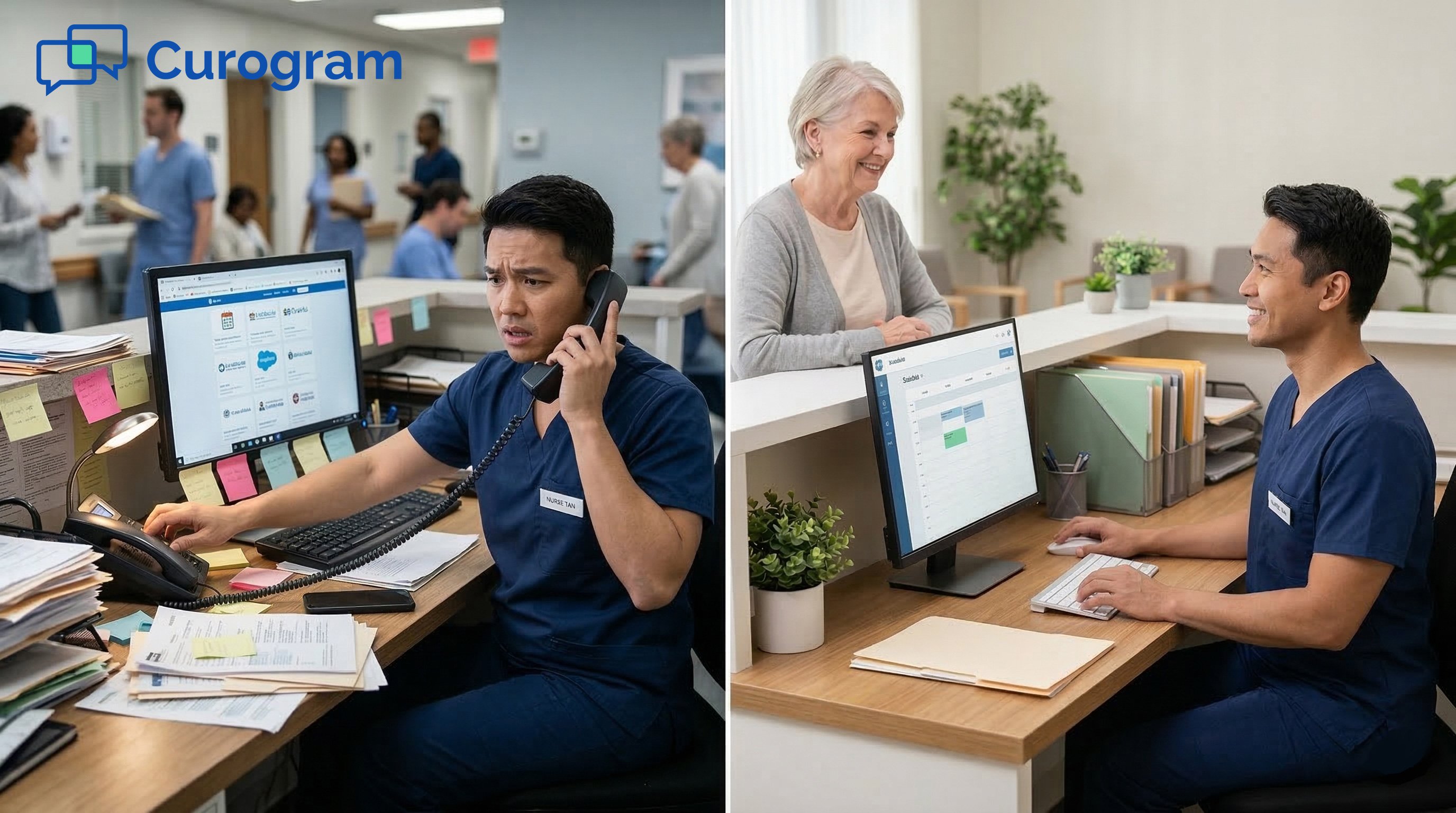
It is 8:47 a.m. on a Tuesday. The phone is already ringing.
Your front desk has one person. She is checking in a patient, answering a question about a copay, and trying to remember if Mrs. Johnson confirmed her appointment through Updox or the Patient Fusion portal.
Two more patients are in the waiting room. Three unread fax messages sit in another tab. The phone keeps ringing.
This is not an unusual morning. For small clinics on Practice Fusion, this is just a regular Tuesday.
The problem is not that your team is slow. The problem is that patient communication is spread across too many places. There is no single screen that shows everything.
And so your front desk spends most of the day reacting — jumping between tabs, answering calls, and trying not to miss anything important.
Most of those phone calls? They are routine. A patient wants to reschedule. Another wants to know their balance.
Someone needs a refill request passed to the provider. These are 3-to-5-minute calls for tasks that could be handled in 30 seconds over text.
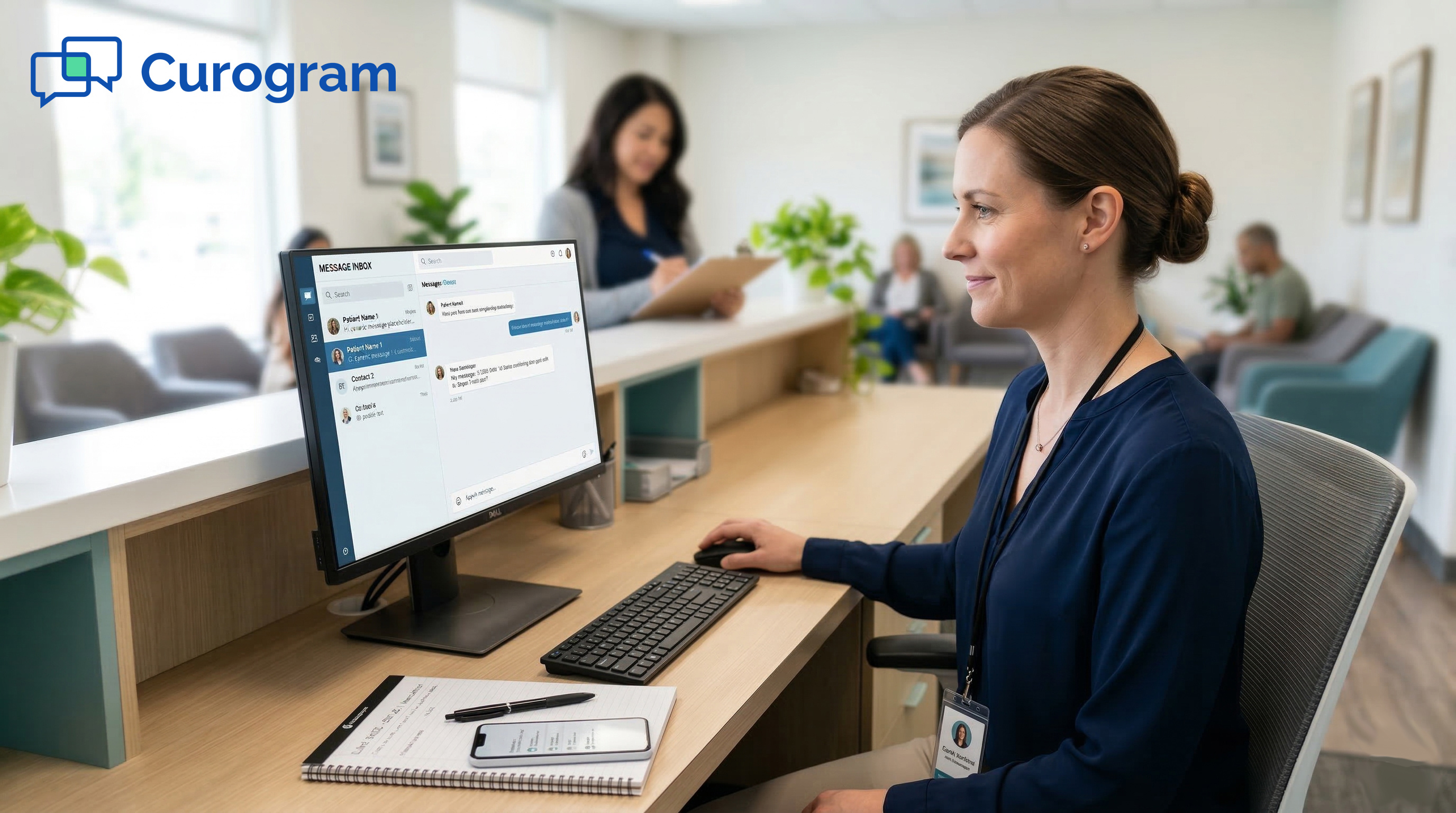
Practice Fusion front desk texting, when set up the right way, changes this completely. Curogram's One-Inbox Workflow brings every patient message into one place.
Texts, confirmations, billing replies, form submissions — all of it, in one screen, threaded by patient. No more checking five tabs. No more missed replies falling into a black hole.
The phone still rings. But it rings for the things that actually need a real conversation.
This article walks through why small-practice front desk teams are stuck in a cycle of tab-switching and phone calls, and how a single-inbox approach breaks that cycle for good.
If your staff is tired of being buried, this is worth your time.
Front desk staff at small Practice Fusion clinics are not struggling because they are bad at their jobs. They are struggling because the tools they use were never designed to work together. Every platform solves one piece of the problem. But together, they create a mess.
This section breaks down how that mess forms and why it is so hard to escape.
Walk into most small clinics, and you will find the same setup. Practice Fusion is open in one tab for scheduling and charting. Updox sits in another for texting — when it works.
The fax queue takes up a third tab. The Patient Fusion portal sits in a fourth, mostly unused. A one-way reminder system lives in a fifth tab, pushing out appointment alerts that patients cannot reply to.
And the phone rings. 80, 90, sometimes 100 times a day.
Your front desk person is not just answering phones. She is also checking in patients, verifying insurance, pulling up charts, and managing the small gaps between all these tools.
When a patient replies to a reminder text, it goes nowhere. When Updox goes down, messages vanish. Patients who cannot get through by text just call instead.
Every time a staff member switches from Practice Fusion to Updox to the fax queue and back again, they lose time. It might be 15 seconds here, 30 seconds there. But across 80+ daily interactions, that adds up fast.
Staff also make more mistakes when they are constantly switching contexts. A patient message gets missed. A refill request goes to the wrong chart. A confirmation reply sits unread while the patient assumes their appointment is set.
The tab-toggle trap is not just a time problem — it is a communication reliability problem. Patients stop trusting that their messages will get through. So they call. And the cycle starts again.
Updox outages are a well-known frustration for Practice Fusion users. When the platform goes offline, there is no backup.
The texting tool that was meant to reduce phone calls suddenly disappears, and the phones immediately get louder.
For a solo-provider clinic with one front desk person, a half-day Updox outage can mean 40+ extra calls. That is not just inconvenient. It disrupts patient flow, delays check-ins, and leaves staff exhausted by noon.
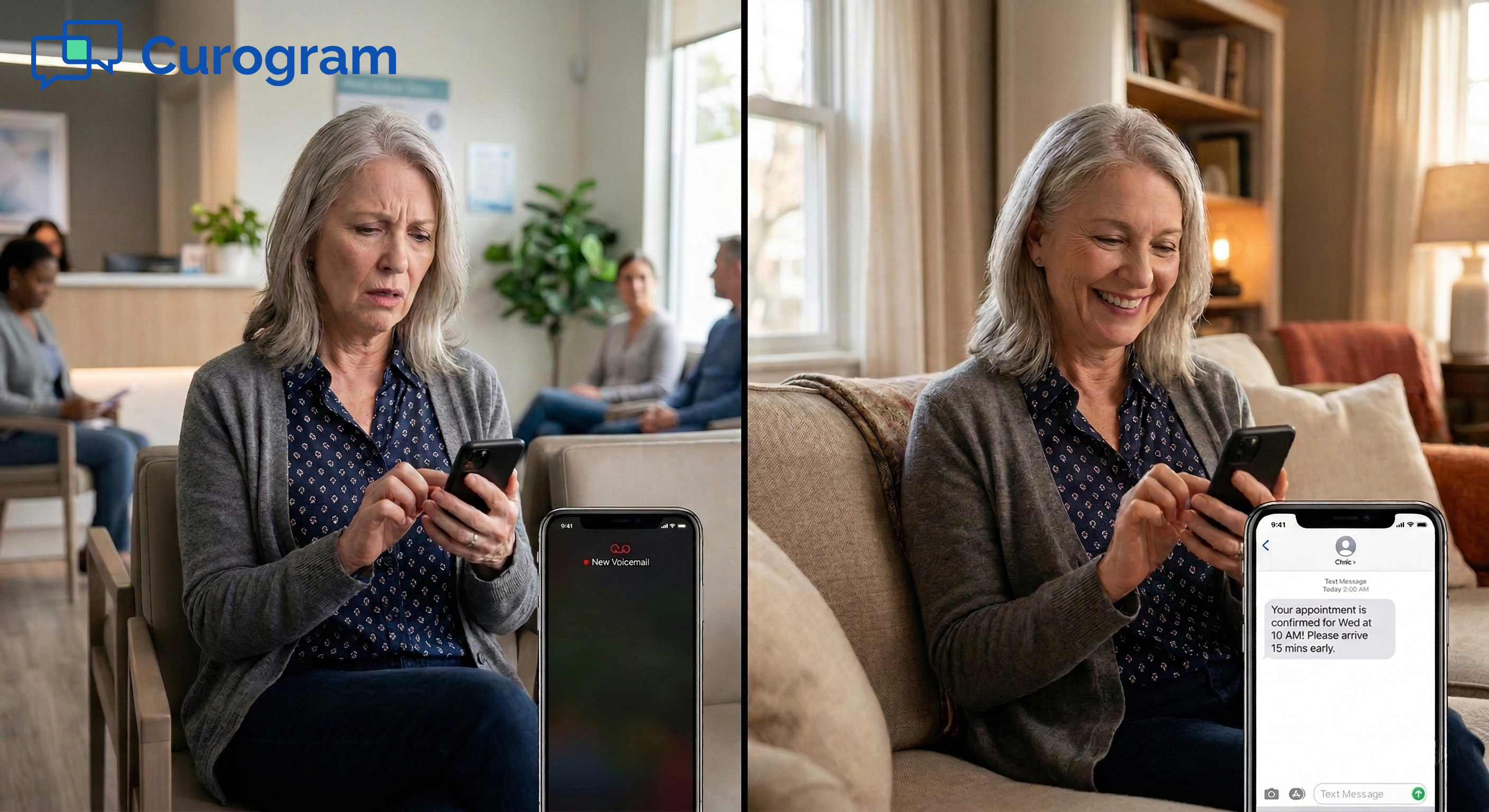
Patients do not prefer phone calls. Most people today would rather send a quick text than wait on hold. But they call because they have learned that texting the practice does not always work.
One-way reminder systems send messages but cannot receive replies. The Patient Fusion portal requires a login that most patients never set up.
Updox, when it is working, is often used inconsistently by staff. So patients default to the one channel they know will reach someone: the phone.
This is the core of the tab-toggle trap. The tools meant to reduce calls are unreliable, disconnected, or invisible to patients. So call volume stays high, even when the technology to lower it is already in place.
When patients text a practice and hear nothing back, they lose trust. They call instead, and they often mention the unanswered text.
Now the staff member has to explain the gap, re-address the request, and smooth over a frustrated patient — all while the next caller is waiting.
One unanswered text creates three problems. That is the math of a broken communication setup.
Every minute a front desk person spends on the phone is a minute a patient standing in the lobby is not being helped. Check-in slows down. Wait times go up. The in-office experience suffers.
This is a cost that rarely shows up on a spreadsheet, but providers and office managers feel it every day. Reducing phone call volume is not just about staff stress. It directly affects how patients feel about your practice.
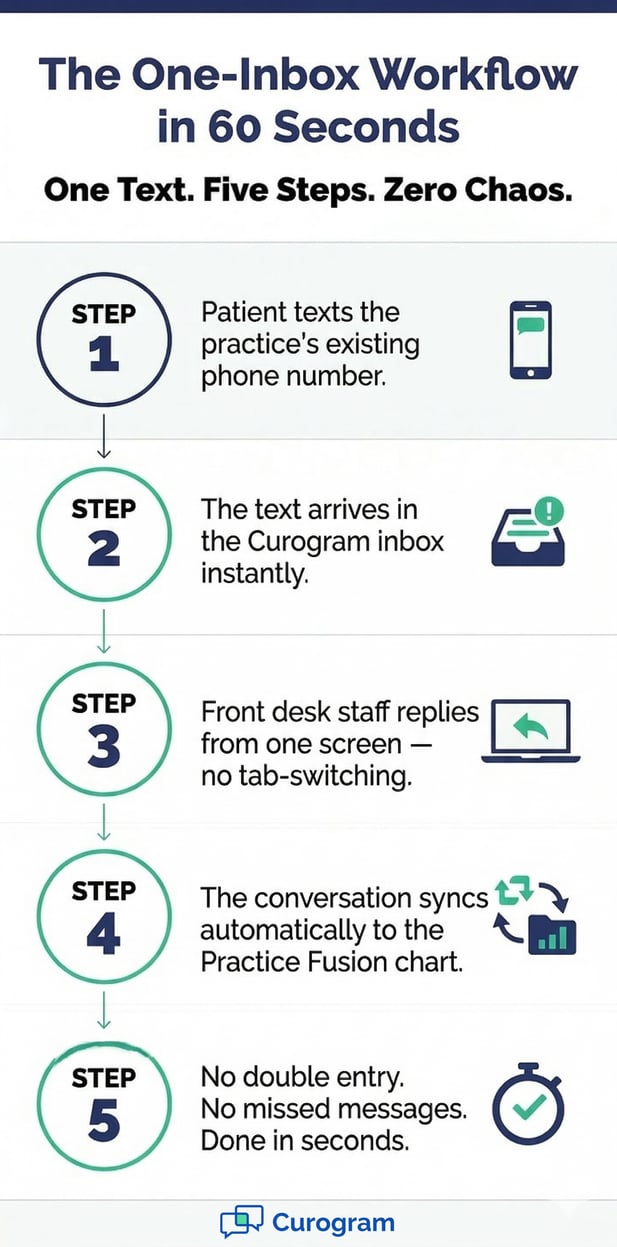
The One-Inbox Workflow is a simple idea with a real impact. Instead of spreading patient communication across five tools and three logins, everything comes into one screen. Every text, every reply, every form submission are all in one place.
This section explains exactly how the workflow is built and what it replaces.
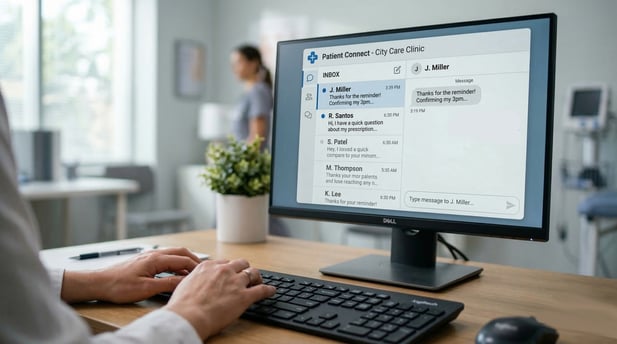
Curogram connects to Practice Fusion and gives your front desk a single inbox. Every patient conversation arrives there: scheduling requests, appointment confirmations, billing questions, refill inquiries, and follow-ups after visits.
Messages are threaded by patient, with full conversation history in view. Staff do not have to remember where a message came from or check another tab to find context. Everything is already there.
This is not just a convenience feature. When staff can see the full history of a conversation in seconds, they respond faster and with fewer errors. The patient gets a quicker, more accurate reply. The staff member moves on to the next message without losing time.
One of the biggest time drains in small clinics is re-entering information. A patient texts their date of birth, and someone has to type it into Practice Fusion by hand. A form comes in by fax, and someone has to scan and upload it manually.
With Curogram's Practice Fusion integration, data flows automatically. Conversations and patient data sync back to the chart without staff having to copy and paste. This removes an entire layer of daily busywork and reduces the chance of a data entry error.
One common concern when switching communication platforms is patient confusion. If the practice number changes, patients call the wrong line. But Curogram enables texting on your existing phone number.
Patients text the number they already have saved. They do not need to download an app. They do not need a portal login.
They just send a text, and it shows up in your inbox. That low-friction experience is part of why patients actually use it.
The One-Inbox Workflow is not an add-on to your existing setup. For most small Practice Fusion clinics, it replaces several tools entirely, reducing costs and logins at the same time.
Here is a straightforward comparison of what changes:
|
Before Curogram |
After Curogram |
|---|---|
|
Updox for texting (with outages) |
Single reliable inbox, no outages |
|
One-way reminder dashboard |
Two-way texting with patient replies |
|
Patient Fusion portal (low adoption) |
Texts sent to any patient phone |
|
Separate fax management |
Fax integrated into one workflow |
|
5 tabs, 3+ logins |
1 screen, 1 login |
|
80+ daily phone calls |
Up to 50% fewer calls |
Each tool you cancel is a monthly cost removed. Each login you retire is one fewer thing your staff has to manage.
Curogram was built by engineers who worked directly with front desk staff in small clinics. The design reflects that. It is built for people who are already busy, not for IT teams.
New staff can learn the system in under 10 minutes. There is no training manual. No complex setup. If they can send a text on their phone, they can use Curogram.
Every message sent through Curogram meets HIPAA requirements. Patient health information is protected in every text, every reply, every form. Small practices do not need to add a compliance layer on top — it is built in.
Staff can text patients about appointments, billing, and clinical follow-ups without worrying about whether the message is secure. That peace of mind matters, especially for practices without a dedicated IT person.
Numbers are useful. But sometimes the clearest way to understand a workflow change is to see what it looks like for a real person on a real Tuesday morning.
This is the story of Maria, office manager at a solo internal medicine practice in suburban Las Vegas, running on Practice Fusion.
Maria was the entire front desk. She handled scheduling, billing, patient communication, check-in, and everything in between.
The practice had Updox for texting, but it went offline at least twice a month. When it worked, it was mostly one-directional — reminders went out, but patient replies went nowhere.
The Patient Fusion portal had an adoption rate under 15%. Most patients never set up their login. So Maria toggled between four tabs all day: Practice Fusion, Updox, the fax queue, and the reminder dashboard.
"I was the phone, the fax, the text, and the front desk," she said. "Something was always falling through the cracks because I couldn't be in four places at once."
About 70% of Maria's day was spent on the phone. Routine calls took 3 to 5 minutes each. While she was on a call, patients in the lobby waited. While she was helping a patient at the desk, the phone kept ringing.
Maria was not slow. She was not disorganized. She was managing five communication tools that were never designed to talk to each other. The tools created the chaos, not the person using them.
This is important because office managers often blame themselves when things fall through the cracks. But the gap is almost always in the system, not the staff.
A front desk person cannot respond to a text they cannot see, or fix a tool that went offline without warning.
Twice in one month, Updox went down during peak morning hours. Both times, patients who tried to text got no response. They called instead.
Maria handled 40 extra calls over two days that should have been texts. By the second outage, she started asking whether there was a better way.
Maria activated Curogram and cancelled Updox and the existing reminder service on the same day. She learned the Curogram inbox in 8 minutes.
The practice's existing phone number was enabled for texting, so patients could reach her the same way, but now the messages actually landed somewhere.
Within four weeks, phone call volume dropped by more than half. Patients texted to schedule, confirm, cancel, ask billing questions, and request refills.
Maria handled text conversations between patient check-ins. This is something she could never do with phone calls, which demanded her full attention.
Her daily workflow shifted from "constantly on the phone with patients in the lobby waiting" to "texting patients while greeting the ones who walk in."
Monthly communication costs dropped. The practice cancelled two separate tools and rolled everything into one.
Based on our internal data, practices that make this switch see phone call volume drop by up to 50%, and staff productivity increase by 30% or more.
"I went from four screens and a ringing phone to one inbox and actual time to do my job. I wish I'd done this a year ago."
That is not a small change. For a solo-provider clinic with one front desk person, cutting phone time in half is the difference between a manageable day and a stressful one.
Patients did not need to change their habits. They texted the same number they already had. They got faster replies. They stopped being put on hold for routine questions.
Based on our internal research, practices using two-way texting see measurable improvements in patient satisfaction scores as a direct result.

Switching to a single inbox is not just a quality-of-life upgrade. It produces measurable results that show up in daily operations. These are the numbers worth tracking before and after making the change.
Tracking outcomes helps you make the case for change, and confirms that the change is working. Most practices see meaningful results within the first 30 days.
The table below shows the key metrics to watch and what a typical outcome looks like:
|
Metric |
Before |
After Curogram |
|---|---|---|
|
Daily phone calls |
80-100+ |
40-50 (up to 50% drop) |
|
Time per routine call |
3-5 minutes |
Handled via text in 30 sec |
|
Staff training time |
Varies by tool |
Under 10 minutes |
|
Communication tools used |
4-5 separate platforms |
1 inbox |
|
Patient confirmation rate |
Varies |
75%+ (based on internal data) |
|
Monthly tool costs |
Multiple subscriptions |
Consolidated into one |
For a practice receiving 80 calls a day, a 50% reduction means 40 fewer calls. At 3 to 5 minutes each, that is 2 to 3 hours of staff time freed up every single day.
That time does not disappear. It moves toward tasks that require a human touch: in-person patient care, complex scheduling, and insurance issues.
Based on our internal data, practices using Curogram reduce phone call volume by up to 50% and increase staff productivity by more than 30%.
Every platform your practice cancels after switching is a line item removed from the monthly budget.
Updox, the separate reminder service, the fax management tool — each one has a recurring cost. Replacing them with one platform does not just simplify operations. It saves money.
Count the tools your practice cancels within 60 days of going live. That number, multiplied by the monthly cost of each, is your direct cost reduction.
When front desk staff spend less time on the phone, patients standing at the desk get faster service. Check-in times go down. In-office wait times improve. Patients notice, and it shows up in reviews.
This is a downstream effect of reducing call volume, but it is one of the most visible to patients and providers alike.
Not every tool works for every practice. But the One-Inbox Workflow was built with a specific kind of clinic in mind: small, busy, and running on Practice Fusion with a front desk team that is already stretched thin.
If that sounds like your practice, this section is for you.
Some clinics know they need a change. Others have lived with the same workflow for so long that the friction feels normal. Here are the clearest signs that your current communication setup is costing you time and money.
Your front desk spends more than half the day on the phone. Your patients send text replies that go unanswered. Your team manages more than two separate communication platforms.
You have experienced Updox outages that forced your staff to handle a surge of calls with no backup plan.
If any of these are true, the tab-toggle trap is real in your practice. It is likely worse than you realize.
A large hospital system can absorb communication gaps because it has the staff to cover them. A small Practice Fusion clinic with one or two front desk people cannot.
Every extra call, every missed text, every tab that needs checking takes the same amount of time, but there are far fewer hands available.
The One-Inbox Workflow was built for exactly this context. It does not require an IT department to set up. It does not take weeks to learn. It is designed to be used by the same person who is also checking patients in and answering the fax.
Most practices that switch to Curogram see phone call volume drop within the first two weeks. Patients adjust quickly because they are texting the same number they already know. Staff adjust quickly because the system is simple by design.
By day 30, most offices have cancelled at least one other communication platform. By day 60, the new workflow feels like the only way they would want to work.
There is no perfect time to change a workflow. But there are better times. If your practice is already considering replacing Updox, re-evaluating your reminder service, or onboarding a new front desk staff member, that is a natural window to bring in a unified tool.
New staff learn Curogram in under 10 minutes. That means the learning curve during onboarding is almost zero.
The one-inbox approach to staff workflow management is not complicated. It is about removing the noise so your team can focus on what they were hired to do: help patients.
Schedule a demo to see the One-Inbox Workflow in action. Your front desk deserves one inbox, not five tabs.
Frequently Asked Questions
 Jo Galvez : Mar 17, 2026, 2:00:01 PM
Cut clinic phone calls by 50% with Practice Fusion texting. Curogram’s one-inbox workflow replaces Updox and faxes in one simple screen.
 Jo Galvez : Mar 17, 2026, 12:00:00 PM
Replace your tool patchwork with 2-way HIPAA texting. Curogram’s Smart Overlay syncs conversations directly to the Practice Fusion chart.
 Jo Galvez : Mar 9, 2026, 10:00:01 AM
Patients at eCW networks text their clinic directly with Curogram. No download, no portal login, no hold time. HIPAA-compliant SMS that writes to eCW.