11 min read

Eliminate Virtual Visit No-Shows: A Text Link for Tebra Staff

Eliminate Virtual Visit No-Shows: A Text Link for Tebra Staff
💡 Tebra staff lose hours each week helping patients log in to video visits. Curogram fixes this with text-launched video links that fill the virtual waiting room on their own.
  • Patients get a text with their video visit link before the visit starts
  • They tap the link and join — no portal login or password needed
  • Front desk staff stop fielding login support calls
  • Providers stop waiting in empty virtual rooms
  • The automated telehealth link delivery runs without staff effort
Portal-based telehealth creates access friction that leads to no-shows and extra work. Curogram removes the barrier so Tebra practices can run virtual visits as smoothly as in-person ones. One text link replaces the login, the support call, and the empty room.

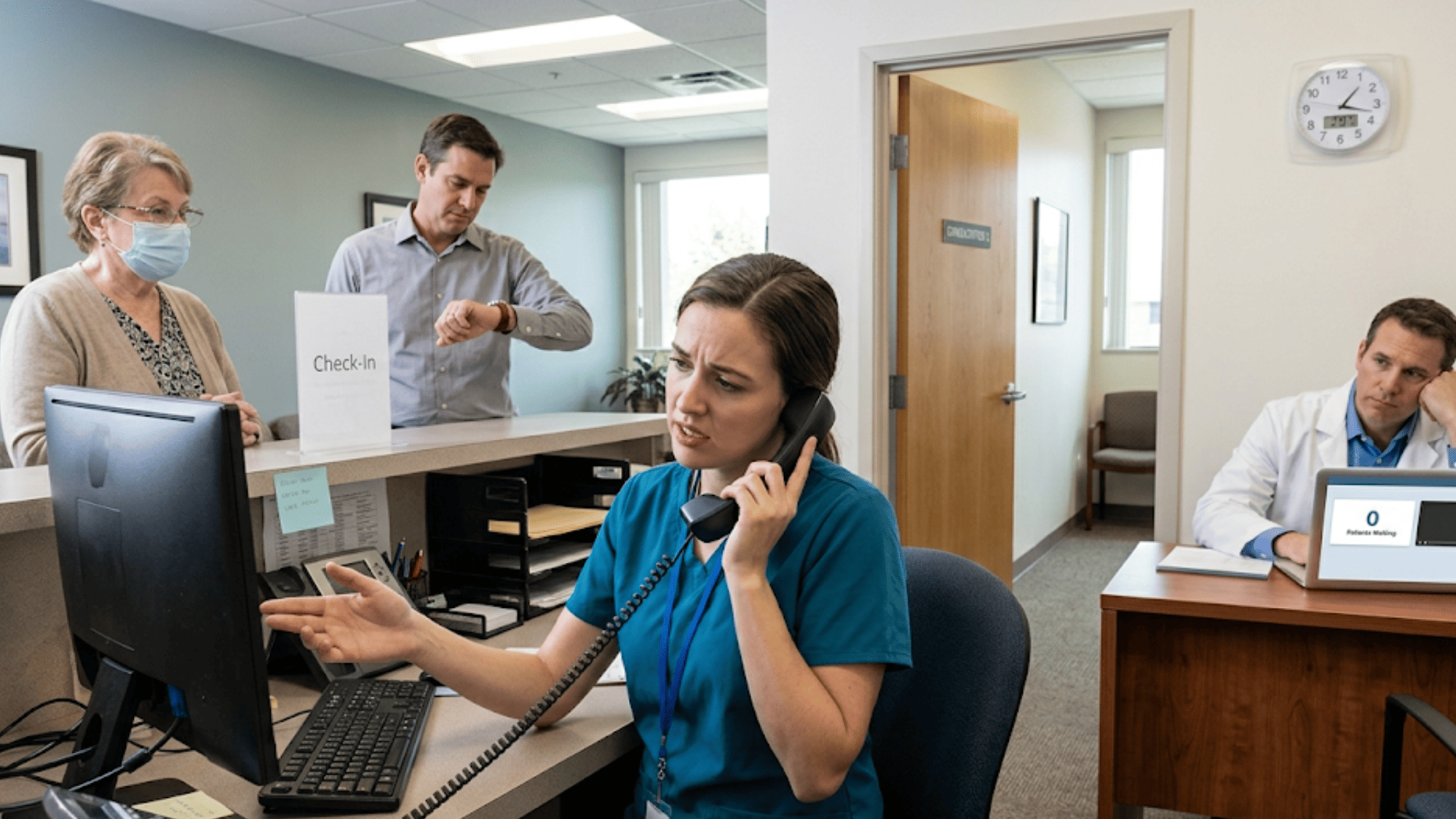
It's 2:00 PM. The provider opens the video visit. The virtual room is empty. Three minutes later, the front desk phone rings. A patient can't log in to the portal.

This scene plays out daily in Tebra practices that rely on portal-based telehealth. What was meant to save time now creates more work.

Patients struggle with logins. Staff walk them through password resets. Providers sit and wait. Time bleeds from every side.

Tebra staff dealing with telehealth no-shows, login support calls, and wasted virtual visit slots know this pain well. The problem isn't telehealth itself — it's the access method.

When you force patients through a portal login to reach a video visit, you add a wall between them and their care. Many patients hit that wall and give up.

Curogram solves this with a simple shift. Instead of asking patients to log into a portal, Curogram sends a text with the video visit link. The patient taps the link. Their phone browser opens the visit. They're in the room, on time, with zero help from staff.

The result is a virtual waiting room that fills itself — through an automated patient entry workflow that removes the login step from the equation.

No more portal access barriers. No more front desk staff tied up with login calls. No more empty rooms while providers wait.

Based on our internal data, Curogram practices see no-show rates 53% lower than the industry average. And that starts with making it easy for patients to show up in the first place.

This article breaks down exactly how the portal login creates staff burden, why it leads to virtual visit no-shows, and how text-launched video visits fix both problems for Tebra practices.

The Villain: The Empty Virtual Room

Picture a four-provider Tebra practice on a Tuesday. The schedule shows six virtual visits between 1:00 PM and 4:00 PM. By 1:15, two of those rooms are empty. One patient called the front desk in a panic. The other just never showed up.

This is what happens when a Tebra virtual waiting room sits empty because of patient login issues. The staff can see the problem, but they can't prevent it. Every virtual visit depends on the patient first logging into the portal, and that step is where things fall apart.

The Real Cost of the Login Wall

The front desk gets the call at 1:03 PM. The patient says, "I can't get into my video visit." The staff member pulls up their account. The password is wrong. They send a reset link.

The patient waits for the email. It takes four minutes. They reset the password, log in, and finally reach the visit at 1:14 PM. A 15-minute slot now has one minute of useful time left.

Meanwhile, the provider has been staring at an empty room. Their next patient is at 1:15. The schedule is backed up before the second hour of the day.

This kind of Tebra front desk telehealth patient login troubleshooting eats into real work time. Each call takes 5 to 15 minutes. That's 5 to 15 minutes not spent on in-person check-ins, phone triage, or insurance questions.

Now, multiply that across the day. If 20% of a practice's visits are virtual, a 30-patient day includes six video visits.

Even if only half of those patients have trouble, that's three login support calls. At 10 minutes each, the front desk has lost 30 minutes — just on helping people get into visits they already had scheduled.

Over a week, that's 2.5 hours. Over a month, it's 10+ hours. That's time your practice is paying for and getting nothing back.

Telehealth Volume

Login Support Calls/Day

Time Lost/Day

Time Lost/Month

4 virtual visits

2 calls

20 min

~7 hrs

6 virtual visits

3 calls

30 min

~10 hrs

10 virtual visits

5 calls

50 min

~17 hrs


And that's just the patients who call. What about the ones who don't?

The virtual visit no-show from a portal access barrier is even more costly because it's invisible. The patient tries to log in, fails, and gives up.

They don't call the front desk. They don't reschedule. They just don't show. The provider waits in the empty room, then moves on. That slot is gone.

This is a core piece of the staff burden that portal-based access creates. The front desk now juggles in-person check-ins, incoming phone calls, and a new type of support call that didn't exist before telehealth. Office managers start to notice a pattern: telehealth days feel busier, not calmer.

Some practices respond by quietly cutting back on virtual visits. Not because telehealth doesn't work — but because the access method makes it too hard to manage. The practice retreats to in-person-only schedules, and the patients who needed virtual care lose their option.

The villain in this story isn't telehealth. It's the login. And until that changes, the empty virtual room keeps winning.

The Guide: The Virtual Waiting Room That Fills Itself

The fix for the empty virtual room isn't more staff training. It's not a better portal. It's removing the login step from the process.

Curogram does this by sending the video visit link straight to the patient's phone as a text.

Before the visit starts, the patient gets a message like: "Your video visit with Dr. Smith starts at 2:00 PM. Tap here to join."

At the right time, they tap the link. The visit opens in their phone's browser. They're in the room.

No portal. No password. No support call. The front desk doesn't lift a finger. That's what a text-launched video visit looks like — and it's how you eliminate telehealth support calls before they start.

How the Pre-Visit Text Sequence Works

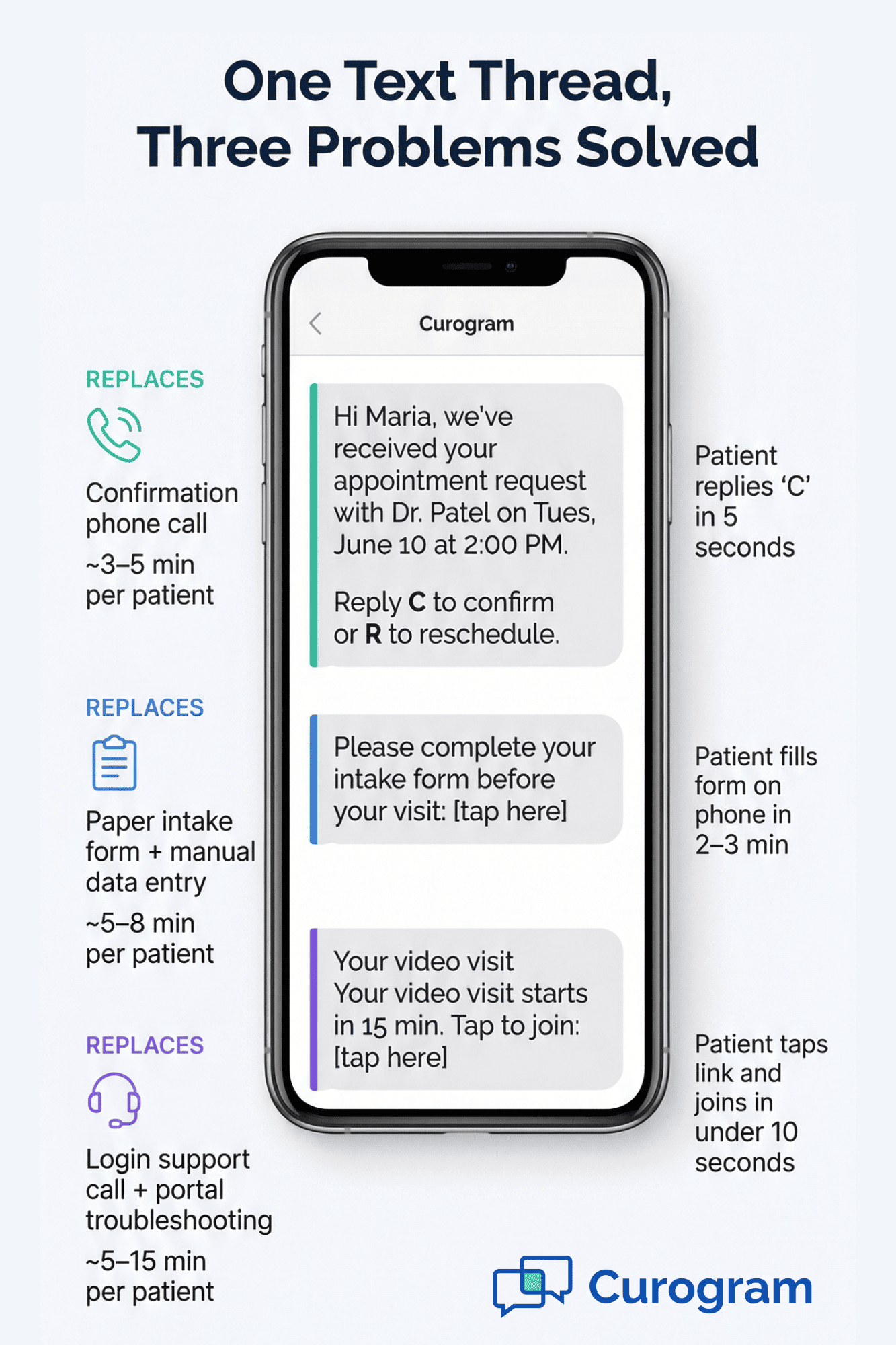
Curogram doesn't just send one message. The video visit link fits into a full text-based workflow the patient already knows. Here's what that looks like in a typical Tebra practice:

  1. The patient books a visit (or the front desk books it in Tebra).
  2. Curogram sends a text to confirm the visit.
  3. Before the visit, Curogram texts an intake form link.
  4. 15 to 30 minutes before the visit, Curogram texts the video visit link.
  5. The patient taps the link and joins the visit.

All of this lives in one text thread on the patient's phone. There is no portal. There is no app to download. Every step — from booking to visit entry — happens through text.

For the front desk, this automated telehealth link delivery changes the entire Tebra staff workflow. They schedule the visit in Tebra and move on. Curogram handles the rest. The text goes out on time, every time, with zero manual effort.

Color-coded infographic of Curogram's pre-visit text sequence replacing confirmation calls, paper forms, and login support for Tebra staff

What Changes for the Provider

Providers notice the change fast. Instead of opening a visit and waiting, they open the visit and the patient is there. The virtual waiting room that used to sit empty now has someone in it. Visits start on time. The schedule stays on track.

For a provider who sees six virtual patients a day, even saving five minutes per visit adds up to 30 minutes. That's time they can use to see one more patient — or simply stay on schedule without rushing.

What Changes for the Front Desk

The biggest win is what the front desk stops doing. They stop fielding "I can't log in" calls. They stop walking patients through password resets. They stop chasing down patients who missed a virtual visit because of portal access issues.

One office manager at a multi-provider Tebra practice put it simply: the front desk used to dread telehealth days. Now they treat them the same as any other day. The difference is that patients arrive to virtual visits the same way they show up to in-person ones — they just do it.

How It Fits With Tebra

The setup works alongside Tebra, not against it. The visit is still scheduled in Tebra. The provider still charts in Tebra. Nothing changes in the clinical or billing workflow.

The only change is how the patient enters the visit. Portal login gets replaced by a text link. Staff effort gets replaced by Curogram's automation. That's the entire shift — and it's the shift that fills the virtual waiting room without anyone touching it.

For growing practices with more than one location, this runs per site. Each provider's visits send location-based text links. The office manager doesn't need to manage telehealth access across sites. Curogram handles it across the board.

The Success: Telehealth That Runs Like In-Person

When telehealth was first offered to most Tebra practices, the pitch was clear: see more patients, reduce overhead, and give people a simpler way to get care. But for many front desk teams and office managers, the reality has been the opposite.

Telehealth days became the hardest days on the schedule. The phones rang more, not less. Staff spent time on tech support instead of patient care. Providers fell behind before lunch.

Text-launched video visits from Curogram bring telehealth back to its original promise. When you remove the portal login, everything downstream gets easier. Here's what that looks like in practice.

Virtual Visit No-Shows Drop

The most direct result of sending visit links by text is that more patients show up. This makes sense when you think about what causes virtual visit no-shows in the first place.

Most patients don't skip visits on purpose. They forget the portal URL. They can't find their login info. They try to log in, get an error, and don't know what to do next. By the time they figure it out — if they figure it out — the visit window has passed.

A text link removes every one of those steps. The patient doesn't need to remember a URL. They don't need a username or password. They tap a link and join. It's as easy as reading a text message, because that's exactly what it is.

Based on our internal research, practices using Curogram see no-show rates that are 53% lower than the industry average. That's not just from text reminders — it's from removing the barrier that causes the no-show in the first place.


Front Desk Productivity Returns

Before Curogram, the front desk at a busy Tebra practice was doing double duty on virtual visit days. They checked in walk-in patients while also fielding calls from virtual patients who couldn't log in.

With text-based entry, that second job goes away. The staff member who used to spend 30 to 45 minutes a day on login calls now uses that time for insurance checks, referral follow-ups, and patient questions. The shift isn't just about saving time — it's about using time on the right things.

Providers Stay on Schedule

For providers, the impact is just as clear. When patients join on time, visits start on time. When visits start on time, the schedule stays intact.

A behavioral health provider at a mid-size Tebra practice had been losing three to four virtual visits per week to patient access issues. Some patients joined late. Others didn't join at all. By the end of each week, the provider had lost more than an hour of billable time — just to empty rooms and late starts.

After the practice turned on Curogram's text-based entry, the provider ran a full virtual schedule for the first time. No late joins from login issues. No lost visits from patients who gave up. Every slot was filled, every visit started on time.

That's what telehealth was supposed to deliver from day one.

The Practice Grows Its Virtual Capacity

Here's the part many practices miss: when telehealth runs smoothly, you can offer more of it. Practices that were burned by portal-based access tend to limit virtual visit slots. They keep volume low because the support burden goes up with each added visit.

But once the access issue is solved, there's no reason to hold back. Curogram clients often increase their telehealth volume after the first month — not because they're told to, but because the schedule runs well enough to support it.

For a growing Tebra practice that wants to serve more patients without adding more rooms or more staff, virtual visits are the lever. But that lever only works if patients can get into the room. A text link is the simplest way to make sure they do.

Based on our internal data, practices that use Curogram see a 10–20% lift in revenue, with each recovered visit adding straight to the bottom line. When the no-show goes away, the revenue comes back.

The Outcome

The picture is clear. Remove the login. Send a text. Let the patient tap and join. The front desk works on patient care, not tech support. The provider sees a full schedule. The practice can grow its virtual capacity without growing its overhead.

Telehealth stops being a source of stress and starts running like in-person — which is exactly what it should be.


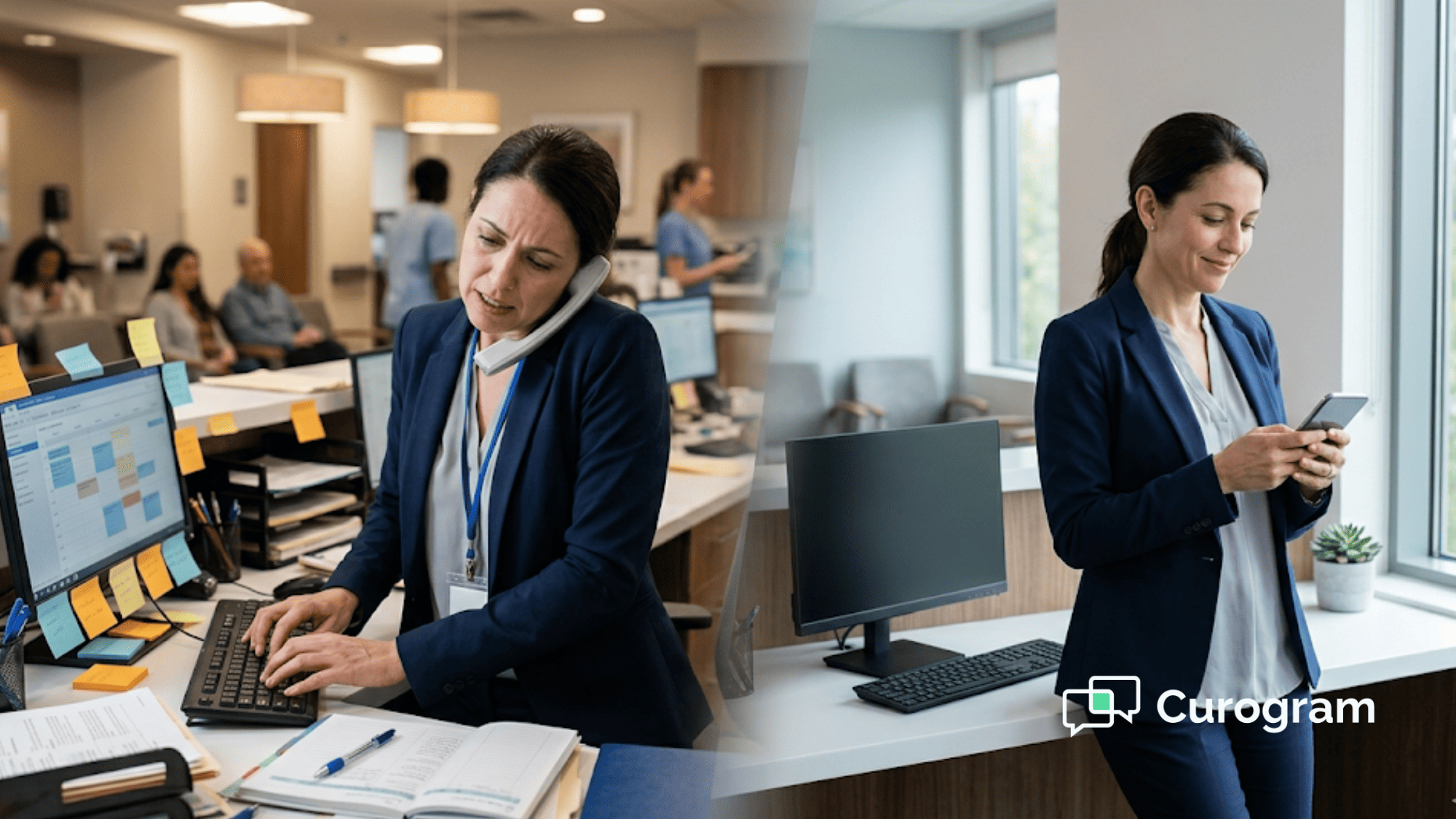
Front desk staff on a phone call troubleshooting a patient login while a provider waits alone in an empty virtual waiting room
Why Curogram Turns Tebra Telehealth From a Pain Point Into a Growth Tool


Most Tebra practices don't have a telehealth problem. They have an access problem. The clinical value of a video visit is the same whether the patient logs in through a portal or taps a text link. But the staff burden, the patient experience, and the no-show rate are completely different.

Curogram was built to solve the space between the schedule and the visit — the moment where a patient either joins or drops off. By using text as the channel, Curogram meets patients where they already are: on their phone, reading messages.

The automated telehealth link delivery through Curogram connects directly to the Tebra appointment schedule. When a visit is booked, the workflow starts. The patient gets a text to confirm. They get a link to fill out forms. And they get a link to join the visit. All in one thread, all without portal access.

For the front desk, this means the job stays focused on patients who are in the office. There's no second layer of tech support for virtual patients. For providers, this means a full virtual schedule with visits that start on time.

Based on our internal data, one multi-location practice saw 35% of recalled patients book a visit within a month of getting a text — and 1,240 patients were seen from recall messages alone. That same text channel is what powers the video visit link, the intake form, and the reminder.

Curogram doesn't replace Tebra. It fills the gaps Tebra wasn't built to fill — patient-facing text outreach, form delivery, and frictionless virtual visit entry. The result is a practice where telehealth runs as smoothly as in-person care, the front desk stays productive, and the schedule stays full.

Conclusion: Telehealth Should Save Time, Not Create Work

Let's be direct about what portal-based telehealth costs your Tebra practice.

It costs you 5 to 15 minutes every time a patient calls the front desk for login help. It costs you a full visit slot every time a patient gives up and doesn't show. It costs you provider time when every virtual visit starts late. And it costs you growth when the staff is too stretched to add more virtual slots to the schedule.

These aren't small problems. They compound. A few login calls a day turns into 10 hours of lost front desk time each month. A couple of no-shows a week turns into $1,500 or more in lost revenue. And the stress it puts on your team erodes the very reason you started offering telehealth — to make things easier.

Curogram's text-launched video visits eliminate both problems at once. Patients tap a link and join. Staff don't field support calls. Providers don't wait. The virtual waiting room fills itself.

And the integration is simple. Tebra handles the schedule and the chart. Curogram handles the patient's path into the visit. Together, they deliver the telehealth promise: more patients, same staff, less friction.

Empty virtual rooms cost your practice real money every week. Request a demo and see how text-launched visits fill those rooms on their own.


Frequently Asked Questions

Does the front desk need to send the video visit link manually?
No. Curogram automates video visit link delivery based on the appointment schedule. The text goes out at a configured time before the appointment — typically 15–30 minutes before the visit. The front desk doesn’t need to send links, monitor delivery, or follow up.
What happens if a patient’s phone doesn’t support video calling?
Curogram’s video visits use standard WebRTC technology supported by all modern smartphones and mobile browsers (Safari, Chrome, Firefox). Any phone manufactured in the last 5–6 years can run a browser-based video visit. If a patient has an older device that doesn’t support video, they can still use the text channel for phone-based consultation or the front desk can assist with an alternative.
Can providers still use Tebra’s built-in telehealth for some patients?

Yes. Curogram adds a text-based telehealth entry method alongside Tebra’s native telehealth. Patients who are comfortable with the portal can continue joining through Tebra’s virtual visit workflow. 

How does Curogram send the video visit link without front desk input?

Curogram ties into the Tebra schedule and sends the text link at a set time before the visit — usually 15 to 30 minutes ahead. The front desk doesn't send, track, or follow up on any link.

How does Curogram work for practices with more than one Tebra location?

Each location's visits generate their own text links tied to the right provider and time slot. The system runs per site with no extra setup needed from the office manager.