11 min read
How Tebra Staff Automate Review Requests and Track Growth
Mira Gwehn Revilla
:
April 3, 2026
- Sends a post-visit text to every patient with no staff effort required
- Routes happy patients to Google and captures negative feedback internally
- Tracks review growth by provider, location, and time period on a single dashboard
- Based on our internal data, one practice generated 1,064 new 5-star reviews in just 3 months
- Works alongside Tebra's AI Review Insights for a complete reputation system
Every office manager has had the same thought at the end of a long day: "We need more Google reviews."
So they send an email to the team. They print cards with QR codes. They ask the front desk to remind every patient before they leave. And for about a week, it works. Then things get busy, someone calls in sick, a patient has a complaint, and the whole effort fades away.
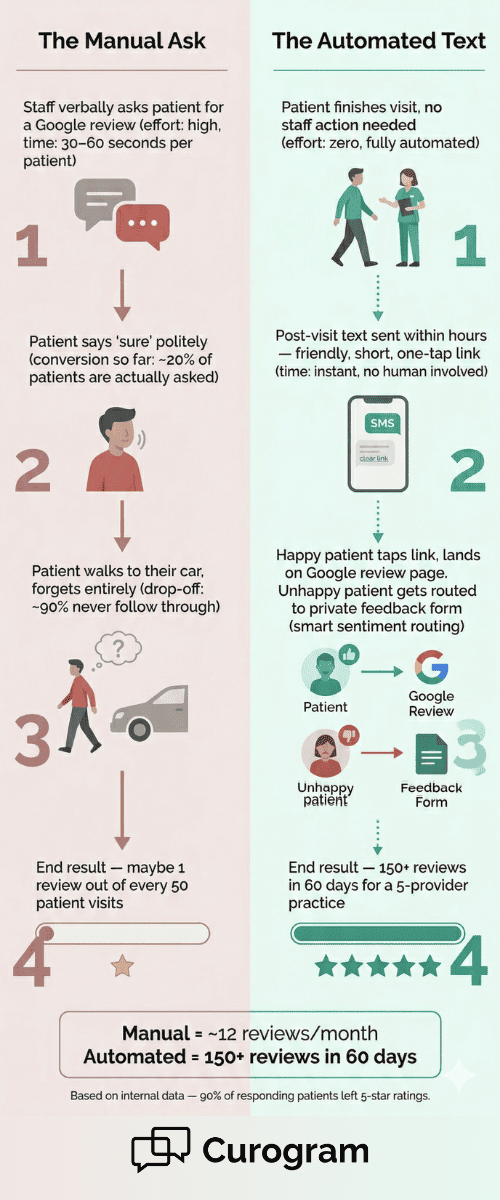
This is what we call "The Awkward Ask" — that moment when a front desk staff member has to look a patient in the eye and say, "Would you mind leaving us a Google review?" It feels forced. It depends on who's working that day. And the results are never steady enough to make a real difference.
The truth is, manual review requests don't fail because your staff isn't trying. They fail because the process itself is broken. It relies on memory, timing, and comfort level — three things that change with every shift.
That's why Tebra staff automated review requests powered by Curogram eliminate manual solicitation entirely. Instead of asking your team to do more, this workflow sends a post-visit text to every patient on its own. No cards. No scripts. No guilt when it doesn't happen.
Satisfied patients get routed to Google with one tap. Unhappy patients get sent to an internal feedback channel. And the office manager? They get a dashboard to track Google reputation growth by provider, location, and time period — all without lifting a finger.
In this article, we'll break down why the manual ask fails, how the automated workflow replaces it, and what real results look like when you stop relying on your front desk to build your online presence.
The Villain: The Awkward Ask
Let's be honest about what happens when a Tebra office manager sends a team-wide message that says, "Please remember to ask patients for Google reviews."
The first few days, it works. Staff are aware. They ask a handful of patients. Maybe two or three leave a review. Then real life kicks in — phones ring, patients stack up in the lobby, the insurance queue gets backed up, and the review ask drops off the list. Within two weeks, it's like the email never happened.
This is the core problem with having a Tebra office manager handle manual review requests through an inconsistent workflow. The strategy depends on which team member checks out which patient. Staff who are outgoing might ask. Staff who are more reserved skip it. The result is random, not a system.
Why Verbal Asks Don't Work
Think about the timing. A patient just finished a visit. Maybe they got blood drawn. Maybe they're thinking about a new prescription. The last thing on their mind is pulling out their phone to write a Google review. Even if they say "sure," most forget by the time they reach their car.
Now, think about the staff member. They've been on their feet for hours. They're juggling check-ins, phone calls, and scheduling. Asking for a review feels like one more thing on a list that's already too long. It's not that they don't care — it's that the task doesn't fit the moment.
The Numbers Behind the Problem
Let's say a 4-provider Tebra practice sees about 30 patients per day. That's roughly 600 patient visits per month. If the front desk asks 1 in every 5 patients, that's 120 verbal requests. If 1 in 10 of those patients actually leaves a review, that's just 12 new reviews per month.
|
Manual Ask Metric |
Number |
|
Monthly patient visits (4 providers) |
~600 |
|
Patients actually asked (1 in 5) |
~120 |
|
Reviews left (1 in 10 asked) |
~12 |
|
Time to reach 100 reviews |
~8 months |
Twelve reviews a month barely keeps up with the random negative review that pops up. It's nowhere near enough to build a strong Google profile or pass a rival practice that already has 300+ reviews.
The Emotional Weight
Here's the part no one talks about. The office manager feels the weight of the Google profile. They check it. They see the 3.8-star rating.
They notice the local competitor sitting at 4.7 with four times as many reviews. They know it matters — 90% of new patient leads see your Google Business Profile before your website, based on our internal research.
But the office manager also runs the front desk. They manage phones, check-ins, forms, and scheduling. Telling the team to "also ask for reviews" doesn't lighten anyone's load. It just creates guilt when it doesn't happen and frustration when the reviews don't come in.
Printed Cards and Email Campaigns Don't Fix It Either
Some practices try printed review cards with QR codes. Patients take them, shove them in a pocket, and throw them away at home.
Others try email campaigns — but those get about a 20% open rate and maybe a 2% review rate. Every workaround fails for the same reason: it still requires ongoing human effort for something that should run on its own.
The problem isn't effort. It's design. To eliminate awkward front desk review solicitation at a Tebra practice, you need a system that doesn't depend on people at all.

The Guide: The Review Automation Workflow
Curogram's Review Automation Workflow takes staff out of the review process. Completely.
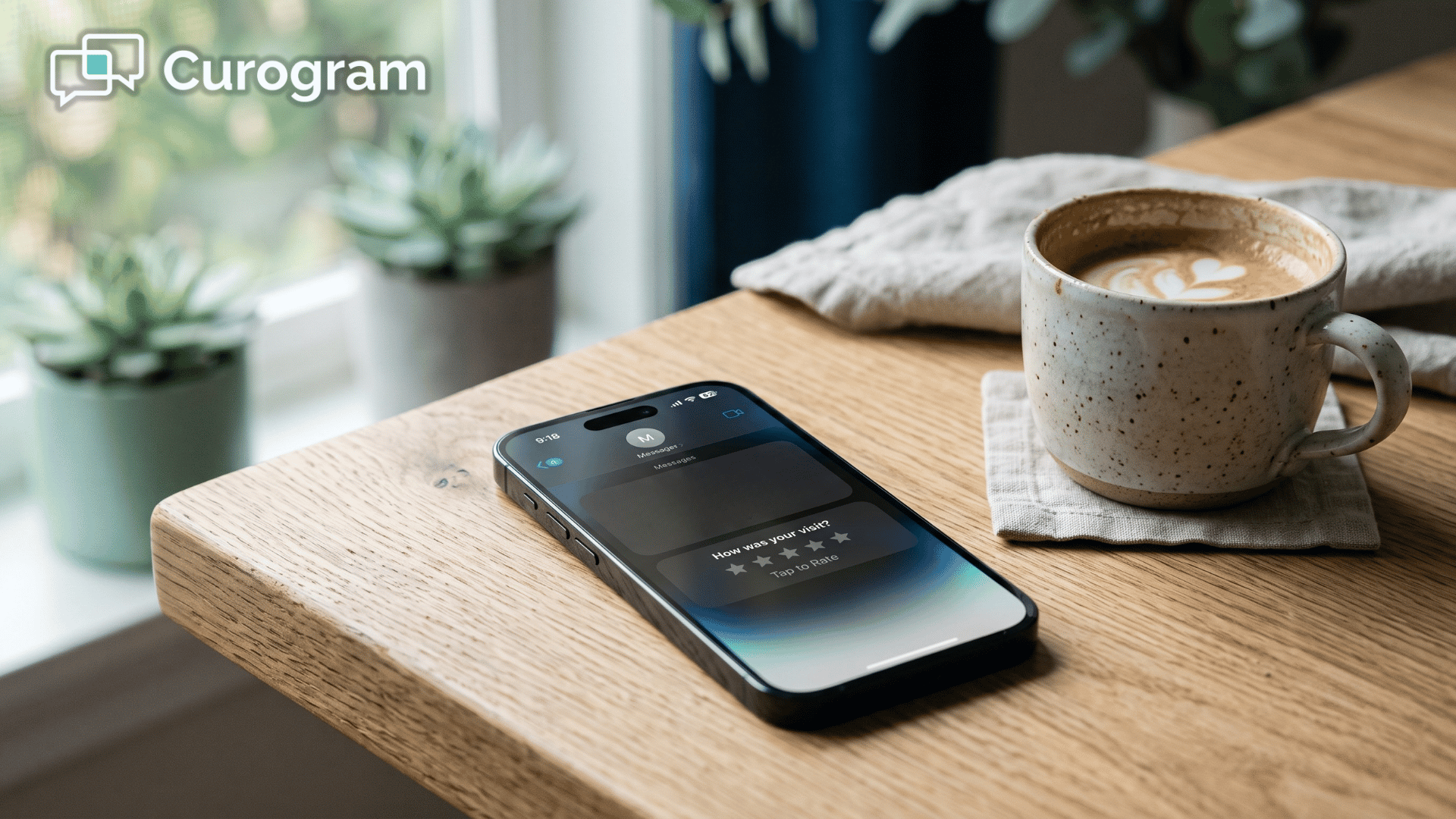
Here's how it works: After a patient visit, Curogram sends a text message to the patient asking about their experience. The message goes out on its own — no one at the front desk needs to remember, ask, or follow up.
Every patient, every provider, every day. The system doesn't take a day off and doesn't skip a patient because the lobby was busy.
Set It and Forget It
Once the office manager sets the trigger — like post-visit timing and message content — the workflow runs in the background. There's no daily task list. No stack of QR code cards. No follow-up emails to write.
|
Here's what that looks like in practice: A patient finishes their visit at 10:15 a.m. By 2:00 p.m., they get a short, friendly text. If they had a great visit, one tap takes them to the practice's Google review page. If they had a bad experience, the system routes their feedback to an internal channel so the practice can respond directly — without it ever hitting Google. |
This is the core of the automated post-visit review text that requires no staff effort. The patient gets the message. The routing happens behind the scenes. And the review lands where it should.
Smart Sentiment Routing
Not every patient will leave a 5-star review. That's reality. But smart sentiment routing means the system catches unhappy patients before they go public.
The text asks a simple question first. Based on the response, the patient either goes to Google or gets sent to a private feedback form.
This doesn't block negative reviews. Patients can still go to Google on their own. But it reduces the chances and gives your team a heads-up when someone is upset. You can follow up, fix the issue, and turn a bad experience into a saved relationship.
What the Office Manager Sees
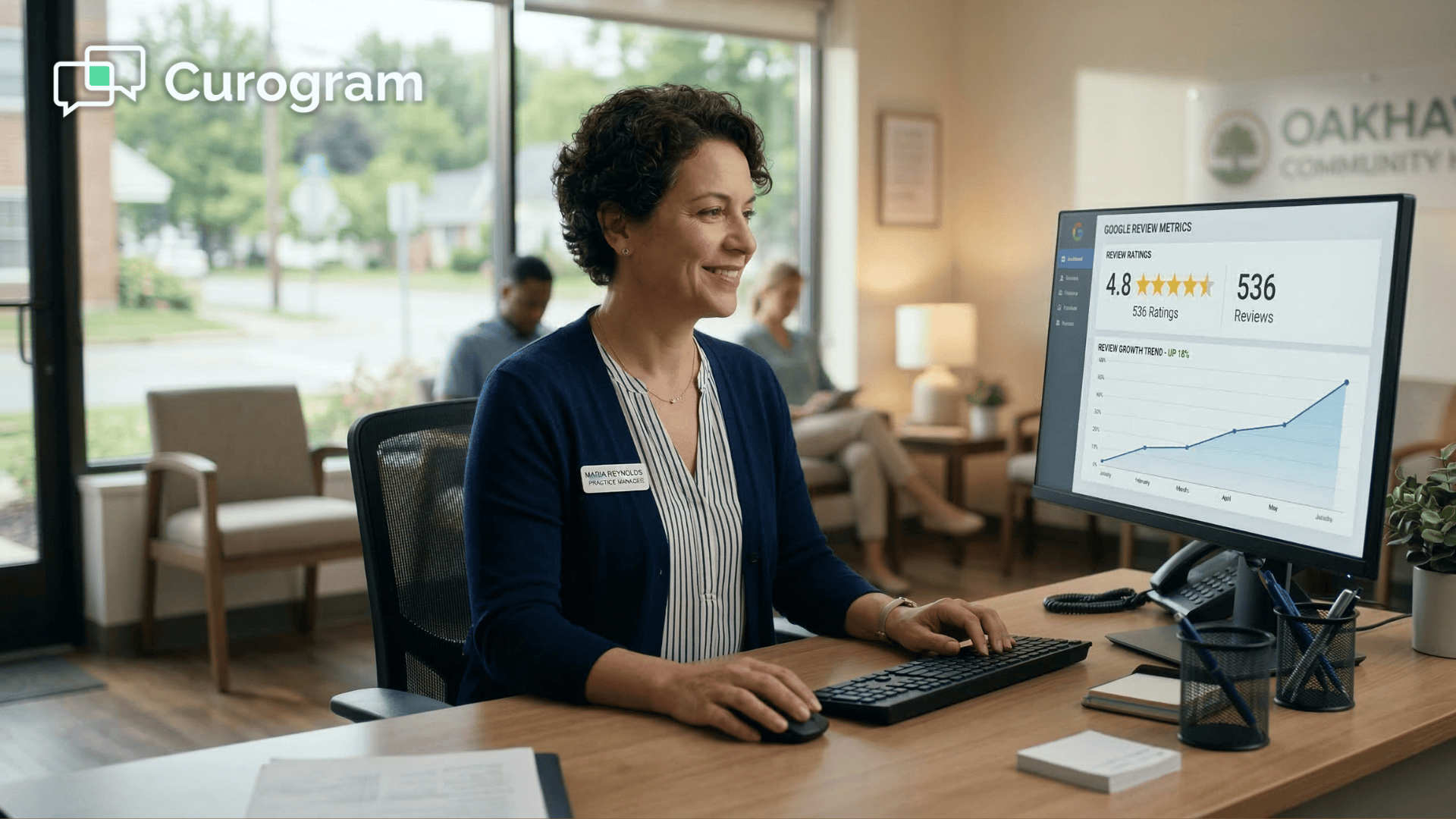
With the reputation management dashboard, the staff workflow becomes fully automated and visible. The office manager logs in and sees how many texts went out, how many patients clicked, and how many reviews came in — all broken down by week, month, provider, and location.
This is a big shift. Instead of asking, "Did anyone remember to ask for reviews today?" the office manager is now asking, "Our review rate this month is 32% — how do we push it to 38%?" The job changes from chasing staff to reading data.
Built for Growing Practices
For Tebra practices with more than one location, the workflow runs per site. Each location gets its own review texts tied to its own Google Business Profile. The office manager or practice admin can compare review rates across all sites from one screen.
Say you have three locations. One is getting 40 new reviews a month. Another is stuck at 15. The dashboard shows you the gap right away. You can dig into the data, find the issue, and fix it — without adding staff tasks at any location.
This multi-location setup also means you can track Google review growth by provider and location across the full Tebra account. The data pairs with Tebra's AI Review Insights, which looks at what patients are saying. Together, you get the full picture: Curogram shows how many reviews are coming in. Tebra shows what those reviews say.
The result is a reputation management dashboard with a staff workflow that's fully automated — from the first text to the final review.
If you want to see what those numbers could look like for your practice, you can estimate your monthly review potential based on your current appointment volume. Even a small conversion rate adds up fast when the system runs for every patient, every day.
The Success: Reviews on Autopilot
What happens when you stop relying on your front desk team and let the system do the work? The numbers speak for themselves.
The Metric That Matters
Based on our internal data, one multi-location practice using Curogram's automated review workflow generated 1,064 new 5-star reviews in just 3 months. Of the patients who responded to the post-visit text, 90% left 5-star ratings. And here's the part that matters most for office managers: not a single front desk staff member was asked to request a review.
The workflow ran on its own for every patient visit. Routine check-ups became review assets. Post-procedure follow-ups turned into Google stars. The system didn't need a reminder email, a team meeting, or a printed card. It just ran.
From Manual Ask to Automated Pipeline
Let's compare what life looks like before and after.
|
Before Automation |
After Automation |
|
Office manager sends "please ask for reviews" emails |
Office manager checks the dashboard weekly |
|
Front desk asks 1 in 5 patients |
Every patient gets a text — no exceptions |
|
~12 reviews per month (4-provider practice) |
150+ reviews in 60 days (5-provider practice) |
|
Staff feel guilty when they forget |
Staff don't have to think about reviews at all |
|
Rating stuck around 4.0 |
Rating climbs to 4.6 within 2 months |
|
Negative reviews dominate the profile |
Positive reviews push negatives down the page |
The shift is clear. The office manager's role goes from being a reputation chaser to a reputation watcher. The weekly task isn't "remind everyone to ask." It's "let me check the numbers." The talk changes from "we need more reviews" to "our rate this month is 35% — how do we get to 40%?"
A Real-World Walkthrough
Let's walk through what this looks like for a real practice.
A 5-provider Tebra practice with 2 front desk staff turns on Curogram's review automation. The office manager spends about 15 minutes setting up the workflow — choosing the text timing, writing the message, and turning it on. That's it.
Day one, the texts start going out. Within the first week, 20+ new reviews land on Google. By the end of month one, the practice has over 80 new reviews. At the 60-day mark, they've crossed 150.
|
Here's what else changes: The office manager stops sending "please ask for reviews" emails. The front desk team takes the time they used to spend on verbal review asks and puts it toward patient scheduling and insurance follow-ups. The Google rating climbs from 4.0 to 4.6. New patient call volume goes up. The practice now ranks in the top 3 of the local Google pack for their main specialty. |
All of this happened without adding a single task to anyone's day.
Why Volume Matters More Than You Think
Some practices focus on their star rating alone. But volume matters just as much — maybe more. A practice with a 5.0 rating and 8 reviews doesn't inspire the same trust as a practice with a 4.6 rating and 400 reviews.
Google's local search ranking also favors volume. Practices with more reviews tend to show up higher in the map pack. So when a patient searches "dermatologist near me" or "pediatrician in [city]," the practice with hundreds of reviews has a clear edge.
This is why the automated system is so powerful. It doesn't just get you good reviews. It gets you a lot of good reviews, month after month, without any drop-off. Manual methods can't match that kind of output because people are not consistent. Systems are.
What About Negative Reviews?
No system stops all negative reviews. A patient who had a bad experience can always go to Google on their own. But smart sentiment routing makes those moments far less frequent.
Here's an example: A patient gets the post-visit text. They tap the link. The system asks, "How was your visit?" If they rate it low, they're taken to a private feedback form instead of Google. The office manager gets a notice and can follow up right away.
This does two things:
-
It gives the practice a chance to fix the problem before it becomes public.
-
It keeps the negative sentiment off the Google profile. If a negative review does slip through, Tebra's AI Review Replies can help craft a polished response.
But the real defense is volume. When you're adding 50, 80, or 100+ positive reviews per month, one negative review barely moves your rating. It gets buried fast.
How Curogram Turns Every Patient Visit Into a Google Review Without Staff Involvement
The answer comes down to timing, routing, and volume.
When a patient finishes their visit, Curogram sends a short text within hours. The message is friendly and simple — it asks how their visit went.
If the patient is happy, one tap takes them to the practice's Google review page. If they're not, the system sends them to a private feedback form. No staff member touches the process.
This is the same workflow that helped one practice collect 1,064 new 5-star reviews in 3 months, based on our internal research. 90% of patients who responded left 5-star ratings.
What makes this work is the fact that the system treats every patient the same. There's no human deciding who to ask. There's no "busy day" where the texts don't go out. Every visit creates a review chance — no matter the provider, the location, or the time of day.
The office manager controls the setup: the timing of the text, the wording, and which visit types to include or exclude. After that, it runs on its own.
The Curogram dashboard shows results in real time — reviews by provider, by site, by week. It pairs with Tebra's AI Review Insights so the practice can see both the volume of reviews and the patterns in what patients are saying.
For practices that want to eliminate awkward front desk review solicitation, this workflow is the fix. It replaces a broken process with one that scales. The more patients you see, the more reviews you get. And your team never has to ask for a single one.
Curogram is SOC 2 Type II certified and fully HIPAA compliant. Review request texts contain no protected health information. The system runs within the same secure text channel used for appointment confirmations.
Conclusion: Automate the Ask, Track the Growth
Manual review requests don't scale. They don't last. And they don't build the kind of Google profile that attracts new patients.
Every office manager who has tried the manual route knows the pattern. You send the email. Staff ask for a week. Then it stops. Printed cards get tossed. Email campaigns get ignored. The profile grows by a handful of reviews each month — nowhere near enough to compete.
Curogram's Review Automation Workflow ends that cycle. It replaces the manual ask with a fully automated post-visit text that goes out to every patient, every day, with zero staff involvement. Satisfied patients land on Google. Unhappy patients get routed to a private feedback form. The office manager watches it all from a single dashboard.
Tebra's AI tools help you respond to reviews once they exist. Curogram's automation creates them. Together, they make your online reputation a system — not a chore.
The office manager's job isn't to beg for reviews. It's to watch them arrive.
Based on our internal data, practices using this workflow have generated over 1,000 new 5-star reviews in a single quarter. The front desk didn't ask once. The texts did the work.
Stop relying on your front desk team to remember. Every patient visit is a review chance. Automate it.
Stop asking and start automating. Schedule a demo with us to see how Curogram replaces the manual review ask with a text workflow.
Frequently Asked Questions
Smart Sentiment Routing significantly reduces the likelihood by capturing negative feedback internally. However, no system prevents all negative reviews. When they do occur, Tebra’s AI Review Replies can help craft a professional response.
Setup takes about 15 minutes. The office manager chooses the text timing, writes the message, and activates the trigger. From that point on, the workflow runs on its own for every patient visit.
Curogram's dashboard breaks down review data by location, provider, and time period. The office manager can spot which sites are growing fast and which ones need attention — all from one screen, with no extra staff tasks at any site.