
After every completed IMS visit, a brief satisfaction survey triggers automatically through Curogram. Happy patients get a one-tap link to Google. Unhappy patients route to private feedback instead.
Staff send nothing. Staff track nothing. Reviews accumulate every day, across every provider, at every location.
The result: practices grow from a few dozen reviews to thousands within months. One multi-location group hit 8,159 Google reviews in 16 months with 90% five-star ratings — entirely on autopilot.
Here's a number worth sitting with: the practice down the street has 1,847 Google reviews. Yours has 92.
Same specialty. Same patient volume. Same kind of care. The difference isn't medicine — it's a workflow they figured out and you haven't.
If you run a Meditab IMS practice, you already know the script. The manager sends a memo. The front desk gets a reminder card. For about a week, staff dutifully ask patients at checkout if they'd consider leaving a Google review.
By week three, the asks have quietly stopped. By month two, you're back to one or two reviews drifting in monthly.
This isn't a staff failure. It's a workflow failure.
Asking patients face-to-face is the worst possible system for collecting reviews.
The timing is wrong, the setting is wrong, and the human variable is wrong. Your front desk is juggling copays, scheduling, intake, and phone calls. The "review ask" is the first thing dropped — and they're right to drop it.
Patients don't want to be sold to at checkout, and staff don't want to be the salespeople.
So practices end up with two bad options. Option one: do nothing and watch competitors pull ahead. Option two: keep nagging staff to do something they hate, with results that barely move the needle.
There's a third option, and it doesn't involve asking your team to do more.
This article walks through how to set up a reputation management workflow Meditab IMS practice automated review requests can run on quietly in the background — without front desk involvement, printed QR cards, or weekly memos.
We'll cover where the manual ask breaks down, what an automated system looks like, and the numbers practices see once the workflow runs on its own.
Why the Checkout Ask Quietly Falls Apart
Most reputation strategies in healthcare die at the same place: the checkout window. The ask sounds simple in a meeting. It isn't simple in practice. Once you watch it play out for a few weeks, the cracks appear fast.
The Checkout Conversation Nobody Wants
Walk through the moment from your front desk's side. The patient is finishing up — settling a copay, scheduling a follow-up, gathering their belongings, hunting for car keys.
The staff member, following the manager's mandate, slides in with:
"Would you mind leaving us a Google review?"
The patient nods. They smile politely. They walk out. They never do it.
Worse: the patient had a long wait or a confusing bill, and the ask lands flat. Staff feel embarrassed. So they stop asking. The script goes dark within weeks, no matter how many reminders go up at the desk.
When the Ask Happens One in Ten Times
Even in practices that genuinely try, the manual ask happens maybe 10–20% of the time. Busy mornings get skipped. Difficult patients get skipped. New hires don't get trained on it. The ones who do remember get tired of saying it out loud.
That trickle — one or two reviews a week — can't compete with practices running automated systems pulling in 50 to 100+ reviews monthly.
Over a year, that's the difference between roughly 60 reviews and 1,000+.
The gap compounds quietly. By the time you notice your local search ranking slipping, the lead is hard to close.
The Manual Workarounds That Don't Work
Some practices try to systematize without true automation.
The usual workarounds fall apart fast:
- Printed QR code cards get lost in pockets, dropped on waiting room chairs, or tossed with the appointment paperwork.
- Follow-up emails land in spam folders or get buried under twenty other unread messages.
- Reminder scripts taped to the monitor make staff sound robotic and self-conscious within a week.
Each of these creates more work than it returns. A proper Meditab IMS review management setup can't run on sticky notes and good intentions — it needs a system that triggers on its own, without anyone touching it.
When Bad Reviews Hit Without Warning
Here's the part that gets overlooked.
Without a survey to catch frustrated patients early, unhappy ones go straight to Google.
You learn about the bad experience the same way the public does — when the one-star review is already live and indexed.
By then, you're stuck responding publicly to something that could have been resolved privately with a phone call.
The manual approach has no feedback loop. It also has no safety net.
How an Automated Review Workflow Actually Runs
The fix isn't a better script or a more enthusiastic team. The fix is removing the human variable from the ask altogether.
That's where Curogram comes in — not as another staff task, but as a quiet layer running alongside your existing schedule.
What Happens After Every Visit
After every completed appointment in your IMS schedule, the patient receives a short text. It contains a one-question satisfaction survey with emoji-based options — happy, neutral, unhappy. Most patients respond in under 10 seconds.
From there, the survey routes the patient automatically based on how they answered:
- Happy responders get a one-tap link to leave a Google review on the right business profile for that location.
- Unhappy responders get a private feedback form that goes directly to the practice manager — never to Google.
Staff are not in this loop at any step. The branching, routing, and timing all happen quietly on Curogram's side while your front desk focuses on the next patient.

The Survey That Triggers From Your Schedule
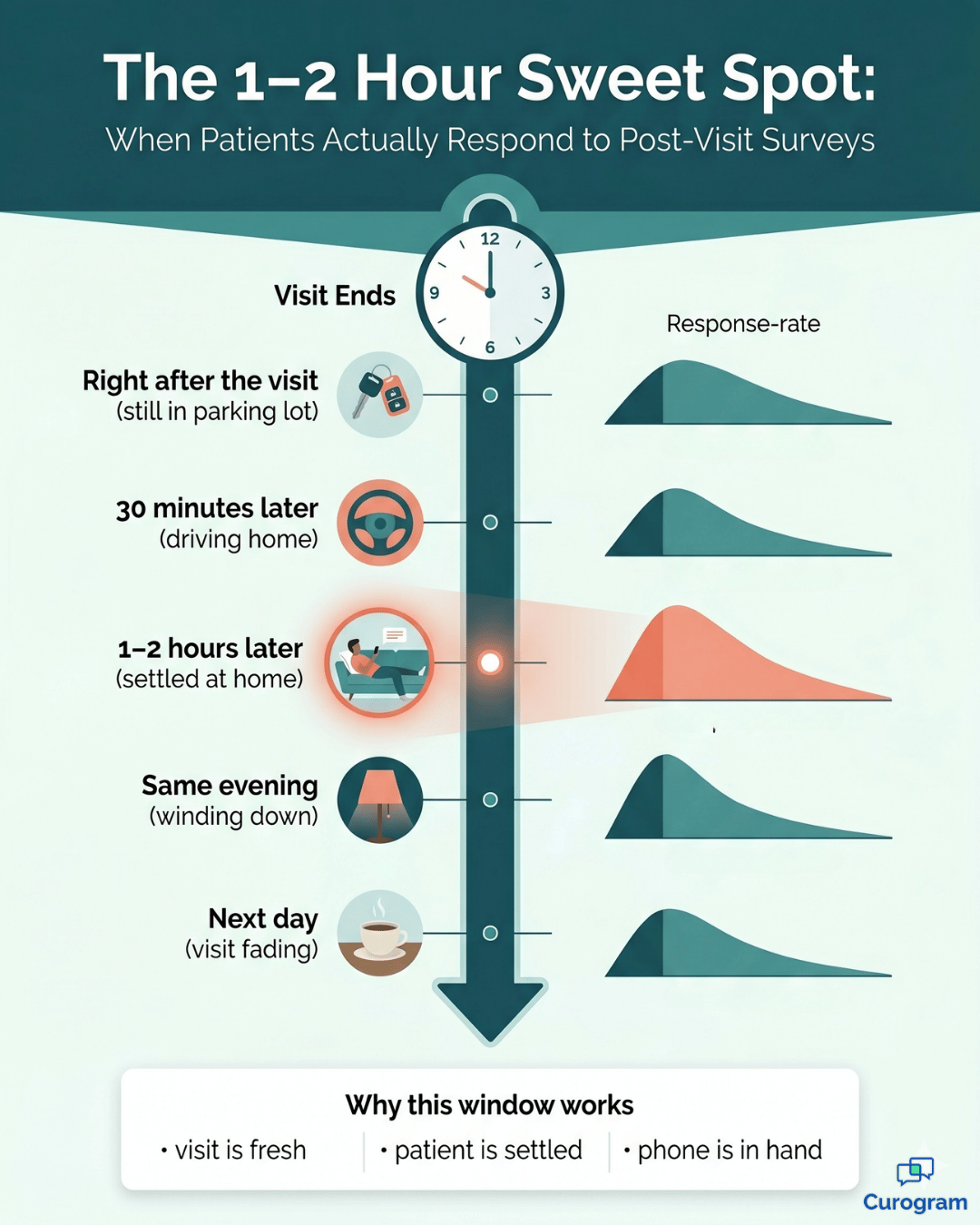
The trigger isn't a manual list or a daily export. It's tied directly to the appointment status in your IMS calendar. Once a visit is marked completed, a timer starts — typically 1 to 2 hours.
That window is intentional. It's late enough that the patient has settled in at home or back at work. It's early enough that the visit is still fresh in their head. Earlier or later both perform worse on response rates.
Curogram's onboarding team handles the Meditab IMS post-visit survey automation setup based on your specific appointment types, providers, and preferences.
Why It Connects Directly to Your IMS Calendar
This is the part most practices underestimate. To automate patient review requests IMS practice teams need to send, the system has to read the schedule in real time.
No CSV exports. No daily uploads. No staff member queueing up tomorrow's list.
The connection is continuous. Whatever happens on your IMS schedule today triggers the corresponding surveys today.
That's what turns it into a true Google review workflow medical practice Meditab teams can run without thinking about it — because nobody has to think about it.
How It Scales Across Multiple Locations
For groups running several offices, the dynamics shift. Each location has its own Google Business Profile. Each one needs its own review velocity.
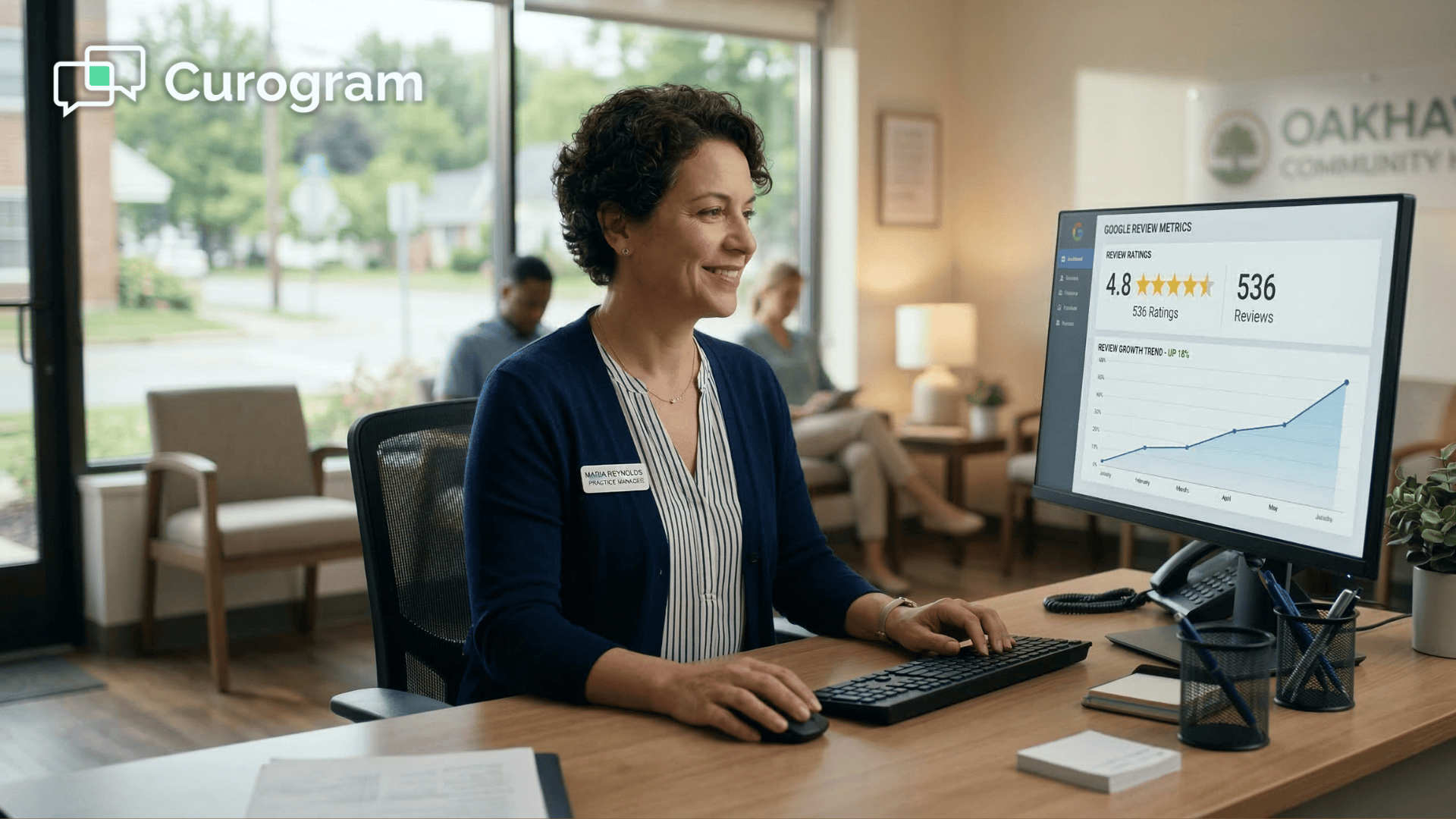
A reputation dashboard multi-location Meditab IMS managers can actually use ties it all together — one screen showing review volume, average rating, sentiment trends, and growth velocity per site.
Survey content is also customizable per location.
A dermatology office can use different language than a primary care office.
A pain management clinic can adjust timing if their patients are older and prefer evening texts.
The system bends to fit the practice instead of forcing the practice to fit the system.
What the Numbers Look Like Once the System Runs
Numbers tell the story better than promises do. Here's what changes when the workflow runs on autopilot, week after week, with no one pushing it.
From Trickle to Thousands
One multi-location practice grew from 993 to 8,159 Google reviews in 16 months. The five-star rating held steady at 90% across that period. Staff at every location asked exactly zero patients for a review during that time.
Translated into practical terms: that's roughly 7,166 new reviews — about 448 per month, or 15 per day spread across the group.
At the typical manual rate of 1–2 reviews per week per location, the same growth would have taken decades.
340 new reviews in 90 days |
| A five-location orthopedics group running Meditab IMS jumped from roughly 12 reviews per month to 340 total across all sites in their first 90 days — entirely on autopilot, with zero new staff effort. |
The Manager's Job Becomes Watching, Not Pushing
When the reviews start handling themselves, the practice manager's role changes.
Instead of motivating staff to ask, the manager monitors a dashboard. Instead of nagging the front desk, the manager responds to the occasional flagged complaint before it goes public.
From 3+ hours/week to 15 minutes/week |
| The same operations manager who used to spend 3+ hours weekly coordinating manual review requests now spends 15 minutes reviewing the reputation dashboard. That's roughly 144 hours saved per year — close to a full work month handed back to higher-leverage projects. |
This is the real shift in staff workflow reputation management healthcare leaders have been chasing for years. It's not about working harder on reviews.
It's about removing reviews from the team's plate entirely.
The Rating Jump That Decides Whether You Get Found
The number of reviews matters. The average rating matters even more. Most patients don't read individual reviews — they scroll Google Maps and filter out anything below 4.5 stars before they even click.
Sitting below 4.5 stars quietly costs you patients in three ways:
- You get filtered out when patients toggle Google's "highly rated" view.
- Your local pack ranking drops for high-intent searches like "[specialty] near me."
- Mobile scrollers skip past you in seconds, without ever opening your profile.
Above 4.5, you show up in the consideration set. That half-star jump isn't cosmetic — it's the line between getting clicked and getting skipped.
Hand the Review Workflow to the System and Take Back Your Team's Time
Manual review requests don't fail because your staff aren't trying.
They fail because the workflow asks the wrong people to do the wrong task at the wrong moment. Front desk staff are paid to manage clinical operations, not to act as part-time marketers between copays and phone calls.
Automated post-visit surveys solve this the way it should be solved — letting the system do what systems do well, and letting your team focus on what only they can do.
Meditab IMS handles your clinical workflow. Curogram handles your reputation operations. The two run side by side, with no overlap and no extra work added to anyone's day. Patients get reached at the right time. Happy ones go to Google. Unhappy ones get routed privately so problems are fixed before they go public.
Reviews compound week after week, month after month, with no manual intervention required.
Your team is too busy delivering care to chase stars on Google. Hand that work to a system built to do it.
If you want to see what a reputation management workflow Meditab IMS practice automated review requests can run on actually looks like in motion, the fastest way is a quick walkthrough. Most practices start seeing new reviews come in within the first week of going live.
There's no long-term contract and no extra task added to your staff's checklist.
Schedule a Demo with the Curogram team and walk through your specific schedule, specialty mix, and locations. You'll see how survey timing works, how the dashboard surfaces sentiment trends, and how multi-location practices roll out the system without disrupting day-to-day operations.
Frequently Asked Questions
None. Curogram's onboarding specialist configures the entire workflow during setup. The system triggers automatically from your IMS schedule, so staff don't send surveys, manage review requests, or monitor anything in the background. The only optional touchpoint is reviewing the dashboard or responding to flagged negative feedback — which usually takes a few minutes a week.
Yes. The survey content, timing, and routing logic are fully customizable per location, per provider, and per appointment type. A dermatology location can use different survey language than a primary care location. Some practices prefer 1 hour post-visit, others prefer same-evening — the timing flexes to match what works best for your patient base. Your onboarding specialist helps configure all of this during setup.
The smart sentiment routing directs patients who express dissatisfaction to private feedback rather than Google. This doesn't suppress every negative review — some patients will go to Google regardless — but it significantly reduces the proportion of negative public reviews by giving unhappy patients an easier private outlet. The net effect is consistently positive: practices using Curogram's system achieve 85–90%+ five-star review rates over time.
Most practices are fully live within 1 to 2 weeks. The setup involves connecting Curogram to your Meditab IMS schedule, configuring survey timing per location and provider, and a brief walkthrough with your onboarding specialist. Once live, the first surveys go out the same day — and most practices see new Google reviews within the first week. The system doesn't need a ramp-up period because it's reaching every completed visit from day one.
Yes. Curogram is fully HIPAA compliant, with a Business Associate Agreement (BAA) provided as part of standard onboarding. The post-visit surveys are sent over secure, encrypted SMS, and any private feedback collected from unhappy patients is stored within Curogram's HIPAA-compliant environment. Patient data pulled from your IMS schedule stays protected end to end, with no third-party exposure or unsecured handoffs along the way.