
10 min read

Office Ally Telehealth Workflow | Zero Tech Support

Office Ally Telehealth Workflow | Zero Tech Support
💡 For Office Ally practices, telehealth often creates a hidden workload: tech support. Patients struggle with app downloads, login pages, and camera settings. Staff spend the first 10 to 15 minutes of every virtual visit trying to fix those problems.

Curogram changes this with one simple update. Instead of directing patients to an app or portal, the practice sends a text link. The patient taps it, and a video call opens in their browser. No downloads. No accounts. No setup required.

This fits directly into the existing Office Ally workflow. Scheduling stays in Practice Mate. Charting stays in EHR 24/7. Curogram handles patient connection through automated texts. Virtual visits start on time. Staff skip the tech calls. Practitioners focus on care, not configuration.

Telehealth was supposed to make care easier. For many small Office Ally practices, it created a new job: unpaid IT support.

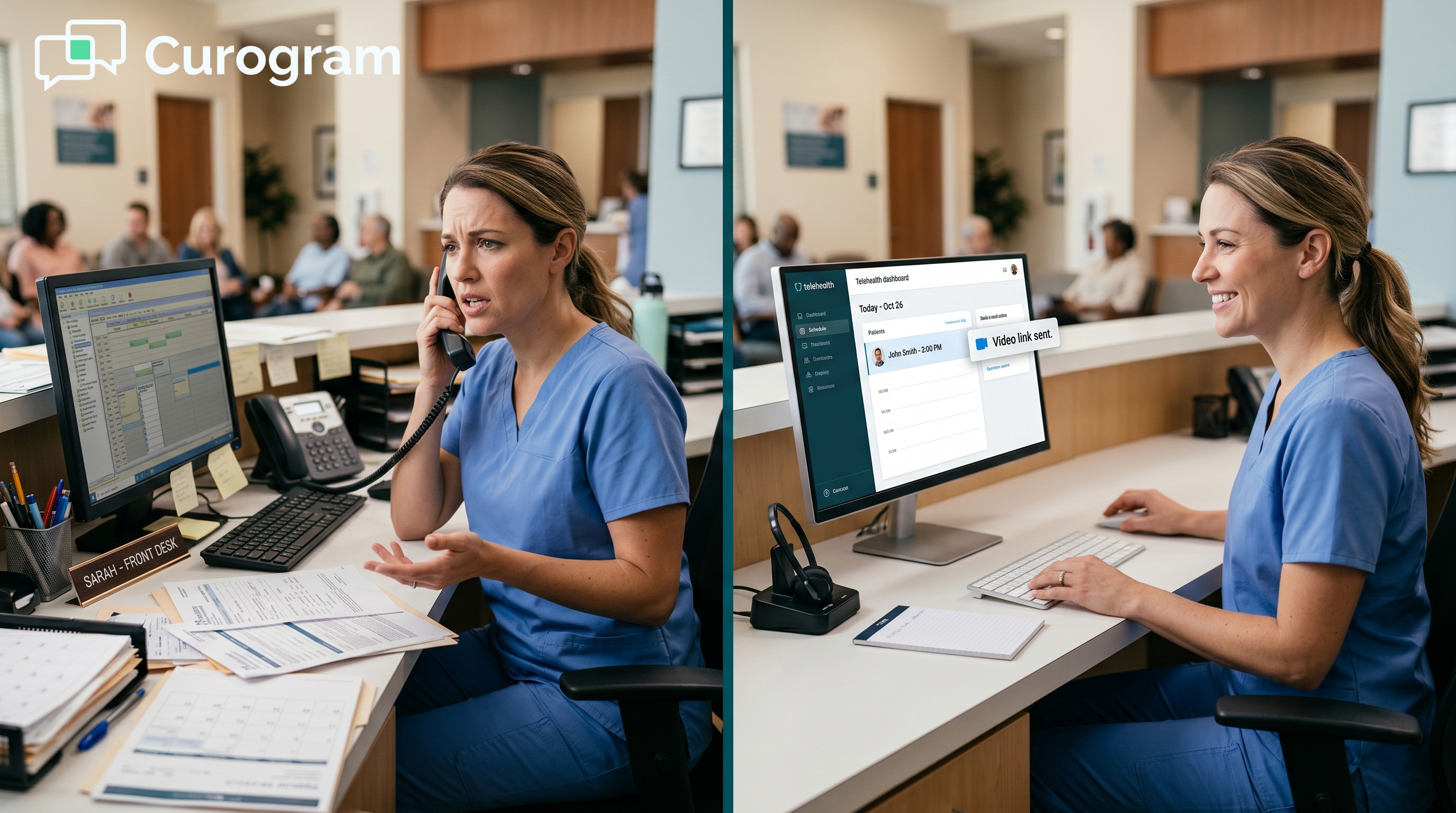
Every virtual visit day starts the same way. A patient can't find the app, another downloads the wrong version, and someone's camera isn't working.

The front desk handles each call while in-office patients wait. By the time the first session starts, 15 minutes are already gone.

For a solo provider, it's worse. There's no front desk to field those calls. The provider is the IT department, the scheduler, and the clinician, all at once. Clinical time turns into tech support, and that time can't be recovered.

The good news is that the problem has a clean solution. If patients don't need to download anything, there's nothing to fail to download.

If there's no account to create, there's no password to forget. If the call opens in their phone browser, device compatibility isn't an issue.

That's the core idea behind text-link telehealth. The practice sends a link by text, the patient taps it, and the visit opens. Nothing else is needed.

This article walks through why tech support quietly drains small practices running Office Ally. It explains how an Office Ally telehealth workflow, staff setup, text-link virtual-visit scheduling, and zero-tech support approach work in practice. And it shows what a virtual visit day looks like when the technology gets out of the way.

For teams using Practice Mate to schedule and EHR 24/7 to chart, this isn't a system overhaul. It's one targeted addition that changes how every virtual appointment starts.

The goal here is simple and practical. Less setup. Fewer tech calls. More time spent on patient care. For most practices, that shift begins from the very first virtual visit day.

The Villain: The IT Help Desk You Don't Have

Small practices often don't realize how much telehealth tech support costs them. It shows up in late starts, missed slots, and staff who spend the day fielding calls instead of doing their actual jobs.

This section breaks down exactly how the problem unfolds, and why it hits small practices the hardest.

When the Appointment Becomes a Tech Call

Running telehealth in a small Office Ally practice means dealing with a reality that no one mentions during the demo: patients can't always connect on their own.

App-based telehealth puts the connection burden on the patient. And when it fails, the burden shifts to whoever picks up the phone.

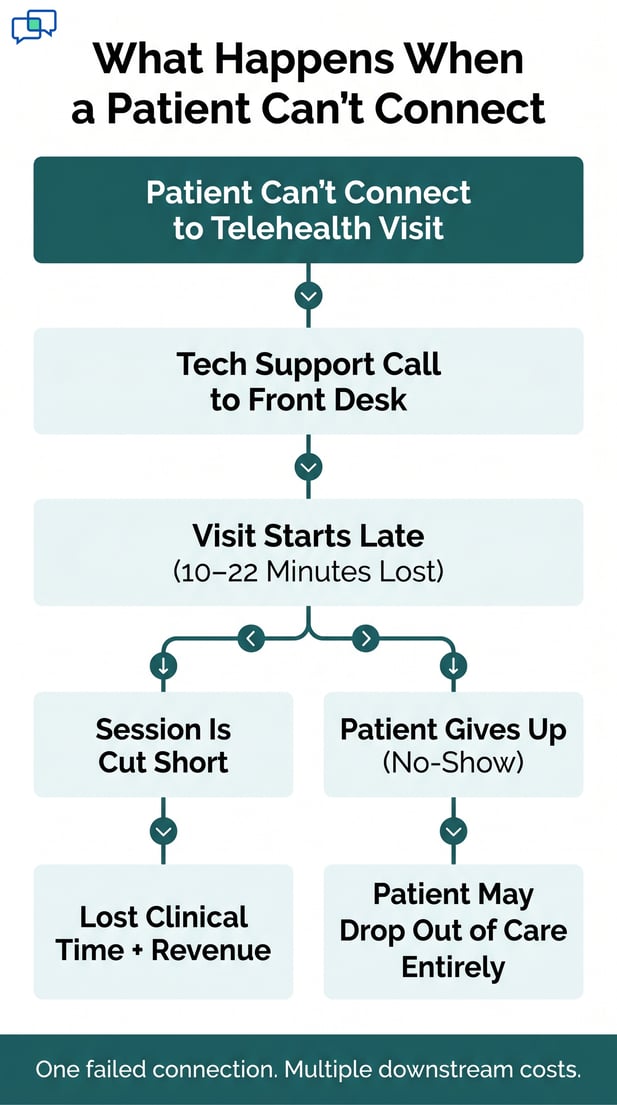
Consider a common scenario. A new patient is scheduled for a therapy session at 10 AM. At 10:02, they text that they can't find the app. Staff sends instructions.

At 10:07, the wrong app is downloaded. At 10:12, the right app is installed, but the account setup fails. By the time the patient finally joins, nearly 22 minutes of a 50-minute session are gone.

That's not an edge case. It happens regularly when app-based systems are used with patients who aren't tech-savvy. And in a small practice, every lost minute has a direct cost.

The First-Visit Tech Support Ritual

First-time telehealth patients face the steepest learning curve. They're downloading a new app, creating an account, granting camera and mic access, and navigating a new interface, all before the visit even starts.

Staff handles each step over text or phone while also managing in-office tasks. The result is a chaotic 15 to 20 minutes that can erode patient trust before care even begins.

The Solo Practitioner Burden

For a solo provider, there's no one else to handle the tech calls. When a patient can't connect, the provider becomes the support line, texting login steps between sessions and walking through browser settings over the phone.

Every minute spent on tech support is a minute not spent on patient care. For a practitioner billing $100 to $250 per session, that lost time has a real dollar value.

The Cost No One Tracks

The financial cost of telehealth tech support rarely shows up on any report. No one tracks how many staff hours went to login help. No one adds up the clinical minutes lost to browser troubleshooting.

But the costs are real, and they surface in other ways: late starts, rushed visits, staff frustration, and lower patient satisfaction.

A recurring Office Ally practice telehealth operations challenge is that front desk staff lack the tools and training to handle tech issues. They weren't hired to be tech support agents.

When that role is thrust on them, the quality of every other task drops. Insurance checks get delayed. In-office patients get rushed. The whole front desk operation slows down.

The Staff Training Problem

Every patient's tech issue is different. One patient uses an outdated browser. Another's camera shows a black screen. A third can't recall which email they used to create their account.

Each problem needs a different fix, and front desk staff are expected to solve them all without any formal training. That's an unreasonable ask, and it often leads to staff burnout and growing resistance to virtual visit days.

The Hidden No-Show Cause

Some patients don't call when they can't connect. They simply give up. The appointment slot passes, and the practice marks it as a no-show without knowing why.

Based on our internal research, practices using app-based telehealth see notably higher no-show rates than those using text-link access. For patients who already struggle to seek care, one bad tech experience can delay treatment by weeks or longer. 

Telehealth failure flowchart showing negative outcomes like lost time and revenue

The Guide: The Zero-Tech-Support Telehealth Workflow

The fix doesn't require new hardware or a system overhaul. It requires removing the technology that causes the problem in the first place.

Here's what that looks like in practice, and why it works for practices of all sizes.

How Text-Link Access Works

Text-link telehealth is exactly what it sounds like. The practice sends a text message with a link. The patient taps the link. A video call opens in their phone's browser. There's no app to download, no account to set up, and no settings to configure.

The underlying technology is called WebRTC, a browser-based video standard that's built into most modern phones and computers. It doesn't require plugins or special software.

If a patient can open a link from a text message, they can join the call. That covers the large majority of patients, including older adults who often struggle with app-based systems.

This is the foundation of a small practice telehealth setup with no IT required. The practice doesn't need a tech team.

Staff don't need troubleshooting manuals. And patients don't need a tutorial to get started.

One-Tap Telehealth Delivery

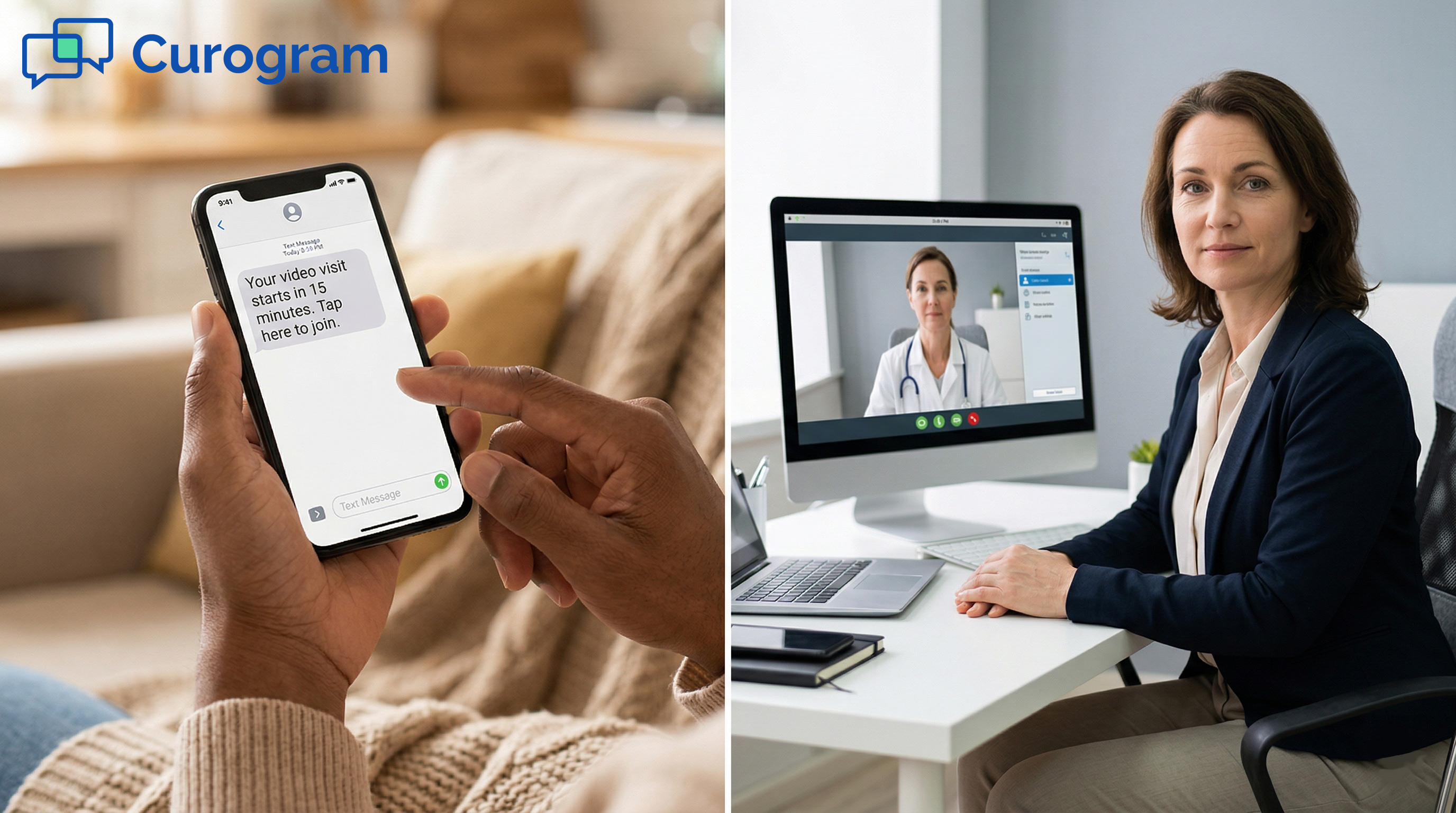
Curogram sends the video link automatically, based on the schedule in Practice Mate. The link goes out 15 minutes before the appointment, or at whatever time the practice sets.

When the appointment time arrives, the provider clicks to start from their dashboard, and the patient taps the link from their text. Both sides connect without the front desk doing anything at all.

Connecting to Practice Mate

The EHR 24/7 virtual visit staff workflow doesn't need to change. Scheduling still happens in Practice Mate. Charting still happens in EHR 24/7.

Curogram sits alongside those tools and handles the patient connection layer, the part that typically causes the most friction. Nothing is replaced. Nothing is duplicated. The practice runs the same system with one less source of daily stress.

What Changes for Your Staff

The biggest shift isn't technical. It's operational. When text-link telehealth replaces app-based access, staff stop spending the morning fielding tech calls and start doing what they were hired to do.

Front desk teams can focus on in-office check-ins, insurance tasks, and follow-up calls. Providers start sessions on time without waiting for patients to troubleshoot. Virtual visit days stop feeling like a fire drill and start running like a normal clinic day.

For practices managing in-office and virtual patients on the same day, this matters a lot. The front desk isn't split between two competing demands. Staff give in-office patients full attention while the telehealth side runs on its own.

That's the real value of an Office Ally virtual visit zero configuration approach. When there's no setup required, there's nothing to go wrong. And when there's nothing to go wrong, the focus stays on care.

Based on our internal data, practices that switch to text-link telehealth eliminate over 90% of patient-side tech support calls from the very first day. That's not a gradual improvement. It's an immediate change in how virtual visit days run.


The Success: Zero Downloads. Zero Calls. Full Virtual Schedule.

What does a full day of virtual visits look like when tech support isn't part of it? The numbers tell a clear story.

So does the experience of practices that have made the switch. When patients connect with one tap, the entire rhythm of a virtual visit day changes.

The Numbers Behind the Shift

The math on text-link telehealth is straightforward. If a practice saves 10 minutes per patient on tech support and sees 8 virtual patients per day, that's 80 minutes of recovered time.

For a solo mental health provider with 50-minute sessions, 80 minutes is more than one full additional session. That's real revenue that was previously being lost to troubleshooting.

No-shows are also part of the equation. Based on our internal data, no-show rates at practices using text-link access drop below 10%.

That compares to much higher rates seen with app-based telehealth, where tech failures quietly contribute to missed appointments.

Based on our internal research, each recovered appointment contributes directly to practice revenue. Practices that reduce no-shows have seen a 10 to 20% increase in overall revenue. That gain is built on appointments that were happening anyway, just actually happening now.

Category

App-Based Telehealth

Text-Link Telehealth

Tech support time per patient

10 to 15 minutes

Near zero

No-show rate (tech-related)

15%+

Below 10%

Staff action needed per visit

Yes

No

Patient setup steps

4 to 6

1 (tap the link)

Front desk tech calls

Multiple per day

Effectively none


Time and Revenue Recovered

For a practice billing $150 per session and seeing 8 virtual patients per day, recovering even one missed appointment per day adds $150 of direct revenue.

Over 20 working days a month, that's $3,000 in recovered income. And that doesn't include the added capacity created by removing tech support from the day.

No-Shows Take a Nosedive

Based on our internal data, no-show rates are 53% lower at practices using Curogram compared to the industry average. That means fewer empty slots, fewer rescheduling calls, and more steady revenue.

For solo providers, this gap can be the difference between a schedule that works and one that's constantly disrupted.

A Real Day Without Tech Calls

Picture a solo mental health provider running 8 virtual sessions on a Monday. Each patient received a text link 15 minutes before their session. Each patient tapped the link and connected.

Zero tech calls came in. Zero sessions started late. Zero patients gave up and disappeared.

The provider finished all 8 sessions on time. No one had to walk a patient through app download steps. No session was cut short because of a late start. The day looked exactly like a day of in-office visits, minus the commute.

That outcome hadn't been possible with the app-based system the practice used before. With that system, 3 to 4 sessions routinely started late, and at least one patient would give up and be marked as a no-show. The provider ended most telehealth days behind schedule.

The solo practitioner telemedicine workflow text-based model doesn't require more effort. It requires less. That's the point.

The simpler the access, the fewer things fail. And when nothing fails, the day runs the way it's supposed to.

That shift isn't just about one practice. When tech friction is removed from the patient experience, patients are more likely to show up for future visits.

They're less likely to feel defeated before care begins. And they're more likely to refer others, since their experience was smooth from the start.

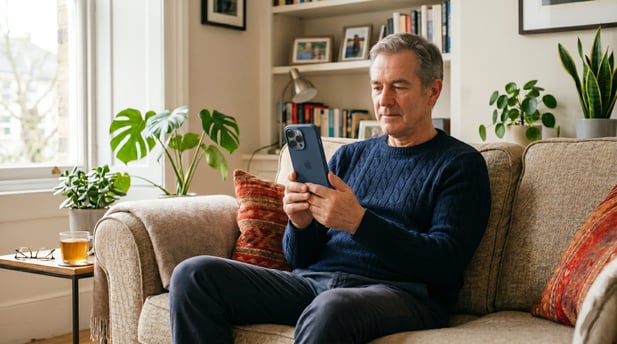
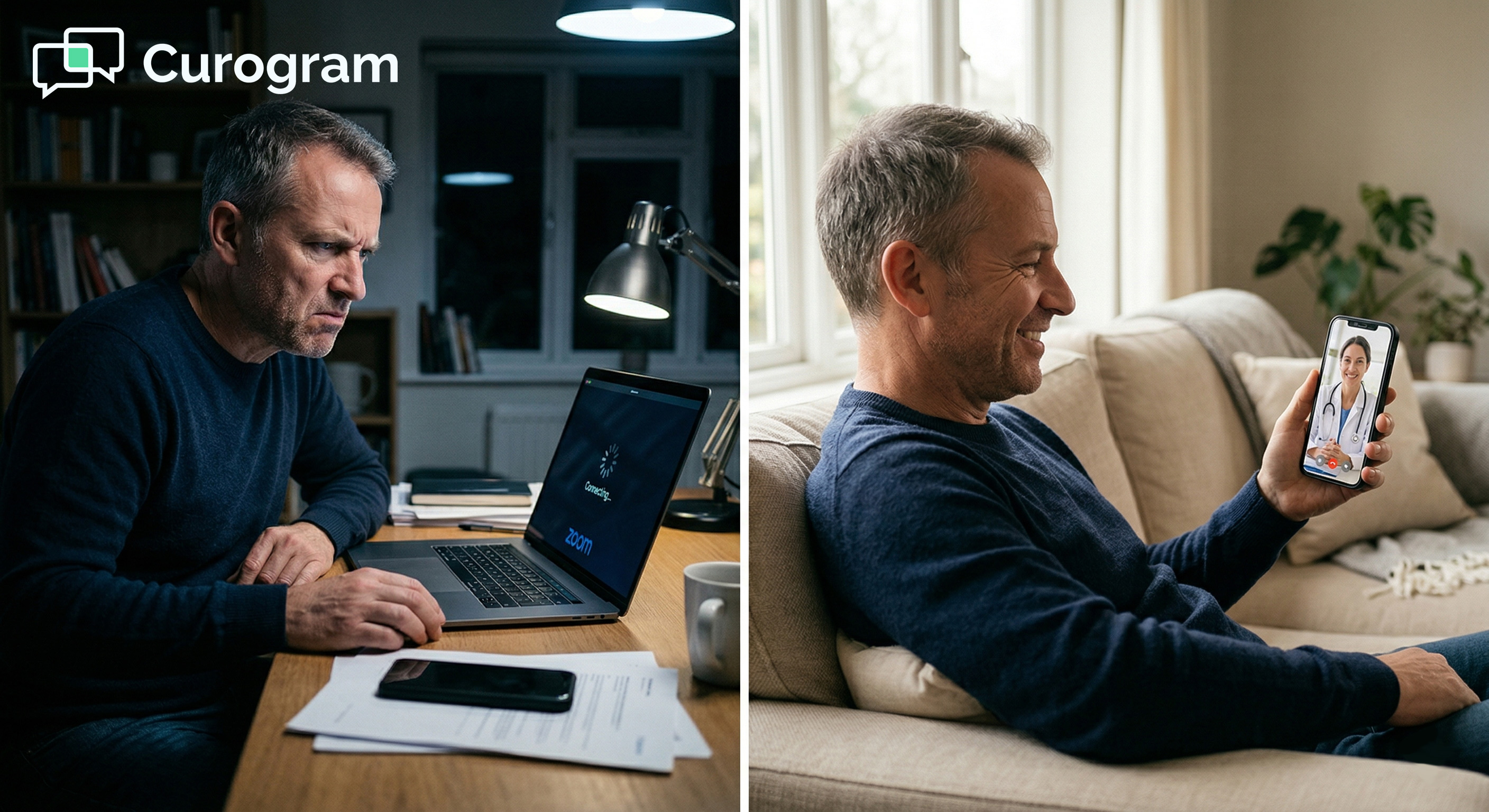
Older patient calmly connecting via smartphone for a home video telehealth visit

Stop Being Your Practice's IT Department

Small Office Ally practices don't have IT departments. But app-based telehealth acts like they do. Every patient failure becomes a staff problem.

Every tech call is a minute of clinical time lost. Text-link telehealth was built for the reality that most small practices actually live in: lean teams, full schedules, and no room for extra steps.

For patients who already face barriers to care, whether that's anxiety, distance, or a busy schedule, tech failure is often the last straw.

They don't reschedule. They don't call back. They disappear. A text link they can tap from their couch doesn't just make care easier. It makes it more likely to happen at all.

When a practice moves to text-link telehealth, the day-to-day workflow becomes much simpler. The appointment is scheduled in Practice Mate.

The video link goes out automatically by text. The provider starts the call from their dashboard. The patient taps the link and joins.

EHR 24/7 handles charting, exactly as usual. There are no extra steps for staff. No separate platform to monitor. No tech calls to handle. The front desk focuses on what they're trained for: scheduling, intake, and patient communication.

This is what a well-run Office Ally practice telehealth operations setup should look like. Each tool does its job. EHR 24/7 handles documentation.

Practice Mate handles scheduling. Curogram handles the connection layer. And care happens without the friction.

On days when the practice runs both in-office and virtual appointments at the same time, the difference is especially clear.

The telehealth side runs without constant attention. The front desk isn't pulled in two directions. In-office patients get the full attention they deserve.

The best telehealth setup is one that patients never have to think about. If a patient has to troubleshoot their camera, your setup isn't working. If staff are answering tech calls during visit hours, your workflow has a gap.

Text-link access closes that gap without complexity. It doesn't require a large budget, a tech team, or a system overhaul. It works with the tools Office Ally practices already use. And it starts delivering results from the first day it's in place.

EHR 24/7 is for your charting. Practice Mate is for your scheduling. Curogram is for your patient connection, the part of the workflow that determines whether telehealth actually works or falls apart before care begins.

If your virtual visits are starting late, or if your staff dreads telehealth days, the problem likely isn't your patients. It's the technology they're being asked to use. The fix isn't to train them to be more tech-savvy. The fix is to not require it.

See how text-link telehealth works with your Office Ally setup. Schedule a demo and watch the difference from the very first virtual visit day. 


Frequently Asked Questions

How does browser-based video calling work on different phones and computers?

Browser-based video uses a standard called WebRTC, which is built into most modern browsers, including Safari on iPhones and Chrome on Android phones. Patients don't install anything because the video runs directly in the browser they already have.

Based on our internal data, 95%+ of patients already have a browser version that supports this. For the rare patient with an older device, the practice can fall back to the standard EHR 24/7 telehealth pathway.

How does the telehealth link get sent to patients without manual effort from staff?

When a telehealth appointment is scheduled in Practice Mate, Curogram automatically sends the video link by text at the time the practice sets. Common options include 15 or 30 minutes before the appointment. No one on staff needs to do anything. The link goes out on schedule, and the patient taps when they're ready to join.

Why do patients still miss virtual appointments even when telehealth tools are available?

A large portion of telehealth no-shows isn't due to patient disinterest. They happen because patients can't connect and give up before reaching out for help. App-based systems create multiple failure points: wrong app, forgotten password, unsupported browser.

When patients hit a wall, many simply disappear. Text-link access removes those failure points, which is why no-show rates drop so significantly after the switch.

How does Curogram work alongside EHR 24/7 and Practice Mate without creating extra steps?

Curogram handles the patient connection layer, which is the part of the telehealth workflow that app-based systems make difficult. Scheduling still happens in Practice Mate. Charting still happens in EHR 24/7.

Curogram fits between those steps, sending the video link automatically and hosting the call. Each system does what it's best at, and nothing is duplicated. 

Why does removing the app download step have such a big effect on telehealth success rates?

Every extra step a patient must take before a visit is a chance for something to go wrong. App downloads involve app store searches, account creation, software installs, and permission settings.

Any one of those steps can fail, and when it does, the patient is stuck without a clear path forward. Removing all of those steps means the only thing standing between a patient and their provider is a single tap.


Office Ally Telemedicine Text Link | Zero-Friction Video Visits

Office Ally Telemedicine Text Link | Zero-Friction Video Visits

💡 Office Ally telemedicine works best when patients can actually show up. EHR 24/7 includes telehealth tools, but getting patients into a video...

Read More
AdvancedMD Doctor via Text | One Tap, Face-to-Face, No App Required

AdvancedMD Doctor via Text | One Tap, Face-to-Face, No App Required

💡 With Curogram, patients can see their AdvancedMD doctor via text by tapping a single link. A text arrives from the practice. The patient taps it....

Read More
AdvancedMD Telemedicine via Text | One Tap. No Zoom. No Download.

1 min read

AdvancedMD Telemedicine via Text | One Tap. No Zoom. No Download.

💡 AdvancedMD uses Zoom for its built-in telehealth platform. Zoom works fine for users who already have it installed. But for many patients, it...

Read More