
10 min read

AdvancedMD Doctor via Text | One Tap, Face-to-Face, No App Required

AdvancedMD Doctor via Text | One Tap, Face-to-Face, No App Required
💡 With Curogram, patients can see their AdvancedMD doctor via text by tapping a single link. A text arrives from the practice. The patient taps it. Their phone browser opens a live video call. Their doctor appears on screen. No app to download. No Zoom account. No meeting ID. No setup at all.

This is the Tap-to-Visit experience. It runs inside the phone’s browser using tools the device already has: a camera, a microphone, and an internet connection.
For AdvancedMD practices, this matters a great deal.

Patients skip virtual visits when the tech is too hard. When the process is this simple, they show up. They even start to prefer it over coming in.

One tap. Face-to-face. No friction. That is what patient telehealth should always feel like, and now it can.


You’re not feeling well. You don’t want to drive across town or sit in a waiting room. That’s exactly why telehealth exists.

But somewhere between the idea and the actual visit, things go wrong.

Most telehealth tools ask too much before you even see your doctor. Download Zoom. Create an account. Set up your camera. Fix it when it breaks. By the time you connect, more time has passed than a short drive to the office would have taken.

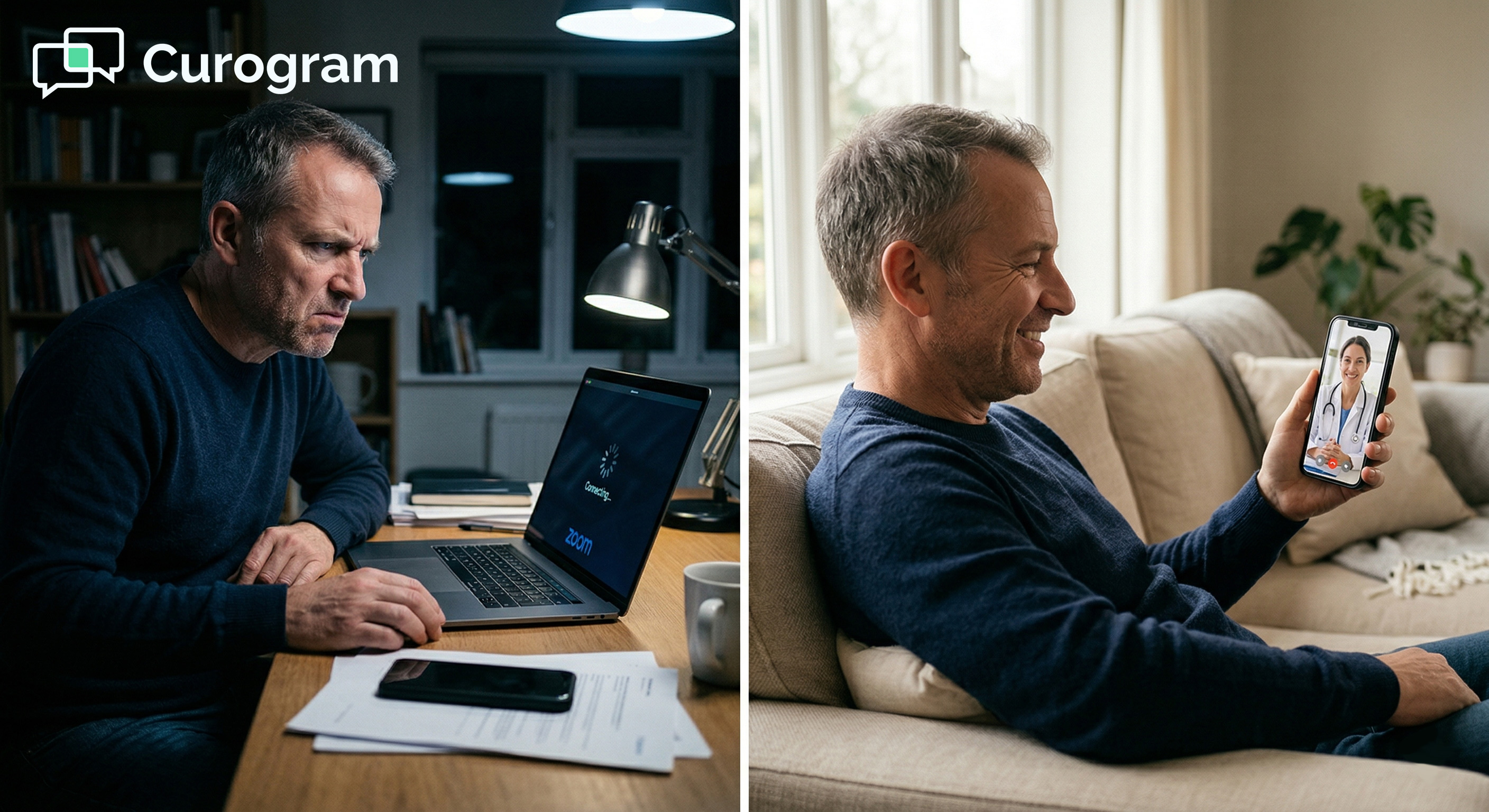
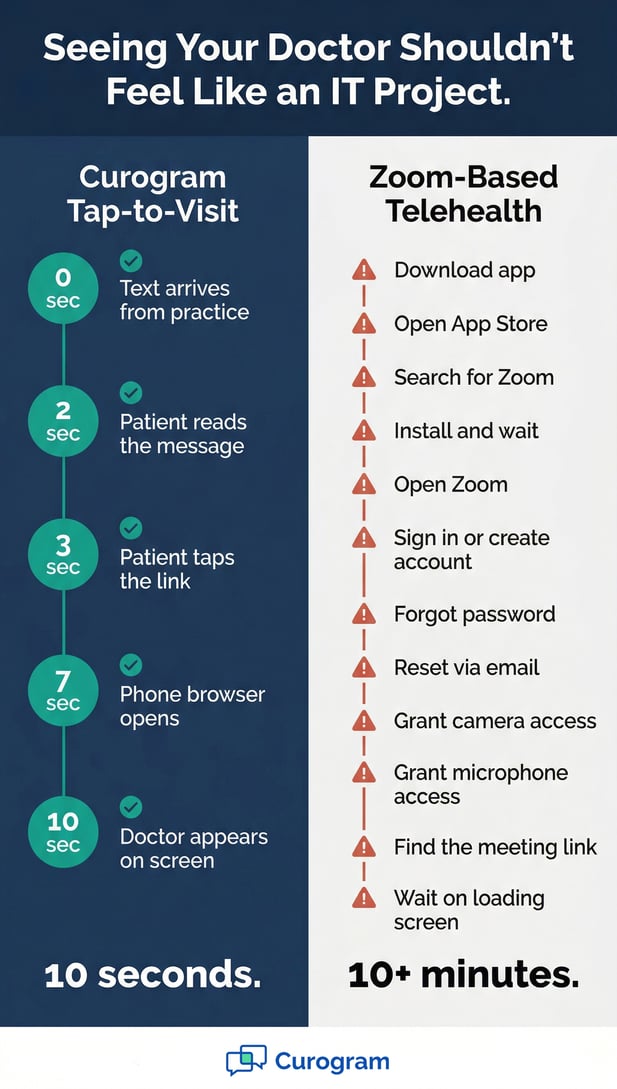
Here’s what that looks like in real life. Your AdvancedMD practice uses Zoom for visits. They email you a link. You tap it, but Zoom isn’t on your phone. The App Store opens. You search, download, and wait. Zoom asks you to sign in. Your password is wrong.

You click “Forgot Password.” You check your email. You reset it and go back to Zoom. Now it wants your camera and your microphone. You tap “Allow” twice. The screen reads “Connecting.” Ten minutes have passed. You could have been halfway to the clinic.

That’s not convenient. That’s a chore.

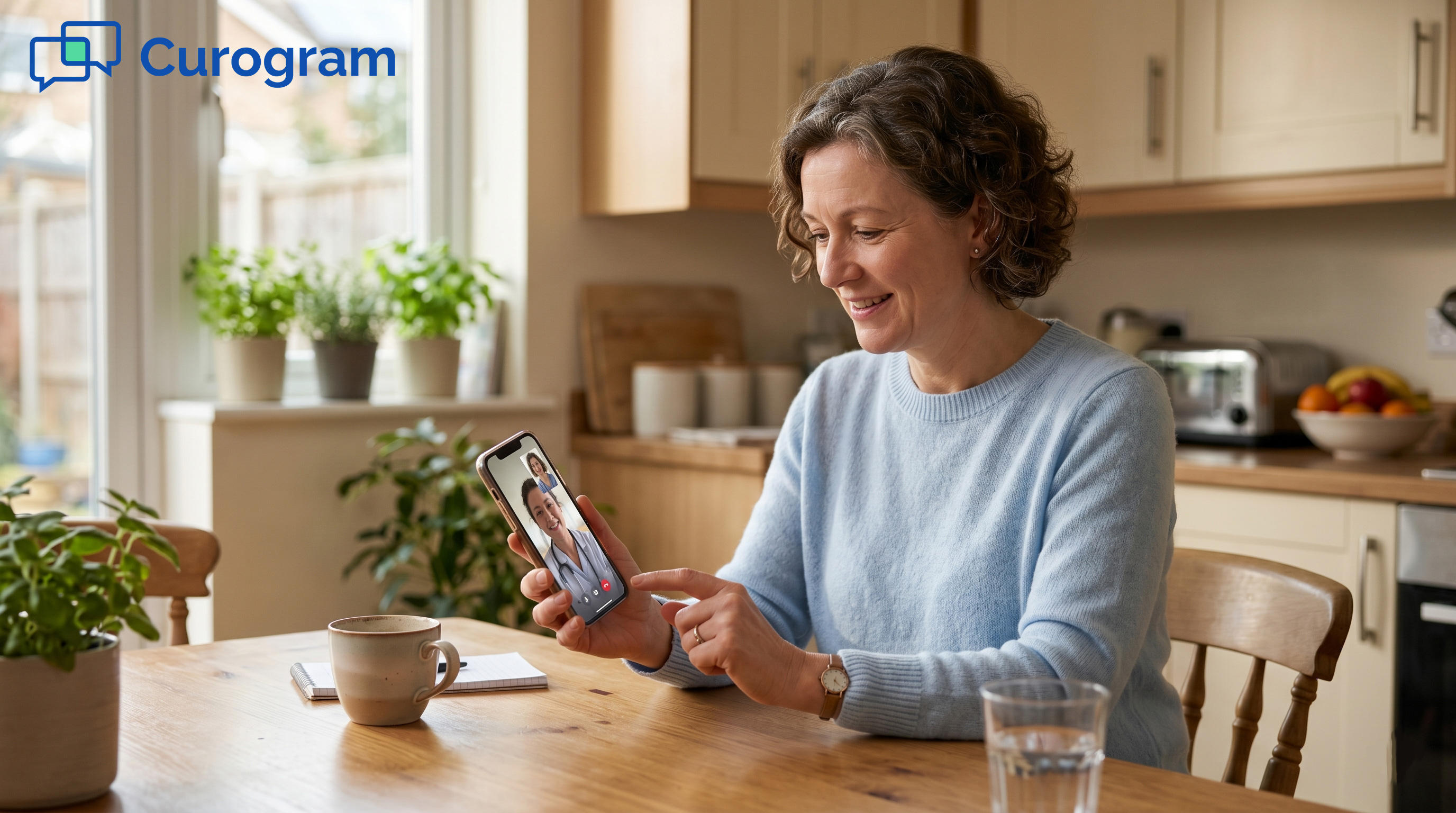
Here’s how it works with Curogram. Your practice sends you a text. You tap the link. Your phone browser opens a video call. Your doctor appears on screen. The whole thing takes less than 10 seconds.

No Zoom. No app to install. No download. No account to create.

That’s what it means to see your AdvancedMD doctor via text with a one tap video visit in your phone browser. Simple. Fast. No setup required.

Your patients deserve telehealth that works the first time. This article covers why the old way fails them, how the Tap-to-Visit model fixes it, and what real results look like at AdvancedMD practices using Curogram.

The Villain: The App You Shouldn’t Need

Telehealth was built to remove barriers to care. But for many patients, a new barrier took the place of the old one: the technology required to start the visit.

Before a patient ever sees their doctor, they face a series of steps that turn a simple call into a full tech project. The sections below show where that friction comes from and why it costs practices real visits.

The Download Nobody Wanted

You picked a telehealth visit because it was supposed to be easy. Instead, the very first step is downloading an app you’ve never used and never asked for.

Zoom is a tool built for office meetings. It was designed for teams sharing screens and joining work calls.

Using it for a doctor’s visit means a patient must go through the same full setup as a corporate staff meeting. That’s more than anyone needs for a 10-minute medication check.

One App, One Too Many

Patients download Zoom because the practice tells them to, not because they chose to. Most won’t open it again after the visit ends.

It sits on their phone, taking up space, until they delete it. The app treats every call the same way, whether it’s a board meeting or a blood pressure review.

Slow Phones, Lost Patience

Not every patient has a new phone with plenty of storage. On older devices, the download can fail or take several minutes.

By the time it’s done, some patients have already decided to call the office and come in instead. The very visit that was meant to save them a trip has now cost them more time than the trip would have.

The Account Nobody Remembers

Once the app is installed, Zoom asks the patient to sign in. If they’ve used it before, they have to find old login details they’ve long forgotten. If not, they have to create a new account from scratch.

That means another email, another password, and another account the patient will forget by next week. The reset process alone can take five minutes. All of this happens before they’ve said a single word to their doctor. The effort is completely out of step with the task at hand.

A short medication check should not require creating an account on a platform the patient never chose.

The Permission Puzzle

Once inside Zoom, the app asks for access to the camera and microphone. For some users, this is quick. Two taps and done.

But not every patient is at ease with app settings. The prompts can feel unclear or even worrying. Some patients tap “Deny” by mistake.

Now they can’t be seen or heard on the call. They ring the office. What should have been a short visit has turned into a tech support session for staff who are already stretched thin.

For older patients or those with less tech experience, this step can end the visit before it even begins.

The Just Come In Moment

After five minutes of downloads, logins, and broken settings, many patients simply give up.

They call the office and come in instead. Or they don’t show up at all. The practice loses a time slot. The patient’s care gets delayed. Based on our internal data, no-show rates climb sharply when patients run into access barriers before a visit.

Practices using Curogram see no-show rates that run 53% lower than the industry average, largely because friction is removed from the very start of every patient interaction.

The patient didn’t fail the technology. The technology failed the patient. And when that happens often enough, it stops being a tech problem and becomes a practice problem. 

Curogram vs Zoom telehealth timeline infographic comparison

The Guide: The Tap-to-Visit

There’s a better way. It doesn’t require new hardware, new staff training, or a full overhaul of how your practice runs. It starts with a text message and ends with a face-to-face video call in under 10 seconds.

This section walks through what the Tap-to-Visit experience actually looks like for your patients, from the moment they receive the text to the moment they see their doctor.

The Solution

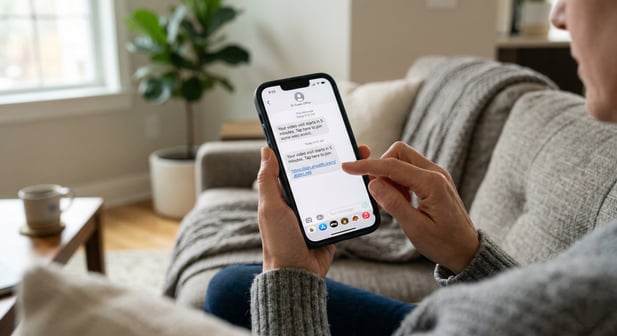
Curogram’s Tap-to-Visit sends a text message from your AdvancedMD practice to the patient before their visit. The message reads something like: “Your video visit starts in 5 minutes. Tap here to join.”

The patient taps the link. Their phone browser opens a live video call. Their doctor’s face appears on screen.

That’s it. The entire process from text to face takes less than 10 seconds.

No app to download. No Zoom account to log into. No meeting ID to enter. No camera settings to change.

The phone’s browser already handles all of that. It’s the same technology that lets someone take a selfie or join a video chat through a website.

How the Browser Makes It Possible

Modern phone browsers support live video through a technology called WebRTC. It’s built into Chrome, Safari, Firefox, and most other browsers on any smartphone made in the last several years.

It runs without any downloads and without any extra setup. Curogram’s telehealth link opens the built-in tool the moment the patient taps it.

Why This Beats Every App-Based Option

An app requires a download, a login, and ongoing updates. A browser link requires none of those things. It works the first time, every time, on almost any phone. For patients who are older, less tech-savvy, or just short on time, that difference is enormous.

The Feature: Text-Thread Continuity

The telehealth link doesn’t arrive in a random email or a portal notification the patient might miss. It shows up in the same text thread where your practice has been talking with them all along.

The same thread that sent the appointment reminder. The same one where they confirmed their visit. The same one where they filled out an intake form. The link is waiting in the most familiar place on their phone: their text messages.

Patients don’t need to search their inbox or log into a portal. The link is right there, ready to tap. This is what makes the AdvancedMD patient video visit via text so reliable: the link lives where patients already look.

The Familiarity Factor

Patients already know how to tap a link in a text message. They do it several times a day for deliveries, receipts, and articles. The action is completely familiar. There is nothing new to learn.

Curogram’s one-tap video visit is built on that same instinct. The patient sees a message, they tap, and something happens. In this case, what happens is they see their AdvancedMD doctor on screen. No learning curve. No hesitation. Just a tap.

This matters most for patients who have been anxious about telehealth in the past. When the process feels this natural, that anxiety disappears fast.

The Confidence of Simplicity

After the first Curogram visit, patients know exactly what to expect every time. A text arrives. They tap. Their doctor is there. Nothing to reset. Nothing to troubleshoot. Nothing to remember.

When a process is simple enough that you can’t get it wrong, patients stop worrying about the tech and start focusing on their health.

That shift in attention is exactly what a doctor’s visit is supposed to produce. Telehealth that fades into the background, letting care take the front seat.  


The Success: See Your Doctor, Not a Loading Screen

The Tap-to-Visit experience isn’t just easier for patients. It produces real, measurable results for the practices that use it. Fewer dropped visits. Higher telehealth use. Better patient trust. This section covers what changes when the friction is removed and what that shift looks like in practice.

The Metric

Patients using text-link telehealth connect to their visits faster and more reliably than those using Zoom-based platforms. The time to connect drops from several minutes of downloads and logins to less than 10 seconds from tap to video.

That speed matters. Every extra minute of setup is a chance for a patient to give up. Based on our internal research, practices that remove tech barriers from telehealth see significantly fewer no-shows and abandoned visits.

At practices using Curogram, no-show rates run 53% lower than the industry average across specialties. One practice, Atlas Medical Center, cut its no-show rate from 14.20% to 4.91% in just three months.

Connection Time Compared

Telehealth Method

Steps Before Visit

Typical Setup Time

Zoom-based (app)

Download, install, sign in, configure

5 to 15 minutes

Curogram Tap-to-Visit

Tap the text link

Under 10 seconds


What Practices Gain

Fewer failed connections mean more completed visits. More completed visits mean more revenue. Based on our internal data, practices that reduce no-shows and access barriers see a 10 to 20% increase in revenue, with each recovered appointment adding directly to the bottom line. That’s a strong return on a simple change.

The Shift: From Dreading to Preferring

Patients who struggled with Zoom-based telehealth often did one of two things. They reverted to in-office visits, or they stopped scheduling altogether.

With Tap-to-Visit, that pattern flips. Follow-up visits, medication checks, short consultations, and behavioral health sessions become easier via text link than they are in person. Patients stop using telehealth because they have to, and start using it because they want to.

Practices see this shift in how patients book appointments. Telehealth slots that once sat empty start filling up.

Patients request virtual visits on their own, without being pushed. The practice’s telehealth use rises because the experience is good enough that people actively choose it.

Patients who once dreaded telehealth often become its biggest fans once they experience how easy it can be. That’s the kind of loyalty that grows a practice over time.

The Outcome

When a patient can text AdvancedMD for doctor video visit access through a single tap in their phone browser, telehealth stops being a category of care and starts being an invisible tool.

The patient doesn’t think about how it works. They just think about their health and what they need from their doctor.

That’s the real goal. Not the technology. The visit.

For practices on AdvancedMD, the Tap-to-Visit experience closes the gap between what telehealth was supposed to be and what it often is.

It makes every virtual visit feel as easy as tapping any other link in any other text. No download. No Zoom. No account. No loading screen. Just a patient and their doctor, face to face, in under 10 seconds.

A close-up of a smartphone receiving a text about a virtual consultation

A Doctor Visit Should Be Easier Than a Video Call with Your Coworker

It shouldn’t be harder to see your doctor than to join a work meeting. But for too long, telehealth has worked that way. Zoom-based visits carry the same setup burden as any other Zoom call: the download, the login, the permissions, the troubleshooting. None of that belongs in a patient’s care experience.

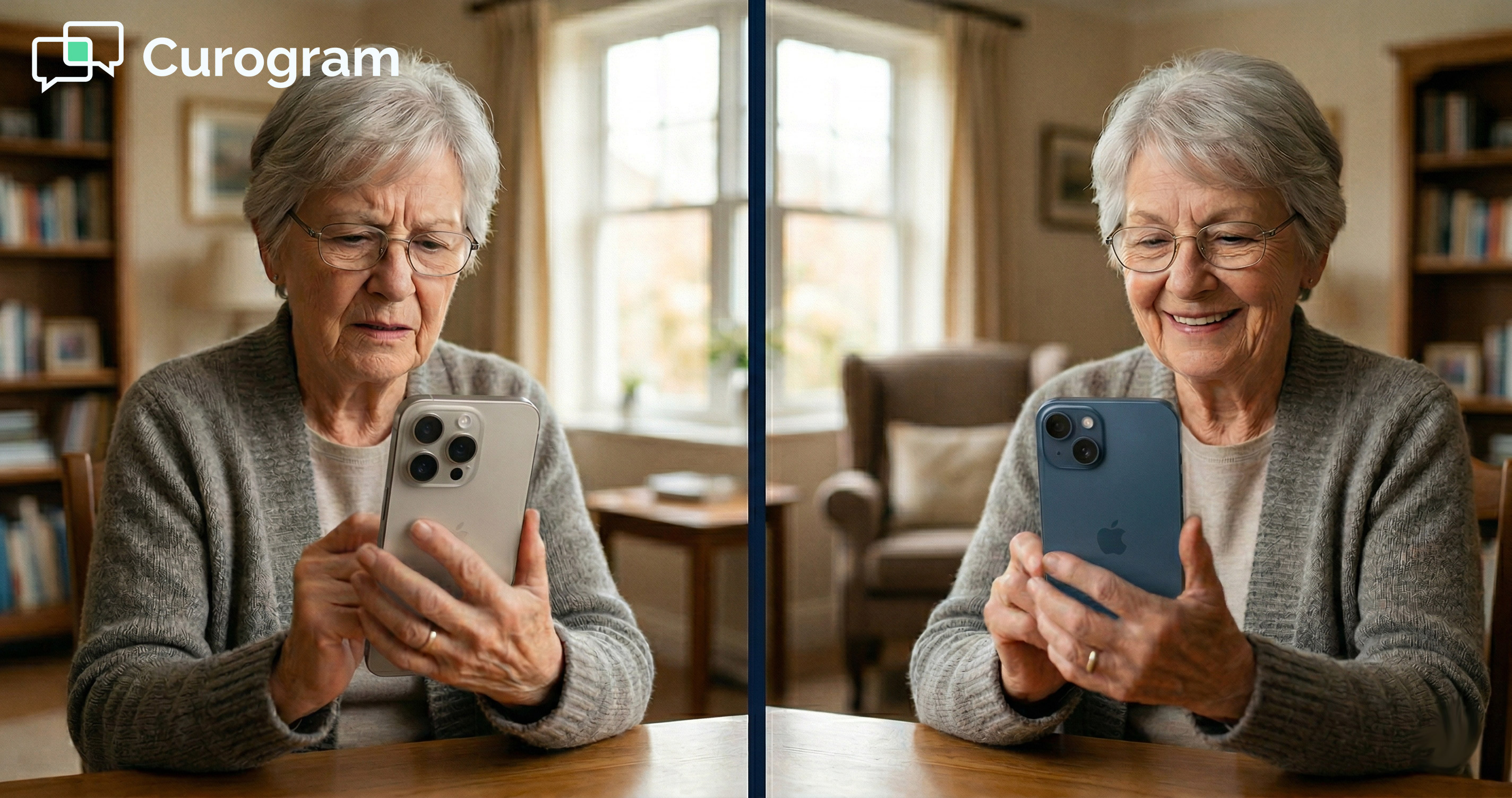
Zoom-based telehealth turns a 10-minute visit into a 20-minute tech project. Patients download an app they didn’t ask for, create an account they’ll forget, configure settings they don’t understand, and sometimes give up before the visit even starts.

Curogram sends a text link. The patient taps it. Their phone browser opens. Their doctor is on screen. Under 10 seconds. No app. No Zoom. No download. No account needed.

The Two Experiences Side by Side

Step

Zoom-Based Telehealth

Curogram Tap-to-Visit

How the patient gets the link

Email

Text message

App required

Yes, Zoom

No

Account required

Yes

No

Time to connect

5 to 15 minutes

Under 10 seconds

Tech support calls

Common

Rare

Works on older phones

Sometimes

Yes


This approach matters most for patients who are older, less confident with apps, or simply short on time. But it also helps tech-savvy patients who just want things to work without any fuss. The Tap-to-Visit model serves every patient type, because it asks nothing of them beyond a single tap.

You’ve tapped hundreds of links in text messages this year. Every one of them opened right away and did exactly what you expected. Your telehealth visit should work the same way. Not harder. Not more steps. Just a tap, and you’re there.

That’s not a high bar. It’s a reasonable one. And it’s the one patients are silently measuring every time they try to join a virtual visit.

Stop making patients download apps to see their doctor. A text link works better. It’s faster, simpler, and far more likely to result in a completed visit. One tap, face-to-face, from wherever the patient happens to be. That’s the kind of telehealth patients come back for.

If your AdvancedMD practice is ready to see what frictionless telehealth looks like in action, the best next step is a live demo.

See how Curogram’s Tap-to-Visit fits into your current workflow, how it connects with AdvancedMD, and what it looks and feels like for your patients.

Schedule a demo and experience the difference between telehealth that patients tolerate and telehealth they actually prefer.


Frequently Asked Questions

How does a patient join a Curogram video visit without downloading an app?

When the practice sends a telehealth link via text, tapping it opens the patient’s phone browser directly. The browser uses built-in technology to run the video call, so no separate app is needed. This works on most smartphones made in the last several years. Camera and microphone access is handled by the browser, not by a third-party app.

Why is browser-based telehealth more reliable than a Zoom link for patients?

Zoom requires a download, an account, and specific app permissions that can fail or confuse patients. A browser-based link skips every one of those steps. Because there’s nothing to install or log into, there are fewer points where something can go wrong. Fewer failure points mean more completed visits and fewer calls to the office for tech help.

How does Curogram send the telehealth link to patients?

Curogram sends the video visit link through the same text thread where the practice already talks to the patient. That includes appointment reminders, confirmations, and intake forms. The link shows up in a familiar place, which means patients are far less likely to miss it or look for it in the wrong spot.

Why does it matter if the telehealth link arrives by text instead of email?

Text messages have a much higher open rate than emails and are read far faster. Patients check their texts almost right away, while emails can sit unread for hours. When a visit starts in five minutes, a text link is the only channel that reliably reaches the patient in time. Email links can also get buried, filtered, or missed entirely.

How does Curogram’s approach affect no-show rates at AdvancedMD practices?

When the process of joining a visit is easy, patients are far more likely to follow through. Based on our internal data, Curogram’s no-show rates run 53% lower than the industry average across specialties.

One practice cut its no-show rate from over 14% down to under 5% in just three months. Removing friction before the visit starts is one of the most direct ways to keep patients on schedule.