11 min read

Cloud 9 Ortho Telemedicine | One-Tap Video Visit, No App Needed

Cloud 9 Ortho Telemedicine | One-Tap Video Visit, No App Needed
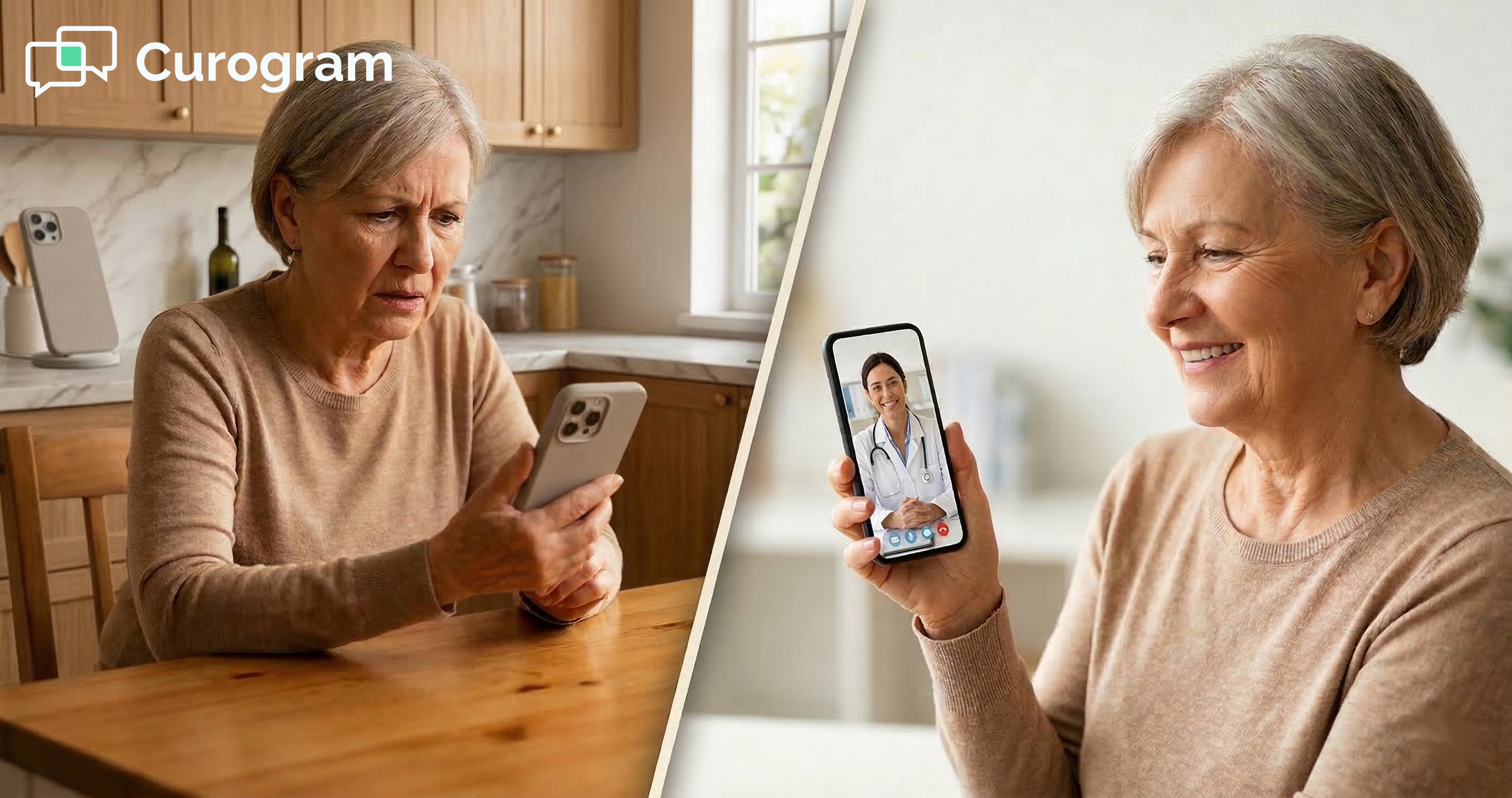
💡 Cloud 9 orthodontic telemedicine via text, powered by Curogram's One-Tap Video Visit, lets parents connect face-to-face with their orthodontist in under 10 seconds — no app download, no account creation, no login required.        

A simple text link opens a HIPAA-compliant video call directly in the phone's browser.   

For Cloud 9 practices, this means handling emergency triage, retainer evaluations, progress checks, and virtual consultations in 3–7 minutes from any smartphone.

Parents who would never download a telehealth app will tap a text link without hesitation.  


The result: practices using text-link video visits report telehealth utilization jumping from fewer than 5 visits per month to 20–40 or more — because access that requires zero effort actually gets used.

It's 7:15 on a Tuesday night. Tyler's braces wire has been poking the inside of his cheek for the past two hours.

He's uncomfortable. You can see a small red spot where the metal has been rubbing. The office is closed.

So what do you do?

You could call the after-hours line — but describing the problem over the phone when the orthodontist can't see anything only gets you so far. You could wait until morning, but Tyler isn't sleeping well tonight. You could drive to urgent care, but that's expensive, slow, and the doctor there will tell you to call the orthodontist anyway.

None of those options feel right. And this is the exact moment where most orthodontic practices lose parents.

Not because they don't care. Not because they don't have good technology.

But because when a parent needs a fast visual check, there's no easy way to get one.

Think about what would change if you could send that parent a single text message with a tap-to-join video link.

No app to download. No account to create. No password to remember.

Just a link — the kind they tap dozens of times a day — that opens a live video call with the orthodontist in under 10 seconds.

That's not a fantasy. That's what Cloud 9 orthodontic telemedicine via text link video visit looks like when it works the way it should.

This article is for practice owners and practice managers who know virtual visits make sense but haven't seen utilization that actually moves the needle. There's a reason app-based telehealth underdelivers.

And there's a reason the fix isn't more technology — it's simpler access.

Let's get into it.

Why Telehealth Fails Busy Orthodontic Families (And It's Not What You Think)

Most orthodontic practices that tried telehealth during the pandemic era saw the same thing: the technology worked, but parents didn't use it.

Visits were sparse. Adoption stalled. And eventually, the tool gathered digital dust.

It's easy to assume that parents don't want virtual visits. That's the wrong conclusion.

Research consistently shows that patients want more flexible, accessible care. A 2022 report from McKinsey found that telehealth utilization stabilized at 38 times its pre-pandemic baseline. The demand is real. The drop-off in orthodontics isn't about desire — it's about friction.

The friction lives in what parents have to do before they can even see the orthodontist on screen.

The App Download Problem: Five Steps Before You Can Say Hello

Here's the typical path for an app-based telehealth visit in a Cloud 9 orthodontic practice:

  1. Parent receives a message telling them to download the telehealth app.
  2. Parent opens the App Store or Google Play and searches for it.
  3. Parent downloads the app — typically 150–300 MB.
  4. Parent creates an account: name, email, password, phone number, email verification.
  5. Parent logs in, grants camera and microphone permissions, and navigates to the visit.

For a tech-comfortable parent, this takes 8–10 minutes. For a less tech-savvy parent — the majority — it can take 15–20 minutes. The actual video visit with the orthodontist? Three to seven minutes.

The setup time exceeds the visit time. That's the problem.

A parent dealing with a poking wire at 7 PM is not going to complete that process. They'll call in the morning, or skip it entirely. And when they do show up at the office, they bring the problem — and the frustration — with them.

App Fatigue Is Real, and Orthodontics Is Competing for Space

The average smartphone user has more than 80 apps installed but uses fewer than 10 on any given day. Orthodontic parents are already managing apps for their kids' schools, sports teams, music lessons, pediatricians, and dentists.

Adding another single-purpose app for a 5-minute video check is a hard sell. Many parents download it once, use it for the first visit, forget their password, and never open it again. The next time they need a virtual visit, the app feels brand new — because functionally, it is.

This isn't a parenting problem. It's a product design problem. And it has a straightforward solution.

The App Gap in Cloud 9 and Why It Costs You More Than You Realize

Here's something worth stating plainly:

Cloud 9 does not have native telemedicine capability built into the platform.

Practices running only Cloud 9's standard tools have zero virtual visit capacity.

When a parent texts about a broken bracket at night, the practice can respond with a message — but not with a video. The orthodontist has no way to assess the issue visually.

Decisions get made based on verbal descriptions or photos that are often blurry, poorly lit, and hard to interpret.

The Hidden Cost of Going Without Video

That gap has real costs. If your practice currently handles 10 unnecessary emergency visits per month — and many orthodontic practices do — and each one takes 20 minutes of chair time that could have gone to a scheduled adjustment, you're losing roughly 200 minutes of productive chair time monthly.

At a typical orthodontic revenue rate of $350–$500 per chair hour, that's $1,200–$1,700 per month in displaced production. That's before you count the scheduling disruption to other patients.

The knock-on effects compound quickly:

  • Emergency slots push scheduled adjustments later, irritating families who planned ahead.
  • Staff spend time triaging urgent calls they can't visually assess, making guesswork the default.
  • Orthodontists make treatment decisions based on parent descriptions rather than direct observation.

Preventing those visits doesn't require more staff. It requires better access.

One Tap Is All It Takes: How the Text-Link Video Visit Actually Works

Here's what the Cloud 9 telemedicine experience looks like when it runs on Curogram's One-Tap Video Visit.

The parent texts the practice about Tyler's wire.

The front desk or the orthodontist responds with a message and a link:

"Dr. Martinez can take a quick look right now. Tap here to join: [Link]."

The parent taps the link.

That's it. The link opens directly in the phone's default browser — Safari on iPhone, Chrome on Android.

The camera activates. The microphone activates. The parent is face-to-face with the orthodontist.

No app download. No account creation. No password. No login. Ten seconds from tap to connected.

This is what orthodontic telemedicine via text link video visit is supposed to feel like. Not a project. A tap.

What Makes This Different From What You've Tried Before

The core difference is that Curogram's video visits live inside the same communication channel your practice already uses for texting, appointment reminders, intake forms, and review requests.

There's no separate telehealth platform to log into, no parallel system to manage, and no secondary workflow for staff to remember.

The video link goes out through Curogram. The parent taps it. The call happens. Done.

One Platform, Not Two

For practice managers, this distinction matters more than it sounds. Adding a standalone telehealth tool means training staff on a second system, managing two logins, and troubleshooting two sets of technical issues.

Curogram keeps it all in one place — the same inbox your team already monitors, the same texting workflow they already use. You're not adding another tool. You're adding a capability to the tool you already have.

Five Real Ways Cloud 9 Practices Use Virtual Visits

Knowing that text-link video visits work is one thing. Understanding exactly where they fit into your day-to-day is what makes adoption feel natural.

Here are the five highest-value use cases, in order of urgency:

Emergency Triage: The Highest-Value Use Case

Orthodontic emergencies aren't always emergencies. Poking wires, loose bands, broken brackets, and unusual discomfort are stressful for parents — but they're often manageable without an in-office visit that same day.

The most common after-hours concerns parents contact practices about include:

  • Archwire shifting and poking cheek or gum tissue
  • Bracket detaching from a tooth
  • Molar band becoming loose
  • Unusual pain or swelling with no visible cause

A 3-minute video triage call changes everything. The orthodontist can see the issue, determine whether it's truly urgent, provide home management instructions (wax, over-the-counter pain relief, dietary restrictions), and schedule an appropriate in-office visit if needed.

No driving. No disrupted schedule. No guesswork.

Practices using effective video triage reduce unnecessary emergency appointments by 40–60%, according to healthcare workflow studies on telehealth implementation.

If your practice currently books 8–10 of these per month, eliminating even half of them frees up significant chair time — time you can redirect to new patient consultations and scheduled adjustments.

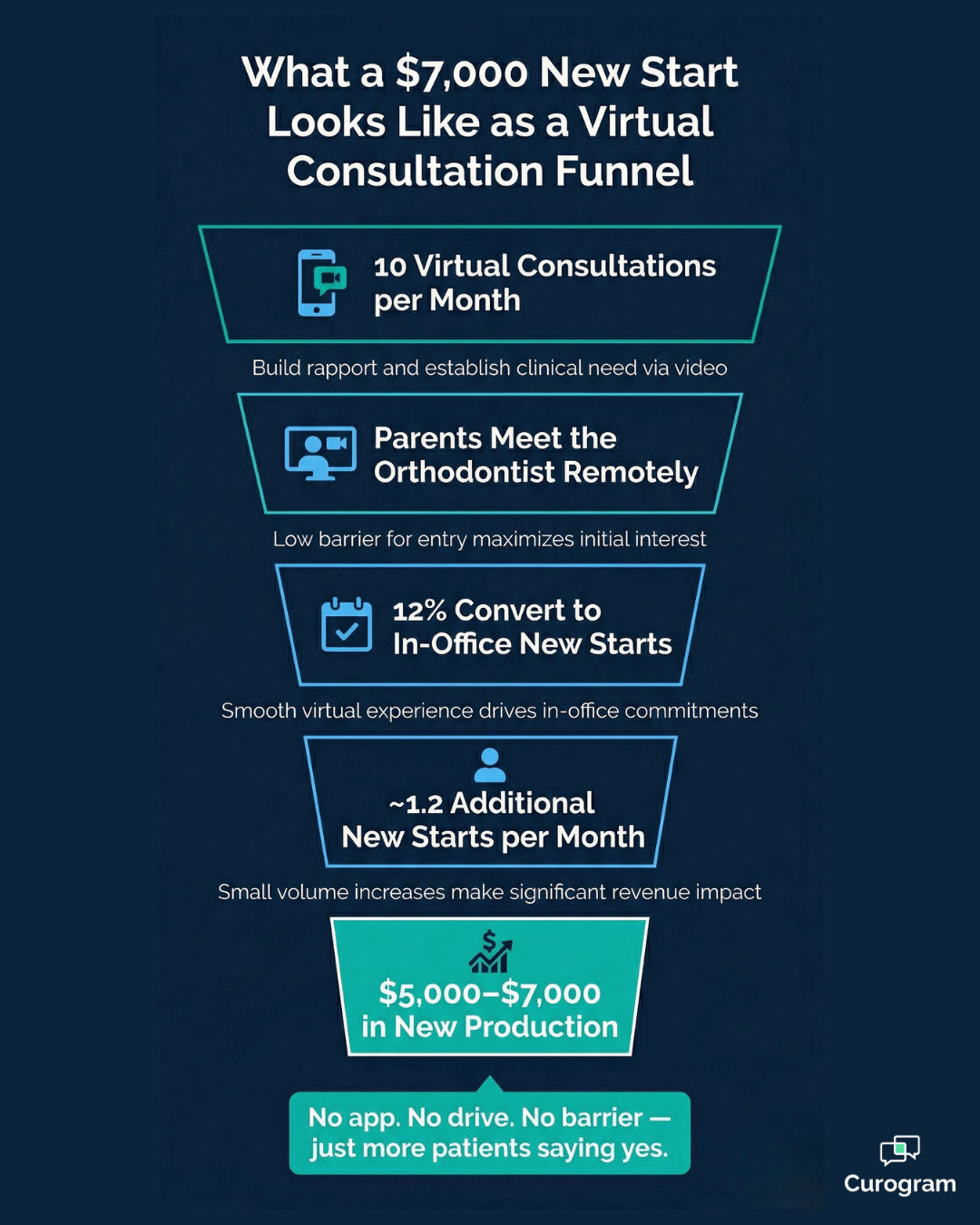
Virtual consultation funnel showing how Cloud 9 ortho telemedicine drives new patient starts

Progress Checks Between Adjustments

Between adjustment appointments — typically every 4–8 weeks — parents sometimes notice things that worry them.

A tooth that looks like it's moving sideways. A rubber band that keeps popping off.

One arch that looks straighter than the other.

These questions don't need an in-office visit. But they do benefit from a visual answer.

A 2–3 minute video check lets the orthodontist see the concern, provide context ("Yes, that's expected — the tooth rotates before it aligns"), and reassure the parent. That reassurance reduces between-appointment phone calls to the front desk, which frees up staff time.

Virtual Initial Consultations That Expand Your Reach

A parent 40 minutes away isn't sure this is the right practice for their child. Driving an hour round trip for a consultation they might not proceed with is a significant ask. Many of them don't show up.

A virtual initial consultation through a Cloud 9 ortho telemedicine text link video visit changes that calculation. The parent meets the orthodontist from their phone.

They discuss their child's orthodontic needs, get a preliminary assessment, and decide if they want to move forward — all before committing to an in-office visit.

If 12% of those virtual consultations convert to in-office new starts, and each new start is worth $5,000–$7,000 in production, the math gets interesting fast.

Ten virtual consultations per month at a 12% conversion rate is roughly one additional new start per month — or $5,000–$7,000 in production that wouldn't have happened without the virtual access point.

Retainer Evaluations for Post-Treatment Patients

Post-treatment patients on retainer protocols don't always need an in-office visit to check compliance.

A parent can show the orthodontist how the retainer is fitting via video:

"It still clicks in, but it feels tighter than before."

The orthodontist can assess whether the retainer is seating properly, whether any visible shifting has occurred, and whether an in-office check is warranted.

For patients who live farther from the office or have difficulty scheduling, video retainer evaluations maintain monitoring without requiring a trip.

Virtual Consultations That Warm Up New Patients

Beyond geographic expansion, virtual consultations do something that in-office consultations can't easily replicate — they lower the emotional commitment barrier. The family isn't walking into an unfamiliar office.

They're meeting the orthodontist from their couch.

When they do come in for records and treatment planning, it's not a cold first visit.

The relationship has already started. That warm start tends to translate into higher consultation-to-start conversion rates, because trust is already in the room.

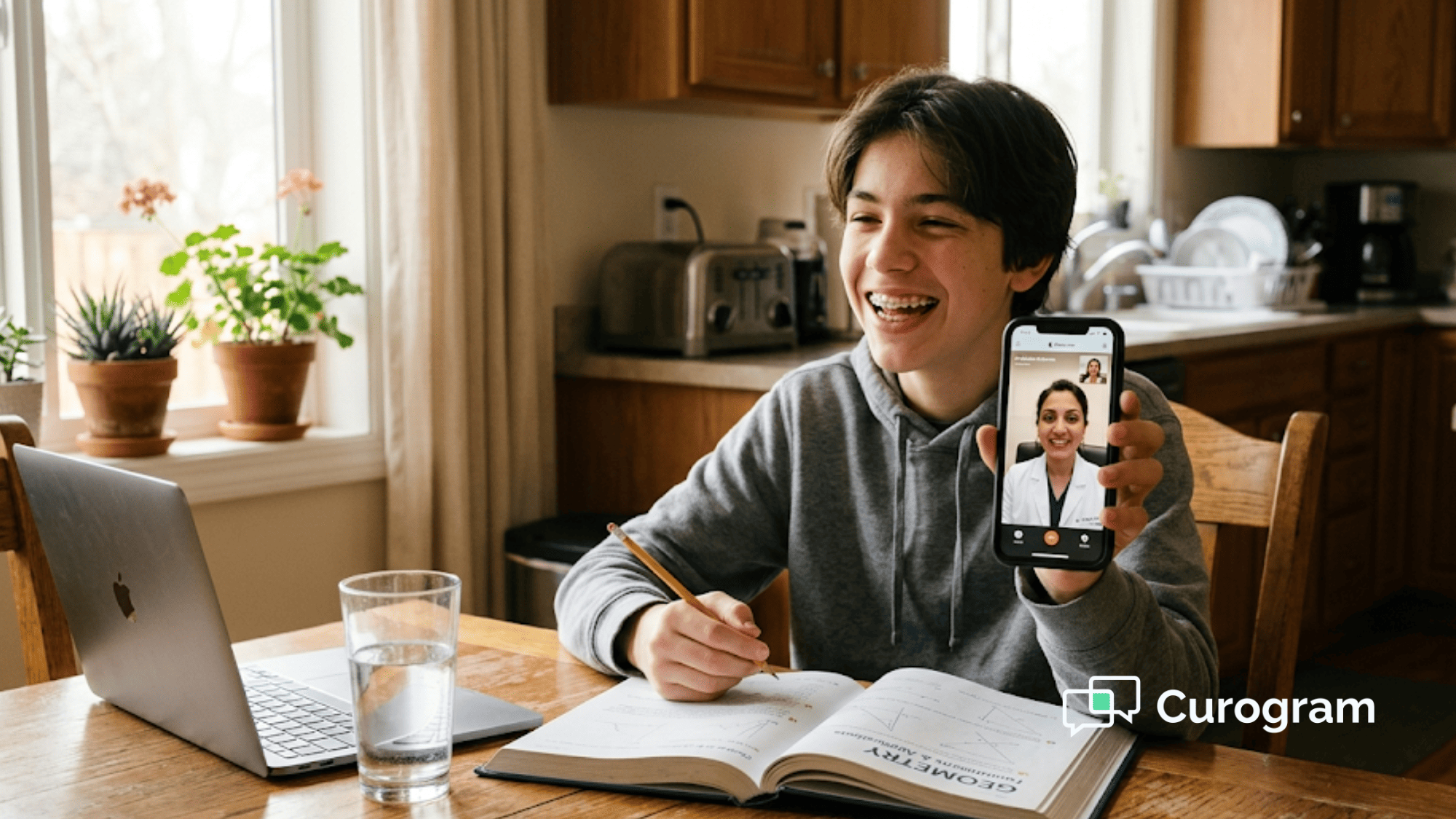
Parent video calling orthodontist from home using a text-link virtual visit — no app needed

What Happens to Telehealth Utilization When You Remove the Barrier

Here's the clearest way to understand the impact of text-link access versus app-based access.

A practice using an app-based telehealth platform typically sees 3–5 virtual visits per month.

The parents who use it are mostly the tech-comfortable minority — people who don't mind downloading apps and creating accounts. The rest of your patient families never engage.

Switch to text-link access, and utilization jumps to 20–40+ visits per month at comparable practice sizes, because the entire parent base can use it — not just the tech-savvy 20%.

Access Model Monthly Virtual Visits (Typical) Who Can Use It Adoption Barrier
App-based telehealth 3–5 Tech-comfortable parents only High — download, account, login
Text-link video visit 20–40+ Any parent with a smartphone Zero

That's not a modest improvement. That's a transformation in how accessible your practice actually is.

Why Utilization Numbers Actually Matter

Accessibility has a downstream effect on something harder to quantify but easy to recognize:

Parent loyalty. A family that video-called the orthodontist at 7 PM about a wire and got a real answer in three minutes tells other parents about it.

That word-of-mouth is more durable than any ad campaign your practice could run.

Compare how each access model shapes the parent's lasting impression of your practice:

  • App-based: "I had to download something just to ask a quick question."
  • Text-link: "I texted the office and was on a video call in under a minute."

That's the difference between a forgettable interaction and a five-star review.

The DSO/OSO Advantage: Deploy Once, Scale Everywhere

For multi-location organizations, the deployment story gets even more compelling.

App-based telehealth at scale means managing app rollout, patient training, and IT support across every location. That's a logistics project, not a capability addition.

Text-link video visits through Curogram deploy across all your Cloud 9 locations in a single platform configuration.

No app distribution. No per-location onboarding. No patient training required — because parents already know how to tap a link. A VP of Operations can enable virtual visits across 50 or 100 locations without a technology deployment project.

That's a meaningful operational advantage when you're competing on both patient experience and cost structure.

Telehealth That Stays HIPAA-Compliant Without Making You Think About It

One question that comes up in every telehealth conversation is compliance. Healthcare video calls carry real regulatory requirements, and the last thing you need is a convenient solution that creates a liability problem.

What's Covered — and What You Don't Have to Manage

Curogram's One-Tap Video Visit is HIPAA-compliant.

Here's what that means in practice:

  • Video and audio transmission is fully encrypted end-to-end.
  • Curogram signs a Business Associate Agreement (BAA) with every practice.
  • Calls are not recorded by default — recording requires explicit practice configuration and patient consent.

The compliance layer is built in — not bolted on. You don't have to think about it. Parents don't have to accept terms they don't understand. The call just works, and it works inside the regulatory guardrails that healthcare requires.

This matters more than it might seem. When parents use a text link to join a video call, they're trusting that the practice has handled the privacy side appropriately. That trust is part of the experience.

Stop Asking Parents to Download an App They'll Never Open Again

Telehealth adoption in orthodontics isn't a technology problem. It's an access problem. The technology for video visits has existed for years.

The reason most Cloud 9 practices see low telehealth utilization isn't that parents don't want virtual access — it's that the path to that access has too many steps.

App download. Account creation. Email verification. Password. Login. Camera permissions.

By the time a parent has completed all of that, the urgency has passed, the frustration has mounted, and the practice has lost an opportunity to provide real-time care.

A text link removes every one of those steps. The parent gets a message. They tap a link. They're face-to-face with the orthodontist in under 10 seconds. That's it.

The difference between 5 virtual visits per month and 40 isn't better telehealth technology — it's simpler telehealth access.

For your practice, that means fewer unnecessary emergency appointments disrupting your schedule.

It means parents in a 40-mile radius who would never drive for a consultation are now meeting your orthodontist from their living room. It means post-treatment patients maintaining retainer compliance without burning a chair for a 5-minute check.

And it means your practice has a reputation for being the one that actually picks up when families need help.

If you're running a Cloud 9 practice and virtual visits are either underperforming or completely absent from your workflow, the answer isn't to keep waiting for something to change on its own.

It's to change the access model.

Text them a link. Let them tap and connect. That's what Cloud 9 orthodontic telemedicine looks like when it works.

Schedule a demo today and see how Curogram's text-link video visits can transform telehealth utilization at your practice — without adding another platform to manage, another app for parents to download, or another system for your team to learn.


Frequently Asked Questions

Is the video call HIPAA-compliant?

Yes. Curogram's video visits use encrypted video and audio transmission and meet full HIPAA compliance requirements. Curogram signs a Business Associate Agreement with every practice. Calls are not recorded by default — recording is only available if the practice explicitly enables it with appropriate patient consent in place.

What happens if the parent has a poor internet connection?

Curogram's video platform automatically adjusts video quality based on available bandwidth. Most video checks work reliably on a standard 4G/LTE cellular connection. If the connection is too limited for video, the visit can continue via text and photos — the parent sends images of the issue, and the orthodontist assesses from those.

Can we charge for virtual visits?

Yes, depending on your payer contracts and state telehealth regulations. CDT codes applicable to orthodontic telehealth — including virtual consultations and emergency triage — may be billable. Many practices offer brief triage video calls as a patient service and bill only for formal virtual consultations. Your billing team and payer contracts are the right place to confirm specifics for your situation.

Do parents need a specific phone or browser to join?

No. The video call opens in the phone's default browser — Safari on iPhone, Chrome on Android. No special browser or device is required. If the parent can tap a link in a text message, they can join the video call.

How long does it take to set up text-link video visits for a Cloud 9 practice?

Because Curogram integrates directly with Cloud 9 and the video visit capability lives inside the same platform your team already uses, setup does not require a separate implementation project. For multi-location DSOs and OSOs, the capability can be enabled across all locations through a platform configuration change.