
Skip to the main content.

12 min read

Smart Appointment Reminders That Reduce No-Shows Fast

Smart Appointment Reminders That Reduce No-Shows Fast
💡 Medical practices lose thousands of dollars every month from missed appointments. Automated appointment reminders help solve this problem by sending patients timely, automated text messages before their visits.

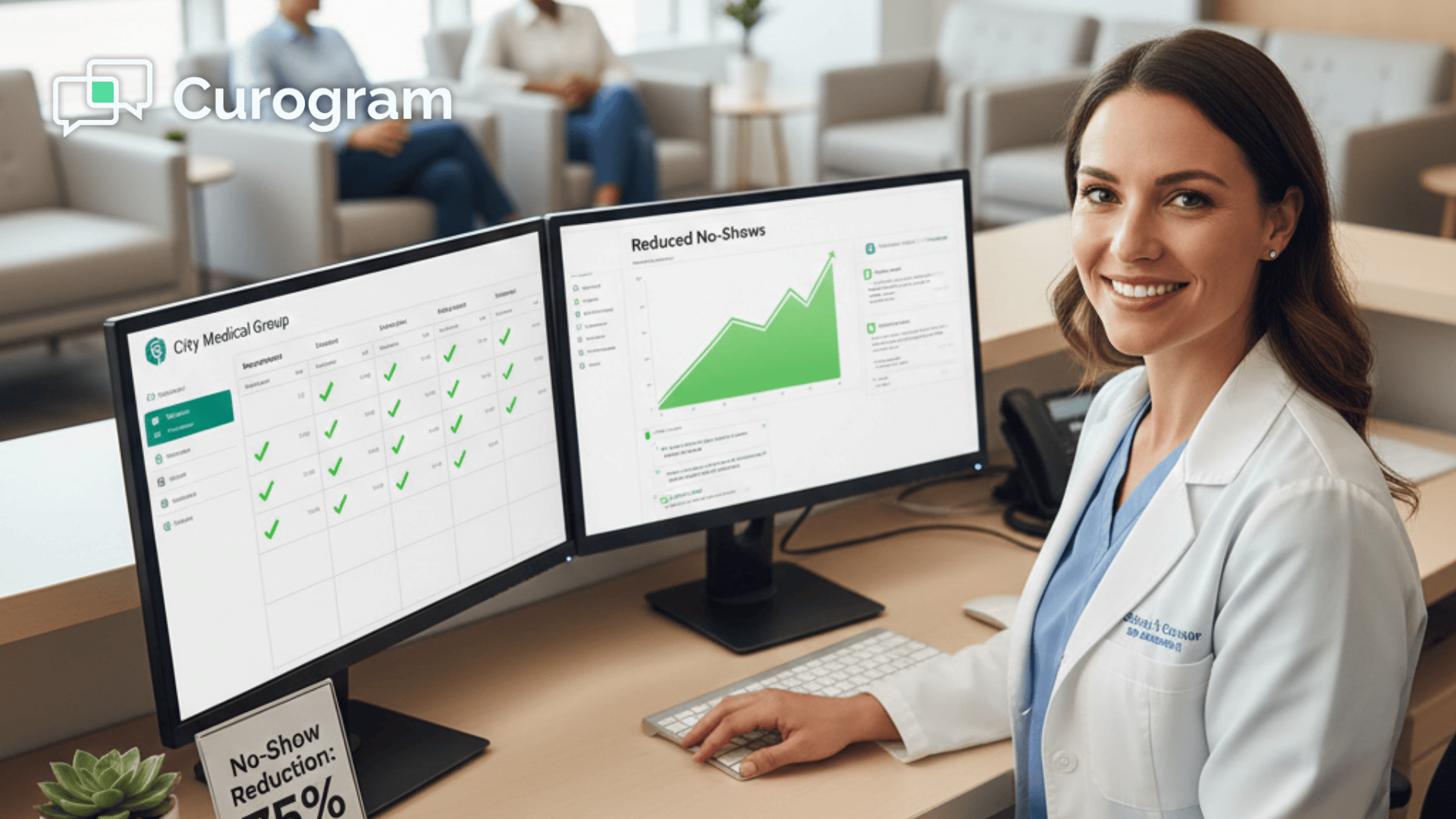
These systems work with your EMR to reduce patient no-shows by up to 75%, while giving patients an easy way to confirm or reschedule with a simple text reply. This saves staff time, reduces phone calls, and fills empty appointment slots faster.

The best reminder systems send messages at the right times and let patients respond quickly. They sync with your schedule in real time so your team always knows who is coming—and can act immediately when a slot opens up.

Every empty chair in your waiting room costs money. When patients miss appointments without calling, your practice loses revenue that can never be recovered. Staff members spend hours trying to fill these gaps, but last-minute scheduling is nearly impossible—especially when cancellations happen outside business hours.

Medical practices can reduce patient no-shows by as much as 75% by using automated appointment reminders that connect with their EMR. Smart scheduling automation does more than send basic text messages.

It creates a two-way conversation that helps patients confirm, cancel, or reschedule without picking up the phone, keeping your schedule accurate and up to date.

While many practices search for complex AI solutions, the answer is simpler than they think. Medical appointment SMS systems work immediately because they reach patients where they already are: on their phones.

These EMR-integrated reminders trigger at the perfect time, giving patients clear options and your staff real-time updates without manual follow-up.

With automated reminders, practices see fewer no-shows, smoother workflows, and happier patients. Staff spend less time chasing missed appointments and more time providing care, while revenue is protected and schedules stay full.

This article shows you how automated systems protect your schedule and increase your revenue. You will learn why manual reminders drain your team, how smart automation prevents no-shows, and what features actually matter when choosing a reminder system.

By the end, you will understand exactly how to stop losing money to missed appointments—without adding more work for your staff.

The Cost of Manual Reminders

Manual appointment reminders create three major problems for medical practices. Understanding these issues helps you see why automation is not just convenient but necessary for financial health. The costs show up in your budget, your staff morale, and your patient satisfaction scores.

Lost Revenue from No-Shows

Every missed appointment represents income your practice will never see again. A single no-show can cost between $150 and $300 depending on the type of visit. Multiply that by 10 or 20 missed appointments per week, and you are looking at thousands of dollars lost each month.

These losses add up quickly across a year. The money disappears from your bottom line while your overhead costs stay the same. Your staff still needs payment, your rent is still due, and your equipment still requires maintenance. The building does not care if patients show up or not.

Most practices underestimate the true financial impact because they focus only on the immediate lost revenue. But no-shows affect your practice in other ways too. You cannot fill that time slot with another patient on short notice. Your provider sits idle while other patients wait weeks for available appointments. This inefficiency compounds the revenue loss over time.

Time Drain on Staff

Front desk employees spend hours each day calling patients to confirm appointments. These calls interrupt other important tasks and create bottlenecks in your workflow. Staff members get frustrated when they reach voicemail after voicemail, leaving messages that patients may never hear.

This manual process wastes valuable time that could be spent on patient care, billing issues, or other administrative needs. Your team becomes less productive, and morale drops when they feel stuck doing repetitive work. The frustration builds throughout the day as the call list grows longer.

Consider what your front desk could accomplish with those extra hours. They could verify insurance coverage before appointments, follow up on outstanding bills, or spend more time helping patients who walk through the door. Every hour spent making reminder calls is an hour not spent on tasks that improve patient experience and practice revenue.

Human Error and Missed Contacts

Even the best employees make mistakes when handling dozens of reminder calls. Someone forgets to call a patient, writes down the wrong phone number, or gets too busy to complete the list. These errors lead to more no-shows and scheduling confusion. One distraction can derail the entire calling process.

Inconsistent communication creates gaps in your schedule that hurt your practice. One missed call might mean an empty slot that could have been filled by another patient. Manual systems simply cannot deliver the reliability your practice needs. When your front desk is overwhelmed, patients suffer the consequences.

The problem gets worse during busy periods like flu season or holiday weeks. Your staff is already stretched thin, and reminder calls become even harder to manage. Some patients get called multiple times by accident, while others get no call at all. This inconsistency damages your professional reputation and costs you money.

How Smart Automation Works

Smart scheduling automation solves the problems manual reminders create. The technology behind these systems is simple, but the results are powerful. Understanding how automation works helps you see why it outperforms traditional methods in every way.

Consistent Outreach Every Time

Automated systems send reminders to every patient without fail. The software checks your schedule multiple times per day and triggers messages at exactly the right times. No one gets forgotten, and no phone numbers get written down wrong. The sy

stem works around the clock without breaks or vacations.

This 100% consistency means your patients always know when their appointments are scheduled. They receive clear information about the date, time, and location. The system eliminates the guesswork and uncertainty that leads to no-shows. Patients appreciate the reliability because they can plan their schedules with confidence.

The automation never gets tired or distracted. It sends the same high-quality reminder whether it is the first message of the day or the hundredth. This consistency builds trust with your patients because they know they can count on your practice to keep them informed.

Simple Technology That Staff Can Master

Many practices worry that new technology will be too complicated for their team to learn. The truth is that modern reminder systems are designed for ease of use. Most staff members can master the basics in less than 10 minutes. The learning curve is almost flat.

The interface feels familiar because it works with the EMR your team already knows. There are no separate logins or confusing dashboards to navigate. Your front desk can set up reminder preferences quickly and adjust them as needed. Changes take effect immediately without complicated configuration steps.

Training new employees becomes easier too. When someone joins your team, they learn the reminder system along with your EMR. Everything works together seamlessly, so there is less to remember. This integration reduces mistakes and helps new staff members become productive faster.

Better Than Complex AI Systems

Some practices think they need AI to improve their scheduling. While AI sounds impressive, it often creates more problems than it solves. Complex algorithms can be unpredictable, making it hard to know what the system will do next. You want control over your patient communication, not surprises.

Smart automation gives you predictable results without the confusion. The system follows clear rules that you control. You decide when reminders go out and what they say. This simplicity leads to fewer technical problems and happier staff members. Your team can troubleshoot issues quickly because the logic is straightforward.

AI systems often require extensive setup and ongoing tuning to work properly. They might make decisions you do not understand or agree with. Automated appointment reminders skip this complexity and deliver consistent results from day one. You get the efficiency benefits without the headaches.

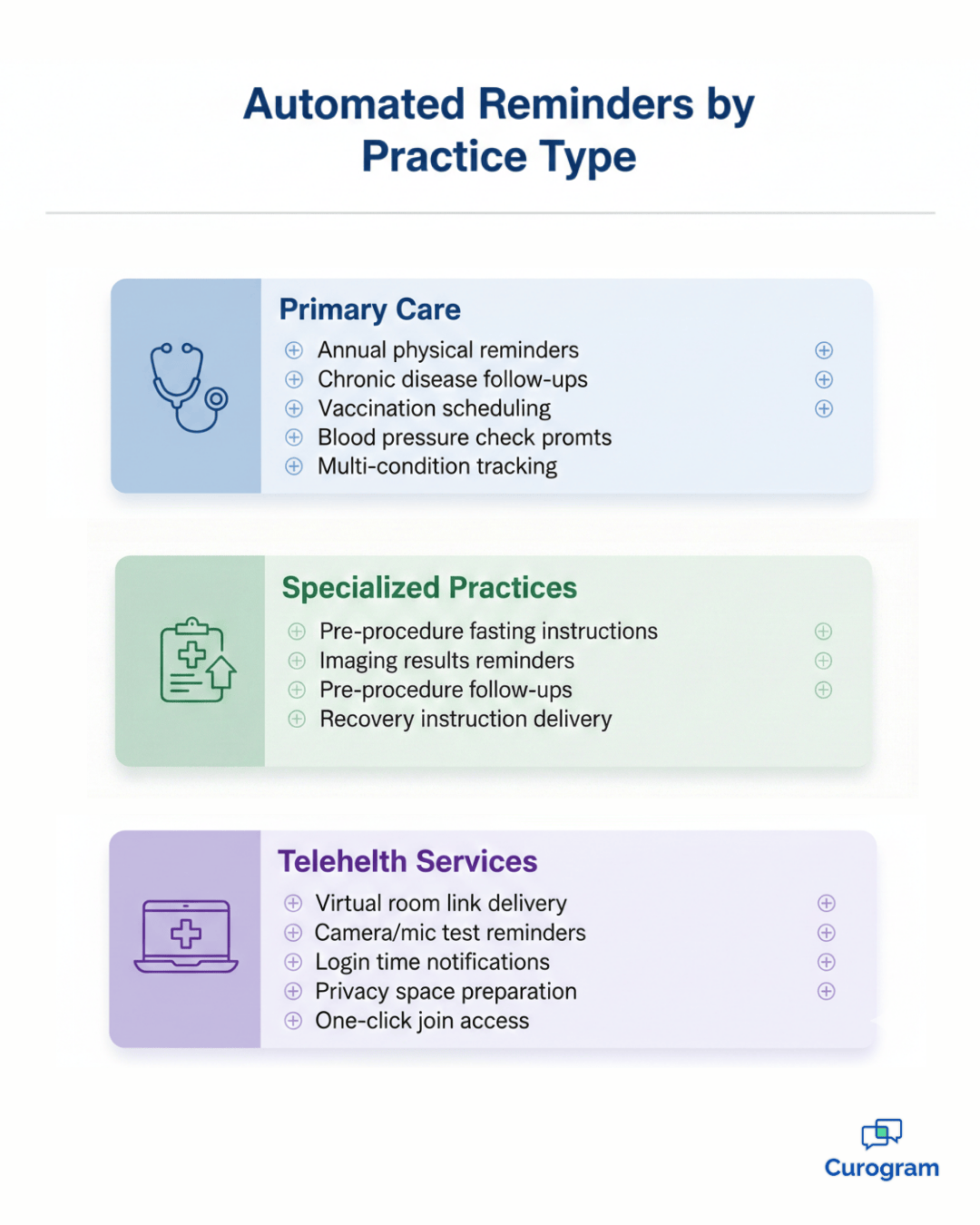
Comparison chart showing automated reminder features for primary care, specialists, and telehealth

Essential Features That Reduce No-Shows

Not all reminder systems work the same way. Three key features make the difference between a system that helps and one that wastes your money. Each feature addresses a specific pain point that practices face every day.

Look for these capabilities when evaluating reminder systems:

  • Customizable timing that lets you send messages at different intervals
  • Two-way communication that updates your schedule automatically
  • Real-time sync with your existing EMR

These features work together to create a system that practically runs itself. Missing any one of them reduces the overall effectiveness significantly.

Timing Options You Control

The best automated appointment reminders let you choose exactly when patients receive messages. You might send one reminder a week before, another two days before, and a final one two hours before the appointment. This gives patients multiple chances to see the information and respond. Each reminder serves a different purpose in the confirmation process.

Different types of appointments need different timing. A regular checkup might only need one reminder, while a surgical procedure could require three or four. Your system should let you customize the schedule for each appointment type. This flexibility ensures patients get the right amount of communication without feeling overwhelmed.

The timing also affects how patients respond. A message sent too early gets forgotten. A message sent too late does not give patients enough time to reschedule if needed. The right timing balances these concerns and maximizes confirmation rates. Most practices find that a combination of early and late reminders works best.

Two-Way Text Conversations

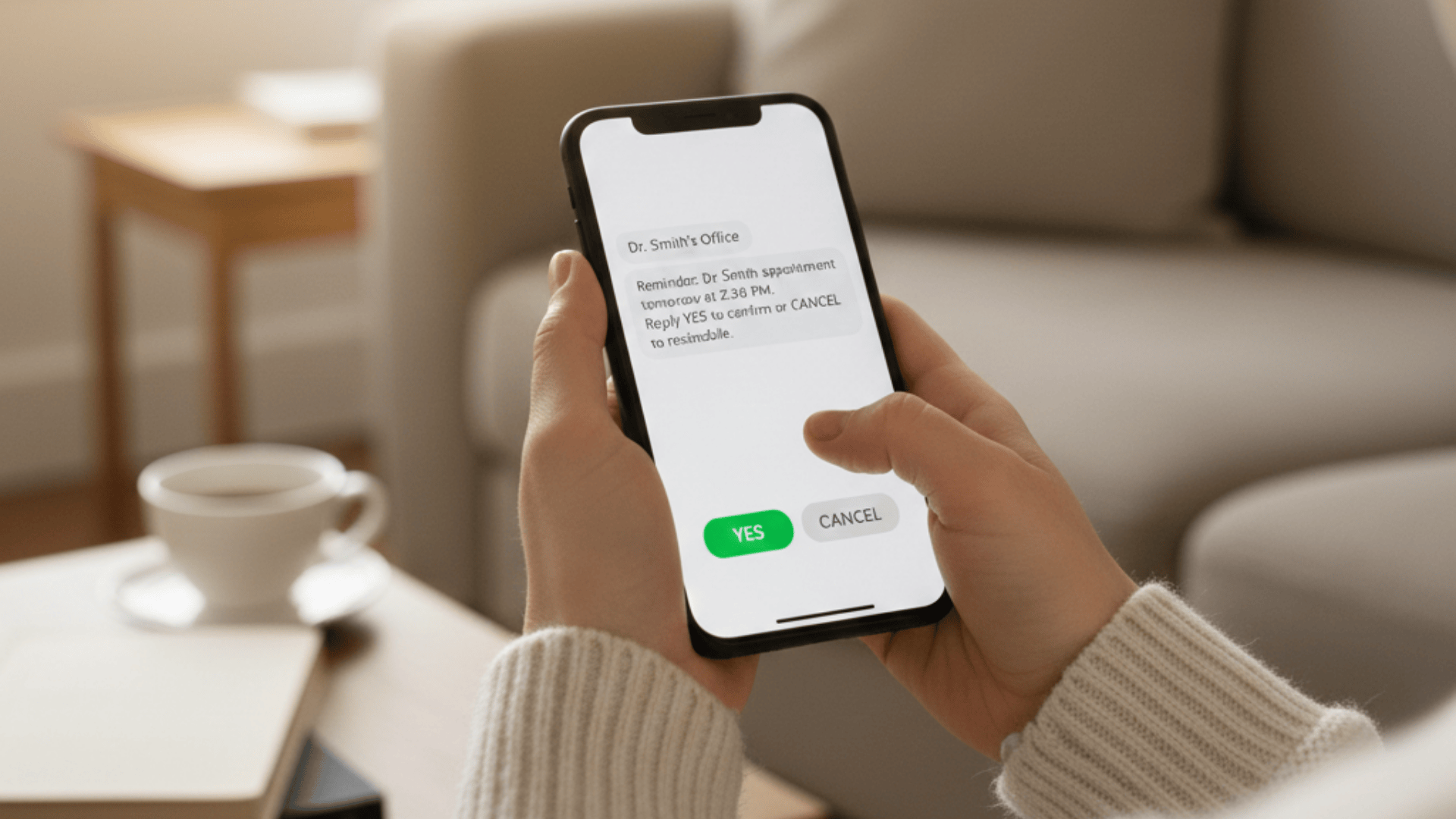
Medical appointment SMS works best when patients can reply directly. A simple yes or no answer tells your system whether the patient plans to attend. If they need to cancel or reschedule, they can type that in the same conversation. The interaction feels natural because it works like texting with a friend.

These responses update your EMR automatically. Your front desk sees the changes in real time without manually entering data. This two-way communication makes the entire process faster and more accurate. The system captures patient intent immediately and reflects it in your schedule.

One-way reminders miss this critical feedback loop. Patients might read the message but never confirm. Your staff has no way to know if the patient plans to show up. Two-way communication eliminates this uncertainty and gives you actionable information about every appointment.

Real-Time EMR Connection

EMR integrated reminders sync with your schedule constantly throughout the day. When you add a new appointment, the system knows about it immediately. When a patient confirms or cancels, that information flows back to your EMR without delay. This instant connection keeps everyone on the same page.

This connection prevents double bookings and scheduling errors. Your staff always has accurate information about who is coming and who is not. There is no need to check multiple systems or worry about outdated data. The single source of truth lives in your EMR where it belongs.

Systems that require manual data entry or batch updates create dangerous gaps. A patient might confirm their appointment, but your front desk does not see the update for hours. This delay can lead to overbooked slots or missed opportunities to fill cancellations. Real-time sync eliminates these problems completely.

Patient receiving appointment reminder text message with confirm and cancel options on smartphone

The Money Side of No-Show Prevention

Reducing no-shows creates direct financial benefits that improve your practice in multiple ways. The impact goes beyond just filling empty appointment slots. Every reduction in no-shows ripples through your entire operation, creating value in unexpected places.

More Patients Seen Each Day

When fewer patients miss appointments, your schedule runs at full capacity. You can see more people without adding hours or hiring more providers. This maximizes the revenue from your existing resources. Every filled appointment slot represents money that would have been lost under the old system.

A 75% reduction in no-shows means you could see 15 to 20 more patients each week. That increase translates directly to your bottom line. The same office space and staff generate significantly more income. The math is simple but powerful when you calculate it over a full year.

Higher patient volume also improves your negotiating position with insurance companies. When you can demonstrate consistent appointment attendance and efficient operations, payers take notice. This credibility can lead to better contract terms and higher reimbursement rates over time.


Happier Staff and Better Workflow

Front desk employees feel less stressed when they are not constantly calling patients. They have time to focus on greeting patients warmly, handling insurance questions, and managing other important tasks. This improved workflow leads to better job satisfaction. Staff members who feel productive and valued stay with your practice longer.

Happy staff members stay at your practice longer. Lower turnover saves you money on recruiting and training. Your team becomes more efficient as they gain experience working together. The institutional knowledge they build makes your practice run smoother every month.

Employee satisfaction also affects patient care quality. When your front desk is not overwhelmed with phone calls, they provide better service to everyone who walks through the door. Patients notice the difference and appreciate the attention. This creates a positive cycle that benefits everyone.

Patients Feel Respected

Modern patients expect convenient communication through text messages. When your practice meets this expectation, patients feel valued and respected. They appreciate the ability to confirm or reschedule with a quick reply. This convenience shows that you understand their busy lives and want to make healthcare easier.

This convenience improves patient satisfaction scores and builds loyalty. Satisfied patients return for future care and recommend your practice to friends and family. Word-of-mouth referrals are free marketing that grows your patient base. Each happy patient becomes an ambassador for your practice in the community.

The mobile-first approach also helps you reach younger patients who prefer texting over phone calls. This demographic increasingly drives healthcare decisions for entire families. Meeting them on their preferred communication channel gives you a competitive advantage in attracting and retaining these valuable patients.

Using Reminders for Different Practice Types

Different medical practices need different reminder strategies. The flexibility to customize your approach ensures the system works for your specific situation. What works for a family practice might not work for a surgical center, and vice versa.

Primary Care Practices

Primary care offices handle many routine checkups and preventive care visits. These appointments are important for long-term patient health but often get forgotten in busy schedules. Automated reminders help patients remember their annual physicals, chronic disease checkups, and vaccination appointments. The system becomes a partner in preventive care.

Smart scheduling automation can also send follow-up reminders for care plans. If a patient needs to check their blood pressure every three months, the system can prompt them to schedule that next visit. This proactive approach improves health outcomes and increases patient visits. You catch problems earlier when they are easier to treat.

Primary care doctors often manage multiple chronic conditions for each patient. The reminder system can track all these different appointment needs and ensure nothing falls through the cracks. This comprehensive approach to patient communication strengthens the doctor-patient relationship and improves care coordination.

Specialized Medical Practices

Specialists often need patients to prepare before their appointments. A gastroenterologist might require fasting before a procedure. An orthopedist might want patients to bring their imaging results. The reminder system can include these specific instructions in the message. This preparation information reduces confusion on the day of the appointment.

Patients arrive ready for their visit, which keeps your schedule moving smoothly. Less time is wasted explaining what patients should have already done. The provider can focus on diagnosis and treatment instead of logistics. This efficiency improves the quality of care and patient satisfaction.

Specialized practices also benefit from sending post-procedure follow-up reminders. These messages can include recovery instructions, medication reminders, or prompts to schedule follow-up visits. The automated system ensures patients receive all the information they need at the right times without overwhelming your staff.

Telehealth Services

Virtual appointments present unique challenges because patients might forget to log in at the right time. Automated appointment reminders for telehealth can include the link to the virtual waiting room. Patients click directly from the text message to join their appointment. This removes friction from the entire process.

These reminders work especially well because patients already have their phones in hand. There is no need to search through emails or dig up a separate link. Everything they need is in one simple message. The convenience factor is even higher than with in-person appointments.

Telehealth reminders can also include technical preparation tips. The message might remind patients to test their camera and microphone or find a quiet, private space for the call. These small details improve the quality of virtual visits and reduce technical frustration for both patients and providers.


Conclusion

Automated appointment reminders protect your practice revenue and make your staff more efficient. The technology is simple to use, easy to set up, and delivers measurable results immediately. Practices see reduced administrative workload, fewer phone calls, and more predictable daily schedules.

Medical practices that switch from manual reminders to smart scheduling automation see dramatic improvements. Patient no-shows drop by as much as 75%, which means more appointments filled, more consistent revenue, and improved continuity of care.

Staff members spend less time on the phone and more time on meaningful patient interactions, improving overall patient experience.

The key is choosing a system that works seamlessly with your EMR and gives you full control over timing, messaging, and patient engagement. EMR-integrated reminders update your schedule in real time, so your team always knows who is coming.

Two-way text conversations let patients confirm, cancel, or reschedule without calling the office, reducing last-minute gaps and wasted staff hours. Some systems even provide reporting dashboards to track open rates, confirmations, and cancellations, giving leadership clear insights into practice performance.

Your practice cannot afford to keep losing money to no-shows. Book a demo with Curogram to see how smart automation eliminates missed appointments, increases revenue, and makes your team more productive—all while keeping patients informed and engaged.


Frequently Asked Questions

Are automated reminders HIPAA-compliant?

Yes, when you use a secure platform like Curogram that follows strict data privacy standards. The system encrypts all messages and stores patient information according to HIPAA requirements. Your practice stays protected from compliance violations.

Not all reminder systems offer this level of security. Make sure you choose a vendor that specifically states HIPAA compliance and provides a Business Associate Agreement.

Can we automate reminders for different types of visits?

Yes, modern systems let you customize messages based on the appointment type in your EMR. A physical exam might get a standard reminder, while a surgical consultation could include special preparation instructions. You control what each patient sees.

This customization ensures patients get relevant information without overwhelming them with details they do not need. The system pulls the appointment type from your schedule and sends the right message automatically.

How much time does it save at the front desk?

Practices report reducing call volumes by up to 50%, which saves hours of manual labor every day. If your front desk currently spends three hours calling patients for confirmations, automation could cut that to 90 minutes or less.

That saved time adds up to 7.5 hours per week or 30 hours per month. Your staff can use these hours for other tasks that improve patient care and practice efficiency.

What happens if a patient does not have a cell phone?

Most reminder systems offer backup options for patients without mobile phones. The system can send automated voice calls to landlines or send emails instead of text messages. You can also maintain a manual call list for the small percentage of patients who prefer traditional phone calls.

This flexibility ensures every patient receives appointment reminders regardless of their technology preferences. The goal is to reach patients through their preferred communication channel, whether that is text, voice, or email.


How quickly can we implement automated reminders?

Most practices can start sending automated appointment reminders within a few days of setup. The implementation process involves connecting the system to your EMR, customizing your message templates, and training your staff. The actual technical setup usually takes just a few hours.

You can start with a simple reminder schedule and add complexity later as your team gets comfortable. Many practices begin with one reminder per appointment and then add additional touchpoints after seeing the results. This gradual approach makes the transition smooth and low-risk.


Case Study: How One Clinic Boosted Revenue with Integrated Systems

Case Study: How One Clinic Boosted Revenue with Integrated Systems

💡Covina Arthritic Clinic boosted revenue by streamlining appointment confirmations with Curogram’s integrated system. By automating reminders and...

Read More
Automated Reminders: Boost Revenue & Cut No-Shows in Healthcare

Automated Reminders: Boost Revenue & Cut No-Shows in Healthcare

💡 Automated medical reminders deliver a measurable revenue impact by cutting no-show rates by up to 75% and reducing manual reminder call costs by...

Read More
From Reminders to Payments: A Fully Connected Patient Journey

From Reminders to Payments: A Fully Connected Patient Journey

💡 A connected patient journey healthcare system brings all patient touchpoints into one platform.Curogram unifies reminders, online forms,...

Read More