9 min read
SMS Telehealth Links for Notenetic | One-Tap Sessions
Mira Gwehn Revilla
:
August 27, 2026
- Curogram sends the session link inside the appointment reminder, so the client never opens a separate portal.
- The room runs in whatever browser the phone already has. No app store, no download, no new password.
- Curogram clients average 53% lower no-show rates than the industry average, based on our internal data.
- Nothing clinical travels in the text. It carries a link, a time, and a name.
- Curogram runs beside Notenetic as a parallel layer. Your current video workflow stays where it is.
Most missed virtual sessions get filed as no-shows. A good share of them are login failures wearing a no-show label.
That difference matters. A client who forgot needs a better reminder. Someone who spent nine minutes in a password reset queue needed a shorter path. Attendance in virtual behavioral health tracks closely with how many steps sit between the reminder and the room.
Notenetic gives programs a real head start here. Fully integrated, HIPAA-compliant video comes with every subscription, and one-to-one sessions are included rather than sold as an upgrade.
Notenetic telehealth access runs through the client portal, which suits organized clients with saved passwords and a laptop on the desk.
It suits the rest of your caseload less well. Someone four days into a medication change, or managing panic symptoms, or holding a prepaid phone in a county with one cell tower, will not fight a login screen for 9 minutes.
They put the phone down and the hour goes empty. Then the clinician documents a miss, the scheduler tries to rebook, and the client's next opening is 11 days out.
We build the second door. The session link rides out with the appointment reminder, and one tap opens the room. No download, no account, no reset email.
Curogram clients average 53% lower no-show rates than the industry average, based on our internal data across specialties. Access does a lot of that work.
Keep Notenetic's video where it serves you. Add a shorter path for the clients who keep getting stuck at the first door.
The 3-Step Session
Ask a client how they join a virtual session and you'll get a shrug. Watch one do it live and the step count shows up fast.
|
Step |
What the client does |
Where it breaks |
|
1 |
Finds the portal link in email or a saved bookmark |
Buried under 40 unread messages |
|
2 |
Enters the username |
They signed up with an old email address |
|
3 |
Enters the password |
Never saved it, and the phone won't autofill |
|
4 |
Finds today's appointment on the dashboard |
Wrong tab, wrong week, wrong clinician |
|
5 |
Taps Join and allows camera access |
Permission prompt appears, client taps Block |
The 9 Minutes Before a Technical No-Show
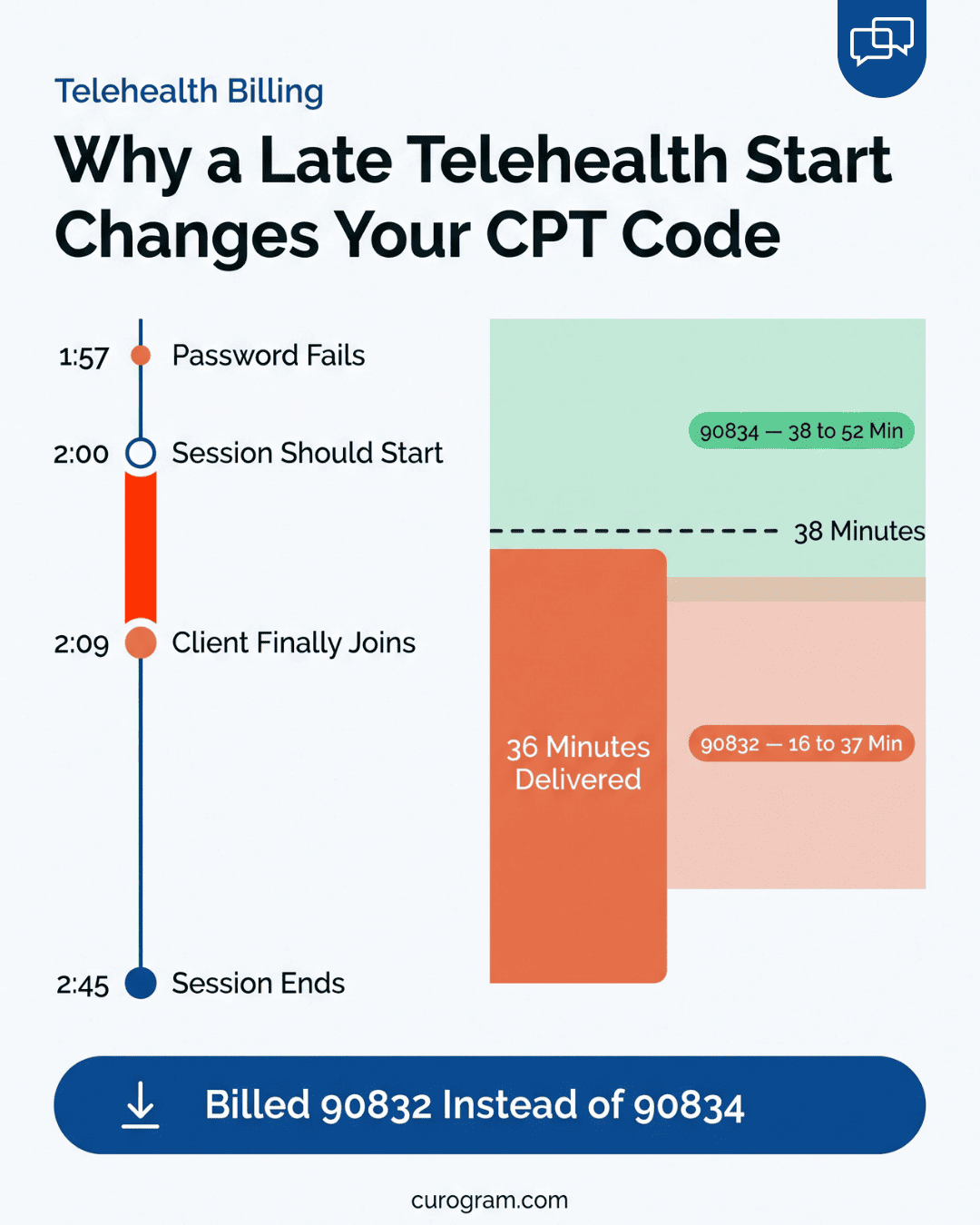
A session is set for 2:00. At 1:57 the client opens the portal and the password fails. They ask for a reset. The email lands in spam, or lands fine and sits three screens deep in an inbox nobody cleans.
At 2:09 they get in. By then the clinician has sat alone in the room for nine minutes and marked the visit missed.
Nobody in that sequence changed their mind about treatment. Credential handling failed, and the miss gets coded the same way a real skip does. So the program buys more reminders and the number stays put.
Nine minutes also costs money. A 45-minute slot that starts at 2:09 delivers 36 minutes of face-to-face time. Under AMA time rules, 90834 covers 38 to 52 minutes and 90832 covers 16 to 37. That late start drops the visit a full code, and the note has to reflect it.
The First Session is the Worst Case
Intake is where the doorway does the most damage. A brand new client has never logged in, has an unclaimed portal invite somewhere in their email, and has no reason yet to work hard for the appointment.
They have not met the clinician. There is no relationship holding the appointment in place, only an intake coordinator's voice from a phone call two weeks ago. Ask that person to create an account under time pressure and a fair number won't.
Front desk teams see this as the first-appointment cliff. Established clients tolerate a login. First-timers treat it as a reason to reconsider the whole thing.

Who Drops Out First
Every added step filters the caseload, and it does not filter at random. Clients managing executive-function difficulty lose the thread between the reminder and the login.
Clients with anxiety open the reset email and read it as permission to skip. Someone four days into a buprenorphine adjustment has very little patience left for one more form.
These are the people the session was scheduled for. A telehealth program that selects for organized clients with saved passwords works best for the caseload that needs it least.
Rural programs feel this twice. A client on a prepaid plan with 2 GB a month will not spend data downloading an app to attend a 30-minute check-in.
Your Front Desk Becomes a Help Desk
Listen to the front desk between 1:45 and 2:15 and you'll hear the same call on repeat. Check your spam folder. No, the other tab. Yes, the blue button.
Each of those calls runs four to seven minutes. Four a day is roughly half an hour of scheduler time spent on password support, in a role already covering intake calls and same-day cancellations. That figure is illustrative rather than a measured Curogram result.
Staff troubleshooting logins are not confirming tomorrow's schedule. Across our client base, automated confirmations run above a 75% response rate, based on our internal data. That work only happens when somebody is free to do it.
The One-Tap Door
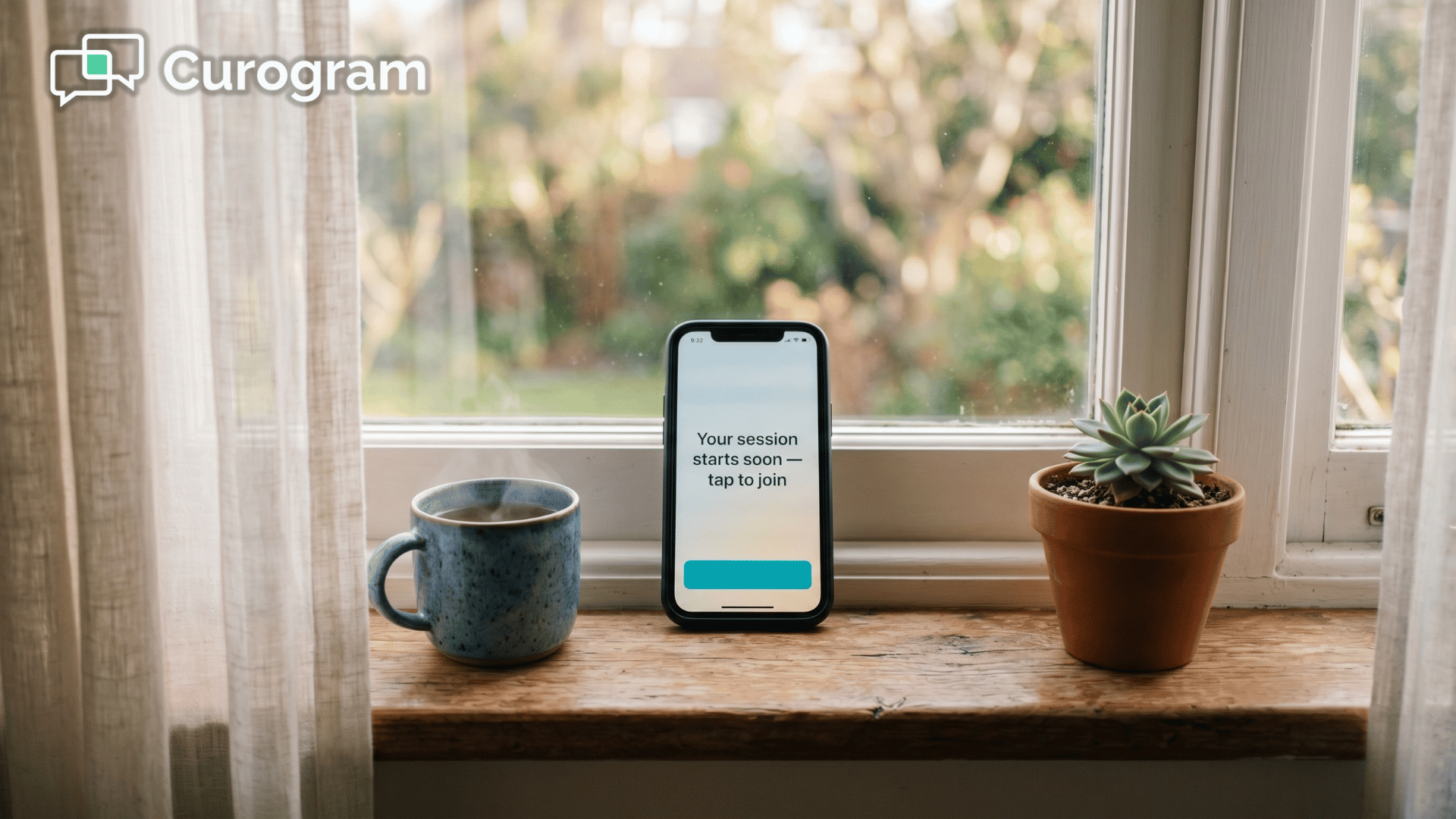
Curogram sends the appointment reminder your program already sends, and the session link travels inside it. The client taps the link. The video room opens in the phone's browser.
No app store trip, no account creation, no username to recall. It is a virtual session, no portal login required, and the client's whole effort is one tap on a message they were going to read anyway.
You set the timing. Most behavioral health programs we work with send the link 15 minutes ahead, then again at the start time for clients who need the second nudge. The 24-hour and one-hour reminders carry the same link.
What the Client Actually Does
A useful way to test any telehealth workflow is to count taps from a cold start, phone locked, no browser open.
|
Path |
Taps to reach the room |
Needs a password |
|
Portal login on a phone |
5 to 7 |
Yes |
|
App download, then login |
9 or more |
Yes, plus an app store account |
|
Texted session link |
1 |
No |
Nothing on the client's side is new software. It is the messages app they already use and the browser that shipped with the phone.
That is telehealth without app download for behavioral health, and it explains why the path holds up on a five-year-old Android as well as on a new iPhone.
Older clients benefit most from this, which surprises people. Tapping a blue link in a text is the single most practiced action on any phone.
A Parallel Layer, Not an API Project
Curogram runs beside Notenetic rather than through it. No interface build, no data mapping, no waiting in a vendor development queue.
Your clinical documentation stays in Notenetic. Scheduling stays in Notenetic. Curogram covers the outbound message and the browser room. You can pilot the change with two clinicians and one caseload before touching anything else.
Programs usually run both paths at once. Clients who like the portal keep using it. Clients who have called the front desk twice for a reset get the text link instead. Your schedulers can sort that list from memory in about a week.
Where One Tap Changes the Clinical Picture
Three situations in behavioral health turn access into a clinical variable rather than a convenience.
Crisis follow-up is the clearest. A 72-hour post-discharge check-in that depends on a password reset has a failure mode built into it. One tap removes that failure mode.
Medication-assisted treatment check-ins are short and frequent, which makes friction proportionally worse. A 15-minute buprenorphine check-in should not cost the client nine minutes of login work.
Rural caseloads round out the list. A one tap video visit therapy clients can join from a parked car outside a library, on borrowed Wi-Fi, beats a polished app they cannot install.
Group Programs and IOP Schedules
Intensive outpatient schedules multiply the problem, because a nine-person group waits on its slowest login. One person hunting a password holds up eight others and the facilitator.
Group links work like individual ones. Everyone on the roster gets the text, everyone taps, and the facilitator opens on time. An SMS launched video session mental health programs run for a Tuesday relapse-prevention group needs no setup beyond the roster itself.
IOP attendance is a compliance matter too. Most payers tie continued authorization to how many sessions a client attends. Doorway failures land in those reports as gaps in care.
What Stays in the Text
The message carries a link, a time, and a clinician's first name. Clinical content stays out of SMS, which matches Curogram's own client agreement: text handles notifications and reminders, and the encrypted channel handles anything that qualifies as PHI.
Programs holding substance use records under 42 CFR Part 2 should keep diagnosis and program identity out of reminder text as well. A message reading "your 2:00 appointment with Dana" does the job without naming the service line.
The Room That's Easy to Enter
Programs that switch to a texted link report the same first change, and it is not a dashboard number. The 2:00 session starts at 2:00.
That one shift does several things at once. Clinicians stop padding every slot with buffer minutes. Schedulers stop taking the 1:58 phone call. And the visit holds the code you scheduled it under. A 45-minute slot yields 45 minutes of face-to-face work.
The Numbers We Can Show You
Our clearest attendance data comes from Atlas Medical Center. They ran automated reminders and two-way texting through Curogram.
|
Atlas Medical Center |
Before |
After 3 months |
|
No-show rate |
14.20% |
4.91% |
|
Versus industry average |
At or above |
3x better |
Across our client base the pattern holds wider. No-show rates run 53% below the industry average.
Recovered slots add 10% to 20% in revenue, based on our internal data. Those figures span many specialties, not behavioral health on its own. Treat them as a direction, not a forecast for your caseload.
How Curogram's SMS-Launched Telemedicine Fits A Notenetic Program
SMS-Launched Telemedicine puts the video session link inside the same HIPAA-compliant text thread you already use for reminders. The client taps once. The room opens in the phone's browser, with no download and no credentials to create.
Three details matter for a behavioral health caseload. Individual and group sessions use the same link format. An IOP schedule needs no second workflow.
Staff can send a link on demand from the same inbox they use for two-way texting, which covers the client who calls in confused at 2:03. And the room is browser-based. It opens on the phone the client carries, not the device your IT plan assumes.
It sits alongside Notenetic rather than replacing anything in it. Notes, assessments, treatment plans, and claims stay where they belong. Curogram covers the outbound message, the link, and the room.
Programs usually start small. Pick the 20 clients your front desk has walked through a password more than once.
Move them to the texted link. Compare their attendance against the rest of the caseload over six weeks. That comparison answers the question faster than any pilot plan on paper.
Conclusion: Open the One-Tap Door
Your video already works. What decides attendance is how many steps a client clears before the video matters, and for a behavioral health caseload that count should be one.
Notenetic gives you the room. We give every client an easy way in, using the phone in their hand and a message they already open.
Split your no-show report before you change anything else. Once you can see how many misses were access failures, the size of the gap usually makes the decision for you.
Schedule a demo and we'll text you a live session link during the call, so you can tap it yourself and see exactly what your clients would see. Bring your no-show numbers and we'll go through them with you.
Frequently Asked Questions
The text carries a link, an appointment time, and a clinician's first name. No diagnosis, no treatment detail, no session content. The video runs on Curogram's HIPAA-compliant platform rather than in the message thread. Curogram's client agreement draws the same line: SMS handles notifications, and the encrypted channel handles anything that counts as PHI.
The two paths serve different clients. Portal-based video works well for people with a password manager and a laptop on the desk. The texted link covers clients who call the front desk for a reset every few weeks. Running both means you are not forcing one workflow onto a caseload that does not share one set of habits or one kind of phone.
Add a second miss reason to your list and ask clinicians to mark it in the note. Access failure means the client tried and could not get in. Client miss means no contact at all. Two months of that split usually shows a number programs did not expect, and it turns a vague attendance complaint into something you can actually fix.
Track on-time start rate, access failures per 100 sessions, and the share of visits billed at the code you scheduled. That last one catches late starts that drop a 45-minute session into a 30-minute code. Compare your pilot caseload against a similar group still using the portal path, matched on age and program type.
MAT check-ins are short and frequent, so login friction eats a large share of every visit. A 15-minute check-in that costs nine minutes of password work is barely a visit at all. Removing that step protects contact frequency, which is the part of MAT follow-up most dependent on the client showing up.