7 min read

Text Your NextGen Practice | No Portal, No App, One Tap

Text Your NextGen Practice | No Portal, No App, One Tap
💡 Patients who want to text their NextGen practice directly — without opening a portal, downloading an app, or remembering a password — can do exactly that through Curogram.             

Curogram's direct texting layer sits on top of NextGen Enterprise and lets patients schedule appointments, ask billing questions, and request prescription refills over standard SMS.  

The NextGen PxP portal (FollowMyHealth) is built for records access, not everyday communication. For high-volume, routine tasks, it adds too many steps. Curogram removes those steps entirely.  

SMS carries a 98% open rate. Portal email notifications hover around 20%. For multi-specialty organizations and large NextGen Enterprise networks trying to drive frictionless patient engagement, the math is clear: if you want patients to actually respond, text them.

Most patients don't think about software when they need to reach their doctor's office. They just want a fast, simple way to confirm an appointment, check a balance, or ask about a refill. What they find at many NextGen practices is a portal login screen.

The NextGen PxP patient portal — powered by FollowMyHealth — is a capable records platform.

But it was never designed to be a frictionless communication channel for the everyday back-and-forth between patients and staff.

When patients have to create an account, remember credentials, and navigate a multi-step interface just to confirm a Tuesday appointment, many of them don't bother. They call instead — or they don't engage at all.

This isn't a fringe problem. For large NextGen Enterprise networks, it plays out hundreds of times a day across every location. A patient forgets their portal password and calls the front desk.

Another skips the refill request entirely because logging in feels like too much effort. A third leaves a voicemail that sits in a queue for hours. Each of these moments is a missed opportunity to engage a patient quickly and keep care on track.

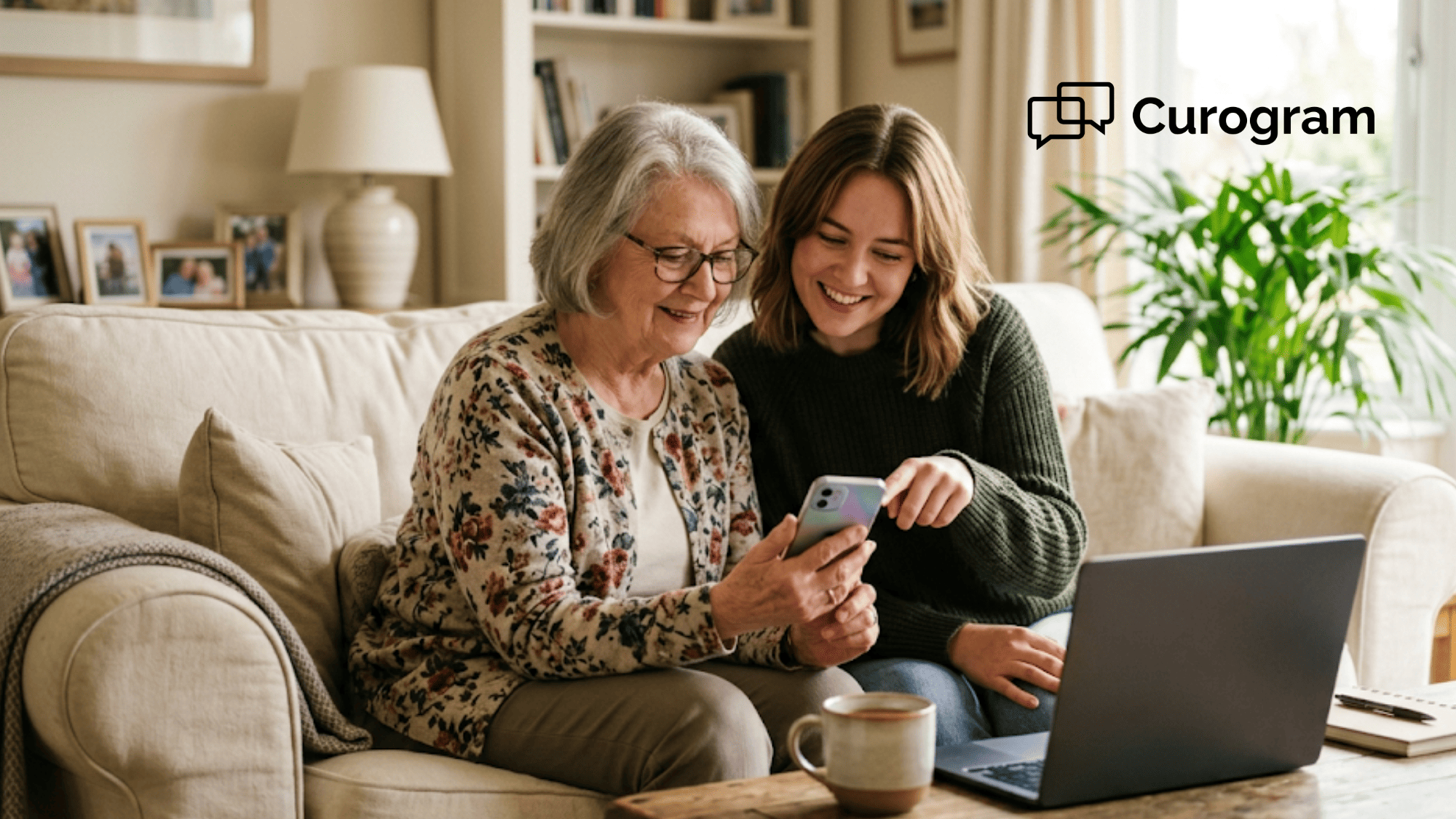
That's the gap Curogram fills. Patients can text their NextGen practice directly for scheduling, billing inquiries, and prescription refills with no portal login, no app download, and no credentials to manage. They use the text messaging app already on their phone.

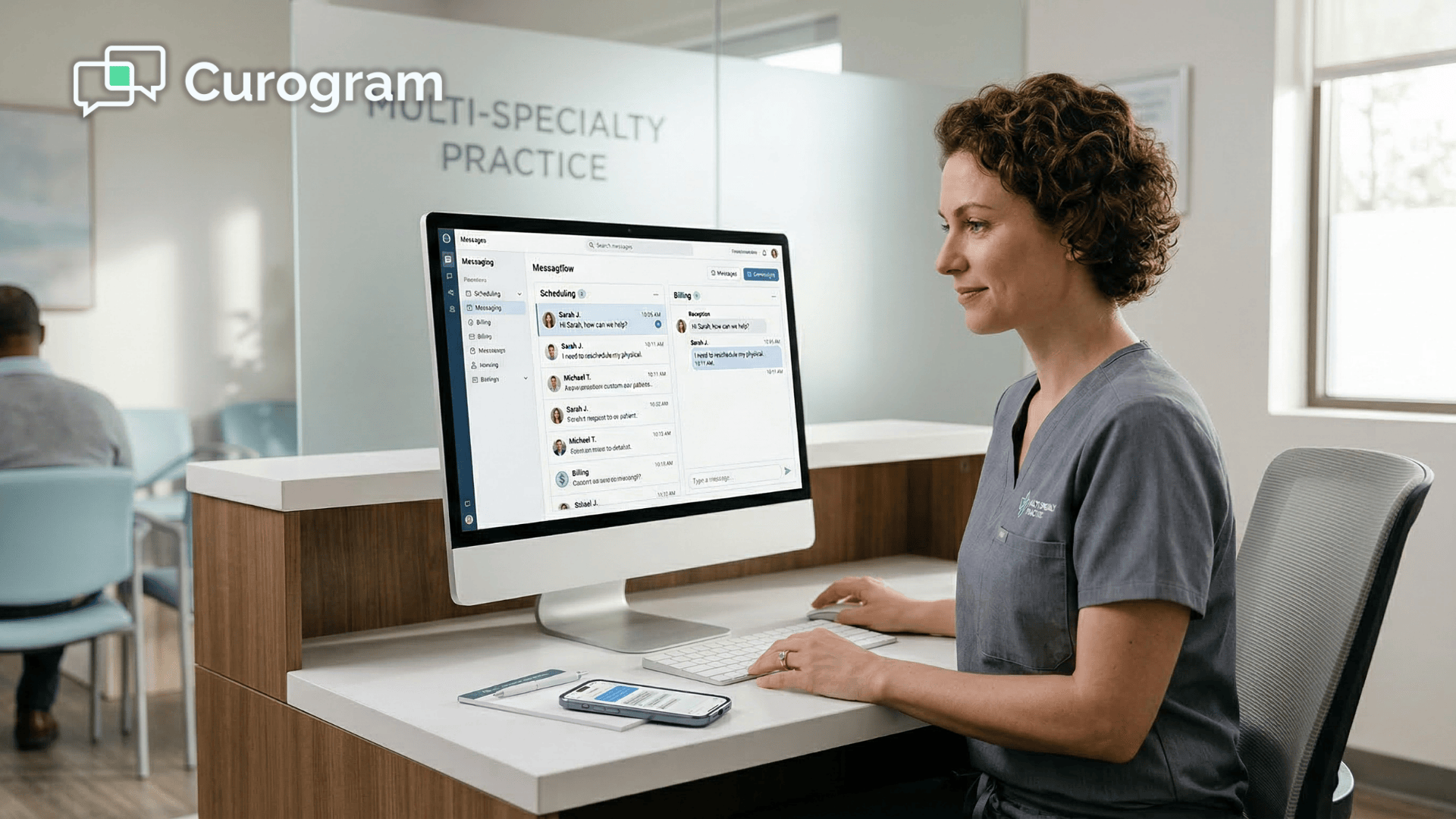
Staff see the conversation in a secure, unified dashboard. The practice gets every interaction documented and written back to the NextGen Enterprise chart.

The result is a communication model that works for the full range of patients a large NextGen network serves — from digitally fluent working adults to elderly patients who have never created an online account. Text is the channel most patients already use every day.

Giving them a direct line to their practice through that channel isn't a workaround. It's a better design.

This article breaks down why the portal creates a friction problem for routine communication, how Curogram's direct line solves it, and what better patient access looks like in practice for large, multi-specialty NextGen networks.

Why the PxP Login Is a Barrier, Not a Bridge

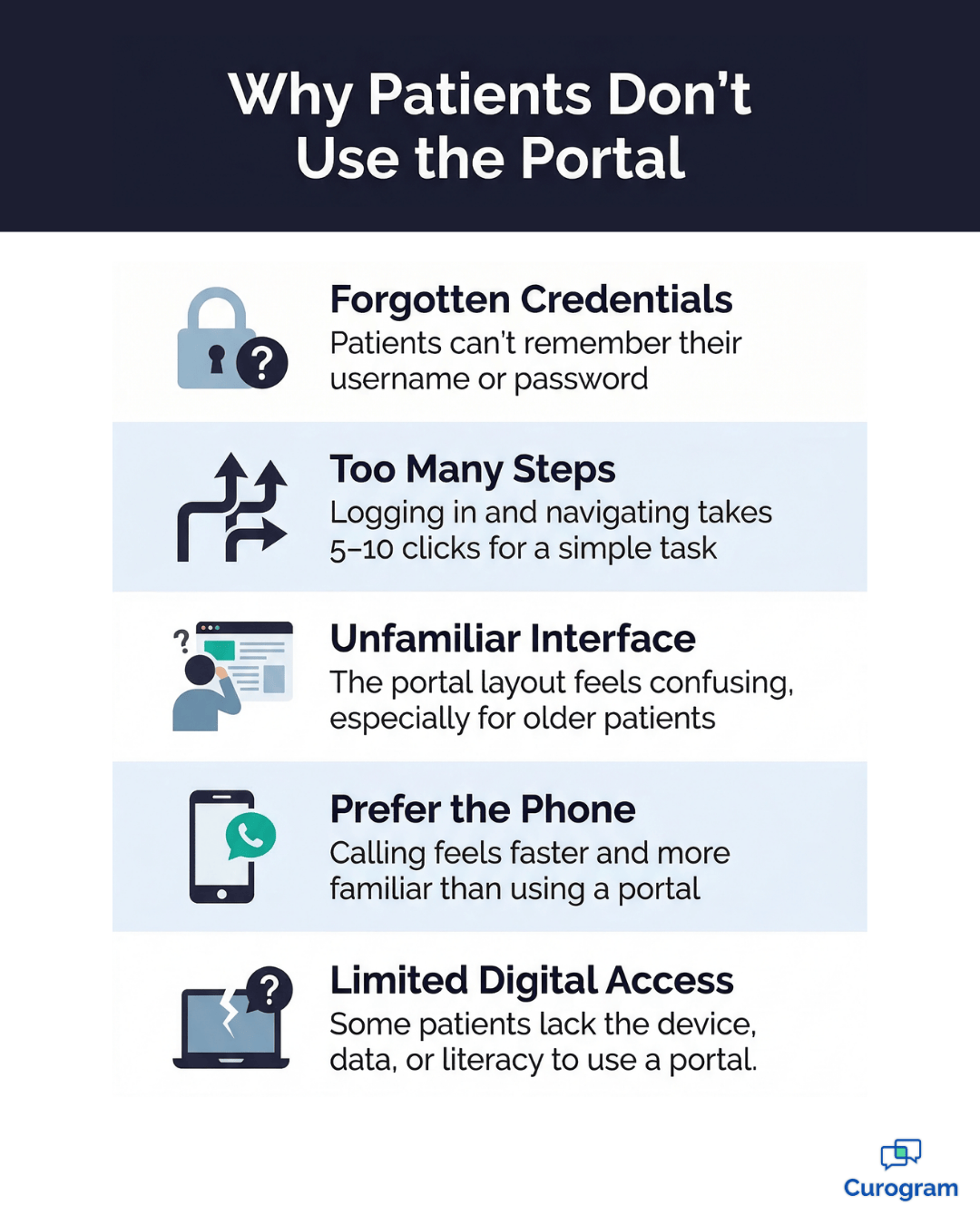
The Credential Problem

The NextGen PxP portal requires patients to create an account, set a password, and recall those credentials every time they want to interact with their practice.

For patients juggling multiple health relationships — each with its own portal and its own login — this is a real barrier.

Elderly patients with limited digital experience, patients who see their doctor only once or twice a year, and anyone who has ever forgotten a password knows what happens next: they pick up the phone.

For large NextGen Enterprise networks serving thousands of patients, the credential barrier quietly drives call volume every single day.

Every patient who can't or won't log in becomes a phone call. For organizations already fielding 80 or more calls per location per day, that adds up fast.

The Friction Path

Walk through what it actually takes for a patient to confirm an appointment through the PxP portal.

The steps look like this:

  • Open a browser and navigate to the portal
  • Enter username and password
  • Find the correct section — scheduling, messaging, or billing
  • Compose and send the message
  • Wait hours for a response

The text-based alternative: open the existing thread, type "confirm," done. For the routine interactions that make up the majority of patient communication, the portal adds 5 to 10 steps to a process that should take one.

That friction doesn't just slow things down — it pushes patients back to the phone.

The Adoption Gap

Portal adoption rates in large ambulatory networks consistently fall short of what practice leaders expect. The gap isn't a technology problem — patients have smartphones. They text. They just don't want another account, another password, or another app.

For organizations serving diverse patient populations across multiple specialties and locations, low portal adoption translates directly into higher call volume.

The Patient Reality

Patients don't think in systems. They don't know — or care — whether their message routes through PxP, Luma, or any other platform. They want to reach their doctor's office, get a response, and move on.

When the path to that response requires a portal login, a significant share of patients will take the path of least resistance.

For behavioral health patients, elderly patients, and busy working adults across every specialty, a portal isn't patient engagement — it's patient exclusion.

5 reasons patients skip the NextGen PxP portal and choose texting instead

How Curogram Gives Patients Frictionless Text Access

Curogram's direct texting layer gives patients the simplest possible path to their practice:

Text the number they already have in their phone.

No portal login. No app download. No credentials.

Patients text to schedule, reschedule, confirm, ask billing questions, or request refills — and staff respond from Curogram's secure, unified dashboard. Every conversation is documented, encrypted, and written back to the NextGen Enterprise chart automatically.

The goal isn't to replace the PxP portal. It's to handle the high-volume, transactional communication that the portal was never designed for. The portal stays where it belongs — for records access, lab results, and clinical documents.

Text handles the everyday interaction where engagement actually happens.

Conversation Threading

Every patient text exchange is a persistent, documented thread — not a one-off message that disappears from view. Patients can see past appointment confirmations, billing exchanges, and refill requests in a single continuous thread.

Staff see the same conversation with full patient context and prior interaction history.

For a Director of Patient Experience overseeing thousands of patients across multiple locations, that longitudinal visibility is something portal messages and phone call logs have never provided.

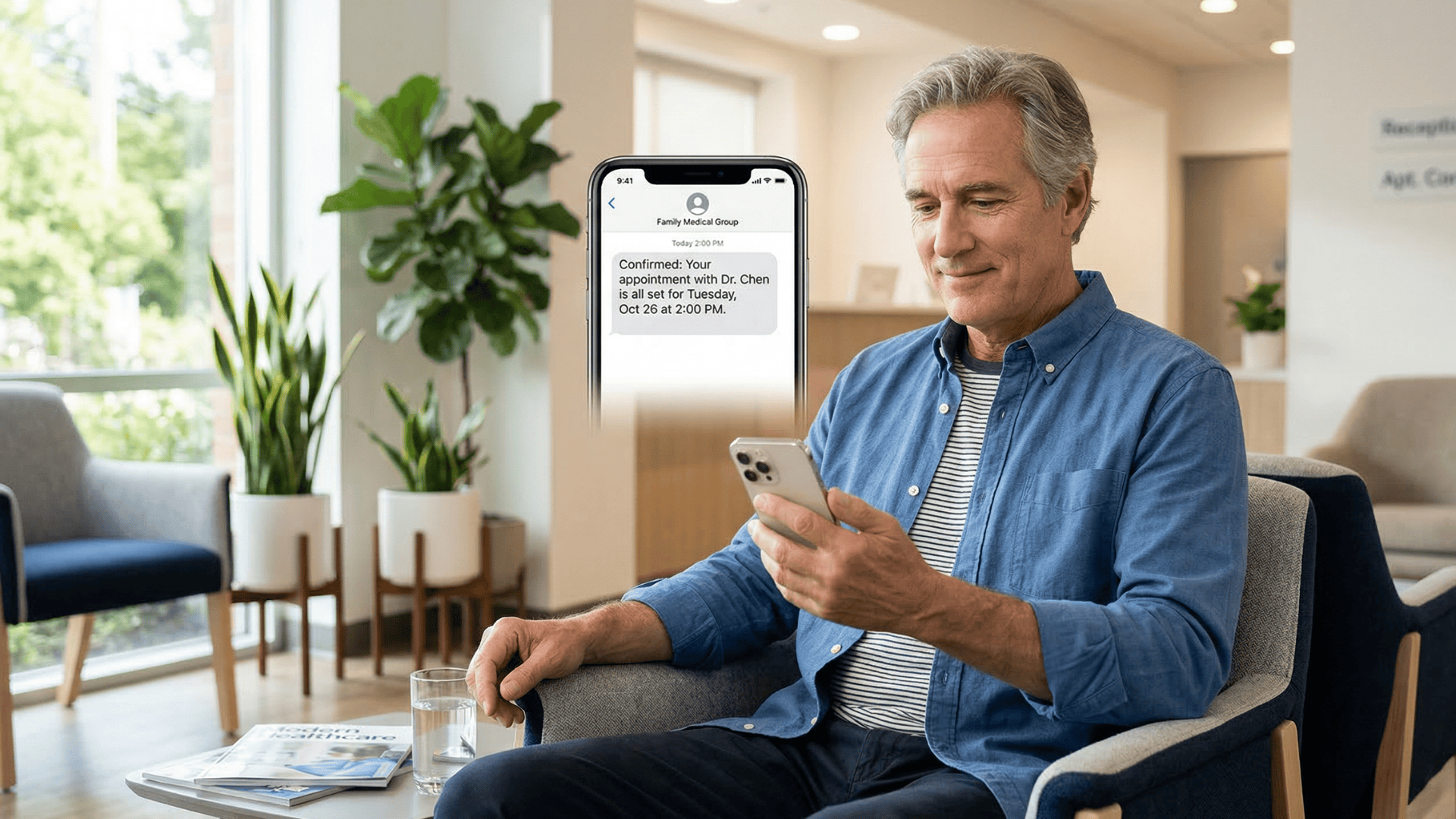
Patient reading a text from their doctor's office in a clinic waiting room

The NextGen Integration

Patient text conversations write back to the NextGen Enterprise chart as structured entries.

When a patient texts to confirm an appointment, that confirmation is logged.

When they request a refill, the request is documented.

The practice captures the engagement data without requiring the patient to navigate the PxP portal, and clinicians get the communication record without adding another screen to their existing workflow.

Who Benefits Most

Text messaging removes the demographic barriers that portal-based communication creates.

It's worth naming the patient groups who feel this most directly:

  • Elderly patients who struggle with portal interfaces text comfortably — it's how they stay in touch with family
  • Patients with limited digital literacy skip the app download and account setup entirely
  • Non-native English speakers can reach out in their preferred language
  • Working adults can send a message in 30 seconds instead of blocking time for a phone call

For multi-specialty organizations serving broad, diverse populations, a text-first approach to patient access is also an equity win. It doesn't require patients to meet the technology halfway — it meets them where they already are.

What Better Patient Access Actually Looks Like

The Engagement Difference

When the barrier to communication drops, engagement goes up. SMS carries a 98% open rate versus roughly 20% for portal-based email notifications — and based on our internal data, patients who can text their practice engage 3 to 4 times more frequently than patients limited to portal access.

For organizations measuring patient satisfaction, retention, and Net Promoter Scores, that difference shows up in the numbers quickly.

The shift is also strategic. The question changes from "How do we get patients to use the portal?" to "How do we make it as easy as possible for patients to reach us?"

Curogram handles the high-volume touchpoints that drive day-to-day communication. The portal handles the depth — records, clinical documents, lab results.

Together, they give patients two well-matched lanes for different needs.

The Outcomes in Practice

The results that follow from better access are consistent across practice types and sizes. Based on our internal research,

Practices using automated SMS reminders and two-way texting see measurable gains across the board:

  • No-show rates drop by more than 53% compared to the industry average
  • Appointment confirmation rates consistently exceed 75%
  • At one multi-location practice, SMS patient recalls alone brought back 1,240 patients who had gone overdue for follow-up care
  • Practices report a 10–20% increase in revenue as recovered appointments contribute directly to the bottom line

Director of Patient Experience leaders at large NextGen networks see these shifts ripple across every metric they track. Call volume drops because patients have a faster alternative. Response times shrink from hours to minutes.

And the patient populations that have historically been locked out of digital engagement — elderly, multilingual, low digital literacy — are included for the first time, not as an afterthought.

Give Patients the Access They Will Actually Use 

The NextGen PxP portal does its job well for records access and clinical documents. But for the routine interactions that make up the majority of patient communication, it creates friction that quietly suppresses engagement and drives call volume day after day.

NextGen Enterprise is built for clinical depth. Curogram is built for patient access. The portal is where patients manage their health records.

Text is where they manage their relationship with the practice. Both matter — but only one requires zero friction on the patient's side.

Practices that shift to a text-first communication model see the results within weeks. Patients who previously called or went silent now engage through a channel that feels natural to them.

Staff spend less time on inbound calls and more time on work that requires real attention. Every interaction is captured, documented, and visible — not buried in a voicemail queue or lost in a portal thread nobody checked.

Stop playing phone tag! Reduce your call volume by 50% with Curogram's HIPAA-compliant 2-way texting platform.  

Curogram deploys across all NextGen locations in weeks, with a dedicated implementation engineer for your network. There is no patient app to install, no credentials to distribute, and no training burden for patients.

The only thing that changes is how easy it is for patients to reach you.

Schedule an Enterprise Assessment to see how text-first patient communication integrates with your NextGen Enterprise environment. See the engagement difference — measured, documented, and visible — in 30 days.

Schedule a demo with Curogram today and see exactly how much call volume your network could deflect in the first 30 days


Frequently Asked Questions

Is patient texting through Curogram HIPAA-compliant?

Yes. Every text conversation is encrypted in transit and at rest, documented with full audit trails, and covered under an executed Business Associate Agreement (BAA). Curogram is SOC 2 Type II certified and built for enterprise healthcare environments. Patients text using their phone's native messaging app — no additional app required — while the practice side operates with full encryption and role-based access controls.

Do patients need to download an app or create an account?

No — and that's the entire point. Patients text the practice's existing phone number using their phone's standard messaging app. No app download, no account creation, no credentials to remember or reset. The practice receives the text in Curogram's secure dashboard, responds, and the conversation is written back to the NextGen Enterprise chart automatically. The patient experience is as simple as texting a friend.

Does Curogram replace the PxP/FollowMyHealth patient portal?

No. The patient portal remains essential for records access, lab results, and clinical document viewing. Curogram handles the high-volume, transactional interactions that don't require a portal: appointment confirmations, billing questions, refill requests, and scheduling changes. Think of it as two lanes serving different needs — the portal for health management, text for practice communication. Both serve patients, just through the right channel for the right task.

How long does it take to deploy Curogram across a NextGen Enterprise network?

Most multi-location NextGen Enterprise networks are fully deployed within a few weeks. Curogram assigns a dedicated implementation engineer to your organization who manages the integration, location setup, and staff onboarding. There's no lengthy IT project, no disruption to existing workflows, and no burden placed on patients — they simply start receiving texts from a number connected to your practice. For large networks with many locations, the rollout is phased and managed so nothing falls through the cracks.

Can patients text multiple departments, or is it just one inbox?

Curogram's dashboard is built for multi-department, multi-location organizations. Incoming patient texts can be routed to the right team — scheduling, billing, clinical staff, or a specific location — based on rules your practice sets up during implementation. Staff at each department see only the conversations relevant to them, while administrators and patient experience leaders have visibility across the full network. It's a unified inbox with intelligent routing, not a single shared queue that everyone has to sort through.


HIPAA Texting for Athenahealth: No Portal or App Download Needed

HIPAA Texting for Athenahealth: No Portal or App Download Needed

💡 Athenahealth patient texting through Curogram lets every patient reach their practice by SMS — no portal login, no app download, no hold time. ...
Read More
HIPAA Texting Workflow for Front Desk Staff | Azalea Health + Curogram

HIPAA Texting Workflow for Front Desk Staff | Azalea Health + Curogram

💡 The Azalea Health HIPAA texting workflow for rural front desk staff replaces the daily cycle of unanswered calls and missed voicemails with fast,...

Read More
Patient Text Messaging Experience | Rural Clinics on Azalea Health

Patient Text Messaging Experience | Rural Clinics on Azalea Health

💡 HIPAA text messaging transforms the patient experience at Azalea Health rural clinics by meeting patients on the device they already carry —...

Read More