13 min read

Stop Playing IT: Troubleshooting Telemedicine for MD Systems Staff

Stop Playing IT: Troubleshooting Telemedicine for MD Systems Staff
💡 Troubleshooting telemedicine for MD Systems staff drains time and morale. Most video visit failures stem from app downloads, lost passwords, and device issues.
  • Staff spend 10–15 minutes per visit on tech setup instead of patient care
  • App-free video calls through a browser link remove the top causes of failure
  • Patients click one link, tap "Allow," and join — no app needed
  • Connection errors drop to near zero with browser-based design
  • Clinical teams shift from tech support back to triage and care
Curogram's browser-based video visits plug right into MD Systems. Your staff stops fixing tech and starts doing what they were hired to do.

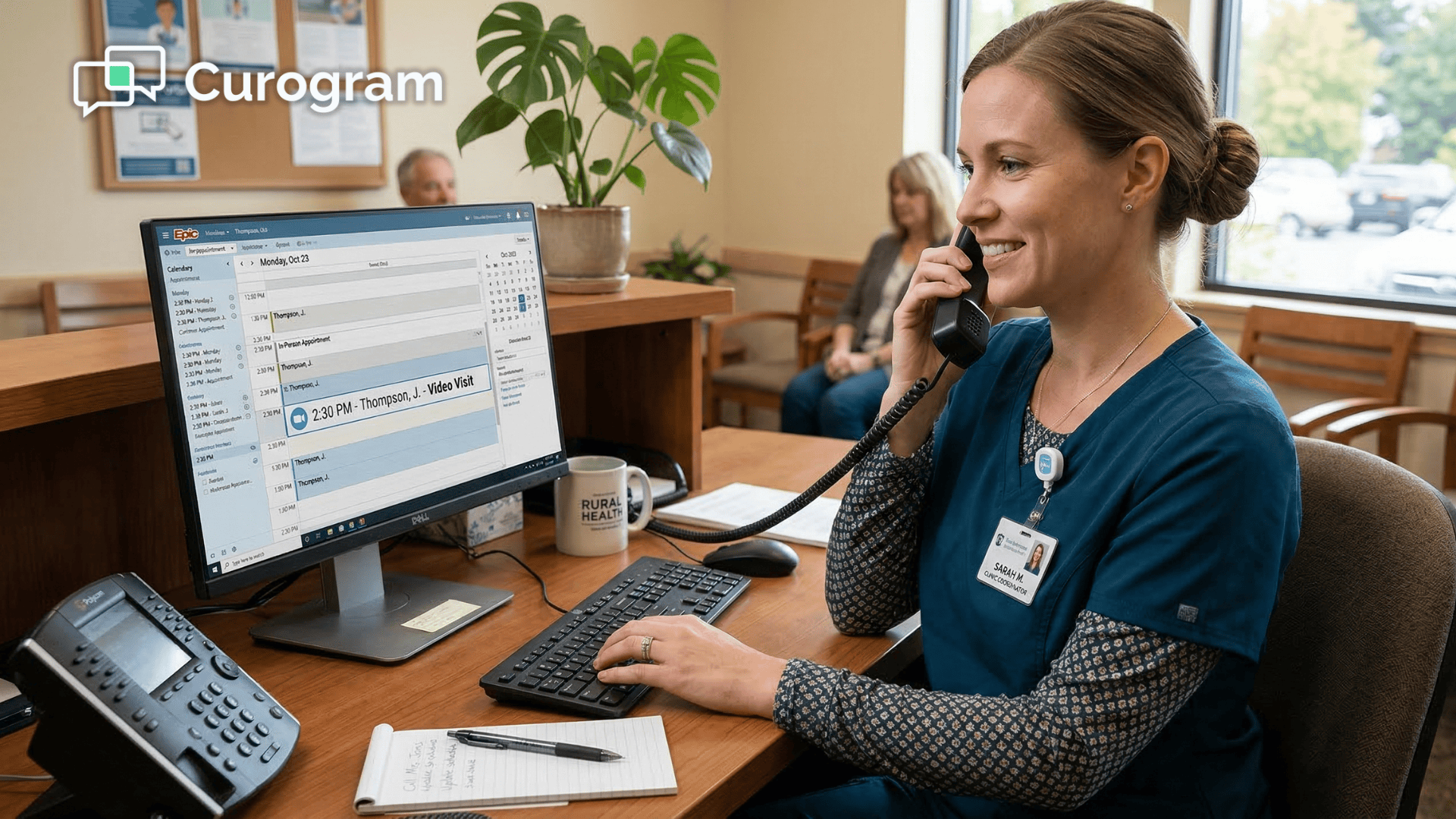
It's 2:07 PM. The schedule says the visit started seven minutes ago. But your medical assistant is still on the phone, walking a patient through a software update. "Do you see a blue button? No? Okay, try the other app."

Sound familiar? If your practice runs on MD Systems, you know the drill. The EHR works well for scheduling, charting, and billing. But the moment you add video visits to the mix, your staff becomes an unpaid IT help desk.

Troubleshooting telemedicine for MD Systems staff is one of the biggest time drains in clinics today. Based on our internal data, setup issues can eat up 10 to 15 minutes per visit. Multiply that across a full day of virtual visits, and you've lost hours of clinical time — not to tech failures, but to tech confusion.

The real cost goes beyond the clock. When your front desk team or MAs spend their day reducing telehealth connection errors instead of rooming patients, morale takes a hit.

They didn't go into health care to reset passwords. That's how you end up stopping medical staff burnout — not with pizza parties, but by removing the tasks that make people want to quit.

Here's the good news: The fix isn't more training. It's not a thicker user manual or a longer onboarding session. It's a simpler tool.

In this article, we'll break down exactly why video visits fail in MD Systems practices and how app-free video calls through Curogram can change your daily workflow.

We'll walk through the real-world "Can you hear me?" loop, show how browser-based design wipes out the root causes, and explain how your staff can shift from tech support back to triage.

Let's take back the time your team is losing — one click at a time.

The Villain: The "Can You Hear Me?" Loop

Every clinic that offers video visits knows this scene. The patient is on the line. The doctor is ready. But the visit can't start because the tech won't work. Let's walk through what really happens.

The schedule says 2:00 PM.
Your MA pulls up the patient chart in MD Systems. The visit is flagged as a video appointment. She sends the link or tells the patient to open the app. So far, so good.

By 2:05 PM, the call hasn't connected.
The patient can't find the app. Or they found the app but forgot their password. Or the app needs an update. Or their phone says the camera is "in use by another app." Now, your MA picks up the phone and starts walking the patient through it step by step.

By 2:12 PM, the MA is still troubleshooting.
"Can you see the green button? No? Try closing the app and opening it again." Meanwhile, the next patient has checked in. The doctor is waiting. The schedule is already behind.

This is the "Can you hear me?" loop — and it plays out dozens of times a week in practices that rely on app-based video platforms.

The root cause is almost never the internet. It's the software. Most video visit tools require patients to download a specific app, create an account, and grant device access through settings menus they've never seen before.

For older patients, this is a wall. For younger patients, it's just annoying. For your staff, it's exhausting.

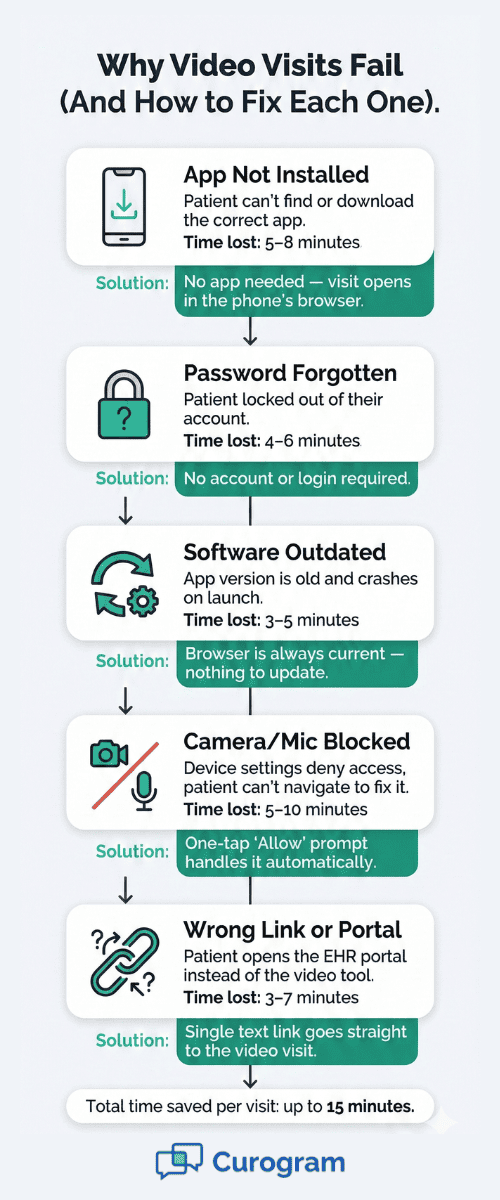
Here's a practical look at the most common failure points:

Failure Type

What Happens

Time Lost Per Visit

App not installed

Patient can't find or download the right app

5–8 minutes

Forgotten password

Patient locked out, needs reset

4–6 minutes

Outdated software

App version doesn't match, crashes on launch

3–5 minutes

Camera/mic blocked

Device settings deny access, patient can't fix it

5–10 minutes

Wrong link or portal

Patient opens the EHR portal instead of the video tool

3–7 minutes


Each of these issues lands on your staff's plate. And none of them are clinical problems. They are tech problems dressed up as patient care tasks.

The real damage is to your team. Think about what this does to your medical assistants. They trained to take vitals, prep charts, and support the doctor.

Instead, they're spending chunks of their day on MD Systems virtual visit training calls with confused patients. That's not a skills gap — it's a workflow failure.

Over time, this leads to something far worse than schedule delays. It leads to resentment. Staff start to dread telemedicine days.

Doctors avoid scheduling virtual visits because they know the first ten minutes will be wasted. The whole practice pulls back from a service that should be making things easier.

Based on our internal research, practices that use app-based video tools see a much higher rate of failed or delayed visits compared to those using browser-based options. The pattern is clear: the more steps between the patient and the video screen, the more things go wrong.

This is the villain in your practice's story. Not bad WiFi. Not lazy patients. It's a tool that asks too much of people who just want to see their doctor.

And the fix? It starts with taking the app out of the picture.

Top five reasons virtual visits fail in medical practices and how to fix them

The Guide: The Browser Is the Key

If your patient can open Google on their phone, they can join your video visit. That's the whole idea behind browser-based telemedicine — and it's the reason simplifying telemedicine for staff starts with removing the app.

How does it work?

Curogram uses secure, encrypted browser technology called WebRTC. You don't need to know the technical name. What matters is what it does: it turns any web browser into a video visit tool.

Here's what the workflow looks like in a practice that uses Curogram with MD Systems:

  1. Staff sends a text link. From inside the Curogram dashboard (which syncs with MD Systems), your MA sends the patient a simple text message with a visit link.

  2. Patient clicks the link. It opens in their phone's browser — Safari on iPhone, Chrome on Android. Nothing to install.

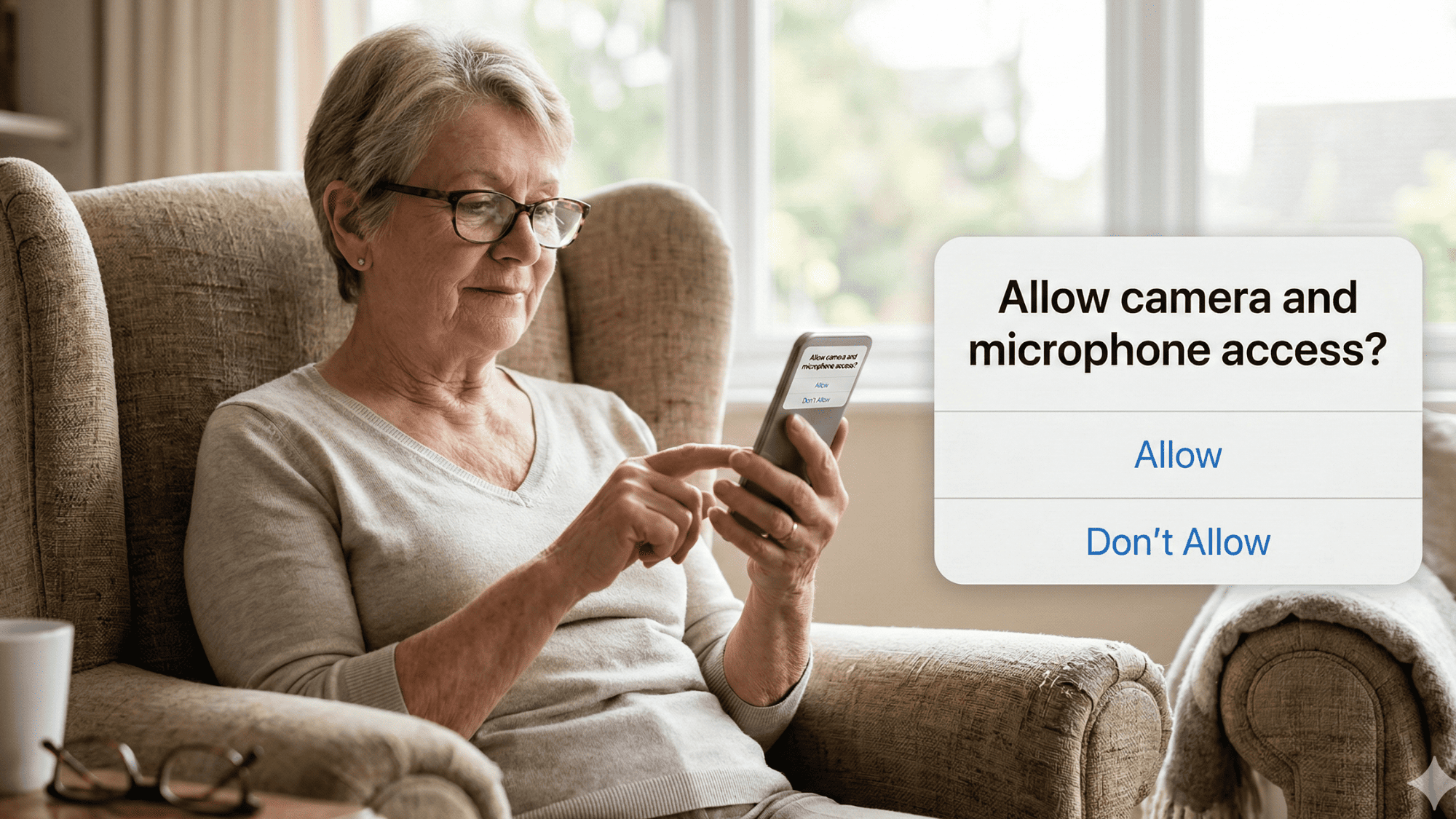
  3. Phone asks: "Allow camera and microphone?" The patient taps "Allow."

  4. Patient lands in the virtual waiting room. Done. They're ready.

That's it. Four steps. No app store. No login screen. No version update.

Why does this matter so much?

Because every step you remove from the process cuts the chance of failure. When you strip away the need for an app, you also strip away the four biggest sources of telehealth connection errors: missing apps, old software, lost passwords, and blocked device settings.

Let's compare the two workflows side by side:

Step

App-Based Platform

Curogram (Browser-Based)

Download app

Yes

No

Create account

Yes

No

Remember password

Yes

No

Update software

Often

Never


When you look at it this way, the choice is obvious. Every extra step is a chance for something to break. And every broken step is a phone call your staff has to handle.

What about security?

This is the most common question we hear. "If there's no app, is it still HIPAA-compliant?"

Yes. Curogram's browser-based video is fully encrypted and HIPAA-compliant. The connection is peer-to-peer, meaning the video stream goes directly between the patient and the provider.

There's no third-party server storing video data. It's the same level of security used by major banks and government agencies for web-based communication.

What about older patients?

This is where app-free video calls really shine. Think about your patient base. Many of them are 60, 70, or 80 years old. Asking them to find an app, download it, create a login, and navigate settings is like handing them a manual in a foreign language.

But they can tap a text message. And they can tap "Allow" when their phone asks. That's all Curogram requires.

In fact, the simplicity of this process is the key to reducing telehealth connection errors across the board — not just for seniors, but for every patient who doesn't want to wrestle with software just to talk to their doctor.

Curogram is also built to work alongside your existing EHR. It pulls in your patient list and schedule from MD Systems, so your staff doesn't have to switch between platforms or re-enter data.

The visit link goes out through Curogram, but the chart stays in MD Systems. It's a seamless layer on top of the system your team already knows. No new EHR. No painful migration. Just a better video visit tool — plugged right in.

Elderly patient tapping allow on a browser camera prompt to join a telemedicine video visit from home

The Success: From Tech Support to Triage

When the tech works on the first try, something shifts in your practice. It's not just about saving time — though you will. It's about changing what your staff does with their time.

The numbers tell the story.

Based on our internal data, practices using Curogram report a reduction in failed video visits to near zero. That's not a small improvement. That's a complete removal of one of the most frustrating parts of telemedicine.

Let's put that in context:

Say, your practice runs 15 video visits a day. With an app-based tool, even a conservative estimate says 30% of those visits hit some kind of tech snag. That's about 5 visits per day where your staff has to stop what they're doing and troubleshoot.

If each tech issue takes 10 minutes to resolve, that's 50 minutes a day. Over a five-day week, that's more than 4 hours lost — every single week — just to tech problems.

Now, picture those 4 hours back:

Your MA isn't on the phone explaining how to turn on a camera. She's rooming the next patient. She's prepping charts. She's doing the job she was hired to do.


The virtual waiting room changes everything. One of the most practical features in Curogram is the virtual waiting room. It works just like the physical waiting room in your office — but for video visits.

Here's how it plays out:

Your MA sends the text link 10 minutes before the visit. The patient clicks the link and lands in the virtual waiting room. The MA can see, right on her screen, that the patient is connected. Camera works. Audio works. Green light.

When the doctor is ready, the MA "rooms" the patient virtually — just like she would walk them from the lobby to the exam room. She can even check in with the patient, confirm their vitals or reason for the visit, and then hand off to the provider.


This mirrors the in-office MD Systems workflow. Your team doesn't need to learn a new process. They just do the same thing they've always done — but through a screen instead of a hallway. Staff can now manage physical and virtual patients at the same time.

This is the real unlock. When the tech burden goes away, your staff can run the virtual waiting room side by side with the physical one. The MA at the front desk can check in an in-person patient, glance at her screen to see three virtual patients waiting, and know that all of them are good to go.

Doctors also schedule more video visits. This is a pattern we've seen again and again in Curogram practices. When the connection process is reliable, doctors stop avoiding telemedicine. They start to see it as a real tool — not a headache.

Think about it from the doctor's side. If 3 out of every 10 video visits start with "Can you hear me?" and a 10-minute delay, they're going to push patients toward in-office visits. Even if the patient would prefer a virtual option.

But when the doctor knows the patient will be on screen, ready to go, the moment she clicks "Join" — that changes the calculation. She can fit more visits into the day. She can offer virtual follow-ups for simple check-ins. She can see patients who live far from the office.

This is how MD Systems virtual visit training becomes something your team actually wants to engage with. It's no longer a dreaded skill they have to learn. It's a tool that makes their day easier.

A Real-World Example: The Morning Huddle

Picture a Monday morning at a busy family practice using MD Systems and Curogram. The team gathers for their daily huddle. The schedule shows 22 visits — 10 in person, 12 virtual.

In the old days, the office manager would mentally flag the virtual visits as "risky." She'd assign one MA to be on call for tech support. That MA would spend half her morning on the phone.

Now? She assigns the same MA to prep charts for the virtual patients. At 10 minutes before each visit, the MA sends a text link. The patient taps, joins, and waits. The MA checks the virtual waiting room screen, confirms the connection, and moves on to the next patient.

By 9:15 AM, all five of the morning's virtual patients are checked in and waiting. No calls. No delays. The doctor walks from one in-person exam room to her computer, clicks "Join," and starts the visit on time.

That's what it looks like when you take the tech burden off your staff. The schedule runs. The staff breathes. The doctor trusts the tool. Stopping medical staff burnout starts here.

We talk a lot about burnout in health care. Most of the time, the focus is on long hours or heavy patient loads. But there's another kind of burnout — the kind that comes from doing tasks that feel pointless.

When a trained medical assistant spends her day resetting passwords and walking patients through app installs, she feels like her skills don't matter. That's not just frustration. That's the early stage of disengagement.

Removing that burden doesn't solve every problem. But it does send a clear message: We value your time. We value your training. And we're giving you tools that respect both.

Based on our internal research, Curogram's no-show rates are 53% lower than the industry average across practices that use automated reminders and two-way texting. That same principle applies here. When you make the process easy, people show up — patients and staff alike.

The shift from tech support to triage isn't just a workflow upgrade. It's a statement about what your practice values.

The good news is the impact is easy to measure. When your staff stops spending 10 minutes per visit on tech issues, those hours add up fast — and so do the savings. Practices using Curogram have automated at least 90% of routine manual tasks, freeing staff to focus on actual patient care.

If you want to see what that looks like for your own team, you can estimate your practice's staff efficiency gains using your appointment volume and labor costs.

Your Staff Deserves Better Tools

Let's be honest. The tech tools your practice uses say a lot about how you value your team.

If your video visit platform requires a 20-minute onboarding call for every patient, that's not a patient problem. That's a tool problem. And the weight of that problem falls on the people who can least afford to carry it — your front desk staff and MAs.

Think about what happens when you hand your team a tool that just works. The first thing you notice is the silence. Not the bad kind — the good kind. No phones ringing with confused patients. No frantic Slack messages about failed video links. No MAs staying late to squeeze in the visits that ran behind.

Simplifying telemedicine for staff isn't about dumbing things down. It's about choosing tools that match the way patients actually use technology. Most people don't want to download another app. They just want to tap a link and see their doctor.

When your tool respects that, your staff benefits most. They get to spend their energy on clinical tasks. They leave work on time. They feel like the skilled professionals they are.

What this means for your bottom line:

There's a financial case here, too. Every failed video visit is either rescheduled (costing admin time) or lost (costing revenue).

Based on our internal data, practices that use Curogram's automated reminders and two-way texting see a 10–20% increase in revenue, with each recovered appointment going straight to the bottom line.

That's not just about reminders. It's about visit completion. When 100% of your virtual visits connect on the first try, you stop losing revenue to tech failure.


How Curogram's Browser-Based Design Removes the IT Burden from Clinical Staff


Most telemedicine platforms were built by software companies — not by people who've watched a front desk team scramble through a Monday morning. Curogram is different.

Curogram's engineers built the platform after watching front office and call center workflows in real time. They saw the pain points first hand: the phone calls, the app crashes, the patients who gave up before the visit even started.

That's why Curogram was designed around one principle: if the patient can receive a text and tap a link, they can join a video visit. No app. No portal. No login. Just a browser and a camera.

There's nothing to teach the patient. Your staff doesn't need to run MD Systems virtual visit training sessions or walk patients through a download. The link works on any phone, any browser, any operating system. Safari, Chrome, Firefox — it doesn't matter.

The system handles camera and microphone access. When the patient clicks the link, their phone prompts them to allow access. One tap. No digging through settings. No calling your office for help.

Curogram syncs with MD Systems. Your team works from one schedule. The patient list, the appointment times, and the visit notes all stay in your EHR. Curogram simply adds a layer of simple, reliable video on top of it.

The virtual waiting room gives your MA full control. She can see who's connected, who's waiting, and who might need a quick check-in — all without picking up the phone.

As a result, your staff goes from being an unpaid IT help desk to doing what they trained for — patient care.

Curogram can be learned in under 10 minutes. That's not a marketing claim. That's the real onboarding time, because there's almost nothing to learn. If you can send a text, you can run a video visit.

Conclusion: Reclaim Your Staff's Time

You hired nurses, MAs, and front desk staff to take care of patients — not to fix computers. But if your current video visit tool requires downloads, logins, and constant hand-holding, that's exactly what you've asked them to do.

Every minute your team spends on the phone saying "Try closing the app and opening it again" is a minute they're not triaging, prepping, or connecting with patients. And it adds up faster than most practices realize.

The fix isn't more training. It's not a longer FAQ page or a better user manual. The fix is choosing a tool that removes the problem at the source.

Curogram's browser-based video visits work on any phone, any browser, with no downloads and no logins. Your patient gets a text, taps a link, and joins. That's it. The connection works the first time, every time.

When you pair that with MD Systems, you get a workflow that makes sense. The schedule stays in your EHR. The video visit happens through the browser. Your staff manages both in-person and virtual patients from the same screen.

This is how you give your team back the hours they're losing each week. This is how you reduce the daily frustration that pushes good employees out the door. And this is how you build a telemedicine program that your doctors actually want to use.

Give your clinical team a tool that works the first time, every time. Book a quick demo now to see how fast your staff can go from tech support back to triage.


Frequently Asked Questions

How does Curogram handle patients with poor or unstable WiFi connections?
Curogram's video technology adjusts quality on the fly. If the WiFi is weak, it lowers the video resolution while keeping the audio clear so the clinical conversation can continue without dropping the call.
How does browser-based video work on both Android and iPhone without an app?
The video link opens natively in Chrome on Android and Safari on iPhone. No special settings or downloads are needed — the browser handles everything, including camera and microphone access.
How can staff verify a patient's connection before the doctor joins the visit?

Your MA can "room" the patient virtually by joining the waiting room first. She can confirm that audio and video work, check vitals, and hand off to the provider — just like the in-office workflow in MD Systems.

Why do app-based telemedicine platforms cause more failed visits than browser-based ones?

Apps add steps: downloading, creating accounts, updating versions, and granting permissions through device settings. Each step is a chance for failure. Browser-based visits skip all of those steps, which is why connection rates are far higher.

How long does it take to train staff on Curogram's video visit workflow?

Most teams are fully up and running in under 10 minutes. The interface works like texting — select a patient, send a link, and manage the visit from your screen. There's almost no learning curve because the process is that simple.