
Automated SMS Reminders for eClinicalWorks | Reduce No-Shows at Scale
💡 eClinicalWorks automated SMS appointment reminders that reduce no-shows at enterprise scale replace manual confirmation calls with multi-cadence...
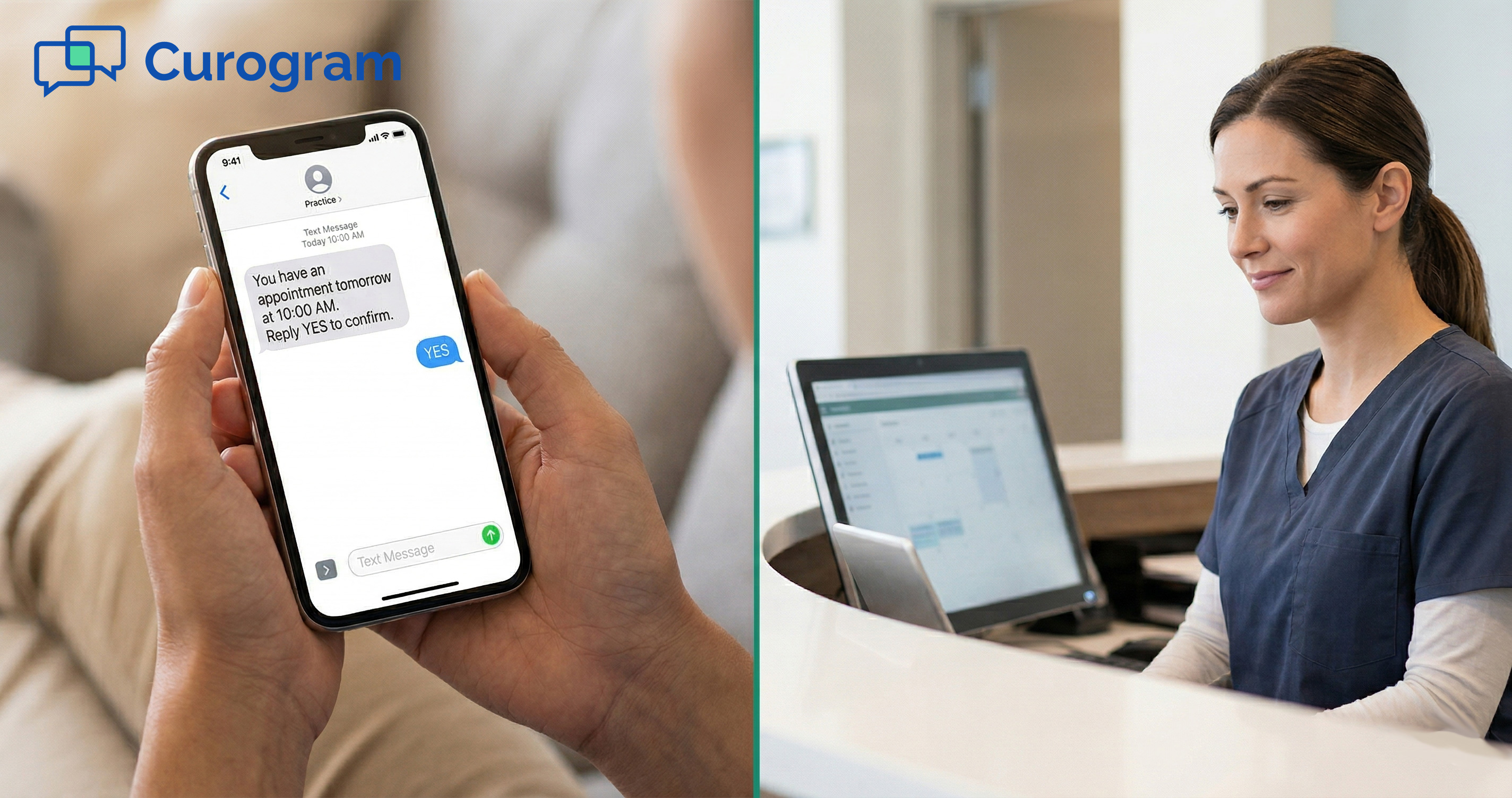
Think about the last time your office called a patient to confirm their visit. Did they pick up? Probably not.
Most patients don't answer calls from numbers they don't know. They let it ring, hear the voicemail, and mean to call back. Life gets in the way.
The call never happens. The next morning, an appointment slot sits empty, and the practice had no warning.
This isn't a new problem. But phone-based workflows make it worse every year. Caller ID habits have shifted. Spam call blocking has increased.
Healow notifications only reach patients who have the app installed, with alerts turned on — a small slice of most patient panels.
The fix isn't a better script for the front desk. It's a better channel. eClinicalWorks patient text appointment confirmation is faster and more reliable than phone or healow.
SMS open rates exceed 95%, compared to 20–30% for email. Text reminders are read within minutes. And unlike a phone call, a text doesn't interrupt a meeting or a drive. It waits until the patient is ready to reply.
Curogram connects directly to the eCW schedule via API and sends automated text reminders at 72 hours, 24 hours, and 2 hours before the visit. Patients confirm, cancel, or reschedule by text.
Every response is written back to eCW automatically. Your front desk sees a confirmed schedule instead of a list of unanswered calls.
This article explains why text confirmation outperforms every other channel and what the shift looks like for patients, staff, and the schedule.
Phone calls have been the default way to confirm visits for decades. But patient behavior has changed. The old approach is costing practices more than most realize.
Most practices dial patients from a shared office line. To the patient, it looks like any other unknown number, which means it usually goes to voicemail.
This is the first failure point in the phone confirmation chain, and it happens before anyone says a word.
Robocalls and spam have made most people hesitant to answer numbers they don't know. The habit has grown stronger each year.
When a practice calls to confirm, the patient sees an unfamiliar number, lets it ring, and makes a mental note to call back. That note rarely turns into action.
The practice logs "attempted — no answer" and tries again. Another voicemail. The patient makes another mental note.
By the time the appointment arrives, the slot is either empty or just barely saved by chance. The confirmation channel failed — not the patient.
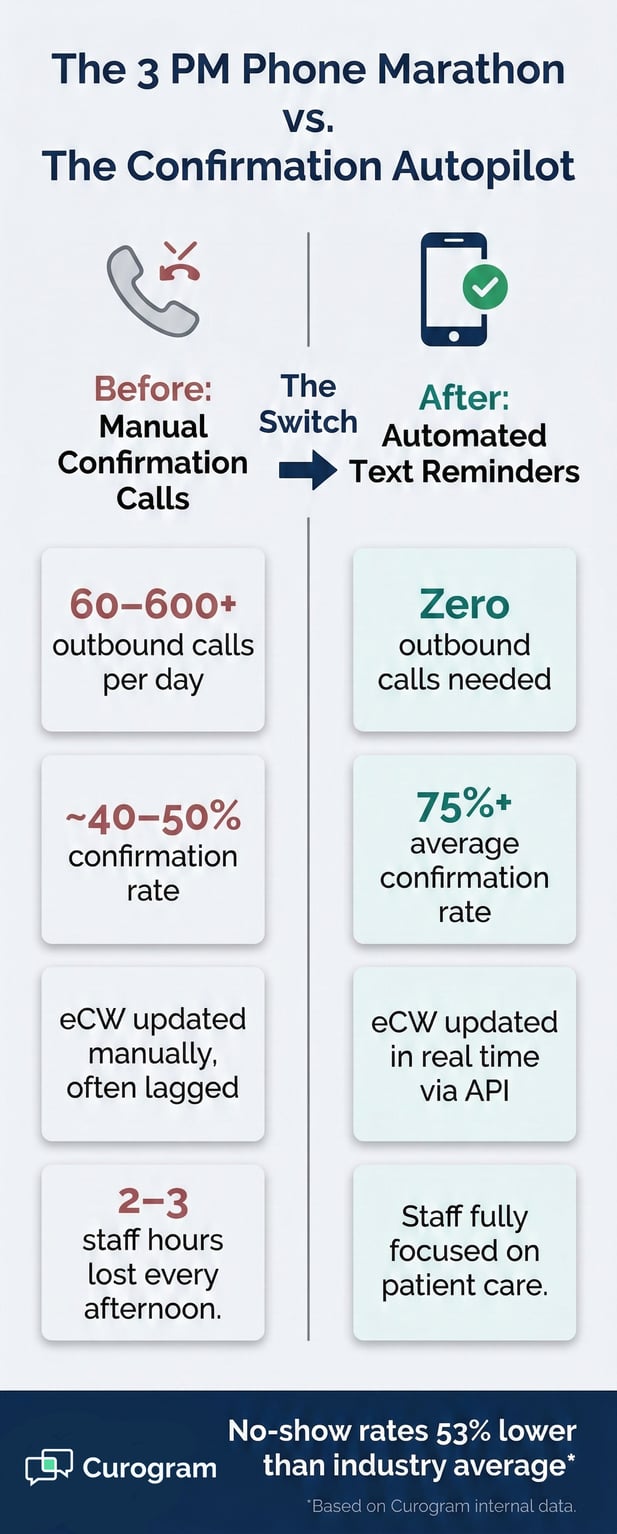
Each missed call costs staff time, typically 4 to 6 minutes per attempt when you count dialing, waiting, leaving a message, and logging the outcome.
Across a busy multi-specialty eCW network, those minutes add up fast. And at the end of it all, the practice still doesn't know if the patient is coming.
Text vs phone appointment confirmation in eClinicalWorks isn't just a convenience question. It's an efficiency question. Every hour staff spends on unanswered calls is an hour not spent on something else.
Healow offers a real alternative to phone calls for many things. But as a confirmation channel, it has a structural limit: it only works for patients who actively use it.
To receive a healow notification, a patient needs the app installed, an active account, and push alerts turned on. At large eCW networks with tens of thousands of patients, only a fraction meet all three.
The patients who need reminders most — the forgetful, the elderly, the tech-averse — are the least likely to have healow set up.
Healow notification vs text reminder patient preference shows up clearly in confirmation rates. A notification sent to a dormant app is the same as no notification at all.
The channel doesn't reach the patient. The patient doesn't confirm. The practice doesn't find out until the slot is empty.
Consider a 68-year-old with three upcoming visits across two specialties. She doesn't have healow on her phone. She has never set up notifications.
She is, however, absolutely reachable by text; the same way she hears from her family.
This is the core problem with app-based confirmation: it works well for the patients who least need it, and misses the ones who need it most.
SMS reaches virtually every patient, on any phone, without any setup. That's the reach that moves the confirmation rate.
Not every no-show is a patient who forgot. Some patients knew, the day before, that they couldn't make it. They just didn't cancel, because canceling felt harder than not showing up.
Canceling over the phone means finding the number, dialing in, waiting on hold, and explaining the situation. For a busy patient, that's too much friction for something that feels quick.
So they don't cancel. They just don't show. The practice absorbs the revenue loss without any warning.
This is the silent no-show: the patient who meant well, but chose the easier path. Phone-based workflows create this pattern by making cancellation hard. Text-based workflows eliminate it by making cancellation effortless.
If that same patient receives a text reminder and can reply "C" to cancel, the whole story changes. The practice gets the signal early enough to pull from the waitlist.
The slot gets filled. What was a revenue loss becomes a recovered visit.
Patient no-show reduction through text confirmation in eClinicalWorks networks isn't just about raising confirmation rates.
It's about capturing the cancellations that phone-based workflows never see because the channel to cancel was never easy enough to use.

There is no shortage of tools that promise to fix no-shows. But most still require something extra from the patient — a download, a login, a call back. The best solution is the one that requires nothing new at all.
Curogram pulls appointment data directly from the eCW schedule via API and sends SMS reminders based on rules the practice sets. No data exports. No manual lists. No setup per provider.
Reminders go out at three points: 72 hours before the visit, 24 hours before, and 2 hours before. Each message includes the patient's name, provider, date, time, and location — pulled live from the eCW schedule.
The patient replies "Y" to confirm, "C" to cancel, or "R" to reschedule. Three key presses. Done.
For patients in the eCW patient appointment reminder experience with no app needed, this is the whole point. There's nothing to install.
Every phone that can receive a text can receive and reply to a Curogram reminder, including basic phones that have been sending texts for two decades.
A "Y" reply marks the appointment as confirmed in eCW. A "C" cancels it and can trigger a waitlist alert to fill the open slot. An "R" sends the patient a self-scheduling link to pick a new time. The new visit writes directly to the eCW resource schedule.
Every reply is timestamped, logged, and written back to eCW via API. A patient's 3-second text reply creates a complete confirmation workflow.
This would have taken 4 to 6 minutes by phone, if the call was even answered.
Confirmation Channel Comparison
|
Metric |
Phone Call |
Healow Notification |
Curogram SMS |
|
Open / Read Rate |
Very low (voicemail) |
Low (app required) |
Over 95% |
|
Avg. Response Time |
Hours to never |
Hours to never |
Minutes |
|
App or Download Needed |
No |
Yes |
No |
|
Works on Basic Phones |
Yes (if answered) |
No |
Yes |
|
Cancellation Capture |
Rarely |
Occasionally |
Yes (reply "C") |
|
eCW Schedule Auto-Update |
Manual |
Partial |
Real-time via API |
Enterprise eCW networks span multiple specialties, providers, and locations. A confirmation system needs to match that complexity without adding more work for the front desk.
A surgical prep reminder includes fasting instructions. A physical therapy follow-up includes what to bring. A primary care annual includes pre-visit lab prep.
Each reminder is built from the appointment type in eCW and configured by the practice. The patient gets the right message for the right visit and still confirms with the same simple reply.
This is how a text-based system handles enterprise scale without feeling generic. The content changes per specialty. The patient experience stays simple.
When a provider's schedule changes in eCW, the reminder queue updates on its own. No one has to manually adjust the list. The patient always receives an accurate message because the source of truth is the live eCW schedule.
This is the difference between a reminder tool and a true eCW integration. The schedule drives the reminders. The two are always in sync.
Any patient communication tool needs to handle consent and privacy correctly. Curogram manages both automatically, so the practice doesn't have to.
Patients opt in during their first text interaction or initial registration. Consent records are maintained for TCPA compliance.
Patients can opt out at any time by replying STOP. The platform processes opt-outs right away and stops all future messages. The whole thing is hands-off for the practice.
Patient SMS confirmation for eCW appointment reminder response rate doesn't come at the cost of compliance. The consent layer is built in, not bolted on.
Curogram is a HIPAA-compliant platform. All patient data is handled securely, messages are encrypted in transit, and access is logged and controlled.
For CIOs and compliance teams at enterprise eCW networks, this means the SMS confirmation layer doesn't open a new risk surface. It replaces informal, unlogged phone attempts with a structured, auditable workflow.
The numbers tell one part of the story. The patient experience tells the other. Here's what both look like when a text-based confirmation workflow replaces phone calls.
The shift from phone to text confirmation isn't a minor upgrade. It's a clear change in how reliably patients respond and how early practices know what their day looks like.
Based on our internal data, Curogram clients see over 75% average appointment confirmation rates — fully automated, with no manual follow-up from staff.
The multi-cadence approach gives patients multiple low-effort chances to respond. Most reply at the first or second touchpoint, within minutes of receiving the message. That's response times measured in minutes, not hours.
Based on our internal research, no-show rates among Curogram clients are 53% lower than the industry average.
One case stands out: Atlas Medical Center cut their no-show rate from 14.20% to 4.91% in just three months. That’s three times better than the industry average, based on our internal data.
Covina Arthritic Clinic now confirms over 1,100 appointments per month through automated text reminders alone.
The table below shows no-show rates by specialty across the Curogram client base versus the industry.
No-Show Rates by Specialty: Curogram vs. Industry Average
Source: Based on our internal research
|
Specialty |
Industry Avg. No-Show Rate |
Curogram Avg. No-Show Rate |
|
Primary Care |
19% |
14.11% |
|
Pediatrics |
19% |
14% |
|
Psychiatry |
30% |
11.03% |
|
Radiology |
23% |
8% |
|
Dermatology |
25% |
9% |
|
Pain Medicine |
14% |
10% |
|
Specialty Clinics |
23% |
10% |
Data is useful, but what matters most is what the change feels like for patients and for staff.
Robert has a cardiology follow-up on Wednesday. At 6 PM on Monday, a text arrives: his doctor's name, the date, the time, the location, and three reply options.
He's watching TV. He replies, "Y." Three seconds. The eCW schedule updates are confirmed. He walks in on Wednesday morning right on time.
On his way out, he tells the receptionist, "I liked the text reminder. Much easier than calling you guys back."
That's the whole story. No missed calls. No voicemail loop. No friction.
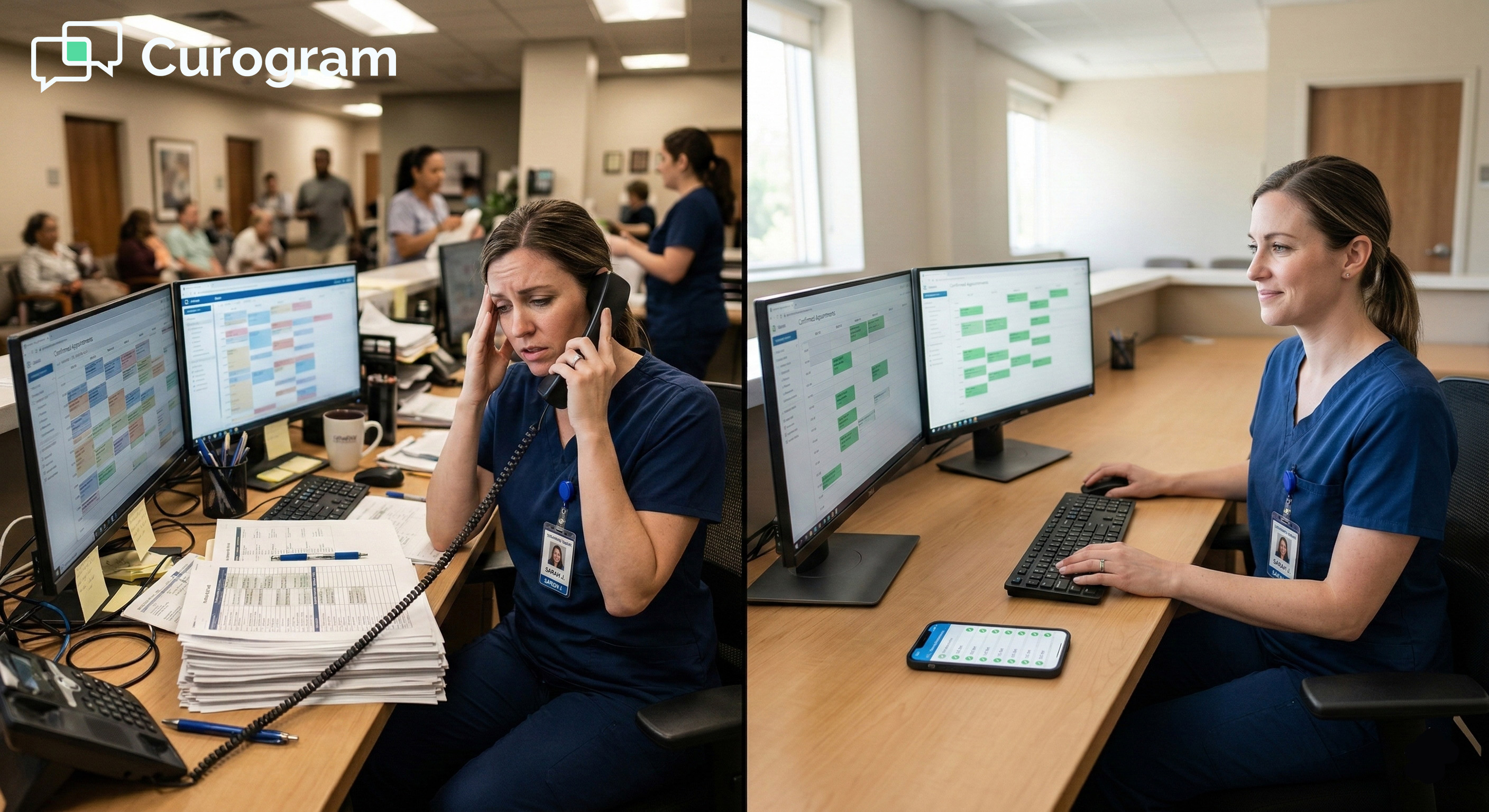
Staff starts each day with a confirmed schedule instead of a list of "attempted — no answer" notes.
Cancellations arrive early enough to fill slots from the waitlist. Time that used to go toward outbound calls gets redirected to patient-facing work.
The administrative load drops, not because staff are working faster, but because the system is doing the routine work.
That's the shift text confirmation creates: fewer tasks that require a person, and more time for the ones that do.
Lower no-show rates and faster confirmations have a direct impact on revenue and schedule efficiency. Those effects compound over time.
Practices using Curogram report a 10–20% increase in revenue driven by recovered appointments, based on our internal data.
Each confirmed visit that would have been a no-show is a slot that gets billed. Each early cancellation is a slot that gets refilled from the waitlist.
Across a multi-specialty network, over a month, the cumulative effect is real. And it compounds: a schedule that runs at higher capacity is also a more predictable one.
The no-show problem doesn't disappear entirely. But it shifts from an unpredictable revenue loss to a data-visible metric.
Practices can track confirmation rates by provider, location, and visit type. They can spot patterns and adjust reminder timing or content accordingly.
The text vs phone appointment confirmation gap in eClinicalWorks stops being an abstract concern. It becomes something that can be tracked, measured, and steadily improved.

Text confirmation isn't a new idea. But the gap between what practices are still doing and what patients actually prefer has grown wider each year.
eCW and Curogram do different jobs — and they do them well together. eClinicalWorks handles scheduling precision: multi-provider calendars, resource logic, appointment rules.
Curogram handles the confirmation experience: the moment between scheduling and showing up, when patients need a simple, easy nudge.
Together, they close the loop. The eCW schedule is the source of truth; text is the channel that gets patients to honor it.
When both systems are working together, the practice starts each day with a clear picture — confirmed visits, early cancellations flagged, and open slots filled.
Based on our internal data, the improvement in patient SMS confirmation for eCW appointment reminder response rates is visible within the first 30 days of deployment. No sweeping workflow changes. No patient education campaign. Just a text they actually respond to.
Stop sending portal alerts to patients who don't have the app. Send a text. It's the channel they're already using — for family, for friends, for everything. Confirmation takes 3 seconds. The only barrier is the channel.
The patients who are hardest to reach by phone are often the easiest to reach by text. That's where your no-show rate is hiding.
The confirmation channel patients actually use is already in their pocket. You just have to send the text.
Schedule a demo today to show what the shift from phone to text confirmation looks like in your specific network.
Frequently Asked Questions
Yes, patient consent is required and managed through the Curogram platform. Patients opt in during their first text interaction or initial registration, and consent records are kept for TCPA compliance.
Patients can opt out at any time by replying STOP — the platform processes the request right away and stops all future messages. The workflow is seamless for patients and fully automated for the practice.
Automated phone calls face the same unknown-number screening problem as manual calls. Patients don't answer, and carriers increasingly block them. Text reminders land in a channel patients already check without thinking.
SMS open rates exceed 95%, and replies typically happen within minutes, not hours. The result is a higher confirmation rate, earlier cancellation capture, and a clearer picture of the day's schedule before it starts.
Yes. Curogram uses standard SMS, not app-based push alerts. Any phone that can receive a text message — smartphone or basic phone — can receive and reply to a Curogram reminder.
This is a key advantage over systems that require an app like healow. SMS reaches virtually every patient, regardless of phone type or tech comfort level.
A patient replying "Y" on a flip phone gets the same outcome as one doing it on an iPhone.
Healow notifications work well for patients who actively use the portal with alerts turned on, but that's a small fraction of most patient panels. The patients who tend to miss visits are often the ones who never set up healow in the first place.
Text reminders reach all patients regardless of app adoption, which is why the gap in response rates between the two channels is so wide in real-world data. The simpler the channel, the higher the response.
Curogram reads the eCW schedule in real time via API, so the reminder queue always reflects the current state of the schedule.
When a provider cancels, a time shifts, or a new slot is added in eCW, the reminder queue adjusts on its own — no manual updates needed.
Patients always receive accurate reminders because the source of truth is the live schedule, not a static list pulled hours earlier. This is what makes the integration different from a standalone reminder tool.
💡 eClinicalWorks automated SMS appointment reminders that reduce no-shows at enterprise scale replace manual confirmation calls with multi-cadence...
💡 Clinical adherence in behavioral health is the key to lasting recovery. Patients who attend sessions on time have better outcomes. Here's why...
💡 eClinicalWorks front desk automated text reminders that eliminate confirmation calls give scheduling teams a practical way to stop spending hours...