How Digital Forms Cut Manual Data Entry at Athenahealth Practices
💡 Athenahealth staff intake data entry automation through Curogram's Intake Assembly Line helps front desk teams stop typing clipboard data and...
7 min read
Aubreigh Lee Daculug
:
July 7, 2026
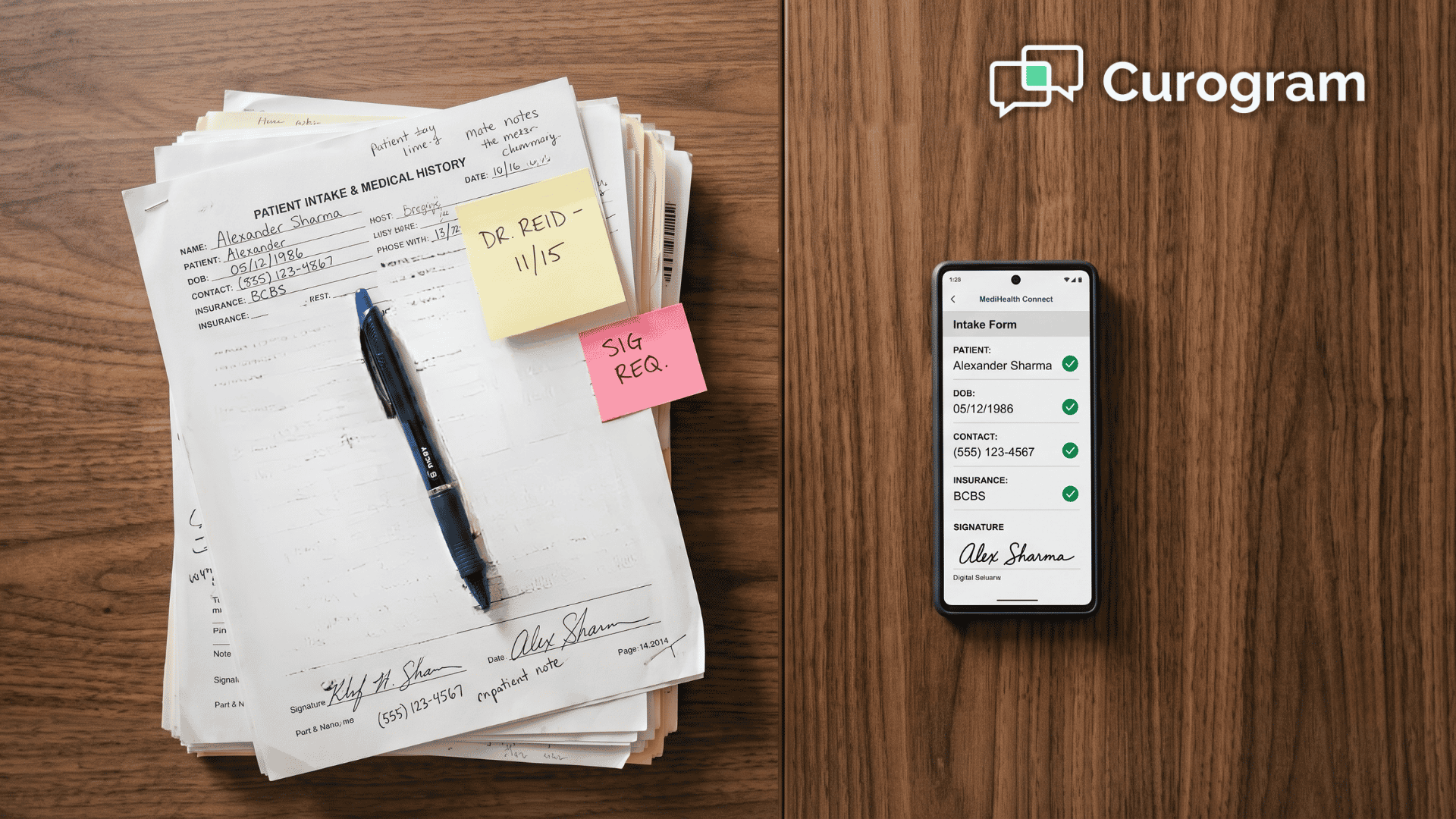
A new patient walks up to your front desk and hands back a clipboard. Nine pages. Front and back. Now the real work truly starts.
Someone on your team has to read every line, decipher the handwriting, and type it all into eClinicalWorks, one field at a time.
It sounds simple. It really isn't.
Half the boxes are half-filled. A phone number is missing a digit. The medication list looks like a physician wrote it, because a patient copied it off a bottle at midnight. So your staffer guesses, calls the patient back, or leaves it blank and hopes for the best.
This is double entry, and it quietly defines the morning. The patient already recorded the information once on paper. Now your team enters it again, this time into the chart.
Nothing new is created here. The same data simply migrates from paper to screen, one keystroke at a time.
And it is remarkably slow. Manual entry runs 8 to 12 minutes per patient, and a brand-new packet can stretch that to 20. Multiply that across a full schedule and you surrender several hours every single day.
Worse, every hand-typed field is an opportunity for error. A transposed birthday. A misread allergy. A wrong insurance identifier that resurfaces as a denied claim several weeks later.
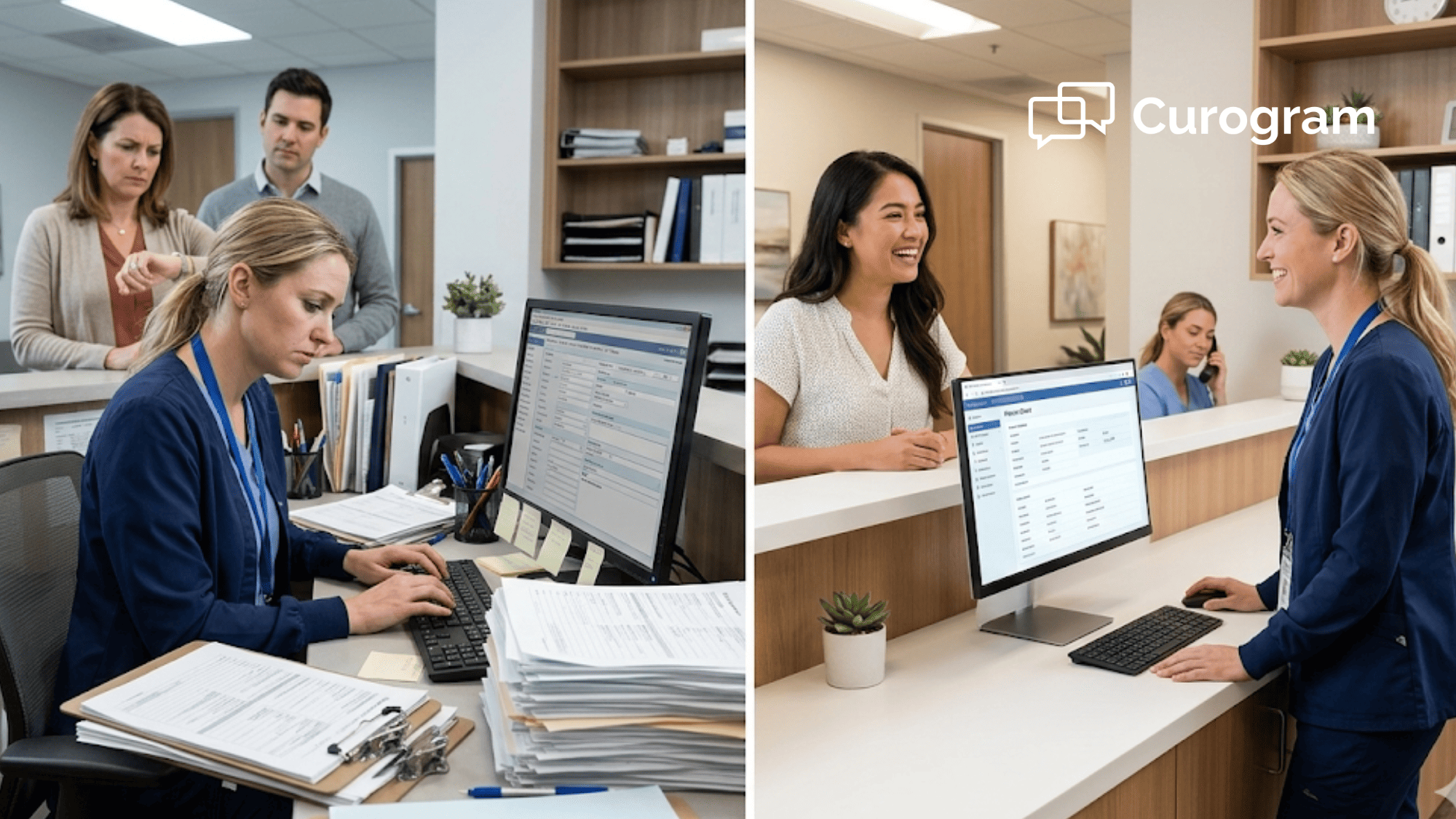
Meanwhile the waiting room fills up, the phone keeps ringing, and the next clipboard lands on the counter.
Your front desk was hired to welcome patients and keep the day moving. Instead, it operates like a transcription department, perpetually one stack behind.
Here is the encouraging part. That retyping is not actually necessary, because the information can arrive already structured and ready to review before the patient ever walks in.
Let's look at how digital intake forms for eClinicalWorks front-desk staff make that happen.
eClinicalWorks needs the intake data in the chart. Paper forms don't put it there. Your staff do.
That gap is the whole problem. The clipboard holds the answers, but a person has to move each one into eCW by hand. So the front desk becomes the data-entry layer between the paper and the record.
Watch how it actually plays out for a single patient:
None of that work helps the patient in the room. It's pure friction. And it's the front desk paperwork burden eClinicalWorks practices quietly absorb every day.
Here's what that friction costs, at a glance:
8–12 minutes — the time a typical patient's forms take to hand-key into eCW.
Up to 20 minutes — the entry time for a full new-patient packet before they ever see the MA.
12–19 pages — a common new-patient stack that has to be read, sorted, and retyped.
Now feel the day from your team's side. You want to stop manual data entry eClinicalWorks intake creates, but the clipboards keep coming. You finish one, and two more land. You're always a step behind, never quite caught up before the next patient checks in.
That's the reality of the scan and retype clipboard eCW routine. It looks like check-in. It's really transcription.
What if the intake was done before the patient reached the counter?
That's the shift Curogram makes. Think of it as a virtual front-desk assistant that captures forms digitally, so the scan-and-retype step simply disappears.

Curogram sends secure online forms as a text link. The patient completes them on their phone, at home, on their own time. The information comes back already digital, so there's no handwriting to decode and no double entry to fix.
Because patients fill forms in before they arrive, this is the front desk that stops absorbing the workload. It's a cleaner eCW front desk check-in workflow, built around data that's ready when the door opens.
Curogram doesn't replace eCW, and it isn't one more system to babysit. It runs beside your chart so intake is ready at check-in instead of retyped after it.
Setup is straightforward. Training takes about five minutes. There's no IT department required, which matters when your team is already short-staffed. For practices that want forms to flow further, eCW new patient intake automation can carry structured data all the way into the record.
The details change by practice, but the win is the same.
A pediatric desk skips retyping a parent's handwriting on a long new-patient packet.
An internal-medicine team gets clean medication lists instead of guessing at scrawl.
A behavioral-health coordinator receives completed screeners with zero keystrokes of transcription.
In every case, the data arrives structured. Your staff review it. They don't rebuild it.

Take away the typing, and the whole rhythm of the morning changes. The queue that used to pile up simply doesn't form.
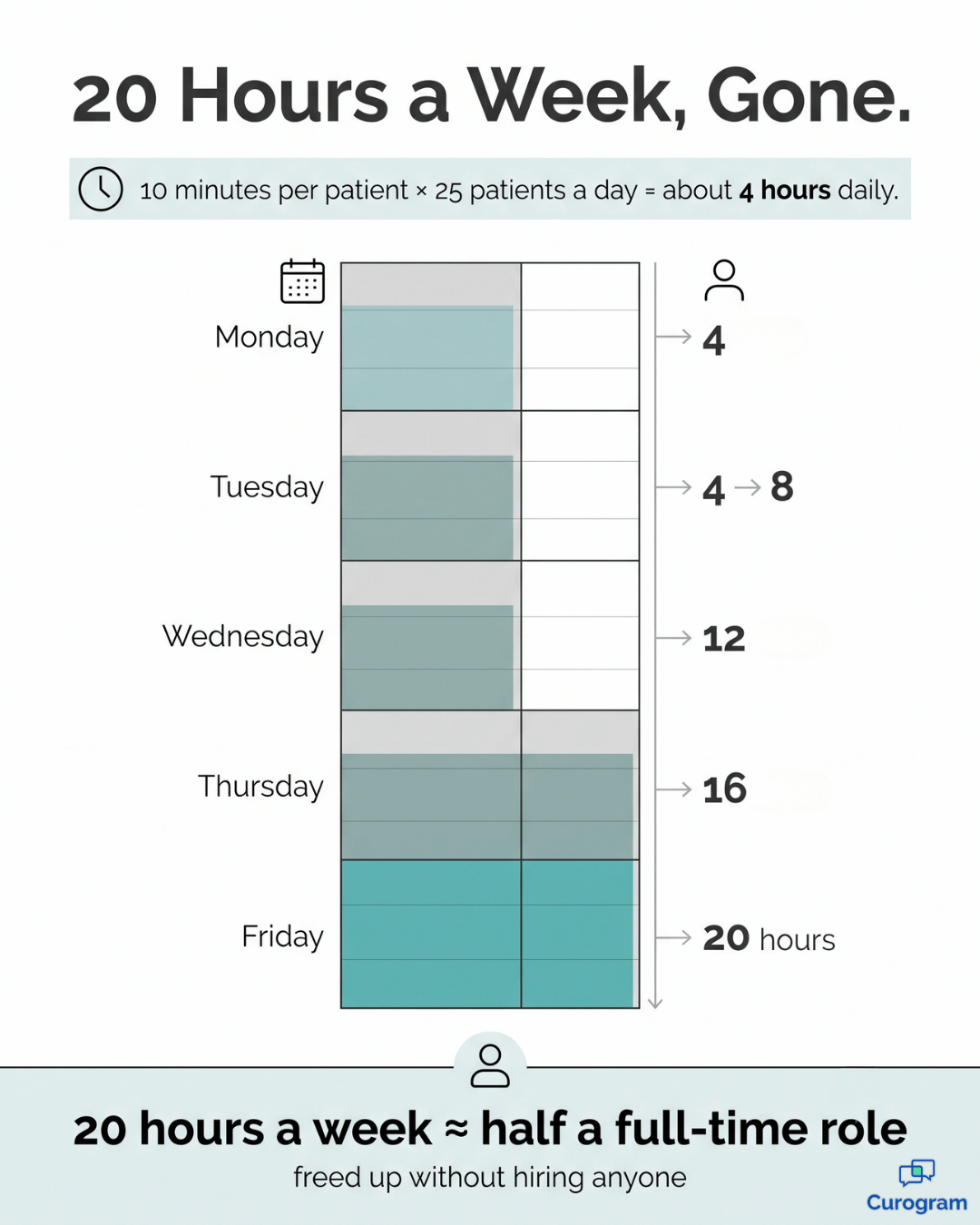
Let's put real numbers on it. Say your desk handles 25 patients a day, and manual entry averages 10 minutes each. Here's the difference digital intake makes.
| What you measure | Paper clipboards | Digital intake |
|---|---|---|
| Entry time per patient | ~10 minutes | Near zero — review only |
| Typing time per day (25 patients) | ~4 hours | A few minutes |
| Time per week | ~20 hours | Under an hour |
| Transcription errors | Ongoing | Sharply reduced |
Look at that weekly line. Around 20 hours a week vanish from your front desk. That's the equivalent of half a full-time position, freed up without hiring anyone.
This means your staff stop being data-entry clerks and start being patient coordinators. Same people. Very different day.
In practice, three things shift at once:
For your team, it's simple:
Fewer keystrokes, fewer errors, more minutes for the person actually standing there.
That's how you reduce double entry eClinicalWorks forms create, day after day.
Here's the worry that stops most front desks cold:
Change sounds expensive. New software usually means IT tickets, downtime, and a week of everyone fumbling with menus. This isn't that.
Getting started with Curogram takes about as long as one paper packet takes to retype. There's no server to install and no eClinicalWorks rebuild. Your team keeps working the way it already does.
Rolling it out usually looks like this:
That's the entire project. Most teams send their first digital form the same day they start, without pausing a single shift.
Now think about adoption, because a form only helps if patients actually fill it out. Texted links get opened far more often than emailed ones, and patients tend to finish early when the link lands with their reminder.
Say 8 in 10 patients complete intake before they arrive. That alone clears most of the retyping out of your morning. For your team, the exceptions — the walk-ins, the stragglers — become a few quick tablet entries instead of an all-day transcription job.
Your team shouldn't hand-key information a patient can complete before they even arrive. That single idea is the heart of it.
Think about what your front desk is really for.
It's the first face a patient sees, the first voice they hear, and the first signal that this practice has its act together. None of that impression forms while a staffer is heads-down, retyping a clipboard into the chart.
There's a clean way to think about the division of labor. eClinicalWorks is built for your chart, while Curogram is built for their intake. One holds the record; the other collects the information cleanly, before it ever needs to be entered. Together, they lift the data entry off your front desk entirely.
So stop measuring check-in in minutes of typing per patient. That number was never a genuine cost of delivering good care. It was simply a workaround for paper, and paper is optional now.
Imagine the difference by tomorrow morning. Forms arrive completed overnight, and your staff open the chart to find the information already structured and ready to review. The clipboard is gone. The scanning, the squinting, and the guesswork disappear with it.
What remains is the part that actually matters: greeting people, answering questions, and keeping the day on track.
The transition is smaller than you might expect. Setup is quick, training runs about five minutes, and there's no IT project and no disruption to how you already use eClinicalWorks. Most teams feel the relief within the very first week.
Your front desk has spent long enough functioning as a transcription department, and those reclaimed hours truly belong to your patients instead of a keyboard.
Schedule a Demo and watch intake arrive completed and ready, with no clipboard to scan and nothing at all to retype by hand.
It reduces it. The patient completes the fields digitally, so there's no clipboard to scan and rekey. Your staff review information that's already structured instead of transcribing handwriting. That's what removes the 8-to-12-minute-per-patient entry burden.
Curogram runs alongside eClinicalWorks rather than replacing it, and intake is captured digitally so it's ready at check-in. It's not one more platform to babysit. The deeper question of how data writes back into eCW Progress Notes is covered in the Wave 1 integration guide.
Setup is quick and training runs about five minutes, with no IT project to manage. Because it removes the retyping that eats your morning, it tends to relieve a short-staffed desk rather than add to it. Most teams are sending forms the same week they start.
Yes. Curogram is built for healthcare and handles intake as protected health information from the moment a patient taps the link. Forms travel over secure, HIPAA-compliant messaging, not plain text or email. Patients complete them privately on their own phone.
They can still complete it on their phone in the waiting room, which is faster and cleaner than paper. The form goes out with the appointment reminder, so most patients finish early. Either way, the answers arrive digital, so no one is retyping a clipboard.
💡 Athenahealth staff intake data entry automation through Curogram's Intake Assembly Line helps front desk teams stop typing clipboard data and...
💡 Tebra digital intake forms promise a paperless check-in, but many practices still deal with sync failures and manual re-entry. Tebra's...
💡 Enterprise health systems on Cerner lose 8–12 minutes per patient to manual intake re-entry. For a 100-provider network, that adds up to 400–600...