13 min read
How Digital Forms Cut Manual Data Entry at Athenahealth Practices
Mira Gwehn Revilla
:
March 11, 2026
Table of Contents
- Patients fill out digital forms before their visit on their phone
- Data writes to Athena's fields with no manual entry needed
- Staff verify records in about 30 seconds instead of 5–7 minutes
- Freed-up hours go to insurance checks, referrals, and patient care
- Walk-in patients get a text link and fill out forms on the spot
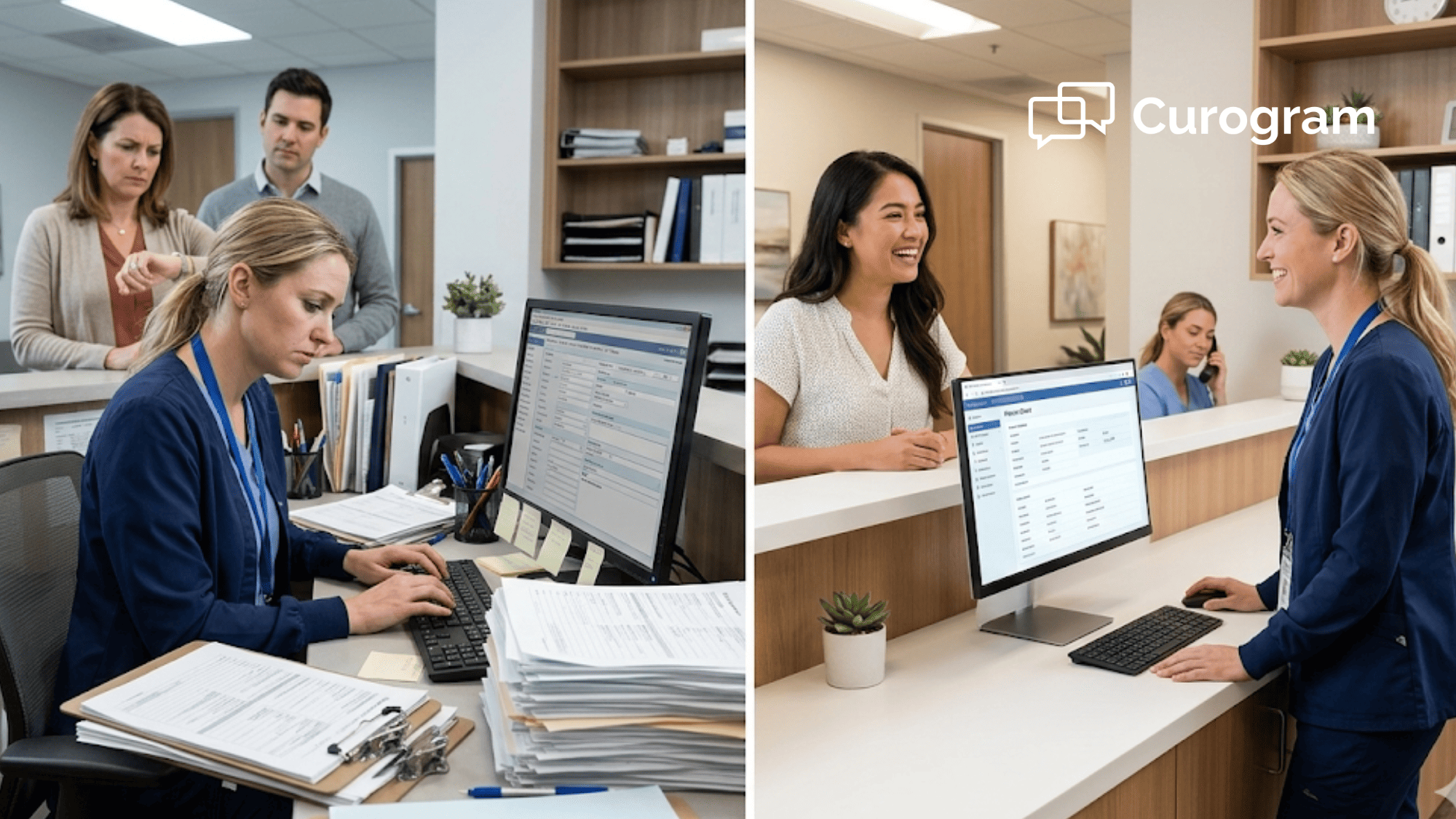
Picture this: your best front desk team member — the one who knows every plan, every referral path, and every provider's schedule — is spending half her shift typing names and dates into a screen. Field by field. Patient by patient. All day long.
This is life at most Athena practices. Your staff are stuck doing data entry when they should be doing the work only they can do.
The cost is real. Five to seven minutes per patient adds up fast. At 30 patients a day, that's over two hours of pure typing — per person. While your team types, phone calls go to voicemail. Insurance checks fall behind. Patients wait longer.
It doesn't have to be this way.
Athenahealth staff intake data entry automation with Curogram changes the front desk from a data-entry trap into a patient-care hub. Instead of typing from paper, your team reviews data that is already in Athena. The shift takes minutes off each check-in and frees up hours across the day.
This article breaks down how the Intake Assembly Line works. You'll learn what the "Transcription Trap" costs your practice, how digital forms remove the need for manual entry, and what happens when you give your staff their time back. We also walk through a real example of a front desk team that made the switch — and never looked back.
If your front desk workflow depends on digital forms to reduce manual transcription hours, or you want it to, keep reading. The path from typing pool to patient-care team starts here.
The Transcription Trap — How Data Entry Consumes Your Best Staff
The front desk at a busy Athena practice is a high-skill role. Your lead staff member juggles dozens of tasks a day. She knows which plans need prior auth. She knows which providers run behind. She knows how to calm a worried patient in two sentences.
But right now, she's typing "123 Main Street" into a text field. Again.
This is the Transcription Trap. It happens when your most skilled people spend most of their day on the most basic task: Copying data from a clipboard form into Athena. It takes five to seven minutes per patient to enter names, dates of birth, addresses, insurance IDs, meds, and allergies.
For a front desk handling 30 to 40 patients per day, that's three to four hours of pure data entry per person.
Let's do the math: Say you have three front desk staff, and each spends half their shift on intake typing. That's roughly 12 hours a day — or 60 hours a week — burned on work that adds no value beyond moving ink from paper to screen.
Here's what piles up while your team types:
|
Task That Falls Behind |
Impact on Practice |
|
Insurance checks |
Claims denied for bad data |
|
Prior auth requests |
Delayed care, lost revenue |
|
Patient phone calls |
Calls go to voicemail, patients leave |
|
Wait time management |
Patient complaints and poor reviews |
The drag is not just about time. It's about errors. Staff rushing through data entry to keep pace make mistakes. A flipped digit in an insurance ID. A wrong date of birth. A missed drug allergy.
These errors don't show up at the front desk. They show up days or weeks later as claim denials, chart gaps, or safety flags.
Based on our internal data, practices using Curogram see staff productivity rise by over 30% once the typing workload drops. That number makes sense when you look at how much time data entry steals.
|
And here's the part that stings the most: the errors create even more work: A denied claim means someone has to pull the chart, find the mistake, fix it, and resubmit. That takes 15 to 20 minutes per fix. Multiply that across even a handful of denials per week, and you've added yet another layer of lost hours. |
The Transcription Trap is a cycle. Staff type fast to keep up. Speed causes errors. Errors cause rework. Rework eats more time. And the tasks that actually need human skill — like talking to patients, checking insurance, or handling referrals — keep falling behind.
Some practices try to solve this by hiring more people. But adding a seventh staff member to a six-person team doesn't fix the root problem. It just puts one more person in the typing pool. The real fix is to eliminate manual data entry from athenahealth workflows so your team can do the work they were hired for.
If you want to achieve Athena front desk intake automation, the answer isn't more hands on keyboards. It's fewer keyboards in the way.
The Intake Assembly Line — From Data Entry to Patient Management
Curogram's Intake Assembly Line flips the front desk workflow from typing to checking. Instead of staff entering data, patients enter their own data before the visit — and it flows straight into Athena.
Here's how the intake assembly line staff workflow breaks down, step by step.
Before the Visit: Data Is Already in Athena
The day before a visit, the patient gets a text with a link to Curogram's secure online forms. They fill out their details on their phone — name, address, insurance, meds, allergies, social history. When they hit submit, the data writes to Athena's fields.
By the time the patient walks in, their chart is ready.
At Check-In: A 30-Second Review
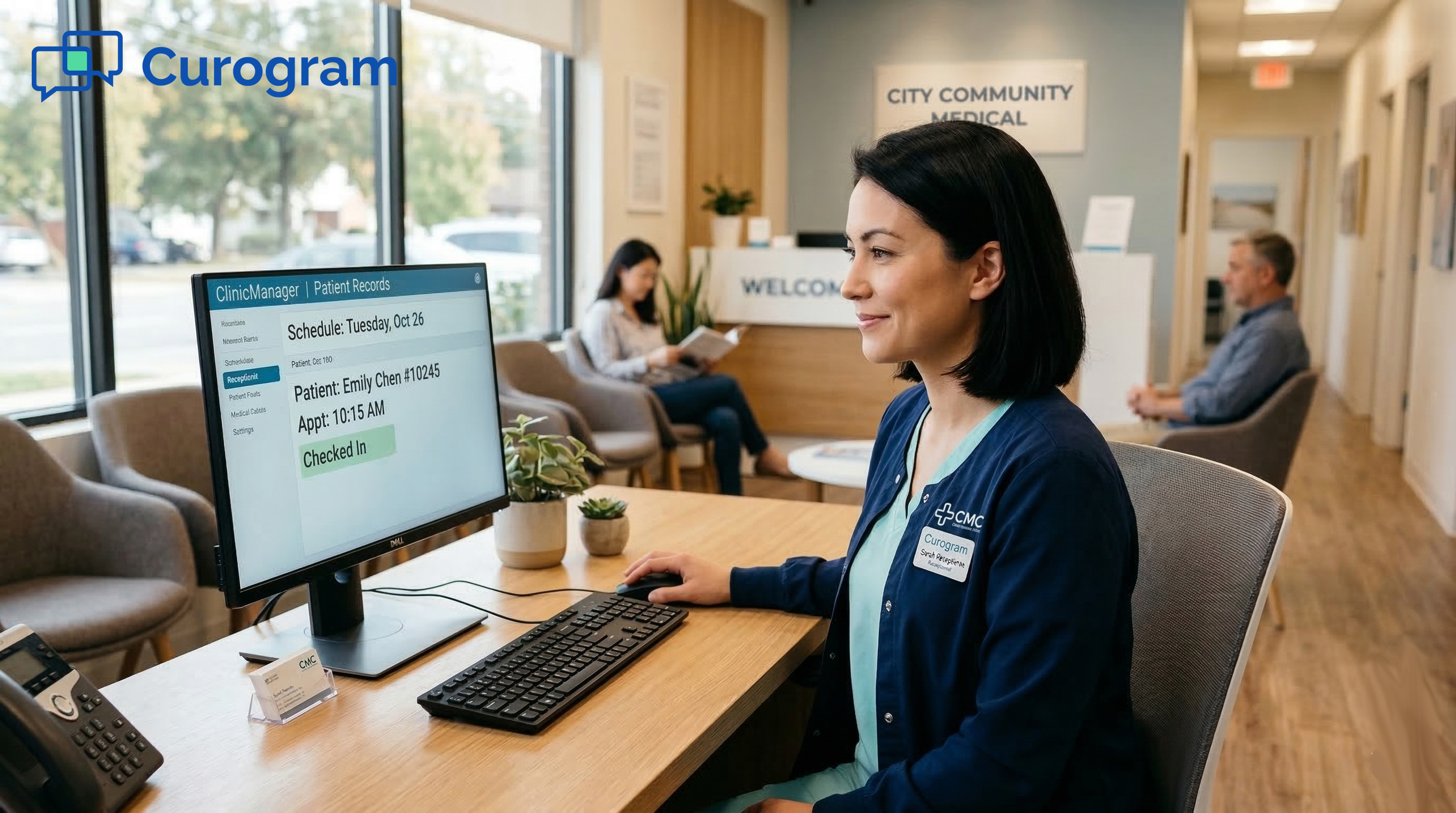
When the patient arrives, staff open the chart and verify — not enter. They check that the name and date of birth match. They compare the insurance card photo to what's on file. They scan for flagged allergies or drug conflicts. They confirm the emergency contact.
Average time: about 30 seconds. Compare that to the five to seven minutes it takes to type in a full clipboard form. That's a drop of over 85%.
Here is what a typical check-in looks like before and after:
|
Step |
Before (Clipboard) |
After (Digital Forms) |
|
Patient fills out form |
Paper in the lobby |
Phone, at home |
|
Data enters Athena |
Staff types it in (5–7 min) |
Auto write-back (0 min) |
|
Staff role at check-in |
Data entry clerk |
Data reviewer (30 sec) |
|
Error source |
Staff typos |
Patient-entered, verified |
|
Insurance check timing |
After data entry is done |
Starts right away |
What Staff Do with the Freed Hours
Digital form transcription reduction is only the start. The real value is what happens next.
When you eliminate manual data entry in Athenahealth, your team can focus on high-value tasks like real-time insurance checks (catching bad data before the claim), referral and prior auth processing, greeting and managing patient flow, and picking up phone calls for scheduling and billing.
Based on our internal research, Curogram clients reduce phone call volumes by as much as 50% with 2-way texting alone. When you stack intake automation on top of that, the front desk shifts from reactive to proactive.
Walk-In Patients Are Covered Too
Walk-ins don't break the system. When a walk-in arrives, the front desk texts the form link right then. The patient fills it out on their phone while they wait. By the time the provider is ready, the chart is filled. Staff handle the check-in with no typing at all.
This matters most at urgent care and multi-location clinics where walk-in traffic is high. The front desk doesn't slow down. It speeds up.
The Core Shift
The Intake Assembly Line doesn't replace staff. It replaces the task that was wasting their time. Your team still manages check-in, still talks to patients, and still runs the front office. They just do it without a clipboard and a keyboard standing in the way.
When your practice uses digital forms, the front desk moves from a data-entry role to a care-support role. That's the shift that drives front desk efficiency with digital forms — and it shows up in every part of the practice.

The Narrative — How One Front Desk Team Escaped the Transcription Trap
Nothing shows the impact of intake automation like a real story. Let's walk through how one Athena practice made the switch — and what changed.
The Practice
An 8-provider group in the Nashville metro area. Two locations. Mix of orthopedics and primary care. Running on Athenahealth. Six front desk staff handled check-in, data entry, phones, and referral processing across both sites.
The Problem
The office manager, Tamika, had a staffing issue — but it wasn't about headcount. She had six people.
Three of them were spending more than half their shifts on intake data entry. They'd collect a paper form, sit at a terminal, and type it into Athena. Five to seven minutes per patient. All day. Every day.
The downstream impact was ugly. Insurance checks were falling behind because no one had time to run them before the visit. The practice was seeing claim denials tied to bad intake data — wrong insurance IDs, stale employer details, missing referral info. Each denial took 15 to 20 minutes to fix after the fact.
|
Let's put rough numbers on it: Say, the practice sees 120 patients a day across both locations. At six minutes of data entry per patient, that's 720 minutes — or 12 hours — spent typing each day. That's the full shift of two front desk staff, every day, doing nothing but keying in clipboard data. |
Tamika asked for budget to hire a seventh staff member. The practice admin said no — not until they explored ways to fix the workflow first.
The Switch
The practice set up Curogram's secure online forms with Athena write-back. The rollout was simple:
- Patients with scheduled visits got a text 24 hours before their visit with a link to the intake form.
- Walk-in patients got the same link at check-in via text.
- Staff were trained to verify pre-filled data instead of entering it from scratch.
The forms captured names, addresses, dates of birth, insurance info, meds, allergies, social history, and emergency contacts. All of it mapped to Athena's actual fields — not a PDF stuck in a document tab.
Staff training took less than five minutes per person. Based on our internal data, front desk staff can learn how to use Curogram's platform in under five minutes, which is what the Nashville team saw as well.
Week One
The first week was a ramp-up. About half of scheduled patients filled out the forms before their visit. Walk-in patients used the text link in the lobby. Staff still did manual entry for the patients who didn't complete the forms ahead of time, but the volume was already dropping.
Even at 50% adoption, the team noticed the change. One staff member told Tamika she had time to run insurance checks before noon for the first time in months.
Week Three
By week three, the large majority of arriving patients had records pre-filled in Athena. The front desk rhythm shifted. Instead of type-type-type, it was check-check-done. Staff pulled up the chart, confirmed the details matched, and moved on.
Here's what the time savings looked like:
|
Metric |
Before Curogram |
After Curogram (Week 3) |
|
Avg. data entry time per patient |
5–7 minutes |
~30 seconds (verify only) |
|
Daily staff hours on data entry |
~12 hours |
~2 hours (walk-ins, partial forms) |
|
Insurance checks completed before visit |
~40% |
~90% |
|
Claim denials linked to intake errors |
8–12 per week |
2–3 per week |
The Staff Shift
Tamika made two key moves with the freed hours:
-
She moved one staff member to full-time insurance checks. That person now ran every patient's coverage before the visit, flagging any issues before the claim was even filed. The result: claim denials tied to intake errors dropped sharply.
-
She moved another staff member to patient flow. Greeting patients, confirming visit details, managing wait-time updates. Patients noticed. Instead of walking into a lobby where everyone was staring at a screen typing, they walked into a lobby where someone greeted them by name.
The request for a seventh hire was pulled off the table.
The Numbers
Let's talk about cost. The average front desk staff member at a mid-size practice earns around $35,000 to $40,000 a year. The practice was about to spend that on a new hire to cover a workload problem. Instead, they solved it by removing the task that was eating the time.
The Athena intake hours saved were clear. Roughly 10 hours a day moved from data entry to value-adding work. That's 50 hours a week. Over a year, that's more than 2,500 hours returned to the practice — without adding a single person.
Tamika's Take
The way Tamika put it was simple. Her six people were doing the same jobs, but the jobs had changed. Nobody was typing clipboard data anymore. They were checking charts, running insurance, greeting patients, and picking up the phone. The front desk was managing patients, not managing keystrokes.
What Made It Work
A few things stood out in this case:
The forms wrote to Athena's real fields. This wasn't a PDF that someone still had to read and retype. The data landed in the right tabs and sections — just as if staff had typed it in, but without the typing.
The patient experience was easy. A text link. A phone-friendly form. No app to download. No portal login. Patients filled it out on their couch the night before.
Staff buy-in was fast. When the team saw that their daily grind was being replaced with a 30-second check, they didn't resist. They cheered.
This is what it looks like when a practice deploys Athena front desk intake automation the right way. The tools do the data work. The people do the people work.

Operational Metrics for Front Desk Teams
If you're an office manager or practice admin looking at the Intake Assembly Line, you need clear ways to measure the impact. Here are the key metrics to track before and after you deploy Curogram.
Data Entry Hours per Week
This is the most direct measure. Track how many staff hours go to manual intake data entry each week. Use a simple time log for one or two weeks before launch. After launch, track the same way. Your target: near-zero typing hours for patients who pre-fill their forms.
For a practice seeing 150 patients a day with six-minute average entry times, that's about 75 hours of typing per week. If 80% of patients pre-fill forms, you drop to roughly 15 hours. That's 60 hours a week returned to your team.
Check-In Time per Patient
Measure the average time from when a patient arrives to when they're checked in. Pre-filled patients should clear check-in in under a minute. Clipboard patients still take five to seven minutes. As your pre-fill rate climbs, your average drops fast.
Staff Task Shift
Track what your team does with the freed hours. Are they running more insurance checks? Handling more phone calls? Managing patient flow better?
Use a simple weekly log to see how the time shifts across tasks. You can also plug in your data in Curogram's ROI Calculator to get a rough estimate of potential staff efficiency impact. This is where the Athena intake hours saved turn into real value for your bottom line.
Error Rate
Count intake-related data errors per week — wrong date of birth, bad insurance ID, missing allergy, etc. Patient-entered data with write-back cuts out the typos that come from rushed staff entry. You should see a clear drop in errors within the first month.
|
Metric |
What to Track |
Target |
|
Data entry hours/week |
Staff time on manual intake |
Near zero for pre-filled patients |
|
Check-in time/patient |
Arrival to check-in complete |
Under 1 minute |
|
Staff task shift |
Hours moved to high-value work |
50+ hours/week reclaimed |
|
Intake error rate |
Data mistakes per week |
50%+ drop in first month |
Integration Confidence — The Assembly Line Works Inside Your Athena Workflow
One of the biggest worries with any new tool is: will it break what already works? With Curogram's Intake Assembly Line, the answer is no. The system works inside your current Athena setup, not around it.
Data Goes Where It Belongs
Curogram writes to Athena's real fields. That means names, dates, insurance, meds, allergies, and social history land in the right tabs — not in a PDF stuck in the documents section. Providers open the same chart they always open. The data is just already there.
This is what makes it a true athenahealth staff intake data entry automation tool, not just a form builder. The write-back puts info exactly where staff would have typed it.
Nothing Changes for Providers
Doctors see the same Athena chart they've always seen. They don't need new training. They don't need to click into a new tab. The only change is that the data is filled in before the visit, not during it.
Forms Fit Your Practice
You can set up forms by visit type and specialty. An orthopedic intake can capture pain levels and past surgeries. A primary care form can cover screening history and chronic care status. Urgent care forms can ask about symptom onset and chief complaint. Each form writes to the matching Athena fields.
This means the front desk efficiency with digital forms isn't one-size-fits-all. It's shaped to how your practice already runs.
How Curogram's Write-Back Make Athena Intake Faster Than Manual Entry
The core of Curogram's Intake Assembly Line is write-back. That single feature is what turns a digital form from "nice to have" into a true time saver.
Most digital form tools create a PDF. Staff still have to open the PDF, read each field, and type the data into Athena by hand. The form looks digital, but the workflow is still manual. You haven't saved any time — you've just moved the paper to a screen.
Curogram does it differently. When a patient fills out a secure online form, the data maps to Athena's fields and writes there directly. No PDF. No copy-paste. No rekeying. The info lands in the right place the first time.
This is what makes the difference between digital form transcription reduction and true digital form elimination. With write-back, there's nothing to transcribe because the data is already where it needs to be.
Based on our internal data, Curogram's EMR integration removes double entry of data entirely. Staff who used to spend five to seven minutes per patient on data entry now spend about 30 seconds checking what's already there.
The write-back is also validated through the Athena Marketplace. That means the connection has been tested and approved. You're not using a workaround or a hack. You're using a tool built to work with Athena from day one.
For office managers who need to eliminate manual data entry in athenahealth without adding risk, write-back is the answer. It keeps data clean, cuts hours from the daily workload, and gives staff the time to do work that actually needs a human touch.
Next Step: Free Your Front Desk from the Transcription Trap
Your front desk team was hired to manage patients, not to manage keystrokes. Every hour spent typing clipboard data into Athena is an hour that could go to insurance checks, patient care, and better office flow.
The Transcription Trap is real. It eats time, causes errors, and buries your best people under a mountain of manual work. But it doesn't have to be your reality.
Curogram's Intake Assembly Line gives you a clear path out. Patients fill out forms on their phones. Data writes to Athena's fields.
Staff verify in 30 seconds and move on to the tasks that matter. The front desk workflow shifts from digital forms that reduce manual transcription hours to a team that runs on speed and care.
The results speak for themselves. Based on our internal research, practices using Curogram see staff output rise by more than 30%. Phone call volumes can drop by as much as 50%. And your team goes from typing pool to patient-care team — without adding a single hire.
If you're an office manager, front desk lead, or practice admin running on Athenahealth, the next step is simple.
Your front desk has the skills. Give them the time to use them.
Stop hiring to fix a workflow problem. Book a quick demo to see how Curogram turns your current team into a patient-care machine.
Frequently Asked Questions
Most staff are trained in under five minutes. The check-in steps are the same — staff just review pre-filled data instead of typing it in. There's no new software to learn beyond the form setup.
The front desk texts the form link at check-in. The patient fills it out on their phone in the lobby. Data writes to Athena before the provider is ready, so the walk-in process stays fast.
PDF forms still need staff to read and retype the data into Athena. Write-back forms skip that step completely. The data goes from the patient's phone to Athena's fields with no manual work in between.