11 min read

DrChrono Text Link Video Visits: No Download and HIPAA-Ready Telemed

DrChrono Text Link Video Visits: No Download and HIPAA-Ready Telemed
💡 Curogram gives DrChrono practices a faster way to run video visits — through a simple text link.
  • Patients tap one link from their phone to join a HIPAA video call — no app needed
  • No extra per-visit fees on top of your plan, unlike Updox or other add-ons
  • Video visits launch in about 10 seconds through the patient's browser
  • Based on our internal data, text-link visits see 85–95% patient join rates
  • Works with DrChrono through FHIR API for smooth data sync
If you chose DrChrono for its mobile-first design, your video visit tool should match. Curogram is a text-link telehealth tool built for the way DrChrono practices already work — fast, simple, and on a phone or iPad.

You picked DrChrono because it was built for iPads, phones, and speed. Your video visit tool should work the same way.

With Curogram, DrChrono telemedicine starts with a text. You send the patient a link. They tap it. A HIPAA video call opens in their browser — no download, no login, no per-visit charge. It takes about 10 seconds.

That's it. No extra apps. No account setup. No clunky portal your patient gives up on.

This is what a DrChrono video visit text link should feel like. It should match the same easy, mobile-first flow your practice chose DrChrono for in the first place.

But if you're using Updox or a tool like it, that's not what you're getting. Instead, you're paying added fees, dealing with a second platform, and watching patients drop off before the visit even starts.

Curogram changes that. It connects with DrChrono and puts video visits inside the same text thread where you already send reminders, forms, and payment links. One tool. One thread. One tap.

Based on our internal data, practices using text-link visits see 85–95% patient join rates. That's a big jump from the 60–70% that many platform-based tools deliver. And since there are no per-visit charges stacked on top, practices save $200–$500+ a month by cutting out extra tools.

This works for chiro follow-ups, PT check-ins, mental health sessions, wound care reviews, urgent care triage, and primary care med checks. If your practice is one of the many that turned to DrChrono for its simple design, the last thing you need is a video visit tool that fights that design.

Let's break down why so many DrChrono practices are making the switch.

The Villain: The Video Visit That Costs More Than It's Worth

Most DrChrono practices didn't plan for their video visits to become the hardest part of their day. But when the tool you use adds fees, friction, and risk, that's what happens. Let's look at why so many Updox telehealth alternative searches are on the rise.

The Cost Problem

Updox charges $49 or more per user each month as a base cost. On top of that, there are extra fees for video visit features. For a solo provider doing 5–10 video visits a week, those per-visit costs add up fast.

Think about it this way. Say, you pay $49/month base plus a per-visit add-on for video. Over a year, a provider doing even a modest volume could spend $1,000+ just on a feature that should feel standard. That money comes straight out of your margin on short follow-up visits — the 10-minute wound checks, the 15-minute med reviews.

What should be a built-in tool starts to feel like a costly extra. And when the math doesn't work, providers stop offering video visits at all.

The Friction Problem

Even when cost isn't the top issue, setup time is. EverCommerce telemedicine tools like Updox often need a separate login or portal. For some tasks, patients have to download an app or create an account before joining the call.

Now picture this: a patient needs a 15-minute follow-up to check range of motion after a chiro visit. The clinical part takes less time than the setup. The patient has to find the app, log in, allow camera access, and wait for the room to load. For a DrChrono virtual visit no app should be needed for something this quick.

Practices that run on DrChrono's iPad simplicity run into the opposite with these extra steps. Your EHR is fast. Your video visit tool is slow. The gap between the two becomes the bottleneck.

The Workaround Problem

This is where it gets risky. When the paid tool is too clunky, many providers default to what's easy — Zoom, FaceTime, or Google Meet. These are fast and familiar, but they are not HIPAA compliant.

One breach can cost $100,000 or more in fines. Patient data gets exposed. Your practice takes on legal risk. And the irony is real: you chose DrChrono partly for its secure, modern design. Using a consumer video app to deliver care throws that away.

It's not just a small gamble. HHS has made it clear that the COVID-era waivers for non-secure tools are over. If your practice uses FaceTime for a video visit today, you're one complaint away from a costly review.

The Result

Here's what all three problems create:

Problem

What Happens

High per-visit fees

Providers avoid offering video visits

Long setup and login steps

Patients drop off before the call starts

Use of Zoom/FaceTime

HIPAA risk and legal exposure


Video visits become a service line that either loses money or puts your license at risk. That's the opposite of what they should be. Providers who chose DrChrono for its clean, mobile-first design end up stuck with the most complex tool in their stack.

This is the villain: a video visit that costs more than it's worth — in fees, in time, and in risk.

The good news? It doesn't have to be this way. The fix is simpler than you think. And it starts with a text.

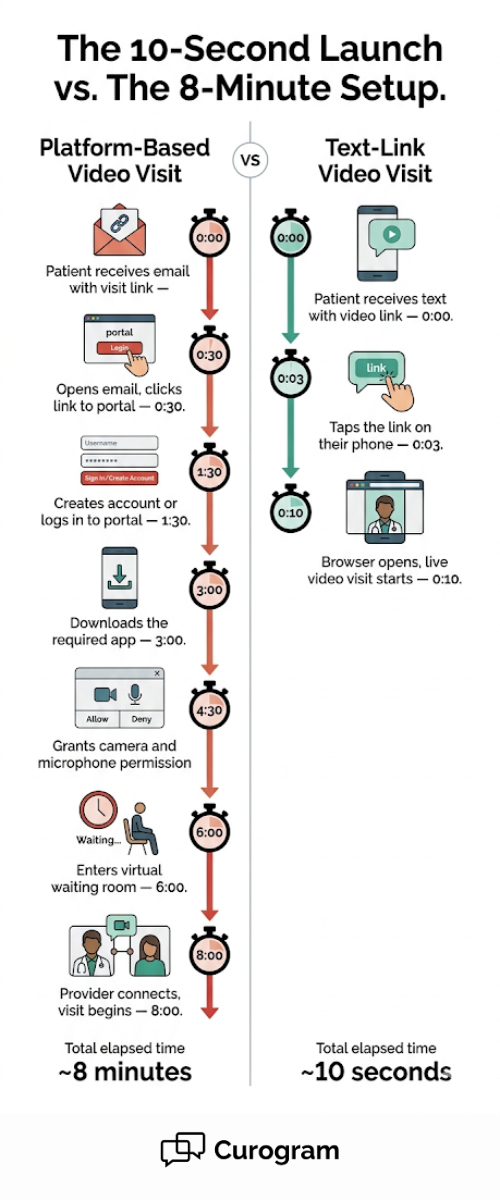
Visual timeline showing 7 steps for a portal-based video visit versus 3 steps for a DrChrono text-link telehealth visit

The Guide: The One-Tap Video Visit

If the problem is too many steps, too many fees, and too much risk — the fix is fewer of all three. That's what Curogram's text-link video visit was built to do.

How It Works

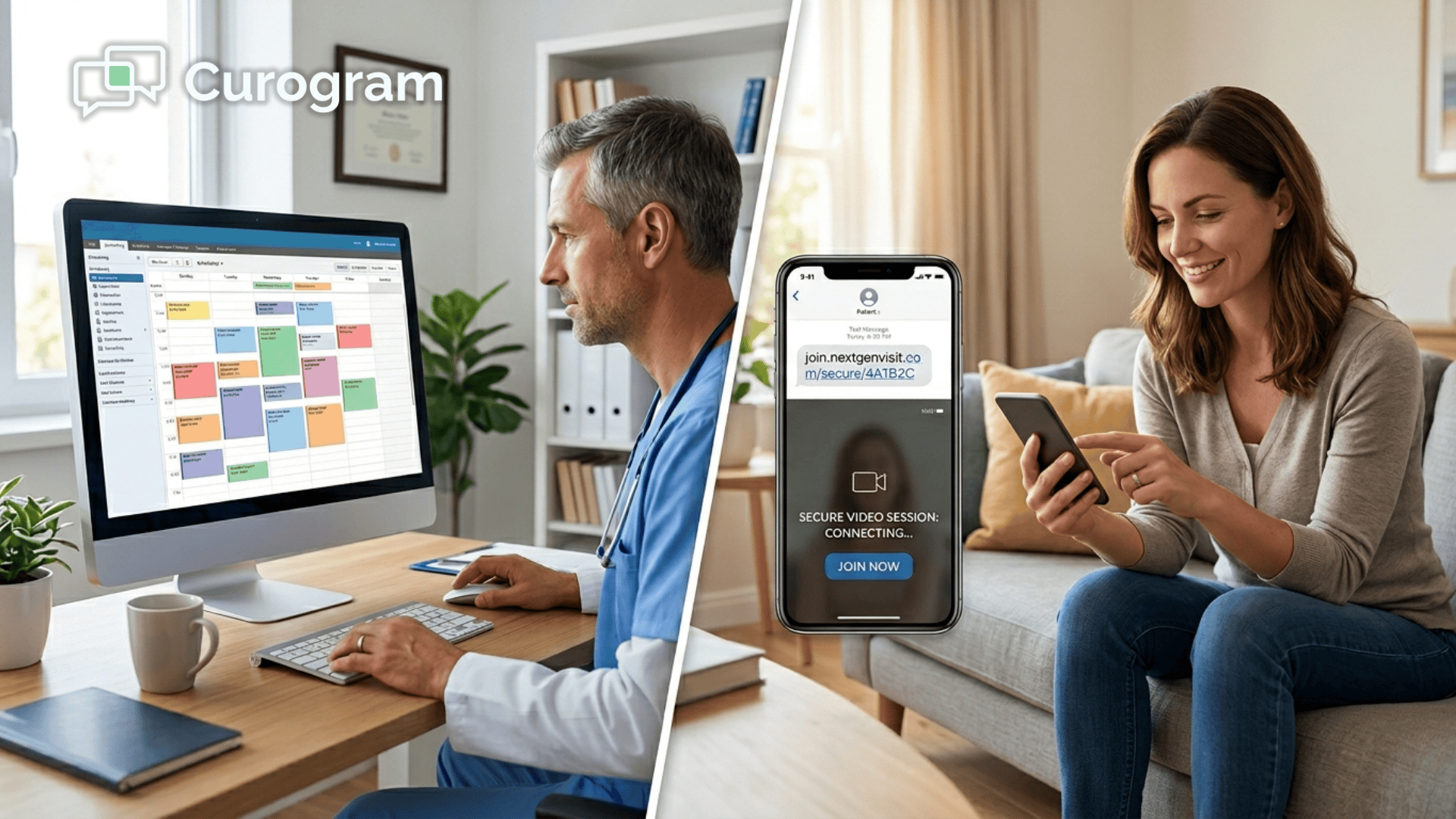
The provider sends a text from their iPad or desktop. The patient gets a link on their phone. They tap it. A HIPAA video call launches right in their browser. No app download. No portal login. No extra charge per visit.

It takes about 10 seconds from tap to live call.

This is what DrChrono telehealth should feel like. The same text thread your staff uses for reminders, intake forms, and payment links now also launches the video visit. One channel for the whole patient journey. No switching tools. No learning a new platform.

Why It Fits DrChrono Practices

DrChrono was built for iPads and phones. It's a modern EHR made for people who want to move fast. Curogram was built with that same idea.

Think of it like this: your staff confirms an appointment by text. They send a form link by text. They collect a payment by text. Now they launch a DrChrono HIPAA video call the same way — by text. The patient already knows the thread. They already trust it. There's nothing new to learn.

This is a big reason why text-link visits see higher join rates. The patient doesn't have to figure out new software. They just tap a link they got from a number they know. It feels like opening a message, not logging in to a platform.

The DrChrono Connection

Curogram connects with DrChrono through FHIR API. Here's what that means in plain terms:

  • The visit gets scheduled in DrChrono
  • Curogram sends the reminder and the video link
  • The patient joins with one tap
  • After the visit, notes and records sync back to DrChrono

One source of truth. No copy-pasting. No double entry. Your charting stays in DrChrono. Your video visit runs through Curogram. Both stay in sync.

For practices that rely on DrChrono for daily work, this matters. You don't want a tool that creates a second record system. You want one that fits inside the system you already use.

Built for Every Specialty

Here's where it gets useful for clinics across the board. Text-link video visits match the workflow of nearly every DrChrono specialty:

Specialty

Use Case

Chiro

Range of motion follow-up after an adjustment

Physical Therapy

At-home exercise form check via video

Mental Health

Weekly session from the comfort of home

Podiatry

Wound care image review on a quick video call

Urgent Care

Quick triage call before an in-person visit

Primary Care

Medication review or side effect check-in


Each of these is a short visit. Five to fifteen minutes, tops. The text-link format matches that pace. A quick visit should start quickly — not after eight minutes of platform setup.

This is the core of what makes Curogram a strong Updox telehealth alternative. It doesn't try to be a big, complex system. It just makes the video visit as simple as the text that launches it.

And because there are no per-visit charges on top of your plan, every one of these visits adds to revenue instead of eating into it. That's a shift from the old model, where the fee structure turned video visits into a cost center.

One tap. One thread. One tool that works the way DrChrono does.

The Success: Telehealth as Simple as a Text

What happens when you remove the friction? Patients show up. Providers save money. And video visits become a real service line — not just an add-on that nobody uses.

The Numbers That Matter

Based on our internal data, practices using Curogram's text-link video visits see 85–95% patient join rates. Compare that to the 60–70% that most platform-based video tools deliver. That gap — 20 to 30 points — has real dollar value.

Let's run a simple example. Say a solo provider does 8 video visits a week. At a 65% join rate, only about 5 of those patients actually show up. At an 85% join rate, nearly 7 do. That's 2 extra visits per week. Over a month, that's 8 more completed visits.

If each visit brings in $75–$150 (a common range for follow-ups and short consults), those 8 extra visits add $600–$1,200 in monthly revenue. Not from new patients. Not from extra marketing. Just from patients who already booked actually showing up.

Now add the savings. Practices that switch from Updox or a similar add-on save $200–$500+ per month in platform fees, per-visit charges, and third-party video tools. Combine the savings with the new revenue, and the math becomes hard to ignore.


From 8-Minute Setup to 10-Second Launch

The shift isn't just about money. It's about what happens during the patient's day.

With a platform-based tool, here's what a patient often has to do: get an email, find the link, click it, get sent to a portal, create an account or log in, allow camera access, wait for the room, and then finally see the provider. That can take 3 to 8 minutes — sometimes more if there's a tech issue.

With a text-link visit, the patient gets a text on their phone. They tap the link. The browser opens. The call starts. Ten seconds.

That's a huge deal for older patients, for people in rural areas with poor internet, and for anyone who doesn't want to deal with another app. It's also a big win for the provider. Less time spent on "Can you see me?" and "Try refreshing the page" means more time for actual care.

Think about a PT clinic that uses DrChrono. They schedule a follow-up to check a patient's form during at-home exercises. The visit itself might take 10 minutes. If the setup takes 5 minutes, you've added 50% more time to the whole thing — and none of that time is billable.

Now imagine the patient just gets a text, taps it, and is on the call. The visit goes from 15 minutes total to 11. Scale that across 20 visits a week, and you've saved over an hour. That's an hour your provider can spend on one more patient.

Telehealth Becomes a Real Service Line

This is the biggest shift. When video visits are easy to launch and patients actually join, providers stop treating telehealth as a backup. It becomes a planned, regular part of the schedule.

Here's what that looks like in practice:

A mental health clinic using DrChrono books weekly sessions for 40 patients. Half of those patients prefer to meet from home. With a platform-based tool, maybe 65% of virtual patients join each week — that's 13 out of 20. With text-link visits, that jumps to 18 or 19 out of 20. Fewer gaps in the schedule. Fewer calls to reschedule. More consistent care.

An urgent care practice runs afternoon triage calls. A patient texts in about a sore throat. The front desk sends a video link. Within a minute, the provider sees the patient's throat on camera and decides if they need to come in. 

A primary care doctor does medication reviews twice a week via video. Patients on blood pressure meds check in every 30 days. With text-link visits, these short calls fit between in-person appointments with zero disruption. No portal to maintain. No extra login. Just a text and a tap.

Post-Visit Flow

Here's where the DrChrono connection pays off. After the visit, notes sync back to DrChrono through the FHIR API. The record stays complete. There's no second system to update.

Curogram keeps the visit data in the same timeline as the appointment reminder, the intake form, and the payment link. One patient thread. One record. One source of truth.

For practices that care about clean records (and every practice should), this flow removes the risk of lost notes or orphaned visit data. The video visit lives in the same place as everything else — not in a side tool that nobody checks.


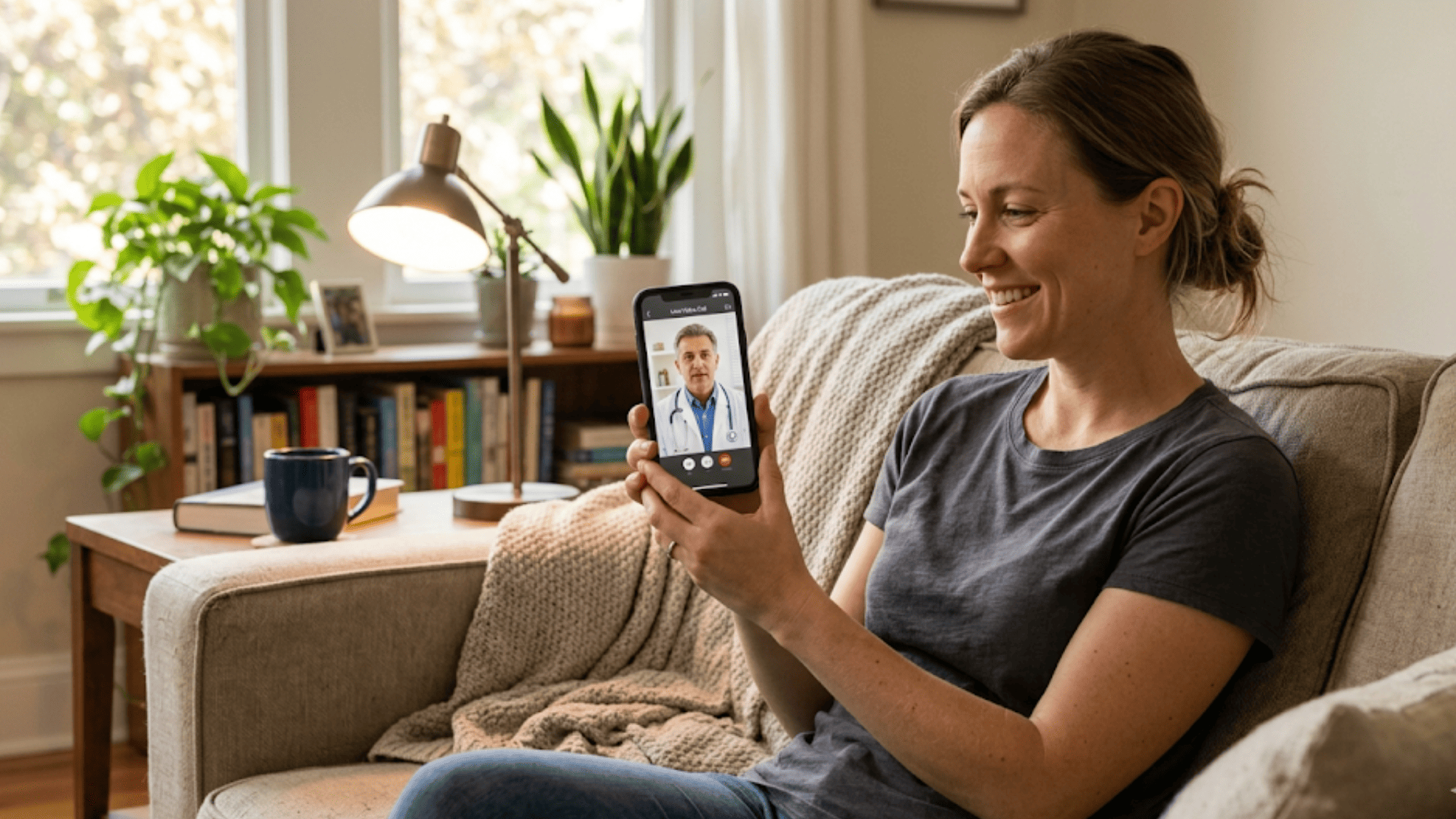
Patient smiling during a text-link video visit on her smartphone from home showing how easy no-download telehealth works

What Makes Curogram Text-Link Telehealth the Right Fit for Your DrChrono Practice

Here's what it comes down to. You chose DrChrono because it's a modern, mobile-first EHR. It runs on an iPad. It's built for speed. Your video visit tool should match that same design.

Curogram doesn't ask your patients to download a new app. It doesn't charge you extra per visit. It doesn't send patients to a portal they've never seen before. It uses the same text channel your practice already uses for reminders, forms, and payments.

That matters because patients already know how texts work. Based on our internal research, over 75% of appointments are confirmed through Curogram's text-based system alone — fully automated, no staff calls needed.

When you launch a video visit from that same thread, the patient doesn't think twice. It's just another tap.

Staff training is fast, too. Most teams are up and running with Curogram in about 10 minutes. There's no steep curve. No new portal to learn. No IT setup that takes weeks. The whole point is that it works the way texting already works.

And because Curogram signs a Business Associate Agreement with every client and runs annual HIPAA compliance audits, you get the security your practice needs without the friction your patients hate.

This is the kind of tool that turns video visits from a headache into a service line you can count on. One text. One tap. One call. That's telehealth that matches your EHR.

Conclusion: Make Telehealth Match Your EHR

DrChrono was the first iPad EHR. It was built for providers who wanted to move fast and keep things simple. Your video visit tool should offer the same kind of experience.

But too many practices are stuck paying for add-ons that slow them down. Extra platform fees. Long setup times. Patient join rates that barely hit 60%. That's not modern care. That's a workaround.

Curogram fills the gap between your EHR and your patients. DrChrono handles clinical notes and scheduling. Curogram handles everything that happens beyond the exam room — two-way texting, appointment reminders, secure forms, patient payments, review requests, and now, text-link video visits.

Your EHR is modern. Your patient outreach can be too.

Stop paying extra for video visit features that should be simple. Stop accepting low join rates as normal. And stop using consumer video apps that put your practice at risk.

With Curogram, you get HIPAA-compliant video visits through a text link — no app, no per-visit fees, no extra platform to manage. Based on our internal data, practices that make the switch see 85–95% join rates and save $200–$500+ a month.

Stop losing patients before the visit starts. Schedule a demo and see why text-link visits hit 85–95% join rates. Your DrChrono workflow stays the same — your results get better.


Frequently Asked Questions

Is text-link telehealth actually HIPAA compliant?
Yes. Curogram's text-link telehealth is HIPAA compliant. Video calls are encrypted end-to-end. Text links expire after a single use, so if a patient accidentally shares the link, it can't be used to access the call. Curogram signs Business Associate Agreements (BAAs) with all customers and undergoes annual HIPAA compliance audits. 
Do patients need any special equipment or high-speed internet?
A smartphone or tablet with a camera and microphone is all patients need. The text link opens in any modern browser — no app download required. Curogram's video call works on 4G LTE or WiFi. For practices with patients in rural areas or on slower connections, we recommend 3 Mbps minimum, but the system gracefully degrades quality on lower bandwidth rather than dropping the call.
Can I bill insurance for Curogram telehealth visits the same as Updox visits?

Yes. Curogram video visits meet the CPT, CMS, and state telehealth billing requirements for most specialties. Billing codes, consent documentation, and visit records integrate with your DrChrono workflow. We recommend consulting your billing manager or RCM contact on your specific state's telehealth regulations, but Curogram visits are billable as legitimate telehealth encounters in the same way Updox visits are.

Why do text-link video visits have higher patient join rates than portal-based tools?

There's nothing to download, no account to create, and no login to remember. Patients tap one link from a text they already trust. That removes every barrier that causes drop-offs with other platforms.

How should practices handle telehealth billing for Curogram visits compared to Updox visits?

Curogram video visits meet CPT, CMS, and most state billing rules. The billing process is the same as any other telehealth visit — consult your billing team for your state's specific codes and consent needs.