11 min read
Secure Online Forms for DrChrono: Text-Delivered Intake
Mira Gwehn Revilla
:
April 10, 2026
- Patients tap a single link and complete intake in 5-10 minutes — no app download needed
- Completed data syncs into DrChrono through FHIR API with zero manual entry
- Text-delivered forms reach 70-85% pre-visit form completion vs. 20-30% with portal-based intake
- Front desk teams recover 5+ hours daily from skipping manual data entry
- Works for any specialty: chiropractic, mental health, urgent care, PT, and more
DrChrono changed the game when it built the first iPad EHR. It felt modern. It felt fast. It felt like the future of clinical care. But there's one part of the workflow that still feels stuck in the past: patient intake.
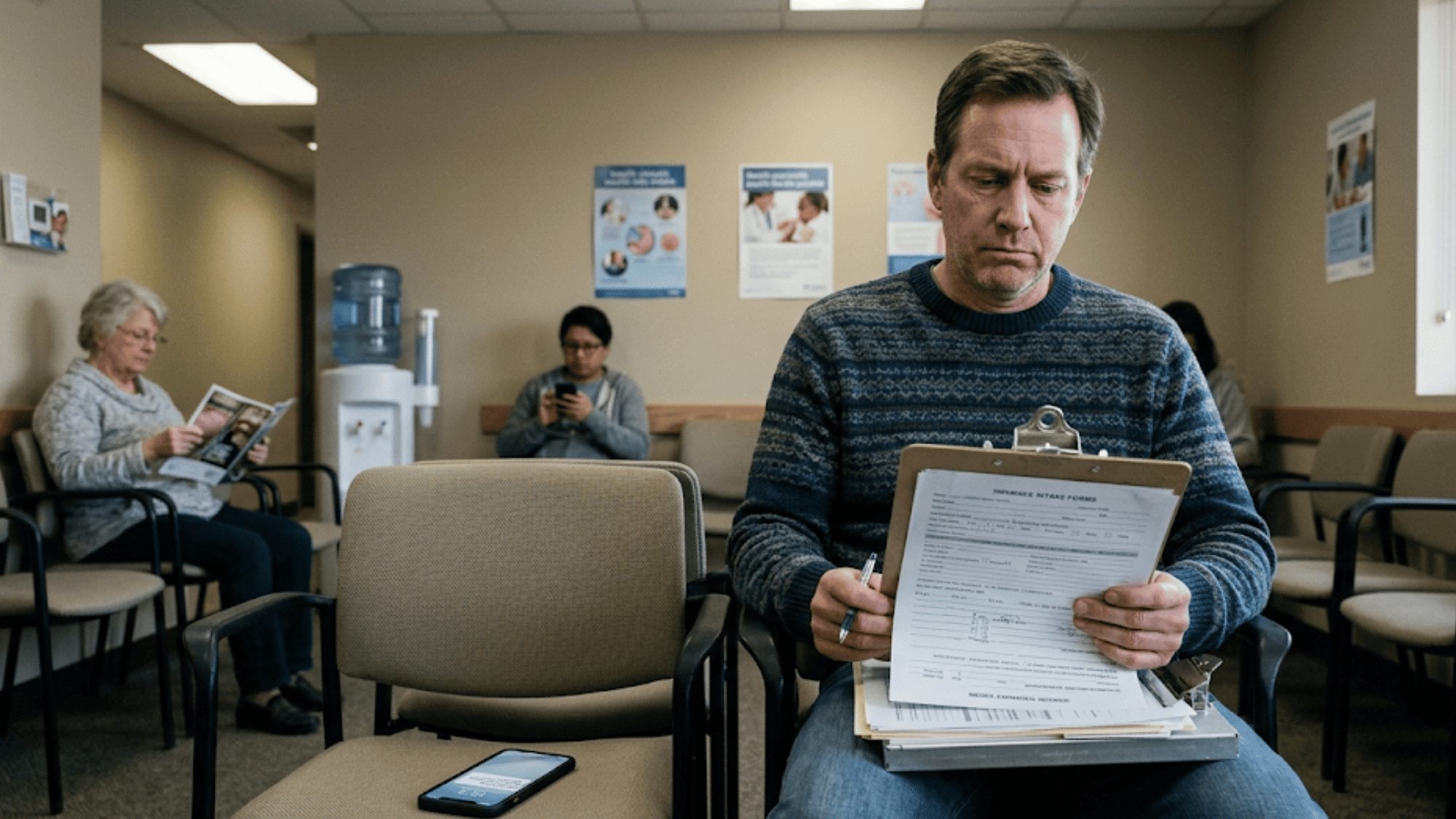
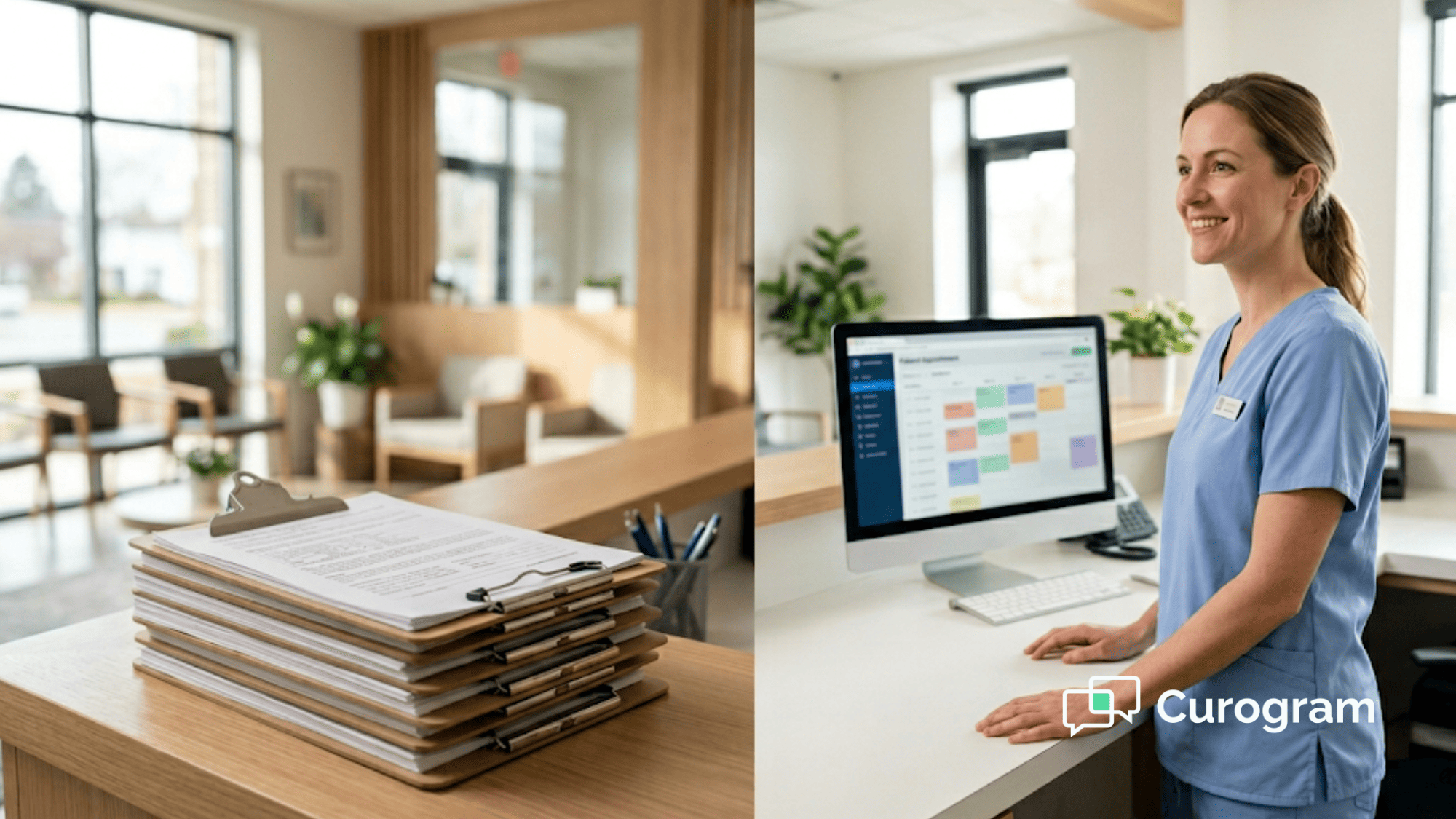
If you run a DrChrono practice, you've likely dealt with this. A new patient walks in. The front desk hands them a clipboard. They fill out pages of forms by hand. Then your staff types it all into the EHR — line by line, field by field.
The OnPatient portal was supposed to fix this. It didn't. Patients forget their login. The app feels clunky. The interface hasn't changed in years.
And when the portal fails, the backup is always paper. Updox adds another layer of cost and still doesn't solve the root problem: patients don't want to log into a portal just to fill out forms.
That's where DrChrono secure online forms delivered by text come in. Instead of asking patients to download an app or create an account, you send a single text link. They tap it, fill out their info on their phone, and hit submit. Done. The data flows right into DrChrono. No clipboard. No manual entry. No friction.
This is the digital registration workflow DrChrono practices have been asking for — and it's already live. Curogram makes it happen with HIPAA-compliant intake forms that work on any device.
In this guide, we'll walk through why the OnPatient portal falls short, how text-delivered intake works, and what kind of results you can expect.
Whether you run a solo chiropractic office or a multi-location urgent care group, this approach can change how your practice handles every new patient. Let's dig in.
The Villain: The Portal Stuck in 2019
DrChrono's native OnPatient portal looks great on paper. It gives patients access to forms, scheduling, and records. In practice? Users call it "outdated," "boring," and ignored by the DrChrono team.
There hasn't been a real UI update since launch. Patients have to download an app, create an account, and then find their way through a clunky interface — just to fill out a simple intake form.
Then there's Updox. It promises digital forms but adds another vendor, another login, and another price tag. At $49 per user per month minimum, Updox layers on cost without fixing the core issue: patients don't want to deal with another portal.
Neither tool matches the mobile-first feel that made DrChrono special. The EHR is sleek and fast. The intake tools feel like they belong to a different product.
The Clipboard That Won't Die
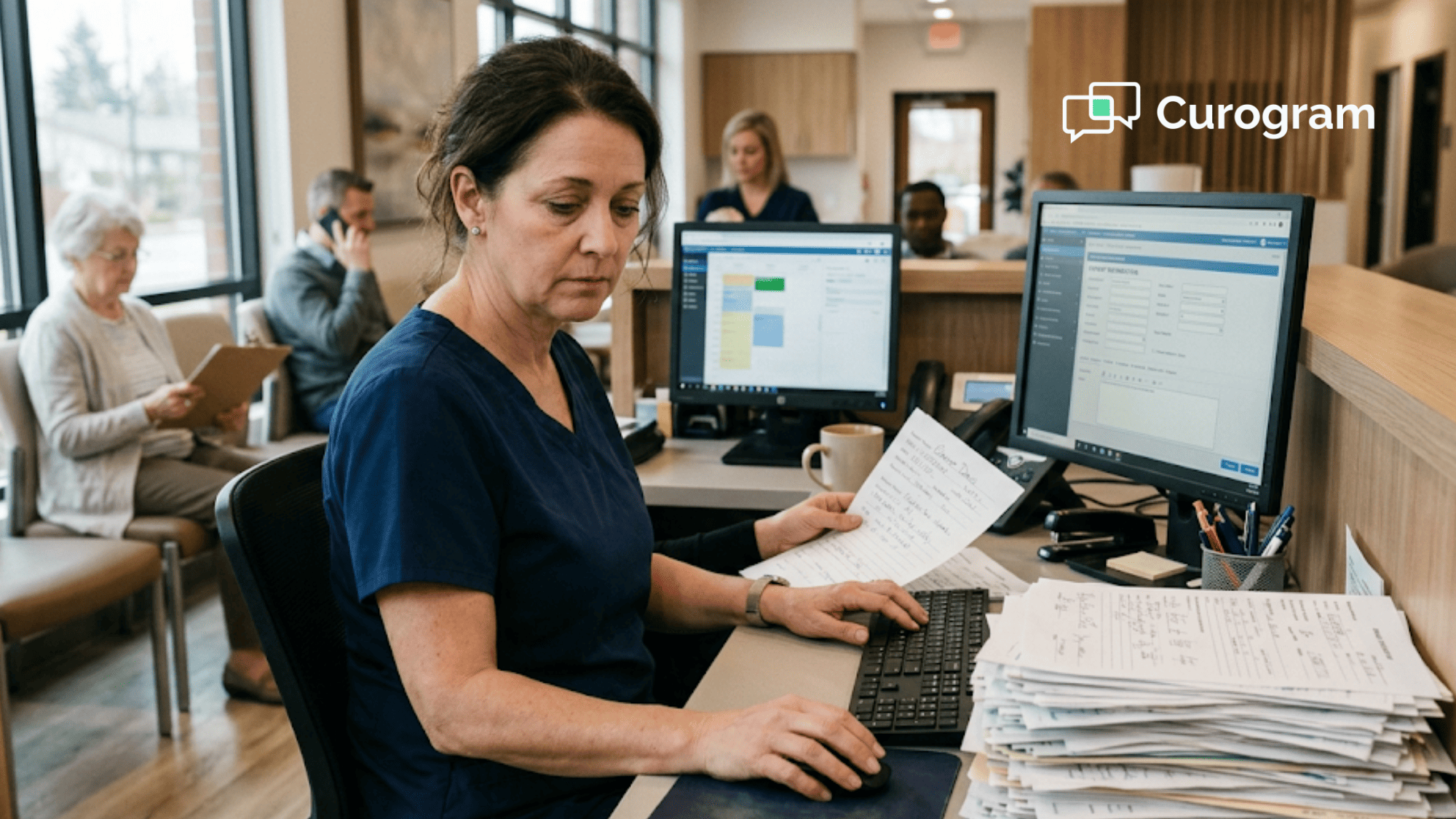
Here's what happens in most DrChrono practices today. Staff prints intake forms. Patients fill them out by hand — sometimes in writing no one can read. Then the front desk types it all into the EHR while the patient sits in the lobby and waits.
When OnPatient or Updox fail — password resets, app crashes, poor mobile display — the backup is always paper. The result? About 15-20 minutes per patient spent on manual data entry. That's not a small number.
For a chiropractic practice that sees 20-30 new patients a day, that's hours of lost time. Mental health providers who need long intake forms feel it even more.
And the data entry isn't just slow. It's also error-prone. Staff re-enters what the patient already wrote, which means double entry and double the risk of mistakes.
Lost Time, Lost Revenue
Incomplete DrChrono patient intake forms cause real damage. Missing insurance details lead to claim denials.
Outdated contact info means you can't reach patients for follow-ups. Gaps in medical history force providers to spend clinical time asking questions the form should have covered.
Let's do some quick math. Say your 5-provider practice handles 40 visits per day. If each visit costs the front desk 15 minutes of intake work, that's 10 hours daily. Over a year, that adds up to roughly $200K or more in labor cost — just for data entry.
Patients who don't complete intake before arrival also tend to no-show more often. They forget their info, feel unsure about the visit, or simply lose track. Based on our internal research, practices using automated reminders and intake tools see no-show rates 53% lower than the industry average.

The Gap Between the EHR and the First Touchpoint
This is the real frustration. You chose DrChrono because it was modern, fast, and built for mobile. But intake — the very first thing your patients touch — feels like a system from 2005.
It's like buying a brand-new car and getting a hand-crank engine. The gap between the clinical tool and the patient-facing tool is hard to ignore. Office managers and solo providers say the same thing: "I have the best EHR on the market, but I'm still running intake on a clipboard."
That gap hurts staff morale. It slows down visits. And it quietly drains revenue from every corner of the practice. Practices need an OnPatient portal alternative text-based solution that matches the speed and feel of the rest of their tech stack.
The Guide: The Digital Intake Shortcut
Curogram takes a simple idea and makes it work. Instead of asking patients to download an app, create an account, or log into a portal, you send a text message. That text has a single link. The patient taps it, opens a form on their phone, fills it out, and hits submit.
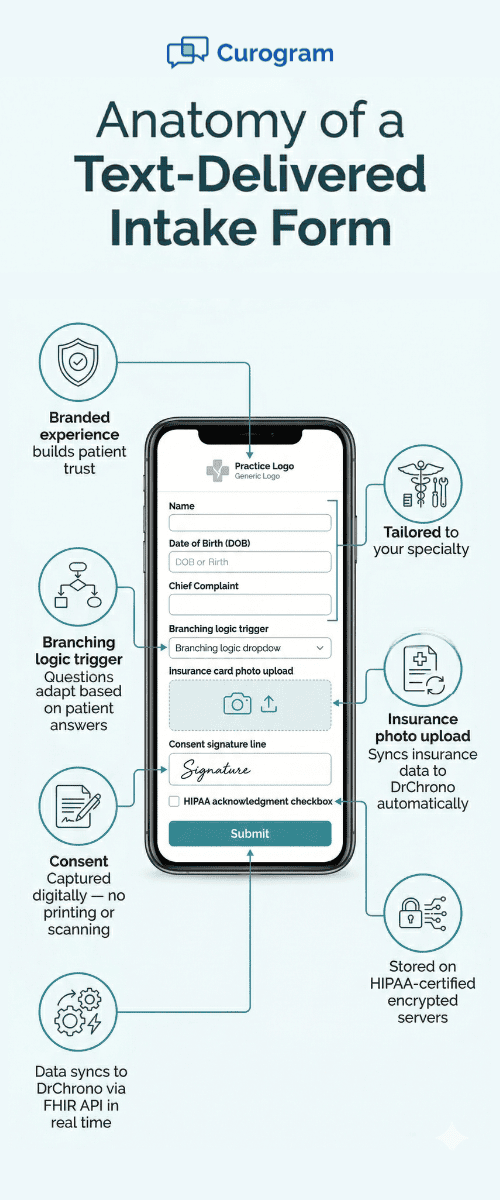
The form collects everything you need: chief complaint, medications, allergies, insurance info, and consent. It works on any device — iPhone, Android, tablet. No downloads. No passwords. No "forgot my login" calls to the front desk.
This is what paperless patient onboarding should feel like. It meets patients where they already are — on their phones, reading texts. Studies show that text messages have a 98% open rate. Compare that to email, which hovers around 20%. The gap is massive.
The Timing That Makes It Work
Here's where the workflow really shines. Curogram sends the secure form link at the right moment — either when the patient books the appointment or 24-48 hours before the visit. That timing is key.
Patients get the text when they're thinking about their visit. They fill it out while they have a few minutes — on the couch, during lunch, before bed.
By the time they walk into your office, the form is done. Staff can see the completion status in the Curogram dashboard: 80% done, fully complete, or still pending.
If a form isn't done, Curogram sends an automatic reminder. No one on your team needs to make a phone call or send a follow-up. It's hands-free.
And here's a bonus: patients who complete intake before the visit are 20-30% less likely to no-show. Filling out the form creates a sense of commitment. They've already invested time. They're more likely to show up.
FHIR-Native Data Sync
Once the patient submits the form, the data syncs straight into DrChrono. This happens through DrChrono's FHIR API — the same technology that powers integrations with ZocDoc, Square, and other tools in the Healthcare App Directory.
Insurance info, contact details, medical history, and consent signatures all land in the right fields. No one copies anything by hand. No one re-types a phone number. The digital registration workflow DrChrono practices want is already built and live.
This removes the biggest source of intake errors: human re-entry. When a human types data from a paper form into an EHR, mistakes happen. Wrong dates. Missed fields. Typos in insurance IDs. Direct data sync removes all of that.

Built for Every Specialty
Generic portals treat every practice the same. Curogram doesn't. The form builder lets you create custom fields based on your specialty.
Chiropractors can collect injury history and how the injury happened. PT practices can gather movement limits and exercise background. Mental health providers can build in screening tools and detailed intake surveys. Urgent care clinics can set up fast STAT intake forms for walk-ins.
The forms support branching logic, which means the questions change based on the patient's answers. A patient who marks "no surgeries" skips the surgery section. A patient who checks "diabetes" gets follow-up questions about medication and monitoring.
You can also add signature capture for consent forms and HIPAA acknowledgment — all within the same flow. Patients don't need to sign a separate page or print anything. It's all in one place, on one screen, in one text.
This is the kind of pre-visit form completion that fits the way modern practices work. One form, one text, one workflow — from booking to exam room.
The Success: Intake Before Arrival
Text-delivered forms reach 70-85% completion before the scheduled visit. Portal-based intake? That sits at 20-30%. The gap is 2-3X.
Think about what that means in a real practice. If you see 40 patients a day and 80% of them arrive with forms already done, that's 32 patients with zero intake work at check-in.
Your front desk handles the other 8. Compare that to a portal model where maybe 10 out of 40 complete intake ahead of time. The difference in daily workload is enormous.
Based on our internal data, practices using Curogram's automated systems see their front desk teams recover 5 or more hours per day. That's time that was spent typing data from clipboards. Now it's free for other tasks — answering calls, verifying insurance, helping patients who need extra support.
For multi-location groups, the savings multiply fast. A 3-location practice could recover 15+ hours per week across all sites. That's nearly a full-time hire you don't need to make.
The Workflow Shift
Let's walk through the new workflow, step by step.
-
Step 1: A patient books an appointment — online, by phone, or in person.
-
Step 2: Curogram sends a text with the intake form link within minutes of booking.
-
Step 3: The patient taps the link, fills out the form on their phone, and submits it.
-
Step 4: Data syncs into DrChrono through the FHIR API. Insurance, demographics, medical history, and consent are all in the right place.
-
Step 5: The patient walks in. The front desk confirms their name and hands them off. No clipboard. No waiting.
-
Step 6: The provider opens the chart and sees complete, verified data. The visit starts on time.
This is what "intake before arrival" looks like. It's not a concept. It's a real workflow running in practices today.
|
Intake Method |
Pre-Visit Completion Rate |
Staff Time per Patient |
Manual Data Entry |
|
Paper clipboard |
0% |
15-20 minutes |
Full re-entry into EHR |
|
OnPatient portal |
20-30% |
10-15 minutes |
Partial re-entry |
|
Updox electronic forms |
25-35% |
8-12 minutes |
Partial re-entry |
|
Curogram text-delivered forms |
70-85% |
0-2 minutes |
None (auto-synced) |
The table tells the story. Text-delivered intake doesn't just improve numbers. It removes the need for an entire step in your workflow.
Exam Room Ready, Revenue Protected
When patients arrive with complete data, the benefits ripple through the whole practice.
-
Providers see full records before the visit. No more starting an exam by asking "Did you fill out your medical history?" The chart is ready. The provider reads it, reviews it, and walks in prepared.
-
Billing gets clean data upfront. Insurance details, group numbers, and authorization info arrive before the visit — not after. This reduces claim denials and cuts down on follow-up calls to patients. For practices that lose 5-10% of claims to missing info, this is a direct revenue gain.
-
Clinical staff focus on care. When your medical assistant isn't spending 10 minutes per patient on data entry, they can prep the exam room, check vitals, or handle clinical tasks that actually need a trained eye.
-
Patients skip the wait. They already filled out their form. They check in and go straight to the room. Wait times drop. Satisfaction scores go up. In a world where online reviews can make or break a practice, that matters.
No-Shows Drop When Patients Engage Early
Here's a finding that surprises many providers. Patients who complete intake before the visit are far less likely to cancel or no-show. The act of filling out the form creates a psychological commitment.
Based on our internal research, Curogram clients see no-show rates 53% lower than the industry average. That's not just a feel-good stat. Each recovered appointment slot means real revenue.
Say your average visit generates $150 in revenue. If you recover just 3 appointments per week from lower no-shows, that's $450 per week — or about $23,000 per year. For a busy multi-location group, the number grows fast.
One of our partner clinics, Atlas Medical Center, dropped their no-show rate from 14.20% to 4.91% in three months using Curogram's automated reminder and engagement system. That's 3X better than the industry average.
What This Means for Different Practice Types
The impact of pre-visit form completion looks different depending on the specialty.
-
Chiropractic practices often handle 20-30 new patients per day. Each one fills out an injury form, health history, and consent. Moving all of that to text saves hours every morning. Staff can focus on scheduling follow-ups and managing multi-visit treatment plans.
-
Mental health providers use long intake surveys — sometimes 5-10 pages. Asking patients to complete these on paper in a waiting room leads to rushed, incomplete answers. Text-delivered forms let patients fill them out at home, at their own pace, with time to think. The data is richer and more useful for the provider.
-
Urgent care clinics see dozens of walk-ins daily. Speed is everything. A text sent at check-in with a quick STAT form lets patients fill out basics on their phone in the waiting area — cutting intake time in half compared to a paper clipboard.
-
PT practices need movement and exercise history, functional limits, and pain scales. These forms can include branching logic, so patients only answer what's relevant. A post-surgical patient gets different questions than someone with chronic back pain.
In all of these cases, the key result is the same: the patient's data is in DrChrono before the provider opens the chart. That's the "intake before arrival" promise — and it works.
How Curogram Turns DrChrono Intake from a Bottleneck into an Advantage
Curogram was built to solve one problem: the gap between a modern EHR and an outdated intake process. DrChrono handles clinical charting, prescriptions, and billing with speed. But when it comes to patient registration, most practices still rely on paper and portals that patients don't use.
Curogram bridges that gap with a text-first approach. A patient books an appointment. Within minutes, they get a text with a secure form link. They tap, fill out, and submit. The data flows into DrChrono through the FHIR API — no staff involved, no re-entry needed.
The platform goes beyond just forms. It includes two-way HIPAA texting, automated appointment reminders, and a dashboard that shows exactly where each patient stands in the intake process.
Based on our internal data, practices using Curogram confirm over 75% of appointments automatically and see no-show rates 53% lower than the industry average.
For practices that have tried OnPatient and hit a wall, Curogram offers a different path. No app downloads. No patient accounts. No "forgot my password" calls. Just a text, a link, and a form that works.
Setup is fast. Costs are clear. And the results show up in the first week. If your EHR is modern, your intake should be too — and Curogram makes that shift simple.
Conclusion: Modern EHR, Modern Intake
DrChrono earned its place as one of the most modern EHRs on the market. It was built for iPad. It was designed for speed. It changed how small practices manage clinical care. But intake — the very first step in every patient visit — hasn't kept up.
OnPatient's portal hasn't had a meaningful update in years. Updox adds cost and complexity without fixing the real issue. Patients don't want to download apps or create logins. They want to fill out a form and move on.
Text-delivered HIPAA-compliant intake forms solve this. One link. One text. One tap. Patients complete their registration on their phone before they walk in the door. Data syncs into DrChrono without a single keystroke from your staff.
The results speak for themselves: 70-85% pre-visit form completion, 5+ hours of front desk time saved daily, and lower no-show rates. That's not a promise — it's what practices already using this workflow are seeing right now.
You chose DrChrono because it was built for simplicity. Secure online forms should feel the same way — zero friction, instant access, mobile-first. OnPatient doesn't offer that. Updox adds expense without fixing the friction. Curogram does both.
Your EHR is modern. Your intake should be too.
Stop typing what patients already wrote. Book a demo and see how completed forms land inside DrChrono without a single keystroke from your staff.
Frequently Asked Questions
Setup takes 15-30 minutes — build your form in Curogram's form builder, customize it with your practice branding and field logic, then schedule it to trigger automatically at booking. No technical skills required. Learning curve is minimal; most practices have their first text sent within an hour.
Data syncs in real time through the FHIR API. Once a patient hits submit, the info shows up in DrChrono within seconds — insurance, demographics, history, and consent signatures.
Curogram's form builder lets you create separate forms per location or specialty. Each form can have its own fields, branding, and trigger rules. Staff at each site see only their forms in the dashboard.