10 min read

Easy CureMD Appointment Reminders With Two-Way Text Confirmation

Easy CureMD Appointment Reminders With Two-Way Text Confirmation
💡 CureMD text appointment reminders patients reply to give people a one-tap way to confirm, cancel, or move a visit. A plain reminder is read-only. A reply-ready one is not.
  • Patients text YES, NO, or RESCHEDULE right from the message.
  • No portal account and no phone call are needed.
  • The reply updates the schedule in CureMD on its own.
  • Easy replies fit busy parents, older patients, and chronic-care visits.
  • More replies mean fewer silent no-shows.
When answering is this simple, more patients do it. Comparable practices have cut no-shows from 14.20% to 4.91%.

A text buzzes on a patient's phone. It reminds them of a visit tomorrow at 10. But they just recalled a work meeting at the same time. Now what?

For many patients, the answer is nothing. The reminder only shows the time. It does not let them act. To change the visit, they must log into a portal or call during office hours.

So they put it off. Then they forget. The slot sits empty the next day. This is the quiet cost of a read-only reminder.

The gap is not about flaky patients. It is about a reply path that is simply too hard. When the only option means extra steps, most people skip it. And the visit falls through the cracks.

CureMD text appointment reminders patients reply to close this gap. Instead of a message they can only read, patients get one they can answer. They text back YES, NO, or RESCHEDULE in seconds. No portal login. No hold music. No wait.

This small shift changes the whole flow. A reminder that invites a reply turns into a two-way tool. The patient acts, the schedule updates, and the front desk sees it. Everyone stays in the loop.

The difference shows up in the numbers. When replies are easy, more patients confirm or move a visit early. That means fewer wasted slots. It also means more open times for others who need care right now. That helps the whole practice run better.

This article looks at reminders through the patient's eyes. We will unpack why the old way fails so often. We will show how a reply-ready reminder fixes it. You will see how busy parents, older patients, and people with long-term conditions all gain from it. The whole goal is simple: make confirming as easy as texting back.

The Villain: A Reminder You Can Only Read

Most reminders do one job. They tell a patient when to show up. That is a fine start. But a reminder that only informs still leaves a gap.

Look at it from the patient's side. A message lands: "Reminder: your visit is Thursday at 9." Good to know. Then life gets in the way. A child gets sick, a shift moves, or a ride falls through.

Now the patient wants to act. But the reminder gives them no clear path. To change the time, they must open the portal or call the office. Both take more effort than a quick text.

A Read-Only Reminder: A Wall, Not a Door

The patient can see the visit but cannot answer in the same place. They must switch apps, hunt for a password, or wait on hold. Each extra step raises the odds they give up.

Take a patient with a real conflict. They know they need to move the visit. But the portal login feels like a chore. The phone line is busy at lunch. So they tell themselves they will call later. Later never comes.

This delay is where visits get lost. The patient did not mean to skip care. They just hit one hurdle too many. A CureMD reminder no portal login can match for ease would have saved that moment.

An unconfirmed visit is a risk. An un-rescheduled one is worse. The patient does not show, and the slot sits empty. No one filled it, because no one knew it was open.

Here is what the two paths look like:

Reminder type

Can the patient reply?

Likely result

Read-only text

No

Missed visit, empty slot

Reply-ready text

Yes

Fast confirm or clean reschedule


The math adds up quickly. A few empty slots each day become dozens each month. That is lost care for patients and lost income for the practice.

It is easy to blame patients for no-shows. But the truth is kinder. Most people want to keep their visits. They just need an easy way to say so.

When the Reply Path is Hard, Reply Rates Fall

When it is simple, they climb. This is not about effort or intent. It is about design. That is the heart of the confirmation gap. The tool told the patient what to do but not how to answer. It spoke but could not listen. A one-way message can only do half the work.

The gap is real, but it is not fixed in stone. It exists because the reminder stops at "read." The patient is left holding a message with nowhere to go. That dead end is what turns a willing patient into a no-show.

The fix is not to send more reminders. Sending five read-only texts still leaves the same wall. The fix is to change what the reminder can do. It must let the patient reply in the same breath.

That one change flips the whole dynamic. A dead-end message becomes a live conversation. The patient answers, and the schedule responds. We will look at exactly how that works next.

The Guide: How Patients Reply in One Tap

So how do we close the gap? We give the patient a reply button, not just a heads-up. The fix is a reminder that works both ways.

With Curogram, responding is effortless. The patient answers right in the text thread. There is nothing new to learn and nothing to install. They just tap a word and send it.

Two-Way Smart Reminders

A patient gets a text about their visit. It asks for a simple YES, NO, or RESCHEDULE. No app. No login. No hold time.

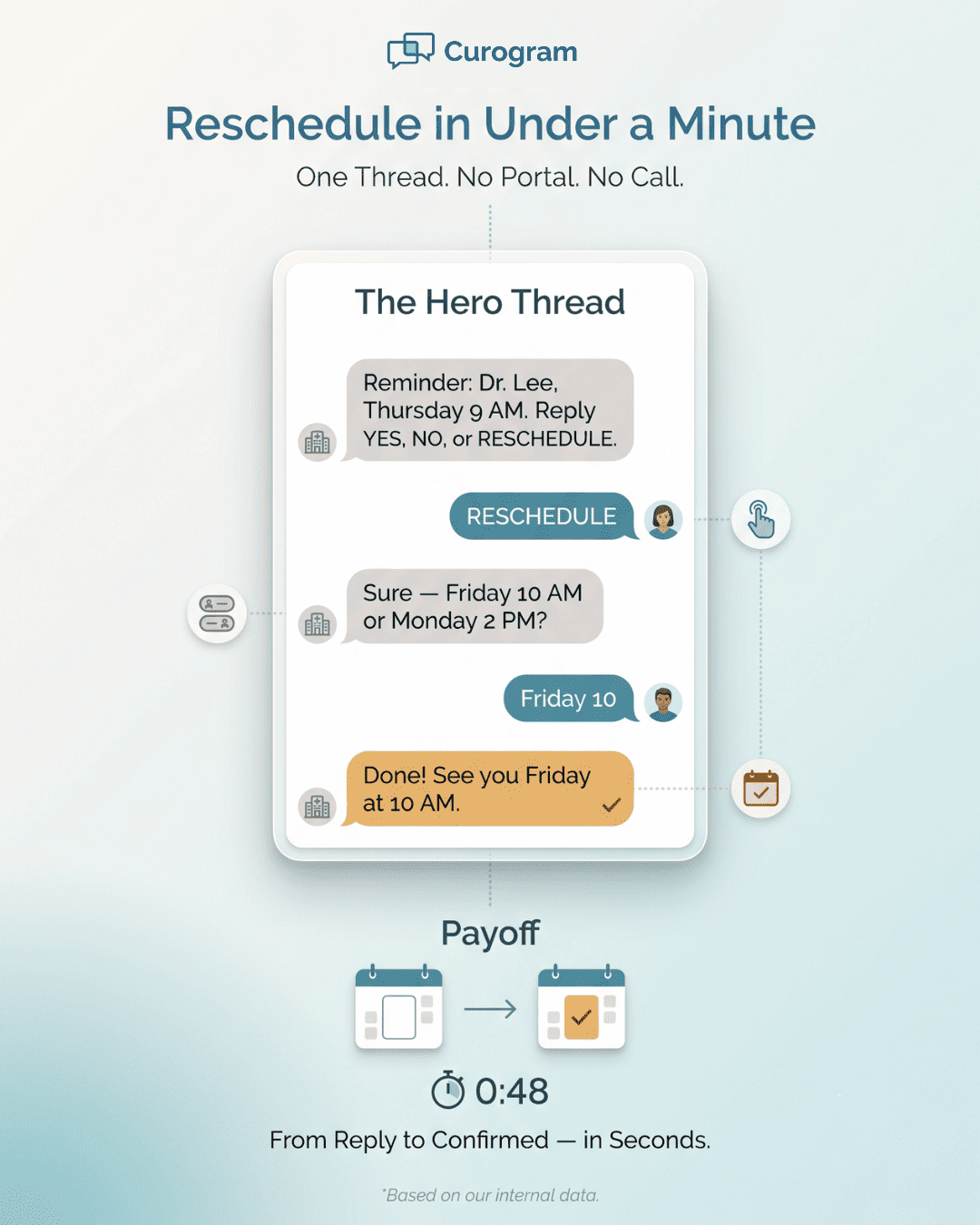
Here is what a real thread might look like:

  • Clinic: "Hi Maria, reminder: Dr. Lee, Thursday at 9 AM. Reply YES to confirm, NO to cancel, or RESCHEDULE to change."
  • Maria: "RESCHEDULE"
  • Clinic: "No problem. We have Friday at 10 AM or Monday at 2 PM. Which works?"
  • Maria: "Friday 10"
  • Clinic: "Done! See you Friday at 10 AM."

That whole exchange took under a minute. No portal. No phone call. No missed visit.

  • Say a patient wants to keep the visit. They text back YES. The reminder marks it confirmed. Now the front desk knows the slot is safe. That is a CureMD text back to confirm in action.

  • Say a patient has a conflict instead. They text RESCHEDULE. A CureMD reschedule by text reply starts the process on the spot. Staff can offer a new time in the same thread. The patient never touches a portal.

Here is the best part. The reply does not sit in a silo. It flows back and updates the schedule in CureMD on its own. When patients confirm appointment by text, CureMD shows the change. Staff do not have to key it in by hand.

This saves the front desk real time. They stop chasing patients by phone. They stop guessing who plans to show. The status is right there in the thread.

The Timing

A patient can get a first text a few days out. Then a short nudge lands the day before. Each one still asks for the same one-tap reply. So the patient always has a clear way to answer.

And what if a patient does not reply at all? The system can send a gentle follow-up. It is a soft nudge, not a scolding. Often that second text is all it takes. The patient sees it, taps YES, and the slot is safe.

Point of the Integration

Staff do not have to watch two screens all day. The reply and the schedule stay in sync on their own. That means fewer errors and no double entry. The team trusts what they see.

Now think about who this helps most. Not every patient loves apps or portals. Many find them slow or hard to reach. A one-tap reply meets them where they already are.

  • Take a geriatric patient in primary care. A portal password is a barrier, not a bridge. But a text reply is second nature. For them, a CureMD reminder no portal login can beat is a gift.

  • Take a parent in a pediatric clinic. Their day is full and their hands are busy. A quick text between tasks fits their life. A ten-minute portal detour does not.

  • Think of a specialty patient with a chronic condition. They may have many visits to track. Easy replies keep every one of them on the calendar. Fewer gaps mean steadier care.

The pattern is clear across all of them. The easier the reply, the more people use it. That is the whole idea behind these patient-friendly appointment reminders CureMD practices can rely on. Make the response simple, and patients will respond.

Infographic showing a CureMD two-way text reminder thread confirming an appointment in under a minute

The Success: The Reminder That Actually Changes the Schedule

Let's talk about what changes when replies get easy. The short answer: the schedule stops leaking. Confirmed visits go up. Silent no-shows go down.

The Numbers

Based on our internal data, Curogram clients average above 75% appointment confirmation. That is a strong rate for any practice. It means most patients now respond before the day arrives.

The no-show story is just as clear. One practice, Atlas Medical Center, cut its no-show rate sharply. Based on our internal research, it dropped from 14.20% to 4.91% in three months. That is a fall of more than nine points.

Let's turn that into plain math. Say a clinic runs 1,000 visits a month. Here is the difference those rates make:

No-show rate

Missed visits per 1,000

Kept visits per 1,000

14.20%

142

858

4.91%

49

951


That is 93 more kept visits every month. Each one is care delivered and a slot well used. Over a year, the gap grows into the hundreds. That is a big win for a single change.

The Volume

Based on our internal data, Covina Arthritic Clinic confirms more than 1,100 appointments a month. Those are not just numbers on a screen. Each is a patient who acted on a reminder they could answer.

Why does this work so well? Because the reply now does something. In the old way, a reminder ended at "received." The patient read it, and nothing moved. The schedule stayed a guess.

With a two-way reminder, the loop closes. The patient's reply updates the schedule right away. A confirmation locks the slot. A reschedule opens it for someone else. This is the shift from "reminder sent" to a schedule that matches real life.

Think of it as a closed loop with four simple steps. The message goes out. The patient replies. The schedule updates. The front desk sees the truth, not a hope.

That closed loop pays off in three clear ways:

  • Fewer wasted slots - When a patient reschedules early, the slot is not lost. Staff can offer it to someone on a waitlist. An empty chair becomes a kept visit. That is care that would have slipped away.

  • Less phone tag - The front desk stops calling around to confirm. They read the thread instead. That frees hours each week for better work. Staff can focus on patients in the office, not on voicemail.

  • More access for all - This is the part patients feel most. When one person moves a visit, another can take that time. Care reaches more people, sooner. The schedule works harder without anyone working longer.

The Waitlist

Say a patient reschedules a Tuesday slot on Friday. Staff now have days, not minutes, to fill it. They text the next person on the waitlist. The slot gets used, and two patients get served.

The closed loop also stops quiet errors. It cuts down on ghost slots that look booked but are not. It lowers the odds of double-booking during a rushed phone call. The schedule becomes a source of truth, not a best guess.

How do you know it is working? Watch three simple signs:

  • Confirmation rates should rise week over week.

  • No-show rates should fall.

  • Phone time spent on reminders should drop.

The Opt-In

The CureMD appointment reminder opt-in lets patients choose to get texts. Because they said yes, the messages feel welcome, not pushy. Welcome messages get more replies. More replies keep the whole loop strong.

There is a trust effect as well. When a patient can act in one tap, the practice feels easy to work with. That good feeling brings them back. It also makes them more likely to reply next time. Small wins build on each other.


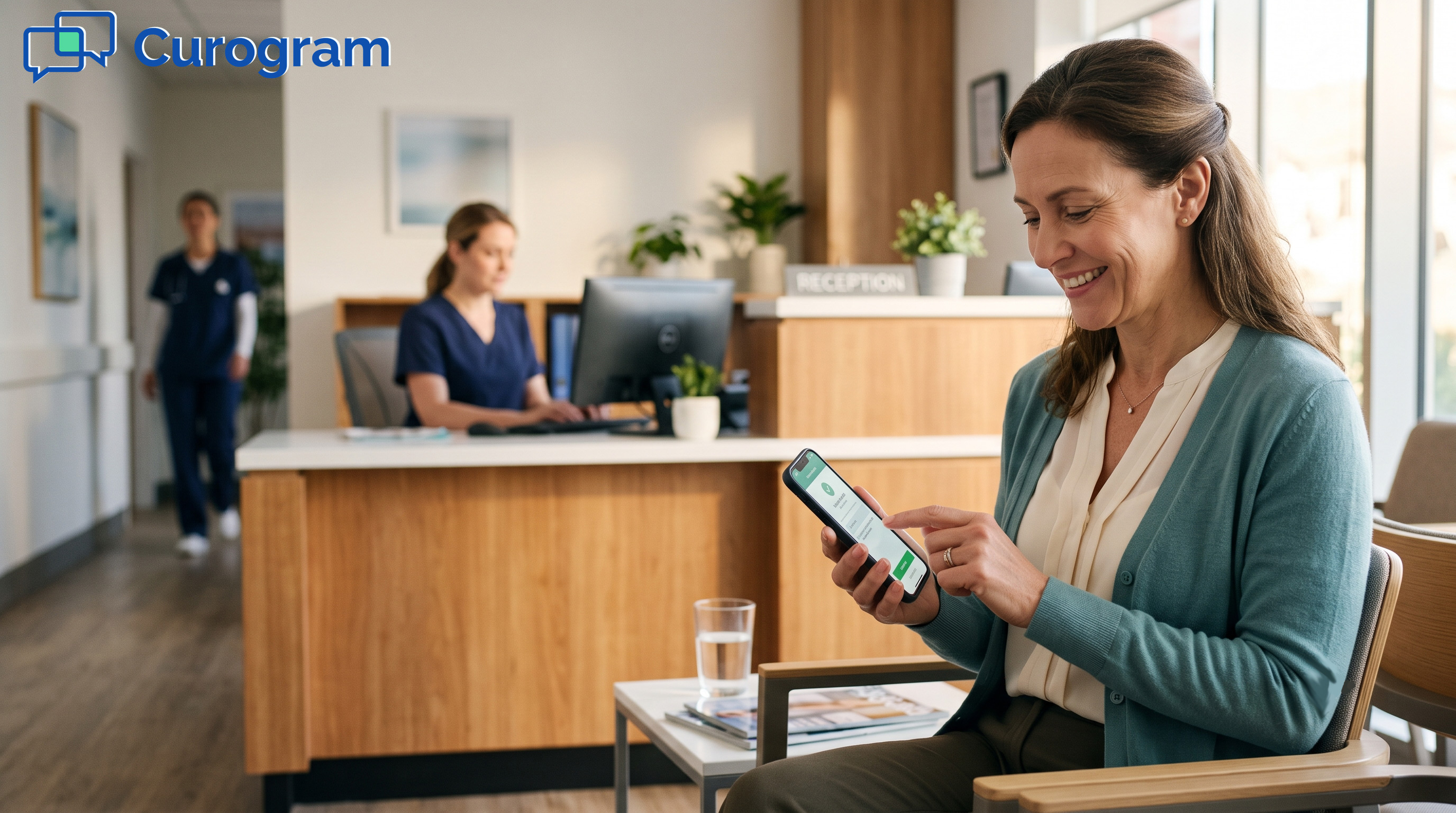
Scene of a patient using two-way text reminders to confirm a CureMD appointment easily

How Two-Way Smart Reminders Turn a Text Into a Confirmation

The magic is not in the reminder alone. It is in what the patient can do next. Curogram powers this with Two-Way Smart Reminders, a feature built for one-tap replies.

Here is how it works in plain terms. A patient gets a text about their visit. The message asks them to reply YES, NO, or RESCHEDULE. They tap one word and hit send. That is the whole task, start to finish.

There is no app to download and no account to set up. Patients answer in the same texting screen they use every day. This is why a CureMD reminder no portal login can match for speed feels so easy.

The reply does more than land in an inbox. It flows back to the schedule right away. When a patient sends a CureMD text back to confirm, the slot is locked in. When they ask to move it, staff see the request fast and act on it.

The two-way part is what sets it apart. A one-way alert only pushes out facts. A smart reminder listens and responds. It can even send a follow-up, like a form to fill out before the visit.

This helps every kind of patient. A parent juggling kids can reply between tasks. An older patient skips the password hunt. A chronic-care patient with many visits keeps them all on track.

The whole point is to remove friction. Every extra step is a chance for a patient to drop off. By keeping the reply to one tap, more people follow through. That is how a simple text becomes a firm confirmation. And that is how an empty slot turns into kept care for someone who truly needs it.

Conclusion: Make Confirming as Easy as Texting Back

A reminder patients can answer is worth far more than one they can only read. That is the core idea behind this whole approach. The message should not just inform. It should invite a reply.

CureMD does its job well. It holds the appointment and tracks the schedule. But it needs a simple way to carry the patient's response back. That is the piece Curogram adds to the mix.

When those two work together, the loop closes. The patient gets a text, taps one word, and the schedule updates. No portal. No phone call. No lost slot.

The gains are real and easy to see. Confirmation rates climb when replies are simple. Curogram clients average above 75% confirmation. Comparable practices have cut no-shows from 14.20% to 4.91%.

Those numbers are not just wins for the office. They mean more open times for patients who need care. A quick reschedule frees a slot someone else can use. Access improves for the whole practice.

Think back to the patient with a scheduling conflict. In the old way, they went silent and became a no-show. With a reply-ready reminder, they move the visit in seconds. The care still happens, just at a better time for them.

This is the shift from a reminder to a conversation. From a message that talks to one that listens. From guessing who will show to knowing for sure.

Experience the reminder from the patient's side, where YES, NO, or RESCHEDULE takes just one tap. Book a demo and see why easy replies lift confirmation rates.


Frequently Asked Questions

How do patients confirm or reschedule a CureMD visit by text?

They reply to the reminder with one word, like YES to confirm or RESCHEDULE to change it. Staff then offer new times in the same thread, so no portal or phone call is needed.

Why do reply-ready reminders lift confirmation rates so much?

Because they remove friction. A read-only text gives patients no easy way to act, so many put it off. A one-tap reply fits a busy day, so far more people respond right away.

How does a texted reply update the schedule in CureMD?

The reply flows straight back and marks the visit as confirmed or flagged to move. Staff see the change in real time, so no one has to enter it by hand later.

Why is texting easier for older or busy patients than a portal?

A portal needs a password and extra steps that many people skip. Texting uses a screen they already know well. Older and busy patients can reply in seconds without hunting for a login.

How do patients opt in or out of text reminders?

Patients choose to get texts when they opt in, and they can change that choice at any time. Messages are HIPAA-compliant and sent under a signed BAA, using only the details needed to confirm a visit.


Confirm or Reschedule by Text, No Phone Call

Confirm or Reschedule by Text, No Phone Call

💡A CollaborateMD appointment reschedule by text reply lets a patient confirm, cancel, or move a visit with one tap. No phone call. No hold music....

Read More
Send Lytec Text Reminders Patients Can Reply To and Reschedule

Send Lytec Text Reminders Patients Can Reply To and Reschedule

💡 Lytec text reminders patients can reply to reschedule turn a one-way alert into a two-way chat. Patients confirm or move a visit in one tap, with...
Read More
Office Ally Appointment Reminders | Smart Text Confirmation

Office Ally Appointment Reminders | Smart Text Confirmation

💡 Office Ally appointment reminders through Reminder Mate help practices send automated texts, calls, and emails in 16 languages. But sending a...

Read More