
 Mira Gwehn Revilla
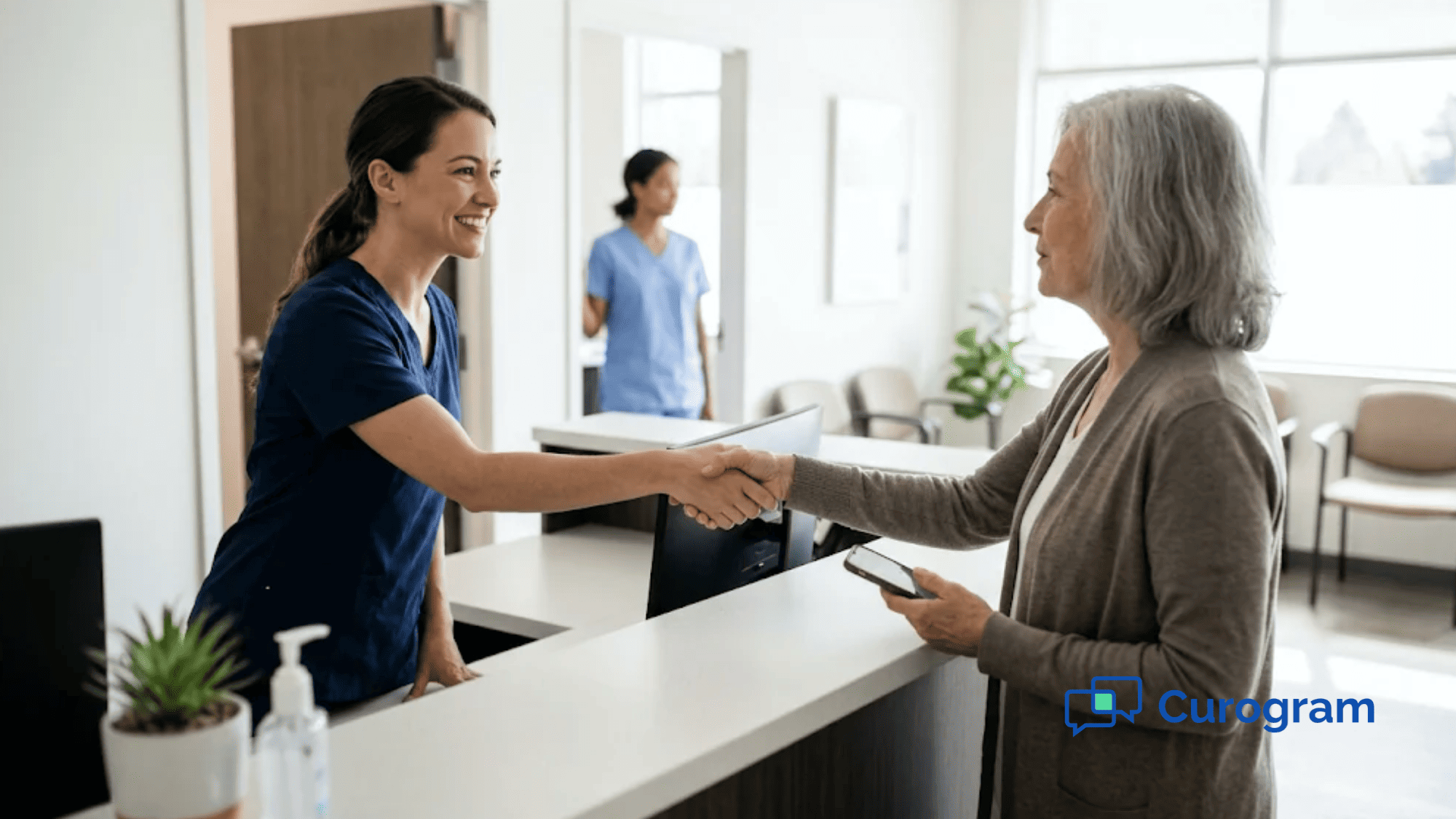
- Tapping the link opens the forms in the phone’s web browser, so there’s no app, username, or password to set up.
- Patients answer the health history at home, sign consents with a fingertip, and snap photos of their insurance card and ID.
- Finished forms reach your team as digital documents on the patient’s CureMD chart.
- CureMD’s Patient Portal stays in place for established patients who want records and lab results.
At many CureMD practices, a new patient’s first task is to make a password. The booking note asks them to register for the patient portal, confirm an email, and log in before one form opens. They haven’t met the doctor. They haven’t seen the lobby.
A lot of them stop right there.
Then they arrive 20 minutes early, as told, and fill out six pages by hand. Your front desk takes the clipboard back and types it all into CureMD while the next patient waits at the window. Nobody planned that first impression, but it’s the one many new patients get.
We think a new patient shouldn’t need an account to hand you their own health history. The fix is a text with a link. Patients open texts all day, and a link asks nothing of them except their answers. Patient intake without a portal account changes only the front door, and CureMD stays the record for everything after it.
Who gets stuck at that door is easy to guess. It’s the 78-year-old referred for a cardiology consult who texts photos to her grandkids every week but can’t get past a verification screen. It’s the parent who books a sick visit at 10 p.m. and wants to finish the forms now, while the kids are asleep.
Both of them can finish pre-visit forms for new patients on a phone in a few minutes. They just can’t do it through a login they’ve never created. A text link meets them on the device they already use, so the packet is done before anyone at your front desk has to ask for it.
The Account-First Intake
CureMD is a serious system. It promotes itself as a #1 KLAS-ranked EHR and practice management vendor, and many ambulatory practices run their whole day on it.
Its Patient Portal offers intake forms, consent documents, and health history questions. Its AI Contact Center answers calls 24/7 in 14 languages, based on CureMD’s own product page.
That portal was built for ongoing access: lab results, secure messages, and refill requests a patient returns to many times a year. For a patient who set up a login two years ago, portal intake works fine.
Trouble starts with the order of steps. In CureMD, staff click “Send Registration Request,” and the system emails sign-up details to the address in the patient’s demographics. If no email is on file, staff have to add one before the request can go out.
Every intake tool sits behind that account. A brand-new patient has never created it. Once they do, they have little reason to remember the password.
The Signup Loop as Patients Live It
Walk it from the patient’s side. Each step is small, and any one of them can end the attempt.
- A booking confirmation says “Register for our portal to complete your forms.”
- Next, the registration email lands in spam, or goes to an old work address the patient gave years ago.
- Password rules demand a capital letter, a number, and a symbol.
- Verification means jumping between the email app and the browser on a small screen, and the code expires halfway through.
- Fed up, the patient quits and decides to “just do it at the office.”
On visit day, they arrive 20 minutes early as told. Their first real contact with your practice is a clipboard and a pen on a chain.
What the Paper Fallback Costs
Someone at your front desk re-types the medication list, the allergies, and the insurance details into CureMD. Every hand-copied line is a chance to swap a drug name or miss a digit in a member ID. Patients assume “the computer” prevents those errors. With paper intake, it’s a tired person at 4:45 p.m. doing it.
The insurance card takes its own trip. A staff member walks it to the copier, scans it, and hands it back, while the patient reads the member ID aloud across a counter other patients can hear.
Portal gaps are wide, too. In 2024, 65% of people nationwide wereoffered and used an online medical record or patient portal, based on Health Information National Trends Survey (HINTS) data. That leaves about a third of patients your portal-first intake never reaches.
Lobby time adds up fast. These numbers are illustrative:
|
Input |
Value |
|
New patients per week |
30 |
|
Minutes each on a paper packet |
15 |
|
Lobby time spent on paperwork per week |
7.5 hours |
Intake Technology Barriers for Older Patients
A Pew Research Center survey from 2025 found 79% of adults 65 and older own a smartphone, and 96% own a cellphone of some kind. Many of them text, open links from family, and take photos every day.
What trips them up is a new system with its own rules. Think of the 78-year-old cardiology referral again. She can send her granddaughter a photo in two taps.
On the portal, she’s asked to create a username, pick a password with a symbol, and type a six-digit code from an email she can’t find. She calls the office, waits on hold, and ends up on the clipboard anyway.
A working parent hits a different wall. She books a pediatric visit at 10 p.m. and wants the forms done now.
Instead, the portal asks for one more username. She closes the tab and forgets, and the forms wait for the lobby.
The Text-Link Packet
“Hi Maria, this is Lakeside Family Medicine. Please complete your new patient forms before your visit on Tue, Nov 18: [secure link]. Reply STOP to opt out.”
That’s the whole ask: one message and one link, sent right after the appointment is booked. (Practice and patient names here are examples.)
What Patients Do After One Tap
Maria taps the link and the forms open in her phone’s browser. There’s nothing to install and no account to create.
The questions are built for a phone screen. She answers one block at a time, at her own pace, from her own couch. The consent forms come next, and she signs each with a fingertip. Then she takes a photo of the front and back of her insurance card and her driver’s license, right inside the secure thread.
That’s what a patient-friendly digital intake experience looks like from the patient’s seat. Sent right after booking, the link reaches patients while the appointment is still on their mind.
If she has a question halfway through, such as which insurance card to photograph, she can reply in the same text thread. Your front desk answers it the next morning without a phone call.
A Complete Health History on a Smartphone
Health history is the part paper handles worst. In the lobby, patients guess at drug doses and leave the surgical history blank because they can’t remember the year.
At home, the pill bottles are in the kitchen. A spouse can confirm the year of the knee surgery. A grown son can sit with his father and read each question aloud in the language the family speaks at home.
For a specialty consult, the patient can look up last year’s imaging report or the name of a prior cardiologist before answering. Collecting a complete health history on a smartphone gives the patient time to get it right. Your physician reads a typed, legible history before the visit, with the fields filled in.
What Your Front Desk Sees
On your side, the packet shows up as work already done. Staff see which new patients finished their forms and which still haven’t opened the link.
A missing packet takes one tap to resend. Nobody dials the patient, leaves a voicemail, and waits for a call back that comes during the lunch rush.
Card photos arrive with the forms, so staff can check the plan name and member ID a day ahead. If the photo is blurry, they reply in the thread and ask for a new one. That fix used to happen at the counter with a line behind the patient.
Patient questions come in the same way. “Do I list vitamins?” gets a one-line text answer the next morning.
How Completed Forms Reach CureMD
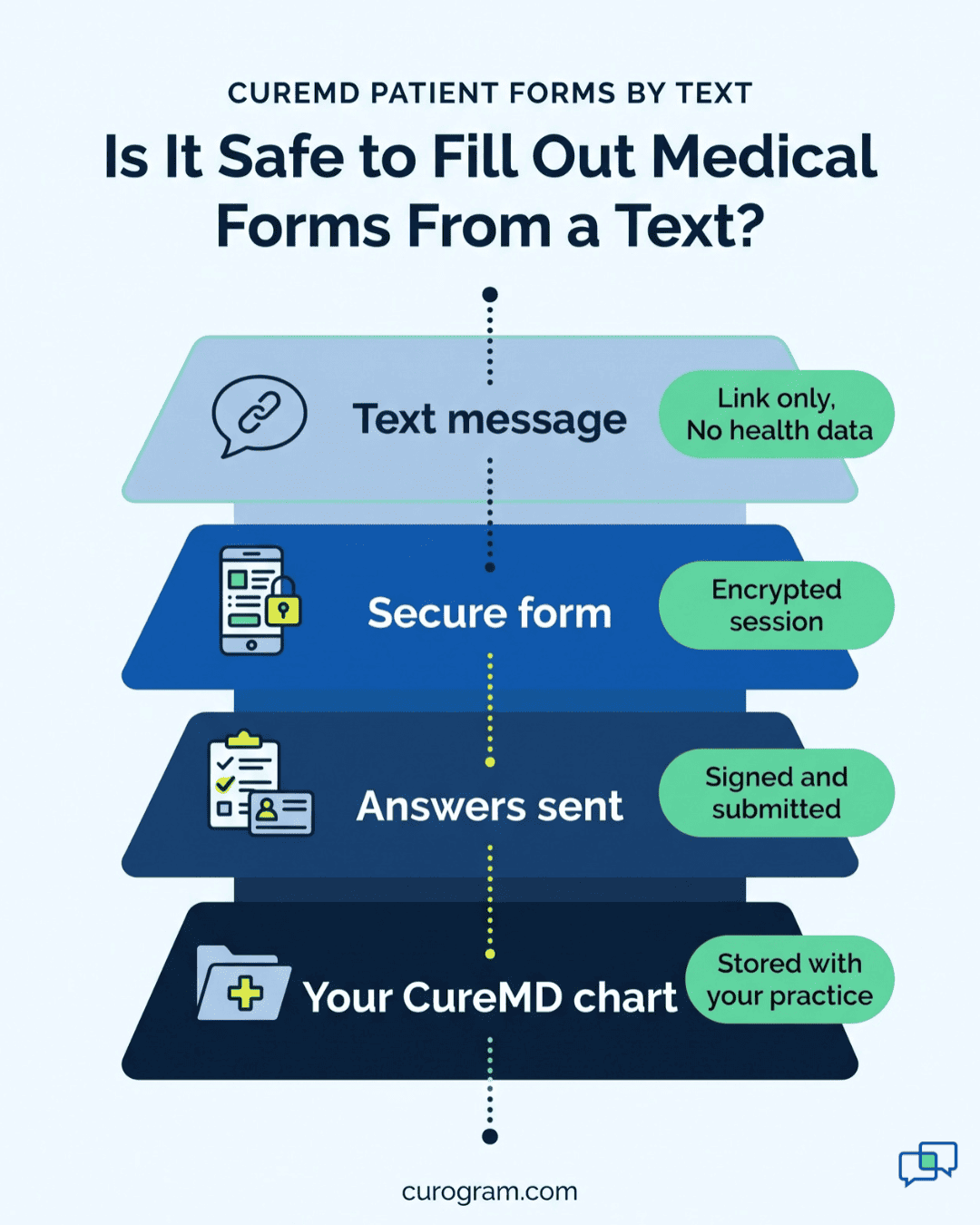
Practices deserve a plain answer on integration. CureMD offers FHIR R4 APIs, but outside apps must first register with CureMD by email, wait for its support team to issue credentials, and then complete an OAuth 2.0 sign-in flow. That process is built for credentialed developers, and it can take time.
Curogram is built so this patient experience doesn’t depend on deep integration. Completed forms reach your team as clean digital documents attached to the patient’s CureMD chart. Staff review them in CureMD, where they already work.
CureMD stays the clinical system of record. The text link only changes how the paperwork gets there.
Pre-Visit Forms for New Patients Across Your Panel
The same link works for very different patients. Each visit type gains something a little different:
|
Patient |
What the text link changes |
|
Primary care new patient |
Full packet done before a first physical, so the visit starts with the exam |
|
Specialty consult |
Detailed history given at home with old records in hand |
|
Older patient |
A text and a tap, using the phone skills they already have |
|
Multilingual household |
A family member helps at home, where no one is waiting behind them |
The Pre-Arrival Intake
Texts get acted on. Based on our internal data, Atlas Medical Center cut its no-show rate from 14.20% to 4.91% in three months, which is 3X better than the industry average.
Those results came from text reminders and confirmations. They show that patients respond when the practice reaches them by text before the visit.
Your intake packet travels that same channel. A packet asks more of a patient than a one-word reply, so it helps to send it while the booking is still fresh. When the visit effectively starts the night it’s booked, the first in-person moment can be a greeting.
A New Patient’s Week, Step by Step
Follow one new-patient booking from start to finish. Practice details and timing are examples.
Step 1. Monday, booking. A new patient calls a family practice for a first physical on Thursday. Staff create the appointment in CureMD. Within minutes, a text with the forms link goes to the mobile number she gave on the call.
Step 2. Monday night, forms. She opens the link on the couch. She lists her three medications from the bottles, signs the HIPAA and financial consents, and photographs her insurance card and ID. It takes her about 12 minutes.
Step 3. Tuesday, check-in list. Your front desk looks at which new patients for the week have finished their forms. One hasn’t. Staff resend the link with one tap, and he finishes it at lunch.
Step 4. Wednesday, review. Completed forms sit as documents on each patient’s CureMD chart. Staff confirm the insurance details from the card photo and fix one typo in an address. If a medication name looks off, a nurse flags it for the physician before the visit.
Step 5. Thursday, visit. She walks in at 9:55 for a 10:00 visit. Staff greet her by name, confirm her birth date, and send her to a seat for about five minutes. She’s roomed on time.
What the Patient Notices
The patient doesn’t see any of Steps 3 and 4. She sees a practice that already knows her. No clipboard, no “fill out both sides,” no reading her card number aloud across the counter.
Her doctor walks in having read a complete, typed history, so the first question can be about why she came in.
A practice that made paperwork painless has earned a five-star first impression before the exam starts.
What Your Team Stops Doing
Pre-arrival intake moves work off visit day. Compare one new patient’s front-desk tasks before and after the text link:
|
Task |
Paper or portal fallback |
Text-link packet |
|
Health history |
Re-typed from handwriting at check-in |
Read as a typed document the day before |
|
Insurance card |
Copied and scanned at the counter |
Photo already on the chart |
|
Consent signatures |
Chased page by page on the clipboard |
Signed on the phone before arrival |
|
Missing forms |
Found when the patient sits down |
Flagged two days early and resent |
Curogram Highlight: Secure Online Forms
Curogram’s Secure Online Forms let CureMD practices text new-patient packets, consents, and health history forms to patients before the visit. Patients open the link in their phone’s browser. There’s no app to download and no portal account to create.
Inside the form, patients answer phone-sized questions, sign with a fingertip, and photograph their insurance card and ID. Completed forms reach your team as digital documents on the patient’s CureMD chart, so staff review them where they already work.
Your team sees which patients have finished and which haven’t. A one-tap resend goes to anyone still missing forms, and patients can reply in the same thread with questions.
Curogram is HIPAA-compliant and SOC 2 Type II certified, and we sign a Business Associate Agreement with every practice. The text holds only the secure link, and health information is entered inside the encrypted form session.
Forms also share a thread with appointment reminders. Based on our internal data, Curogram clients average confirmation rates above 75%, so the same thread that gets the packet finished also gets the visit confirmed.
Conclusion: Make the First Impression a Text, Not a Login
Each of your CureMD tools serves a different patient moment. CureMD’s Patient Portal serves established patients who want their records and lab results. Its AI Contact Center serves patients who call.
Curogram covers the moment in between, when a brand-new patient has booked and you need their history before they walk in. With CureMD patient forms completed by text before the visit, that history is waiting on the chart when they arrive.
CureMD’s AI answers the phone. Curogram sends the texts your patients actually respond to, forms included.
Try one test this week. Book a fake new-patient visit at your own practice, then register for the portal, verify the email, log in, and find the forms on your phone. Time it, and note the step where you’d have quit if you were 78, or tired, or booking at 10 p.m.
Then see the other path. Schedule a quick demo with Curogram and we’ll walk you through your own intake packet the way your next new patient could get it: as a single text link.