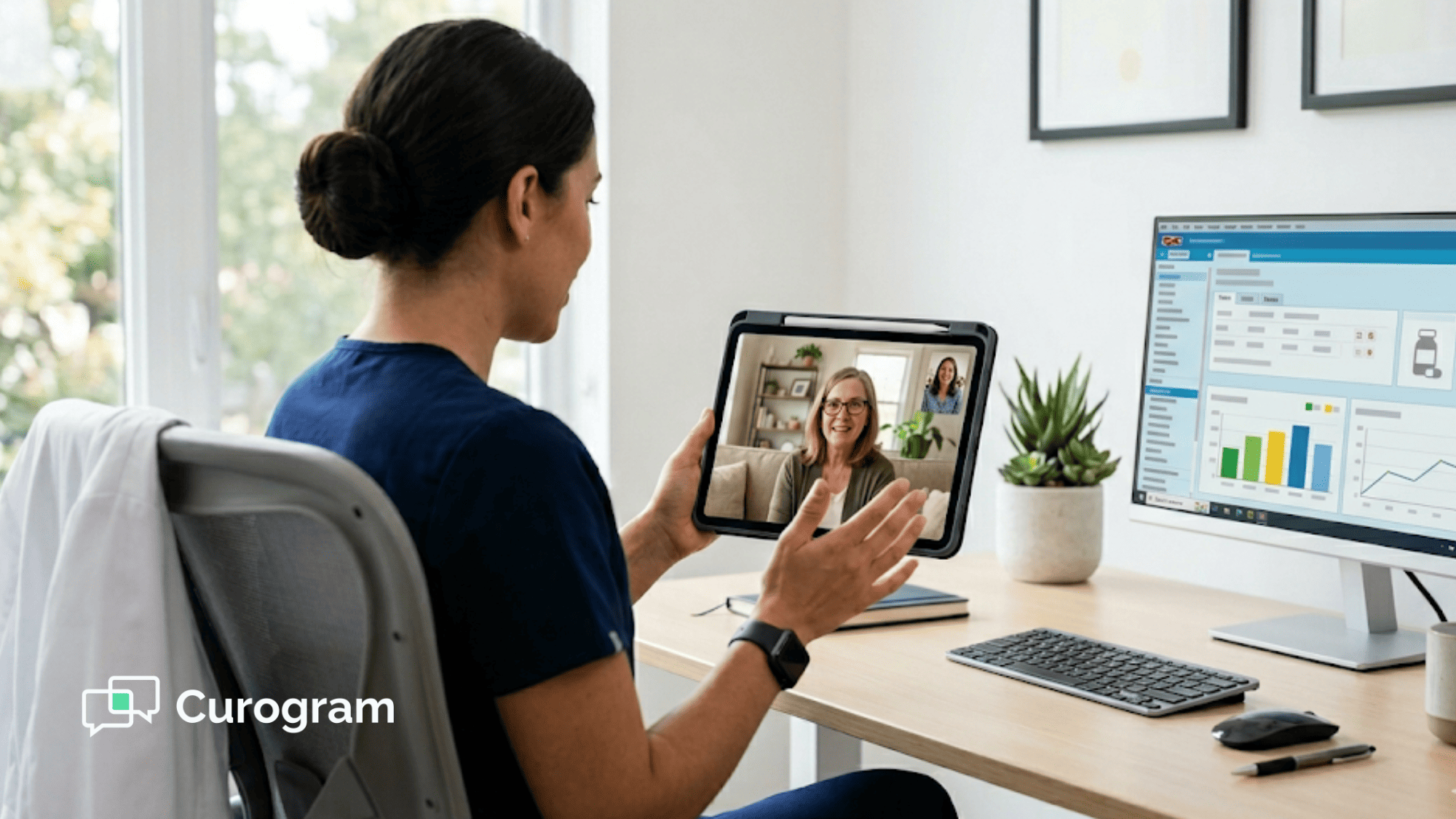
How to Collect Patient Co-Pays Upfront in CollaborateMD
💡 When you collect patient co-pays upfront in CollaborateMD using Curogram, you reduce bad debt and speed up cash flow before care begins. ...
9 min read
Mira Gwehn Revilla
:
February 25, 2026
Your provider just wrapped a video visit. The patient logs off. Now what? Someone on your team has to open CollaborateMD, find the patient, enter the codes, and hope nothing gets missed.
If the visit was on Zoom or Doxy, none of that data moved on its own. The visit happened in one place. The billing lives in another. And the gap between them is where revenue quietly disappears.
This is the daily pain for billing managers at practices that use CollaborateMD. The video call itself works fine. The problem is what happens after the call ends. When the visit does not connect to your schedule or your claims, you end up with unbilled services, double data entry, and wasted staff time.
HIPAA-compliant telehealth for CollaborateMD changes this by turning the virtual visit into a billable event that lives inside your existing workflow. Instead of treating video calls as a side task, you can run them like in-office visits, complete with intake, consent, and clean claim data from the start.
Curogram makes this possible with a simple approach. The patient gets a secure text link. They click it and land in a virtual waiting room. No downloads. No passwords. No tech support calls. The visit ties to the CollaborateMD schedule so the billing team can track it, code it, and send it out for payment without extra steps.
In this guide, you will learn why most telehealth setups fail billing managers, how to streamline telehealth workflow with a connected system, and what real results look like when you close the gap between virtual visits and your revenue cycle. If your practice runs on CollaborateMD, this is the path to making every virtual visit count.
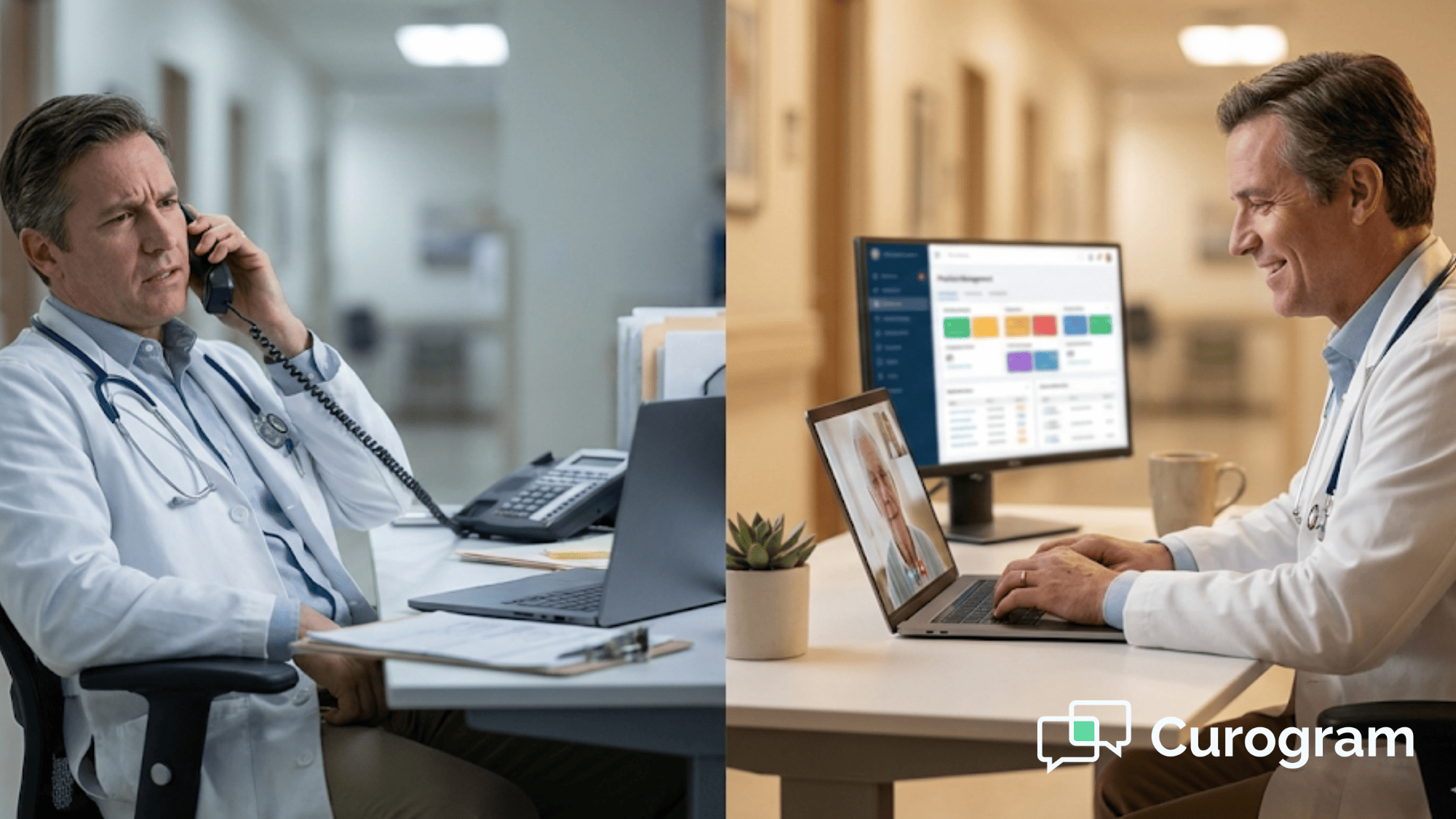
Picture this: A provider has CollaborateMD open on one monitor and Zoom on the other. The patient is talking, but the provider is flipping between tabs to check the chart. After the visit, the billing coder gets a sticky note, or worse, a Slack message, with a vague note about what codes to use.
It is the root of most telehealth billing problems. When the video tool and the billing system do not talk to each other, every visit creates extra work.
The provider has to document in two places. The coder has to guess what happened. And the billing manager has to chase down the missing pieces before a claim can go out. For a five-provider practice doing even 10 virtual visits a day, that adds up to hours of lost time each week.
The damage goes beyond lost time. When codes are entered by hand after the fact, mistakes happen. A wrong place-of-service code can trigger a denial. A missed modifier can delay payment for weeks. These small errors stack up, and the virtual care revenue cycle starts leaking money at every turn.
Think about what happens before the visit even starts. The front desk sends the patient a link. The patient cannot find it. They call the office.
Now, your staff member spends 15 minutes walking them through how to download an app, create an account, or find the right button to click. Multiply that by a dozen patients a day, and your front desk has become an unpaid IT help desk.
That 15 minutes per patient is not free. If your front desk staffer earns $18 an hour, that is $4.50 per patient just in tech support time. For 12 patients a day, that is $54. Over a month, you are looking at more than $1,000 in labor cost tied to a broken process, money that comes straight out of the profit margin of those visits.
When a virtual visit is not tied to the CollaborateMD schedule, it can slip through the cracks entirely. Say, a provider does a quick refill visit from home on a Saturday. The visit happens, the patient is happy, but no one logs it. No claim goes out. No payment comes in. The practice just gave away a service for free.
This is not a rare problem. In practices that use separate tools for video and billing, unbilled visits are common. The billing team only knows about visits that show up in their system. If the visit does not appear on the schedule, it does not exist in the revenue cycle. It is as if it never happened.
For billing managers, this creates a trust problem. You cannot report on revenue you cannot see. You cannot forecast collections when visits randomly fall off the radar. And you cannot improve what you cannot measure.
The real villain here is not the video call. The video works. The villain is the disconnect between where the visit happens and where the billing happens. As long as those two systems are separate, your team will keep playing catch-up.

The fix for the disconnected visit is not a better video app. It is a smarter connection between the video and your billing system. That is exactly what Curogram was built to do.
Most telehealth tools ask patients to download an app, create a login, or dig through their email for a portal link. For older patients or those who are not tech-savvy, this is where the visit falls apart before it even starts.
Curogram takes a different approach with no-download telehealth. The patient gets a text message with a secure link. They tap it. The video opens right in their phone's browser. No app store. No username. No password. One tap and they are in the virtual waiting room.
This is not a small detail. It is the reason Curogram-powered practices see connection failure rates under 1%. When the barrier to entry is a single text message, almost everyone gets through.
Compare that to email-based links, where open rates hover around 20% for healthcare messages. The text goes straight to the patient's phone, and 98% of texts are read within three minutes.
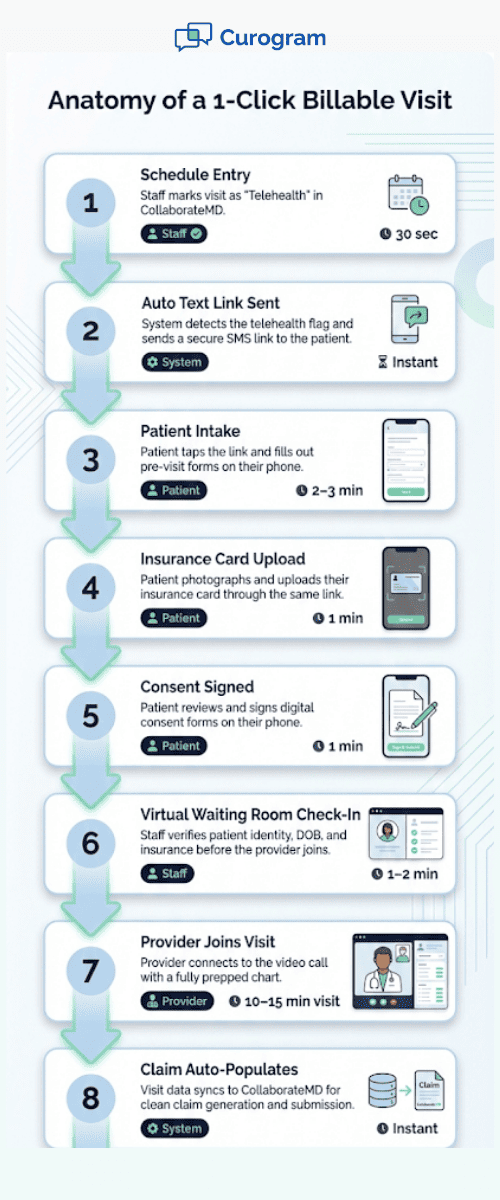
When a staff member marks a visit as "Telehealth" on the CollaborateMD schedule, Curogram picks it up. The system sends the patient their link at the right time, no extra step from your team.
This schedule sync means the visit is already on the books before the camera turns on. The billing team can see it, the codes are ready, and the claim path is clear.
Before the video starts, the patient is prompted to complete intake tasks. Curogram sends them digital consent forms and asks them to upload a photo of their insurance card.
They can also fill out any pre-visit forms the practice requires. By the time the provider joins the call, the "virtual clipboard" is full, just like it would be in the lobby of your office.
The front desk does not have to call the patient to verify insurance. The provider does not have to pause the visit to confirm details. And the billing team gets clean data from the start, including the signed consent that payers require for telehealth claims.
Staff can see when a patient has joined the link. Before the provider connects, a team member can pop in to verify the patient's date of birth, confirm their insurance, and make sure everything is in order. This mirrors the "rooming" process of a physical office visit and keeps the provider's time focused on care, not admin.
For practices that want to collect co-pays up front, Curogram offers a text-to-pay feature. You can set a rule to send a payment link 15 minutes before the visit. The patient pays by phone. The provider can see the "Paid" status before they start the call.
All of this adds up to one thing: a telehealth workflow that feels like a normal office visit. The visit shows up on your schedule. The patient arrives ready. The data flows into CollaborateMD. The claim goes out clean.
This is what it looks like to streamline telehealth workflow for a practice that already runs on CollaborateMD. You do not need to switch billing systems or learn a new platform. You just need the virtual visit to plug into the process you already have.

It is one thing to talk about how a connected telehealth system should work. It is another to see it in action. Atlas Medical Center put Curogram to the test and the results show what happens when you close the gap between virtual visits and your billing system.
The Problem Atlas Faced
Before Curogram, Atlas Medical Center used a standard setup. Providers would send patients a link through email or a patient portal. The video visit would happen on a third-party app.
After the visit, staff had to log the encounter by hand and match it to the right billing codes. For a multi-provider practice like Atlas, even a handful of missed visits per week added up fast.
The Switch to SMS-Based Links
The first change Atlas made was moving from email and portal links to SMS delivery through Curogram. Email open rates in healthcare tend to sit around 20%. Portal links are even worse because they require a login that many patients forget or never set up in the first place.
With SMS, the link goes to the patient's phone, the device they carry all day. Atlas saw their connection failure rate drop to less than 1%. That means for every 100 patients who received a visit link, 99 or more connected without a problem.
Expanded Provider Capacity
With a reliable no-download telehealth setup in place, Atlas found a new way to grow revenue: home-based provider shifts. Here is how it worked:
Providers could pick up low-acuity shifts from home during off-hours.These are visits that take 10 to 15 minutes and do not need a physical exam.
Before Curogram, these visits were hard to manage. The provider would have to coordinate with the office, make sure the patient was set up on the right platform, and hope the connection held.
With Curogram, the process became simple. The visit goes on the CollaborateMD schedule. The patient gets a text link. The provider joins from their laptop at home. The visit is tracked, coded, and billed just like any in-office encounter.
Faster Rooming and Better Flow
Atlas also saw gains in visit flow speed. With Curogram's virtual waiting room, the staff could "room" patients before the provider joined the call.
When a patient clicks their text link and enters the waiting room, a staff member sees them in the queue. The staff member can verify the patient's date of birth, confirm insurance, and check that consent forms are signed. By the time the provider joins, the "chart" is ready.
Why Curogram Is the Right Fit for CollaborateMD Practices
Curogram was built for practices that want to keep things simple. It is not a bloated platform with a hundred features you will never use. It is a focused tool that does one thing well: it connects virtual visits to your billing system so nothing falls through the cracks.
For CollaborateMD users, the value is in the tight link between the two systems. When a visit is on the schedule, the patient gets their link. When the visit happens, the data is right there for the billing team. There is no copy-paste, no double entry, and no guessing.
Curogram is also built with HIPAA compliance at its core. The video is encrypted end to end. There are no recordings. Patient data stays secure. Your practice gets the peace of mind that comes with a platform designed for healthcare, not adapted from a consumer video chat tool.
The pricing is built for the kinds of practices that use CollaborateMD: small to mid-size clinics, solo providers, and multi-location groups that need value without a big contract. Staff training takes about 10 minutes, and most practices go live in days, not weeks.
What sets Curogram apart is that it does not just give you a video link. It gives you a complete workflow that includes intake, consent, insurance capture, co-pay collection, and visit tracking, all through text messages that patients actually read and respond to.
If your current telehealth setup feels like a bolt-on that creates more work than it saves, Curogram is the upgrade that brings everything together. It lets you run CollaborateMD virtual visits with the same ease and control as your in-office schedule, and that is what turns virtual care into real revenue.
The gap between a virtual visit and a paid claim is where most practices lose money. When the video tool and the billing system are not connected, visits get lost, codes get missed, and your team spends hours patching holes that should not exist.
HIPAA-compliant telehealth for CollaborateMD does not have to be this hard. With the right setup, a virtual visit can be just as clean, just as tracked, and just as profitable as a patient walking through your front door.
Curogram closes that gap by tying the visit link, the intake, and the billing data into one simple flow. Patients click a text. Providers see a prepped chart. The billing team gets a clean record.
The results speak for themselves. Practices like Atlas Medical Center cut connection failures to near zero, added new revenue through home-based provider shifts, and sped up their visit flow by using a virtual waiting room that mirrors in-office rooming.
This is not about adding a new tool to your stack. It is about making the tools you already have work together. When your telehealth plugs into the CollaborateMD workflow you already know, you stop losing visits and start growing your bottom line.
Virtual care is here to stay. The question is not whether you should offer it. The question is whether you are billing for every visit you deliver.
Make telehealth profitable again. Schedule a demo with us to see how Curogram's 1-click virtual care connects to your CollaborateMD practice.
No. For HIPAA privacy reasons, Curogram never records the video call. The visit stays live and private. This ensures full compliance and builds trust with patients who may worry about being recorded during a medical visit.
Most practices are up and running within a few days. The system is designed to be simple, and staff training takes about 10 minutes. There is no heavy IT setup. If your team can send a text, they can use Curogram.
The system can resend the link with one click from the staff side. You can also set up automatic reminders that go out at intervals you choose, like 24 hours and 1 hour before the visit. This keeps no-show rates low and reduces the need for phone follow-ups.
💡 When you collect patient co-pays upfront in CollaborateMD using Curogram, you reduce bad debt and speed up cash flow before care begins. ...
💡 Text-to-pay for CollaborateMD lets practices collect patient balances through secure SMS links instead of paper statements, cutting days sales...
💡 Cerbo telehealth workflow efficiency improves when clinical staff use a no-app video visit system. Patients join visits with one click via SMS...