
1 min read
Mass Texting for eKyros Centers
 Aubreigh Lee Daculug : Feb 20, 2026, 3:59:59 PM
💡 Mass texting for eKyros centers replaces the outdated phone tree with a single broadcast message that reaches everyone in under a minute. Instead...

You just sent a mass text to 500 patients. Within minutes, your inbox lights up like a switchboard. Replies start stacking up faster than anyone at the front desk can read them. Sound familiar?
This moment is what we call the reply spike, and it scares a lot of practice managers away from text campaigns entirely. The worry is simple: if we text everyone at once, we will drown in responses and the phones will ring off the hook.
But here is the truth most people miss. Texting is not the same as calling. Fifty texts sitting in a queue is a manageable task. Fifty phone calls ringing at the same time is chaos.
Managing patient replies to mass text messages does not have to be stressful. In fact, with the right tools, it becomes the easiest part of the whole campaign.
The key is treating incoming texts like a ticket system instead of a phone line. When replies flow into a shared inbox for healthcare teams, multiple staff members can jump in and divide the work.
Nobody is stuck handling the entire load alone.
Curogram was built for exactly this scenario. It plugs into your CharmHealth efficient workflow and gives your team a centralized dashboard, saved replies, and smart routing so the flood of responses turns into organized revenue.
In this article, we will walk through the fear, the fix, and the results so you can stop worrying about the wave and start riding it.
Every practice manager has thought it:
If I send this to 500 people, my receptionist will quit by lunch.
The fear of being buried under a mountain of patient responses is the number one reason practices avoid mass texting altogether. It is a reasonable concern, but it is based on a misunderstanding of how text messaging actually works.
Texting is not like picking up the phone. When 50 patients call at the same time, only one person can answer each line. The rest go to voicemail, get frustrated, and may never call back.
But when 50 patients text at the same time, those messages simply sit in a queue. Your staff can work through them one by one, at their own pace, without anyone waiting on hold.
Most practices that avoid mass texting are not actually afraid of the texts themselves.
They are afraid of the unknown. They have never seen what handling high volume SMS looks like when a real system is in place.
Without that experience, the imagination fills in the worst-case scenario, and the blast never gets sent.
The thing is, every day your practice does not send that campaign is a day you leave revenue on the table. Patients who need to come in for a visit, a follow-up, or a screening are sitting at home waiting to be reminded.
They want to hear from you. The volume of replies is proof that your message is landing, especially when you compare it to industry engagement benchmarks.
There is also a staffing angle that most people overlook. When your front desk spends the entire morning fielding phone calls to remind patients about overdue appointments, they are not available for the patients standing right in front of them.
A mass text campaign handles that outreach in seconds, freeing your team to focus on the people who are already in the office. The reply spike is actually the moment your staff becomes more productive, not less.
The real risk is not that your team will be overwhelmed. The real risk is that without a system for handling high volume SMS, important messages slip through the cracks.
Here is what that looks like in practice:
Every one of those missed or mishandled replies represents lost revenue and a frustrated patient.
A person who texts back is showing intent. They are warmer than a cold call and closer to booking than someone who just scrolls past your social media post. Losing that lead because your inbox was disorganized is a problem you can solve today.
Think about it from the patient's side, too. They took the time to respond to your message, and now they are waiting for an answer.
If that answer takes hours or never comes at all, the trust you built with the initial text disappears.
That patient is far less likely to respond the next time your practice reaches out.
The answer is not to avoid sending the blast. It is to prepare your team with tools that turn volume into value. Front desk time management improves dramatically when replies are organized, assigned, and easy to answer. The avalanche is only scary if you do not have a dam.
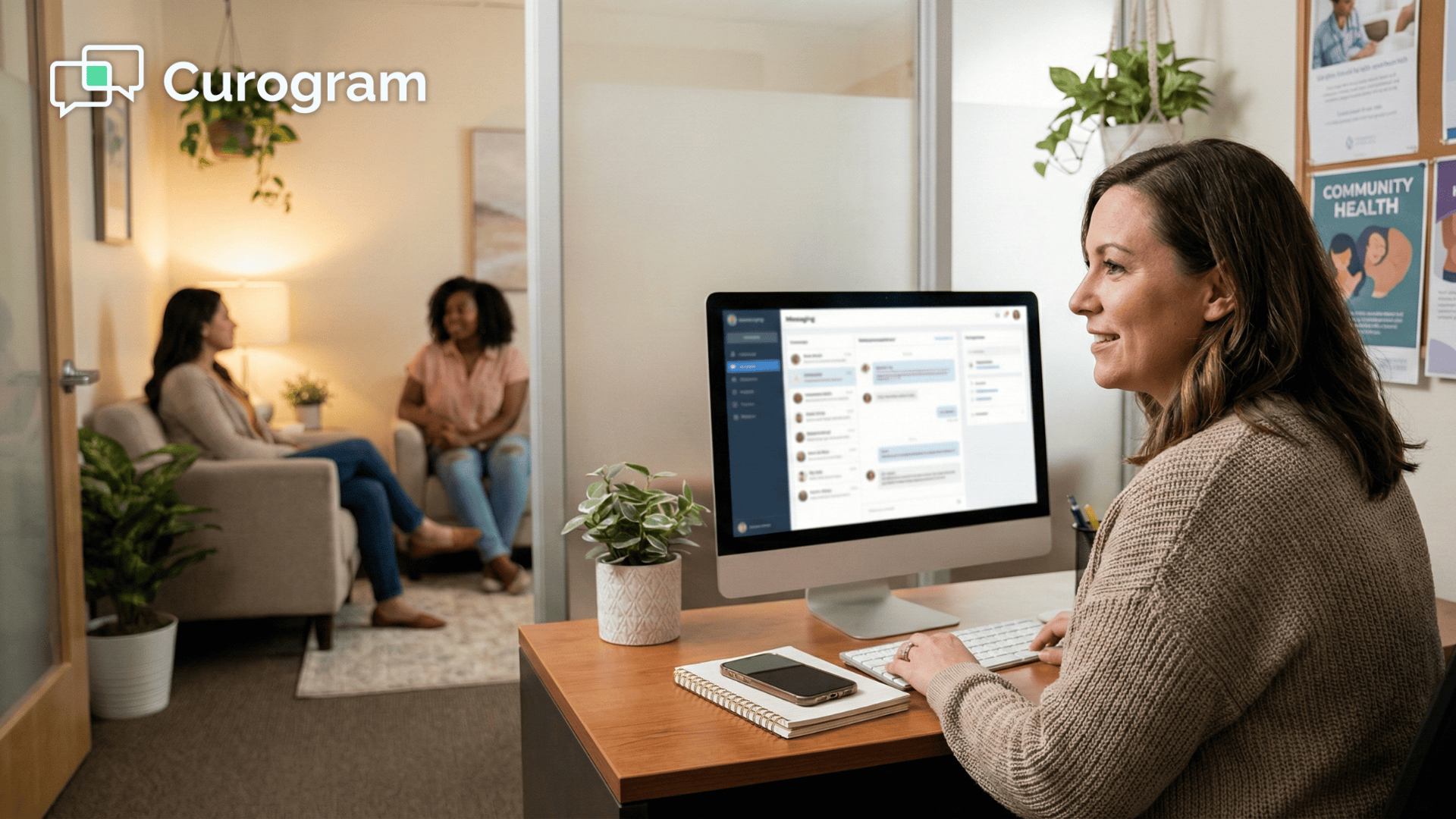
Think of your text replies like support tickets instead of phone calls. When a patient texts back, that message lands in a single, organized dashboard that your entire team can see.
This is the shared inbox model, and it is the reason practices using Curogram do not panic when the replies start rolling in.
After you send a mass text campaign, responses pour into one central location. Instead of one receptionist trying to handle everything alone, the team divides and conquers. Mary takes the first ten messages. John takes the next ten.
Sarah handles the rest. Everyone works from the same screen, and nobody steps on each other's toes.
This setup also creates accountability. Managers can see which messages have been answered, which are still waiting, and who on the team is handling what. Nothing falls through the cracks because every conversation has a visible status.
If someone steps away for lunch, another team member picks up right where they left off.
Compare this to the old way of doing things. A patient calls in, gets put on hold, eventually speaks with a receptionist, and the notes from that call live in one person's memory or scribbled on a sticky note.
If that receptionist is out sick the next day, the context is gone. A shared inbox keeps the entire conversation history in one place, visible to anyone who needs it.
The dashboard also gives your practice real data on how the team performs after a campaign. You can see response times, message volume, and how many replies turned into booked appointments.
That kind of visibility helps you plan better for the next blast and identify where the workflow can improve.
The reply spike is not one person's job. In Curogram, managers can assign groups of conversations to specific team members based on availability or skill set.
A front desk coordinator might handle the scheduling questions, while a billing specialist takes on the insurance inquiries. This keeps every reply moving forward and prevents bottlenecks from forming during peak response times.
Team assignment also means your staff never duplicates effort. When a conversation is claimed by one person, it is marked in the dashboard so nobody else jumps on it by accident. This alone saves time, reduces confusion, and keeps the patient experience smooth from start to finish.
For larger practices with multiple locations, team assignment becomes even more valuable. You can route replies based on which office the patient belongs to, so the right front desk team always handles the right conversations.
Patients get answers from the people who actually know their schedule and their providers.
Not every reply belongs at the front desk. Complex medical questions can be tagged and routed to a nurse or provider, while simple scheduling requests stay with the administrative team.
A patient asking about a prescription refill gets connected to the right person without anyone playing phone tag. This kind of smart routing is what makes a shared inbox for healthcare teams so much more powerful than a basic text thread on someone's personal phone.
Consider a common scenario.
A patient replies to your mass text asking about a specific lab result. The front desk does not have the clinical knowledge to answer that safely, so they tag the message for the nurse. The nurse sees it in her queue, responds within minutes, and the patient feels taken care of. No phone tree, no callbacks, no delays.
This triage system also protects your practice from compliance risks. When clinical questions are handled by trained staff instead of being answered casually at the front desk, you reduce the chance of sharing incorrect medical information.
The right message goes to the right person every time, which keeps patients safe and your practice protected.
The result is a CharmHealth efficient workflow where every reply gets answered quickly, every lead gets captured, and your staff stays calm.
No chaos, no missed messages, and no burned-out receptionists.
The shared inbox does not just organize your replies. It elevates the way your entire team communicates with patients.
Here is a secret most practices discover after their first big text campaign:
About 90% of patient replies ask the same handful of questions.
These are not complex medical inquiries. They are simple questions with simple answers, and your team should not have to type them out from scratch every single time.
When your staff spends time typing the same response over and over, they slow down the entire process.
That delay means patients wait longer, leads cool off, and your front desk gets frustrated. The solution is to remove the repetition so your team can focus on the replies that actually need a human touch.
This is where the gap between a good campaign and a great one becomes clear. The practices that book the most appointments are not the ones with the biggest patient lists. They are the ones that respond the fastest.
Speed matters in text conversations because patients expect quick answers, just like they do when texting a friend.
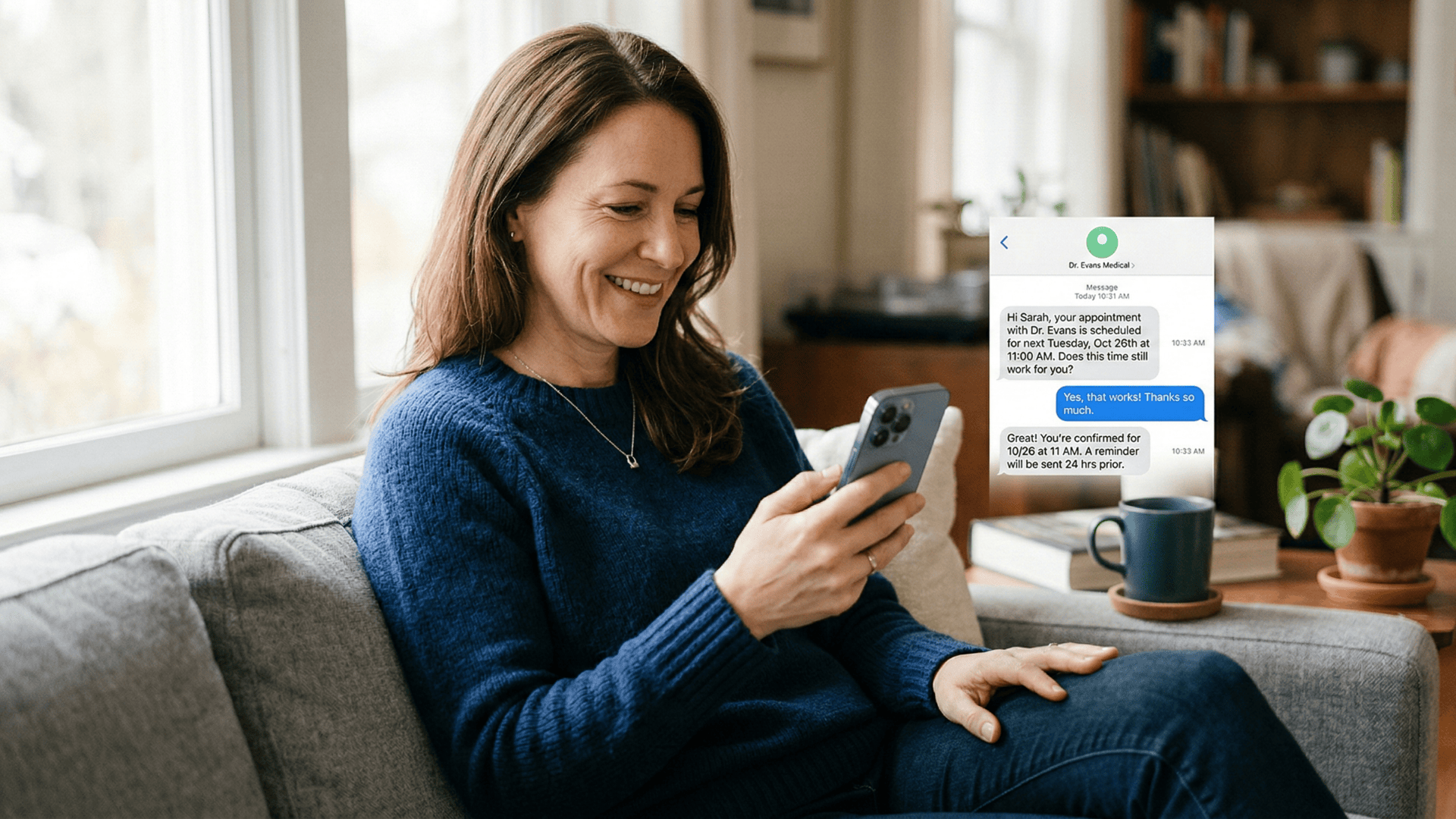
Curogram lets your team create pre-written templates for the most common patient questions.
Here are the responses practices save first:
When a patient asks about insurance coverage, your staff clicks one button and sends a polished, accurate response in seconds.
No typing, no searching for the right answer, no wasted time.
It is the fastest way to automate patient scheduling conversations without losing the personal touch.
The best part is that saved replies are fully customizable. Your team can tweak the wording before sending if a patient's question has a small twist.
The template handles 90% of the work, and the staff member adds the personal 10% that makes the patient feel heard. It strikes the perfect balance between speed and care.
Building your saved reply library does not take long either. Most practices start by tracking the top ten questions they receive during their first campaign.
Within a week, they have a set of templates that covers nearly every reply they will ever see. After that, each new campaign runs faster than the last.
Picture the scene after a well-timed mass text blast.
The office is quiet. No phones ringing off the hook. Just staff members clicking through replies, sending saved responses, and watching appointments land on the CharmHealth schedule.
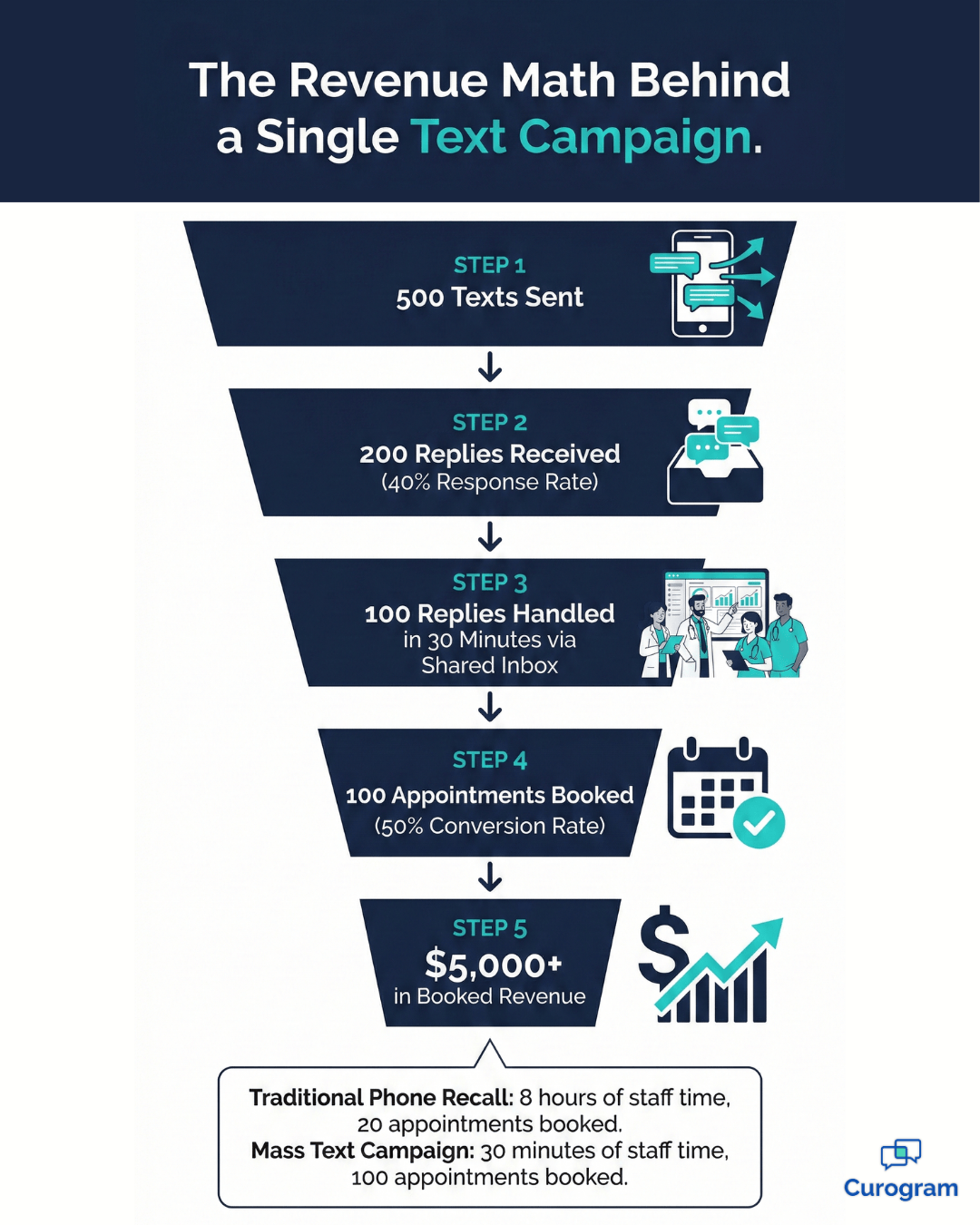
In a typical campaign, practices process over 100 leads in about 30 minutes. That can mean $5,000 or more in booked revenue from a single afternoon.
Compare that to a traditional phone-based recall campaign. Your staff spends an entire day dialing numbers, leaving voicemails, and waiting for callbacks that may never come—without the efficiency of a CharmHealth integration to streamline the process.
The conversion rate is low, the effort is high, and your team is exhausted by 3:00 PM. Text-based campaigns flip that equation entirely.

There is also a compounding effect that many practices do not expect. When patients get a fast, helpful text response, they are more likely to reply to your next campaign too.
You are training your patient base to engage with your practice through text, which means every future blast performs better than the one before it. Over time, your reply rates go up and your cost per booked appointment goes down.
The math speaks for itself. If a single blast takes 30 minutes of staff time and generates $5,000 in appointments, the return on that half hour of effort is enormous.
Even if you only run one campaign per week, you are looking at an extra $20,000 per month in booked revenue with very little overhead.
The combination of a shared inbox, saved replies, and smart routing turns what used to be a stressful event into a smooth, repeatable revenue engine. Every blast becomes an opportunity, and every reply becomes a potential booking.
Once your team sees how fast the appointments roll in, they will wonder why they ever feared the reply spike in the first place.
Can we schedule the blast for a slow time?
Yes. You can schedule your mass text to go out at a specific date and time. Many practices choose to send blasts around 2:00 PM on a Tuesday or Wednesday when phone traffic is already light.
Avoid Monday mornings when the front desk is already catching up from the weekend. Timing your blast for a slow period gives your team room to handle the replies without feeling rushed.
No. From the patient's point of view, they are texting your practice directly.
It feels personal and one-on-one, even if three different staff members handle the conversation over the course of the day. The shared inbox keeps everything under one thread, so the patient never sees a handoff. It is seamless on their end and efficient on yours.
Yes. One of the best ways to reduce inbox volume is to include a self-scheduling link directly in your mass text. When patients can book their own appointments without replying, about 50% of them will do exactly that.
This means half of your leads convert without ever hitting the inbox, freeing up your staff to focus on the patients who do have questions. It is the simplest way to automate patient scheduling at scale.
High volume is a good problem to have. It means your patients are engaged, your messaging is working, and your practice is top of mind. The only thing worse than being overwhelmed by business is having no business at all.
The practices that win are the ones that prepare for the wave instead of hiding from it. Managing patient replies to mass text messages is not about working harder. It is about working smarter with tools that handle the load for you.
A shared inbox distributes the work. Saved replies speed up response times. Automated chatbot routing catches the easy questions before they ever reach a human.
If you have been holding back on mass texting because you are afraid of the reply spike, now is the time to rethink that strategy.
Curogram gives your team the system they need to turn every response into a booked appointment. Front desk time management stops being a daily struggle and starts being a strength.
Your staff can handle the volume with confidence, and your patients get fast, personal responses that keep them coming back.
Ready to see how it works? Schedule a demo with Curogram today and watch how the shared inbox turns your next mass text campaign into your best revenue day of the month.
1 min read
Aubreigh Lee Daculug : Feb 20, 2026, 3:59:59 PM
💡 Mass texting for eKyros centers replaces the outdated phone tree with a single broadcast message that reaches everyone in under a minute. Instead...
1 min read
Aubreigh Lee Daculug : Feb 25, 2026, 10:59:59 AM
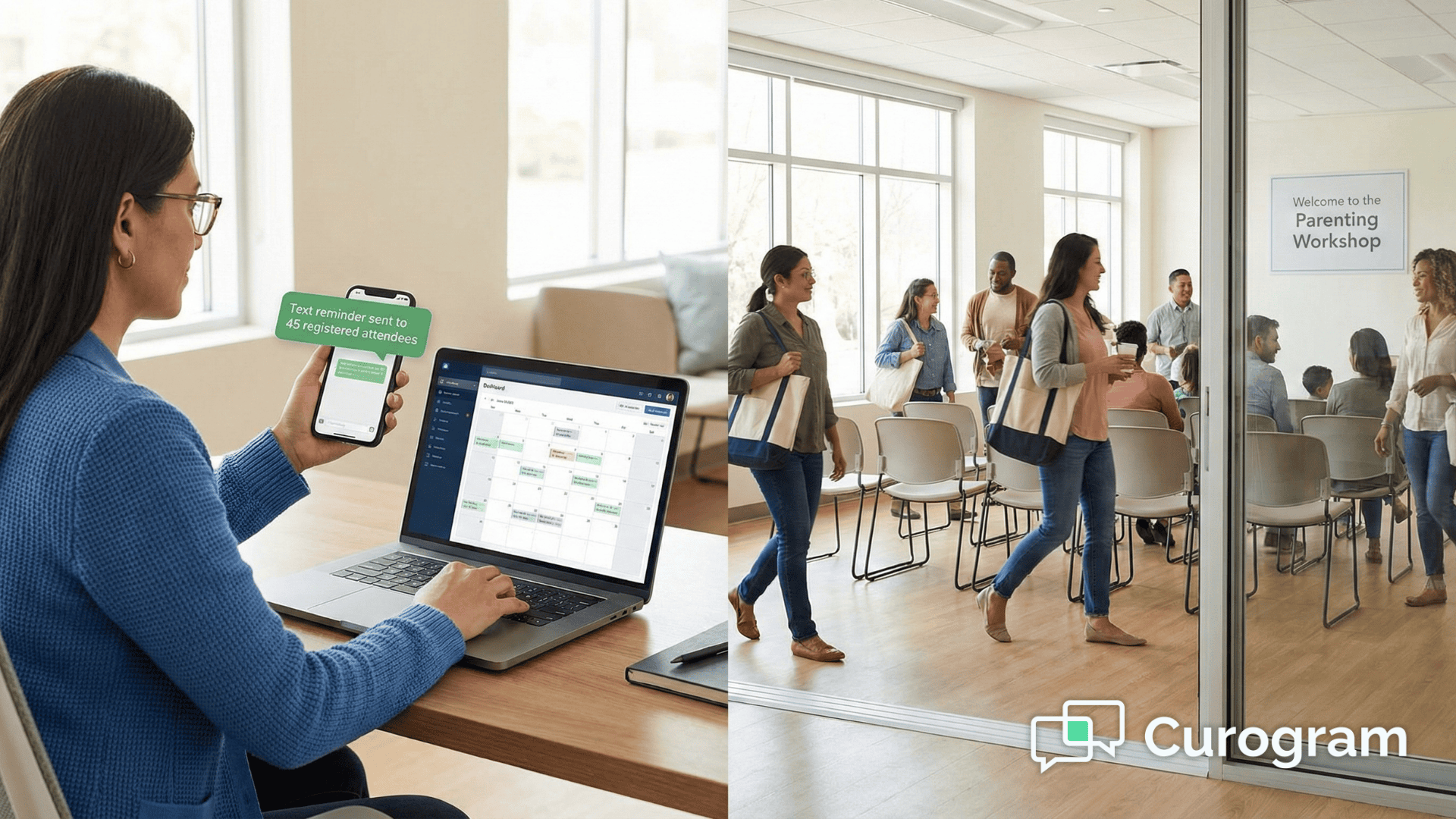
💡 Broadcast messaging for eKyros events is the fastest way to fill seats at your classes, fundraisers, and support groups. Instead of hoping people...

1 min read
.jpg?width=30&name=square-formal-photo%20(1).jpg) Mira Gwehn Revilla : Jun 21, 2026, 1:00:00 PM
Mira Gwehn Revilla : Jun 21, 2026, 1:00:00 PM
💡 The best way to re-engage clients who left behavioral health treatment is a short, kind text. SMS recall reaches people on the phone they already...