
 Jo Galvez
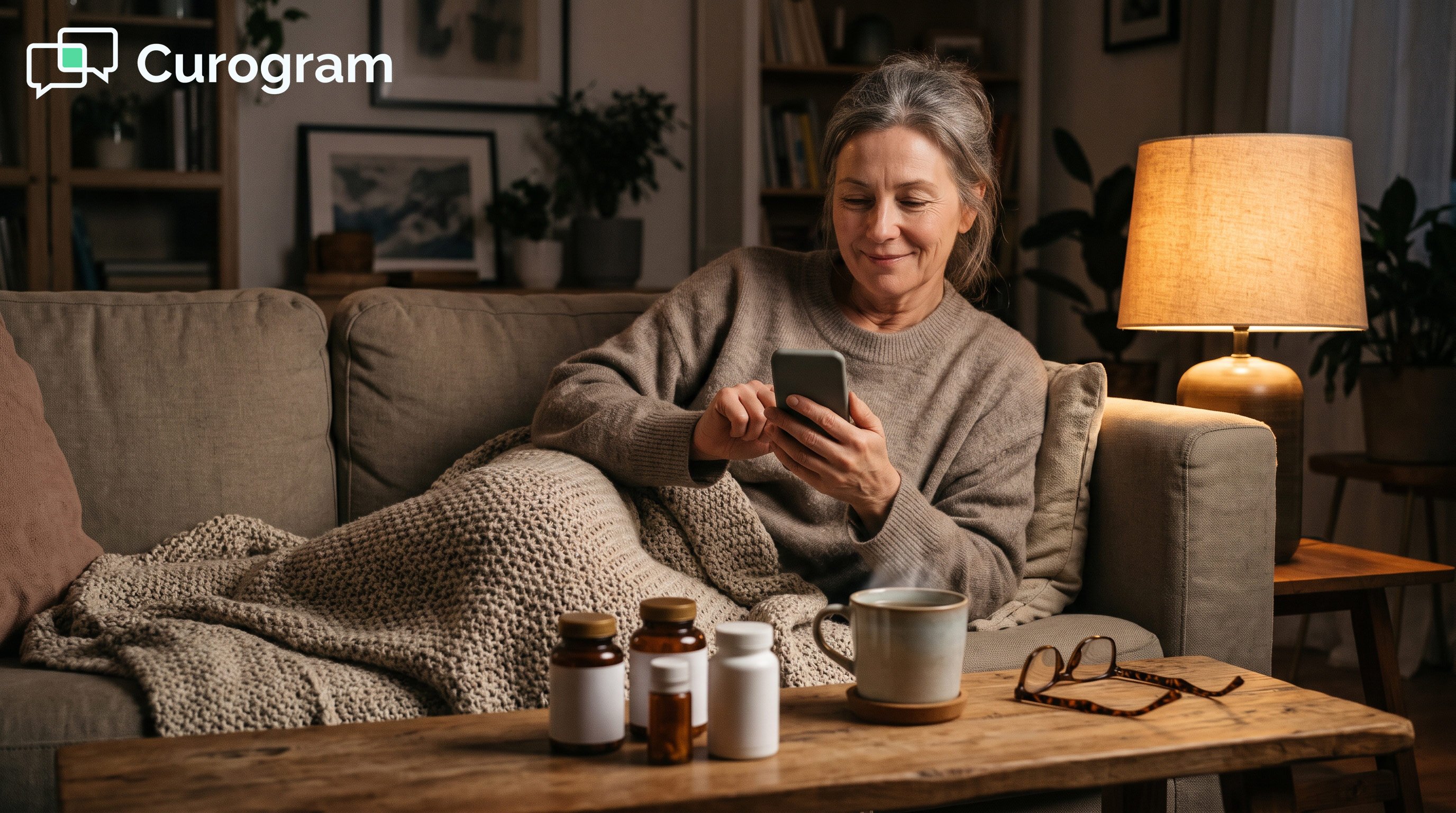
It opens on any smartphone with no portal account, password reset, CAPTCHA, or app download. Progress saves between sittings, so patients can finish a long packet across a few evenings at home.
Completed forms sync back to the practice, and the patient walks in with nothing left to fill out.
A new patient's first contact with your practice is often a password screen. Before they meet a provider, they meet a portal invite, a login they never set up, and a captcha. Only then do they see page 1 of the intake packet. Many patients stop right there.
That first impression matters more than most practices think. Patients don't see your forms as part of a system. They see them as a sign of how much you value their time.
A login wall tells them the process was built around the office. Every extra step is one more chance to quit.
CharmHealth gives practices a real forms toolkit. Its Pre-Screening Forms are useful, and the CheckIn Kiosk works for patients already in the lobby. The gap is how patients reach those forms from home. The remote route runs through the Patient Portal, and that is where many packets stall.
The result shows up in the waiting room. A patient who gave up on page 4 at home now fills out the rest on a clipboard.
They write their medication list from memory because the pill bottles are at home. The visit starts late, and the history is thinner than it should be.
Long intakes feel this the most, like those in integrative and functional medicine. Text-link intake removes that wall. This guide looks at portal intake from the patient's side and shows how text-link forms fit daily life. It then follows one patient's packet from the first text to a 90-second check-in.
What Portal Intake Feels Like From the Patient's Side
Four Hurdles Before Page 1
From the patient's side of the screen, portal intake starts with hurdles. There is an invite email from a sender they may not know. Next comes a login they never created and a password reset that loops. A CAPTCHA may reject them twice.
Only after all that do they reach the first of what can be 19 pages. Many people never get that far. ONC data shows 13% of people were offered portal access in 2024 but didn't use it.
What the Clipboard Costs the Patient
A packet that dies at home gets finished in the lobby. That swap hurts the patient in three clear ways:
- Pages that could take three relaxed evenings get rushed in the minutes before the visit.
- Medication and supplement lists are written from memory, not copied from the bottles.
- The visit starts late, and the provider reads the history for the first time in the room.
None of this reflects the care you give. It reflects the route the form took.
How Text-Link Forms Fit the Way Patients Live
One Text, Any Phone, No Login
Pre-visit paperwork by text message meets patients where they already are. Pew Research Center finds that 91% of U.S. adults own a smartphone. Curogram sends the packet as a secure link they can open at the kitchen table.
Patients can complete medical intake on a smartphone in a few short sittings, since progress saves. Gentle automatic reminders follow until the packet is done.
The link often arrives with automated appointment reminders and confirmations with CharmHealth. Questions go to the same thread used for 2-way patient texting for CharmHealth practices.
Why Home Forms Make Richer Histories
The patient intake experience in integrative medicine shows this best. Those intakes ask about diet, sleep, supplements, and years of history. Typing all of that in a busy lobby is hard, and answers get cut short.
Behavioral health screeners raise a different issue. People answer those questions more openly in private. A form done at home captures more than one rushed on a clipboard. The provider walks in already knowing the patient's story, so the first visit feels more personal.
Curogram Highlight: Secure Online Forms by Text
Curogram's Secure Online Forms let patients finish CharmHealth intake on their own phone, on their own time. The text holds only a secure link, and the form runs over an encrypted connection. Forms are mobile-first and HIPAA-compliant, and progress saves across sittings.
Completed packets sync back through the Curogram and CharmHealth integration, which takes 1 to 2 weeks to set up. Curogram is SOC 2 Type II certified and signs a Business Associate Agreement.
Learn more on the online patient forms page for CharmHealth users. For the full picture, read our guide to digital intake forms that work with CharmHealth EHR.
One Patient's Packet, Start to Finish
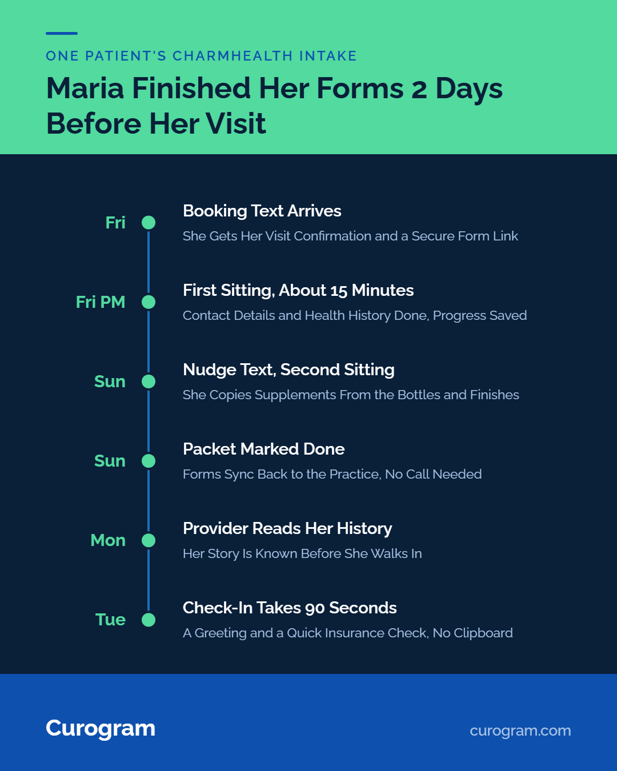
Step 1: The Packet Arrives With Her Confirmation
Maria books a new-patient visit at a solo integrative practice that runs on CharmHealth. She gets a text confirming her Tuesday visit, with a secure link to her intake packet. The text comes from the practice's own number, so she knows who sent it.
She taps it on Friday evening, and the form opens in her phone's browser. There is no portal, account, or app. She works through her contact details and health history in about 15 minutes. Then she stops, because her supplement list is upstairs.
Step 2: She Finishes on Sunday, From the Couch
On Sunday, a short nudge text reminds her the packet is still open. Her progress is saved, so she picks up right where she left off. She copies each supplement name straight from the bottles.
She finishes the lifestyle section, and the packet now shows as done. Nobody at the practice had to call her, and she never needed a password. The whole packet took two short sittings. This is what no portal login patient forms look like in practice.
Step 3: Tuesday Check-In Takes 90 Seconds
Maria's packet reached the practice before the weekend ended. Her provider reads it Monday night. On Tuesday, check-in is a greeting and a quick insurance check.
That is a paperless waiting room for a solo practice. It also works as a CharmHealth CheckIn Kiosk alternative for patients who prefer home.
Showing up is part of the same habit. Pre-visit texts helped Atlas Medical Center cut no-shows from 14.20% to 4.91% in three months.
That result comes from Curogram client data from clinical settings. Our post on reducing no-shows with CharmHealth automated SMS reminders shows how that works.
Conclusion: Your Patients' First Impression, Delivered by Text
Patients judge a practice before they meet the provider. A password wall and a clipboard send one message. A text link they can finish on the couch sends a better one. The intake stays the same, and only the route changes.
Ask your front desk how many patients finished their packet before today's visits. If text intake and reminders prevent just 2 or 3 no-shows a month, the platform pays for itself. That math holds at $200 a visit.
Book a CharmHealth integration demo to see your own packet sent as a text link. Your staff will feel it too, as our guide to the CharmHealth intake workflow for front desk staff explains.
Frequently Asked Questions