8 min read
Medical Staff Performance Analytics: Fix Your Practice Faster
Mira Gwehn Revilla
:
May 24, 2026
One urgent care group cut Monday 9 AM response time from 47 minutes to 16 minutes with a single schedule change—no new hire needed. Five core metrics drive smart staff response time analytics in healthcare: average response time, inbound message volume, peak hour staffing alignment, confirmation rate, and patient satisfaction.
Watching them together turns guesswork into clear action. Most practices can launch a full program in four weeks and lock in steady gains afterward.
Your front desk feels slow and stretched thin. Calls pile up. Patients wait too long for replies. The first thought is always the same: hire more people.
But that thought is often wrong. The real issue is rarely headcount. Most slow front desks have enough staff on payroll. They just have them in the wrong places at the wrong hours.
Most practices guess at staff problems without real data on hand. They watch the lobby and listen to complaints. They hire based on gut feel alone. But gut feel cannot see what happens at 9 AM every Monday. It cannot tell you that Wednesday at 2 PM is quiet while Friday at 4 PM is on fire.
This is where medical staff performance analytics for your practice change the game. Real-time response data shows you when your team is drowning. It also shows when they sit idle. It maps demand against staffing in a way no manager can do by eye alone.
One urgent care group thought they needed a fifth hire. Four staff handled 80+ inbound calls a day, and the math looked fine on paper. But response times spiked every single Monday morning at 9 AM. After one shift change—no new hire, no extra budget—response times dropped by more than half.
This guide breaks down how to improve front desk efficiency at a medical practice using clear, real-time data. You will learn the five metrics that matter most for daily operations. You will see the gap between overstaffed and under-responsive. You will get a four-week plan to launch your own response intelligence program.
Front desk staff are not the problem here. They do their best with the schedule they have. The real fix is alignment, not extra effort. Once you can see the peaks, both staff and patients win.
The Front Desk Is Not Understaffed — It's Misaligned
The instinct when a front desk feels slow is to hire more people. In most cases, this targets the wrong problem. Most slow front desks do not have a headcount issue—they have a timing issue. The two look the same on the surface but need different cures.
Consider this case. An urgent care group handled 80+ inbound calls a day with four staff. On paper, that's eight calls per person per hour over a 10-hour day. The team looked sized right, but that flat average hid the real demand.
On Monday mornings, the group got 20 calls in the first 90 minutes. By Wednesday afternoon, calls dropped to three per hour. The same four people were fine at 2 PM Wednesday but swamped at 9 AM Monday. Response times during peak hours climbed to levels patients would not accept.
This shift in mindset changes the cure. A fifth full-time hire would cost more than $40,000 a year in salary and benefits.
That spend would help during peaks but waste money during slow hours when calls are light. The smarter move is to shift one staff schedule to cover Monday mornings—same people, same payroll, problem solved.
This is what staff response time analytics in healthcare make clear. Without data, the slow response gets blamed on low headcount. With data, you see that demand has shape, with peaks and valleys by day and hour. Staffing must match that shape, not flatten across it.
A practice administrator who works from gut feel will nearly always over-hire. A leader who reads response data can fix the same issue for free. That is the core promise of front desk workflow optimization: see the pattern, shift the people, save the budget.

The Monday AM Discovery — What Response Analytics Reveals
The urgent care group needed proof, not theory. So they turned on response time tracking by day and hour. For seven days, they let the data speak. What came back changed the entire staffing plan.
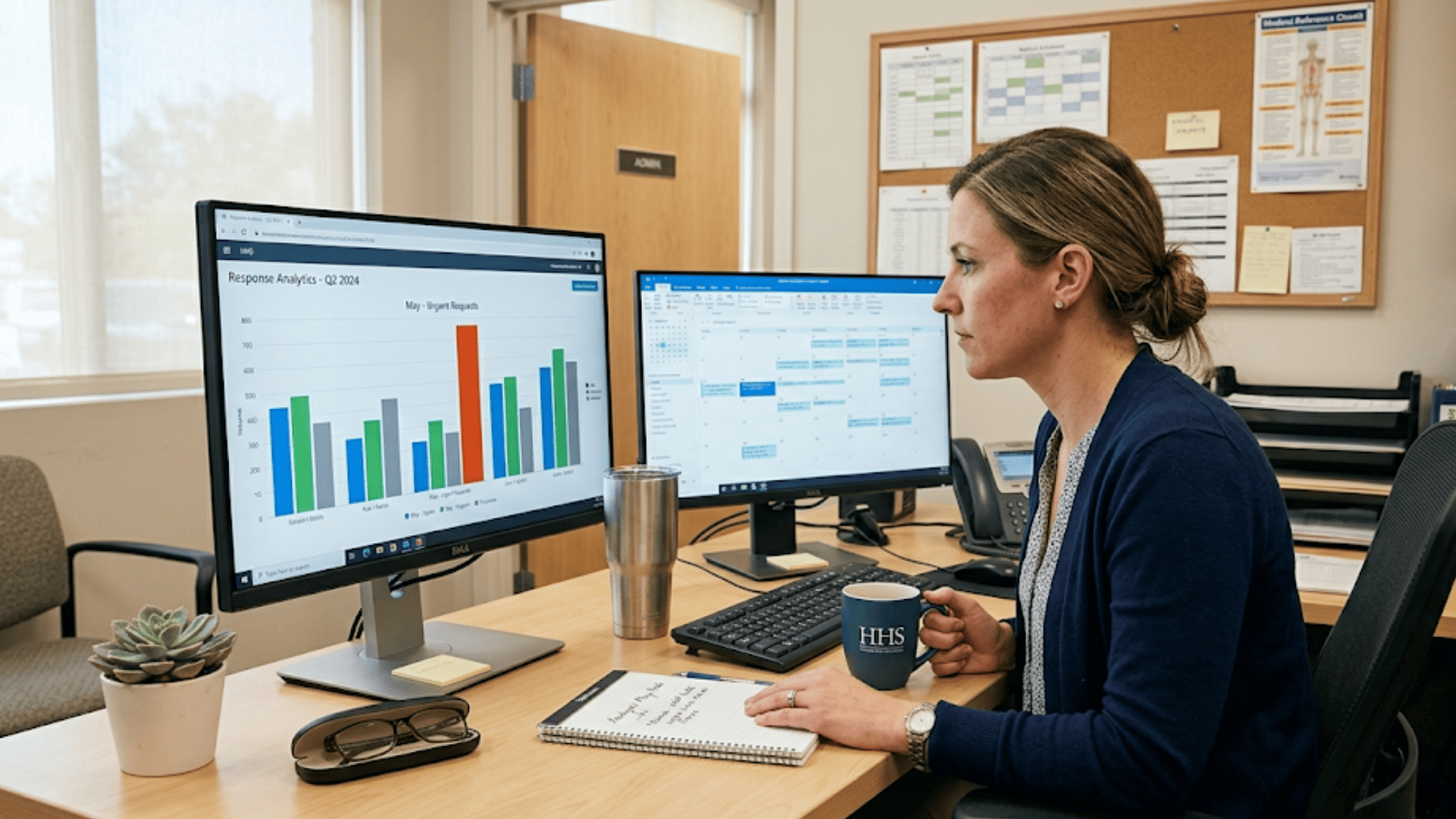
A simple grouped bar chart told the story. Monday at 9 AM showed response times three times higher than every other day. Tuesday, Wednesday, Thursday, and Friday at 9 AM all showed normal numbers. The pattern was loud and clear—every Monday morning, the front desk was buried.
Why Monday? Patients who got sick over the weekend all called at once, along with refill requests and Friday follow-ups. Monday is the catch-up day for an entire two-day gap. No clinic feels it until they measure it.
The fix took one meeting. The group shifted one staff member's schedule to cover 8 AM to 10 AM on Mondays. They added no payroll and cut no shifts—they only moved hours around.
Below is a snapshot of what the team saw before and after the change:
|
Time Slot |
Before Shift |
After Shift |
Change |
|
Monday 9 AM |
47 min |
16 min |
−66% |
|
Tuesday 9 AM |
14 min |
13 min |
flat |
|
Friday 4 PM |
18 min |
17 min |
flat |
|
All-day average |
22 min |
14 min |
−36% |
The results showed within seven days. Confirmation rates picked up over the next two weeks. Patient complaints about phone wait times dropped sharply by week three.
This is the kind of insight that only patient communication analytics in a medical setting can unlock. Without the chart, no one would have spotted the Monday gap. With it, the fix was obvious. That is the difference between guessing and seeing.
The Five Metrics That Define Staff Response Intelligence
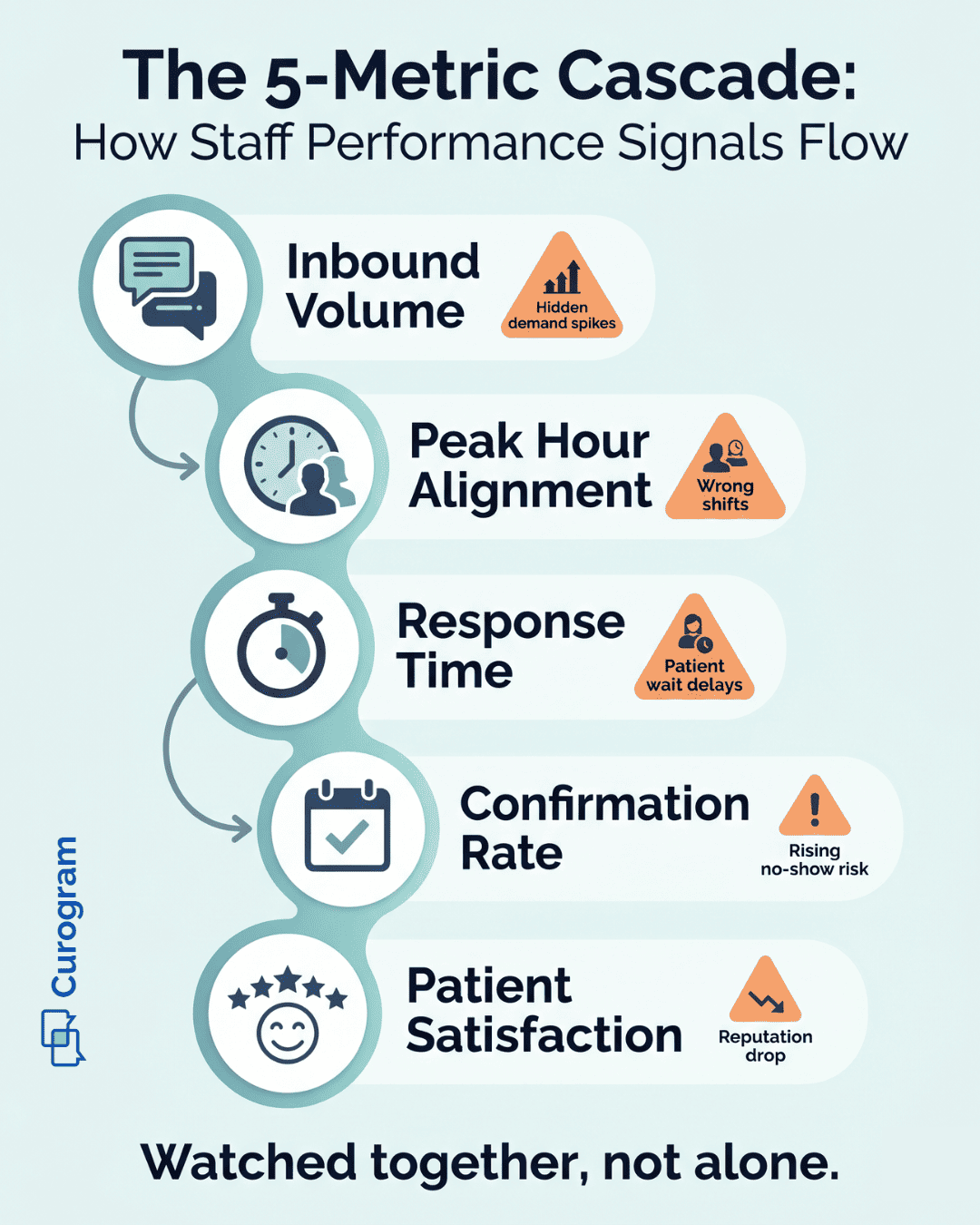
Smart response intelligence rests on five clear metrics. Each one captures a different angle of how your team performs day to day. Together, they convert "the front desk feels slow" into a problem you can fix. Below is a quick view of each metric and why it matters:
|
Metric |
What It Measures |
Why It Matters |
|
Average Response Time |
Median minutes from patient message to staff reply |
Surfaces where demand is most concentrated |
|
Inbound Message Volume |
Raw count of messages by day and hour |
Shows when phones and texts ring loudest |
|
Peak Hour Staffing Alignment |
Staff count vs. message volume at peak times |
Predicts whether replies will be fast or slow |
|
Appointment Confirmation Rate |
Share of patients who confirm via messaging |
Acts as a leading sign of no-show risk |
|
Patient Satisfaction Score |
Rating by location and provider |
Lagging outcome that proves the work paid off |
Average response time is the heart of the system. When tracked by day and hour, it reveals where staff get buried. A spike from 12 minutes to 45 minutes on Monday mornings is a clear signal.
Inbound message volume tells you when patients reach out. Some practices peak in the morning. Others peak right after lunch. Without this view, you cannot plan staffing well at all.
Peak hour staffing alignment is the ratio that decides everything. Two staff for 30 messages at 9 AM is a problem. Two staff for 6 messages at 3 PM is fine. The metric forces you to compare supply and demand at the right moment.
Appointment confirmation rate is your early warning. When it drops, no-shows are coming. Based on our internal data, practices using two-way SMS see no-show rates 53% lower than the industry average.
Patient satisfaction is the final score. It lags the other four but confirms the work paid off. Together, these five form the backbone of practice administrator performance metrics that drive real change.

Overstaffed vs. Under-Responsive — Understanding the Difference
Two practices can have the same average response time for very different reasons. Without the right view, both look identical on paper. But the fix for each is the polar opposite. This is where most leaders go wrong.
Take Practice A. It has slow response times because it does not have enough staff to handle its volume at any hour. When you chart response time by hour of day, every bar is high. All hours show delay. This practice is truly understaffed.
Take Practice B. It also has slow response times—but only at 9 AM and 4 PM. The rest of the day looks normal. When you chart this practice's response time, two bars spike while the rest sit flat. This practice is not understaffed. It is misaligned.
The two need different solutions. Practice A needs more headcount. Practice B needs to shift existing staff to cover those two peak windows. If Practice B hires a new person, money goes to waste during the 22 quiet hours of the day.
Below is how these two patterns look side by side:
|
Pattern |
What the Chart Shows |
Diagnosis |
Solution |
|
Practice A |
All hours elevated |
Understaffed |
Add headcount |
|
Practice B |
Spikes at 2 windows only |
Misaligned |
Shift existing schedules |
This split is what response analytics make visible. Intuition gets it wrong. Surveys get it wrong. Counting total calls gets it wrong. Only response time data grouped by hour of day and day of week shows the real cause.
This is why response intelligence comes before any staffing change. You cannot solve a problem you cannot see. Once the chart is in front of you, the right move becomes obvious—and so does the cost of getting it wrong.
Implementing a Response Intelligence Program
Most practices can stand up a response intelligence program in four weeks. The work is steady but not heavy. The key is to take it one week at a time. Each week builds on the last.
Here is the simple rollout plan:
- Week 1 — Baseline. Turn on message response tracking in your platform. Collect seven days of data on response time, message volume, and confirmation rate by day and hour.
- Week 2 — Map. Overlay current staffing schedules on top of that data. Mark the hours where response time goes above your target—usually 15 to 20 minutes. Look for whether staffing is too low or simply in the wrong slots.
- Week 3 — Shift. Make one staffing change. In most cases, this means moving an existing person's schedule, not hiring. Pick the single biggest peak first.
- Week 4 — Measure. Watch what happens. Most practices see response time drop within seven days. Confirmation rates often climb within two to three weeks.
After the first four-week cycle, move to a quarterly review. Monthly check-ins are normal during active tuning. But once staffing matches demand, alignment tends to stay stable. Big changes—new provider, new location, sudden volume jump—should trigger an off-cycle review.
The goal is not constant fiddling. The goal is a clear baseline and a steady habit of checking in. Based on our internal data, practices using automated reminders and two-way texting confirm more than 1,100 appointments a month with the same headcount they had before. That is the power of aligned staff plus smart workflow.
This is what real medical staff performance analytics for your practice look like in action. Small, steady moves backed by data. No expensive overhauls. No guesswork. Just clear data driving better decisions every quarter.
Conclusion
A slow front desk is one of the most common pain points in healthcare. It costs revenue. It damages patient trust. It burns out staff. But the standard fix—just hire more people—often misses the real cause.
Most slow front desks are not short on people. They are short on alignment. Demand has shape, with peaks on certain days and hours. Without data, that shape stays invisible.
Real-time response analytics make the shape visible. They show when teams are buried and when they sit idle. They turn vague complaints into clear, fixable patterns. A single schedule shift can drop response time by 50% or more.
Five metrics anchor the work: response time, message volume, peak hour alignment, confirmation rate, and satisfaction. Watched together, they form a clear scorecard. Watched in isolation, they mislead. The full picture is what makes change stick.
The four-week rollout is simple. Baseline in week one. Map in week two. Shift in week three. Measure in week four. Most practices see results before the cycle even closes.
Hiring is sometimes the right call. But often, a $40,000 hire can be replaced by a $0 schedule shift. That is the value of data-driven staff response intelligence in healthcare. It gives you the proof to act with confidence, not guesswork.
Your front desk team is doing the best they can. They deserve a schedule that matches reality. Your patients deserve fast, caring replies. Your budget deserves a smart, lean approach.
The good news is that the data is already in your system. It just needs to be turned on and read. Once you can see Monday morning, you can fix Monday morning. Once you fix Monday, the rest gets easier.
You cannot fix a problem you cannot see — and right now, your busiest hours are invisible. Request a demo and watch your staff performance data come to life in real time.
Frequently Asked Questions
Each location has its own demand pattern. One peaks Monday morning, another peaks Friday afternoon. A master dashboard shows all locations at once, letting leaders align staff without forcing one schedule to fit every site.
Because they cannot see when peaks happen without data. Gut feel reads the lobby, not the timeline. Hiring feels like decisive action, while schedule shifts feel small—yet shifts often deliver bigger gains at zero cost.
Most practices see response time improve within one week of a schedule shift. Appointment confirmation rates usually rise within two to three weeks. Patient satisfaction scores tend to follow within one to two months.