
1 min read
Curogram Communication Features: Complete Platform Overview (2026)
💡 Curogram is a HIPAA-compliant patient texting platform built for medical practices. It offers two-way text messaging, automated appointment...
9 min read
Gregory Vic Dela Cruz : Updated on September 2, 2026
Most small clinics read a jammed schedule as a staffing problem. One more person at the front desk, maybe a part-timer for the afternoon rush.
The math almost never works, and the new hire spends her first month doing the same thing everyone else does: dialing patients to confirm appointments nobody has time to confirm.
The bottleneck sits somewhere else. Every step in a manual schedule waits on a human being free at the right moment. A confirmation exists because someone dialed. A reminder went out because someone remembered.
A canceled slot gets refilled because someone caught it in time. On a slow day that holds together fine. On the days your schedule is full, which are the days it matters, those steps get skipped in exactly the order that costs you the most.
That is what healthcare workflow management for small clinics is meant to fix. The work splits cleanly into two piles.
One pile needs judgment, and your team keeps it. The other pile is script-reading and record-marking, and a system does it better because a system does it every time.
What follows covers where manual scheduling breaks down, what AI appointment booking for clinics actually changes, and how a healthcare chatbot picks up the requests arriving after your last staff member goes home.
Picture a Tuesday at 11 a.m. in a three-provider clinic. One receptionist is on hold with an insurance rep, a walk-in is waiting at the window, and two voicemails from patients wanting to move their Thursday slots are still unplayed. Every one of those tasks belongs to the same person.
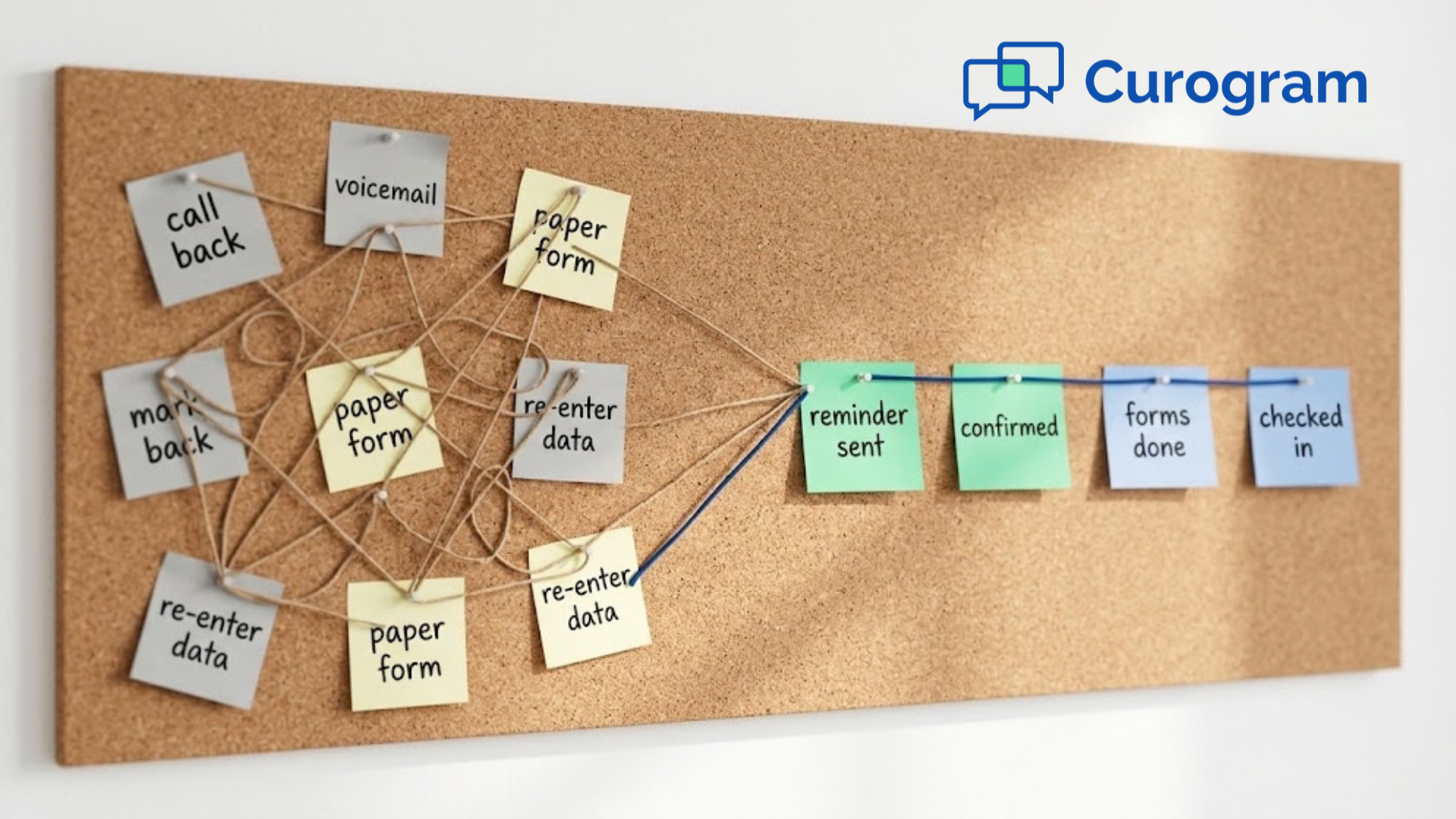
That's where things slip. A callback gets written on a sticky note and buried. Two patients land in the same 2:15 slot. Nobody confirms Thursday, so Thursday's chair sits empty.
Good healthcare workflow management for small clinics means one thing in practice: your staff stops repeating work a system could handle.
Confirmations, reminders, forms, and check-in steps run on their own. Conversational AI and scheduling software take the repeat tasks off the front desk and hand back the hours.
| Task Done By Hand Today | What Automation Does Instead | What Your Front Desk Gets Back |
|---|---|---|
| Calling each patient to book or confirm | Patients book and confirm by text, any hour | Fewer outbound calls, fewer voicemails |
| Paper forms filled in the waiting room | Digital intake sent before the visit | Faster check-in, shorter lobby wait |
| Reminders squeezed in between calls | Reminder sequence fires on schedule | No forgotten follow-ups |
| Tracking who owes what by memory | Tasks assigned and visible to the team | Clear handoffs between staff |
Our clients see phone call volumes drop by as much as 50% and staff productivity rise 30%+ after moving routine patient contact to two-way SMS, based on our internal data.
Those hours go back to the people standing in front of you. Patient demand keeps climbing while hiring stays hard, so the workflow itself has to carry more of the load. For most small clinics, scheduling is where that starts.
The HIPAA Journal found that 43% of organizations still rely on manual processes. Manual scheduling holds up fine at 20 visits a day. At 60, it stops holding.
Phone calls, paper calendars, and the bare appointment module in an older EMR all share one limit. Nothing happens unless someone on your team makes it happen.
A confirmation exists only because a staff member dialed, waited through four rings, and marked the chart. Skip that step on a busy afternoon and the slot is a coin flip.
Every gap lands on the patient. A voicemail nobody returned. Two names in the same 2:15. A prep instruction that never went out, so the visit gets cut short.
Seven problems show up again and again in small clinics running scheduling by hand.
A patient calls Monday to move her Thursday visit. Your receptionist crosses it out on the printed schedule, then gets pulled away before the change reaches the EMR.
Thursday morning, two names sit in the same 2:15 slot and the provider works through lunch to fix it. Double bookings, missed slots, and forgotten follow-ups burn provider time and send patients home annoyed, and both of those show up on your books.
Watch one booking travel through a manual system:
Three calls for one appointment. Each ring pulls your front desk away from whoever is standing at the window, which is exactly when entries get typed wrong.
Nobody skips an appointment on purpose. They forget, because two weeks passed and nothing reminded them. Manual systems have no reminder step at all unless a person makes the call, so follow-up gets skipped on the days you can least afford it.
Atlas Medical Center cut no-shows from 14.20% to 4.91% in three months after switching to automated reminders and confirmations, based on our internal data. Empty chairs cost revenue, and patients who drift away stop getting care.
Your schedule can only be touched when someone is at the desk to touch it. A patient deciding at 10 p.m. that she needs to be seen has two options:
Remember to call tomorrow
Find a practice she can book right now
Plenty choose the second. Those calls never reach you, so you never see what they cost.
Whiteboards, shared spreadsheets, and the plain appointment screen in an older EMR all drift out of date within hours.
A 3:00 cancellation gets erased at the desk, but the provider still has it on the printout in her pocket. She waits fifteen minutes for a patient who canceled that morning. Meanwhile a patient who wanted that exact slot was told nothing was open.
Confirmations, reminders, and prep instructions all depend on someone remembering to send them. On a normal day that works.
On a day with two callouts and a full waiting room, the fasting instruction before a lab draw never goes out. Patient arrives having eaten breakfast, and the visit gets rescheduled.
Add up what your front desk does by hand each week: dialing patients to confirm, rebooking the ones who missed, calling ahead about tomorrow's visits, chasing the ones who never picked up.
All of it repeats, and none of it needs a human judgment call. Staff who spend their week on that work start looking for other work. Turnover then costs you again in hiring and training.
An AI-powered appointment booking solution takes over the parts of scheduling that never needed a person: accepting the request, offering open times, sending the confirmation, and following up when nobody replies. The value isn't the technology.
It's what happens to your schedule once those four steps stop depending on someone being free to make a call.
Two results from our client base show the shape of it.
Confirmations at Covina used to mean manual follow-up. Someone had to call each patient, wait for an answer, and mark the chart afterward. That work grew with the schedule, so it got skipped first on the days the schedule was fullest.
After automating confirmations and processing replies in real time, Covina now averages more than 1,100 confirmed appointments per month, based on our internal data. No one is dialing for those.
The reminder goes out, the patient texts back, and the status updates without a staff member touching it.
Recall is the work that falls off every manual list. Patients who never rebooked a follow-up don't call to complain, so nothing prompts your team to chase them.
This practice sent SMS recalls to patients overdue for follow-up care. Within a month, 35% of the patients who got one scheduled an appointment. That came to 1,240 patients seen from recall messages alone, based on our internal data.
Curogram's automated patient scheduling software runs on top of the EMR you already use. Appointment data flows in from your system, and patient messaging, reminders, and confirmations run from there. Everything stays HIPAA compliant, and your team learns it in about five minutes.
Your front desk can stay with the patient at the window while the system takes inbound requests. Missed-call follow-ups go out on their own.
So do reminders and pre-visit reminders carrying prep instructions, which is the message most likely to get skipped on a busy morning. That's hours a week your staff spends on patients instead of the phone.
Atlas Medical Center brought no-shows down from 14.20% to 4.91% within three months of turning on our automated reminders, based on our internal data.
Two things drive that. Patients get told before the visit, and the ones who can't make it can move the appointment by text right then, which puts the slot back in play instead of leaving it empty. Curogram gives you the tools to hand this work to the system.

A chatbot built for healthcare connects to the systems your practice already runs on, so a request that starts in a chat window ends up somewhere your staff can act on it.
A general-purpose website chat can't do that. It collects a name and an email, then leaves the actual booking to whoever checks the inbox.
The difference matters most after hours. Patients decide they need to be seen at 9 p.m., long after your last staff member went home.
| What the Bot Does | Why It Helps |
|---|---|
| Greets the patient and asks the reason for visit | Sorts a sore throat from a post-op check before anyone reads it |
| Offers appointment slots based on provider availability | Patient picks a real open time instead of requesting one |
| Answers questions about insurance, location, or hours | Handles the three calls your front desk fields most |
| Routes urgent messages to live staff | Nothing clinical waits in a queue for morning |
Our chatbot picks up appointments from three places your team can't cover: your website, after-hours traffic, and calls nobody could answer. Here's how the missed-call path runs:
All of it stays inside HIPAA rules for patient communication. With Curogram's Online Chat Request, you can have patients—both existing and potential—start a conversation directly through your website.
Someone comparing three clinics on Google can start a conversation with yours without picking up the phone, which is often the step that loses them.
Your front desk drops the routine questions and keeps the patients standing in front of them.
Manual scheduling doesn't break. It just quietly costs you a slot here and a patient there, and nobody on your team has time to notice the pattern.
The clinics that fix this aren't the ones that hired more staff. They moved confirmations, reminders, recalls, and after-hours requests onto a system that runs whether or not the phone is ringing. Atlas Medical Center went from a 14.20% no-show rate to 4.91% in three months that way, based on our internal data.
Chatbots, AI appointment booking, and automated reminders all do the same job. They handle the steps that only ever needed a person because no one had built anything better.
Curogram puts patient messaging, scheduling, EMR syncing, and automation in one HIPAA-compliant platform Request a demo today and we'll run it against your actual schedule, so you can see which slots you're losing now.
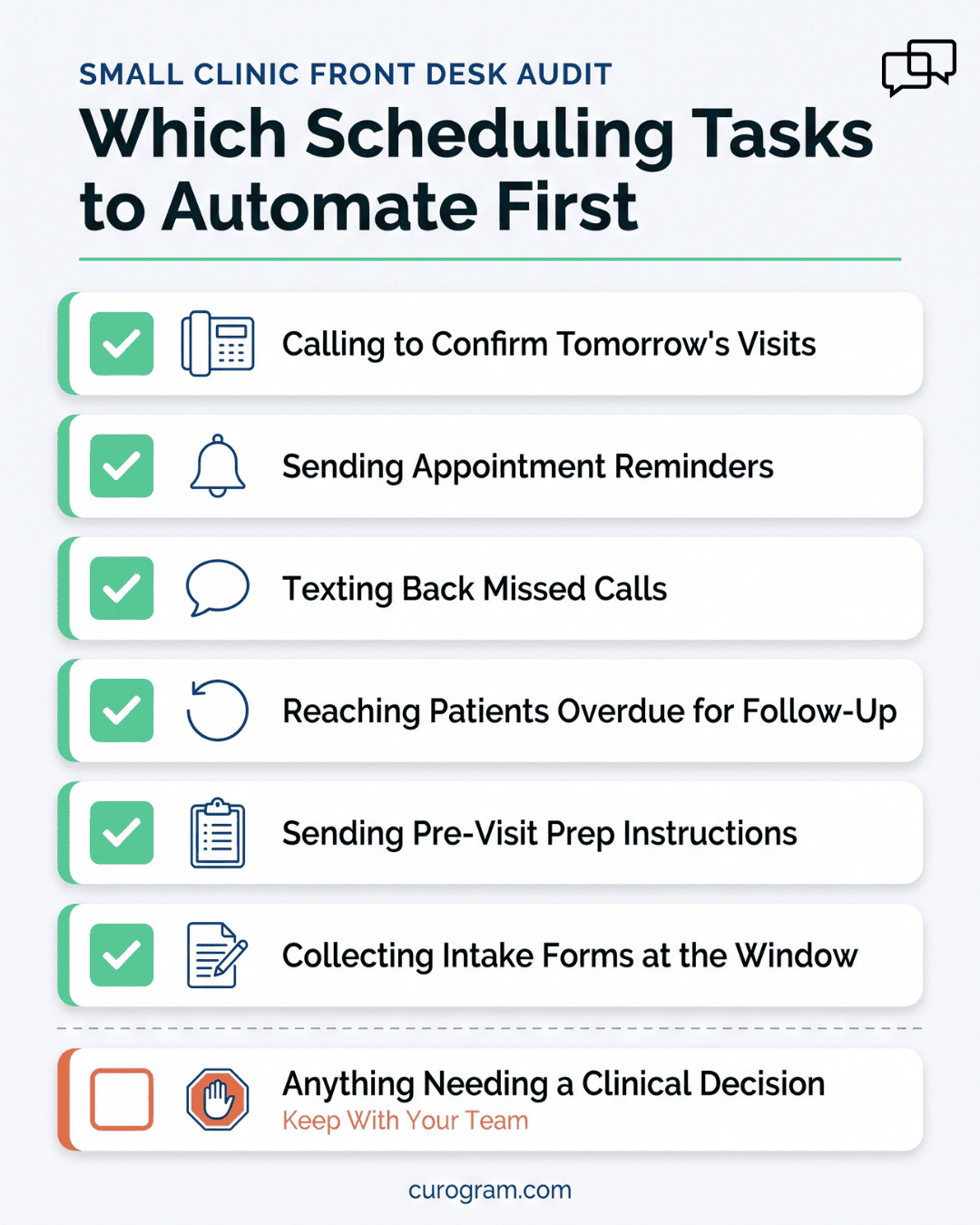
Start with the task your staff repeats most and judges least. For most small clinics that's appointment confirmations. Nobody makes a decision when they dial to confirm a Thursday visit. They read the same script and mark the chart. Recalls come second, since overdue patients never call to remind you they're overdue. Anything needing clinical judgment stays with your team.
Timing and the reply path. A staff call goes out when someone has a free minute, which on a full day is never. An automated reminder fires on schedule either way. The patient can also move the appointment by text right then instead of calling back, so the slot returns with time left to fill it. Atlas Medical Center cut no-shows from 14.20% to 4.91% in three months, based on our internal data.
It routes to a live staff member inside the same thread. A bot handling appointments should never answer symptoms. Set that handoff rule before launch: anything describing pain, bleeding, or a medication problem goes straight to a person. The patient sees the conversation continue without repeating herself, and your team picks up with the full history visible.
Consent and content are separate questions. Texting back a missed call counts as permitted patient communication, but the message itself shouldn't carry clinical detail. Keep the automated reply plain: ask what they need and offer to schedule. Anything sensitive stays inside the secure thread, and your vendor signs a BAA before the first message goes out.
Scheduling automation mainly needs to read your schedule, not write to it. Appointments flow from your EMR into Curogram, reminders go out, and patient replies land where your front desk can see them. Confirmation status lives in Curogram rather than syncing back, so your team checks one screen each morning instead of assuming the EMR already knows.
1 min read
💡 Curogram is a HIPAA-compliant patient texting platform built for medical practices. It offers two-way text messaging, automated appointment...
1 min read
💡 Generational patient communication means matching your outreach style to each age group in your practice. Gen Z and Millennials want...
1 min read
💡 You can text patient lab results, but standard SMS is not HIPAA compliant on its own. HIPAA never banned texting. It requires that the delivery...