



Skip to the main content.
 💡 To generate Google reviews consistently, start by claiming and fully optimizing your Google Business Profile. Then ask customers at the right moment — right after a positive experience — using email, text, QR codes, or an in-person request.

Make the process effortless with a direct review link, and train your team to ask every customer the same way. Never offer incentives or buy fake reviews; Google can suspend your profile for either.

Businesses that combine timely requests with an easy-to-use link typically see review volume grow within a few months, along with stronger local search rankings and more inbound calls or bookings.

Ever notice how some businesses seem to show up everywhere on Google, while others with just as much to offer stay buried on page two? It's rarely about who has the biggest ad budget. More often, it comes down to one thing: reviews.

Imagine this. Two practices sit three blocks apart. Same services, same insurance panels, same friendly staff. One shows up first on Google Maps with 340 reviews and a 4.9-star average. The other has 12 reviews and hasn't been touched since 2022.

Which one gets the call?

It sounds simple. It isn't. Most business owners know reviews matter, but far fewer actually have a system for collecting them. They wait. They hope a happy customer remembers to leave one on their own. Most don't.

Meanwhile, the business down the street isn't doing anything magical. They're just asking, consistently, at the right moment, with a link that takes three seconds to click. That small habit compounds fast. A handful of reviews a month turns into hundreds within a year, and every one of them chips away at a competitor's advantage.

Think about the last time you picked a new dentist, restaurant, or repair shop.

Chances are you scrolled through the star ratings first, maybe skimmed a few comments, and made a decision before you ever picked up the phone. Your customers do the exact same thing before they choose you. If your profile looks thin or outdated, you've already lost some of them without knowing it.

That's why so many business owners ask, "How do I get more Google reviews?" The honest answer is that it takes a plan, not luck. You need the right setup, the right timing, and a process your team can repeat without thinking twice, week after week, whether business is slow or slammed.

This guide walks you through exactly that. We'll cover how to build a review-friendly Google Business Profile, how to ask for reviews without sounding pushy, and how to use tools like QR codes and automated texts to make leaving a review nearly effortless. We'll also get into the rules you can't afford to break, since one wrong move with incentives or fake reviews can get your entire profile suspended.

By the end, you'll have a clear, repeatable system to increase Google reviews and turn happy customers into your best marketing asset.

Mastering the Art: Effective Strategies to Generate More Google Reviews (with Real-Life Examples)

Google reviews are far more than just star ratings;

They are a critical component of your business's online ecosystem. They signal trustworthiness to both potential customers and search engines, driving visibility, credibility, and ultimately, revenue.

This guide provides a roadmap for understanding their importance and implementing effective strategies to generate Google reviews. If you're wondering how to get more google reviews, you've come to the right place.

Reviews Build Trust Before a Customer Ever Calls You

People trust reviews almost as much as advice from a friend. BrightLocal has found that trust in online reviews sits somewhere around 80-90% among consumers.

When someone lands on your Google Business Profile and sees a wall of positive feedback, their guard drops. That trust is often the deciding factor between choosing you or your competitor down the street.

Reviews Push You Higher in Local Search Results

Google factors reviews directly into local search rankings. It looks at how many reviews you have, your average rating, how often new reviews come in, and even the words people use in them.

Practices and businesses with strong, steady review activity tend to rank higher in both regular search results and the Google Local Pack — the map listings that show up at the top of local searches.

That's prime visibility, since people searching Maps are usually ready to book or buy right away.

Reviews Turn Into New Customers and Real Revenue

More visibility and more trust add up to more leads. A strong review profile works like a salesperson who never clocks out, quietly convincing prospects you're worth choosing.

Research consistently links higher review ratings to higher conversion rates. And the insights you pick up from reviews often help you improve service in ways that boost retention too, which compounds the revenue impact over time.

Reviews Give You a Free Feedback Loop

Reviews aren't just marketing. They're also a direct window into what's working and what isn't. If several reviews mention the same staff member by name, that's worth recognizing. If a few mention long wait times, that's worth fixing.

Businesses that read and act on this feedback tend to improve faster than ones that ignore it. It's one of the simplest ways to get better at what you do, straight from the people you serve.

Understanding the Google Review Ecosystem: Laying the Foundation

Before you can effectively generate Google reviews, you need the right infrastructure in place and a clear understanding of how the system works. This foundation is critical to successfully get google reviews.

Setting Up for Success: Claiming & Verifying Your Google Business Profile

Your Google Business Profile (GBP) is the hub for your reviews and local search presence. If you haven't already,

The absolute first step is to claim and verify your profile.

  1. Search: Find your business on Google Search or Maps.
  2. Claim: Look for an option like "Own this business?" or "Claim this business."
  3. Verify: Follow Google's verification process. This often involves receiving a postcard with a code by mail to your business address, but phone, email, or Search Console verification might be available for some businesses.

Verification proves you're the legitimate owner. It also unlocks the ability to edit your profile and respond to reviews, both of which matter a lot once you start asking for feedback.

Optimizing Your Profile to Encourage Reviews

An incomplete or unappealing profile can deter both customers and reviewers.

Make your GBP a comprehensive and attractive representation of your brand:

  • Complete Information: Ensure your business name, address, phone number (NAP), website, and categories are accurate and consistent everywhere online.
  • Detailed Description: Write a compelling business description using relevant keywords naturally. Highlight what makes you unique.
  • Accurate Hours: Keep your operating hours, including holiday hours, meticulously updated. This is one of the most frequently sought pieces of information.
  • High-Quality Photos & Videos: Visuals matter! Upload professional photos of your location (interior/exterior), products, services, and team. Google states profiles with photos receive significantly more engagement. Consider adding short videos too.
  • Services/Products: List your specific offerings clearly.
  • Attributes: Select relevant attributes (e.g., "Wheelchair accessible," "Outdoor seating," "Online appointments") to provide more detail.
  • Q&A Section: Proactively answer common questions in the Q&A section. Monitor and answer new questions promptly.

An optimized profile shows you're active, professional, and makes it easier for customers to find and engage with you, setting the stage to get google reviews and ultimately increase google reviews.

How the Google Review Process Works for Customers

Understanding the customer's journey helps you streamline the process. To leave a review, a customer typically needs to:

  1. Be signed into a Google account.
  2. Find your business on Search or Maps.
  3. Open your profile and go to the reviews section.
  4. Tap "Write a review."
  5. Choose a star rating and, optionally, add text or photos.
  6. Submit it.

Knowing these steps highlights why providing direct links or QR codes (discussed later) is so effective in simplifying the process and increasing the likelihood someone will generate google reviews for you. Making it easy is key to getting more reviews google results will favor.

The Golden Rule: How to Ask for Google Reviews Effectively

Simply hoping for reviews isn't a strategy. Proactively and politely asking is essential. However, how you ask significantly impacts your success rate and your ability to get google reviews. Many wonder, "how do i get more google reviews?" The answer starts with the ask.

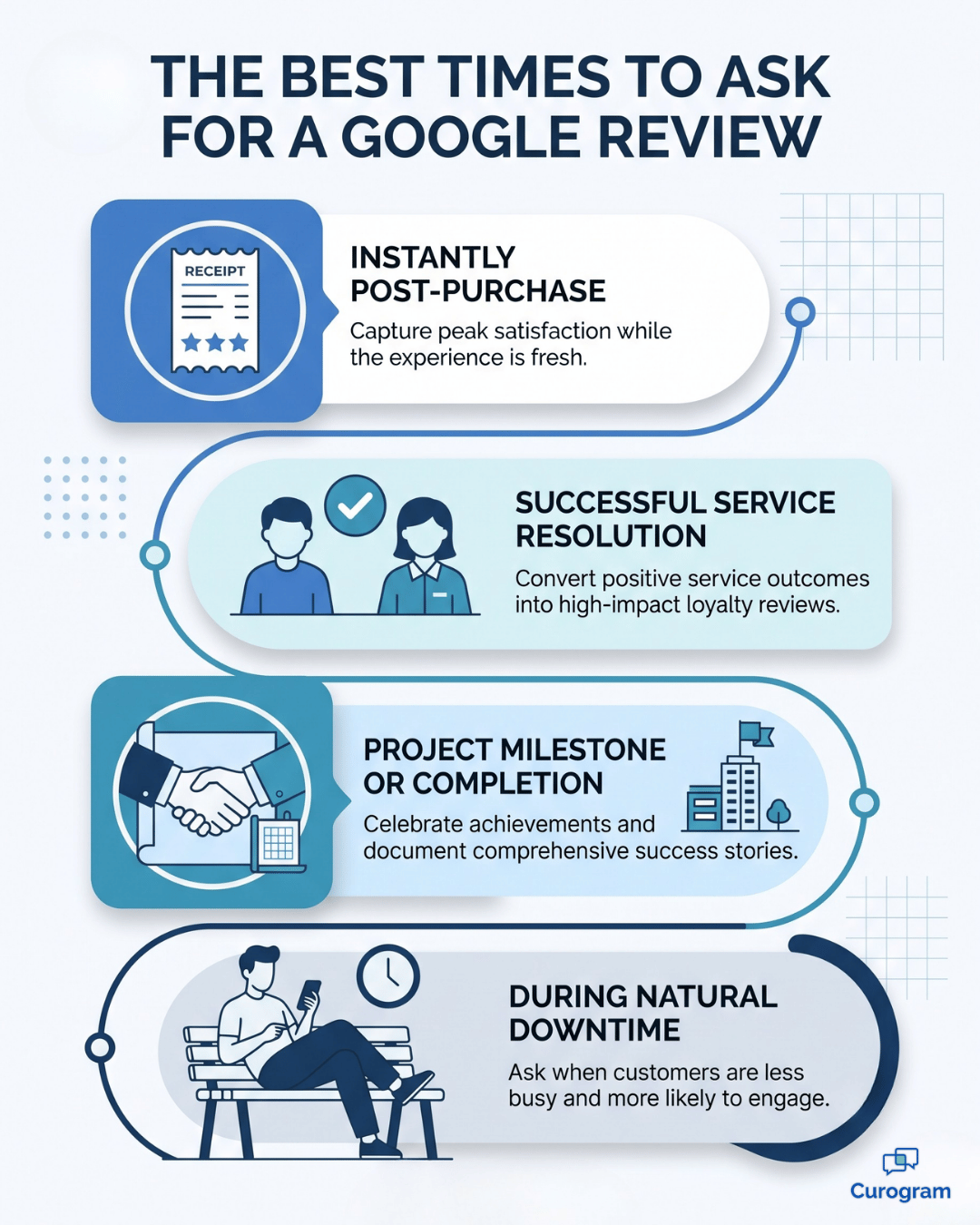
Timeline infographic showing the best moments to request Google reviews

Finding the Right Time and Place to Ask

Timing is crucial. Ask when the positive experience is fresh in the customer's mind. Ideal moments include:

  • Immediately Post-Purchase/Service: Especially if the transaction was smooth and positive.
  • After a Positive Interaction: Following successful customer support resolution or positive feedback given directly to staff.
  • Upon Project Completion: When a service or project is successfully finished and the client expresses satisfaction.
  • During Downtime: For businesses like auto repair or healthcare, asking while the customer is waiting (e.g., in finance, after check-out) can be effective.

Avoid asking during stressful moments or if the customer seems rushed or dissatisfied. Choosing the right moment is vital for learning how to generate google reviews.

Crafting the Perfect Ask (Personalization is Key)

A generic, robotic request is easily ignored. Personalization makes the customer feel valued and increases the chance they'll respond.

  • Use Their Name: Address the customer directly.
  • Reference Their Experience: Briefly mention the specific product/service they received or a positive comment they made. ("Glad we could help with [specific service] today!")
  • Be Sincere: Sound genuine in your appreciation for their business and their potential feedback. Avoid overly salesy language.
  • Keep it Brief & Clear: Respect their time. Get straight to the point politely.

Example (In-Person):

"Hi [Customer Name], thanks so much for coming in today! We're so glad you're happy with [product/service]. If you have a moment later, we'd be incredibly grateful if you could share your experience on Google. It really helps others find us and helps us get more google reviews."

Example (Email/Text):

"Hi [Customer Name], thanks again for choosing us for [service]. We value your feedback! Would you mind taking a minute to leave us a Google review? It's a great way for us to increase reviews on google. [Link Here]"

Explaining the "Why": Emphasizing Value and Ease

People are more likely to help if they understand the reason and perceive the task as easy.

Explain the Impact:

Briefly mention how their review helps others make informed decisions or helps your business improve/grow. ("Your feedback helps us serve you better and lets others know what to expect. It's how we generate google reviews that truly reflect our service.")

Highlight Ease:

Emphasize that it only takes a minute or two. Mention they can just leave a star rating if they're short on time. ("It only takes a minute," "A quick star rating helps too!") Using terms like "share your experience" or "leave feedback" can feel less burdensome than "write a detailed review." This approach helps increase google reviews.

Training Your Team: Making it Part of the Culture

Your frontline staff are often in the best position to get google reviews.

Consistent training is essential:

  • Educate on Importance: Ensure they understand why reviews matter to the business and potentially to their own roles. Explain how to get google reviews is a team effort.
  • Provide Scripts/Talking Points: Give them comfortable, natural ways to ask. Role-playing can help build confidence.
  • Empower Them: Allow them flexibility to choose the right moment based on customer interaction.
  • Make it Easy for Them: Provide easy access to review links or QR codes they can share.
  • Consider Incentives (Carefully): Incentivizing staff for mention in reviews (not just getting reviews) can be motivating, but ensure it doesn't lead to pressure on customers. Focus on recognizing great service that leads to reviews.

Making review generation a team effort is key to learning how to increase google reviews sustainably and understanding how to get more google reviews consistently.

The One Habit That Moves the Needle Most

If you only change one thing after reading this guide, make it this: ask every satisfied customer, every time, using the same simple script.

Businesses that ask consistently — not just when they remember — see review volume grow 2 to 3 times faster than businesses that ask sporadically. Consistency beats cleverness here. A simple, repeatable ask will always outperform an occasional, perfectly-worded one

Proven Online Strategies to Get More Google Reviews

Leveraging digital channels allows you to reach customers conveniently and often automate parts of the process. These methods are essential if you want to Get More Google Reviews.

Leveraging Email for Review Requests (Templates & Best Practices)

Email remains a powerful tool for asking customers to generate google reviews.

  • Timing: Send review request emails shortly after a positive transaction or interaction (within 1-3 days is often ideal).
  • Personalization: Use merge tags to include the customer's name and potentially reference their purchase/service.
  • Clear CTA: Use a prominent button or link that says "Leave a Google Review" or similar, linking directly to your review page. Make the path to get google reviews obvious.
  • Concise Copy: Keep the email brief, explain the value, and emphasize ease.
  • Mobile-Friendly: Ensure your email looks good and the link is easy to click on mobile devices.
  • Automation: Use your CRM or email marketing platform to automate sending review requests triggered by purchases or appointment completion.

Template Example:

Subject: Share Your Experience with [Your Business Name]?

Hi [Customer Name],

Thank you for choosing [Your Business Name] for your recent [product/service purchase/visit]! We hope everything met your expectations.

We value your feedback as it helps us improve and lets others know about the experience we offer. If you have a moment, would you consider leaving us a review on Google? It only takes a minute and really helps us increase google reviews!

[Button: Leave a Google Review] (Link this directly)

Thanks again for your business!

Sincerely,

The Team at [Your Business Name]

Text Message Requests

Texts get opened at rates over 95%, which makes them one of the most effective channels available.

  • Keep it short and direct.
  • Include a shortened link straight to your review page.
  • Send it soon after the visit, without being intrusive.
  • Get consent first. Under rules like TCPA in the US and GDPR in Europe, you need explicit opt-in before texting customers.
  • Automate it through a platform that handles both the sending and the compliance tracking.

Example text:

"Hi [Name], thanks for visiting us today! We'd love your feedback. Leave us a quick review? [Link] Thanks!"

Template Example:

"Hi [Customer Name], thanks for visiting [Your Business Name] today! We'd love your feedback. Help us get more reviews google users trust! Leave us a quick review? [Shortened Link] Thanks!"

Learning how to generate google reviews via text requires careful attention to compliance but offers high engagement.

Creating a Dedicated Review Page on Your Website

Make it easy for website visitors to find where and how to leave reviews. This is a core part of how to get more google reviews.

  • Dedicated Page: Create a specific page (e.g., yourwebsite.com/reviews).
  • Clear Navigation: Link to this page from your main menu or footer.
  • Call to Action: Include a clear button/link to "Leave a Google Review."
  • Showcase Existing Reviews: Embed or display positive reviews (ideally using widgets or text, not just images, for SEO benefits). This provides social proof and inspiration. Seeing others helps increase reviews on google.
  • Instructions (Optional): Briefly explain the simple steps to leave a review.

This page serves as a central hub for both encouraging new reviews and showcasing existing positive feedback, supporting your efforts to get google business reviews.

Using Website CTAs and Footers Effectively

Beyond a dedicated page, sprinkle review prompts elsewhere:

  • Footer Link: A simple text link or small logo in your website footer (e.g., "Review us on Google") provides a consistent, site-wide prompt without being intrusive. It's a subtle way to Get More Google Reviews.
  • Blog Post CTAs: If relevant, include a CTA within blog posts related to customer satisfaction or specific services.
  • Confirmation Pages: After a purchase or appointment booking online, the confirmation page/thank you page is a prime spot for a review request link.
  • Pop-ups (Use Sparingly): Exit-intent pop-ups asking for reviews can work but can also be annoying if overused. Test carefully.

Fold Requests Into Surveys You're Already Sending

If you send satisfaction surveys, like an NPS survey, you already have engaged customers in front of you.

For anyone who rates you highly, follow up right away — either in the survey itself or a quick email after — and ask if they'd share that same feedback on Google. Include the link directly so there's no extra searching involved.

Social Media Amplification: Sharing Reviews & Asking for More

Use your social media channels strategically to get google reviews.

  • Share Positive Reviews: Create visually appealing graphics (using tools like Canva) featuring quotes from your best reviews (get permission if needed, especially for sensitive industries like healthcare, and anonymize). Share these regularly.
  • Direct Ask: Occasionally post a direct request asking followers who are also customers to leave a review, including the link. Frame it as helping others in the community find trusted services. Explain that this helps you increase google reviews.
  • Link in Bio: Include your Google review link in your social media profile bios (e.g., Instagram Linktree).
  • Respond to Mentions: If people praise you on social media, thank them and gently suggest they share that feedback on Google too.

Add a Line to Your Email Signature

This one's small, but it adds up over time.

Add a simple line like:

"Happy with our service? Leave us a Google review: [link]" to your team's email signatures.

It won't generate a flood of reviews on its own, but it's a passive, always-on nudge for anyone you email regularly.

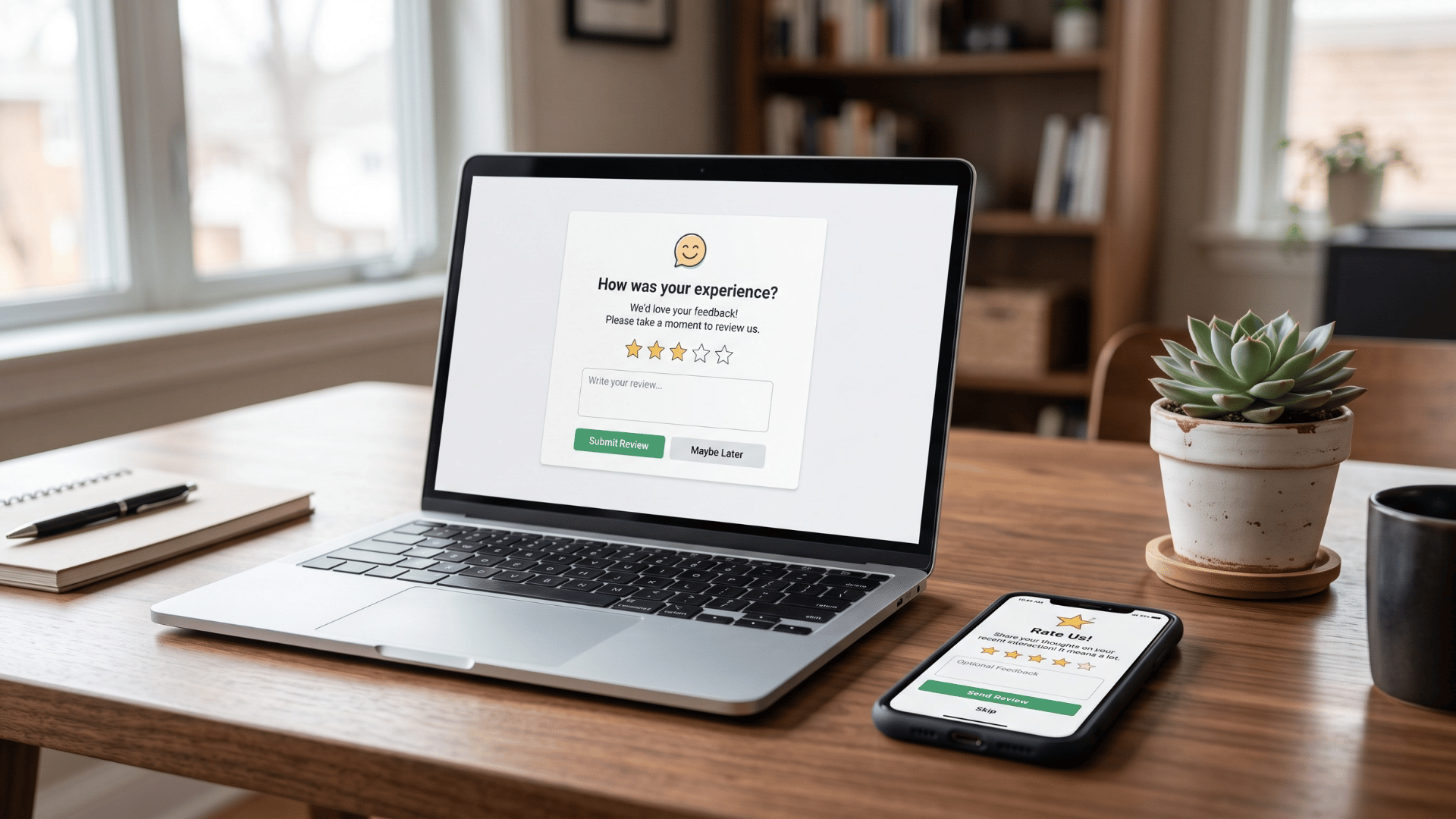
Laptop and phone showing an automated Google review request message

Effective Offline Tactics to Increase Google Reviews

Don't underestimate the power of traditional, in-person interactions and physical materials when figuring out how to generate google reviews.

In-Person Asks: The Human Touch

As discussed in "How to Ask," a polite, well-timed verbal request from a staff member can be highly effective. It feels personal and allows for immediate clarification if the customer is unsure how to proceed. Ensure staff are trained and comfortable making the ask naturally. This direct approach is a fundamental way to get google reviews and answer the question "how do i get more google reviews?" directly.

Using QR Codes Strategically (Signage, Receipts, Cards)

QR codes bridge the physical-to-digital gap seamlessly, making it easier to get google business reviews.

  • Generate Your Code: Use a free online QR code generator (many link shorteners like Bitly offer this, or dedicated sites like QR Code Monkey) to create a code that links directly to your Google review page.
  • Placement:
  • In-Store Signage: Near the checkout, on tables, in waiting areas.
  • Receipts: Print the QR code directly on customer receipts.
  • Business Cards: Include it on the back.
  • Flyers/Brochures: Add it to marketing materials.
  • Appointment Cards: Include it on reminder cards.
  • Call to Action: Place text near the QR code like "Scan to Leave a Review!"

QR codes make it incredibly easy for customers with smartphones to instantly access your review page, significantly boosting your ability to increase reviews on google.

Review Request Cards and Thank-You Notes

Small printed cards can be surprisingly effective leave-behinds.

Design a simple card with a QR code and brief instructions, then hand it out after a great interaction or include it in a thank-you note a week or two after a big purchase. A handwritten note paired with the card adds a personal touch that's hard to beat.

Point-of-Sale Signage

Prompt customers right at the moment of transaction with countertop signs, tablet prompts on checkout screens, or free "Review us on Google" stickers from Google's own marketing kit.

Making it Effortless: Links, QR Codes, and Tools

The easier you make it for customers, the more likely they are to leave a review. Streamlining the process is key to successfully generate google reviews.

Generating Your Direct Google Review Link

This unique link takes users straight to the review submission box for your business.

  1. Find Your Place ID: Use Google's Place ID Finder tool (https://developers.google.com/maps/documentation/places/web-service/place-id). Search for your business name and location. Copy the unique Place ID string.
  2. Construct the Link: Append your Place ID to this URL: https://search.google.com/local/writereview?placeid=

Example:

https://search.google.com/local/writereview?placeid=YOUR_PLACE_ID_HERE Alternatively, some Google Business Profile dashboards offer a direct "Get more reviews" button that provides a shareable link. Use whichever method works reliably for you. This link is the foundation to get more google reviews efficiently.

Some Google Business Profile dashboards also offer a built-in "Get more reviews" button that generates a shareable link automatically. Either method works.

Using Link Shorteners for Cleaner URLs

The direct Google review link can be long and unwieldy. Use services like Bitly, TinyURL, or Rebrandly to create shorter, more memorable, and sometimes branded links. This is especially useful for printed materials or verbal sharing when explaining how to get google reviews.

Staff member handing a customer review request card

Turn Your Link Into a QR Code

  1. Copy your direct (or shortened) review link.
  2. Paste it into a QR code generator like Canva or Bitly.
  3. Customize the design if you'd like, including adding your logo.
  4. Download it and add it to signage, receipts, or cards.

Consider Review Management Software

If you're ready to scale this up, dedicated software can handle a lot of the heavy lifting.

Most platforms combine several features in one place:

Feature What It Does
Automated requests Sends personalized email or text requests triggered by your CRM or scheduling system
Review monitoring Pulls reviews from Google and other sites into one dashboard
Response help Offers templates or AI tools to speed up replying
Reporting Tracks review volume, average rating, and trends over time
Website widgets Displays your latest reviews directly on your site
Compliance tools Manages SMS opt-ins so you stay within legal requirements

Platforms like Podium, ReviewTrackers, Widewail, Birdeye, and GatherUp all serve this space, with different pricing and feature sets depending on your business size.

Google's Rules and Ethical Guardrails

Navigating the Rules: Google's Policies and Ethical Considerations

While actively seeking reviews is encouraged, doing so unethically can backfire spectacularly. Understanding and adhering to the rules is paramount when you generate google reviews.

Understanding Google's Review Solicitation Guidelines (Do's and Don'ts)

Google's primary goal is authentic, unbiased feedback reflecting genuine customer experiences. Key guidelines include:

DO DON'T
Ask customers for reviews directly and neutrally. Offer incentives (money, discounts, gifts, contest entries) in exchange for reviews (positive or negative). This is strictly prohibited and includes incentivizing removal of negative reviews.
Make it easy for customers to leave reviews (links, QR codes). Have employees review your own business.
Respond to reviews professionally. Set up review stations or kiosks in your business where multiple reviews might come from the same IP address (this can look suspicious).
  Post fake reviews yourself or hire services to do s

Violating these policies can lead to review removal, penalties to your listing's visibility, or even suspension of your Google Business Profile. Ethical practices are essential for long-term success when you get google reviews. Following the rules is crucial for anyone asking "how do i get more google reviews?"

Why Buying Fake Reviews Always Backfires

Buying fake 5-star reviews might sound tempting, especially if you're struggling with negative feedback. It's a bad idea for three reasons.

Google's detection systems catch patterns of purchased reviews, and the penalties range from removing the fake reviews to suspending your profile entirely — which makes you invisible in local search.

In the US, the Federal Trade Commission also treats undisclosed paid reviews as deceptive advertising and has issued fines running into the millions.

On top of that, if customers ever find out you bought reviews, the damage to your credibility is hard to undo.

Authentic reviews, collected consistently, are the only approach that holds up long term.

Incentives Outside of Google Need Disclosure

Google bans incentives for reviews on its platform, full stop. But rules get more nuanced elsewhere.

If you incentivize testimonials for your own website, separate from Google, FTC guidelines generally require you to disclose that clearly — something like "This reviewer received a discount for their feedback."

Running a contest that asks for any review, positive or negative, might pass FTC muster with proper disclosure, but it would still likely violate Google's own terms if tied to a Google review specifically.

The safest path:

Never tie any discount, gift, or cash to a Google review. Focus on great service and an easy process instead.

Managing Your Reputation: Responding to Reviews

ollecting reviews is only half the job. Responding to them shows customers you're paying attention.

Why Responding Matters

BrightLocal research shows that most consumers read how businesses respond to reviews, not just the reviews themselves. Responding shows appreciation for positive feedback, attentiveness to negative feedback, and professionalism either way. It also encourages more people to leave reviews, since it proves feedback doesn't disappear into a void.

Try to respond within 24-48 hours whenever possible.

Responding to Positive Reviews

Keep it warm and specific:

  • Thank the reviewer by name.
  • Reference something specific they mentioned.
  • Briefly reinforce the positive point they raised.
  • Invite them back.
  • Keep the whole thing short.

Example:

"Hi [Name], thank you for the kind words! We're glad you had such a great experience with [specific detail]. We look forward to seeing you again soon."

Handling Negative Reviews Without Losing Your Cool

Negative reviews sting, but a calm, professional response can limit the damage and sometimes even turn the situation around.

  1. Respond quickly and publicly.
  2. Apologize for their experience, even if you disagree with parts of it.
  3. Take responsibility for what's fair, without admitting to anything untrue.
  4. Never get defensive or argue in public.
  5. Move the conversation offline by sharing a direct contact.
  6. Keep your response brief and professional.
  7. Use the feedback internally to improve.

A response like:

"We're sorry your experience didn't meet expectations. Please reach out to [name] at [phone/email] so we can make this right" does a lot of work without dragging the details into public view.


Dealing With Fake or Inappropriate Reviews

Occasionally you'll get a review that's clearly fake, spam, or against Google's content policies.

Flag it using the "Flag as inappropriate" option in your dashboard or on Maps. For obvious spam, it's usually best not to respond publicly, since a reply can draw more attention to it.

If a fake review looks credible enough to cause real damage, a brief, professional note stating you have no record of the transaction — followed by an invitation to reach out privately — can help before you flag it. Google's review process can take time, so you may need to follow up with support.

Customer viewing five-star Google reviews on a smartphone

Beyond Generation: Leveraging Your Google Reviews

Don't let great reviews sit unused on your profile. Put them to work elsewhere too.

Show Reviews on Your Website

Review widgets from most management platforms can automatically pull your latest Google reviews onto your site. You can also build a dedicated testimonials page featuring your best quotes, always attributed properly, or highlight a rotating selection on your homepage.

Reuse Review Content in Your Marketing

Review excerpts work well in social posts, email newsletters, printed flyers, case studies, and sales materials. Just make sure you're quoting accurately and with permission where it's needed.

Use Feedback to Train and Motivate Your Team

Share glowing reviews internally to boost morale and recognize good work. Use constructive criticism from less positive reviews as specific coaching points to sharpen service across your whole team.

Real-World Examples Across Industries

Seeing how other businesses have done this successfully makes the strategy easier to picture for your own.

A Dental Clinic Triples Its Review Volume

A dental clinic facing new competition realized patients were leaning heavily on online reviews to choose a provider, but their own review count was thin.

They trained front desk staff to ask satisfied patients for a review at checkout, set up automated follow-up emails 24 hours after appointments with a direct review link, and placed QR code cards at the reception desk. Within six months, their review volume tripled and their average rating climbed.

New patient inquiries mentioning online reviews as a deciding factor went up noticeably too.

A Family Restaurant Grows Weekend Traffic by 50%

A local restaurant wanted to stand out in a crowded dining scene and pull in more weekend diners.

Waitstaff mentioned Google reviews when presenting the check, especially after hearing positive comments about the food. Table tents with QR codes sat on every table, and the restaurant regularly shared photos of dishes alongside customer review screenshots on social media.

Reviews grew by 50% over three months, and both reservations and weekend walk-in traffic increased, with several new customers specifically mentioning the positive buzz online.

An Auto Shop Builds Trust Against Bigger Chains

An independent repair shop needed a way to compete with larger chain competitors, even though word-of-mouth was already strong locally.

They added automated SMS review requests after every completed job, with explicit opt-in gathered during intake paperwork. The owner personally followed up on major repairs a few days later, and the shop embedded a live feed of Google reviews on its homepage.

Review frequency jumped, local search rankings for "auto repair near me" improved, and appointment bookings climbed steadily.

An HVAC Contractor Wins More Bids

An HVAC contractor noticed potential customers were increasingly checking reviews before requesting quotes.

Technicians asked for a review right after finishing a job and offered to text the link on the spot. A leave-behind postcard included a QR code, and the company's website added a testimonials section pairing review screenshots with photos of completed work.

Their star rating climbed, and the contractor reported winning more competitive bids, with customers directly citing the reviews as a reason they felt confident choosing them.

Conclusion

Getting more Google reviews isn't a side project — it's one of the most reliable ways to build trust, boost visibility, and bring in new business. The businesses that treat it as a habit, not an afterthought, are the ones that consistently pull ahead.

It's worth remembering why this works so well in the first place. Reviews sit right at the intersection of marketing, sales, and customer service. They market you to people who've never heard of you, they sell for you before a prospect ever calls, and they hand you feedback most businesses have to pay for through surveys or focus groups. Few strategies deliver that much value from something customers are usually willing to give you for free.

The businesses that fall behind almost always make the same mistake: they treat reviews as a one-time push instead of an ongoing system. They'll run a campaign for a month, see a bump, and then let it quietly fade once the initial enthusiasm wears off. Reviews compound.

A steady trickle of new reviews every week does more for your ranking and your reputation than a single burst ever will, because Google and your customers both notice recency as much as volume.

That's also why the foundation matters as much as the tactics. A claimed, complete, well-photographed Google Business Profile makes every review request land better, because the person clicking through actually finds a page worth trusting. Skip that step, and even the best-timed ask will underperform.

Everything in this guide points to the same formula: build a strong profile, ask at the right moment, make it effortless, stay within Google's rules, and respond to what comes in. None of these steps is complicated on its own.

The results come from doing all five consistently, month after month, rather than nailing one of them perfectly and ignoring the rest.

Start small if you need to. Pick one channel — a text after checkout, a QR code at the front desk, an email 24 hours later — and get your team comfortable with it before adding another.

Momentum matters more than moving fast. Once asking for a review becomes as automatic as saying thank you, your review count will grow on its own, month after month, without you having to think about it.

If you're running a medical practice, this process gets a lot easier with the right tools. Request a Curogram demo to see how automated, HIPAA-compliant review requests can help your practice collect more 5-star reviews without adding extra work for your front desk.


Frequently Asked Questions

How do you generate a Google review?

You primarily generate Google reviews by asking satisfied customers to share their genuine experiences online. This involves making a polite request (in-person, email, text), explaining the value of their feedback, and making it easy for them by providing a direct link or QR code to your Google Business Profile's review section.

How do I get Google reviews?

To get Google reviews, consistently implement strategies like: asking customers directly after a positive experience, sending personalized email or text follow-ups with a review link, creating a review page on your website, using QR codes on signage or receipts, and training your team to incorporate review requests into their interactions. Understanding how to get google reviews involves persistence and multiple touchpoints.

How do I make Google reviews appear?

Google reviews appear automatically on your verified Google Business Profile once a customer submits them through their Google account. Ensure your profile is claimed, verified, and actively managed. Reviews meeting Google's policies will typically show up shortly after submission, as long as your profile is active and visible to the public.

How do I auto generate Google reviews?

You cannot truly "auto-generate" authentic Google reviews, as they must come from genuine customer experiences. Attempting to use bots or fake accounts violates Google's policies and carries severe risks. However, you can automate the request process using software to send personalized email or SMS messages asking real customers for reviews after a transaction or service. This automation helps increase reviews on google systematically.

What are the benefits of Google reviews for healthcare practices?

For healthcare practices, Google reviews are crucial for building patient trust and credibility online. They enhance visibility in local search results when people look for doctors, dentists, or clinics. Positive reviews act as social proof, reassuring potential patients about the quality of care, bedside manner, and overall experience, ultimately influencing their choice of provider. They also provide valuable feedback for practice improvement. Effectively managing how to increase google reviews is vital for healthcare marketing.


How to Automate 5-Star Google Reviews for Your Medical Practice

How to Automate 5-Star Google Reviews for Your Medical Practice

💡 Medical practices can automate 5-star Google reviews by using an EMR-integrated survey workflow. This system sends a feedback request via SMS...


Read More
12+ Actionable Strategies: How to Get More Patient Reviews

12+ Actionable Strategies: How to Get More Patient Reviews

💡 To get more patient reviews, send a same-day text with a direct review link after each visit is marked complete in your EHR. Three things...

Read More
How to Get Patients to Leave Reviews via SMS: Complete Guide

How to Get Patients to Leave Reviews via SMS: Complete Guide

Imagine if your patients could easily share their positive experiences with just a few taps on their phone. Getting patients to leave a review via...

Read More