9 min read

Stop the 80 Calls a Day | Operational Texting for WebPT Front Desks

Stop the 80 Calls a Day | Operational Texting for WebPT Front Desks
💡 The fastest way to reduce call volume in a WebPT practice is to move scheduling tasks from voice calls to 2-way SMS.

When you add Curogram to your WebPT setup, front desk staff can handle changes to recurring visits, fill last-minute gaps, and confirm slots—all through secure text.

This Silent Dispatcher approach cuts the daily phone grind by up to 50%. Staff resolves conflicts in seconds, not minutes. Patients get quick replies instead of missed calls and voicemail loops.

The result is less burnout, better in-clinic service, and a Plan of Care that stays on track. Operational texting for the rehab front desk turns your busiest phone into your quietest tool.

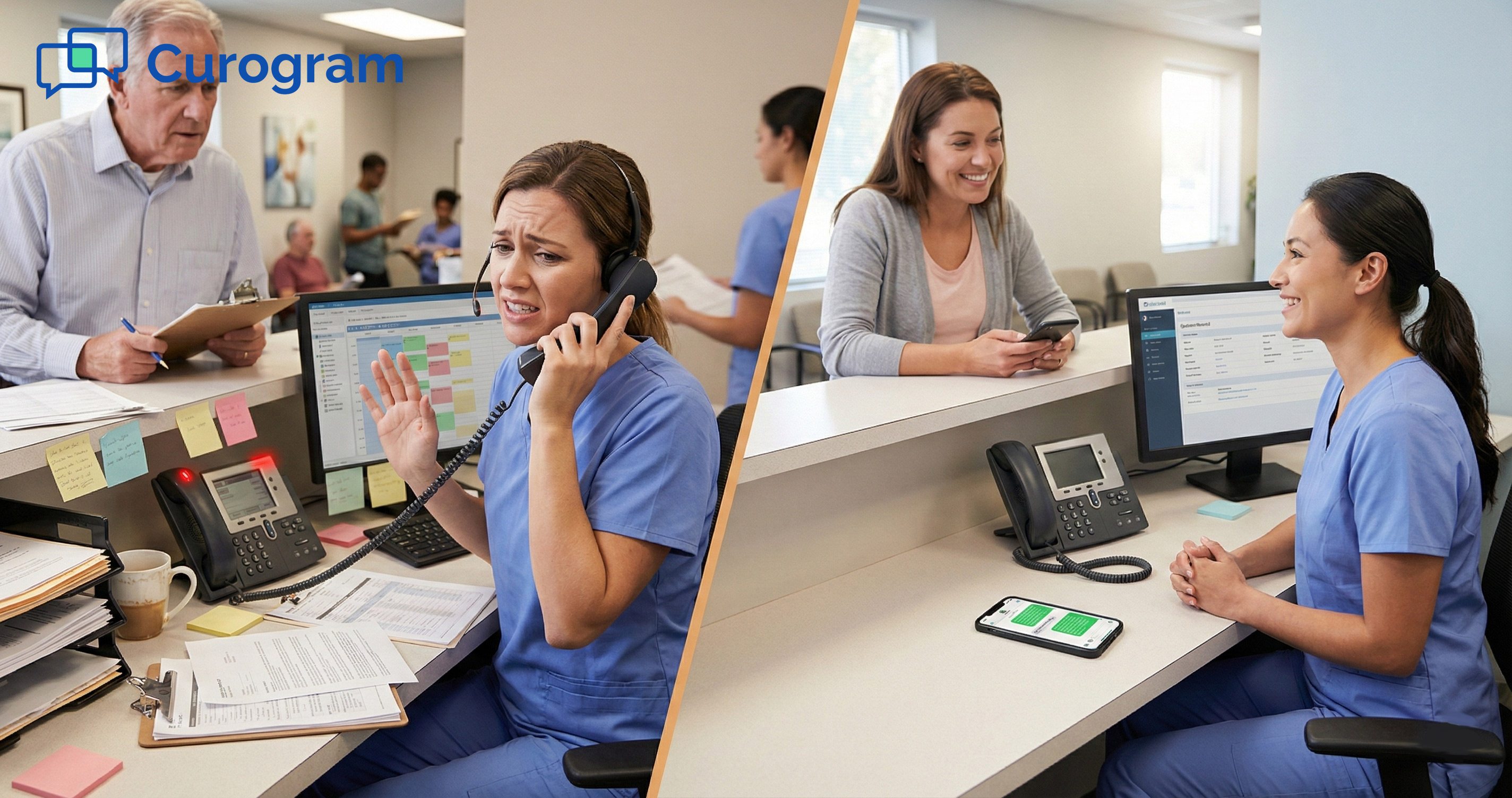
Your front desk phone rings again. It's the third call this hour about the same thing—a patient needs to shift their Thursday slot.

The staff member puts them on hold, checks the WebPT schedule, and tries to find an open time. Meanwhile, two more calls stack up, and a patient at the counter waits to check in.

This scene plays out dozens of times each day in high-volume rehab clinics. When patients come in two or three times a week, even small changes create a chain reaction.

One cancelled slot means five phone calls to fill it. One shifted time means three voicemails and a round of phone tag in physical therapy offices across the country.

The real cost isn't just wasted time. It's the care that suffers when your team is glued to the handset. Patients standing right in front of the desk get less attention.

Notes pile up. Errors creep in. Staff morale drops because they feel like call center agents, not care team members.

There is a better path. Clinics that reduce call volume in their WebPT practice see a dramatic shift in how their front desk operates.

The phones go quiet. The lobby gets calmer. And the people you hired to help patients can finally do just that.

In this article, we break down why the phone keeps ringing, how operational texting solves the problem, and what the day-to-day looks like once you make the switch.

If your staff is drowning in 80 calls a day, keep reading.

The Villain: The Phone Tag Trap

Every rehab clinic knows the drill. Patients book a series of visits, something changes, and the phones light up.

What follows is a cycle that eats hours out of every workday. Let's look at why this trap is so hard to escape.

The Reality of Recurring Schedules

High-volume PT clinics don't deal with one-off visits. Most patients follow a Plan of Care that calls for two or three sessions each week. That density is what makes scheduling so fragile.

Why One Change Creates a Chain Reaction

When a patient cancels a Tuesday 9 AM slot, that gap needs to be filled fast. Staff have to call the waitlist, reach out to patients who wanted an earlier time, and update the WebPT schedule. Each of those steps means a phone call, or two, or three.

Multiply that by a dozen changes per day, and you have what clinic managers call Schedule Tetris. Every piece that moves forces other pieces to shift.

Trying to manage recurring appointments in a PT clinic by phone alone is like bailing water with a teaspoon.

The Volume Problem in Numbers

A busy rehab clinic can log 80 or more outbound calls in a single day just for scheduling tasks. That doesn't count the inbound calls, the callbacks, or the voicemails that never get returned.

Each call averages three to five minutes when you factor in hold time, small talk, and pulling up the schedule. That's up to six hours of phone time per day for one staff member. It's a full shift spent not helping the people in the room.

The Voicemail Loop That Never Ends

Phone tag isn't just annoying—it's a workflow killer. The back-and-forth between staff and patients creates dead time that no one can recover.

How the Cycle Repeats

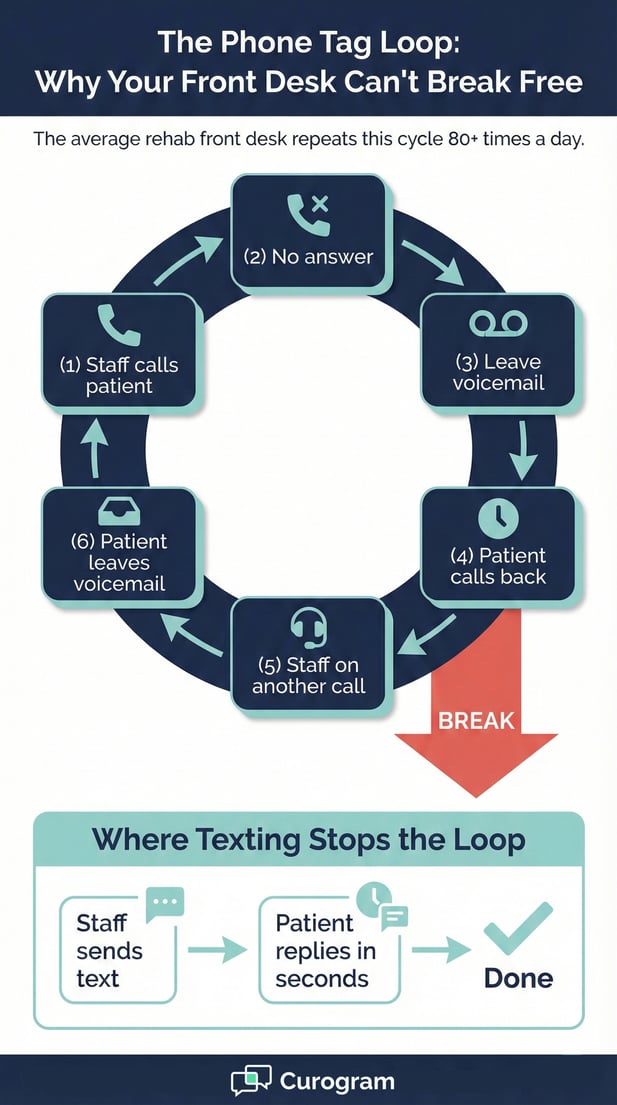
Here's how it usually goes. Staff call a patient and leave a voicemail. The patient calls back an hour later, but the staff member is on another call.

The patient leaves their own voicemail. By the time someone connects, the open slot is gone.

This game of phone tag in physical therapy clinics wastes time on both sides. Patients get frustrated. Staff lose track of who they've called and who still needs a reply. The whole process feels chaotic, even in a well-run office.

The Gap WebPT Reach Doesn't Fill

WebPT Reach is a solid tool for marketing. It sends reactivation campaigns and helps bring dormant patients back.

But it wasn't built for the real-time, back-and-forth nature of daily scheduling. It doesn't stop the phone from ringing right now.

What clinics need is something that works in the moment—a way to text a patient, get a quick reply, and lock in the change without picking up the phone. That's the gap that operational texting for the rehab front desk is built to close.

The Guide: The Silent Dispatcher

So how do you break the phone tag cycle without adding staff or cutting corners? The answer is a tool that works like a silent dispatcher for your front desk.

This tool must handle the back-and-forth in the background while your team stays focused on the people in the room.

A Command Center for Your Front Desk

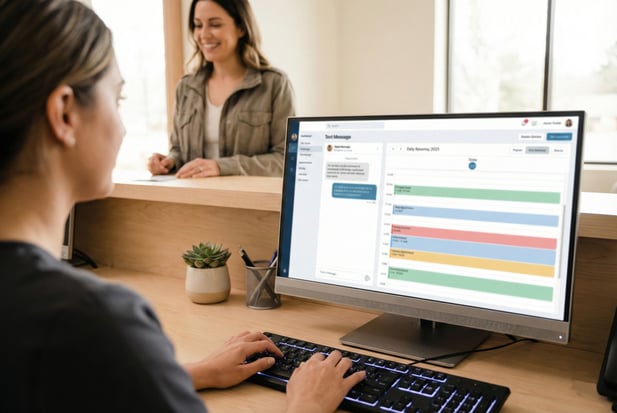
Curogram connects directly to WebPT to give your team a single screen where they can see the schedule and text patients at the same time. No switching tabs. No dialing. Just fast, clear messaging.

How the Dashboard Works

Think of it as a text-based control panel. Staff see the day's appointments, spot gaps or conflicts, and send a quick message: "Hi John, can you make 3:00 PM instead of 2:00?"

The patient replies in seconds. Done.

This kind of WebPT scheduling automation removes the biggest bottleneck in the day. There's no ringing, no hold music, and no voicemail. The schedule gets updated in real time, and everyone moves on.

One Staff Member, Ten Conversations

Here's where texting really shines. One front desk team member can juggle ten active text threads in the time it takes to finish one phone call. That's not a guess; it's what clinics report after making the switch.

Phone calls demand full attention. You can't put someone on mute and help another patient.

But with text, you fire off a message, help the person at the counter, and check back when the reply comes in. It's a totally different pace.

Operational Texting, Not Marketing Blasts

There's a key difference between sending a bulk reminder and having a real conversation with a patient.

Curogram is built for the second type—one-to-one messages that solve problems in the moment.

Real Conversations, Not Templates

When a patient texts back, "Can I come at 4 instead?", your staff can reply right away.

There's no script and no waiting for an automated system to process the change. It's a live, two-way exchange.

This matters because scheduling is personal. A patient might need to explain that their ride fell through or that they have a work conflict.

A quick text thread handles that in 30 seconds. A phone call would take five minutes, if you can even reach them.

HIPAA Compliance Built In

Every message sent through Curogram is HIPAA compliant. That means patient data stays secure, and your clinic stays within the rules. Staff don't need to worry about using personal phones or unsecured apps.

The platform also logs every exchange, so you have a clear record. If a question ever comes up about what was said or agreed to, the answer is right there in the chat history. That kind of clarity protects both the clinic and the patient.


Phone tag loop infographic: voicemail cycle vs HIPAA compliant texting

The Success: From Ringing to Responding

Making the switch from phone-first to text-first doesn't just save time. It changes how your front desk feels, how your patients are treated, and how your whole clinic runs. Here's what that shift looks like in practice.

Cut Phone Volume by 50%

The biggest win is the most obvious one. When you move confirmations and reschedules to text, the phone simply stops ringing as much. Clinics that adopt this approach often see call volume drop by half.

Where the Calls Disappear

Most of the calls your front desk handles fall into a few buckets: confirming visits, rescheduling, filling cancellations, and answering quick questions. Text handles all four of those faster than a phone call ever could.

The calls that remain are the ones that truly need a voice: complex insurance questions, new patient intake, and urgent clinical matters. By moving the routine stuff to text, you free up the phone line for the things that actually require it.

From 80 Calls to 40

If your team currently makes 80 calls a day, cutting that number in half gives back roughly three hours of staff time. That's three hours that can go toward helping patients in the lobby, catching up on notes, or simply breathing.

It also means fewer missed calls and fewer voicemails piling up. The backlog shrinks because texts get answered in minutes, not hours. The whole workflow speeds up, and the stress level drops across the board.

A Calmer Front Desk Experience

Numbers matter, but the feel of the clinic matters just as much. When the phones stop ringing nonstop, the energy in the office shifts. Staff can be present with the people right in front of them.

Visual Voicemail for Your Schedule

Instead of checking a voicemail box and scrambling to return calls, staff check a text inbox. They can scan messages, sort by urgency, and reply in order. Urgent Plan of Care issues rise to the top.

This visual approach gives your team control over their time. They're no longer at the mercy of a ringing phone. They choose what to handle first, which means the most important tasks get done right away.

Better Service for Patients in the Room

Think about what it's like for a patient who walks up to the front desk while the staff member is stuck on a call. They wait. They feel ignored. That first impression can color how they feel about the entire visit.

When the phone isn't glued to someone's ear, staff can greet patients warmly, answer questions on the spot, and keep check-ins moving. The care starts the moment someone walks through the door, not after they've waited five minutes for the call to end.  


Frequently Asked Questions for WebPT Users

Does this require a new phone number?

No. Curogram "text-enables" your existing office landline. Patients text the same number they already call, so there's zero confusion.

You don't need to update your website, your business cards, or your Google listing. Everything stays exactly as it is.

This keeps your brand identity intact. Patients don't have to save a new contact or wonder which number to use. They just send a text where they used to make a call.

On your end, setup takes minutes and works with the number you've had for years. There's no porting, no downtime, and no service gaps during the switch.

It also means every inbound text lands in the same Curogram dashboard your staff already uses for scheduling.

There's no second app to check and no split inbox. One number, one screen, one workflow. Calls still come through to your phone as normal—texting is simply added on top.

How is this different from WebPT Reach?

Reach is excellent for marketing. It powers reactivation campaigns, sends bulk outreach, and helps bring dormant patients back to the clinic.

If someone hasn't been in for six months, Reach is the tool that nudges them to rebook. It plays the long game and plays it well.

Curogram solves a different problem entirely. It handles real-time operations—the texts that stop the phone from ringing right now.

When a patient needs to shift their 2 PM to 3 PM today, that's a live, one-to-one operational conversation. It's not a marketing message. It's hand-to-hand daily scheduling.

Think of Reach as your outreach engine and Curogram as your front desk's daily command center. They serve different purposes and work well side by side without overlap.

Reach fills the pipeline with returning patients. Curogram keeps the active schedule running smoothly so those patients actually show up for their visits.

Can staff work from home?

Yes. Curogram is fully cloud-based, so any team member with login access can manage text conversations from anywhere with an internet connection.

There's no special hardware, no VPN, and no complex setup required. If they can open a browser, they can start working.

This opens up real flexibility for clinic owners. A remote scheduler can handle texts for multiple WebPT locations at the same time, taking pressure off the in-clinic team.

The staff in the building stay focused on patients at the front desk while the remote team keeps the text inbox moving in the background.

It's also a smart backup plan for the unexpected. If weather, illness, or staffing gaps hit your clinic, scheduling coverage doesn't skip a beat.

Someone working from home can pick up the threads and keep the day on track. Patients never notice the difference, and your team stays in control no matter where they're logged in.


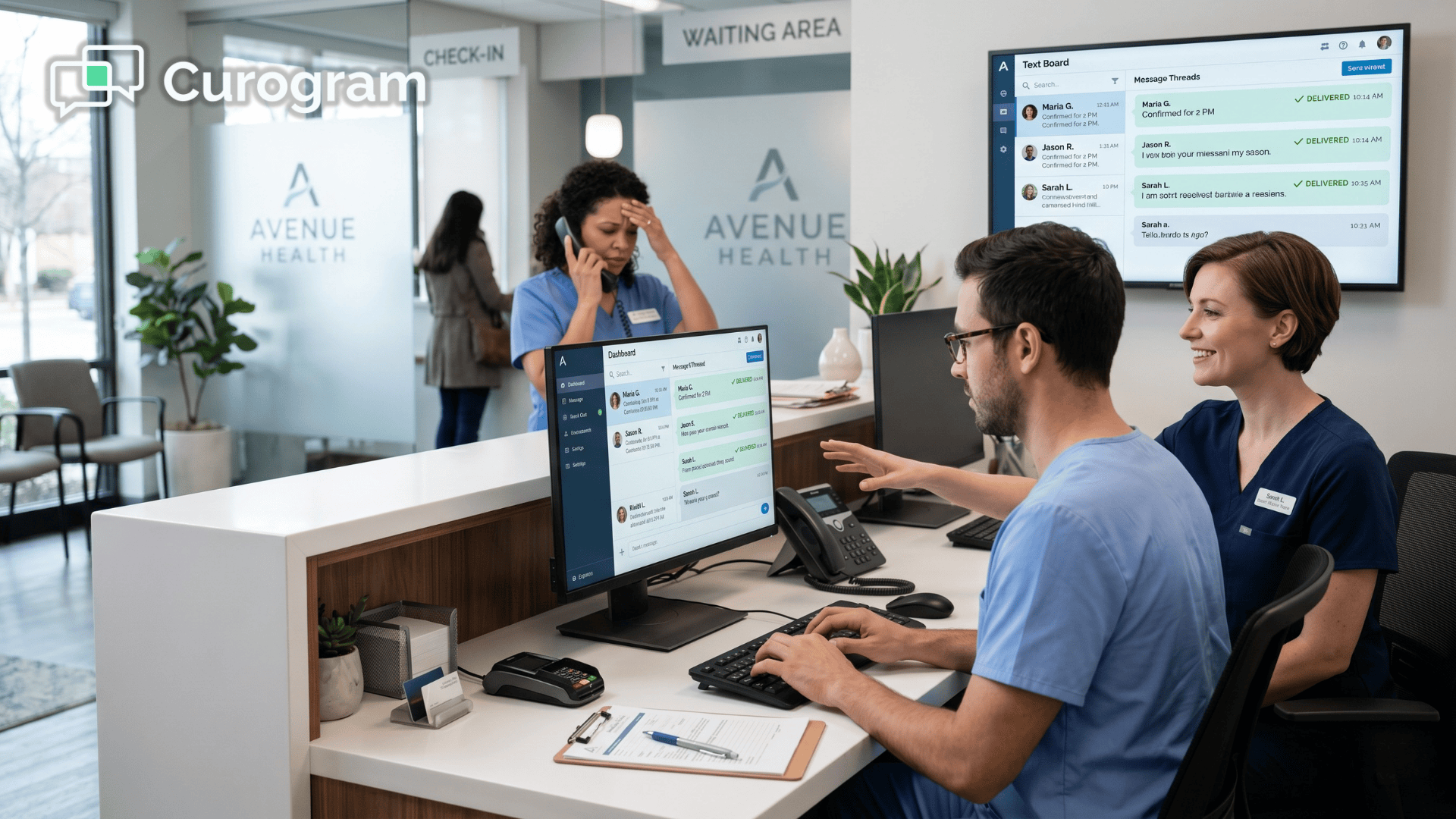
Healthcare staff using a patient messaging and scheduling dashboard

Stop Playing Phone Tag

The phone was never built for the pace of a high-volume rehab clinic. When patients need to come in three times a week, and life gets in the way, the front desk becomes a switchboard. That's not sustainable, and it's not necessary.

2-way HIPAA-compliant texting for WebPT scheduling changes the game. It moves the scheduling conversation to the channel patients already use every day. It gives your staff a faster, simpler way to keep the calendar full and the lobby calm.

You don't need to replace WebPT. You don't need to stop using Reach for marketing. You just need to add the operational layer that neither tool was designed to provide. That's what sets this approach apart from everything else on the market.

Curogram plugs that gap. It reads your WebPT schedule, lets patients text in, and gives your team the tools to respond in real time. The result is fewer missed visits, less burnout, and a front desk that finally has room to breathe.

Think about what your front office could look like without the constant ring of phones. Staff who are present, not distracted.

Patients who feel welcomed the moment they walk in. A schedule that stays full because rescheduling takes 30 seconds, not 15 minutes.

The numbers back it up. Clinics that switch to 2-way texting see phone volume drop by up to 50%.

They see fewer patient dropouts and more completed Plans of Care. They see staff who stay longer because the job finally feels manageable.

Texting isn't just more convenient. In high-volume rehab, it is the only practical way to manage recurring schedule changes without drowning in phone calls. Every day you wait is another day of dropped visits and lost revenue.

Your patients already text their friends, their family, and their other doctors. They want to text you, too. Meeting them where they are is the simplest way to keep them engaged and on schedule.

The clinics that make this shift don't look back. They wonder why they waited so long. The front desk runs smoother, patients stick with treatment, and revenue stops leaking out the door.

Stop the game of Schedule Tetris. Start Your 30-Day Free Trial to see the call volume drop and feel the difference in your front office workflow.

Secure Messaging for Lytec | Protecting Staff Privacy & Sanity

Secure Messaging for Lytec | Protecting Staff Privacy & Sanity

💡 Secure text messaging for Lytec staff workflows keeps patient data safe and shields your team from burnout. When front desk staff use personal...

Read More
2-Way HIPAA Compliant Texting for Lytec | Reduce Phone Calls by 50%

2-Way HIPAA Compliant Texting for Lytec | Reduce Phone Calls by 50%

💡 2-way HIPAA-compliant texting for Lytec practice workflows lets small practices cut front desk phone volume by up to 50%.Instead of chasing...

Read More
HIPAA Compliant Texting for CollaborateMD: End Phone Tag

HIPAA Compliant Texting for CollaborateMD: End Phone Tag

💡 HIPAA compliant texting for CollaborateMD lets billing teams replace slow phone calls with instant, secure SMS. Curogram plugs into your RCM...

Read More