9 min read

Simple Video Workflow: SmartCare EHR Telehealth Setup Made Easy

Simple Video Workflow: SmartCare EHR Telehealth Setup Made Easy
💡 To set up simple telehealth alongside SmartCare EHR, use Curogram's SMS-launched video visits. Clinicians text a link, and clients tap once to join in a browser.
  • No app download, account, or password for clients.
  • Clinical notes still live inside SmartCare EHR.
  • One HIPAA-compliant platform replaces Zoom, GoToWebinar, and Teams.
  • Browser-based video works on almost any phone.
  • Setup takes about a day, not weeks.
This removes the third-party maze that drives telehealth no-shows. It fits behavioral health clients who need access to feel effortless.

A client gets a text with a video link for therapy. They tap it. A screen asks them to download an app. They do not have it. They do not know which one to pick. The session starts in five minutes. They give up.

This moment plays out every day in behavioral health. SmartCare EHR runs the clinical side well. But its telehealth often routes through Zoom, GoToWebinar, or Microsoft Teams. Each tool needs its own download, account, and login. Clients receive a link and feel lost before the visit even begins.

For staff, this means juggling three platforms and fielding tech calls. For clients, it means friction before they ever see a clinician. And in behavioral health, friction is not minor. It can mean a missed session for someone in crisis.

This guide covers SmartCare EHR telehealth setup with a simple video workflow. The goal is plain. One text, one tap, one video visit. No app store. No password reset. No "which platform are we using today?"

We will show how Curogram works alongside SmartCare. SmartCare keeps your clinical records. Curogram handles the client-facing video link. The two work together, not against each other.

You will learn how SMS-launched telehealth lowers no-show risk. You will see how it fits the people who struggle with access most. And you will get a clear, practical view of what setup really looks like, step by step.

If your team has ever spent ten minutes helping a client install Zoom, this guide is for you. The fix is not a better third-party app. It is removing the third-party step entirely.

Let's start with the real problem. Running three separate telehealth platforms at once.

The Villain: Why Managing Three Telehealth Platforms Creates Operational Drag

SmartCare EHR does its core job well. It stores clinical notes, treatment plans, and records in one place. Your clinicians trust it for documentation. That part is not the problem.

The problem starts when telehealth gets routed outside the EHR. SmartCare often hands video visits to Zoom, GoToWebinar, or Microsoft Teams. Each one is a separate product. Each needs its own download, account, and login. We call this "The Third-Party Maze."

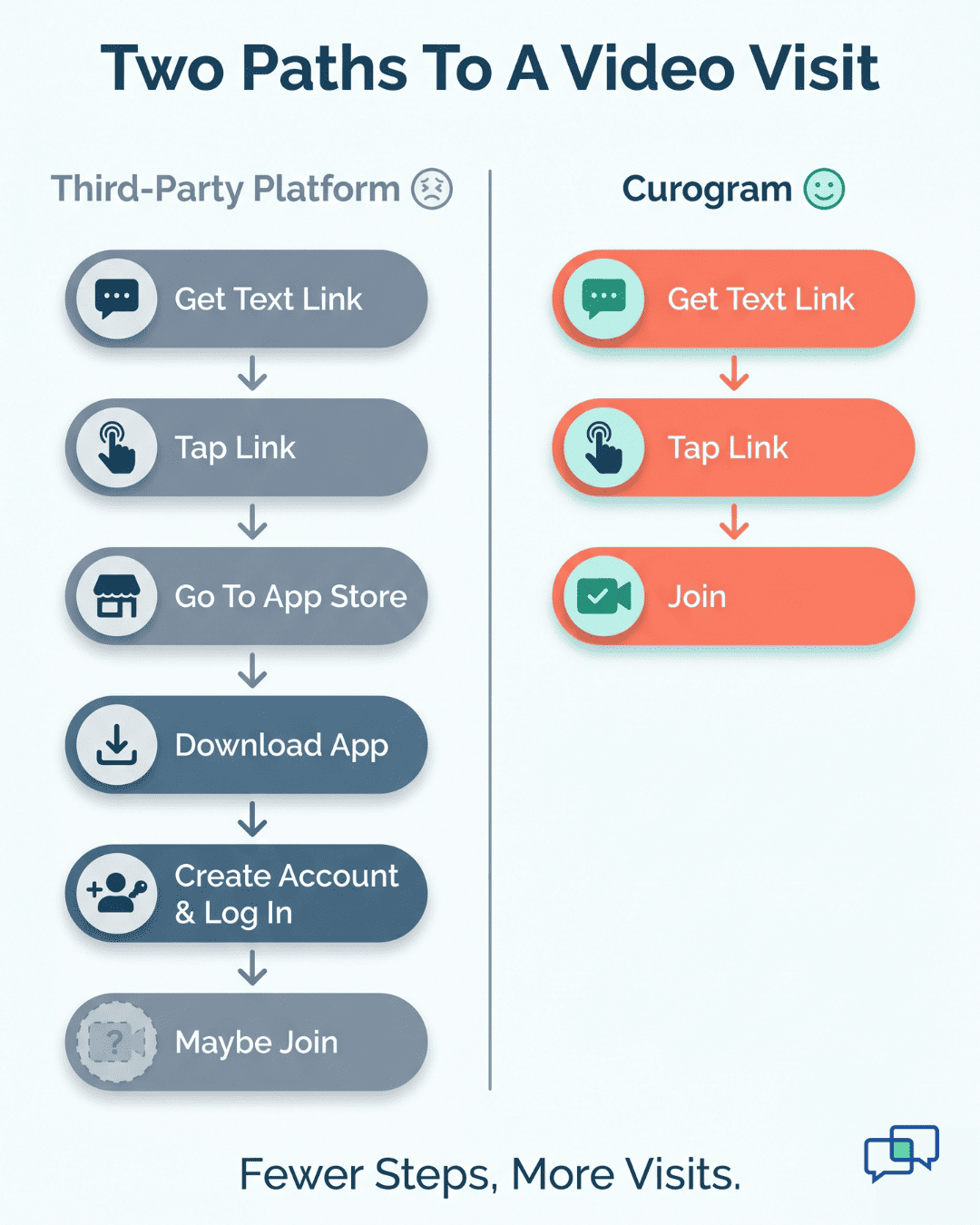
Walk the path a client actually takes. They get a text link. They tap it. A browser opens, then asks them to install an app.

They visit the app store. They search. They are not sure which app is right. They install one. It asks them to sign in or create an account. They forget a password. The clock keeps ticking.

Now picture your staff during this. A front-desk worker is on the phone, walking a client through downloads. This kind of hand-holding can run 10 to 15 minutes per session in real practices. Multiply that across a full day. The minutes turn into hours that no one budgeted for.

The cost is not only time. Consider what each lost minute touches:

  • Staff hours spent on tech support instead of care coordination.
  • Licensing fees for Zoom, GoToWebinar, and Teams seats.
  • Separate security reviews for every video vendor you use.
  • Visits that never start, which become telehealth no-shows.

No-Shows Hurt Most of All

Missed telehealth visits mean missed revenue and broken continuity of care. A skipped session is not just a gap on a calendar. In behavioral health, it can be a setback in treatment.

Now humanize it. Picture a client with serious mental illness. They worked up the courage to attend. The app would not load, so they could not connect. They feel like the system failed them, and they may not try again.

Think about clients in substance use treatment. Many face unstable housing or limited data plans. A heavy app download may not even work on their phone. Court-mandated clients have a session on the line, yet a technical wall blocks them.

These are the people who need access to be simple. The third-party maze gives them the opposite. It adds steps right when steps cost the most. That is the burden you are setting up to remove.

The Guide: Setting Up SMS-Launched Telehealth

Here is the shift. You do not need a better video app. You need to delete the video-app step. That is what Curogram does as "The Access Simplifier."

Curogram is a HIPAA-compliant platform. It replaces third-party telehealth friction with browser-based video visits. Clients join with one tap from a text message. There is no app to install. There is no account to create. There is no password to reset.

This is the heart of an SMS-launched telemedicine workflow. The clinician schedules or starts a visit. Curogram sends the client a text with a secure link. The client taps the link. The video opens right in their phone browser. The visit begins.

How the Integration Works Alongside SmartCare EHR

Curogram does not replace SmartCare EHR. It works beside it. This is complementary, not competitive. Your clinical documentation stays in SmartCare. Your client communication flows through Curogram.

Think of it as a clean division of labor:

  • SmartCare EHR holds the clinical record and the chart.
  • Curogram delivers the text link and the live video.
  • The clinician documents in SmartCare during or after the visit.

Nothing about your charting changes. Your team keeps the workflow they already know. You simply add a smoother front door for clients. That is the goal of any sensible EHR telehealth implementation.

What the Setup Actually Looks Like

A practical SmartCare telehealth configuration does not take weeks. Most teams get the basics live in about a day. Here is a clear path:

Step

What you do

Who handles it

1

Connect Curogram to your SMS workflow

Admin / IT

2

Map which visit types trigger a video link

Operations lead

3

Set waiting-room and identity-check rules

Clinical lead

4

Send a test text link to a phone browser

Any staff member

5

Train clinicians to send and resend links

Team lead

6

Go live; SmartCare documentation stays the same

Whole team


Clinicians can begin sending telehealth text links right away. You can refine the details later. Appointment-triggered links, waiting-room settings, and post-session follow-up can all be tuned over time. You do not have to perfect everything before your first visit.

This is also the cleanest Zoom replacement setup you will find. You stop paying for and managing separate video seats. You stop running security reviews for three vendors. You consolidate to one platform with one BAA.

Infographic comparing third-party telehealth steps versus Curogram's three-step SMS video visit

Why this Fits Behavioral Health

A good behavioral health video visit setup must do more than work. It must feel welcoming. Many of your clients face real barriers to access. One-tap entry meets them where they are.

Consider the populations you serve. Clients with serious mental illness may struggle with multi-step tech.

Clients in substance use treatment may have limited data or older phones. CCBHCs serve broad communities with mixed digital skills. Court-mandated clients cannot afford a failed connection.

For all of them, simplicity is not a small touch. It is the thing that gets them into the room. A text link feels personal, like a message from a person, not a portal. It says, "We made this easy for you."

That is why removing the third-party step feels more caring, not less. You are not adding distance with another app. You are shortening the path to your clinician. In behavioral health, that short path can change outcomes.

Based on our internal data, Curogram practices run no-show rates 53% below the industry average. Easier access is a big reason why. When joining a visit takes one tap, more clients actually show up.

The Success: What Changes When Telehealth Is One Link Away

So what really changes when telehealth becomes one text link? The day-to-day load on your team drops fast. The work that used to slow everyone down simply goes away.

  • Start with licensing. You no longer manage Zoom, GoToWebinar, and Teams across the whole organization. That juggling act ends. One platform covers the client-facing video need.

  • Next, staff time. Your team stops troubleshooting client tech for 10 to 15 minutes per session. That illustrative figure adds up across a busy schedule. Those minutes return to real care and coordination.

  • Then security. You stop running separate reviews for multiple video vendors. One platform means one security relationship to manage. Your compliance team breathes easier.

  • Finally, no-shows. Clients who could not connect used to become telehealth no-shows. With one-tap access, far fewer clients fall out at the door. They tap, they join, and the visit happens.

Here is the before-and-after at a glance:

Daily task

Three third-party platforms

Curogram SMS-launched telehealth

Video licensing

Manage Zoom, GoToWebinar, Teams

One platform, one BAA

Client join steps

Download, account, login

Tap one text link in a browser

Staff tech support

10–15 min per session (illustrative)

Near-zero setup help

Security reviews

Multiple vendor reviews

One vendor review

No-show risk

Connection failures end visits

Fewer access-related no-shows


The numbers behind this are encouraging. Based on our internal data, Atlas Medical Center cut its no-show rate from 14.20% to 4.91% in three months. That is the power of removing friction from how clients connect.

While that result came from reminders and texting, the lesson holds for telehealth too. When access is simple, attendance climbs.

Confirmation strength tells the same story. Based on our internal data, average appointment confirmation rates run above 75% across Curogram clients.

Recovered visits matter to the bottom line. Each appointment that gets kept can lift revenue by a meaningful margin, often in the 10% to 20% range across practices.

The bigger win is felt, not just measured. Your staff stop playing IT help desk. Your clinicians start visits on time. Your clients feel cared for from the very first tap. That is a streamlined workflow that serves everyone.


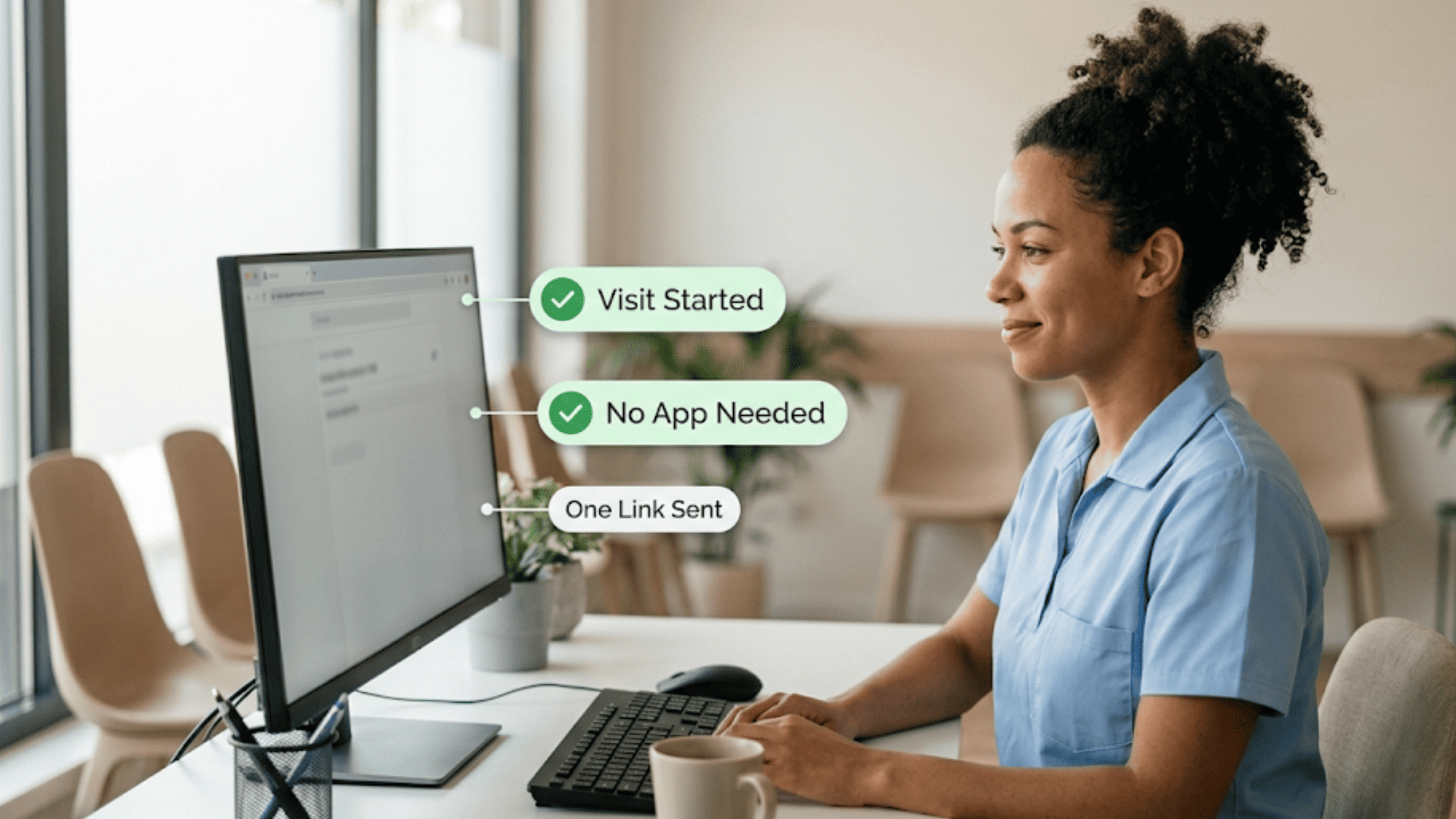
Front-desk healthcare staff calmly managing a one-link telehealth visit at reception

How Curogram Turns a Text Message Into a Video Visit

The feature that makes this work is One-Tap Video Visits. It is the simplest way to start a secure session in behavioral health. The client gets a text, taps a link, and joins. That is the whole flow.

There is nothing to download. There is no account to make. There is no password to remember. The video opens right inside the client's phone browser. This is the "Access Simplifier" in action.

Here is what happens behind the scenes. The clinician triggers a visit in the Curogram platform. Curogram sends the client a secure, time-limited link by text. The link opens an encrypted video room. The clinician joins from their own device.

The session stays private and protected. Curogram is HIPAA-compliant and SOC 2 Type II certified. Video is encrypted in transit, and a BAA is in place. For 42 CFR Part 2 organizations, session confidentiality is preserved.

While this happens, SmartCare EHR keeps its role. The chart, the notes, and the clinical history stay in SmartCare. Curogram never tries to be the record system. It is the access layer that brings the client in.

This matters most for hard-to-reach clients. Someone with serious mental illness can join without tech stress. Someone in substance use treatment can connect on a basic phone. Someone with unstable housing can attend from anywhere with a signal.

One tap is not a small convenience. It is the bridge between a scheduled visit and a real one. With One-Tap Video Visits, you remove the last barrier between your client and your clinician. The result is access that feels personal, simple, and human.

Conclusion: Replace Platform Complexity with a Single Text Link

SmartCare EHR gives your practice a strong clinical backbone. It holds your notes, your records, and your treatment history. But your clients do not live inside your EHR. They live on their phones.

That gap is where telehealth often breaks. A client cannot find the right app. A login fails. A session never starts. The clinical system was ready, but the client could not get in.

Curogram closes that gap. It extends SmartCare EHR's reach to the client touchpoint with one text link. SmartCare EHR is for your clinical data. Curogram is for your clients' convenience.

Together, they create a practice that is both clinically strong and easy to reach. Your clinicians keep documenting in SmartCare. Your clients tap once and join a video visit. No app, no portal, no third-party login.

Your staff feel the change too. They stop walking clients through downloads. They stop tracking logins across three vendors. They get that time back for care.

For behavioral health, this simplicity is not a luxury. It is access. It can be the difference between a kept session and a missed one. For clients with serious mental illness, substance use disorders, or unstable housing, easy access is care itself.

You do not have to replace SmartCare to fix telehealth friction. You only need to remove the third-party step that stands between your team and your clients.

Show your team how simple telehealth setup can be. Book a Curogram demo and go live in about a day.


Frequently Asked Questions

How does SMS-launched telehealth stay HIPAA-compliant and safe for 42 CFR Part 2 sessions?

Curogram encrypts video in transit and operates under a signed BAA. It is SOC 2 Type II certified. For 42 CFR Part 2 organizations, session confidentiality is preserved in line with federal substance use treatment disclosure rules.

How long does it take to set up telehealth alongside SmartCare EHR?

Basic configuration is usually live within a day. Clinicians can start sending telehealth text links right away. You can refine appointment-triggered links, waiting rooms, and follow-up steps gradually, without delaying your first video visit.

Why do clients miss telehealth visits even when they want to attend?

Most missed visits come from access friction, not lack of intent. App downloads, accounts, and logins stop people at the door. Removing those steps with one-tap entry helps far more clients actually connect and stay.

How can we run group therapy if Curogram launches individual video visits?

Curogram's one-tap video visits are built for individual sessions, where third-party friction hurts most. For group therapy, you can keep your existing Zoom or Teams setup. Curogram simplifies the client-facing, one-on-one experience first.

Why does removing third-party apps matter more for behavioral health than other specialties?

Behavioral health serves clients with serious mental illness, substance use disorders, or unstable housing. Many face tech and device barriers. Simple, one-tap access lowers the chance that a vulnerable client drops out before care begins.