
7 min read

Set Up SMS Telehealth for Netsmart | Staff Guide

Set Up SMS Telehealth for Netsmart | Staff Guide

💡 Setting up telehealth alongside Netsmart means pairing your EHR's clinical documentation with an SMS-launched video tool like Curogram. Staff text a secure link. 

The consumer taps it and joins a HIPAA-compliant session right in their phone's browser — no app download, no portal login, no troubleshooting.   

Clinicians keep documenting in Netsmart exactly as they do for in-person visits. Curogram handles only the connection, so nothing about your clinical workflow changes.                 

The payoff is real. Practices using Curogram see no-show rates 53% lower than industry averages, and sessions start on time instead of stalling on a download screen.


A consumer sits in their car on a lunch break, ready for therapy. Your front desk texted the video link an hour ago. They tap it, and a screen demands they download an app and create an account. The visit was supposed to take a tap.

Now it takes ten minutes of fumbling, and the appointment slips away.

This is the hidden tax of portal-based virtual care. Technology meant to remove barriers ends up building new ones. Staff become tech support. Clinicians watch the clock while consumers who already struggle with focus or anxiety give up before the session begins.

For behavioral health teams, this is more than an annoyance.

Every late start trims billable minutes. Every failed connection triggers a rescheduling cascade — rebooking, reconfirming, sometimes re-authorizing insurance. Multiply that across a full panel, and the cost is real money and real lost care.

Here is the good news.

You do not need to replace your EHR to fix this. If your team documents in Netsmart, you can keep doing exactly that and still give consumers a connection that takes seconds.

This staff guide walks through the Netsmart telehealth setup workflow that removes the download wall for good. The idea is simple. Pair Netsmart's clinical documentation with an SMS-launched video tool that consumers join straight from a single text — no app, no login.

You keep the system your clinicians trust and simply hand consumers an easier door into the visit. Fewer dropped sessions, far less time lost to setup.

Practices that work this way see no-show rates 53% lower than industry averages. That is not a small bump. That is a calmer front desk and more sessions that actually happen.

Let's break down how to set up telehealth alongside Netsmart for behavioral health, without adding friction for anyone.

Why the Download Wall Quietly Drains Your Day

Portal-based video tools ask a lot before a single word is exchanged.

Before a consumer can even say hello, they often have to:

  • Download an app from the right store
  • Create an account and verify it
  • Find and clear a login screen
  • Grant camera and microphone access

For a consumer managing ADHD, executive dysfunction, acute anxiety, or psychosis, each of those steps is a place to get stuck.

It sounds minor. It isn't.

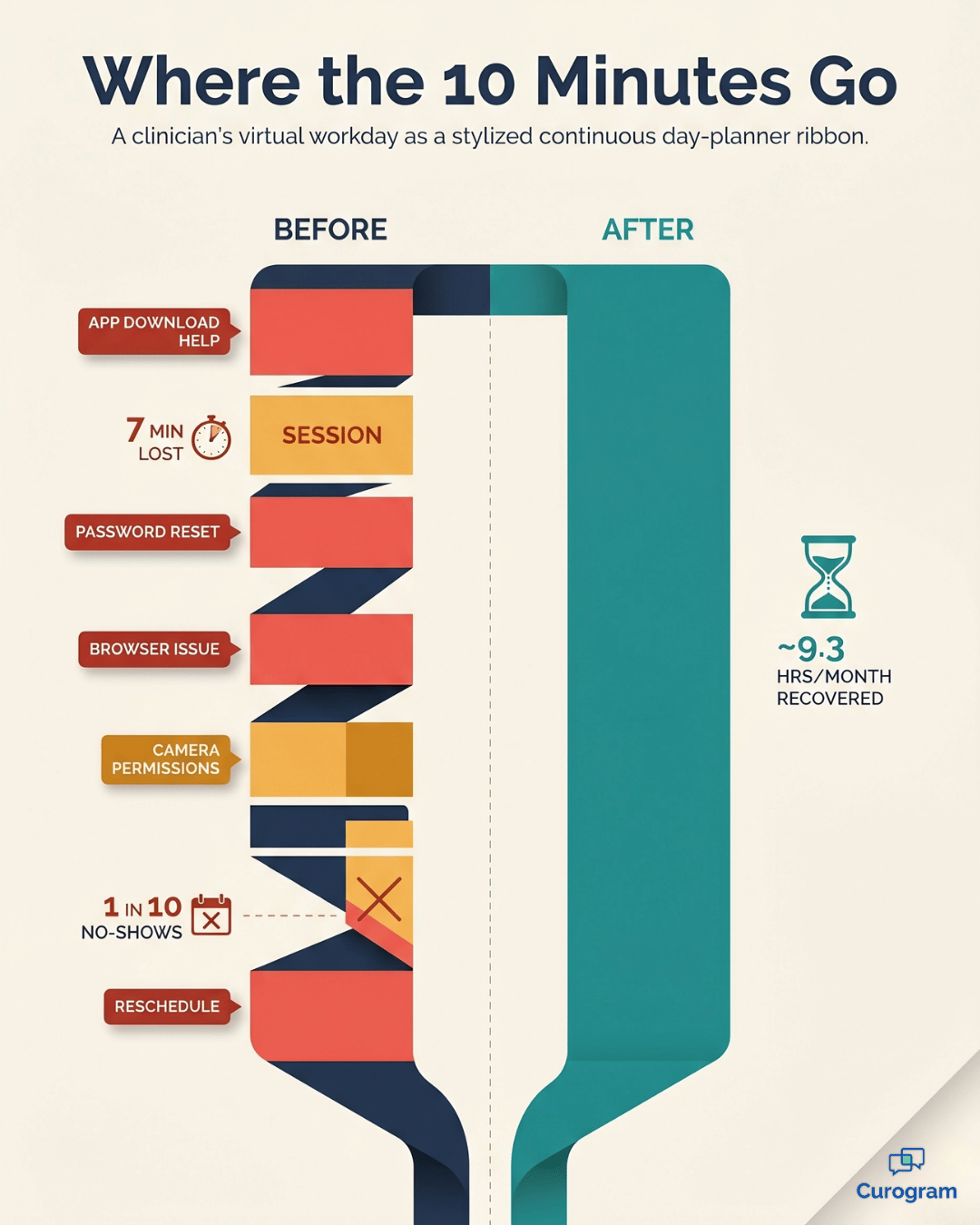
Every one of those steps is a chance for the session to stall. And when it stalls, your staff step in to fix it — walking consumers through app installs, password resets, browser quirks, and permission pop-ups. That is five to ten minutes per session spent on IT support instead of care.

Here is where the cost adds up.

A session that starts ten minutes late doesn't get those minutes back. When a consumer simply can't connect, the visit gets rescheduled, and the rebooking-and-reconfirming cycle begins again.

At scale, those gaps and late starts quietly erode a clinician's billable day.

Consider one clinician's week as a sample scenario:

What's happening Per session Per week (20 virtual visits) Per month
Troubleshooting time lost 7 minutes 140 minutes ~9.3 hours
Tech-related cancellations 1 in 10 2 visits ~8 visits
Estimated billable revenue lost ~$300 ~$1,200 

These numbers are illustrative, but the pattern is not. For your team, that is more than a full clinical day each month disappearing into download screens and reschedules — per clinician.

And there's a quieter cost. Clinicians signed up to help people, not to coach them through a settings menu. Morale dips when every virtual visit opens with a tech struggle. The practice invested in telehealth to expand access. Instead, it created a new kind of access problem.

How One Text Turns Into a One-Tap Session

The fix is to remove the wall, not climb over it. That is exactly what Curogram telehealth alongside Netsmart is built to do.

The staff side is almost boringly simple:

  1. Select the consumer and click send.
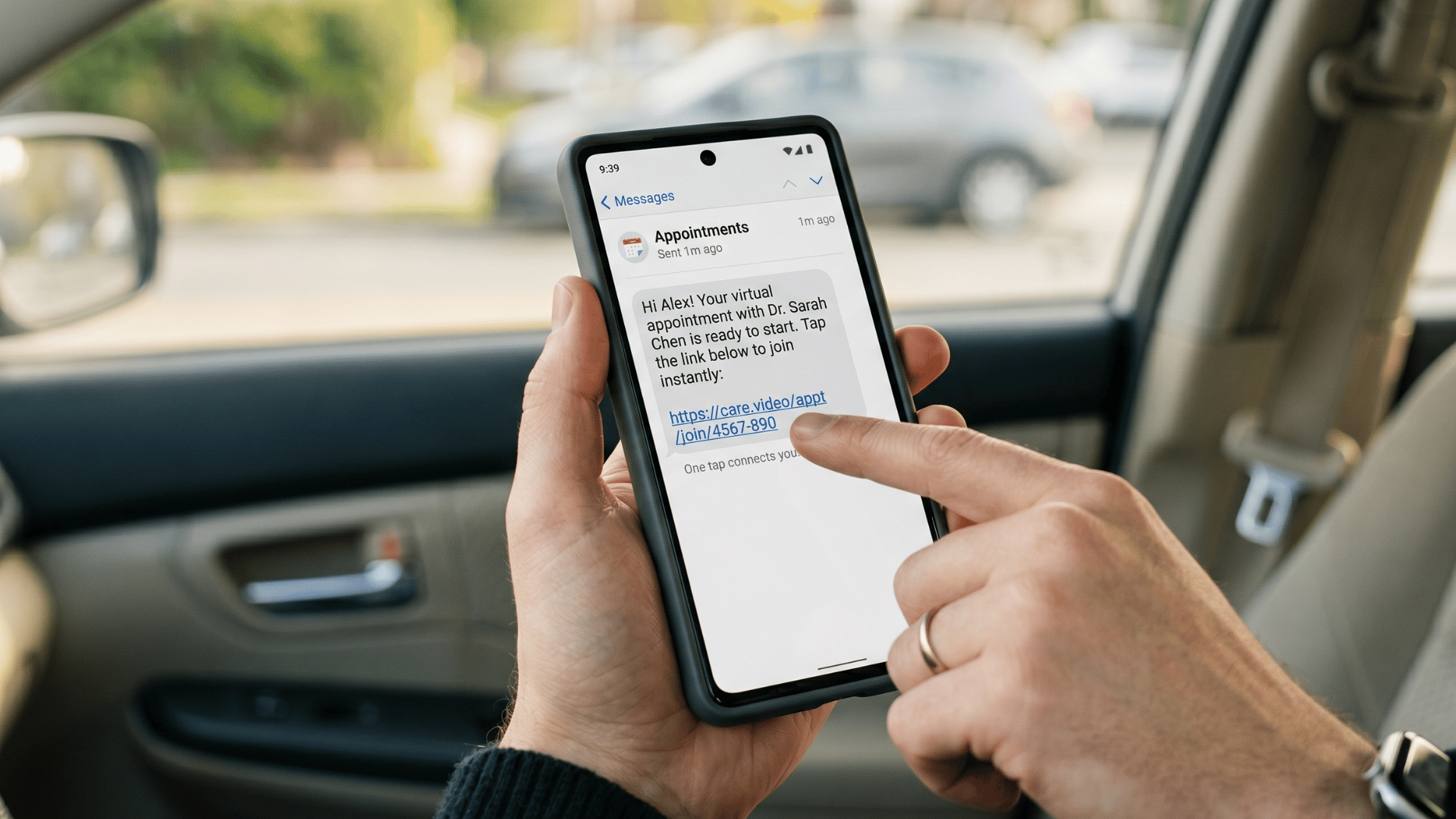
  2. A secure video link arrives by text.
  3. The consumer taps it, and the session opens in their phone's browser.

No app download. No account creation. No portal login. The only technical step a consumer ever takes is granting camera and microphone access once, the first time. After that, every future visit is a single tap on a fresh link — nothing to remember, nothing to troubleshoot.

This is what "SMS-launched video" really means. The video runs in the browser any smartphone already has, so there is no software to install and nothing to keep updated.

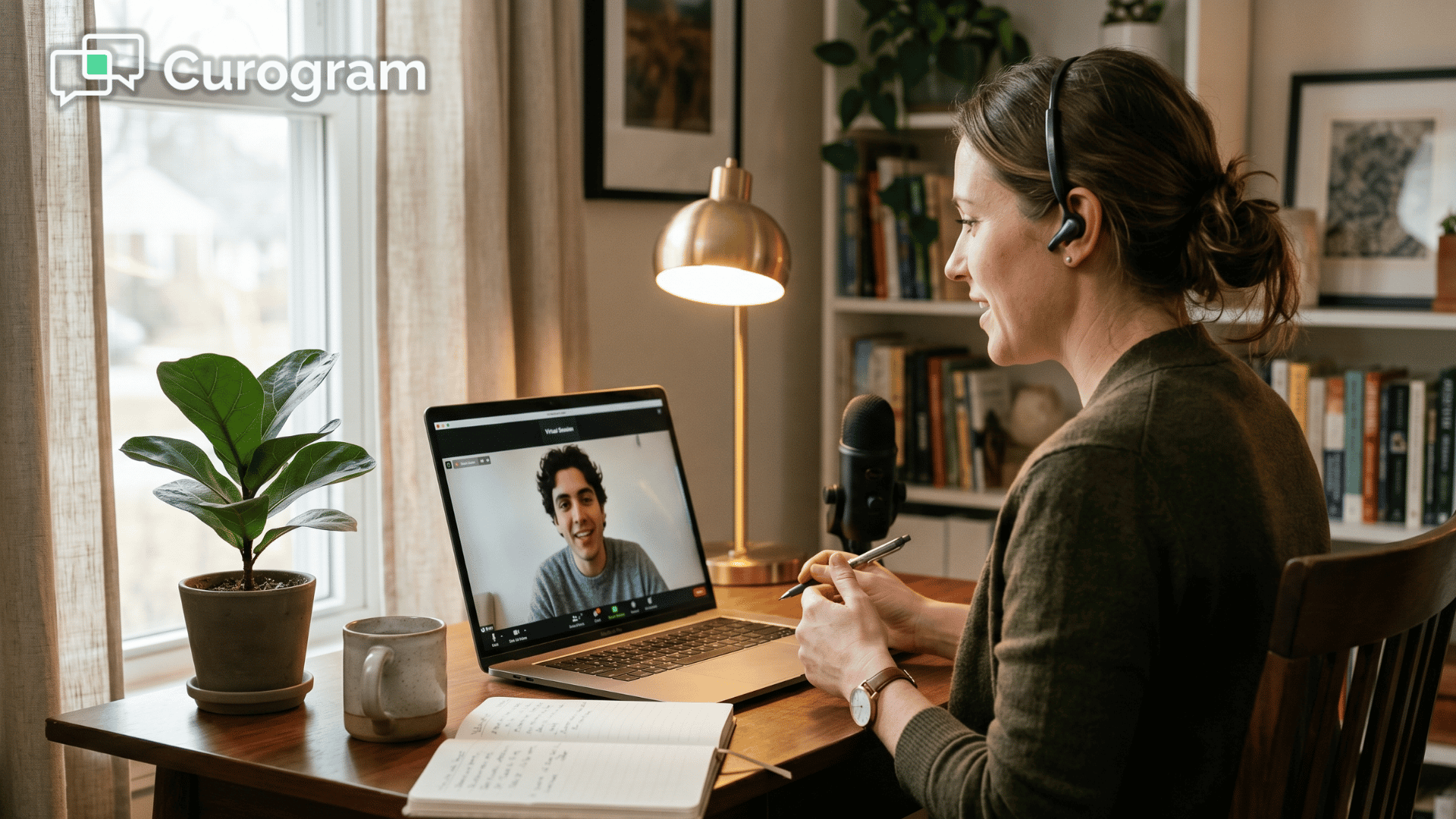
Behavioral health clinician in a live SMS-launched telehealth session on a laptop

It works the way you already work

Curogram handles the connection. Netsmart handles the rest. Staff send video links through Curogram, and clinicians document each session in Netsmart exactly as they would for an in-person visit.

In-person and virtual appointments sit side by side, with no system to toggle and no workflow to relearn.

That is the whole point of running Curogram telehealth Netsmart-side:

The clinical record never leaves the system your team trusts.

A clinical accommodation, not just a convenience

For many behavioral health consumers, a multi-step login isn't a minor hurdle. It's the reason a visit doesn't happen. When the condition itself makes complex technology hard to navigate, a one-tap connection becomes part of the care, not an add-on to it.

Remove the download wall, and more consumers connect. More sessions happen. More treatment moves forward.

What Changes When Sessions Just Start

The clearest way to see the shift is to compare the old workflow with the new one.

Before: portal-based video After: SMS-launched video
Send link, then troubleshoot Send link, session starts
5–10 minutes lost per session Zero pre-session troubleshooting
Frequent tech cancellations Fewer reschedule cascades
Staff act as IT support Staff focus on coordination
No-shows at industry average No-shows 53% lower

Read down that right-hand column and you can feel the day change. Two things improve at once — what your team gets back, and what your consumers start doing differently.

Infographic comparing wasted vs recovered clinician minutes in telehealth visits

The time your team recaptures

Clinicians recapture five to ten minutes per visit, and schedules run on time and stay full. The front desk stops fielding camera-permission questions. That freed-up attention goes back into work that actually moves consumers through care.

The behavior that quietly shifts

The behavior change matters just as much as the time savings. When connecting is effortless, fewer consumers drop off before the visit, which is how a behavioral health virtual visits setup actually delivers a 53% drop in no-shows rather than just promising one.

In practice, the workflow flips from "send, troubleshoot, wait, resend, troubleshoot again" to "send, connect, begin."

Telehealth finally becomes what it was meant to be — a simpler way to reach your consumers, not a more complicated one. They join from home, the car, or a quiet office, and the technology stays out of the way.

Healthcare everywhere! Launch a pervasive telehealth platform that's easy for both providers and patients with Curogram.

In practice, the workflow flips from "send, troubleshoot, wait, resend, troubleshoot again" to "send, connect, begin."

Telehealth finally becomes what it was meant to be — a simpler way to reach your consumers, not a more complicated one. They join from home, the car, or a quiet office, and the technology stays out of the way.

Keeping It Running Smoothly Once You're Live

Setting it up is the easy part. Keeping it consistent across a busy team is where most practices either lock in the gains or quietly slide back into old habits. A few simple routines make the difference.

Build these into how your team works each day:

  • Decide who sends links and when. Pick a default, such as the front desk sending each consumer's link 10 minutes before the appointment.
  • Put the video link inside your appointment reminders so consumers can join straight from the text they already expect.
  • Keep a phone-call fallback ready for the rare connection that won't cooperate, and note it in Netsmart like any other visit.
  • Confirm camera and microphone access once with new consumers, then trust that future visits are a single tap.

None of this requires a new dashboard or a weekly meeting. It is mostly about agreeing on a default and letting the simplicity carry itself.

The payoff compounds over time.

When every clinician runs the same lightweight routine, your no-show rate stays low instead of drifting, and your schedule stops absorbing surprise gaps.

For your team, that means the 53% improvement you saw in month one is still there in month six not a launch-week spike that fades once attention moves on.

Let the Technology Disappear So Care Can Take Over

The point of telehealth was always simple. Make it easier to see your provider. Somewhere along the way, the tools forgot that. Download screens and password resets turned a quick connection into a chore — and for behavioral health consumers, that chore is often the reason they never join.

You can fix this without ripping out anything you rely on. Netsmart stays right where it is, holding your clinical documentation and your schedule. Curogram handles the part Netsmart was never built for: getting the consumer into the room.

Together, they form a no-download telehealth Netsmart staff workflow where the technology fades into the background.

Look at the daily difference this makes. Sessions start on time. Your front desk stops playing IT support. And clinicians keep the full billable minutes they used to lose, five to ten at a time, to a frozen download screen.

The math follows the workflow. Fewer tech cancellations mean fewer gaps in the day, and fewer gaps mean a schedule that earns what it should.

A 53% drop in no-shows compared to industry averages means more completed visits, more treatment progress, and more revenue your practice would otherwise lose.

Your consumers already carry the only device they need. Seeing their therapist should be as easy as opening a text — because for them, that ease can be the difference between showing up and dropping out.

Setting up behavioral health virtual visits this way takes less than a week, and it runs right alongside the system your clinicians already know. There is no learning curve and no clinical disruption.

Ready to see it work? Schedule a Demo with Curogram and launch SMS-launched video for your Netsmart practice — no app downloads, no portal logins, and no pre-session troubleshooting for anyone.


Frequently Asked Questions

Is SMS-launched telehealth HIPAA-compliant?

Yes. Curogram's video sessions are HIPAA-compliant and use end-to-end encryption. For substance use disorder treatment, they also meet 42 CFR Part 2 confidentiality requirements. Because the video runs in the browser with no app footprint, no session data is stored on the consumer's device.

Do clinicians need to learn a new documentation system?

No. Clinicians keep documenting in Netsmart exactly as they do for in-person visits. Curogram handles only the video connection, so there is no change to the clinical documentation workflow and nothing new to learn.o. Curogram's telehealth operates independently alongside Netsmart. Staff send video links through Curogram, and clinicians document in Netsmart as usual. There's no integration dependency and no formal vetting process required.

What if a consumer has a poor internet connection?

Curogram's browser-based video is built for variable connection quality and adjusts automatically when bandwidth drops. If video still fails, the visit can fall back to a phone call while the scheduling record stays intact in Netsmart. The consumer is never left stranded.

How long does the Netsmart telehealth setup workflow take to roll out?

Most practices are live in under a week. Because Curogram operates alongside Netsmart without requiring API access, there is no complex integration project — staff simply start sending video links while clinicians document as usual.

Will this work for consumers who aren't comfortable with technology?

That's exactly who it's built for. There is nothing to download, install, or log into — just a link to tap. For consumers whose clinical condition makes multi-step technology hard, this one-tap approach often turns a missed visit into a completed one.


eClinicalWorks Telemedicine | Zero-Download Video Visits via SMS

eClinicalWorks Telemedicine | Zero-Download Video Visits via SMS

💡 eClinicalWorks telemedicine with zero-download, browser-based video visits lets enterprise networks launch virtual appointments directly from the...

Read More
Easy Telemedicine for Azalea Health | One Tap to See Your Doctor

Easy Telemedicine for Azalea Health | One Tap to See Your Doctor

💡 Easy telemedicine for Azalea Health rural patients works through text-based video visits that require no app, no account, and no download. ...

Read More
Cloud 9 Ortho Telehealth | Zero Tech Support, Full Utilization

Cloud 9 Ortho Telehealth | Zero Tech Support, Full Utilization

💡 The Cloud 9 orthodontic telehealth workflow powered by Curogram's Telehealth Schedule Integration lets practices schedule and launch virtual...

Read More