10 min read
SMS Telehealth Setup Workflow for Sigmund AURA Staff Operations
Mira Gwehn Revilla
:
June 22, 2026
- No API access, portal configuration, or client app downloads needed.
- Staff send a text link; the client taps and joins in seconds.
- Onboarding takes under 15 minutes for most team members.
- Curogram runs next to Sigmund AURA, which keeps notes and prescribing.
- Compliant with HIPAA, SOC 2 Type II, and 42 CFR Part 2.
Telehealth was supposed to make care easier. For many behavioral health teams, it added a second job nobody signed up for: tech support.
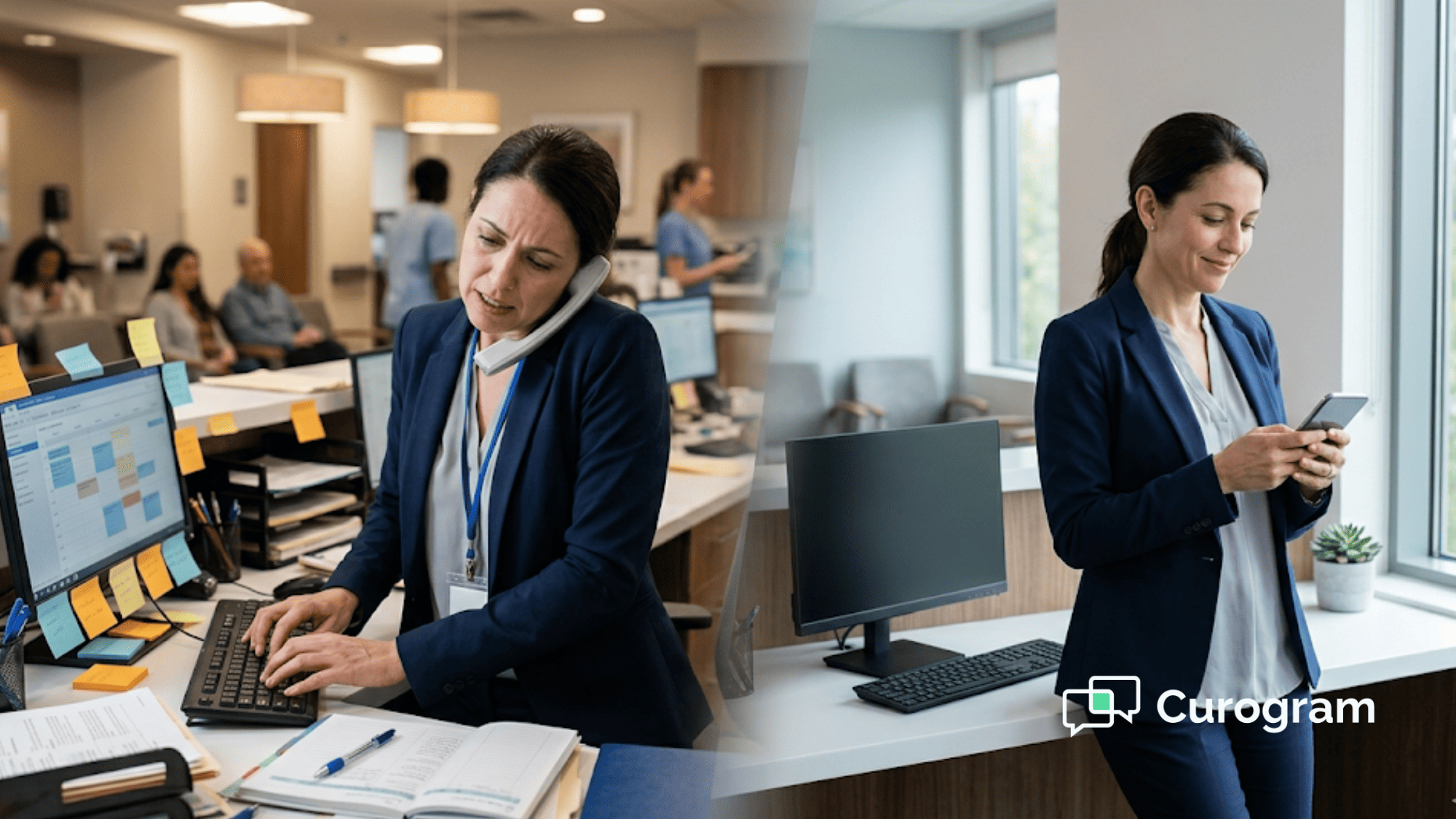
Here is how that job shows up. A client calls five minutes before their session and cannot find the app. The front desk walks them through a download. The next client's portal password has expired, so staff reset it while the clinician waits.
By late morning, a coordinator has spent 40 minutes fixing logins. That time was meant for scheduling, intake, and insurance work. The session still has not started, and the day already feels behind.
This is the hidden cost of portal-based telehealth inside Sigmund AURA. The clinical tools are strong. But the access method asks too much from both staff and clients before anyone sees a screen.
There is a faster path. Setting up an SMS telehealth workflow alongside Sigmund AURA is simple for staff operations. Curogram adds the video layer through the same text channel you already use for reminders and messages.
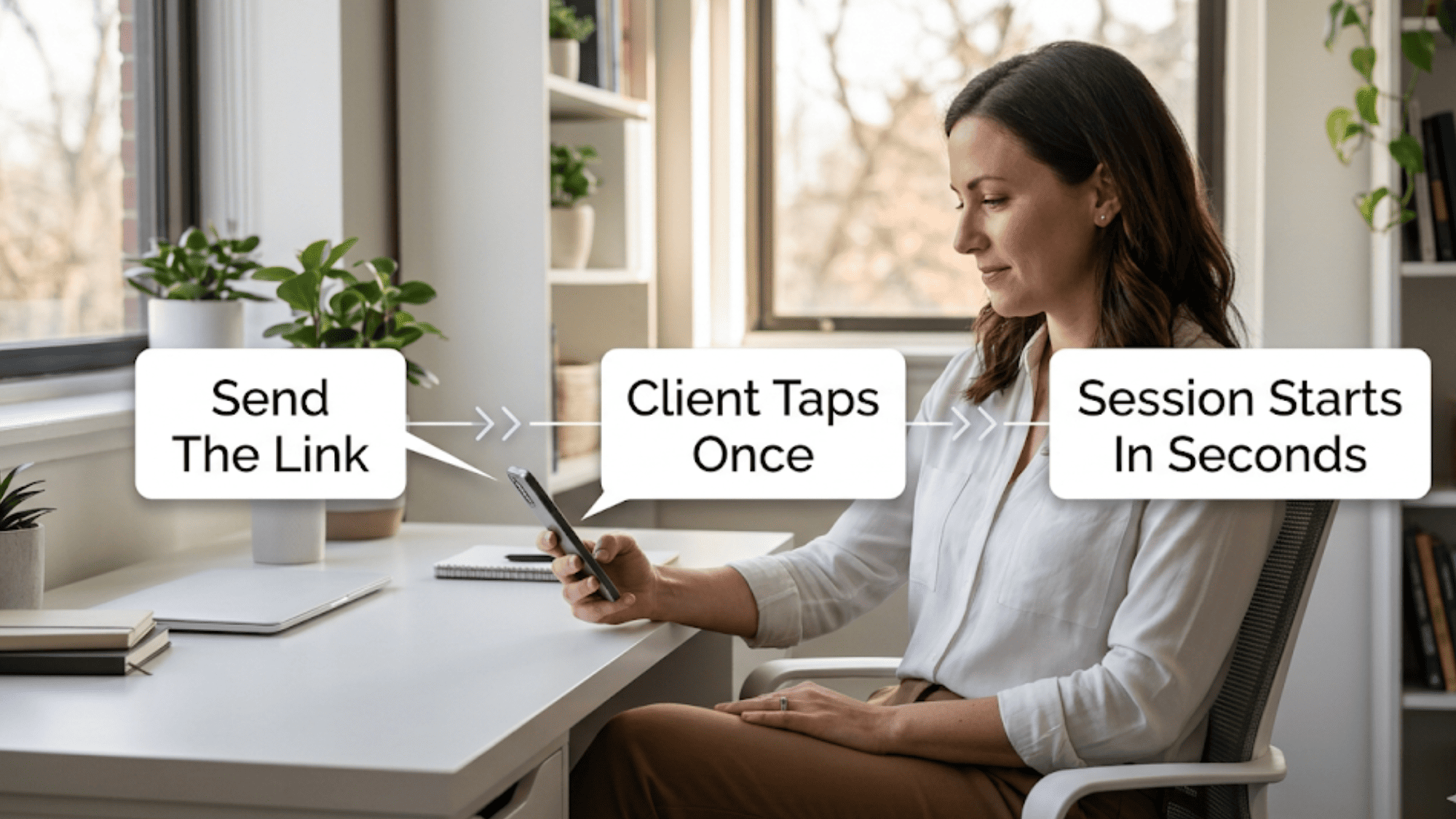
Staff send a link. The client taps it. The session opens in under 10 seconds. No portal. No download. No password to reset.
This Sigmund AURA telehealth setup guide walks through how that works. We will cover the SMS video session workflow for behavioral health teams, what staff need to learn, and why the onboarding is so short.
You will see how Curogram telehealth configuration runs next to Sigmund AURA without touching your EHR setup. We will also show the operations math behind those reclaimed minutes.
The goal is plain. Your team should run telehealth, not a help desk. The technology should fade into the background so staff can focus on clients.
Let's start with the problem most teams know too well.
The Villain: The Portal Configuration Maze
Portal-based telehealth looks simple on paper. In practice, it asks staff to juggle a long list of moving parts before a single session begins.
The Reality
Sigmund AURA's portal telehealth needs more than a clinician and a client. Staff must confirm each client has a working portal account. They troubleshoot logins, guide app downloads by phone, and call IT when the video tool breaks.
For most behavioral health practices, the front desk is already stretched. These same people handle authorizations, scheduling, and documentation all day. Adding "telehealth IT support" to that list is an unfunded job. Nobody budgeted for it, yet it lands on them every morning.
The Agitation
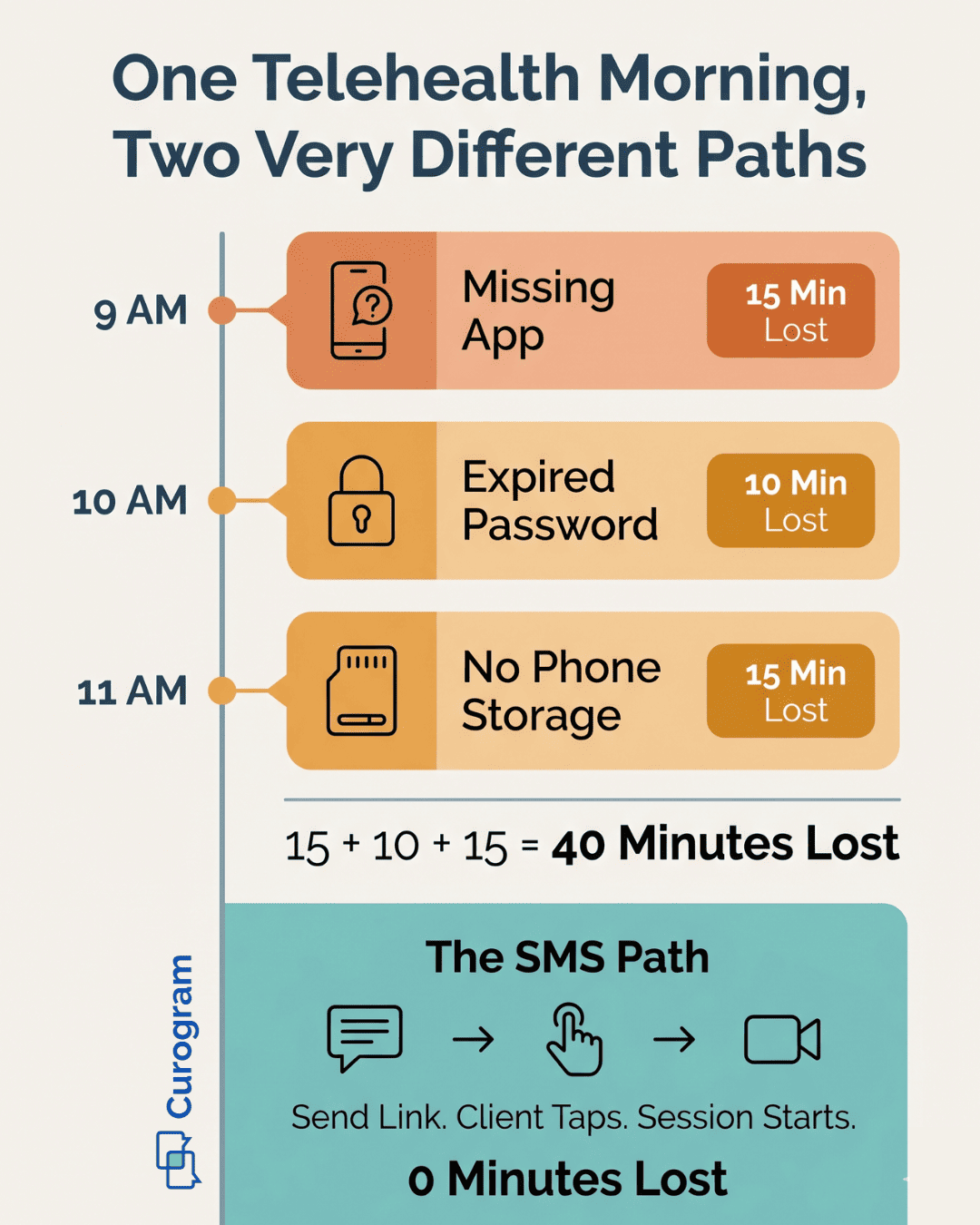
Imagine a coordinator with six telehealth sessions on the schedule. The first client calls five minutes early. "I can't find the app." So the coordinator walks them through the download step by step.
The second client's portal password has expired. The coordinator resets it while the clinician sits and waits. The third client's phone has no storage left for the app. The coordinator suggests they switch to a computer instead.
By 11 a.m., that coordinator has spent 40 minutes on telehealth fixes. None of it was scheduling, insurance checks, or intake. The work that defines their role gets pushed to the afternoon, again.
The Consequence
This is a real operations cost, and it hides in plain sight. Every minute of troubleshooting is a minute pulled from clinical work.
Picture a practice running 20 to 30 telehealth sessions each week. At 5 to 10 minutes of fixes per session, that is 100 to 300 minutes weekly. In plain terms, that is 2 to 5 hours of staff labor moved from operations to tech support.
Here is the rough math over a year:
|
Sessions per week |
Minutes lost weekly |
Hours lost yearly |
|
20 |
100–200 |
~87–173 |
|
30 |
150–300 |
~130–260 |
Those hours carry a real price tag. Over 12 months, the cost climbs into the thousands. And it exists only because the access method has too many steps.
The Result
The human toll matters as much as the dollars. Staff start to dread telehealth days. Clinicians begin sessions late and frustrated.
The operations director keeps asking the same question. Telehealth was supposed to improve efficiency. So why did it create a whole new pile of support tickets?
The feeling is easy to name. The team added telehealth to make care more reachable. Instead, they mostly added more work for the front desk.
This is the Portal Configuration Maze. It is not one big failure. It is a hundred small steps that pile up until staff feel buried.
The maze has three traps worth naming:
- Access friction: Clients need accounts, passwords, and apps before they connect.
- Support drag: Staff become the help desk for every login problem.
- Hidden labor: The cost never shows on an invoice, so it goes unmanaged.
None of these traps come from bad software. Sigmund AURA does its clinical job well. The trouble is the delivery method bolted on top of it.
When the path to a session has many steps, every step becomes a place to get stuck. Multiply that across a full schedule, and the maze grows fast.
A better setup removes the steps instead of training staff to survive them. That is the shift the rest of this guide covers.
The fix is not more training on portal management. The fix is a workflow with almost nothing to manage at all.
The Guide: Telehealth That Staff Set Up in Minutes, Not Weeks
The way out of the maze is not a better map. It is a shorter path with fewer turns. Curogram's SMS-launched telehealth removes the parts that make portal video a burden.
There is no portal to configure. There is no client login to fix. There is no ongoing IT overhead to absorb.
Staff set up the system in minutes. They send session links by text. They never troubleshoot a portal password again. That is the whole change, and it is enough to reshape the day.
The Feature
The core tool is the One-Click Session Link. Staff or clinicians send a join link straight from the Curogram dashboard. The client gets it and taps once to enter the session.
That link travels through the same HIPAA-compliant SMS channel you already use. It is the channel for reminders, intake forms, and two-way messages. So there is no new platform to learn and no separate inbox to watch.
Compare the two paths side by side:
|
Step |
Portal telehealth |
Curogram SMS link |
|
Client account |
Required |
Not needed |
|
App download |
Required |
None |
|
Password |
Required |
None |
|
Staff action |
Troubleshoot login |
Send one text |
|
Time to join |
Several minutes |
Under 10 seconds |
The right column is the SMS video session workflow for behavioral health teams in full. It fits on one line because there is almost nothing to it.

The Integration
Curogram telehealth configuration runs next to Sigmund AURA, not on top of it. No API access is required. Your EHR setup stays exactly as it is today.
Clinicians keep using Sigmund for notes, treatment plans, and prescribing. Curogram handles only two things: the video delivery and the SMS that launches it. The two systems stay in their own lanes.
Staff telehealth onboarding alongside Sigmund is short by design. Most team members are sending links within 15 minutes of their first login. The rule of thumb is simple: if someone can send a text, they can launch a session.
That short ramp matters for SUD programs too. SUD telehealth workflow staff training takes under 15 minutes, so adding new coordinators never stalls the schedule.
The Behavioral Health Fit
Behavioral health teams tend to run lean. Front desk staff already wear several hats. Asking them to also be IT support is not a plan that holds up over time.
SMS-launched telehealth removes the IT load at the root. There is nothing to troubleshoot on the client's side because there is nothing to set up. No app to install. No account to log into. No settings to configure.
This is what a clean behavioral health telehealth operations setup looks like. The technology disappears into the workflow. Staff stop fixing tools and go back to running the practice.
Think about what that frees up:
- Front desk time returns to scheduling and intake.
- Clinician time starts on care, not on login coaching.
- IT time stops getting eaten by telehealth tickets.
None of this asks your team to give up Sigmund AURA. The clinical record stays where it belongs. You simply add a faster way to start the visit.
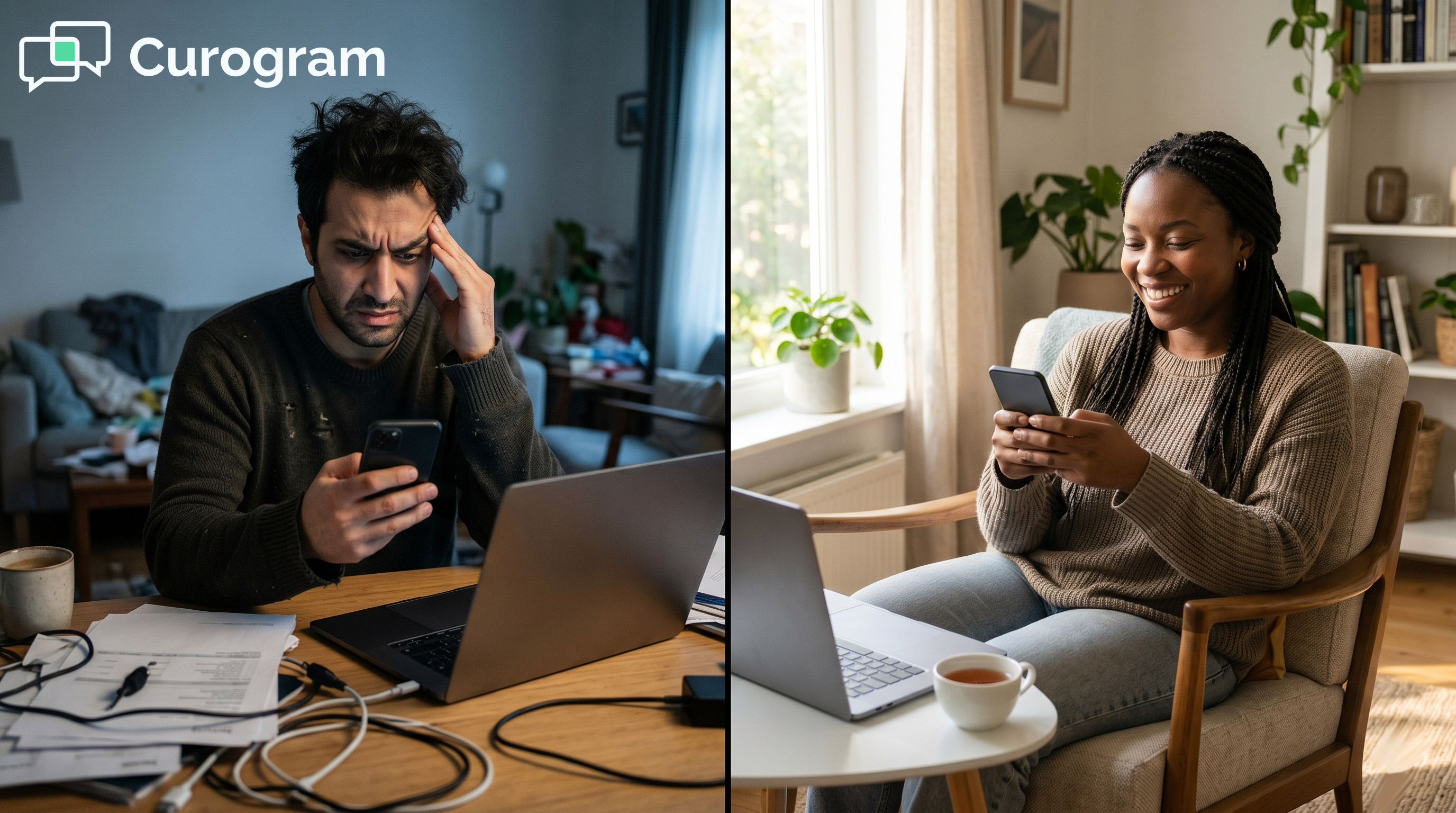
The shift is from managing a maze to sending a text. One path drains the morning. The other one starts the session and steps aside.
That is the promise behind a minutes-not-weeks setup. The next section shows what it looks like once a team is live.
The Success: Staff Run Telehealth, Not an IT Help Desk
The real test of any tool is the Monday after it goes live. Does the day get lighter, or does it just shift the weight around? With SMS-launched telehealth, the change shows up fast and in plain numbers.
Start with the time staff get back. Each session that once needed 5 to 10 minutes of troubleshooting now needs none. The link goes out, the client taps, and the session opens.
Across a week, those minutes add up to real hours. A team running 25 sessions can reclaim 2 to 4 hours of staff labor. That is time returned to scheduling, intake, and patient care.
Here is the before-and-after at a glance:
|
Measure |
Portal telehealth |
SMS-launched telehealth |
|
Troubleshooting per session |
5–10 minutes |
~0 minutes |
|
Setup time |
Weeks |
Minutes |
|
Staff training |
Hours |
Under 15 minutes |
|
Client steps to join |
Account, app, login |
One tap |
The setup gap is the headline. Portal rollouts can stretch across weeks of configuration and testing. The Curogram side is measured in minutes, not weeks.
Operational simplicity also drives session delivery. When the path to a visit is short, fewer clients drop off before it starts.
Based on our internal data, Curogram's no-show rate runs 53% below the industry average. Atlas Medical Center is a clear example: it cut no-shows from 14.20% to 4.91% in just three months.
Lower no-shows are not only a clinical win. Each kept session is also kept revenue. So a smoother launch path quietly protects the schedule and the bottom line at the same time.
The Shift
The bigger change is how the day feels. Teams move from the Portal Configuration Maze to what we call the 15-Minute Telehealth Upgrade.
Staff training shrinks in scope. There is no portal management to teach. There is no app distribution to explain. There is no client-side setup to rehearse with each new hire.
In its place sits a single dashboard walkthrough that lasts about 15 minutes. New staff learn one path: open the dashboard, pick the client, send the link. That is the entire SMS telehealth setup workflow for staff operations.
The session flow gets just as short:
- Send the link from the dashboard.
- Client taps the link in their text thread.
- Session starts in under 10 seconds.
No step in that flow can strand a client at a login screen. That is why the troubleshooting time falls to near zero. You cannot get stuck on a step that does not exist.
Operations teams feel the difference in their calendars. The hours once lost to tech support come back. Those hours can go to recall outreach, insurance follow-up, or simply a calmer morning.
The Outcome
Picture how a rollout actually plays out. The operations director sets up Curogram's telehealth on a Tuesday afternoon. They configure the dashboard and assign clinician accounts in one sitting.
By Wednesday morning, clinicians are already sending session links by text. There is no multi-week project plan and no string of IT meetings. The setup that used to feel like a quarter-long effort fits inside an afternoon.
The front desk feels the change first. The coordinator who used to lose 40 minutes to portal fixes now spends that time on scheduling and intake. The phone stops ringing with "I can't find the app."
Clinicians notice it too. The first one to try the new flow sends a quick note to the operations team. "The client was on screen in 10 seconds. I've never started a telehealth session that fast."
That single message captures the whole shift. The tool stopped being a hurdle. It became a button.
Why The Gains Hold
Some efficiency wins fade once the novelty wears off. This one tends to stick, and the reason is structural. The workflow removes steps rather than speeding them up.
A faster portal still has a portal. A clearer app guide still needs an app. SMS-launched telehealth has neither, so there is nothing to slow back down over time.
Consider three reasons the results stay durable:
- No new tickets. With no client login, there is no login to break.
- No training drift. A one-step flow is hard to forget or do wrong.
- No vendor wait. Since no API is involved, changes never stall on a third party.
This durability matters most for lean teams. Behavioral health and SUD programs cannot afford a fix that needs constant babysitting. A workflow with almost nothing to manage is one they can trust month after month.

How Curogram Turns Telehealth Setup Into a 15-Minute Task
Most telehealth rollouts start with a project plan. Curogram starts with a text message. That single difference is what shrinks weeks of work into one afternoon.
The setup has three plain steps. First, the operations team configures the Curogram dashboard. Second, they assign clinician accounts. Third, staff begin sending session links through the SMS channel they already use.
There is no portal to build. There is no API to connect to Sigmund AURA. There is no client-side software to package and distribute. The work that usually fills a multi-week timeline simply is not part of this setup.
That is what makes Curogram telehealth configuration with Sigmund AURA feel so light. The two systems run side by side, each in its own lane. Sigmund holds the clinical record. Curogram launches the video and sends the text.
Staff telehealth onboarding alongside Sigmund matches that simplicity. A new coordinator learns one path in about 15 minutes. Open the dashboard, choose the client, send the link. There is no second screen and no fallback process to memorize.
For SUD programs, the same short ramp applies. SUD telehealth workflow staff training fits inside a single shift, so adding team members never slows the schedule. The training is short because the workflow is short.
Compliance stays intact through every step. Curogram is built for HIPAA, SOC 2 Type II, and 42 CFR Part 2 from setup through daily use. So speed never comes at the cost of privacy.
The result is a telehealth layer that staff control, not one that controls their day. They send a link and step aside. The client taps and joins.
That is the upgrade in a sentence. Less to configure, less to teach, and far less to fix.
Conclusion: Telehealth Setup Should Take Minutes, Not Meetings
Telehealth was meant to make care simpler. Portal-based setups inside Sigmund AURA often do the opposite. They turn front desk staff into part-time IT support.
The cost is real and easy to miss. Five to ten minutes of fixes per session adds up to hours each week. Those hours belong to scheduling, intake, and patient care, not to login resets.
Curogram's SMS-launched video changes the math. The setup takes minutes, not weeks. It needs no API access, no portal, and no client app. Staff send a link, the client taps, and the session opens in seconds.
It helps to keep the two systems clear in your mind. Sigmund AURA is for your clinical work. It holds documentation, treatment records, and prescribing. Curogram is the video delivery layer that gets clients connected.
One system runs the clinical workflow. The other makes sure the session actually happens without staff becoming a help desk. Together they cover both jobs without overlap.
The payoff shows up fast. Staff stop dreading telehealth days. Clinicians start on time. The operations team reclaims the hours once lost to troubleshooting.
So here is the simple ask. Stop training staff to fix portals. See how SMS-launched telehealth removes the IT overhead and frees your team to run the practice, not tech support.
Reclaim the hours your team loses to portal logins and app fixes. Schedule a demo today and see SMS-launched telehealth run alongside Sigmund AURA.
Frequently Asked Questions
You configure the Curogram dashboard, assign clinician accounts, and start sending text links. No API access or EHR changes are needed. Sigmund keeps the clinical record while Curogram handles only the video and SMS layer.
The client never logs in or downloads an app. There is no account, password, or install to fail. With no setup steps on their side, there is simply nothing left for staff to troubleshoot before a session.
Most team members send their first session link within 15 minutes. The flow is one path: open the dashboard, pick the client, send the link. If someone can text, they can launch a session.
These teams already stretch their front desk thin. SMS-launched telehealth adds no IT load to manage. SUD telehealth workflow staff training fits in one shift, so growing the team never stalls the schedule.
Fewer steps mean fewer drop-offs before a visit starts. Based on our internal data, Curogram's no-show rate runs 53% below the industry average. Atlas Medical Center cut no-shows from 14.20% to 4.91% in three months.