

9 min read
Automated Prep Reminders for RamSoft | Stop the 60-Call Morning
Aubreigh Lee Daculug
:
April 14, 2026
With Curogram, RamSoft triggers modality-specific SMS—fasting, contrast, implant checks—sent automatically 48 and 24 hours before appointments.
Staff no longer call every patient on the list. Instead, they monitor a real-time confirmation dashboard and intervene only when a patient hasn't responded.
Imaging centers using this workflow have automated 1,300+ confirmations per month and reduced no-shows by as much as 65%.
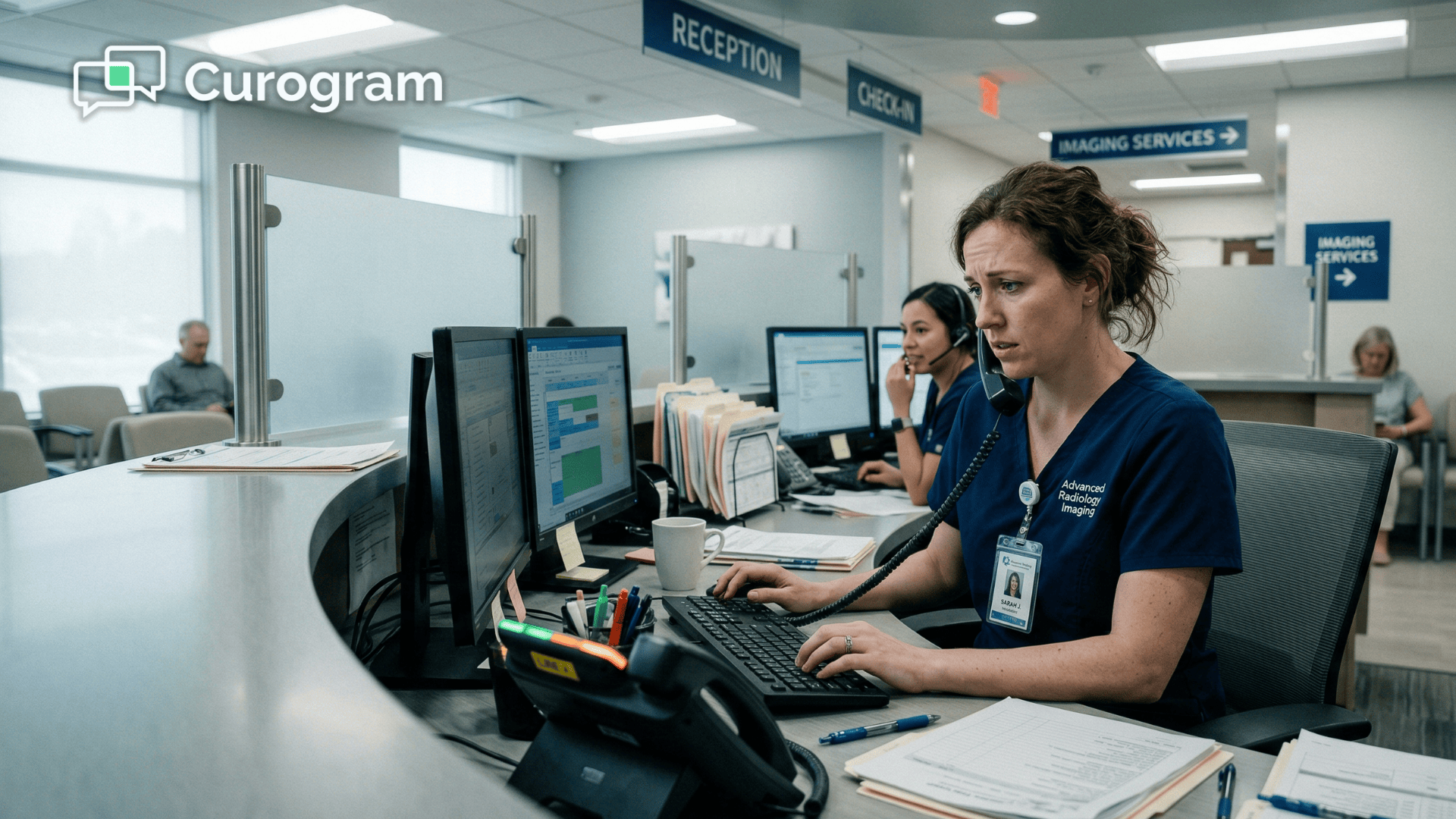
It's 7:45 a.m. on a Monday. Your front desk coordinator has already pulled up the day's MRI queue — 35 patients scheduled, each with different prep needs.
Metal implant screening. Fasting windows. Contrast allergy checks. Clothing restrictions.
And not a single one of them has been confirmed yet.
She picks up the phone. First call goes to voicemail. Second call, same. Third call, someone picks up — but they have questions about their implant history, so she has to pause check-in, pull up the patient record, and walk through the screening questions over the phone.
By the time she's done, there's a patient at the front desk waiting, two more calls missed, and a growing list of voicemails she'll need to chase down before noon.
This is not a bad morning. This is every morning.
In busy imaging centers, front desk staff routinely make 60–100 calls per day just to deliver prep instructions. These are calls to tell patients to fast after midnight.
Calls to ask whether they have metal implants. Calls to remind someone to skip their metformin before contrast.
This work isn't clinical — but it falls entirely on clinical-facing staff because RamSoft PowerServer and OmegaAI handle the scheduling side of the equation, not the patient communication side.
The gap between "appointment booked" and "patient prepared" is completely manual.
And that gap costs you every single day.
It costs you in staff hours. It costs you in no-shows. It costs you in unprepared arrivals who delay your technologists, knock studies off schedule, and leave your most expensive equipment sitting idle.
A single unprepared MRI patient can stall a study by 15–30 minutes or require a full reschedule. Multiply that across a week, and you're looking at real revenue walking out the door.
Why Your Front Desk Starts Every Day Running a Phone Marathon
Picture this:
It's 8 a.m. and your scheduler has already identified 35 MRI patients on the day's roster.
Each one needs a call. Each call needs to cover the right prep instructions — which change depending on whether the patient is scheduled for a standard brain MRI, a contrast-enhanced scan, or a cardiac study. There's no script that works for all of them.
So the coordinator starts dialing.
Hello, you have an MRI on Thursday. You'll need to fast after midnight. If you've had a stroke, or if you have any metal implants or a pacemaker, please call us back. Have a great day. Click.
Next call. Next voicemail. Next callback from a confused patient forty minutes later asking what "fasting after midnight" actually means — and whether their blood pressure medication counts as food.
By 10 a.m., a typical front desk team has made 40 calls, left 15 voicemails, and has 8 callback requests pending. That's not including the patients physically standing at check-in who need to be greeted, verified, and moved through intake.
The staff aren't ignoring those patients — they're just splitting their attention across an impossible workload.
The Tracking Problem Is Just as Costly
Manual confirmation tracking fails quietly. Patient responses get scribbled on sticky notes. Spreadsheets get updated an hour after the call.
And by 9 a.m., nobody on your team can tell you with confidence who actually confirmed and who didn't.
That uncertainty has real consequences.
Without a reliable picture of prep compliance, unprepared arrivals hit between 15–25% of the day's schedule.
These are patients who didn't catch the voicemail, forgot the fasting window, or genuinely didn't understand what the metal screening questionnaire was asking them.
Each unprepared arrival doesn't just affect one patient. It stalls the technologist, delays the next study, and leaves your imaging suite running behind before lunchtime.
The Staff Cost You're Not Measuring
Front desk coordinators spend 3–8 hours per day on prep calls. That's not time spent managing check-in, verifying insurance, or supporting patients who actually need help. It's time spent on a function that, in most imaging centers, has never been questioned — because it's always just been "the way things work."
But consider what that time actually costs. If a coordinator earns $22 per hour and spends 5 hours daily on phone calls, that's $110 of labor every day on tasks that could be automated.
Over a month, that's roughly $2,400 per staff member — just in call time.
Add the costs most managers overlook, and the number climbs fast:
- Overtime pay when prep calls bleed into afternoon hours
- Lost revenue from no-shows that weren't caught in time
- Recruiting and onboarding when burned-out coordinators leave
- Reduced throughput when check-in staff are tied to the phone
Staff morale suffers too. The front desk coordinator who dreads Monday's MRI queue isn't just frustrated — she's a flight risk. And replacing a trained imaging center front desk coordinator costs an average of 33–50% of their annual salary when you factor in recruiting and onboarding.
It's a problem that compounds quietly until something breaks.
The imaging center scheduling staff efficiency problem isn't a personnel issue. It's a systems issue. And the phone is the symptom, not the cause.
How Modality-Triggered Text Reminders Replace the Call List
The solution isn't to hire a second coordinator. It isn't to ask your staff to work faster. It's to stop routing prep instructions through a phone line at all.
When Curogram integrates with RamSoft's scheduling engine, it reads the study type for every appointment booked — CT, MRI, ultrasound, nuclear medicine — and automatically queues a modality-specific SMS sequence for each patient.
The moment someone books an MRI, the system begins preparing the right instructions: metal implant screening questions, contrast allergy prompts, fasting instructions, and arrival details.
All of it delivered by text. All of it timed — 48 hours before the appointment, then again 24 hours out.
When the same patient books a CT with contrast, a completely different sequence fires.
Allergy questionnaire. Kidney function screening. NPO window. Prep timing relative to the scan. The patient gets exactly what they need to know. Nothing more, nothing less.
2 touchpoints. Zero staff calls. |
| Every patient gets an automated reminder 48 hours out, then again 24 hours before their appointment — each one tailored to their specific study type. No coordinator involvement required until a patient flags a concern. |
This is how modality-specific prep instructions in RamSoft workflows function in practice: one booking triggers the right prep path, automatically, without a single staff call.
Smart Scheduling Integration, Not a Workaround
Curogram reads RamSoft's HL7 scheduling feed — or connects via database integration — and matches each appointment to the correct prep template.
Your clinical director or radiologist configures the templates once:
The exact fasting language for abdominal CTs, the specific implant screening steps for spine MRIs, the medication hold instructions for contrast studies.
Templates are staff-configurable, which means your team isn't locked into generic messaging. The radiologist sets the clinical standard; the system delivers it consistently to every patient, every time.
Reminders go to the patient's verified mobile number and operate within HIPAA consent and encryption requirements. Patients who opted into texting at intake receive their prep instructions as a clean, readable text message — not a voicemail they may or may not remember.

The Two-Way Confirmation Loop
Here's where it shifts from communication to confirmation. Patients don't just receive instructions — they respond to them.
"Are you fasting after midnight? Reply YES or NO."
"Do you have any metal implants or a pacemaker? Reply YES or NO."
Those responses feed directly into a real-time automated patient confirmation dashboard inside RamSoft.
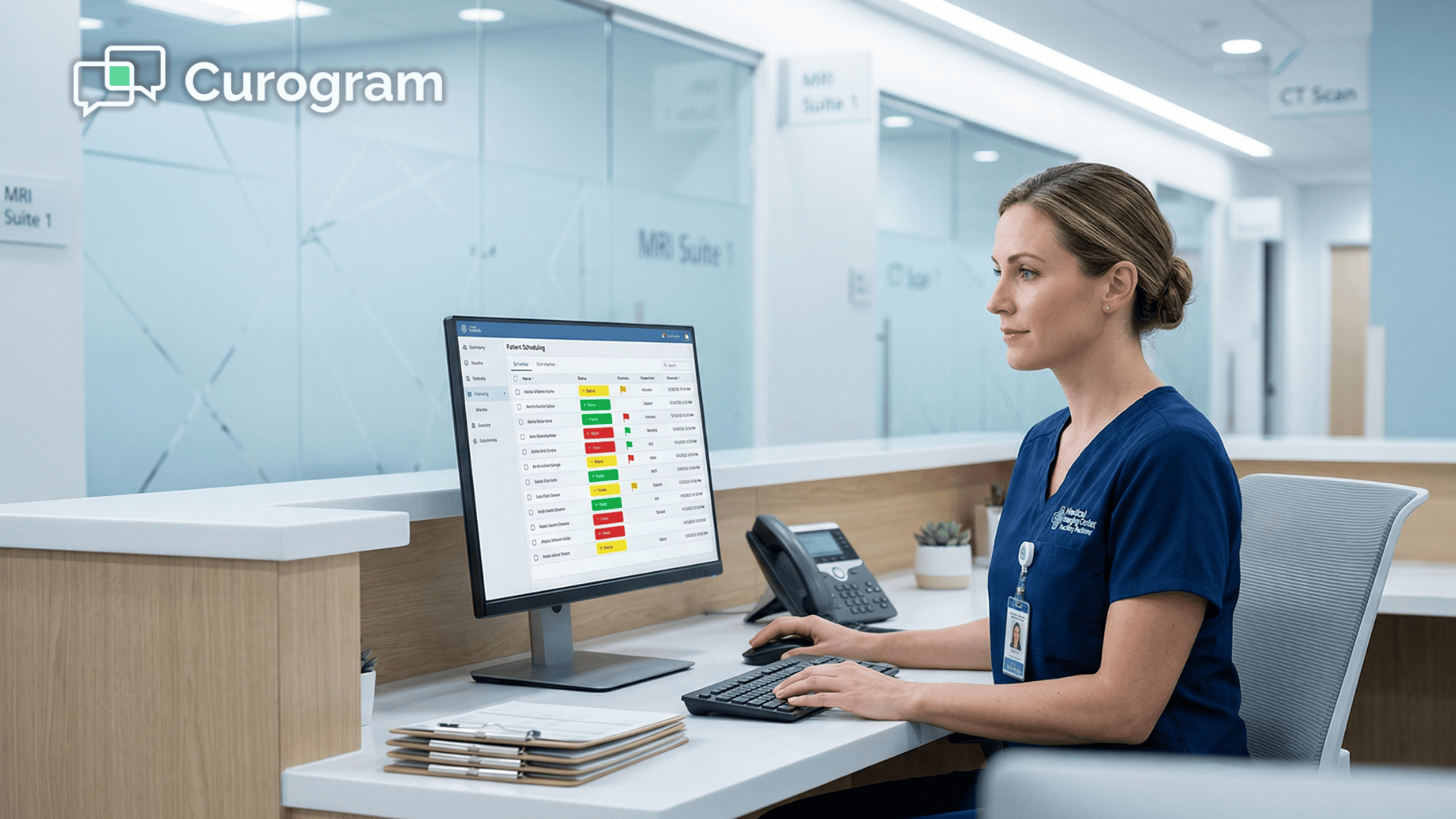
Every patient shows up as one of three statuses — Green (fully confirmed), Yellow (partial response), or Red (no response at all). Staff only act on the Red column. That's the entire intervention — one targeted call instead of sixty blind ones.
This is radiology front desk appointment confirmation automation at its most practical. Instead of calling every patient blind, your team opens the dashboard at 7 a.m. and sees exactly who needs attention.
Not 60 calls. Not 35. Maybe 5.
Where Curogram Fits in Your Existing RamSoft Ecosystem
Curogram doesn't replace the tools you're already using. It handles the job those tools weren't built to do.
Each platform in your RamSoft environment has a distinct role:
- Blume manages image and report access, along with patient education
- Alpha Nodus handles prior authorization workflows
- Curogram owns patient-facing prep communication — the modality-specific instructions that ensure every patient arrives prepared
Three tools. Three distinct jobs. No overlap, no redundancy.
Your staff manages the imaging workflow. Curogram manages the patient preparation workflow. That's the division of labor that makes the whole system run.

What Real Imaging Centers Gained When the Phones Went Quiet
Numbers tell this story better than anything else.
Covina Imaging Center automated 1,300+ confirmations per month after integrating Curogram with RamSoft. Before automation, that workload sat entirely on their front desk — 369 manual call confirmations that their staff were making by hand, one by one.
After automation, those same confirmations happened without a single staff-initiated call.
Atlas Medical Center reduced imaging appointment no-shows by 65%. That's not a marginal improvement. A 65% reduction in no-shows means that if your center was losing 20 appointment slots per week to no-shows, you'd recover 13 of them.
At an average imaging study value of $300–$500, that's $3,900–$6,500 recovered per week — or more than $20,000 back on the schedule every month.
What a Recovered Morning Actually Looks Like
Here's the shift in concrete terms.
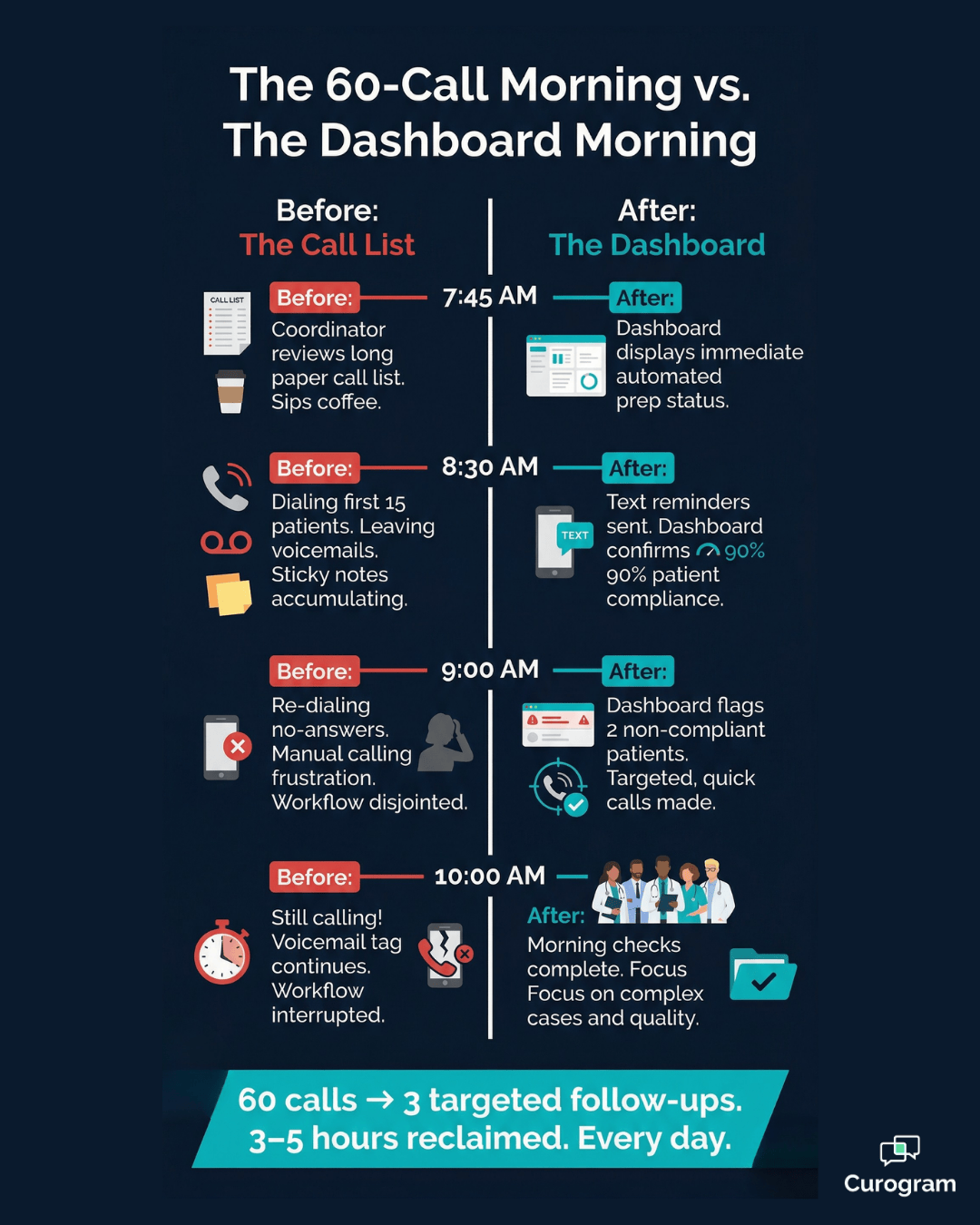
Before automation, a front desk coordinator arrives at 7:45 a.m. and starts calling. By 10 a.m., she's made 40 calls, left 15 voicemails, fielded 8 callbacks, and still has half the list to go.
After automation, she arrives, opens the dashboard, and sees this: 35 patients scheduled, 27 confirmed green, 5 yellow, 3 red. She sends a quick follow-up text to the 5 yellows. She makes 3 targeted calls to the reds.
By 8:30 a.m., she's done with prep outreach entirely and is fully available for check-in.
Staff reclaim 3–5 hours per day. That's not a rounding estimate — that's the difference between a team running a phone center and a team doing patient care work.
The Shift That Changes Everything
A two-person front desk team that previously spent a combined 8–10 hours daily on phone outreach now uses that time on intake, insurance verification, patient support, and the tasks that directly support revenue cycle.
The phone stops being the center of the operation. The dashboard becomes the source of truth.
When staff time management in radiology shifts from reactive to exception-based, the downstream effects show up quickly across the whole center:
- No-show rates drop because confirmed patients show up
- Unprepared arrivals drop because prep compliance is verified before the day starts
- Overtime costs fall because evening call-back shifts become unnecessary
- Staff retention improves because the job feels like patient care, not data entry
Your team stops reacting to problems and starts managing by exception. That shift sounds simple. In practice, it reshapes the entire front desk operation.
Your Imaging Center Deserves Better Than a 60-Call Morning
If your front desk staff are spending the first half of every workday on the phone, something has to change.
Not because your team isn't capable — but because their capability is being wasted on a process that automation handles better, faster, and with full documentation.
The RamSoft imaging center staff automated prep reminders workflow isn't a workaround or an add-on. It's a fundamental shift in how imaging centers communicate with patients before they arrive.
Every prep instruction that goes out as a text instead of a voicemail is one more patient who shows up ready. Every automated confirmation is an hour your team didn't spend on hold. Every green dot on the dashboard is a study that runs on time.
Imaging centers that make this shift don't ask, "How do we get 60 patients on the phone before 10 a.m.?" They ask, "How do we best support the 5% of patients who actually need a call?"
That's a different operation. A better one.
If your imaging suite isn't full because patients didn't follow prep instructions — or because no-shows keep punching holes in your schedule — automated reminders aren't a luxury.
They're the thing standing between where you are now and where your center needs to be.
Schedule a demo to see how Covina and Atlas reimagined their front desk workflow from the ground up. You'll see the real-time confirmation dashboard in action. You'll hear from coordinators who recovered 4 hours of their day.
Frequently Asked Questions
All Curogram reminders are sent as encrypted, end-to-end HIPAA-compliant SMS. Patients opt into texting at signup or during intake, and that consent is recorded directly in their patient record. Curogram doesn't store prep responses independently — responses are logged to RamSoft's patient record as structured data, which staff can audit at any time. Every message includes standard HIPAA notice language, and patients can opt out by replying STOP at any point.
Curogram syncs continuously with RamSoft's real-time schedule feed via HL7 ADT or database API. If an appointment is rescheduled, moved to a different modality, or cancelled, the system detects the change and adjusts the reminder queue automatically. If a CT appointment becomes an MRI, the CT prep sequence stops and the MRI sequence starts — no manual intervention needed. Modality-specific prep templates are stored in a configurable library that your clinical staff set up once. The system applies the right rules by modality every time, without per-patient customization.
Every response flows directly into RamSoft's patient record as structured data. If a patient replies "Yes, I have metal implants," a pre-configured workflow triggers — either an automatic message directing them not to self-clear ("Our MRI team will call you to discuss your implants") or a staff-visible flag in the dashboard for a targeted follow-up call. If a patient doesn't respond at all, a second reminder sends 12 hours before the appointment. If there's still no response by 6 hours out, staff receive a high-risk alert for that patient. One call. One decision. No blind guessing.
Implementation is designed to fit around your existing RamSoft environment, not replace it. Curogram connects to RamSoft's scheduling feed via HL7 ADT or database integration, and your clinical team configures prep templates once during onboarding. Most imaging centers are live with automated reminders within a few weeks. There's no need to rebuild your scheduling workflow or retrain staff on a new system — the change your team feels is in what stops landing on their desks, not in how they use RamSoft.
Yes. Prep templates in Curogram are fully configurable by your clinical director or imaging supervisor. You can create variations by modality, contrast type, patient age group, or any other criteria your protocols require. If your facility has specific language requirements — say, a bilingual patient population — templates can be written in multiple languages and assigned accordingly. Referring physician preferences can also factor into workflow routing, ensuring the right instructions reach the right patients without any manual sorting on your end.