

11 min read

Automated Prep Reminders for RamSoft Imaging | SMS Confirmation Loops

Automated Prep Reminders for RamSoft Imaging | SMS Confirmation Loops
💡 Automated SMS reminders with modality-specific prep instructions for RamSoft imaging centers solve the preparation gap that app-dependent alerts cannot.         

Unlike Blume’s app-only alerts, Curogram sends study-specific texts to every patient—MRI contrast screening, CT fasting reminders, and implant checks.   

These automated sequences capture patient responses in real time and sync confirmation data directly into PowerServer or OmegaAI scheduling. Technologists see prep flags before a patient even checks in.       

For imaging centers where 70–90% of patients visit only once and won't download a radiology app, text is the only channel that reaches everyone. 

Think about this for a moment.

Your MRI suite is booked solid. Technologists are ready. The scanner is warmed up. Then the first patient of the day walks in. They didn't fast. No one told them to.

Or maybe someone tried to call yesterday and left a voicemail that went unheard. The study can't happen. The slot is gone. And that's just the first appointment.

This isn't a rare bad day. For most imaging centers running on RamSoft, it's Tuesday.

The frustrating part isn't the unprepared patients — it's that the information was supposed to reach them.

Your imaging center has world-class infrastructure. RamSoft PowerServer manages your scheduling. OmegaAI powers your reporting.

And Blume is there to engage patients who've downloaded the app and logged in. But that last part is the problem hiding in plain sight.

Most of your patients aren't on Blume.

For a patient referred from an urgent care clinic for a one-time CT scan, downloading a dedicated radiology app before their appointment isn't something they're going to do.

They don't have a prior relationship with your facility. They don't know what Blume is. And they're not going to find out before 8 a.m. tomorrow when they show up for their scan — still eating, still wearing their underwire bra, still unaware that any of that matters.

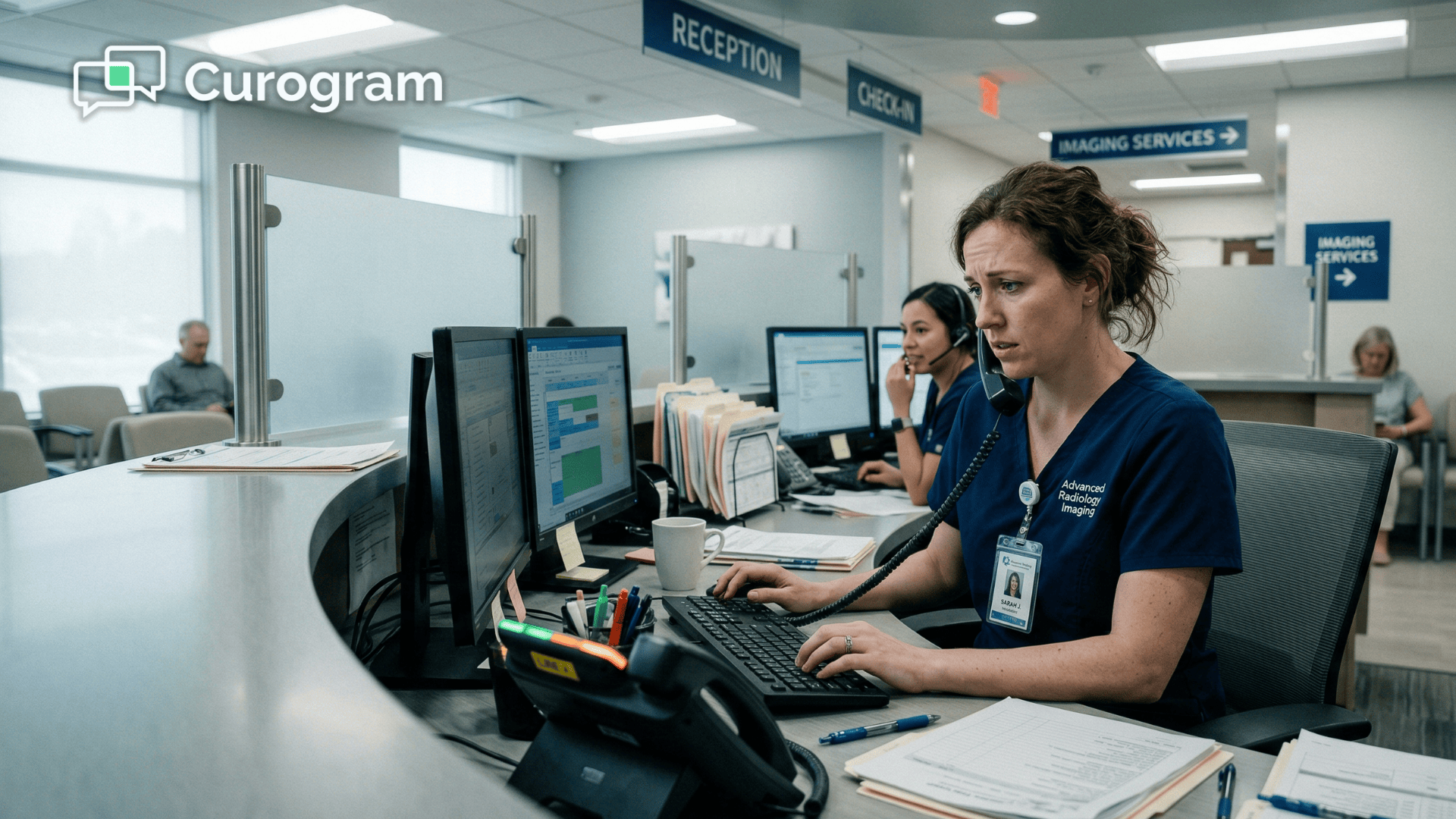
So your staff calls. They call 60 patients. Maybe 30 pick up. The rest get voicemails that go unlistened to or phone calls returned three hours too late.

Staff spend their entire afternoon on prep confirmation calls that should never have been manual tasks to begin with.

That's the gap. And it's costing imaging centers far more than most administrators realize.

RamSoft automated SMS reminders with modality-specific prep instructions are built to close it — by reaching every patient, for every study type, via the one channel that actually works: text.

The Silent Gap Costing Your Imaging Center More Than You Think

Here's what a typical day looks like for an imaging center coordinator.

It's 1 p.m. They have a list of 60 patients scheduled for tomorrow. MRIs, CTs, ultrasounds, a few extremity studies. Each study has different prep requirements. CT patients need to fast. MRI patients need to be screened for contrast allergies, cardiac devices, and kidney function.

A few patients are scheduled for studies that require them to bring prior films or complete a metal implant questionnaire before they arrive.

The coordinator starts dialing.

When the Phone Stops Working

By 3 p.m., they've reached 23 patients. Eight calls went to voicemail. Twelve numbers were unreachable or rang out.

That's 38% of the list — gone. Each completed call took an average of 4 minutes, which means the prep confirmation process alone burned through roughly 4 hours of labor.

At an average coordinator wage of $20 per hour, that's $80 in staff time just to reach less than half the list.

And it doesn't end there.

The next morning, 8 patients show up unprepared anyway — 5 CT patients who didn't follow fasting instructions they received over voicemail, and 3 MRI patients who didn't disclose relevant medical history because no one successfully screened them.

A handful of studies have to be rescheduled. One CT gets canceled entirely because the patient ate a full breakfast.

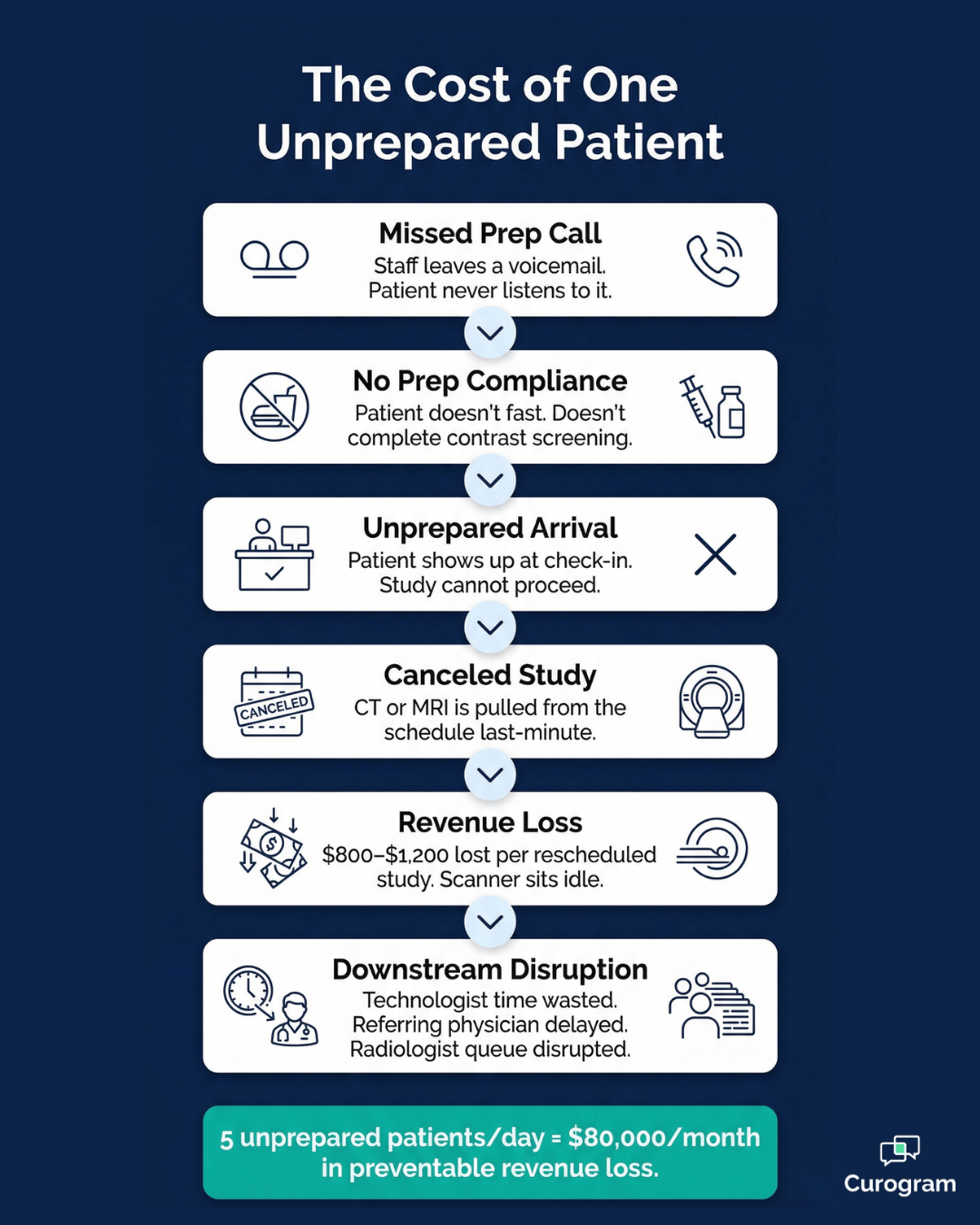
A single rescheduled CT scan represents an $800–$1,200 revenue loss. That's the scanner sitting idle, the technologist's time wasted, the radiologist's queue disrupted, and the referring physician left waiting for results that aren't coming.

Now scale that across a typical month.

For an MRI center averaging 80 studies per day at $800 per study, 5 unprepared arrivals per day represents a $4,000 daily revenue gap.

Over 20 working days, that's $80,000 per month — not from operational failures, not from billing errors, but from prep instructions that simply never reached the patient.

Meanwhile, roughly $1,600 a month in coordinator labor goes toward phone calls that complete less than half the time.

38%

Of prep confirmation calls go unanswered — voicemails, disconnected lines, and calls returned too late to matter. That's 460 patients per month your facility never successfully reaches before their study.

At enterprise scale, across teleradiology networks managing 100 or more locations, that number compounds into millions.

And yet, the root cause is almost embarrassingly simple. The prep instructions weren't delivered through a channel the patient actually uses.

Blume is a powerful patient app. It handles image sharing, AI-powered report explanations, appointment requests, and family health management.

But it requires a download. For patients who are coming in for a single imaging study — often referred by an ER, urgent care, or specialist they saw once — downloading a radiology app is a high-friction ask.

Most won't do it. So Blume sends the prep notification. The patient never sees it.

It sounds like a technology problem. It isn't. It's a channel problem.

Why Blume Can't Bridge the Gap Alone

Blume is a powerful patient app — genuinely useful for patients who are actively managing their imaging history.

But for the majority of your patient population, it has one fundamental limitation:

It requires a download.

For patients arriving from an ER referral, urgent care, or a one-time specialist visit, that's a deal-breaker.

Here's what that looks like in practice:

  • A first-time patient gets referred for a CT scan. They've never heard of your facility.
  • They receive a Blume notification — but haven't downloaded the app and never will for a single visit.
  • The fasting instruction sits unread. They show up having eaten. The study is canceled.

It's not a patient behavior problem. It's a delivery problem.

When 70–90% of your imaging patients visit only once and have no reason to engage with a patient portal or mobile app, the only communication channel with universal reach is text.

Not push notifications. Not portal messages. Text.

Your RamSoft patient prep text reminders need to arrive somewhere patients actually look — and they look at their phone.

How Automated Text Sequences Reach Every Patient, for Every Study Type

The solution doesn't require replacing anything in your RamSoft workflow.

It requires adding the one layer that's missing:

Automated, modality-specific text communication that reaches all patients — not just the ones on an app.

Curogram is purpose-built for exactly this.

While Blume handles patient engagement with health records, Curogram handles operational communication — the texts that confirm appointments, deliver prep instructions, capture patient responses, and keep your scanner schedule intact.

Think of it this way:

Blume is for patients engaging with their imaging history.

Curogram is for ensuring they show up prepared for the study they have tomorrow.

Prep Sequences Built Around the Study, Not a Generic Template

Imaging center prep instruction automation through SMS works because it's specific. A patient scheduled for an MRI doesn't get the same message as a patient scheduled for a CT. The system knows the difference, and the instructions match.

Here's how modality-specific patient reminders in radiology are structured through Curogram:

Study Type Prep Sequence Triggered Timing
MRI (with contrast) Contrast screening questionnaire (kidney function, allergies, cardiac devices) 48 hours before
CT Abdomen/Pelvis CT fasting confirmation text, fluid intake guidelines 24 hours before
Extremity / Orthopedic Metal implant assessment, implant card reminder 48 hours before
Ultrasound (abdominal) Fasting and hydration instructions 24 hours before

Each sequence is automatically triggered from RamSoft scheduling data — study type, patient phone number, appointment time.

No manual setup per patient. No separate system to log into.

The RamSoft Blume text alternative here isn't a workaround;

It's a direct, native integration with the PowerServer or OmegaAI scheduling layer already in place.

The Confirmation Loop That Feeds Directly Back Into Scheduling

Sending the prep instructions is only half of it. The other half — the part that actually changes what happens at check-in — is the response.

Each automated text sequence includes a confirmation step.

After receiving their MRI contrast screening SMS reminder, a patient can reply "YES" to confirm they've completed the questionnaire, or "NO" if they have a concern.

A CT patient receiving their fasting confirmation text can confirm they're following instructions or flag a problem — before they show up at the front desk.

Those responses don't sit in a separate inbox. They sync immediately back into PowerServer or OmegaAI as appointment flags.

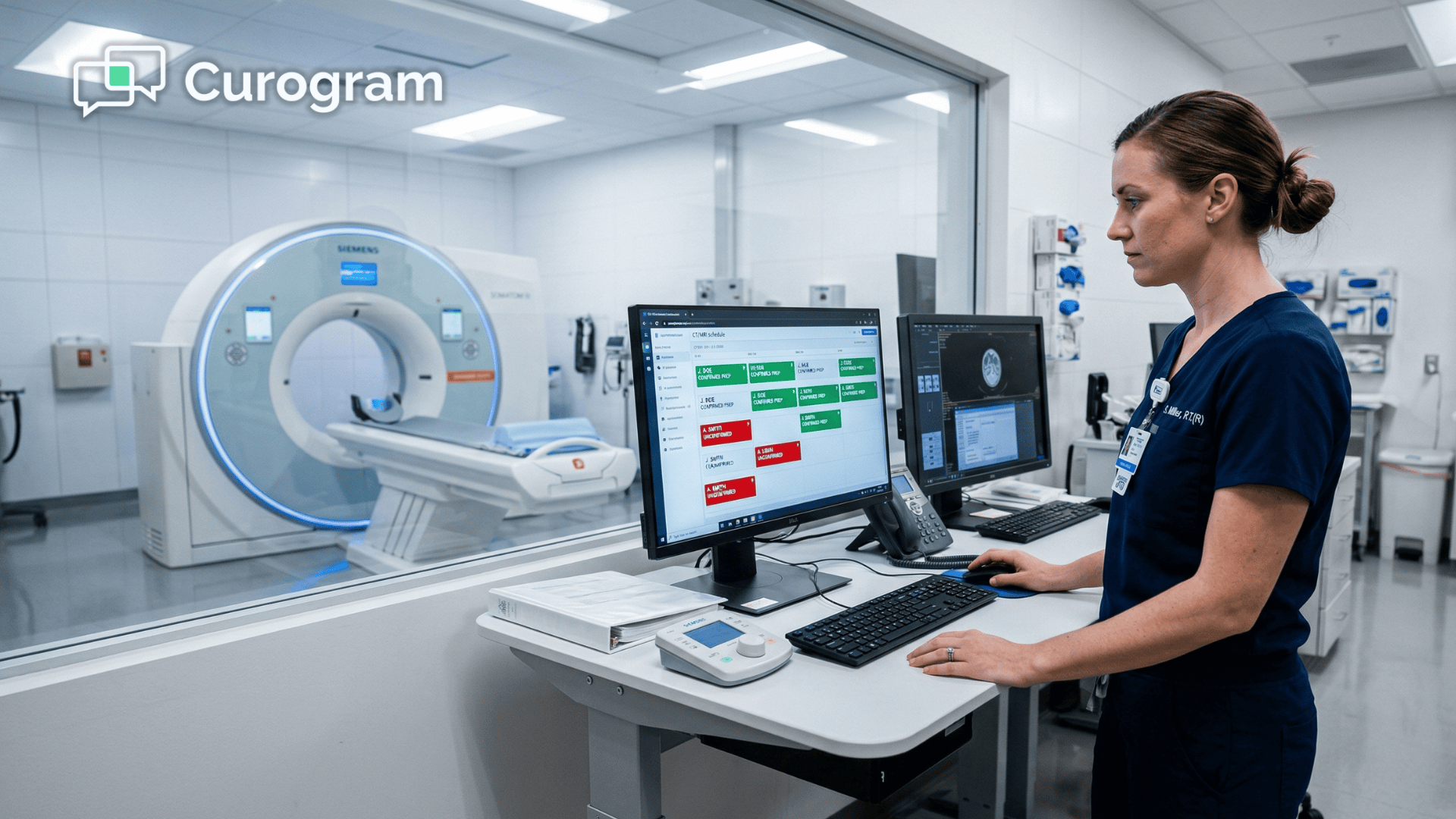
If a patient hasn't confirmed fasting by the morning of their CT, the technologist sees a red flag at check-in — not after the patient is already gowned and lying on the table.

That's imaging center prep instruction automation SMS done right: not just delivery, but a closed loop.

Cost of one unprepared radiology patient — revenue loss flowchart for imaging centers

What About Patients Who Don't Reply?

If a patient doesn't respond to a prep confirmation text, the appointment doesn't cancel automatically.

Instead, a flag appears in the scheduling system alerting staff to follow up. For facilities that want a more structured protocol, automated hold or reschedule rules can be configured per modality or per facility policy.

This is where RamSoft automated SMS reminders with modality-specific prep instructions and imaging center confirmation loops change the job description of your front desk team.

Instead of spending four hours calling 60 patients and reaching only 23, staff receive a daily list of flagged appointments.

For example:

  • Patients who didn't confirm fasting before a CT
  • Patients who didn't complete their MRI contrast screening questionnaire
  • Patients who haven't responded to any prep text at all

Follow-up becomes targeted, not exhaustive. Your team knows exactly who needs a call — and why — before the day even starts.

That shift alone saves 2–3 hours of staff time per day.

HIPAA Compliance Is Not Optional — and It's Handled

A common concern with texting patient prep information is HIPAA. Imaging centers deal with sensitive patient data, and for good reason, administrators are careful about what goes out over text.

Curogram's SMS platform is HIPAA-compliant with enterprise-grade encryption, secure data storage, and full audit logging.

Prep instructions sent via text — such as "Please fast for 4 hours before your 2 p.m. CT tomorrow" — don't include sensitive diagnoses or protected health information beyond what the patient already knows about their own appointment.

Patient consent for texting is collected at intake, where most imaging centers already gather phone numbers and request text opt-in during registration.

Curogram manages consent workflows in line with both HIPAA and TCPA requirements, so your team isn't taking on compliance risk — it's offloading it.

HIPAA-compliant texting isn't the barrier it used to be. For imaging centers, PowerServer imaging center appointment reminders via text are now a standard and protected operational practice.

Patient reading automated prep reminder text in imaging center waiting room

What Actually Changes When Patients Arrive Prepared

Numbers tell one story. What happens in your facility on the other side of them tells another.

Let's start with the numbers.

Atlas Medical, an imaging center using Curogram's automated reminders, saw its no-show rate drop from 14.20% to 4.91% in just three months.

65%

Reduction in no-show rate — not a small tweak, but a structural shift in how reliably the schedule holds. That's what radiology no-show reduction via SMS confirmation looks like in practice.

That kind of result doesn't come from reminding people more. It comes from reminding them through a channel they actually check. And it compounds fast.

But the revenue story, while compelling, undersells what actually changes day to day.

The Shift You'll Feel Before You See It in a Report

Before automated modality-specific patient reminders in radiology, your technologists started each day uncertain.

Which patients actually fasted?

Who answered the prep call?

Did anyone flag a contraindication for contrast?

That uncertainty created a reactive rhythm — patients arriving, staff scrambling, studies delayed or canceled at the last minute.

$2,400/day

Recovered for a facility averaging 80 studies at $800 each — just by reducing unprepared arrivals from 5 to 2 per day. Over 20 working days, that's nearly $48,000 back on the books monthly.

After, the dynamic reverses. Technologists begin the day knowing which patients confirmed prep, which flagged concerns, and which are marked for follow-up.

The check-in process moves faster because prep status is already documented in PowerServer or OmegaAI before the patient walks through the door.

Radiologists see fewer reschedules disrupting their reporting queue. Referring physicians get consistent turnaround because studies are completing as scheduled.

And patients have a smoother experience because staff already knows what they need — they're not asking the same prep questions at the window that a text already answered 24 hours ago.

The Cascade Effect on Your Entire Operation

One prepared patient creates a chain reaction across your entire operation:

  • A technologist spends that slot doing their job — not managing a reschedule
  • Contrast agent isn't wasted on a study that can't proceed
  • The scanner runs at capacity instead of sitting idle for 45 minutes
  • The referring physician gets results on time, every time

Imaging center prep instruction automation SMS doesn't just protect revenue.

It removes friction from every part of the clinical day — scheduling, check-in, study execution, reporting, and referring physician communication.

For administrators, the outcome is straightforward: scanner stays full, margins improve, and staff morale goes up because the most repetitive part of the prep process is no longer a manual phone marathon.

Stop Leaving $80,000 a Month on the Table — Here's Your Next Move

Here's the reality most imaging center administrators already know but struggle to act on.

Your RamSoft infrastructure is exceptional. PowerServer handles scheduling at scale. OmegaAI powers diagnostics and reporting.

And everything about your clinical operation is built to deliver accurate, efficient imaging. But the revenue those systems generate depends entirely on patients showing up prepared — and right now, the channel you're using to make that happen isn't working.

Manual phone calls reach fewer than 40% of patients reliably.

App-based prep notifications only reach patients who've downloaded the app, which for a single-visit radiology patient, is most likely no one.

And every day that gap stays open, it costs your facility thousands of dollars in rescheduled studies, wasted technologist time, and referrer frustration.

The fix isn't complicated.

RamSoft automated SMS reminders with modality-specific prep instructions deliver the right information — MRI contrast screening, CT fasting confirmations, metal implant assessments — to every patient via text, automatically, at the right time before their study.

No manual calls. No app downloads required. No separate system for your staff to manage.

Just a clean, HIPAA-compliant text sequence that connects directly to your PowerServer or OmegaAI workflow and syncs confirmation data back in real time.

You see which patients confirmed. Your technologists see who flagged a prep concern. Your staff follows up with a targeted list of five — not a phone queue of sixty.

In practice, most imaging centers see measurable changes within the first month. Fewer no-shows. Fewer unprepared arrivals. More confirmed prep responses before the morning shift even begins.

And for a facility averaging 80 studies per day, even a 3% improvement in scanner utilization translates to $40,000–$50,000 in monthly revenue recovered.

That's the case for change. The starting point is simple.

Schedule a demo with Curogram today. We'll walk you through the exact prep templates used for MRI, CT, ultrasound, and extremity studies — and show you how confirmation responses sync back into your RamSoft workflow automatically. 


Frequently Asked Questions

Is texting prep instructions to patients HIPAA-compliant? Won't this expose sensitive information?

Yes. Curogram's SMS platform is HIPAA-compliant, with enterprise-grade encryption, secure data storage, and full audit logging. Prep instructions sent via text — such as "Please fast for 4 hours before your 2 p.m. CT tomorrow" — don't include sensitive diagnoses or protected health information beyond what a patient already knows about their own appointment. Patient consent is captured at intake, where most imaging centers already collect phone numbers and request text opt-in during registration. Curogram handles consent workflows to ensure compliance with both HIPAA and TCPA regulations, so your team isn't managing additional compliance risk.

How does Curogram know which prep instructions to send for each patient?

Curogram integrates directly with PowerServer or OmegaAI scheduling data, pulling the study type, modality-specific protocol, and scheduled appointment time for each patient. Based on the study type, the system automatically selects the correct prep sequence — for example, an MRI triggers contrast screening questions while a CT triggers a fasting confirmation text. You can customize prep templates per facility, per radiologist, or per referring provider. Templates can also include facility-specific protocols, required forms, or pre-registration links, so every message is aligned with your clinical workflow.

What happens if a patient doesn't confirm prep via text? Does their appointment get canceled?

No, the appointment isn't automatically canceled. Instead, a flag appears in PowerServer or OmegaAI at check-in, alerting your technologist that this patient hasn't confirmed fasting or completed their contrast screening. Your staff can then manually confirm, reschedule if needed, or proceed with a modified protocol. Curogram provides the visibility; your team makes the call. For facilities that want a more structured response, automated hold or reschedule rules can be configured per facility policy and per modality — so the system works according to your clinical standards, not the other way around.

How long does it take to set up Curogram with an existing RamSoft workflow?

Setup is faster than most imaging center administrators expect. Curogram integrates directly with PowerServer or OmegaAI scheduling data, so there's no manual patient import or separate system to maintain. Prep templates for MRI, CT, ultrasound, and extremity studies are pre-built and ready to customize — your team can adjust messaging, timing, and confirmation rules per modality or per facility without any coding required. Most imaging centers are fully operational within days, not weeks, and staff training typically takes less than 30 minutes. There's no disruption to existing scheduling workflows during setup.

Can Curogram handle multi-location or enterprise imaging networks?

Yes. Curogram is built to scale across single facilities and large enterprise teleradiology networks alike. Each location can have its own prep templates, confirmation rules, and scheduling integrations — all managed from a centralized dashboard. For networks running 50 or more imaging sites, administrators can standardize prep sequences across locations while still allowing individual facilities to customize for their patient populations or referring physician preferences. Confirmation data syncs back into PowerServer or OmegaAI at the facility level, so your technologists and schedulers always have accurate, location-specific prep status without cross-site confusion.