9 min read

Office Ally Automated Reviews | Zero Staff Effort

Office Ally Automated Reviews | Zero Staff Effort
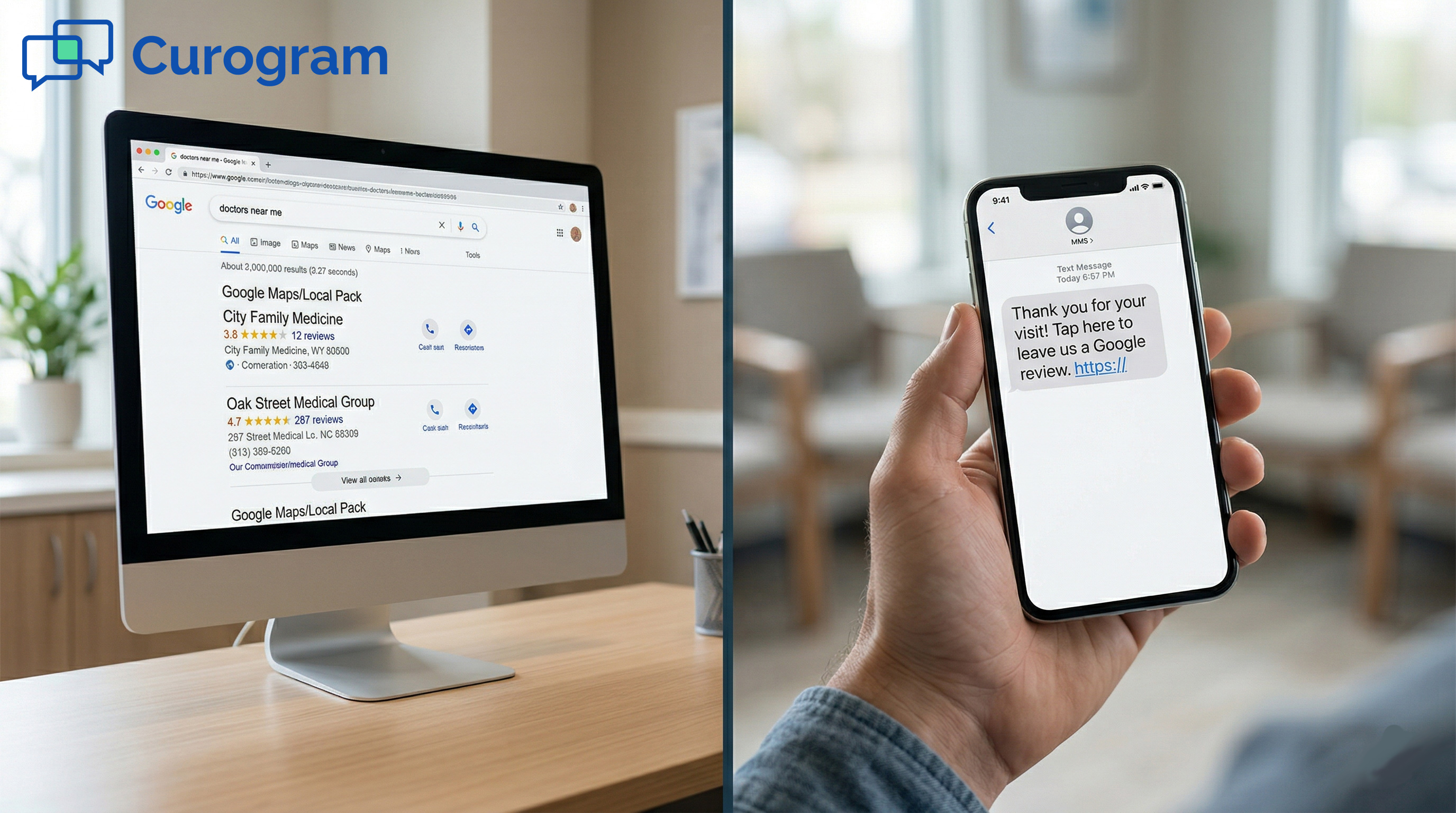
💡 Most Office Ally practices want more Google reviews. But no one has time to ask for them. Between scheduling, billing, and patient check-in, review requests never make it to the top of the to-do list. That is the gap Office Ally automated Google review requests fill.

Curogram connects with Practice Mate to send a review request text after every visit. No staff trigger. No manual step. Just a simple, automated message that goes out on its own.

Based on our internal data, one multi-location practice generated 1,064 new 5-star reviews in just 3 months. For a solo practice, even 10 to 15 new reviews per week adds up fast. Over a quarter, that is 40 to 60 new reviews without any staff involvement at all.

You know your practice needs more Google reviews. Your patients are happy. The care is good. But when was the last time you actually asked someone to leave one?

If the answer is "I can not remember," you are not alone. Most small practices never build a review system because there is no time and no one to run it.

Office Ally automated Google review requests, powered by Curogram, solve this. The system sends a text to every patient after their visit. It asks for a review. It does this without reminders, without extra logins, and without a single staff task added to anyone's day.

This article explains why review requests fall through the cracks in small practices. It also shows how automated review requests work inside an Office Ally setup and what results you can realistically expect.

The front desk is already stretched thin. The practitioner is seeing the next patient. No one has a spare moment.

That is exactly why Office Ally staff review workflow automation exists: to handle the task nobody remembers to do.

If your Google profile has fewer than 50 reviews, you are losing new patients to competitors who do have them. The good news is that fixing this does not require more staff. It requires a better system.

The Villain: The Review Request Nobody Remembers to Send

Small practices run on tight margins, both in time and staffing. Review requests are a great idea in theory. In practice, they rarely happen. Here is why that is, and why it matters more than most practice owners realize.

The Intention Gap

Every practice owner knows they need more Google reviews. It comes up in staff meetings. Someone prints a sign for the checkout desk. Maybe a card goes out in the goodie bag.

But between copays, follow-up calls, and insurance paperwork, asking each patient for a review falls off the list. Every. Single. Day.

The intention is real. The follow-through is not. And that gap is costing you patients.

Why Good Intentions Are Not Enough

A great patient visit does not equal a Google review. The two are separate events. Without a system that links them, the review almost never happens.

Patients do not leave reviews on their own. Most are satisfied and move on with their day. They need a nudge, and that nudge needs to come at the right time.

The Cost of Missing That Moment

At 20 patients a day, five days a week, that is 100 missed chances per week. That is more than 400 missed chances per month. At a 10 to 15% response rate, you are losing 40 to 60 reviews every single month.

Over a year, that is 500-plus reviews that never happened. Not because patients were unhappy, but because no one asked.

The Solo Practitioner Problem

In a solo practice, the practitioner does not just see patients. They schedule, process payments, and manage the phone. There is no extra person to handle review outreach.

After a chiropractic adjustment or PT session, the practitioner walks the patient to checkout, processes the visit, and turns to greet the next one. There is no pause. There is no moment to ask.

Doing Three Jobs at Once

Solo practitioners are often doing the work of a full team. Clinical care, admin tasks, and patient communication all land on one person.

Adding review requests to that list sounds simple. But in real life, it is one more thing that will not happen unless it is fully automated.

Why This Is Not a Motivation Problem

The issue is not that solo practitioners do not care about reviews. They do. The issue is that without a system, even the most motivated practice owner will forget.

This is why automated patient review requests after a visit change everything. The request goes out whether the practitioner remembers or not.

The Inconsistency Problem

Even practices that try to ask for reviews run into the same wall: they do it some days but not others. One enthusiastic front desk person sends out a few requests on Monday. By Wednesday, the routine is gone.

Inconsistent asking leads to inconsistent results. You might get 2 or 3 new reviews in a month instead of 40 to 60. That slow drip barely moves your Google profile.

What Inconsistency Looks Like Over Time

A practice stuck at 15 Google reviews after three years of operation is a common story. The care is excellent. Patients come back. But the public profile does not reflect that.

Competitors with 200 reviews and a 4.9-star rating win the new patient search. Not because they are better, but because they asked more consistently.

The Compounding Effect of Consistency

When you ask every patient, every time, reviews compound. A practice that gets just 10 new reviews per week adds 40 in a month and 120 in a quarter. That kind of growth is only possible with a system, not willpower.


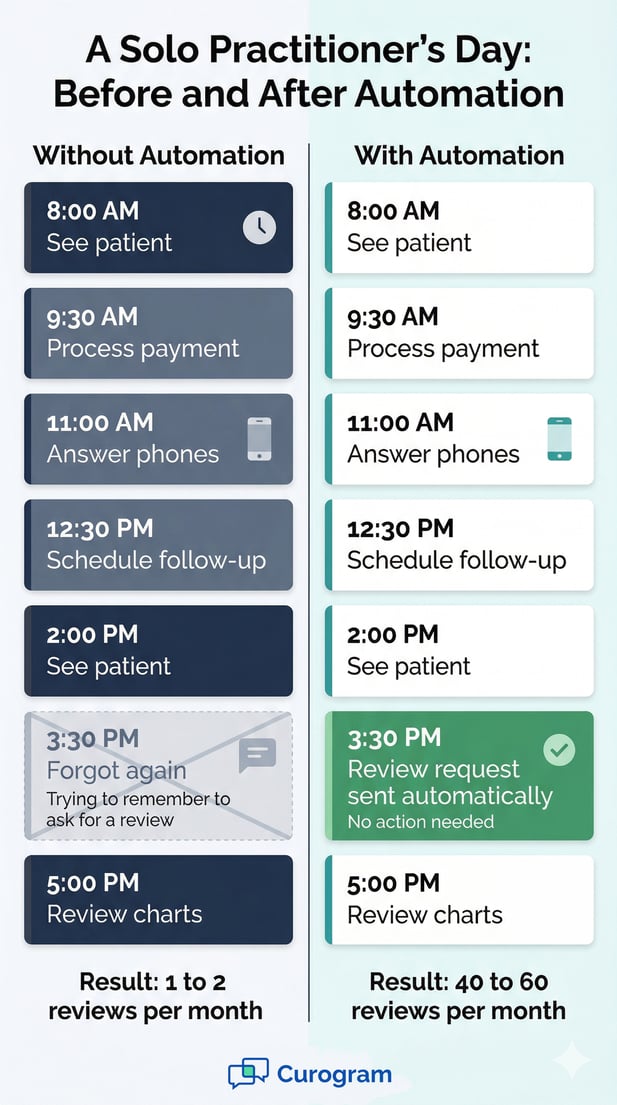
Infographic comparing a medical practice's manual day versus an automated day with Curogram

The Guide: The Set-and-Forget Review Engine

Curogram turns your Office Ally workflow into a review-building machine. It does not add tasks to your team's day. It removes the need for anyone to think about reviews at all. Here is how it works.

How the Automation Works

When a patient checks out through Practice Mate, Curogram sends a review request text. No staff trigger. No extra login. No separate tool to manage.

You set the timing once during setup. Maybe it goes out the same evening, or the next morning. After that, the system handles it every time, for every patient, without fail.

Configure Once, Run Forever

Setup takes minutes. You choose the timing, the message, and the audience. After that, the automated patient review request runs in the background. You do not manage it. It manages itself.

This is what small practice Google review generation looks like when it actually works: set it up once and let it run.

What the Patient Receives

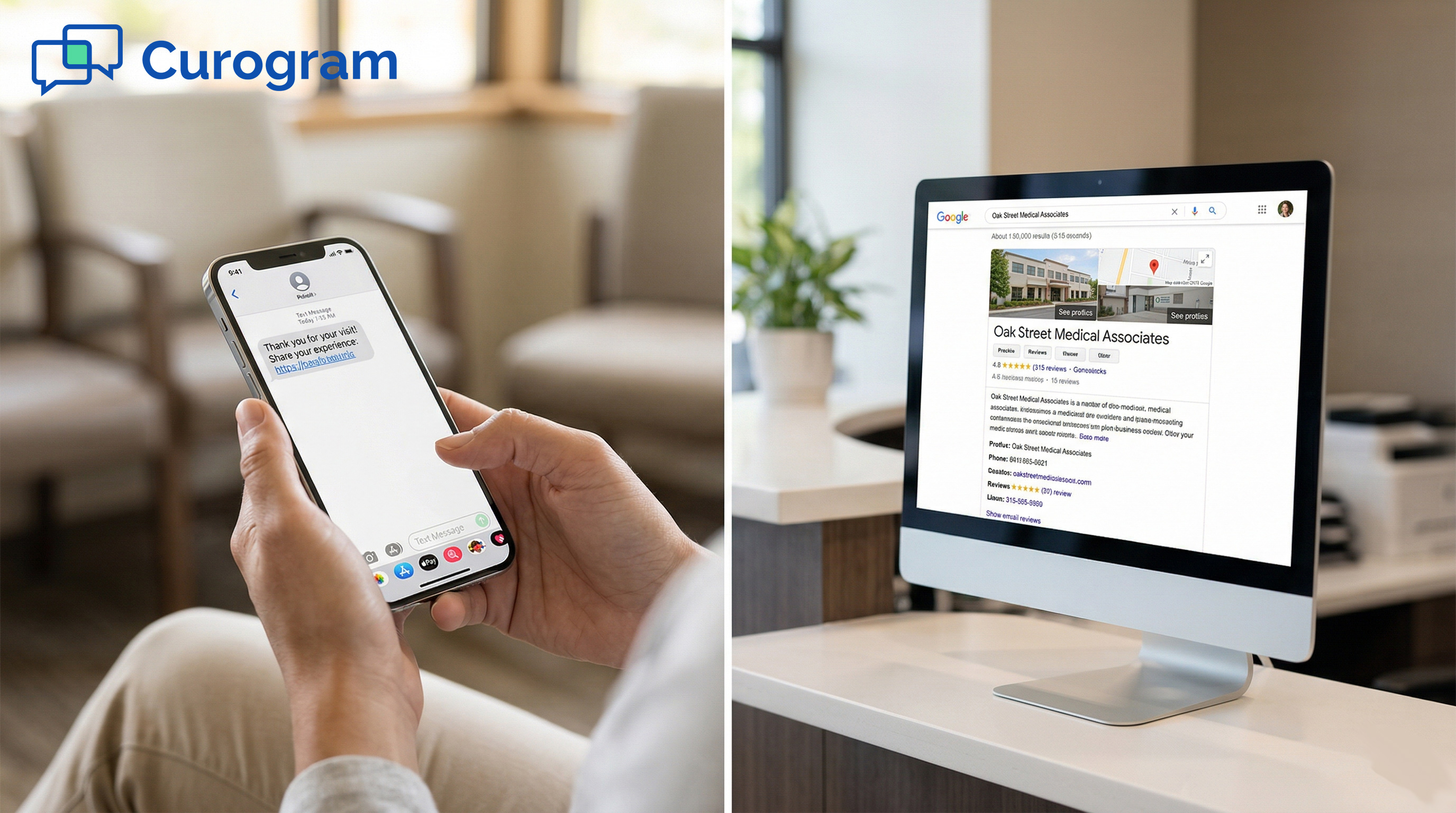
The patient gets a friendly text. Something like, "Thank you for your visit today! Would you take a moment to share your experience?" It feels personal. It arrives at the right time.

Patients are far more likely to respond to a text than to a sign on the checkout counter. The timing matters, and automation gets it right every time.

Smart Review Routing

Curogram does not just send a blast to every patient and hope for the best. The system can route patients based on their response. This is what makes it different from basic review tools.

Patients who respond positively are guided straight to your Google review page. Patients who express a concern are sent to a private feedback form first. This gives you a chance to resolve the issue before it becomes public.

Protecting Your Public Profile

Smart routing does not suppress honest feedback. It gives your practice a chance to respond. A patient who feels heard after raising a concern is often more loyal than one who never had a problem at all.

Office Ally's reputation building with no manual effort means more than just getting reviews. It means managing your reputation smartly, without anyone on staff having to monitor every message.

Turning Concerns Into Loyalty

When a concern goes to a private form, your team can follow up. A quick call or message can turn a frustrated patient into a loyal one. That loop closes faster than it would if the concern went straight to a public Google review.

This dual-path approach builds trust on both sides: with happy patients who share their experience, and with cautious ones who feel seen.

What This Means for Your Team

For the office manager or front desk person, automated reviews mean one less thing to track. There is no daily to-do, no script to follow, and no awkward ask at checkout.

The monthly dashboard shows the results: how many new reviews came in, what the average rating is, and how many internal feedback forms were submitted. The team reviews the numbers. That is the full extent of their involvement.

No New Skills Required

The Office Ally staff review workflow automation runs in the background of what your team already does. There is nothing new to learn. No new platform to check daily.

Practice Mate handles your scheduling. The checkout triggers Curogram. Curogram handles the review. The team sees the results.

Reviewing Results vs. Managing the Process

There is a big difference between managing a review process and reviewing the results of one. The first takes daily effort. The second takes five minutes a month.

With Practice Mate automated review requests handled by Curogram, your team only ever sees the second. The process runs on its own.


The Success: Zero Effort. Maximum Reviews. Growing Practice.

What does this actually look like in practice? Real numbers and real outcomes tell the story better than theory. Here is what happens when the review engine runs consistently.

What the Numbers Look Like

The results from automated review systems are not modest. Based on our internal data, one multi-location practice generated 1,064 new 5-star reviews in just 3 months. Their total review count grew from around 993 to over 8,100.

For a solo practice, even a conservative estimate of 10 to 15 new reviews per week means 40 to 60 per month. That is more than 180 new reviews in a single quarter.

Projected Review Growth by Practice Size

Practice Type

New Reviews/Week

New Reviews/Month

New Reviews/Quarter

Solo Practice

10-15

40-60

120-180

Small Group (2-3 providers)

20-30

80-120

240-360

Multi-Location

50+

200+

600+

Based on internal data. Results may vary by specialty and patient volume.

The Six-Month Mark

A solo PT who opened their practice three years ago with 8 Google reviews checked their profile after 6 months with Curogram. The count was 215. The rating was 4.9.

The practitioner had not asked a single patient for a review. The system did it every day, for every patient, without a word.

What Those Reviews Say

The reviews that come in through automated requests are not generic. Patients write about specific visits, specific providers, and specific outcomes. Those details matter to prospective patients reading them.

A profile with 200 detailed reviews is a trust signal that no amount of paid ads can replicate.

From Manual Asking to Automatic Building

The shift from asking patients manually to having a system that does it automatically changes more than just the number of reviews. It changes the entire reputation strategy of the practice.

When reviews are a system outcome rather than a staff task, they accumulate steadily. There are no good weeks and bad weeks. Every week is consistent because the system never forgets.

Staff Energy Goes Where It Matters

When the front desk is not thinking about review requests, that energy goes back to patient care. Check-in is smoother. Phone calls get answered faster. The team feels less stretched.

This is the real win: not just more reviews, but a team that is focused on patients instead of reputation tasks.

The New Patient Impact

When a prospective patient searches "physical therapist near me," Google shows practices with strong ratings and high review counts first. A profile with 200 reviews and a 4.9 rating wins that click.

Based on our internal research, practices that grow their review base this way see new patient calls increase by 30%. That growth costs nothing extra once the system is running.

Why This Works Better Than Manual Outreach

Manual outreach depends on memory, mood, and time. All three are unpredictable in a small practice. Automation depends on none of them. The request goes out because the visit happened, full stop.

That reliability is what makes Office Ally reputation building with no manual effort not just a feature, but a real competitive advantage.

Text Outperforms Every Other Channel

Email review requests get buried. Physical cards get lost. Verbal asks at checkout feel awkward. Text messages get read. Most people open a text within minutes of receiving it.

Sending the request by text, at the right moment after the visit, is not just convenient. It is the most effective channel available.

The Timing Advantage

A patient who just had a great visit is at peak satisfaction. That is the moment to ask. Automated systems capture that moment every time. Manual systems miss it constantly.

With Curogram, the request goes out when the patient is most likely to respond. That timing advantage alone makes automated review requests far more effective than any manual effort.

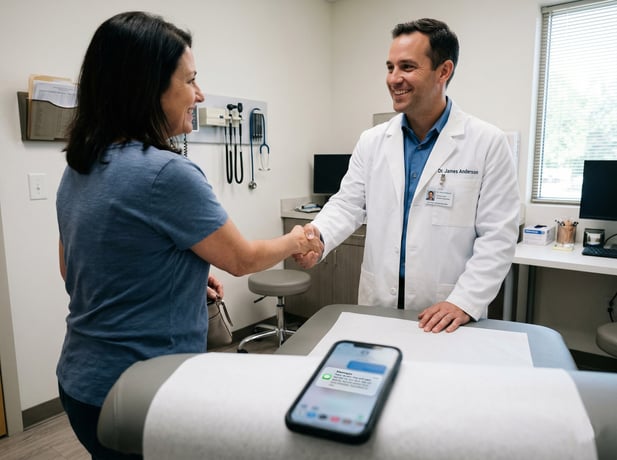
General practitioner Dr. Anderson shakes a patient's hand with automated review text visible

Let the System Build Your Reputation While You Build Your Practice

Office Ally practices are already managing a lot. Reviews should not add to that load. The right system makes reviews happen in the background, every day, without anyone on your team having to lift a finger.

Manual review requests were never going to work long-term in a small practice. There are too many competing priorities. The task is too easy to skip on a busy day.

Automation fixes this not by making the task easier, but by removing the need for anyone to do it at all.

Curogram's automated review request workflow turns every patient visit into a reputation moment. The visit ends. The text goes out. The review comes in. Repeat.

Practice Mate handles your scheduling. EHR 24/7 handles your charting. Curogram handles your reputation, automatically, quietly, and consistently.

Each tool does one job well. Together, they let your team focus on patients instead of platform maintenance.

The practice down the street is not waiting. If they are using a review automation tool, their Google profile is growing every week. Yours is not.

Six months from now, the gap will be harder to close. The best time to start was the day you opened. The second best time is now.

Most practices that set up Curogram's review automation see 40 to 60 new Google reviews in their first quarter. No staff involvement. No extra tasks. Just results.

Stop relying on staff to remember. Let the system build your review profile while your team focuses on what they do best: caring for patients.

See how Curogram completes your Office Ally setup. Schedule a demo to see the automated review workflow configured for your practice.


Frequently Asked Questions

How does Curogram send review requests without any staff involvement?

Curogram connects to your Practice Mate checkout workflow. When a patient completes a visit, the system automatically sends a review request text. You set the timing and message once during setup, and the system runs on its own from there. Staff only need to check the monthly dashboard to see the results.

Why does text outperform other review request methods?

Most people read a text within minutes of getting it. Email requests get buried in inboxes, and cards at checkout are easy to ignore. A text arrives right after the visit, when the patient is still thinking about their experience. That timing is what drives a higher response rate.

How does smart review routing protect my practice from negative reviews?

When a patient signals that something went wrong, Curogram routes them to a private feedback form instead of directly to Google. Your team can reach out and resolve the issue before it becomes public. This does not prevent honest reviews, but it gives you a chance to make things right first.

How many reviews can a small practice realistically expect in the first quarter?

Based on our internal data, most practices that run consistent automated review requests see 40 to 60 new reviews per month. Over a full quarter, that is 120 to 180 new reviews for a solo or small practice. Results depend on patient volume and response rate, but the improvement over manual outreach is significant.

Why do review requests fall through the cracks in most Office Ally practices?

The front desk is handling check-in, billing, phones, and scheduling all at once. Asking each patient for a Google review is one more task that competes with everything else. Even well-intentioned practices find that the ask gets skipped on busy days. Without a system, inconsistency is unavoidable.