

7 min read

Notenetic Intake Forms by Text | Paperless Behavioral Health

Notenetic Intake Forms by Text | Paperless Behavioral Health
💡 Notenetic intake forms via text message for behavioral health let new clients finish their paperwork at home, on their phone, instead of on a clipboard during the first session.  

Notenetic stores and manages the forms well, but delivery still runs through a portal login or an email attachment many clients never open.

Curogram works alongside Notenetic as a parallel layer. It sends a HIPAA-compliant form link by SMS. The client taps once, completes everything on their phone, and the form comes back ready to attach to the chart.  

The result is a first session spent on care, not catch-up paperwork.  


A new client sits in your waiting room with a clipboard balanced on one knee. The form asks them to describe their trauma history. The next appointment is watching from across the room.

This is how a lot of behavioral health intake still happens. It shouldn't.

Mental health intake is heavy by design. Informed consent, medication lists, a suicidality screen, a trauma assessment, substance use history — that's a stack of pages no one wants to fill out cold, in public, minutes before meeting a stranger.

Notenetic intake forms via text message for behavioral health fix that. Instead of handing over a clipboard, you send the paperwork to the client's phone before they ever arrive.

Here's the gap worth naming.

Notenetic stores and manages your intake documents and consent forms well. But getting a form to a new client still runs through Client Portal access or an email attachment. Both need a login, a password, or the right device.

It sounds small. It isn't.

For clients facing the unusually long paperwork of behavioral health, that friction can turn a kept appointment into a cancelled one. That's a lot to ask of someone already nervous.

Curogram runs alongside Notenetic as a parallel layer. It sends a HIPAA-compliant form link by SMS. The client taps once, completes the form on their phone, and submits it before walking in.

The villain in this story has a name: the Intake Pile-Up. Prospect data across the Curogram book of business shows practices managing up to 19 pages of paper forms per patient, with manual double-touching as the top drag on staff time.

River Valley Family Health Center cut phone call volume by 24% on the same platform — much of it the "where's the form" follow-ups that vanish when intake arrives by text.

Where Behavioral Health Intake Breaks Down

A Mountain of Paperwork by Design

Behavioral health intake is paperwork-heavy for good clinical reasons.

A new client may need informed consent, releases of information, a mental health history, a current medication list, a suicidality screen, a trauma screening, a substance use screening, and family history.

Across the industry, prospect logs show practices managing up to 19 pages of paper forms per patient. Behavioral health sits at the high end of that range.

The Notenetic Distribution Gap

Notenetic handles the storage side well. Your intake documents and consent forms live inside the chart, organized and ready. The trouble is getting them to a new client before the first session.

Notenetic consent form distribution still depends on Client Portal access or email — both of which ask the client to log in, find the right form, complete it on whatever device they have, and submit.

That workflow was built for a desktop browser, not the phone screen most new clients actually use.

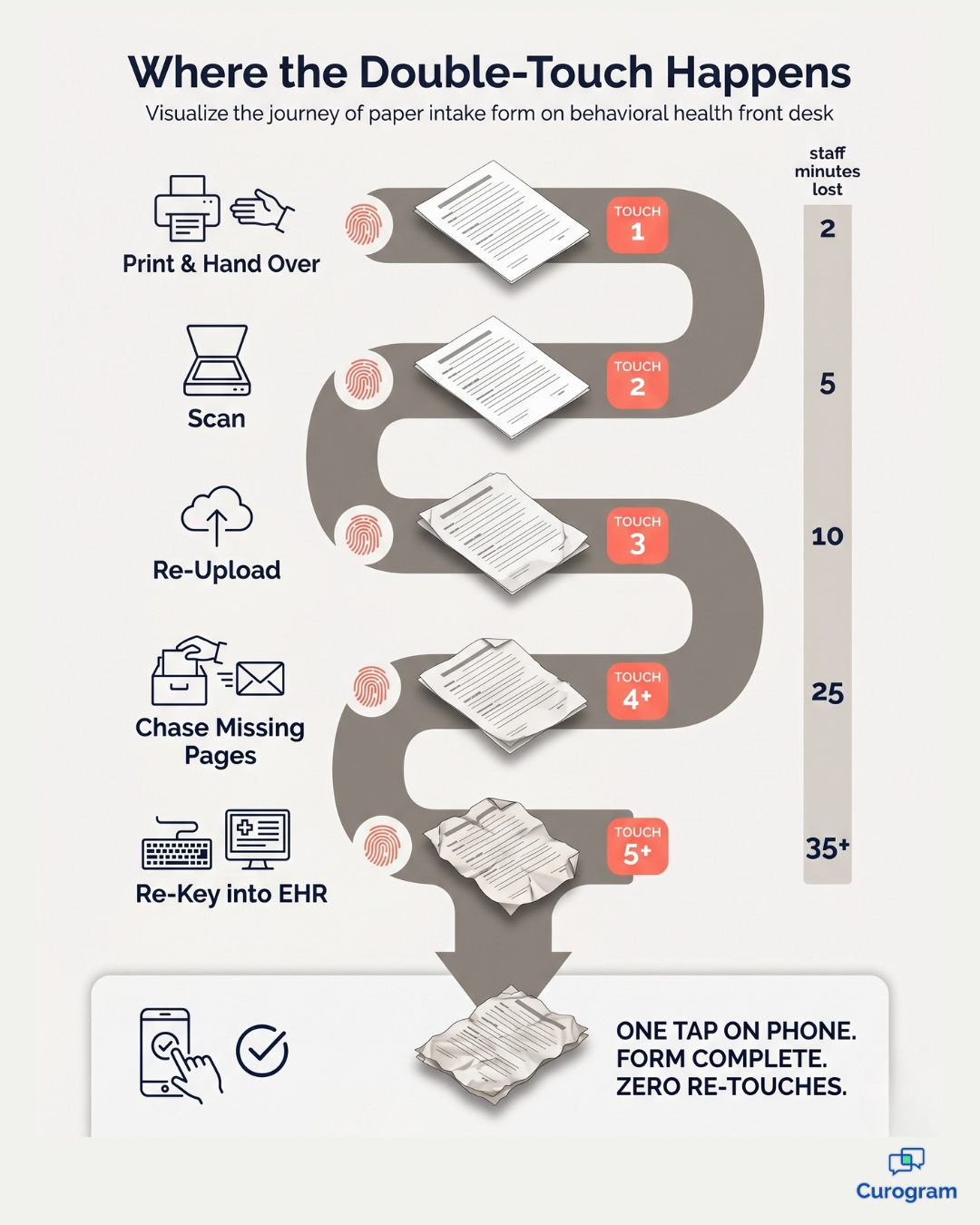
Infographic mapping redundant double-touch steps in paper behavioral health intake workflows

Forms That Ask Too Much, Too Soon

Behavioral health forms are not neutral paperwork.

A trauma screen, a SUD assessment, a mental health history — these ask people to share the hardest parts of their life before they've met the clinician.

Doing that on a clipboard, in a public waiting room, with the next client a few feet away, is a rough way to start care. No amount of front-desk warmth fully fixes it.

The Hidden Cost: Double-Touching

When forms show up incomplete or on paper, staff start "double-touching" them. They scan, re-upload, chase missing pages, and re-key data into Notenetic by hand. Healthcare prospect analytics call this the number one wasted step across the industry.

It's also the easiest cost to miss, because no one ever sees the hour a coordinator spent re-typing a trauma history.

Meet the Pocket Intake

Here's the fix, and it's simpler than the problem.

Curogram runs as a parallel SMS layer — call it the Pocket Intake. It delivers any form to the client's phone by secure link, completed and submitted before the first session.

The form can be Notenetic's, your own, or a Curogram-built version. The point is where it lands: in their pocket, not on a clipboard.

Clinic coordinator greeting a new client who arrived with intake already completed

Curogram's secure electronic patient forms are mobile-first by design. Here's the whole flow:

  • The client gets a text with a secure link.
  • They tap it — no portal account, no password, no app to download.
  • They complete the form in a phone-native interface and submit with a tap.
  • The finished form lands in the Curogram dashboard, ready to attach to the Notenetic chart.

That last step is where the double-touch dies. There's no scan-and-re-key, because the data arrives clean.

One honest note on the integration. Notenetic doesn't currently expose a public API, so Curogram works as a parallel form-distribution layer rather than a deep write-back sync.

Your clinical record still lives in Notenetic. Curogram handles the SMS-link delivery and the mobile-friendly completion experience. For most small-to-mid behavioral health practices, that setup skips the integration headache and delivers an intake-completion lift right away.

This matters most for the sensitive material.

A mobile mental health intake completed at home — in private, on the client's own time, with whatever pauses they need — is a different experience than one rushed on a clipboard.

For substance use treatment intakes governed by 42 CFR Part 2, sending a SUD screening form by SMS link protects confidentiality at the moment of delivery, not just in storage.

The same goes for any secure online forms a therapy practice relies on day to day.

What "First-Session Ready" Looks Like

When intake moves to the phone, one whole category of phone call quietly disappears: the "where's the form" follow-up.

Healthcare prospect data across the Curogram book of business shows that better communication tools clear out exactly those calls. River Valley Family Health Center cut phone call volume by 24% on the Curogram platform.

A meaningful slice of that drop is form-related back-and-forth — calls that never need to happen when intake arrives by text in the first place.

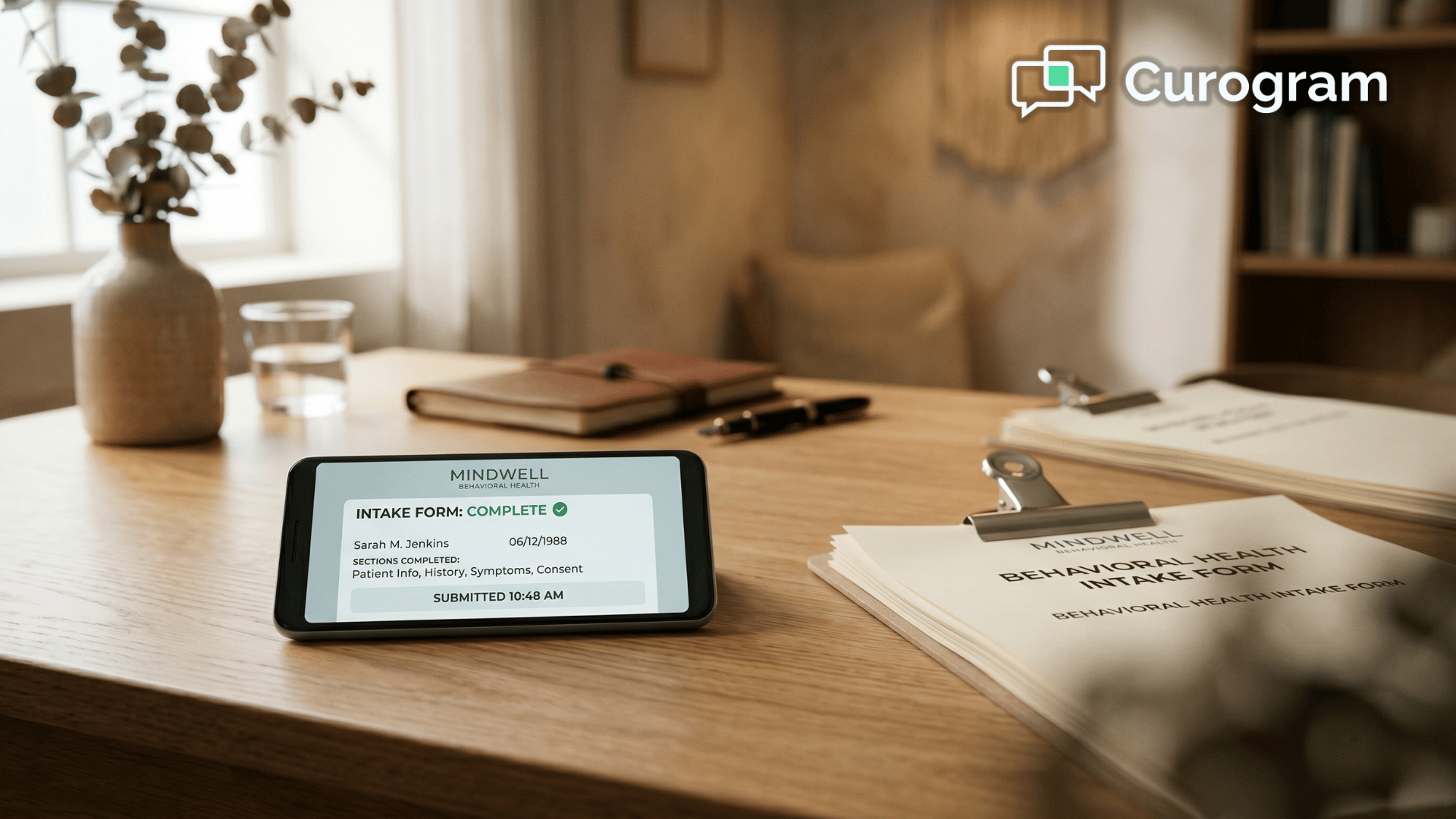
The bigger shift is cultural. Your practice moves from "forms-as-friction" to first-session ready. Every new client walks in with paperwork done, free to spend the first 50 minutes on the work they came for.

Here's what that looks like in real life:

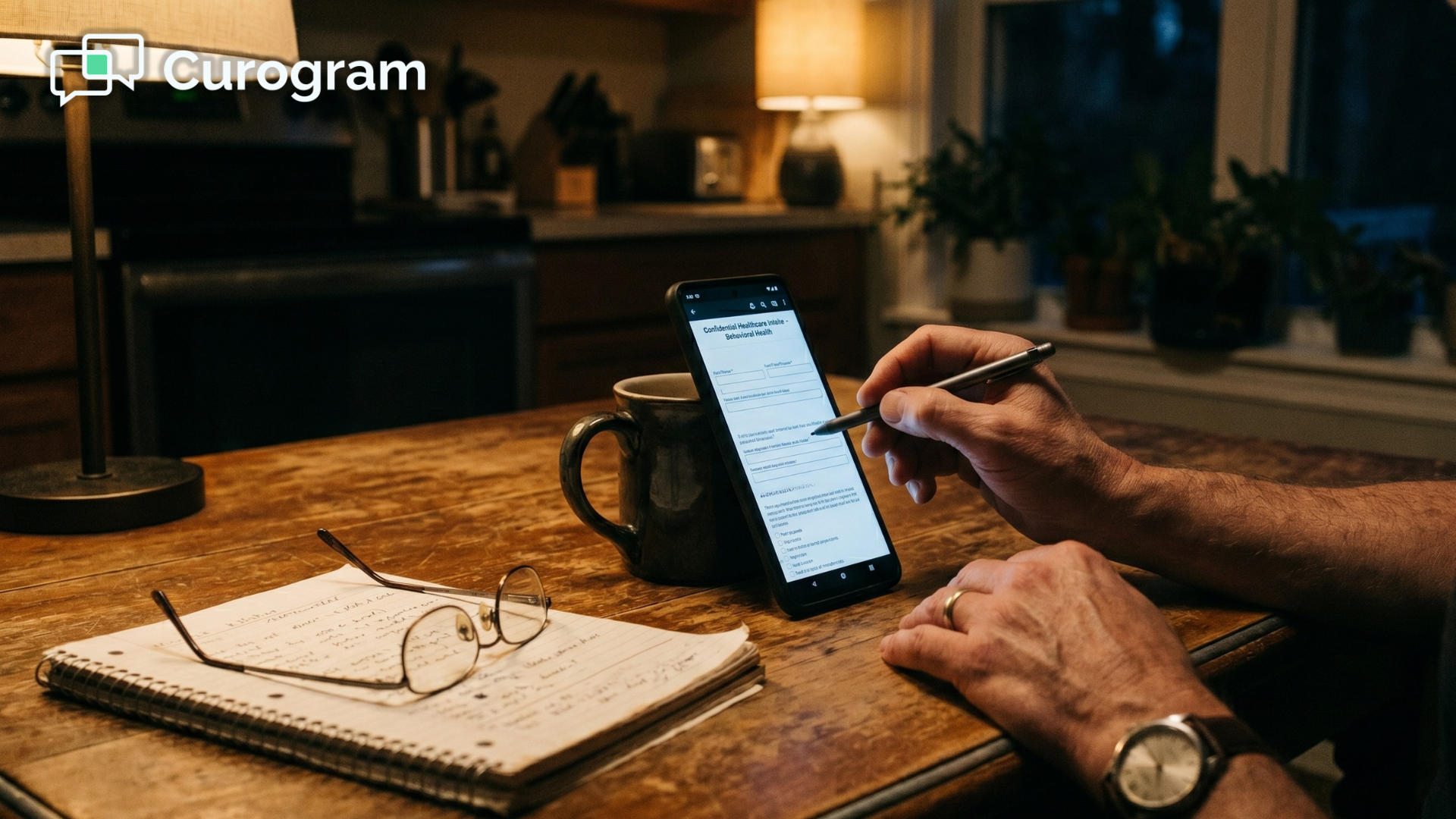
  • A new psychiatry client finishes her medication history and informed consent at her kitchen table, the night before her visit.
  • A man starting substance use treatment completes his screening on his phone over coffee — in private, with no waiting-room clipboard.
  • A returning client signs a release of information by text in under a minute, instead of logging into a portal.

This is what paperless intake for behavioral health is supposed to feel like. A digital trauma assessment intake completed in a safe, private space isn't just more convenient.

It's better care, because the client controls the pace.

Give the First Session Back to the Work

Notenetic gives your practice the forms. Curogram delivers them in a way clients actually finish.

That's the whole idea, and it's worth sitting with for a second.

Notenetic is built for your clinical record of the intake. Curogram is built for their experience of completing it. Together, they turn the first session back into a session — not a paperwork scramble at the front desk.

Think about what you're really asking when you send a new client to a portal.

You're asking someone in a vulnerable moment to find a login, remember a password, and fill out their trauma history on a desktop browser they may not have. Plenty of people simply won't. The appointment you worked to book slips away over a form they couldn't reach.

There's a softer path. Send a text instead. The client taps a link, completes the paperwork on the phone already in their hand, and arrives ready.

No portal, no clipboard, no first-session delay.

For your front desk, that means fewer "where's the form" calls and no more re-keying pages by hand. For your clinicians, it means a full first session spent on care. For your clients, it means privacy and time — two things behavioral health paperwork rarely offers.

You don't have to overhaul anything to get there. Keep your existing forms. Keep Notenetic as your record. Change only the channel the form travels through, from portal and email to a simple text link.

The clipboard has had a long run. It's time to move intake into the pocket, where your clients already are. It's a small change, and it really pays off fast.

Want to see it work with your own intake packet? Schedule a Demo and watch a behavioral health form go out by text — and come back completed — in minutes.


Frequently Asked Questions

Are SMS-delivered intake forms HIPAA-compliant, even for substance use treatment clients?

Yes. Curogram is HIPAA-compliant, SOC 2 Type II certified, and signs a Business Associate Agreement with every practice. The text itself only carries a secure link — the form content lives behind that link, encrypted in transit and at rest. For substance use clients under 42 CFR Part 2, a secure link is materially safer than an email attachment sitting in a shared inbox, because the form is gated behind a per-client URL rather than sent as open content.

Do completed forms feed back into Notenetic, or do we re-enter the data?

Because Notenetic doesn't currently expose a public API, Curogram works as a parallel form-distribution layer rather than a deep write-back integration. The finished form lands in your Curogram dashboard as a PDF and structured data, ready for a coordinator to attach to the Notenetic chart in a single step. That clears out the multi-step scan-and-re-upload routine most practices use today — even if it isn't a fully silent sync.

Can we use our own intake forms, or are we stuck with Curogram's templates?

You can use your own. Curogram's electronic patient forms feature is built to handle practice-specific intake packets — mental health histories, trauma assessments, SUD screeners, group therapy enrollment, custom releases of information. Most behavioral health practices keep their existing forms and change only one thing: the distribution channel, from portal and email to a text link.

What happens if a client doesn't finish the form before their first session?

You're no worse off than you are today, and usually better. If the link goes unopened, you can send a quick reminder text in the same thread, so the form stays one tap away instead of buried in an inbox. If they still arrive with it incomplete, they can finish it on their own phone in the waiting room — private, and without a clipboard. Either way, the front desk skips the scan-and-re-key step the moment it's submitted.

Do clients need to download an app or create an account to use this?

No. That's the whole point of sending forms by text. The client taps the secure link, completes the form in their phone's browser, and submits — no app store, no password, no account to set up. For new behavioral health clients who are already nervous, removing those steps is often the difference between a form that gets finished and one that doesn't.