

8 min read

Automate Notenetic Review Requests for Behavioral Health

Automate Notenetic Review Requests for Behavioral Health
💡 Automated review requests for a Notenetic behavioral health practice turn a good intention into a system that actually runs. Notenetic handles your clinical work, but it has no built-in way to ask for Google reviews.     

That gap is why so many practice profiles stay thin. 

Curogram fills it. It runs beside Notenetic, sends a post-visit text, points happy clients to Google, and quietly routes unhappy feedback to a private form first. 

The proof is real. River Valley Family Health Center grew from 101 reviews at 1.67 stars to 479 reviews at 5.0 stars in 22 months, with no new hires.  


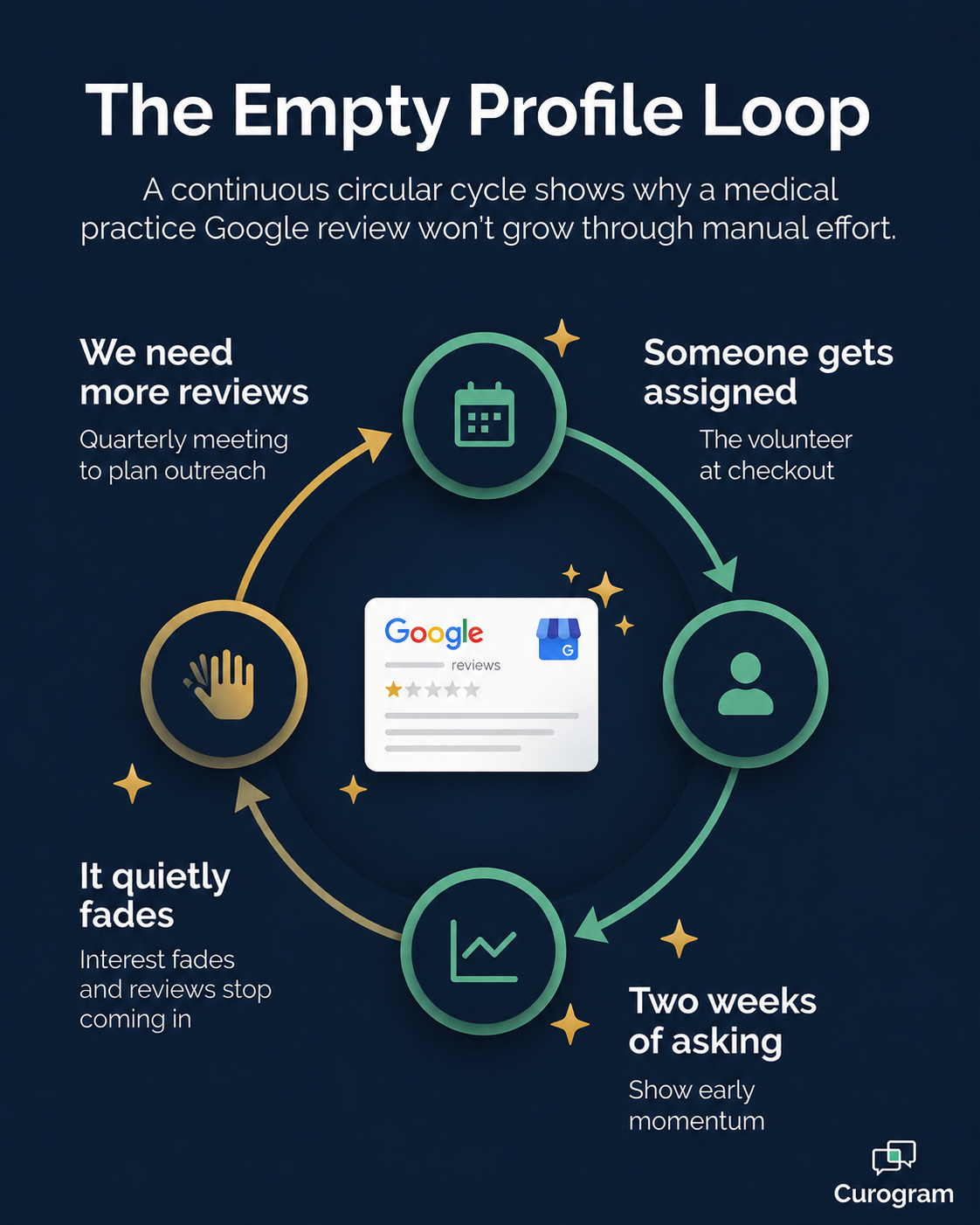
Every quarter, the same line surfaces in your leadership meeting. We need more Google reviews. Everyone nods, but nothing actually changes.

Someone gets loosely assigned to ask clients at checkout, and it works for about two weeks. Then the front desk gets slammed, the asking stops, and your profile gains three reviews before the topic fades again.

It sounds like a small problem. It isn't.

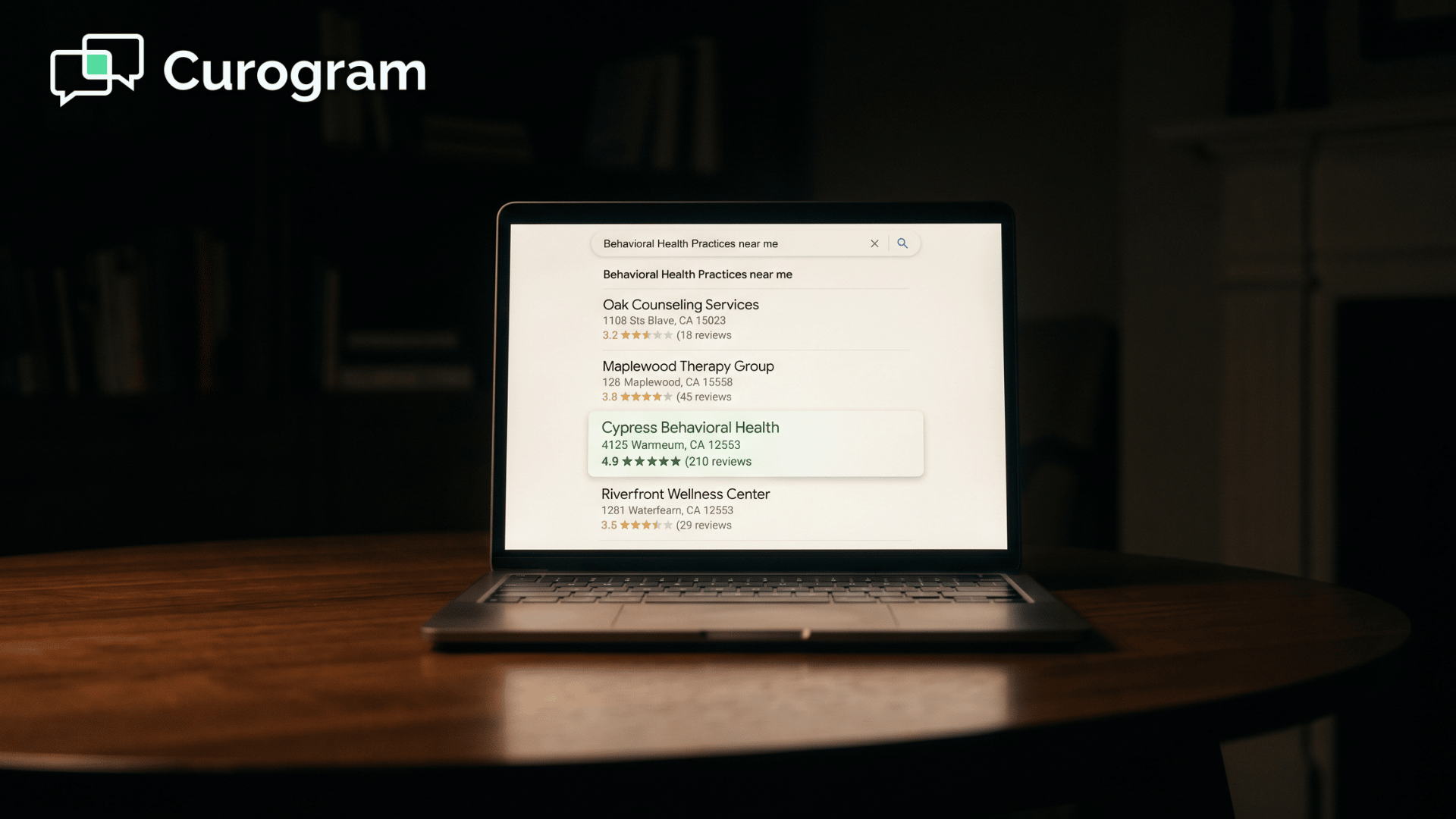
For a behavioral health practice, your Google profile is often the first thing a nervous new client sees. They are anxious, searching late at night, and reading reviews to decide whether to trust you.

A thin profile with a weak rating quietly sends them somewhere else.

And it adds up fast. Every client who clicks away is one your team could have helped. Over a year, that's real revenue walking out the door.

Here's the harder part.

Notenetic is built for clinical work, not marketing. It has no post-visit survey, no automated trigger, and no Google Business Profile connection, so the whole review job lands on people who have no time for it.

Then there's the discomfort. Asking a trauma client for a public review feels different than asking someone after a routine checkup. That hesitation is healthy. But it leads straight to the same place: nobody asks anyone, and your practice stays invisible.

This is the trap. You know reviews matter, and you know they bring in new clients. You simply can't build a manual system that survives a genuinely busy week.

The good news is that you don't have to.

The asking can run on its own, in a way that fits behavioral health and protects your most sensitive clients. This article explains how automated review requests for a Notenetic behavioral health practice actually work, and what they ultimately do for your numbers.

The Empty Profile Problem Most Practices Can't Seem to Fix

Let's name the villain.

It isn't laziness, and it isn't a weak team. It's a gap in your tools plus a few hours nobody has, and together they create what we'll call the empty profile.

The quarterly ritual that never sticks

You have lived this cycle before. The practice manager raises reviews in the quarterly meeting, the team agrees it matters, and one person volunteers to ask clients at the desk.

For two weeks, it happens. Then a no-show wave hits, the phones light up, and the asking quietly stops. Three months later, the same line appears on the same agenda.

The Notenetic gap

Here's the root cause. Notenetic handles clinical operations very well, but it was never designed to handle marketing.

There is no native post-visit survey, no trigger that fires when an appointment ends, and no link to your Google Business Profile.

So your therapy practice review workflow ends up bolted together with personal cell phones, the occasional email, and an awkward checkout chat.

The discomfort no one talks about

For owner-therapists, there's a deeper issue. Asking a trauma client for a public review can feel wrong, and sometimes it genuinely is.

That instinct deserves respect, because some asks really are out of bounds. But when the only tool is a blanket manual ask, the safe move becomes asking no one, and the profile stays empty.

The math that makes manual asking fail

Even a motivated team can't out-hustle the numbers. Say your front desk manages to ask 10 clients a week, and 20% of them leave a review. That works out to 2 reviews a week, or about 8 a month.

Now say you need 380 more reviews to look credible next to the practice down the street. At 8 a month, that's nearly four years, and only if the team never slips. They will slip, which is exactly why the empty profile wins almost every time.

How Curogram Runs Your Reviews in the Background

So how do you fix a problem that comes from missing tools and missing time? 

You add a layer that handles both. Curogram runs alongside Notenetic as a reputation operations layer, software that owns the entire review process so your team doesn't have to.

Infographic of the empty profile loop that stalls manual Google review requests

Here's how it works, step by step:

  1. A client finishes an appointment.
  2. A few hours later, an automated review request goes out by text, asking one simple thing: how was your visit?
  3. Happy clients, say a 4 or 5 rating, get sent straight to your Google Business Profile to post a review in one tap.
  4. Unhappy clients, a 3 or below, get routed to a private feedback form instead, so you hear about the problem before the public does.

That last step is the quiet hero. It's post-visit survey automation behavioral health teams can actually trust, because it catches difficult moments early and keeps them off your public profile while you make them right.

You might wonder how this works when Notenetic has no public API. It doesn't need one. The survey runs off the appointment list kept in Curogram, so your team keeps scheduling and documenting in Notenetic exactly as they do today.

None of this runs on a blunt setting, either. You choose which appointment types trigger a survey, how long to wait, the wording, and the rating cutoff for routing.

Client rating Where they're sent Why it matters
4 to 5 stars Public Google review, one tap Builds the visible reputation new clients read first
3 stars or below Private feedback form Lets you resolve the issue before it ever goes public

That control is what makes it safe for this field. Substance use clients covered by 42 CFR Part 2 can be excluded entirely or sent neutral wording that never identifies the program.

Group therapy and trauma sessions can be left out of public prompts.

This is behavioral health practice marketing automation that respects clinical context instead of steamrolling it. The result is a mental health clinic review system that runs on its own, day after day, without anyone chasing clients at the desk.

Behavioral health therapist reassuring a client during a calm consultation

Reviews Without the Manual Asking

Promises are easy, so let's look at what this actually does once it's running.

Practice Starting point After Time frame
River Valley Family Health Center 101 reviews, 1.67 stars 479 reviews, 5.0 stars 22 months
Optima Medical (Scottsdale, AZ) 993 reviews 8,159 reviews 16 months

One location, one quiet turnaround

River Valley nearly quintupled its review count and pulled its rating from a brutal 1.67 stars up to a perfect 5.0.

It accomplished this without hiring a single person, which is the whole point:

The lift comes from the system, not from new payroll.

The wins didn't stop at reviews, either. COO Jessica Sweet reports that phone call volume dropped 24% after going live, which freed the front desk to handle higher-value work. So the same workflow that rebuilt the reputation also lightened the daily load.

The same engine at multi-location scale

Optima shows what happens at scale. Across multiple locations, reviews climbed from 993 to 8,159 in 16 months, which is more than an 8x jump.

The takeaway for your team is simple: this isn't a one-time bump, because the asking never stops and never gets tired, so the results compound month after month.

And reviews aren't a vanity metric. Around 90% of new patient leads check your Google profile before they ever reach your website. For your practice, that means your profile is conducting the first interview, every single time.

Appear at the top of Google. Automate 5-star reviews and build a pervasive online reputation today with Curogram.  

For the manager, the daily job changes completely.

Notenetic practice manager reputation work shifts from running a manual campaign to glancing at a dashboard:

Reviews requested, reviews completed, ratings collected, and private feedback received.

What It Takes to Switch This On

By now the workflow probably sounds appealing. The fair next question is how much effort it takes to get running, and the honest answer is: not much.

Because Curogram runs alongside Notenetic, there's no rip-and-replace and no risky data migration. Your clinical system stays exactly where it is. You're adding a layer on top, not swapping out the floor.

Setup mostly comes down to a handful of decisions you make once:

  • Which appointment types trigger a survey. You can exclude sensitive visit types entirely, so the system never prompts the wrong client.
  • How long to wait after a visit before the text goes out. Most practices land somewhere in the two-to-six-hour window.
  • The exact wording of the message. This includes neutral language for clients in protected programs who shouldn't be flagged.
  • The rating threshold that splits public reviews from private feedback. This is the dial that decides who gets routed where.

Once those choices are set, the system runs on its own. Most practices are live within days, not months, because there's no integration project to manage and no new hardware to install.

From there, the only ongoing task is a quick look at the dashboard. You watch reviews arrive, read any private feedback, and respond when something needs attention.

That is the entire job, and it quietly replaces the manual campaign that never stuck.

Take Reviews Off Your Quarterly Agenda for Good

Here's the shift worth making.

Notenetic runs your clinical workflow, and Curogram runs your reputation workflow. Both should be automated, both should be quietly doing their job, and neither belongs on your quarterly agenda anymore.

Think about what that frees up. No more loosely assigned tasks that fade in two weeks. No more awkward checkout asks. No more watching a competitor's profile fill up while yours sits at a dozen reviews and a shaky rating.

The two systems do different jobs, and that's the point. Notenetic holds your clinical record, the private, careful work you do every day.

Curogram shapes the public voice your clients use to talk about that work. Together, they turn the quality you already deliver into a steady flow of new clients finding you.

And it happens without adding to anyone's plate. The survey goes out on its own. Happy clients land on Google.

Unhappy feedback comes to you privately, before it becomes a permanent one-star review. Your manager simply watches a dashboard instead of chasing people at the desk.

River Valley proved this can move a profile from 1.67 stars to a perfect 5.0. Optima proved it holds up across many locations. The common thread isn't a bigger team or a bigger budget. It's a system that does the asking so your people don't have to.

So stop putting review strategy back on the leadership meeting list. Put it on autopilot, where it belongs. You built the quality, and this makes sure the right people see it.

Schedule a Demo built around behavioral health, and we'll walk you through the full workflow: survey, routing, dashboard, and all. No long-term contract, just a clear look at reviews without the asking.


Frequently Asked Questions

Can we exclude specific appointment types or client groups from the survey?

Yes, and this matters a lot in behavioral health, where survey routing is configurable per appointment type, per client, and per group. Substance use clients governed by 42 CFR Part 2 can be left out entirely or sent neutral wording that never flags the program. Group therapy clients can be removed from public review prompts, and sensitive sessions like trauma intensives or crisis intakes can skip the immediate post-visit ask. The system is built to respect clinical context, not override it.

If a client gives us a low private rating, do we get to see it?

Yes, and you should. Dissatisfied feedback routes to a private dashboard that your team controls, usually the manager or owner. You can read the comment, reach out to make things right, and use what you learn to improve operations. All of this happens without the unhappy moment becoming a permanent public review.

Notenetic has no public API, so how does Curogram know when an appointment ended?

The workflow runs off the appointment list kept in Curogram, not a write-back connection to Notenetic. Your coordinators keep scheduling and documenting inside Notenetic exactly as they do now. Curogram simply times the post-visit text against its own appointment record. For most small and mid-sized behavioral health practices, this setup is ideal: no API dependency, no risk to your chart of record, and reputation work that starts right away.

How quickly will we start seeing new reviews?

The first requests go out as soon as your early appointments wrap, so reviews can begin landing within days. The larger transformation takes longer, because a reputation rebuilds gradually, one satisfied client at a time. River Valley's climb to a perfect 5.0 stretched across 22 months, yet the trend line moved upward steadily the entire way. The point is simple: you don't wait months to begin, you wait months to finish.

Is the texting HIPAA compliant, and can clients opt out?

Yes on both counts. Curogram is built for healthcare, so messaging runs on a HIPAA-compliant platform backed by a signed BAA. Clients can opt out of texts whenever they want, which keeps you aligned with TCPA rules and respects anyone who would rather not be contacted. Compliance isn't a bolt-on here, it's the foundation the whole workflow sits on.