11 min read

Secure Your Team: HIPAA Compliant Texting for MD Systems Practices

Secure Your Team: HIPAA Compliant Texting for MD Systems Practices
💡 HIPAA compliant texting for MD Systems practices stops staff from using personal phones to message patients. Curogram adds a secure layer that keeps work and life separate.
  • Staff text from the Curogram app, but patients see only the office landline number
  • All messages are logged and synced to the MD Systems patient record
  • No patient data is stored on personal devices
  • The shared inbox lets any team member pick up a thread
  • Encrypted medical texting replaces risky personal phone use
Curogram gives MD Systems practices a simple way to keep every text secure, every record clean, and every staff member protected from burnout and liability.

It is 12:15 p.m. on a Tuesday. Your front desk lead is on her lunch break. Her phone buzzes. A patient wants to know if their lab results are in.

She knows the answer. So she texts back from her personal phone. Just like that, patient health data lands on a device with no security, no audit trail, and no backup.

This scene plays out in medical offices every single day. Staff want to help. They care about patients. But when they step away from the MD Systems screen, they lose access to the tools they need. So they reach for the next best thing: their own phone.

That quick, well-meaning text creates real risk. It puts protected health info on a personal device. It blurs the line between work life and home life. And it leaves zero record in the patient chart.

HIPAA compliant texting for MD Systems practices solves this problem at the root. Instead of hoping staff follow the rules, you give them a tool that makes the right choice the easy choice. Curogram's shared inbox sits on the same phone your team already carries, but it keeps every message secure, logged, and tied to your office number.

In this guide, we break down the hidden danger of what we call the "Shadow Workflow." We show how it hurts your team and your practice. Then we walk through how Curogram plugs into MD Systems to replace risky habits with a clean, safe process.

If you manage a practice that runs on MD Systems, this article is for you. Your staff deserve better tools. Your patients deserve better privacy. And your practice deserves the peace of mind that comes with full MD Systems HIPAA compliance.

The Villain: The "Shadow Workflow"

Every medical office has one. It is the set of workarounds your team uses when the main system is out of reach. We call it the "Shadow Workflow," and it is quietly putting your practice at risk.

Here is how it starts:

A medical assistant finishes with a patient in the exam room. She checks her personal phone and sees a text from another patient asking about a refill. She knows the answer. She types it out and hits send. Done in 10 seconds. No harm meant. But plenty of harm done.


That text just sent protected health info through a channel with no encryption. No log. No way to track it. And the message now sits on a personal device that could be lost, stolen, or shared.

Why Staff Resort to Personal Phones

The root cause is simple. MD Systems is a desktop-based system. When staff walk away from the terminal, they lose access. But patient needs do not pause when someone steps into a hallway or takes a break.

Think about a busy Monday morning. The front desk has three phone lines ringing. Two patients are at the window. A third calls back asking, "Did the doctor sign my form?" The fastest answer is a quick text from a personal phone.

Staff are not trying to break rules. They are trying to do their jobs. When phones are jammed, texts from personal devices become the escape valve. The problem is that this escape valve has no safety controls.

The HIPAA Risk Is Real

People often ask, is texting patients legal? The short answer is yes, but only through secure, approved channels. A personal text thread is not one of those channels.

HIPAA fines range from $100 to $50,000 per breach, and they can stack up fast. Even a single text that includes a patient name and a health detail counts as a breach if sent through a personal phone. Now, picture five staff members each sending two or three of those texts a week. That is dozens of potential fines waiting to happen.

Beyond fines, there is the breach report. If patient data is exposed, your practice may have to notify every affected patient. That kind of notice can damage trust and cost you years of goodwill.

Protecting PHI in text messages is not optional. It is a legal duty. And when staff use personal phones, your practice has no way to prove it is meeting that duty.

The Personal Toll on Your Team

The Shadow Workflow does not just create legal risk. It burns out your best people.
When a staff member texts a patient from their personal phone, that patient now has their private number.

What happens next? The patient texts back at 8 p.m. They text on a Saturday. They text about a new symptom while your team member is at dinner with their family.

This is how work-life balance dies. Not in one big moment, but in dozens of small ones. Staff begin to feel like they can never truly clock out. They feel tethered to patients in a way they never signed up for.

Turnover in medical offices already runs high. The Medical Group Management Association notes that front-desk turnover can exceed 25% per year in some regions. Burnout from always being "on call" makes it worse.

Your team did not choose this. They did not ask for patients to have their personal numbers. It happened because the system left a gap, and good people tried to fill it. The fix is not more training or stricter rules. The fix is a better tool.

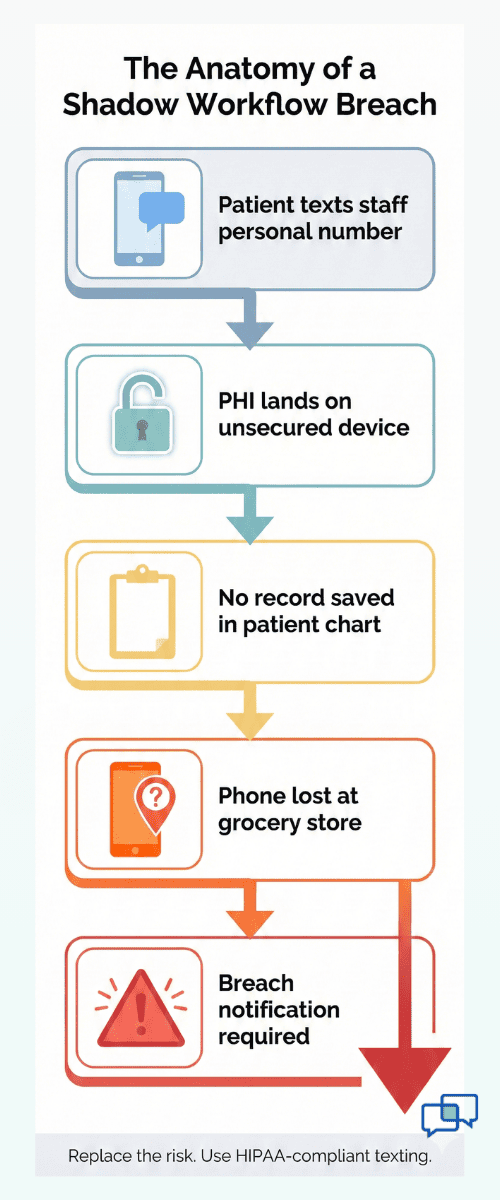
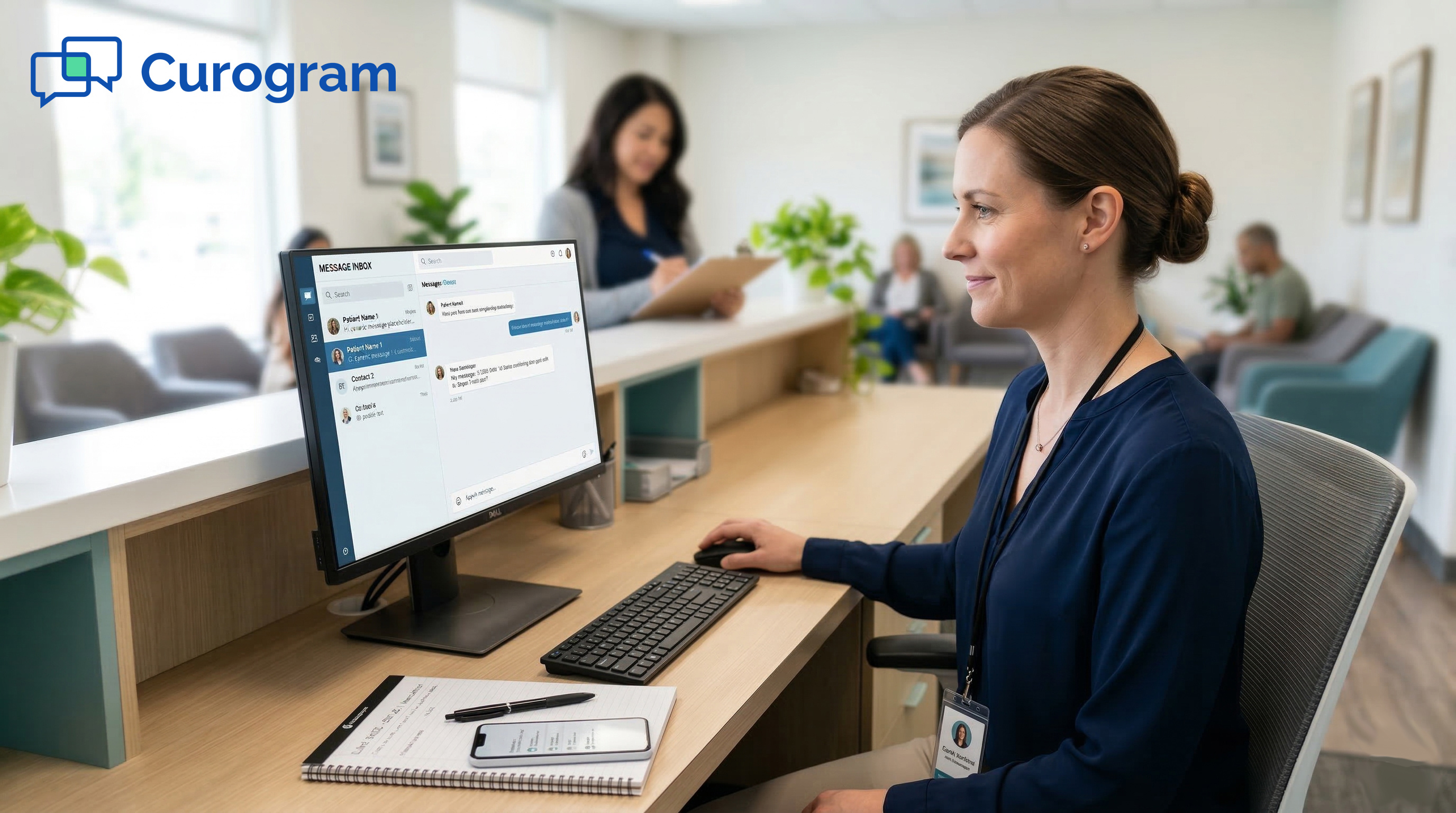
Visual guide showing how unsecured staff texting leads to HIPAA violations in MD Systems practices

The Guide: Professionalizing the Thread

The Shadow Workflow exists because of a gap. Staff need to reach patients but cannot always sit at the MD Systems terminal. Curogram fills that gap with a mobile app built for medical teams.

How Curogram Works on a Personal Device

Curogram installs on any smartphone, just like any other app. But it runs in its own secure space. When a staff member opens Curogram, they see a shared inbox of patient messages. When they reply, the patient sees the main office landline number on their screen, not the staff member's personal number.

This one feature changes everything. The staff member helps the patient without giving up their privacy. The patient gets a fast reply from a number they already know and trust. And the practice gets a logged, encrypted record of the exchange.

Think of it like this. Imagine your front desk team could carry a mini version of the office phone in their pocket. They can answer it when needed and put it away when their shift ends. That is what Curogram does for secure messaging for doctors, nurses, and front desk staff alike.

The Office Number Feature

The "Office Number" feature is the core of how Curogram protects your team. Here is a simple example:

Sarah works the front desk at a family practice. A patient named Mr. Torres texts the office at 2:30 p.m. asking if his referral went through.

Sarah is in the break room. She opens the Curogram app, sees the message, and replies: "Hi Mr. Torres, your referral was sent this morning. You should hear from the specialist by Thursday."

Mr. Torres sees the reply come from (555) 123-4567, the office line. He has no idea Sarah sent it from her personal phone. He does not get Sarah's number. He cannot text Sarah at home.

Meanwhile, every word of that exchange is saved. It can be viewed by the office manager. It can be attached to Mr. Torres's record in MD Systems. And it is protected by encrypted medical texting, meaning the data stays safe in transit.

Full Team Visibility Through the Shared Inbox

One of the biggest risks of the Shadow Workflow is information silos. When staff text patients from personal phones, no one else on the team sees those messages. If that staff member calls in sick, the context is gone.

Curogram's shared inbox solves this. Every message lives in one place. Any team member with access can see the full thread. If Sarah is out on Wednesday, the office manager can step in and continue the conversation with Mr. Torres without missing a beat.

This also helps with training. New hires can read past threads to learn how the team handles common questions. Nothing is hidden in someone's personal text history.

Syncing with MD Systems

Curogram was designed to work alongside practice management systems like MD Systems. Messages can be attached to patient records, keeping the chart complete. No copy-pasting from a screenshot. No "I think I told them on Tuesday" guessing games.

This sync is what makes the system work for MD Systems HIPAA compliance. The record is there. The audit trail is there. If a question ever comes up about what was said to a patient, the answer is one click away.

The point is not to add more tech to your team's plate. It is to replace a risky habit with a safer one. Staff still use their own phones. They still reply quickly. But now the process is clean, tracked, and professional.

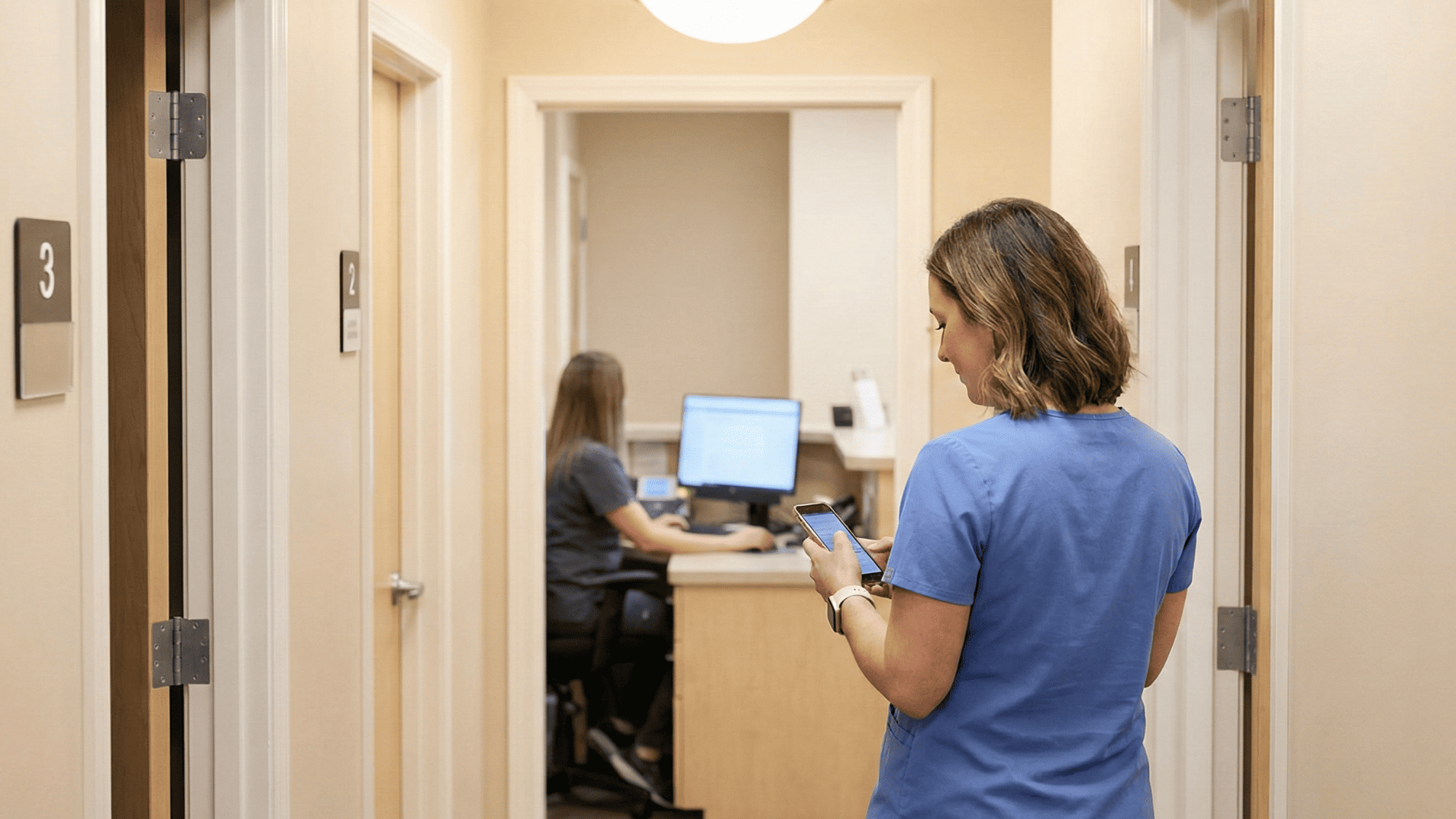
Healthcare staff member staying connected from hallway with team visible at reception

The Success: Retaining Your Best Staff

Hiring good front desk staff is hard. Keeping them is harder. The tools you give your team play a direct role in whether they stay or start job hunting.

Curogram does not just fix a compliance gap. It makes daily work easier. And when work feels easier, people stick around.

Cutting the Phone Tag Cycle

Phone tag is one of the biggest time sinks in any medical office. Here is how it usually goes: A patient calls in. The front desk answers, but the patient needs info that only the back office has.

The front desk takes a message. The back office calls the patient back. The patient does not answer. The back office leaves a voicemail. The patient calls back an hour later. The front desk answers again.

That is at least four touch points for a single question. Multiply that by 20 or 30 patients a day, and your team is spending hours just bouncing calls back and forth.

With Curogram, that same exchange becomes a text thread. The patient sends a message. The right team member replies when they can. The patient reads it on their own time. One thread. One answer. Done.

Practices that switch to two-way texting often see phone volume drop by as much as 50%. That is not a small change. For a front desk that handles 80 calls a day, that means 40 fewer calls. That frees up hours of staff time every single day.

What Staff Actually Do with That Saved Time

When you cut phone calls in half, you do not just save minutes. You change how the day feels. Front desk staff can finally catch up on tasks that always get pushed to the end of the day. Things like filing, scanning, verifying insurance, and prepping charts for the next morning.

Here is a practical look:

Say, your front desk spends an average of 3 minutes per phone call. At 80 calls a day, that is 240 minutes, or 4 full hours, just on the phone. Cut that to 40 calls, and you reclaim 2 hours. Over a five-day week, that is 10 hours of recovered time. Over a month, 40 hours. That is an entire extra work week you gain back without hiring anyone new.

Those 40 hours can go toward tasks that grow the practice. Follow-up on unpaid balances. Pre-visit outreach. Even patient review requests that boost your online presence.


Reducing the "Always On" Feeling

Burnout is not just about how much work someone does. It is about whether they feel like they can ever stop. The Shadow Workflow makes staff feel like they are always on the clock because, in a real sense, they are.

When patients have a staff member's personal number, that staff member becomes a 24/7 contact. Even if they do not reply after hours, they still see the messages. They still feel the pull. Over time, that wears people down.

Curogram creates a clear boundary. When the shift ends, the staff member closes the app. They do not get texts from patients on their personal number because patients never had that number to begin with.

This sounds like a small thing. It is not. For many front desk workers, it is the single biggest quality-of-life change they have felt in years. The ability to put the phone down and truly be off the clock matters more than most practice owners realize.

The Compliance Win: A Full Audit Trail

Beyond the day-to-day relief, Curogram gives practice leaders something they have never had before: a complete record of every patient text.

Every message sent through Curogram is time-stamped and logged. It can be viewed by the practice at any time.

It can be printed or attached to the patient record in MD Systems. If a patient ever claims they were not told about an appointment change, you have the proof right there.

This is what true MD Systems HIPAA compliance looks like. Not a binder of policies that no one reads. Not a training session that staff forget by Friday. It is a system that does the right thing by default.

For practices that face audits or legal questions, this trail is gold. Instead of scrambling to piece together what happened, you pull up the thread. It shows who said what, when, and from which device. That level of clarity can save a practice thousands in legal costs.

A Happier Workforce Means a Better Practice

There is a direct link between staff happiness and patient outcomes. When your front desk is stressed, calls get rushed. Patients feel it.

Reviews suffer. When your team is calm and supported, patients get better service. They leave happy. They come back. They tell friends.

Think about the last time you called a doctor's office and the person who answered sounded tired and annoyed. Now, think about a time when the person was cheerful and helpful. Which office would you go back to?

Your staff set the tone for your entire practice. When they have the right tools, they set a good tone. When they are stuck juggling personal phones, sticky notes, and overloaded phone lines, the tone suffers.


How Curogram Keeps Your Team Protected and Connected


Curogram was purpose-built for medical practices. It is not a general-use chat app that was bolted onto a healthcare wrapper. Every feature was designed around the real daily needs of front desk staff, office managers, and providers.

Setup is fast. Staff training takes about 10 minutes because the app works just like normal texting. There is no steep learning curve and no complex menus to master. The team opens the app, sees the shared inbox, and starts replying.

The office number feature keeps staff personal numbers hidden. When a patient gets a reply, they see the practice's main landline on their screen. This means your team can help patients from anywhere without handing out private contact details.

All messages flow into one shared inbox. If one team member steps out, another can pick up the thread without asking, "What did you tell them?"

Every reply is logged and can be attached to the patient chart in MD Systems. This keeps your records complete and your audit trail clean.

Curogram also ranks as one of the most affordable HIPAA-compliant platforms on the market. For practices already spending $200 to $400 a month on patient tools, Curogram offers encrypted medical texting, appointment reminders, and two-way messaging in a single package.

For the practice owner wondering whether their team is texting patients from personal phones, Curogram removes the doubt. You gain a clear view of every message, every thread, and every response, all in one place.

Conclusion: Protecting the People Who Care

The Shadow Workflow is not a people problem. It is a systems problem. Your staff are doing the best they can with the tools they have. When those tools fall short, they find workarounds. Those workarounds create risk.

HIPAA compliant texting for MD Systems practices is not just about checking a compliance box. It is about giving real people a real solution that fits into how they already work.

Curogram does not ask your team to change their habits. It upgrades those habits. They still text. They still use their own phones.

But now every message is encrypted, logged, and tied to your office number. No one gives up their privacy. No patient data slips through the cracks.

Your front desk staff are the first voice your patients hear and the last face they see. Those team members deserve tools that protect them just as much as they protect the patients they serve.

If you have been wondering whether your practice is doing enough to support secure messaging for doctors and staff, the answer is probably no. Not because you do not care, but because until now, there was not a simple fix. Now, there is.

Secure boundary between your MD Systems workflow and your team's personal lives. Schedule a demo today to see how Curogram creates a safe, professional line for your team.


Frequently Asked Questions

How does Curogram keep patient data off personal devices?
Curogram does not store messages or patient info on the phone itself. All data lives on secure cloud servers. If a phone is lost or stolen, no patient records are at risk, and the practice can revoke access in seconds.
Why should practices avoid letting staff text patients from personal numbers?
Personal texts are not encrypted, not logged, and not tied to the patient chart. This creates gaps in your records and opens the door to HIPAA fines that can reach $50,000 per incident.
How does the shared inbox work when a staff member calls in sick?

Any team member with Curogram access can see and reply to open threads. The full history stays in the inbox, so the covering staff member has all the context they need to pick up where the other left off.

What happens to patient messages when a staff member leaves the practice?

You simply turn off their Curogram account. They lose access right away. All past messages stay with the practice and remain attached to the correct patient records in MD Systems.

How long does it take to train staff on Curogram?

Most teams are up and running in about 10 minutes. The app looks and feels like standard texting, so there is almost no learning curve. Staff spend less time in training and more time helping patients.


HIPAA-Compliant Texting for Cerbo: Elevate Your Integrative Practice

HIPAA-Compliant Texting for Cerbo: Elevate Your Integrative Practice

💡 Functional and integrative practices can achieve HIPAA-compliant texting for Cerbo by using Curogram to enable secure, mobile-native patient...

Read More
Secure Messaging for Lytec | Protecting Staff Privacy & Sanity

Secure Messaging for Lytec | Protecting Staff Privacy & Sanity

💡 Secure text messaging for Lytec staff workflows keeps patient data safe and shields your team from burnout. When front desk staff use personal...

Read More
Streamline Patient Communication: HIPAA-Compliant Texting in DrChrono

Streamline Patient Communication: HIPAA-Compliant Texting in DrChrono

💡 Secure patient communication in DrChrono helps you handle messages faster and securely. With HIPAA-compliant texting, you can Patients send...

Read More