
 Jo Galvez
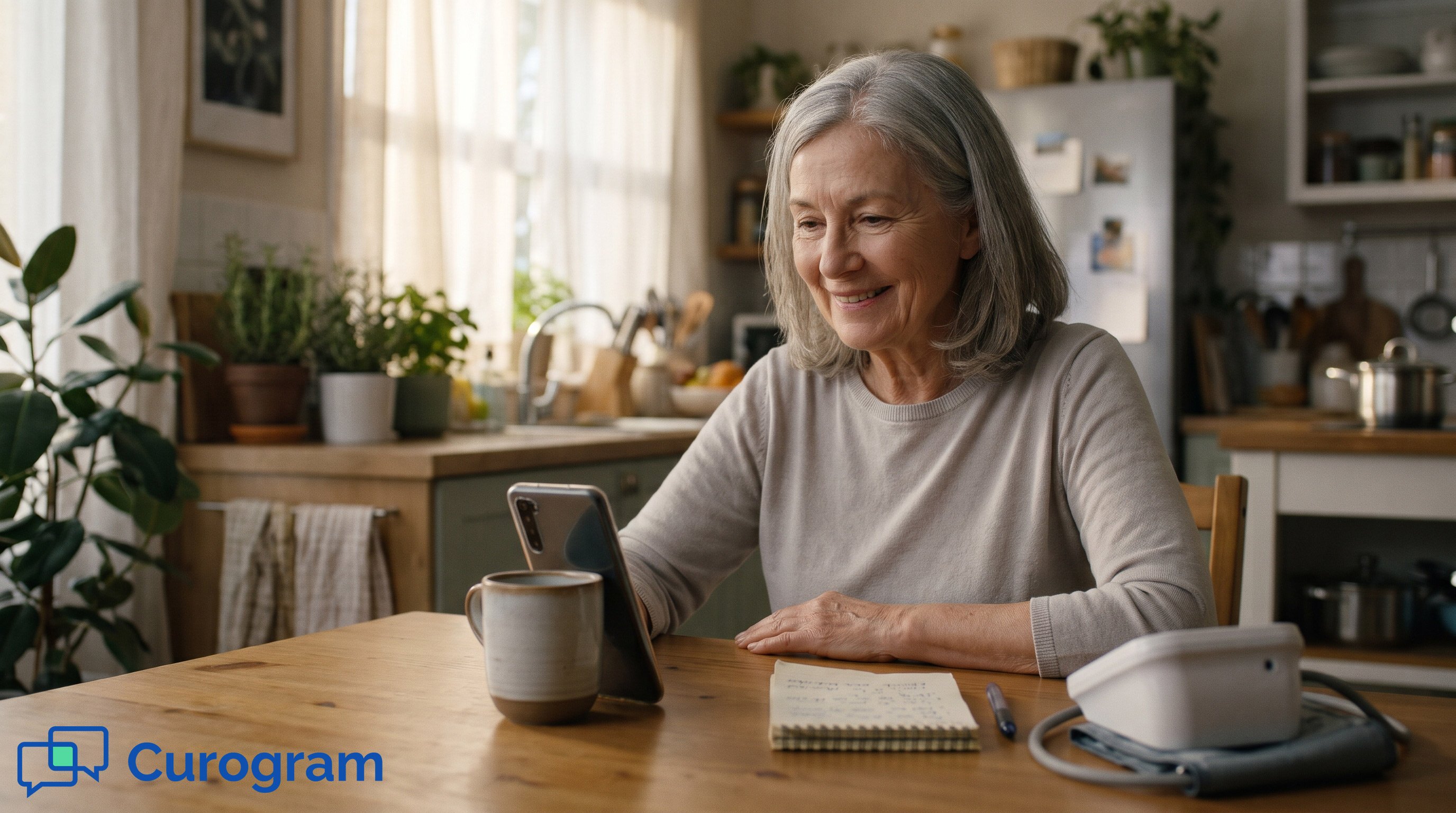
Curogram sends the link in the same thread that confirmed the appointment, and Lytec stays the system of record for the schedule. She needs a smartphone with a camera, and nothing set up in advance.
On the same text workflows, Atlas Medical Center cut no-shows from 14.20% to 4.91% in three months.
At most small practices with telehealth, the 15 minutes before a video visit belong to the front desk. Someone copies a meeting link, emails it, and then waits for the phone to ring with a question about it.
It usually does. The patient can't find the email, or the link wants an app, or the app wants a password. A staffer reads App Store steps out loud while the patient in the waiting room stands at the window. By the time the visit starts, two people have lost a quarter hour.
That job comes from running video on a separate platform. The front desk ends up carrying each patient from one system to the other by hand.
Small offices feel it most. There's no telehealth coordinator, so the job falls to whoever is closest to the phone.
We'd cut the job down to nothing. Book the visit in Lytec, let the link go out in the patient's existing text thread, and let her tap it. If your team can text, they can run a video visit. Staff get those 15 minutes back for the people standing at the window.
This guide is for the office manager and front desk lead at a Lytec practice. We'll show where the pre-visit help desk comes from and how a text-based setup fits next to Lytec.
Then we'll walk the routine from booking a video slot to the moment the patient appears on screen. We'll also cover the calls that still need a person.
What a Video Visit Asks of Your Patients Today
Lytec keeps the schedule and patient accounts in order. The video platform sits outside it, and the patient meets that platform alone, usually a few minutes before her visit.
A Med Check That Never Starts
This example is illustrative. Helen is 74 and has a 10:00 video follow-up on Thursday.
- Tuesday, an email with the meeting link lands in an inbox she checks once a week.
- Thursday at 9:45, she finds it and taps the link. It asks her to download an app.
- Next, the app store wants a password she doesn't remember.
- Then the app wants an email address and a new password.
- At 10:05 she calls the office, embarrassed, and the visit gets rebooked.
Who Gets Filtered Out
Every extra step drops some patients, and the ones who drop first are the ones video was meant for. That means older patients, homebound patients, and people managing a chronic condition from home.
Telehealth for older patients without apps removes the steps they stall on. The visit stays the same; the walls in front of it go away. When video bookings drop among patients over 70, check the login screen before deciding it's preference.
What the Numbers Show About Older Patients
Pew Research Center's 2026 mobile fact sheet finds 96% of adults 65 and older own a cellphone, and 79% own a smartphone. Nearly all of them text.
That 79% is the group a text link can reach for video. The rest can still get a phone visit, booked as one from the start.
A Video Visit That Starts in a Text
Curogram builds telehealth on the channel patients already use with confidence. Its Lytec integration keeps every thread tied to the right patient and appointment.
What the Patient Sees
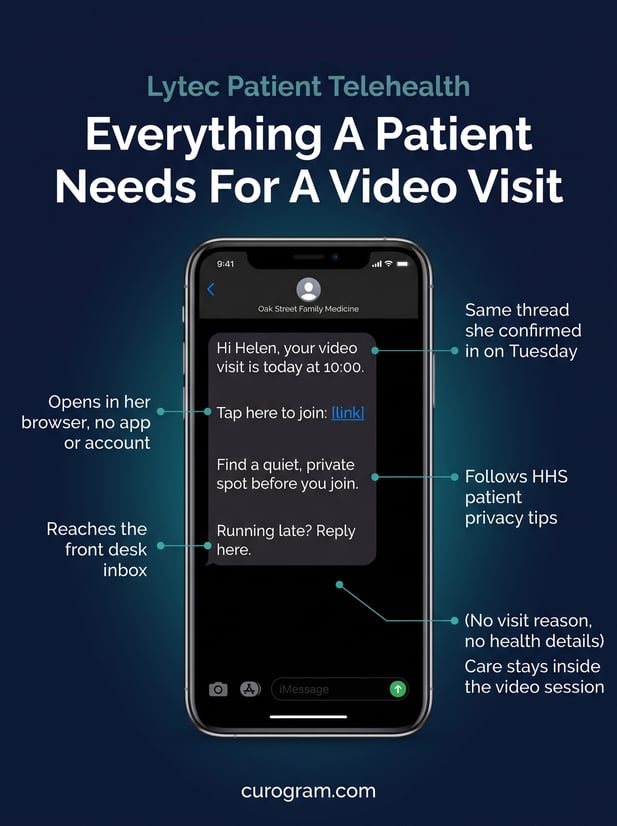
Two days before the visit, a reminder arrives from the practice's number. She replies to confirm. On Thursday morning, a short text lands in the same thread with the visit time and a link.
"Hi Helen, your video visit is today at 10:00. Tap here to join: [link]. Running late? Reply here."
She taps it, and the video opens in her phone's browser. That's the whole text link video visit for patients: no app, no account, nothing to remember from last time.
No-Login Video Visits, and What Stays Private
No-login video visits keep health details out of the text. Each message carries only the time and the link, and the clinical conversation happens inside the video session. Curogram is HIPAA-compliant and SOC 2 Type II certified.
Patients can help on their end too. HHS's telehealth privacy tips for patients suggest a private spot like a closed room or a parked car, turning off smart speakers, and skipping public Wi-Fi.
When the Patient Needs a Hand
A few patients will still text a question, like "Do I need headphones?" or "My daughter is with me, is that okay?" The front desk answers in the same thread between check-ins. Nobody has to call, and the provider starts on time.
Curogram Highlight: Text-to-Video VisitsText-to-Video Visits send the visit link into the same thread that confirmed the appointment. One tap opens HIPAA-compliant video in the browser. These are browser-based telehealth visits for seniors and everyone else, with nothing to install. Lytec stays the system of record for the schedule. Curogram carries the reminder, the link, and the visit. It connects with many PM systems, and our page on HIPAA-compliant texting for Office Ally users shows the same text-first setup on another one. |

What an Attended Visit Looks Like From the Kitchen Table
Run Helen's Thursday again, this time with the link in her text thread. The walkthrough is illustrative.
Helen's Thursday, Second Try
|
Time |
What Helen does |
What she doesn't do |
|---|---|---|
|
Tuesday |
Replies to confirm the reminder text |
Check her email |
|
Thursday, 9:50 |
Sees the visit link in the same thread |
Search for a meeting invite |
|
Thursday, 10:00 |
Taps the link; video opens in her browser |
Download an app or make an account |
|
Thursday, 10:01 |
Talks with her doctor about her blood pressure log |
Call the office for help |
Her visit starts on time, and the front desk never hears about it. If her granddaughter is visiting, she can hold the phone, since nothing about the link needs an account in Helen's name. That's the CGM Lytec patient video visit experience at its plainest.
What the Numbers Say
Atlas Medical Center cut no-shows from 14.20% to 4.91% in three months on Curogram's reminder and two-way texting workflows. Curogram clients average a confirmation rate above 75%. Both are Curogram client data from clinical settings.
Those results come from in-person visits. A video visit uses the same thread, so the link reaches a patient who has already confirmed in it.
Patient-Friendly Telemedicine at a Small Practice
Patient-friendly telemedicine at a small practice means sorting patients up front. A smartphone with a camera gets video; anyone else gets a phone visit, with no failed attempts in between.
Trust in that thread comes first, through appointment reminders and day-to-day 2-way HIPAA-compliant texting. For the full picture, see our guide to Lytec telemedicine by text. For the staff side, see the Lytec virtual visit workflow.
Conclusion: Telehealth Your Whole Panel Can Use
When Lytec patients skip telehealth, the platform is usually the reason. A link in a text removes most of the places they stall.
Lytec is for your schedule and patient accounts. Curogram is for the patient's ease: a visit that asks for nothing beyond the texting she already does.
Pull a list of patients who stopped booking video visits after their first one. Those are the patients an app-first platform has cost you. Then look at the video slots that sit open each week.
Watch a visit launch from a text on your own phone in 15 minutes when you book a demo.
Frequently Asked Questions