9 min read

Send Lytec Text-to-Pay SMS Payment Links for Patient Balances

Send Lytec Text-to-Pay SMS Payment Links for Patient Balances
💡 Lytec text-to-pay sends SMS payment links for patient balances right to a patient's phone. Patients tap twice and pay, instead of waiting on the mail.
  • Curogram texts a secure link, while Lytec and CGM PAY still process the payment.
  • It adds the SMS channel that paper statements and QR codes cannot reach.
  • A texted balance gets paid in days, not weeks.
  • Setup needs no new hardware and no patient portal login.
This springs the Paper Statement Trap, where mailed bills cost more and move slow. A texted balance gets seen, tapped, and paid.

A mailed bill and a text live very different lives. One sits in a pile by the door. The other gets opened within minutes. For a small practice, that gap decides whether a balance gets paid.

This guide is for small primary care and specialty offices. You bill on Lytec, and every balance matters to your month. Slow collections are not a small annoyance here. They shape payroll, supplies, and stress.

Most billing tools still lean on paper. You print the statement, stuff it, stamp it, and mail it. Then you wait. The check may come in weeks, or it may never come at all.

CGM Lytec 2026 made real progress here. It added QR codes on statements and CGM PAY for card and ACH payments. Still, the balance only moves when a patient opens that statement. Paper and PDFs are easy to set aside.

This is where the text channel changes the math. Lytec text-to-pay sends SMS payment links for patient balances right to the phone. The patient sees the amount, taps twice, and pays. No envelope, no portal login, no hold music.

Think about how you pay your own bills. You tap a link, not a check. Your patients want that same easy path, and a text gives it to them.

Curogram does not replace your billing system. It works next to Lytec and CGM PAY, adding the one channel they lack. That channel is a payment link inside the patient's own text thread. Your front desk does less chasing, and your cash flow steadies.

In this guide, we name the real villain behind slow collections. We show how a two-tap checkout fixes it fast. Then we map what changes once balances start to collect themselves. By the end, the choice between paper and text will feel obvious.

The Villain: The Paper Statement Trap

Slow collections rarely come from one big mistake. They come from a process that quietly works against you. We call that process the Paper Statement Trap. It looks normal, even safe, but it bleeds time and cash.

CGM Lytec 2026 gave practices better tools. You can now add QR codes to statements and take card or ACH through CGM PAY. That is real progress. Yet most balances still ride out on mailed paper, and that is where things stall.

Even a text-delivered statement often just points to a portal. The patient still has to open it, log in, and find the link. Each extra step is a place to drop off. The balance waits while life gets in the way.

Look at the steps behind one mailed statement: print, stuff, stamp, mail, then wait. Each step costs staff time and supplies. The patient still has to open it, find a way to pay, and act.

Picture your front desk on a busy Monday. Someone is folding statements between phone calls and check-ins. That same person could be booking visits or greeting patients. Instead, they are feeding a printer and stuffing envelopes.

Adding Up the Money

By common industry estimates, each mailed bill can cost about $3 to $7. That counts paper, ink, envelopes, postage, and staff time. A practice that mails 200 to 250 statements a month can spend roughly $800 to $1,000.

And that is just the obvious cost. Wrong addresses send some statements right back. Returned mail means reprinting, remailing, and more delay. The bill ages further with every bounce.

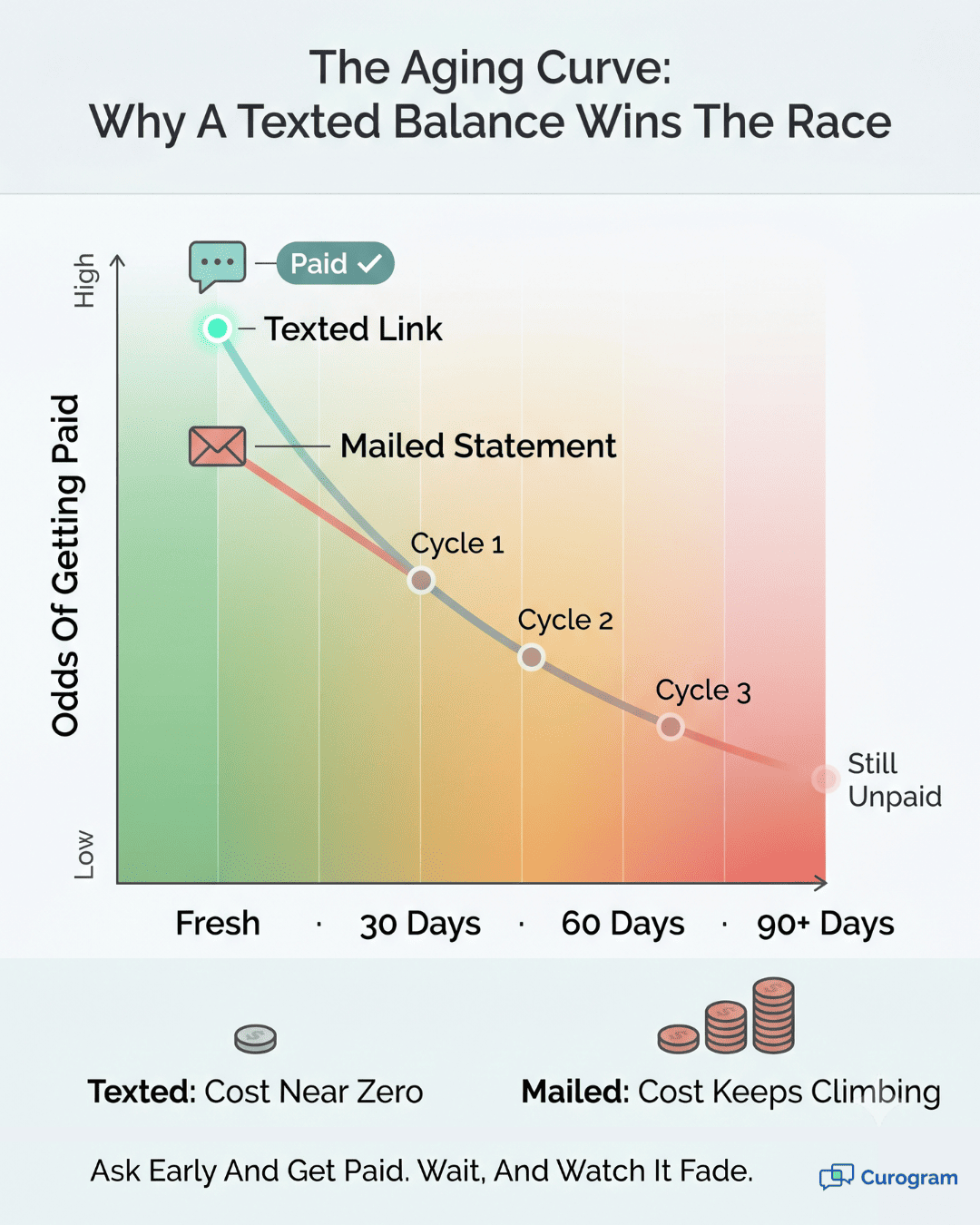
The bigger problem is what comes back, and how slowly. Paper moves on its own clock. Many practices send three to four statement cycles before they write a balance off. So one bill can mean three or four mailings.

Picture this as a simple example. Say only 20 of every 100 statements get paid in the first cycle. That leaves 80 balances still open and still aging. Your team then mails the next round and waits again.

Aging balances are the quiet killer. The longer a bill sits, the less likely it gets paid. Cash that should fund payroll instead waits on someone's counter. Meanwhile, your team keeps printing the next batch.

Here is how the two paths compare:

Step

Mailed statement

Texted payment link

Delivery

Days by mail

Seconds by SMS

Patient action

Find checkbook or portal

Tap the link, pay

Typical payment time

Weeks, often several cycles

Days, sometimes same day

Cost per attempt

About $3 to $7 per piece

A small fraction


Here is the part that stings. Your practice does all the work up front. You spend the money, mail the paper, and then just hope. The patient holds all the control, and the clock keeps running.

None of this means CGM PAY or QR codes are bad. They help a lot once a patient pays. The gap is delivery, and the balance needs to land where patients look. To fix this, Lytec practices can replace paper statements with a simple, secure text.

Aging curve graphic comparing a texted payment link paid fast versus a mailed statement left unpaid

The Guide: The Two-Tap Checkout

The fix is not more paper. It is a shorter path to payment. We call it the Two-Tap Checkout. The balance comes to the patient by text, and they pay on the spot.

Here is the whole flow. Curogram sends a secure link by SMS. The patient taps the link and sees the exact amount due. They tap again to pay by card.

Picture the message a patient gets. It names the practice and the exact balance, like $45. Below that sits one tappable line to pay. The whole task takes seconds, not a trip to the mailbox.

Why Text?

Because patients open and act on texts. Based on our internal data, Curogram clients see appointment confirmation rates above 75% through SMS. When people respond that fast, they respond to a balance the same way.

There is no app to download, either. The link opens in the patient's phone browser. They do not need a username or a password. Fewer steps means fewer drop-offs and more paid bills.

This sits on top of your current setup, not in place of it. Lytec still runs the billing, and CGM PAY still processes the card. Curogram adds the one piece they lack, which is an SMS payment link. Setting up an SMS payment link with Lytec needs no new hardware.

It works for many balance types, too. Think copays, leftover balances after insurance, and old accounts. You can send a fresh link or a gentle reminder on an aging bill. The same simple flow covers all of them.

A Clear View for the Team

They can see which links went out and which got paid. No more guessing whether a statement ever arrived. The status sits right in front of them.

There is a human side too. The link lands inside a real text thread, not a one-way blast. If a patient has a question, they can text back, and your team answers right there. Confusion gets cleared before it turns into a missed payment.

This is where Lytec text-to-pay patient billing starts to feel easy. The patient does not hunt for a portal or a stamp. They just tap and pay while the bill is fresh. Pairing Lytec CGM PAY with SMS payments closes the gap between billing and getting paid.

This matters most for small practices. You may not have a billing department or a chase team. Faster collection gives you steadier cash flow without new staff. Every balance that clears in days helps you make payroll with less stress.

Security stays front and center. Payments run through a secure, encrypted link, and card data is handled under PCI standards by the processor.

Curogram is HIPAA compliant and signs a BAA. The text itself shares only what it should, never private health details.

So the tool is simple. The real story is what happens to your numbers once balances arrive by text. That is where the shift gets exciting.

The Success: The Self-Collecting Balance

When the balance arrives by text, something shifts. The bill stops waiting on you, and it starts collecting itself. We call this the Self-Collecting Balance. It changes three things at once: speed, cost, and aging.

Start With Speed

A mailed bill can take weeks and several cycles to clear. A texted link often gets paid in days, sometimes the same day. The patient just taps and pays while the bill is fresh.

Timing is half the battle here. A balance feels real right after a visit. Wait two weeks, and it feels like a surprise. Lytec patient payment by text lets you ask at the best moment.

Look at Cost

Each mailed statement can run about $3 to $7, by common industry estimates. A texted link costs a tiny fraction of that. The savings show up every single month.

Here is a simple, example calculation. Say your practice mails 250 statements a month at about $4 each. That is roughly $1,000 in mailing cost alone. Move most of those to text, and a large share of that cost disappears.

That payback comes fast. In many cases, the mailing savings cover the tool in the first month. And that is before you count a single faster payment. The speed gains stack on top of the savings.

Picture a small specialty clinic for a moment. It mails 250 statements and waits weeks for checks. After the switch, most balances arrive by text and pay in days. The same staff handles billing in far less time.

Shift in Aging

In billing, time is the enemy. Texted links pull payments forward, so fewer balances slide into the 60- and 90-day buckets. Your accounts receivable gets younger and healthier.

Here is the before-and-after at a glance:

Measure

Paper-first billing

Text-first billing

Time to payment

Weeks, multiple cycles

Days, often same day

Monthly mailing cost

About $800 to $1,000 (example)

A small fraction

Patient effort

Find checkbook or portal

Two taps

AR aging

Balances drift older

Balances clear sooner


It helps to track a few simple numbers. Watch your days to payment on the first touch. Watch the share of balances paid on that first text. Then watch your 60- and 90-day buckets shrink.

These gains stack on each other. Faster payments mean lower aging, and lower mailing costs mean more margin. Steadier cash flow means fewer tense weeks at month's end. None of this needs a new hire.

Larger balances still have a path, too. You can pair a text link with a payment plan. The patient taps once and sets up smaller, steady payments. Big bills stop feeling like a wall.

One More Loop Worth Naming

Recovered visits become new balances. When reminders and recalls bring patients back, those visits create bills. A text-first checkout makes sure those balances get paid as fast as they were earned.

It also helps to be clear about roles. Lytec and CGM PAY process the payment, while Curogram delivers the ask where patients look. Together, they form a full loop: bill, text, tap, paid. Neither side has to do the other's job.

Now, no tool collects every balance on its own. Some patients still need a call or a payment plan. But moving the easy payments to text frees your team for the hard ones. You spend your time where it counts, not on stuffing envelopes.


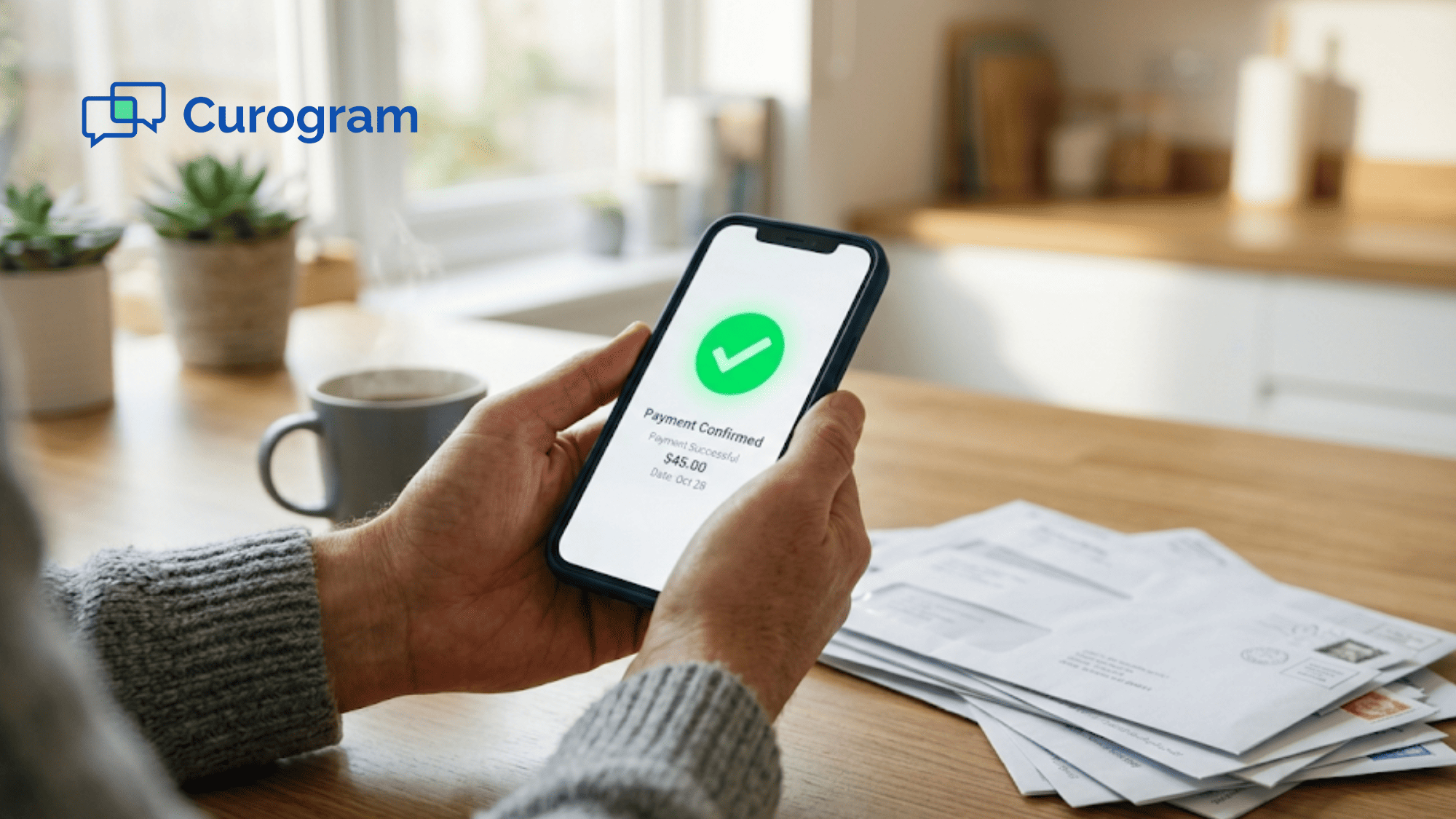
Person handling a medical bill by phone, showing the ease of text-to-pay over mailed paper statements

How Curogram Turns a Lytec Balance Into a Two-Tap Payment

Curogram's Text-to-Pay turns a Lytec balance into a quick, secure text. The patient gets a link, taps twice, and pays. There is no portal, no envelope, and no long wait.

Here is how the flow works in practice. Lytec holds the balance and runs the billing math. Curogram pulls that amount and sends a secure payment link by SMS. The patient taps the link, sees the exact amount, and taps again to pay.

CGM PAY still processes the card or ACH on the back end. So nothing about your billing system has to change. Curogram simply adds the delivery channel that paper and QR codes miss. Payments then reconcile in your normal Lytec flow, with no double entry.

The link lands inside a real text thread, not a one-way blast. If a patient has a question, they can text back. Your team replies in the same thread and resends the link. Small questions get answered before they turn into missed payments.

Security stays front and center the whole time. The payment runs through a secure, encrypted link, and card data is handled under PCI standards by the processor. Curogram is HIPAA compliant and signs a BAA with your practice. The text shares only what it should, never private health details.

This fits small practices best of all. You may not have a billing team or time to chase checks. Text-to-pay does the chasing for you, in the channel patients already use. Every balance that clears in days, not weeks, helps you make payroll with less stress.

A texted balance is simply easier to pay than a mailed one. Curogram makes that the default for your practice. Lytec and CGM PAY keep doing what they already do well. You get paid faster, and your patients get a path they truly like.

Conclusion: Get Paid Without the Paper

The lesson here is short and clear. A texted balance gets paid, while a mailed one gets ignored. People open their phones, not their mail piles. So the channel you choose shapes how fast you get paid.

It helps to know who does what in this loop. Lytec and CGM PAY process the payment behind the scenes. Curogram delivers the ask where patients actually look. Each part plays its role, and together they close the loop.

That loop is simple to picture. A bill becomes a text, the text becomes two taps, and the taps become cash. No printing, no stamps, and no waiting on the mail. The balance moves while it is still fresh in the patient's mind.

So here is the real choice in front of you. You can keep mailing statements into a pile and hoping. Or you can send the balance where it gets seen and paid.

One path costs more and waits, while the other saves money and moves fast. The math is not close. One drains time and cash, the other returns both. Most practices that switch never look back.

Small practices feel this shift the most. Faster cash flow means fewer tense weeks at month's end. Lower mailing costs mean more margin on every dollar you collect. And your front desk gets time back for patients, not paper.

Stop mailing statements into a pile and waiting for a check. Book a demo and watch a real Lytec balance turn into a two-tap text payment in about 15 minutes.


Frequently Asked Questions

How does text-to-pay keep patient payments secure?

Each payment runs through a secure, encrypted link, and card data is handled under PCI standards by the processor. Curogram is HIPAA compliant and signs a BAA, so the text never carries private health details.

How does Curogram work with CGM PAY instead of replacing it?

Curogram does not replace CGM PAY. CGM PAY still processes the card or ACH, and Lytec keeps the ledger. Curogram adds the SMS delivery channel they lack, then payments reconcile in your normal billing flow.

Why does a texted balance get paid faster than a mailed one?

A mailed bill can take weeks and several cycles to land a payment. A texted link reaches the patient in seconds, while the balance still feels real. Most pay in days, sometimes the same day.

How quickly can text-to-pay pay for itself?

Many practices recover the cost in the first month from saved printing and postage alone. Each mailed statement can run a few dollars, so moving them to text trims a clear monthly expense right away.

Why do patients pay more readily by text than by paper or portal?

Patients live on their phones and act on texts fast. A text shows one clear amount and one simple action, with no portal login or paper to dig out. Less effort means more people pay promptly.


Tebra Text-to-Pay: SMS Payment Links That Collect Faster

Tebra Text-to-Pay: SMS Payment Links That Collect Faster

💡 Tebra text-to-pay powered by Curogram sends patients an SMS payment link so they can settle balances in two taps — no portal login needed. ...

Read More
DrChrono Text-to-Pay: Collect Patient Balances via SMS Link

DrChrono Text-to-Pay: Collect Patient Balances via SMS Link

💡 DrChrono text-to-pay patient billing lets practices collect copays, balances, and past-due amounts through a single SMS payment link — no portal...

Read More
Simplify Lytec Patient Collections Without Mailing Paper Statements

Simplify Lytec Patient Collections Without Mailing Paper Statements

💡 Lytec patient collections without mailing paper statements let your billing team skip the print-and-mail grind. Curogram texts each patient a...

Read More