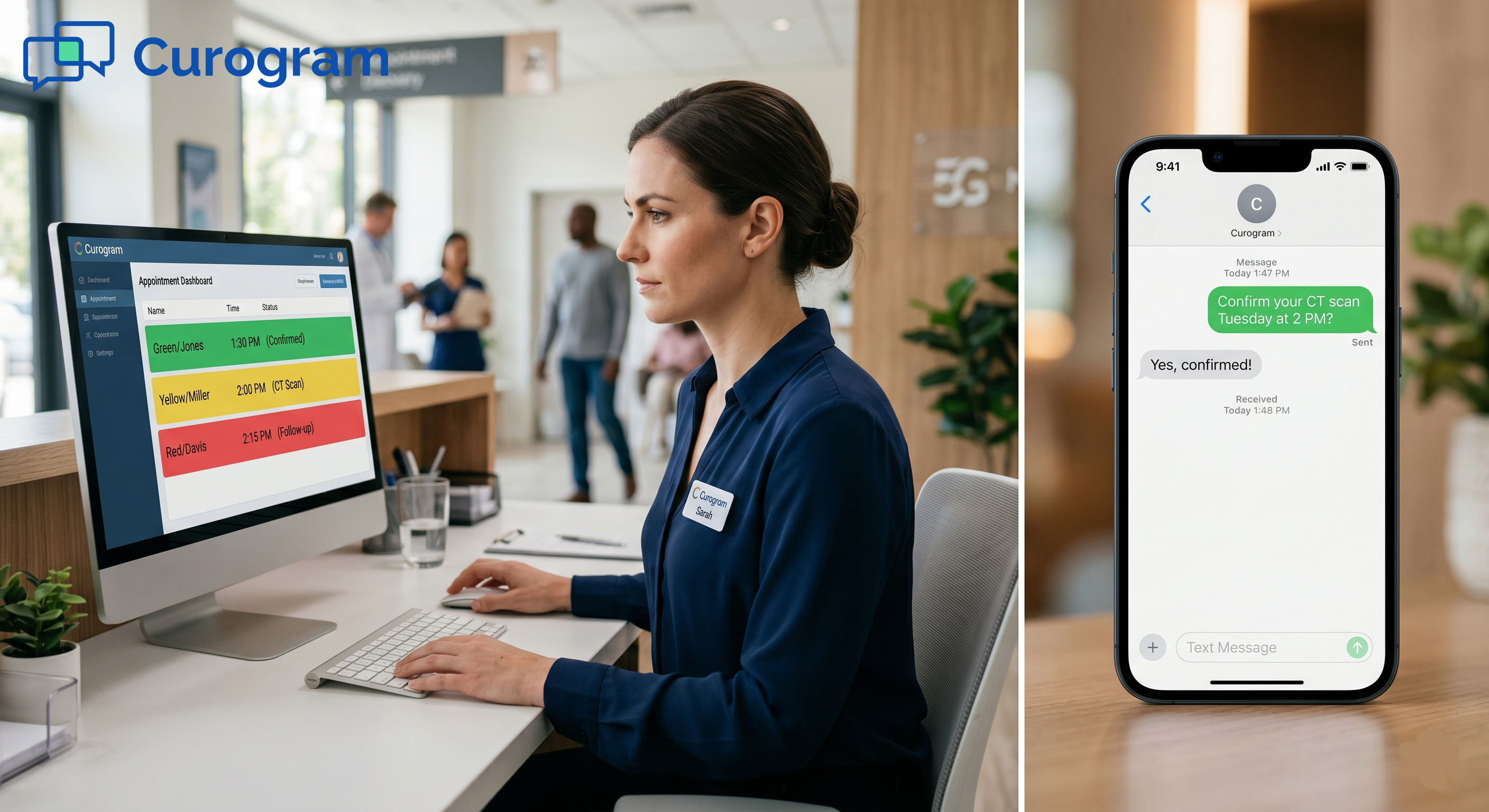
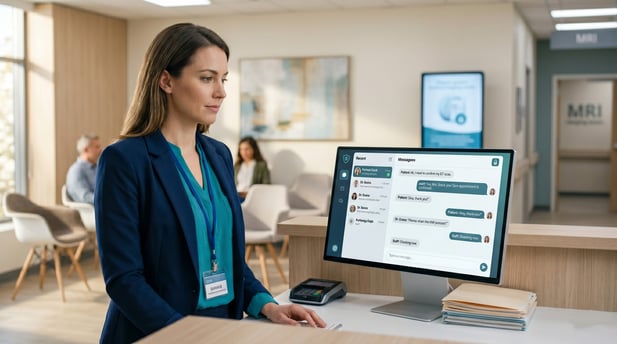
Radiology staff communication through HIPAA texting and improved workflow efficiency is a direct fix. Curogram gives imaging center teams one secure, encrypted text dashboard. It connects with Konica Minolta Exa PACS/RIS and pulls in patient details, study types, and appointment data without extra steps.
Based on our internal data, practices using Curogram cut phone volume by up to 50% and boost staff productivity by 30% or more. Staff get back 5 to 8 hours every week. That time goes toward pre-authorization follow-ups, contrast protocol checks, and referring physician outreach. Fewer calls. More focus. Better operations.
It is 9 AM at your imaging center. The phones are already ringing.
One patient wants to know if they should fast before their MRI. Another is asking if their health plan covers the scan. A third needs to reschedule an appointment. Your two front desk staff are doing their best, but the calls keep coming in.
This is not an unusual morning. For most imaging centers, it happens every single day.
Your Exa RIS does its job well. It handles modality scheduling, tracks studies, and manages appointment data with ease. But it does not send text messages to patients. Every question a patient has, every change they need to make, turns into a phone call to your front desk.
Each call averages three to five minutes. Multiply that by 60 to 100 calls per day, and the scope of the problem becomes clear. Staff spend hours answering the same questions, call after call.
When one person is on the phone, the other handles check-ins and scheduling at the same time. Calls stack up. Hold times grow. Patients give up and call back later.
Over a year, this adds up to more than 300 hours lost to routine phone tasks. Around 40% of those calls involve questions that a quick text could answer in seconds.
Better radiology staff communication through HIPAA-compliant texting and stronger workflow efficiency is not just a feature. It is a real, practical answer to a daily pain point that most imaging centers already know too well.
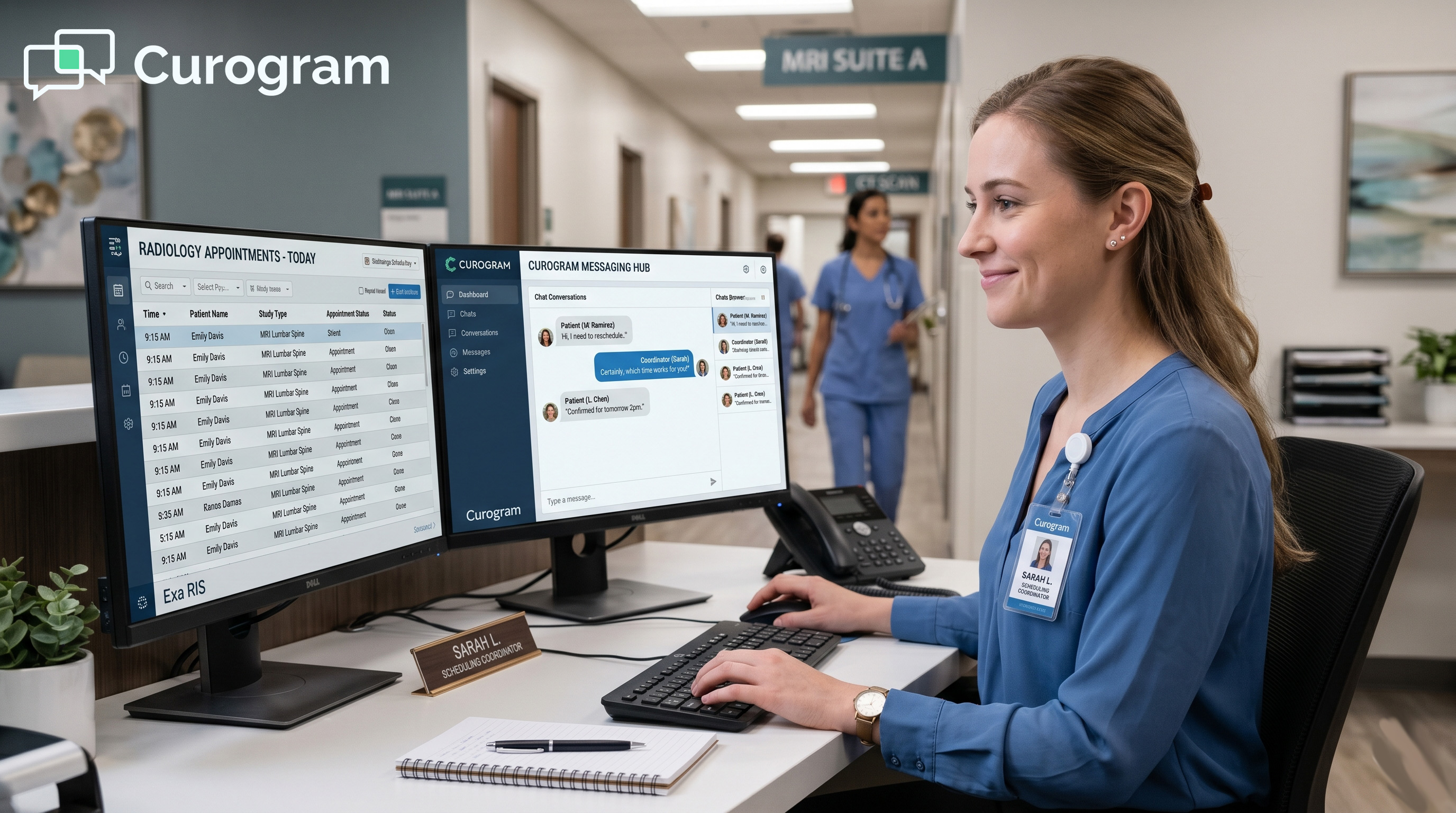
Curogram gives scheduling coordinators a secure, unified text dashboard that connects directly with Exa PACS/RIS. Patient messages appear alongside study details and appointment context, all in one place. Staff handles multiple conversations at once, without the bottleneck of one phone call per person.
The phone still has a role. But it does not need to run your entire front desk.
The Villain: The Phone That Never Stops Ringing
Most imaging centers run with a lean front desk team. Staff manage check-ins, scheduling, insurance calls, and patient questions all at the same time.
When the phone is the only way patients can reach you, it does not just fill up staff hours. It takes over.
The Phone Volume Reality
Your Exa RIS handles modality scheduling effectively. What it does not do is reach out to patients directly.
When patients need answers, the only option they have is to call your front desk. This creates a communication gap that falls on your front desk staffing and your PACS RIS patient text communication channel to close alone.
The average imaging center takes in 60 to 100 phone calls each day. Most fall into the same few categories.
|
Call Type |
Common Patient Questions |
|
Prep instructions |
“Do I need to fast?” / “Can I wear jewelry?” |
|
Insurance |
“Do I need pre-authorization?” |
|
Scheduling |
“Can I change my appointment time?” |
|
Logistics |
“Where do I park?” / “Which entrance do I use?” |
What’s Eating Your Day
None of these questions need a long phone call. But on the phone, each one takes three to five minutes to resolve. Staff must greet the patient, pull up their record, find the appointment, confirm the details, and then answer the question. By the time they are done, at least three minutes have passed.
The questions themselves are not the problem. The channel they travel through is.
Why Every Call Takes Longer Than It Should
When one staff member is on a call, they cannot help anyone else. Calls back up fast. Patients on hold hang up and call again later, doubling the task.
A three-minute question can stretch to 15 minutes from first ring to final resolution. With 60 to 100 calls per day, this chain reaction becomes a daily drain on your entire operation.
The True Cost of Phone Overload
Volume alone does not tell the whole story. It is what that volume does to your team, shift after shift, that causes real damage.
Lost Hours Add Up Fast
Based on our internal data, imaging centers lose more than 300 hours per year to routine phone tasks. About 40% of those calls are questions a short text could answer in seconds.
Radiology phone call volume reduction through patient messages is not just a workflow upgrade. It is a recovery of real, measurable time your staff can redirect to more important work.
Think about that in simple terms. If your team handles 80 calls per day at an average of four minutes each, that is over five hours of phone time daily. Even cutting that by half gives back more than 2.5 hours every day.
When Staff Can’t Keep Up, Errors Happen
A team handling 100 calls a day is under real, sustained pressure. Messages get missed. A patient does not receive prep instructions in time. An insurance issue sits unresolved.
These are not signs of a careless team. They are the result of too many requests coming through too narrow a channel.
Diagnostic imaging center staff workload reduction through texting addresses this directly. A text dashboard lets one person manage multiple conversations at once.
On a phone line, one call blocks the next. In a text queue, the whole list moves at the same time. Your team's capacity grows without adding headcount.
There is also a longer-term cost that rarely makes it into the budget discussion: burnout. Scheduling coordinators who spend all day on the phone have little left for higher-value work.
Pre-authorization calls, contrast protocol checks, and referring physician follow-ups get pushed aside. Good staff eventually leave. And replacing a trained imaging center coordinator costs far more than any software subscription.

The Guide: The Radiology Communication Hub
More phone lines will not solve this problem. More staff may help in the short term, but the costs grow.
The real fix is a communication layer that moves faster, carries more volume, and fits into the systems your team already uses every day.
A Unified Text Dashboard
Curogram puts every patient text conversation in one HIPAA-encrypted dashboard. When a patient sends a message, your staff sees the patient name, appointment time, study type, and modality information right away.
No switching tabs. No manual lookups. Everything your team needs is already in the same view.
How Patient Context Flows In
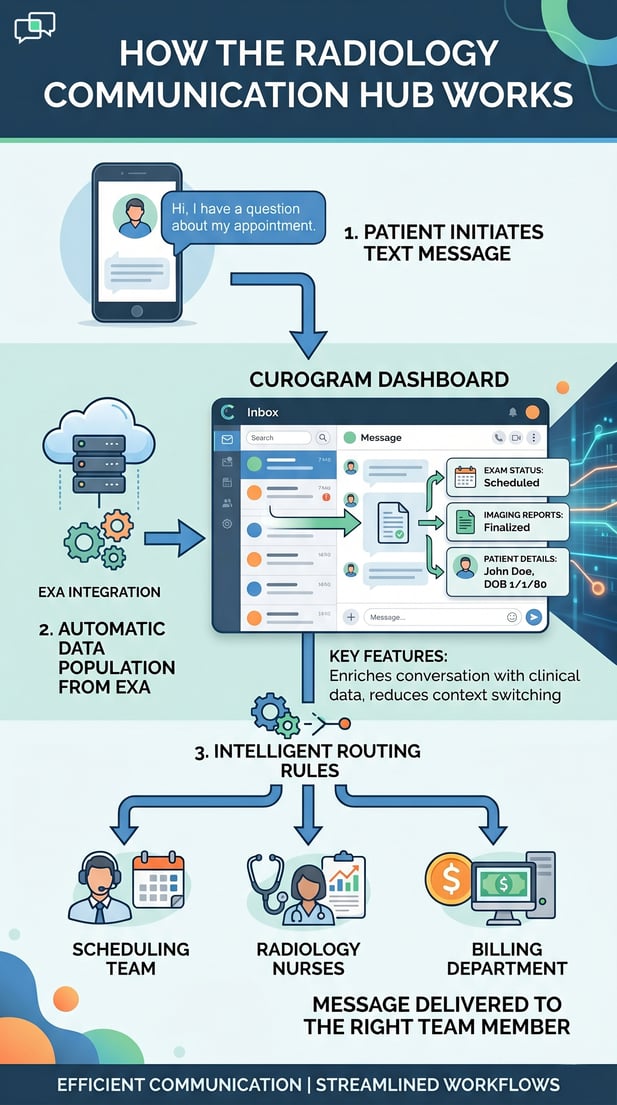
This is possible because Curogram works as an Exa PACS integration patient communication platform. Study details, appointment windows, and modality data sync directly from Exa into Curogram.
When a message comes in, the patient context is already there. Staff read the question and answer it without opening a second system.
No double entry. No mismatched data. The information in the Curogram dashboard is the same information in Exa, in real time. This keeps your team working from one source of truth.
Routing Messages to the Right Person
Curogram routes patient texts to the right team member based on message content and your team’s setup. A question about insurance goes to the billing staff. A prep question goes to a scheduling coordinator. A logistics question goes to the front desk.
Unlike phone calls, where whoever picks up handles everything, text routing puts the right question in front of the right person, right away.
Multiple staff members can run active conversations at the same time. Two people who used to handle two phone calls at once can now manage 10 or more text conversations. The capacity increase is immediate.
Imaging Center Scheduling Coordinator SMS Notification System
Scheduling coordinators feel the biggest shift when they start using Curogram. This imaging center scheduling coordinator SMS notification system lets them manage patient messages without stopping mid-task to take a call. They reply between tasks, keep the queue moving, and stay focused on the work in front of them.
Prep Instructions at One Click
Curogram includes ready-made templates for the most common radiology prep scenarios. Fasting rules, contrast protocol guidance, device removal instructions, and clothing tips are all pre-built.
A coordinator picks the right template, confirms the patient name, and sends the message in about 15 seconds. The same question that used to take three to five minutes on the phone now takes less time than it takes to pull up a chart.
That shift is not just faster. It is transformative for the pace of the entire day.
Insurance and Logistics Made Simple
The template library also covers insurance and logistics questions. Pre-authorization status, coverage basics, parking directions, and entrance instructions are all pre-built and ready to send.
Staff do not write these messages from scratch. They select, confirm, and send. This frees up real time every single shift.
Every message is automatically encrypted, logged, and time-stamped. There is no separate documentation step. Curogram builds a full audit trail as part of the workflow itself. Compliance improves without adding anything to your team’s plate.
For practices managing HIPAA requirements, this is a meaningful advantage. Phone calls require manual notes to document patient interactions.
Text conversations are automatically recorded, reducing the risk of compliance gaps and saving the time that staff would otherwise spend writing things down.
The Success: The Recovered Operations Hub
Switching to text-based communication does more than reduce phone calls. It changes how your imaging center runs, how your staff spend their shifts, and what they are able to accomplish. The results are visible quickly and measurable from day one.
Measurable Phone Volume Reduction
Based on our internal data, imaging centers using Curogram report a 40 to 60% drop in inbound voice calls. That is 24 to 60 fewer calls each day. At three to five minutes per call, that translates to five to eight hours of recovered staff time each week.
What the Numbers Look Like
Here is a side-by-side view of what the shift typically looks like after implementing Curogram:
|
Metric |
Before Curogram |
After Curogram |
|
Daily inbound calls |
60 to 100 |
24 to 60 |
|
Staff hours lost per week |
15 to 25 |
7 to 12 |
|
Simultaneous patient conversations |
1 per phone line |
10+ per dashboard |
|
Audit trail documentation |
Manual notes |
Automatic |
|
Average prep question time |
3 to 5 minutes |
Under 30 seconds |
Our internal research also shows that practices using HIPAA-compliant two-way texting increase staff productivity by 30% or more.
For imaging centers, that means coordinators are not just handling less volume. They are handling it faster, with better records, and without constant interruptions.
Where Recovered Hours Go
The hours your team gets back do not just disappear. They go somewhere better. Pre-authorization follow-ups move faster. Contrast protocol checks get done before the day gets busy. Referring physician calls get returned.
These are tasks that have a direct effect on revenue and patient outcomes. When your front desk is not buried in phone tag, there is time to actually do them.
This is where the real value shows up. Not just in fewer calls, but in what your team is able to accomplish with the time they get back.
Staff Retention and Satisfaction
The numbers matter. But so does the human side of this shift. Staff who feel supported and equipped to do their jobs well are more likely to stay, perform better, and contribute to a stronger team culture overall.
Less Stress, More Focus
Scheduling coordinators who spend their shifts fielding phone calls are in a reactive, high-pressure mode all day. They cannot plan. They cannot focus. Every call is an interruption.
Through a text dashboard, staff members manage patient messages at their own pace, between tasks, without losing track of what they were doing. The job feels more manageable.
When staff have the right tools, they spend less mental energy on low-value friction. That energy goes back into the work that actually requires focus and skill.
Why Good Staff Stay
Staff retention is a real cost driver in healthcare settings. Training a new imaging center coordinator takes time and money.
Based on our internal data, reducing front desk overload through better communication tools leads to lower stress and stronger job satisfaction. When good coordinators feel they have what they need to do their job well, they are more likely to stay.
The Recovered Operations Hub is not just a nicer-sounding front desk. It is a shift from reactive to proactive.
From fielding calls to managing outcomes. From being tied to a phone to working from a dashboard that gives your team full visibility into every patient interaction.
Exa already gives your imaging center a strong operational infrastructure. Curogram adds the communication layer that lets your team use that infrastructure to its full potential.
Conclusion: From Phone Overload to Text-Powered Operations
You already have strong tools in place. Your Exa PACS/RIS manages studies, scheduling, and modality data with precision.
But no RIS was built to handle the ongoing back-and-forth between your practice and your patients. That gap is where the phone call lives, and it is costing your team hundreds of hours each year.
Exa optimizes how your imaging center handles studies. Curogram optimizes how your team handles people. Together, they cover two different but equally important roles in your daily operations.
Exa handles modality scheduling, patient study data, appointment tracking, and imaging workflow. It was built for clinical precision and operational control.
What it was never designed to do is manage the ongoing conversation between your practice and your patients. That was never the point of a RIS, and it should not be.
Curogram adds the patient communication layer that Exa was never built to provide. Every inbound text appears in a secure dashboard, already loaded with patient and appointment context pulled from Exa.
Staff handle prep questions, insurance inquiries, and scheduling changes through text, without opening a second system for routine tasks.
The result is an imaging center where two critical systems work side by side. One manages your clinical operations. The other manages your patient relationships. Both are essential, and both work better when they are connected.
Based on our internal research, practices using HIPAA-compliant two-way texting reduce call volume by up to 50% and increase staff productivity by more than 30%.
The time savings are real. The staff relief is measurable. And the compliance infrastructure is built in from the start.
Stop letting phone volume control your front desk. Schedule a demo today.
Frequently Asked Questions
HIPAA-compliant text platforms like Curogram encrypt every message end-to-end. Patient health information never travels through a standard SMS network.
All conversations are logged, time-stamped, and stored securely, creating an automatic audit trail without any extra work from your staff. Your team texts from a secure dashboard, not personal phones, so no protected information is exposed.
Curogram uses message content and your configured routing rules to send each text to the right team. Scheduling questions go to scheduling coordinators, billing questions go to billing staff, and clinical questions go to the appropriate person.
Multiple staff members can handle conversations at the same time, unlike phone calls, where one person takes one call. This means the right question gets to the right person without delay or guesswork.
Most patient questions, including prep instructions, insurance checks, and scheduling changes, come in through phone calls because no faster channel is available. Each call takes three to five minutes on average, and a busy imaging center may take 60 to 100 calls per day. Based on our internal data, this pattern adds up to more than 300 hours lost per year.
Curogram syncs directly with Exa PACS/RIS, pulling in patient details, appointment data, and study type information automatically. When a patient texts your practice, the relevant Exa context is already visible in the Curogram dashboard, so staff do not need to look up records in a separate system.
The two platforms work side by side, with each one handling the role it was built for. There is no double entry and no risk of data mismatches between systems.
Most imaging centers start seeing a drop in call volume within the first few weeks of using Curogram. As more patients adopt texting as their go-to channel, routine calls about prep instructions and scheduling changes decrease on their own.
Based on our internal data, the reduction typically reaches 40 to 60% once the platform is fully in use across the team. Staff often notice the difference within the first week of consistent use.