

10 min read

Beyond the Portal: Mobile-First Forms for Pediatric OT/PT

Beyond the Portal: Mobile-First Forms for Pediatric OT/PT
💡 The best way to implement mobile-friendly pediatric forms for Fusion Web Clinic is through Curogram's SMS-based delivery system. Parents receive a secure, encrypted link directly to their phone — no portal login required.  

They can fill out complex documents like a digital sensory profile or an online developmental history form in their own time, from any device.  

Clinics using Curogram report that up to 95% of intake paperwork is completed before the first visit, based on our internal data.
  

This means therapists walk into every session with a full picture of the child's needs — before the family even walks through the door.

Curogram integrates directly with Fusion Web Clinic by Ensora, automatically filing completed forms into the child's chart. No manual entry. No lost paper packets. Just clean, accurate data — ready when your team needs it.

Think about the last time a family came in for a first visit without finishing their intake forms.

Maybe the parent meant to print them at home and forgot. Maybe they started them on their phone, got to page four, and gave up when the portal timed out.

Maybe they just couldn't remember the password. Whatever the reason, your therapist had to wait — and the appointment started late.

This is one of the most common friction points in pediatric OT and PT clinics today. And it has very little to do with whether parents care. Most of them care a great deal.

The problem is that traditional patient portals were not built for busy families managing a child's therapy schedule, school pickups, and a hundred other daily demands.

Consider how parents really live. Most are not sitting at a desktop computer with a printed insurance card at arm's reach. They're in a school car line, waiting in a sibling's therapy session, or catching five minutes at the kitchen table after dinner.

Their phone is the tool they use to manage everything — including their child's healthcare.

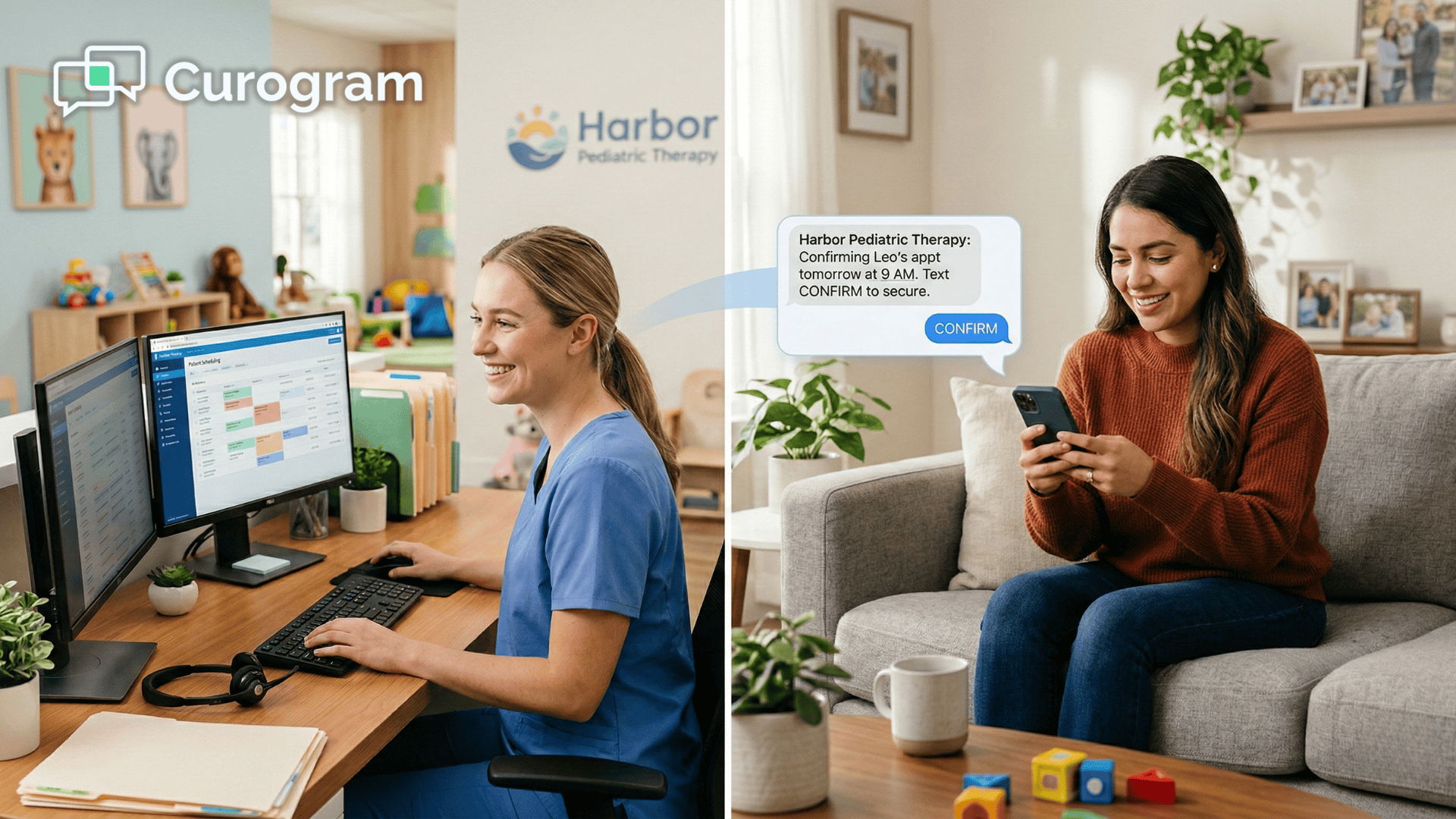
That's the gap that mobile-friendly pediatric forms for Fusion Web Clinic are designed to close. Curogram delivers a direct, encrypted link to a parent's phone via SMS.

No app to download. No portal account to recover. No frustration.

Parents open the link, fill out the form section by section, and submit — all from the device they already have in their hand.

For clinic administrators, this shift changes everything. Intake paperwork arrives complete and on time. Therapists walk into first sessions informed. Front desk staff spend less time chasing forms and more time serving families. It's a better experience — for everyone involved.

The sections below break down exactly how this works, why it matters, and what it looks like in practice for a pediatric therapy clinic running Fusion Web Clinic by Ensora.

The Mobility Gap That's Stalling Your Intake Process

Pediatric therapy clinics serve some of the most time-pressed parents in healthcare.

Many families managing a child with sensory, developmental, or motor challenges are coordinating multiple providers, insurance plans, and school services — often all at once. The last thing they need is a 15-page intake packet that only works well on a laptop.

It's worth pausing on what a typical new-patient week actually looks like for these families.

Between therapy evaluations, school meetings, insurance calls, and the daily demands of parenting a child with complex needs, administrative tasks tend to fall to the bottom of the list. Intake paperwork isn't a priority — it's a hurdle.

And the harder you make it to clear that hurdle, the less likely it is to happen before the first visit.

Three Barriers That Block Every New Family

Ask any clinic administrator why intake forms come back incomplete,

And the same three problems come up every time:

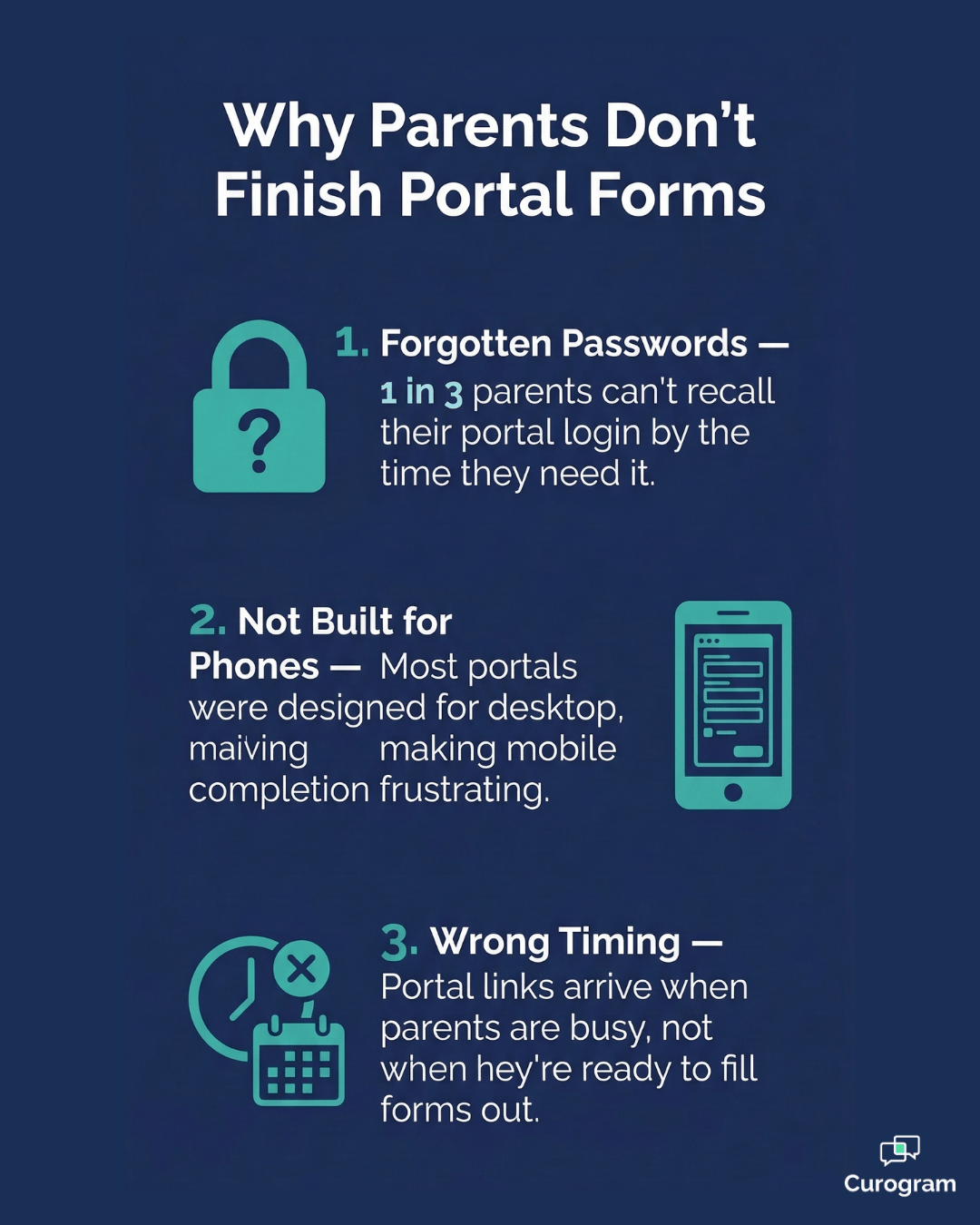
  • Poor mobile design. Many portals were built for desktop screens first. On a six-inch phone, toggling through long form fields and completing an online developmental history form can feel like a chore — and parents give up.
  • The password problem. If a parent created a Fusion portal account months ago and can't remember their login, the form simply doesn't get done. The front desk hands them a clipboard at the door and the session starts late.
  • Wrong timing. Portals send a link and hope parents sit down at a computer to complete it. Most parents don't. They're in a school car line or a waiting room — and their phone is what they have.

SMS-based form delivery — supported through Fusion Web Clinic integration — addresses all three at once.

There's no portal to log into, no app to set up, and no interface designed for a widescreen monitor.

The form opens directly in the parent's mobile browser — clean, simple, and built to work on a phone.

The result is a fundamentally different first impression. Instead of a family arriving flustered, apologizing for the missing paperwork, and scribbling on a clipboard while the clock ticks, they walk in having already done their part.

That shift sets a calmer, more confident tone for the entire relationship between the clinic and the family.

And for the front desk team, it means the morning doesn't start with a scramble. When intake is handled before the visit, staff can greet families with a warm welcome rather than a stack of forms. That may sound like a small thing — but in a busy pediatric clinic, small things add up fast.

From Dreaded Packet to Simple Tap: How Digital Forms Work for Busy Families

Pediatric intake forms are long — and for good reason. Therapists need detailed information about a child's development, behavior, sensory processing, and medical history before they can plan meaningful treatment.

But for parents, filling out a 15-page document in one sitting is rarely realistic. That's where Curogram's save-as-you-go feature changes the game.

A parent can open the pediatric therapy intake link sent to their phone, complete the medical history section on Monday, close the form, and return to finish the sensory goals section on Tuesday — right where they left off.

No data is lost. No progress is erased. The form simply waits until they're ready.

This matters more than it might seem. Parents who feel overwhelmed by a form's length often abandon it entirely. By breaking the process into manageable pieces across multiple sessions, Curogram removes the all-or-nothing pressure that causes so many portals to fail.

A parent who can do ten minutes on their lunch break and ten more after dinner is far more likely to submit a complete form than one who feels they need a free hour to sit down and power through it.

Digital forms can also use conditional skip logic to make the experience feel less overwhelming. If a child has no history of seizures, the parent isn't forced to scroll through ten detailed questions about seizure types and medications.

The form adapts to each family's situation, showing only the questions that apply — which reduces fatigue and improves the quality of answers.

Photo uploads round out the experience. Instead of printing and scanning, parents tap the upload field and use their phone's camera to submit key documents on the spot.

Infographic showing why parents don't finish patient portal forms for pediatric therapy intake

Common uploads include:

  • Insurance card and subscriber information
  • Child's birth certificate for age verification
  • School IEP or most recent evaluation report

This is what making your practice a pediatric therapy paperless office really looks like in practice.

It's not about eliminating paper for its own sake — it's about giving parents a way to engage with clinical documentation that actually fits their lives.

For clinics that have spent years chasing down incomplete packets, calling families the day before appointments, or re-scheduling first visits because nothing was submitted in time, this kind of system shift is a genuine relief.

The forms get done because the experience of doing them is no longer a burden.

Better Data In Means Better Care Out: What Therapists Gain

There's a clinical case to be made for mobile intake — and it goes beyond convenience.

When a parent is rushed in a waiting room, clipboard in hand, they tend to give quick, surface-level answers.

When they fill out the same form at home, with time to think, the answers are typically more complete, more accurate, and more clinically useful.

A digital sensory profile for parents, completed thoughtfully at home, will often reveal nuances that a hurried paper form misses. A parent might note that their child shows heightened sensitivity to certain textures specifically at mealtime — a detail that shapes the entire treatment approach.

That kind of specificity only comes when a parent has time and space to reflect.

This quality of information also pays off over the long term. A therapist who starts with a thorough developmental history doesn't need to spend the first two or three sessions gathering background context — they can move directly into goal-setting and treatment.

Over the course of a child's care, that head start translates into faster progress and more effective use of every session.

Typed responses also eliminate a persistent problem in paper-based intake:

Illegible handwriting. Clinical errors caused by misreading a parent's handwriting are more common than most practices care to admit.

With digital forms, every answer is clean, clear, and ready to work with.

What Gets Filed in Fusion — Automatically

Once a parent hits submit, Curogram converts the completed form into a structured PDF and files it directly into the child's chart in Fusion Web Clinic.

No manual entry. No inbox delay.

The following are all captured and stored automatically:

  • Completed developmental history and sensory profile responses
  • Signed consent-to-treat and any other authorization forms
  • Uploaded documents — insurance card, birth certificate, school IEP

This matters most when a child transitions between providers or a therapist covers for a colleague. The full clinical picture lives in the Fusion chart where it belongs — ready before anyone even opens the session notes.

It also means that therapists spend less time hunting through paper files or chasing down administrative staff for missing documents before a session. Everything they need is already in the chart, organized, and accessible.

That kind of readiness creates a noticeably different quality of care — and parents notice it too.

Front desk staff greeting a parent and child arriving for a pediatric therapy first appointmentWhy Practice Managers Are Embracing Mobile Intake — and Not Looking Back

The operational case for mobile intake is just as strong as the clinical one.

For practice managers running a busy pediatric OT/PT schedule, the math is simple:

When intake forms are done before the visit, sessions start on time. When sessions start on time, you see more patients. When you see more patients, revenue grows.

Based on our internal data, clinics using Curogram's intake automation report that up to 95% of paperwork is completed before the first appointment.

That's the difference between a therapist spending the first 15 minutes of a session gathering basic history — and spending those 15 minutes with the child.

95%

Pre-Visit Completion Rate

Clinics using Curogram's SMS-based intake see up to 95% of pediatric intake paperwork completed before the first appointment — based on our internal data.

Consider what those 15 minutes add up to over the course of a month. If a clinic onboards ten new pediatric patients a week and every first session runs late because of missing paperwork, that's more than two hours of lost clinical time each week.

Across a year, that's a significant amount of revenue left on the table — not to mention the frustration it creates for therapists and families alike.

Cleaner Claims Start at Intake

Billing rejections in Fusion often trace back to incomplete or inaccurate demographic information collected at intake.

When a parent submits a photo of their insurance card through the form, that information is captured correctly the first time.

Clean claims start with clean data — and clean data starts at intake.

Fewer rejections also mean fewer follow-up calls to insurance companies, less staff time spent on resubmissions, and faster payments reaching the practice.

For a pediatric clinic operating on tight margins,

That kind of downstream efficiency is worth a great deal more than most managers expect when they first start thinking about digitizing intake.

Front desk staff feel the difference too.

Instead of fielding calls from parents asking how to access the portal, or re-entering handwritten form data into Fusion, they can focus on tasks that genuinely require a human touch.

Our internal research shows that practices using Curogram reduce phone call volume by up to 50% — a meaningful shift in daily workload.

50%

Reduction in Phone Call Volume

Our internal research shows practices using Curogram cut inbound phone call volume by up to 50%, freeing front desk staff to focus on higher-value work.

Finally, there's brand perception.

A modern, mobile-first intake experience sends a clear message to families:

This clinic is organized, efficient, and built around their needs. In a competitive market for pediatric therapy services, that impression matters more than most practice owners realize.

Parents who have a smooth onboarding experience are far more likely to recommend the clinic to other families in their network. Pediatric therapy referrals often travel through parent communities — school groups, therapy support forums, neighborhood social media.

A frustrating intake process is memorable for the wrong reasons. A seamless one earns quiet, steady word-of-mouth that no marketing budget can fully replicate.

Security Parents Can Trust, Compliance Your Clinic Requires

One concern that comes up often when clinics consider moving away from portal-based intake is security. If the form arrives by text, is the data actually protected?

 The short answer is yes — and the longer answer is worth understanding, especially for pediatric practices handling sensitive developmental and health information about minors.

Curogram is fully HIPAA-compliant and holds SOC 2 Type II certification, which means its security controls have been independently audited and verified.

Every form link sent via SMS is encrypted, and no protected health information is stored on the parent's device at any point. The data lives only within the secure Curogram environment and, once submitted, inside the child's Fusion Web Clinic chart.

Electronic signatures collected through the platform comply with the Uniform Electronic Transactions Act and the federal E-SIGN Act — the same legal standards that govern digital signatures across healthcare.

This means consent forms, authorization documents, and treatment agreements signed through Curogram carry the same legal weight as anything signed on paper at the front desk.

For practice managers navigating audits, insurance credentialing, or state licensing reviews, this matters.

Having a documented, encrypted, and time-stamped record of every intake form — with signatures intact and filed directly in Fusion — is a stronger compliance position than a manila folder of handwritten paper forms. Mobile-first doesn't mean less secure.

Done right, it means more secure, more organized, and more audit-ready than the systems most pediatric clinics are currently running.

Stop Chasing Forms. Start Every Session Ready.

Pediatric therapy is demanding work. Your therapists come prepared — they've reviewed goals, planned activities, and thought carefully about each child.

The intake process should match that level of care. But when forms arrive incomplete, late, or on a clipboard at the front desk five minutes before the session, it undermines the entire first impression.

Curogram's mobile-first approach to forms changes the starting point for every new patient relationship. Instead of hoping a family will find the portal, create an account, and navigate a desktop-designed interface on their phone, you send them a single text.

They tap the link. They fill out the form — at their pace, on their terms. And when they're done, the data lands exactly where it needs to be in Fusion Web Clinic.

The ability to bypass Fusion portal for intake entirely is not a workaround — it's a smarter design. It removes the barriers that cause families to procrastinate, forget, or give up halfway through. And it gives your team complete, accurate clinical information before the first session even begins.

The results speak for themselves. Clinics using Curogram see up to 95% of intake paperwork completed before the first visit, based on our internal data. Front desk staff reclaim hours every week. Therapists start sessions informed.

And families arrive feeling like your clinic already understands their child — because, in a very real sense, it does.

Your intake process is the first experience a family has with your clinic. Make it one that earns their trust from the very first text.

Ready to see what mobile-first intake looks like? Schedule a demo with Curogram today and find out how quickly your clinic can move from paper packets to paperless — without disrupting your workflow.


Frequently Asked Questions

Do parents need to download an app to fill out these forms?

No. The form opens directly in the parent's mobile browser through a secure, encrypted link sent via SMS. There is nothing to download, install, or set up. Parents simply tap the link and the form is ready to go.

Can we send clinical assessments like the Vineland or GFC scales through Curogram?

Yes. Curogram can digitize virtually any clinical assessment or screening tool used in pediatric OT and PT settings. Whether it's a standardized scale or a custom intake questionnaire your clinic has developed in-house, the platform can accommodate it. Completed assessments are converted to a PDF and filed automatically in the Fusion Web Clinic chart.

Is the information secure when a parent fills out a form on their phone?

Yes. Curogram uses bank-level encryption and is fully HIPAA-compliant, holding SOC 2 Type II certification. No protected health information is stored on the parent's device itself — it's only accessible through the secure link. Once the form is submitted, the data moves directly into your system through an encrypted connection.

What if a parent starts the form but doesn't finish it right away?

Curogram's save-as-you-go feature allows parents to stop mid-form and return later without losing any of their answers. This is especially helpful for long pediatric therapy intake forms that cover multiple topics. The parent picks up exactly where they left off — no need to start over.

Are electronic signatures on these forms legally valid?

Yes. Electronic signatures collected through Curogram comply with the Uniform Electronic Transactions Act (UETA) and the federal E-SIGN Act, which govern the use of electronic signatures in healthcare agreements. For more information on the federal rules for electronic signatures, you can visit HHS.gov.


The Mom-Link: 2-Way Texting for Fusion Web Clinic Pediatric Parents

The Mom-Link: 2-Way Texting for Fusion Web Clinic Pediatric Parents

💡 The best 2-way texting integration for Fusion Web Clinic that keeps pediatric parents engaged is Curogram. It gives therapy clinics a direct SMS...

Read More
How GE Centricity Clinics Streamline Intake With Online Forms

How GE Centricity Clinics Streamline Intake With Online Forms

💡 GE Centricity specialty clinics struggle with paper-based patient intake across multiple locations. A digital intake workflow GE Centricity...

Read More
The Consistency Engine for Pediatric Therapy

The Consistency Engine for Pediatric Therapy

💡 Curogram integrates with Fusion Web Clinic to give pediatric therapy practices a smarter, faster way to manage appointment reminders. By...

Read More