10 min read

How to Stop Claim Denials with Mobile Insurance Capture for CureMD

How to Stop Claim Denials with Mobile Insurance Capture for CureMD
💡 Insurance card capture for CureMD intake workflows turns patient smartphones into powerful scanners that eliminate manual data entry mistakes. Patients snap photos of their cards before appointments, and OCR technology extracts the details automatically.

This approach cuts front-desk errors by over 40% and gives staff 48 hours to verify coverage before patients arrive. Mobile insurance upload CureMD prevents the typos that cause nearly 30% of all claim denials.

The result? Cleaner claims, faster payments, and staff who can focus on patient care instead of fixing preventable mistakes. It's automated patient data entry that actually works.

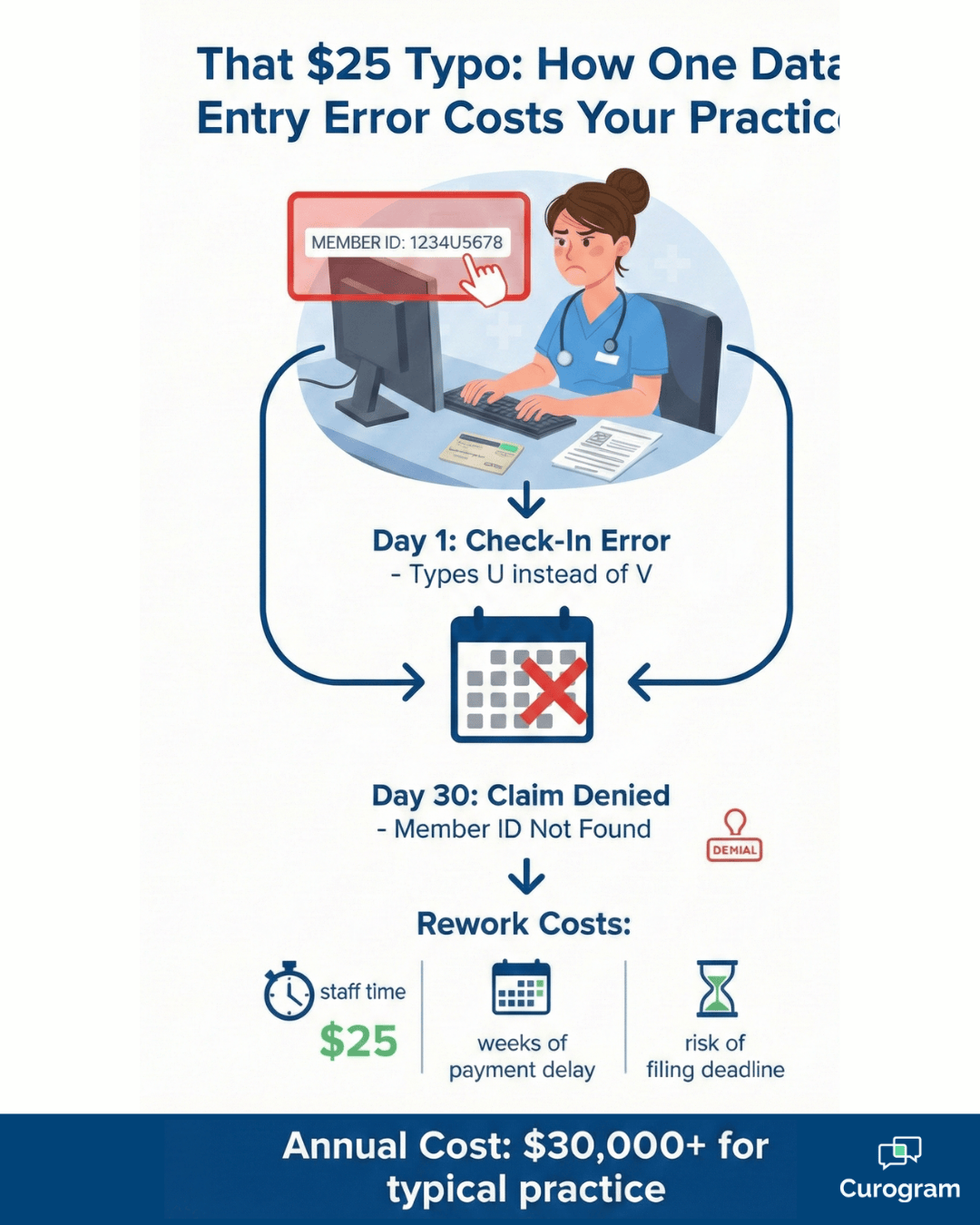
Here's a nightmare every medicalpractice knows too well: Your front desk staff types in an insurance member ID.Just one character off—maybe a 'U' instead of a 'V.' Nobody notices. Thirtydays later, the claim bounces back denied.

Now you're scrambling to fix it.Your billing team investigates. You contact the patient. You resubmit. All while that payment sits in limbo—or worse, you miss the filing deadline completely and eat the cost.

The frustrating part? About 30%of claim denials happen because of simple registration mistakes at check-in.Not coding errors. Not medical necessity disputes. Just basic data entryproblems that could have been caught on day one.

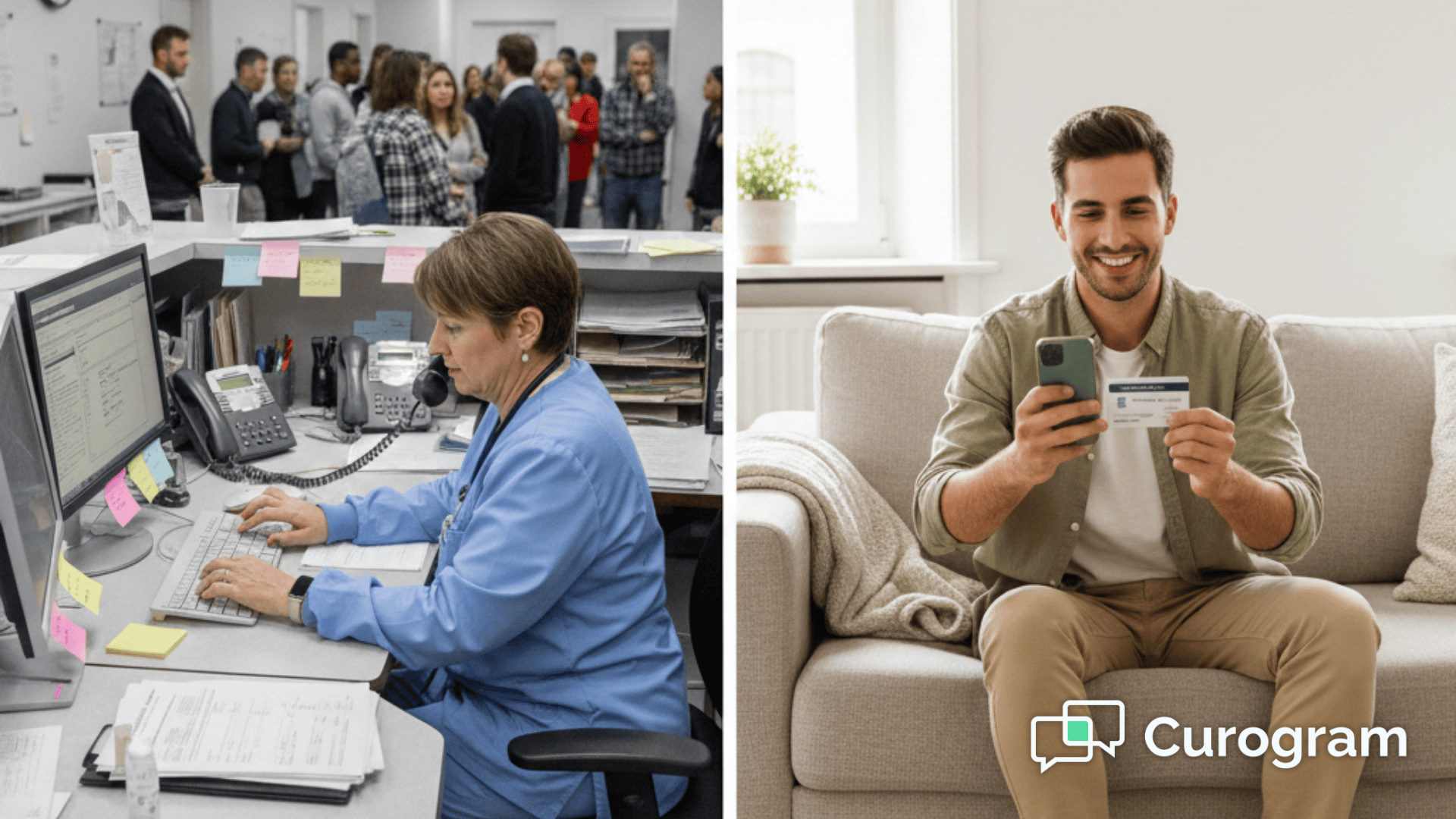
Think about your busiest days.The phone rings constantly. Patients line up at reception. Your staff juggles adozen tasks while trying to type a 15-digit member ID from a faded insurancecard. Each interruption raises the risk of a costly typo.

What if you could skip all thattyping? Insurance card capture for CureMD intake workflows does exactly that.Patients use their phone cameras to photograph their cards before they evenleave home.

OCR insurance verification medical technology reads the informationand feeds it straight into your system.

No manual entry. No transcription errors. No denied claims from preventable mistakes. Your staff gets the data 48 hours early, with time to verify coverage before the appointment. This is how forward-thinking practices reduce claim denials CureMD systems track every month.

Let's walk through exactly how this works—and why your smartphone might be the best data entry tool you've never used.

The Fat-Finger Problem That's Costing You Money

It's 9:47 AM on a Tuesday. Your front desk is slammed.

Three patients wait at the window. The phone won't stop ringing. A delivery person needs a signature. In the middle of all this chaos, your receptionist grabs Mrs. Johnson's insurance card and starts typing the member ID into CureMD.

The card is old. The numbers are worn. Under the fluorescent lights, that 'V' looks an awful lot like a 'U.'Your staff member types it as 'U' and moves on to the next patient. The system accepts it without complaint.

This scenario plays out in medical offices across the country every single day. It's not because staff members are careless or poorly trained. It's because the conditions make errors inevitable.

High-volume patient flow, constant interruptions, aging insurance cards with faded printing, and time pressure create the perfect storm for data entry mistakes.

The Real Cost of a Single Typo

Fast forward 30 days. The claim comes back: Denied. Member ID not found. Now the domino effect begins. Your billing department has to investigate what went wrong.

They contact Mrs.Johnson to get the correct information. Someone has to resubmit the claim and track it through the system again.

Each claim rework costs about$25 in staff time alone, according to the Healthcare Financial ManagementAssociation.

That doesn't count the delayed payment sitting in accounts receivable, or the revenue you'll lose completely if you miss the filing deadline.Multiply that across dozens of similar mistakes each month, and you're looking at thousands in preventable losses.

Here's the gut punch: Industry research shows that roughly 30% of all claim denials trace back to registration and eligibility errors. These aren't complex medical coding issues or coverage disputes.

They're simple mistakes made during patient check-in when staff members are under pressure and typing as fast as they can.

Why Manual Entry Fails Under Pressure

Your front desk staff face challenges that make accurate data entry extremely difficult. Insurance cards come in hundreds of different formats. Some use all capital letters. Others mix upper and lower case. Member IDs might be 8 digits or 15 digits. They might include letters, numbers, or both.

Add poor card quality to the mix. Cards get bent, scratched, and faded from living in wallets for years. The contrast between text and background degrades over time. What should be a clear 'V' might look identical to a 'U' under office lighting.

Then there's the multitasking problem. Your staff can't just focus on data entry. They're answering phones, checking in other patients, handling questions, and managing the waiting room flow.

Every time they switch tasks, the risk of a mistake increases. Research on human attention shows that interruptions can increase error rates by 50% or more.

Turn Every Phone Into a High-Powered Scanner

Here's where mobile insurance upload CureMD changes everything. Instead of waiting until check-in to capture insurance details, you can collect this information while patients are still at home—relaxed, unhurried, and able to take their time getting it right.

The technology leverages something patients already have in their pockets: a smartphone with a camera that's probably better than any scanner you've got in your office.

This isn't about asking patients to buy special equipment or download complicated apps.It's about using the tools they already know how to use.

How the Patient Experience Works

Three days before Mrs. Johnson's appointment, she gets a text message with a secure link.

She taps it on her phone, and a simple form opens in her web browser. She answers a few questions about her medical history, current medications, and reason for visit. Then the system asks for her insurance card.

She taps 'Take Photo' and pointsher iPhone camera at the front of her insurance card. Click. Then she flips itover and photographs the back. Click. The whole process takes maybe 30 seconds.No app to download. No complicated steps. Just point, shoot, done.

The interface is designed to be fool proof. Visual guides show patients exactly where to position the card in the frame.

The system checks image quality before accepting it, so you won't get blurry or dark photos. If the first attempt doesn't meet quality standards, patients simply try again. It's easier than depositing a check with mobile banking—something millions of people do every day.

What Happens Behind the Scenes

Those photos upload directly toMrs. Johnson's patient chart in your CureMD system through an encrypted connection. Your staff sees the actual card images filed under the Document stab—crystal clear photos they can reference anytime they need to double-check information.

But here's the real magic: OCR technology automatically reads the text from those photos.

The system extractskey details and presents them to your staff:

  • MemberID and group number
  • Insurance company name and contact information
  • Policy effective dates
  • Subscriber name and relationship to patient

No typing required. Just a quick review to confirm the OCR got it right, which takes a fraction of the time manual entry would. Your staff can verify the details while looking at the clear photo on screen, making corrections only if needed.

Integration with Your Existing Workflow

The beauty of this system is how seamlessly it fits into what you're already doing. You're not replacing CureMD or changing your entire intake process. You're simply enhancing your existing medical record system by moving one specific task—insurance card capture—to happen before the appointment instead of during check-in.

Your front desk workflow actually gets simpler. When Mrs. Johnson arrives for her appointment, her insurance information is already in the system, already verified.

Your staff can focus on greeting her warmly, confirming her contact information, and making sure she feels welcome. The tedious data entry work is already done.

For patients who don't complete the pre-visit intake, you still have a backup. Your staff can use the traditional method at check-in.

But as more patients adopt mobile insurance upload CureMD technology, your front desk gets progressively less hectic. Check-in times drop. Wait times decrease. Patient satisfaction improves.

Infographic showing how manual insurance data entry errors lead to claim denials and costs

Why OCR Beats Even Your Best Typist

Let's be honest: Your front desk staff are probably pretty good at their jobs. They've typed thousands of insurance cards. They know the common formats. They're fast and accurate under normal conditions.

But OCR insurance verification medical technology has some unfair advantages that even your most experienced staff can't match. It's not about replacing good people—it's about giving them better tools.

Consistency That Never Wavers
OCR doesn't get tired. It doesn't matter if it's processing the first card of the day or the hundredth. The accuracy stays exactly the same. A 'V' always registers as a 'V,' never a 'U.' There's no distraction when the phone rings.

No rushing because patients are waiting. No mixing up similar-looking characters because the lighting is bad.

Your staff members are human, which means they're subject to human limitations:

  • Fatigue and mental lapses after long shifts
  • Interruptions from phone calls or patient questions
  • Rushing to catch up when behind schedule, increasing error rates

OCR eliminates all of these variables. Think about Monday mornings after a holiday weekend: your schedule is packed, the parking lot is full by 8:30 AM, and manual data entry becomes most error-prone.

OCR maintains perfect consistency precisely when humans are most likely to falter.


Speed Without Sacrificing Accuracy
When patients capture their own cards at home, the photo process takes about 30 seconds total.

Compare that to the 3–5 minutes your staff spends during check-in to:

  • Scan a physical card
  • Manually enter the data
  • Verify its accuracy

Multiply that time savings across 40 or 50 patients a day, and you're talking hours of staff time freed up for more important work—like actually talking to patients.

It’s not just about raw speed. Pre-visit capture distributes the workload across days instead of concentrating it all at check-in. Your 8:00 AM appointment rush becomes manageable because half the insurance work already happened over the weekend.

Automated patient data entry two days before the appointment creates massive operational benefits:

  • Verify eligibility while the patient is still at home
  • Resolve insurance issues before the patient arrives
  • Avoid awkward payment discussions at check-in
  • Ensure appointments are billable

This advance notice also helps with scheduling optimization. If a patient’s insurance has lapsed or changed, you can reschedule early, allowing that slot to go to someone else.

Your schedule stays full, revenue stays steady, and patients appreciate proactive communication.

Medical receptionist and patient having friendly check-in conversation at organized desk

Real-World Impact on Your Practice

Let's talk numbers that matter to your bottom line. When you reduce claim denials CureMD tracks in your billing reports, the financial impact ripples through your entire operation.

The Math on Denial Prevention

Consider a typical primary care practice seeing 100 patients per week. If 30% of denials come from registration errors, and you're experiencing a 10% overall denial rate, that's three claims per week being denied for preventable reasons.

At $25 per claim to rework, you're spending $75 per week just fixing mistakes. That's $3,900 per year in pure waste.

But the real cost is higher.Those denied claims delay payment by weeks or months. If each denied claim averages $150 in reimbursement, you've got $450 per week sitting in limbo instead of in your bank account.

Over a year, that's nearly $25,000 in delayed cash flow. For a small practice operating on tight margins, that delay can create real financial stress.

Now factor in the claims you lose entirely because you miss filing deadlines while trying to sort out the errors.

Even if you only lose one claim per month to timing issues, that's another $1,800 gone annually. The total cost of preventable registration errors for this modest practice exceeds $30,000 per year.

Staff Efficiency Gains

The time savings compound in ways you might not expect. When your front desk staff isn't typing insurance cards all morning, they can actually greet patients.

They can answer questions thoughtfully. They can notice when someone seems confused or anxious and take a moment to help.

This isn't just touchy-feely stuff—it shows up in your patient satisfaction scores. Practices that implement mobile insurance upload CureMD consistently report improvements in check-inexperience ratings.

Patients notice when they're not kept waiting while staff hunt-and-peck through data entry.

Your billing department benefits too. They spend less time investigating denials and more time on productive revenue cycle work. Collections improve. Days in accounts receivable drop. Your financial reports start looking noticeably better within the first quarter of implementation.

Frequently Asked Questions

Is the photo quality good enough?

Absolutely. Here's something that might surprise you: The camera in a typical smartphone today is significantly better than those old flatbed scanners gathering dust in supply closets.

We're talking 12-megapixel cameras or higher, which capture incredibly fine detail. Even when the card text looks faded to your eyes, the camera picks up enough information for the OCR to read it accurately.

 As long as patient stake the photo in reasonable lighting and hold the phone steady, the results are excellent.

Is the upload secure?

Security is baked into the entire process. When patients photograph their insurance cards, the images upload through an encrypted connection—the same level of security banks use for online transactions.

Once uploaded, the images stay encrypted at rest in yourCureMD system. Here's a detail that matters: The photos never save to the patient's phone gallery. They go directly from camera to secure server.

This prevents accidental PHI exposure through social media posts, cloud backups, or lost phones. Everything follows HIPAA compliance standards from start to finish.

Does it work for secondary insurance?

Yes, and it's just as easy. The intake forms include fields for both primary and secondary coverage. Patients photograph both cards during the same session—front and back of each.

The system processes them separately, extracting data from both sets of images. You get complete insurance information before the appointment without making patients go through separate upload processes. It's all handled in one smooth workflow.

What happens if the OCR makes a mistake?

Your staff always has the final say. The OCR provides its best read of the card text, but that information appears alongside the actual photo in the patient's chart.

Staff members verify the extracted data against the image before finalizing anything. If the OCR misreads a character—which is rare—your team spots it immediately and correct sit while looking at the clear photo on screen.

This still takes far less time than typing everything manually from a physical card. Think of OCR as doing 95%of the work, leaving only quick verification for your staff.

Do patients need special apps to upload photos?

Not at all. Patients receive a text message with a secure link. They tap it, and it opens right in their phone's web browser—Safari, Chrome, whatever they normally use. No downloads.No installations. No new apps cluttering their home screen.

The web interface works perfectly on both iPhone and Android devices. Patients just follow the prompts, use their phone's built-in camera when prompted, and submit.

The system guides them through each step with clear instructions. If they can take a selfie, they can upload their insurance card. 

Clean Data In, Fast Cash Out

Want to see it in action?Schedule a demo and watch how mobile insurance capture reads a real insurance card in real time. You'll see the OCR extract member IDs, group numbers, and other critical details without a single keystroke.

You'll understand why practices that implement this technology reduce claim denials CureMD tracks in their billing systems.

It's one of those technologies that seems almost too simple—until you realize how much time and money it saves.

Your staff will thank you for removing one of their most tedious tasks. Your billing department will thank you for cleaner claims. Your accountant will thank you for better cash flow.

And you'll wonder why implementing the online intake form wasn't on your radar sooner.

You'll see a real patient workflow from start to finish. You'll watch the OCR technology process actual insurance cards. You'll get answers to your specific questions about integration, pricing, and implementation timeline.Most practices start seeing results within their first full week of use.

Ready to see it for yourself? Schedule a demo. You'll see a real patient workflow from start to finish. You'll watch the OCR technology process actual insurance cards. You'll get answers to your specific questions about integration, pricing, and implementation timeline.


How to Reduce Data Entry Errors in Prime Clinical | Clean Intake Data

How to Reduce Data Entry Errors in Prime Clinical | Clean Intake Data

💡 You can reduce data entry errors in Prime Clinical Intellect by removing manual transcription from your intake process.When staff retype data...

Read More
How to Automate Clinical History Collection for CureMD Workflows

How to Automate Clinical History Collection for CureMD Workflows

💡 Electronic clinical history forms for CureMD workflows let high-volume practices collect medical history, allergies, and current medications...

Read More
Eliminate Manual Scanning: Paperless Intake for Prime Clinical Systems

Eliminate Manual Scanning: Paperless Intake for Prime Clinical Systems

💡 Paperless patient intake forms for Prime Clinical Systems replace the clipboard process with a mobile-first digital workflow.Instead of printing...

Read More