How to Eliminate the Callback Queue with 2-Way SMS for CureMD
💡 Medical practices using 2-way SMS integration for CureMD administrative workflows are saying goodbye to the callback nightmare. Staff now handle...
8 min read
Aubreigh Lee Daculug
:
February 10, 2026
Table of Contents
It's Monday morning and the phones are already ringing. A stack of unread portal messages sits in CureMD from Friday. Half of those patients never logged in to see them. So your team does what they always do—they start dialing, one patient at a time.
This is the reality for thousands of medical practices across the country. CureMD handles scheduling, billing, and clinical records beautifully. But when it comes to actually reaching patients with a secure message, there's a gap.
The portal expects patients to log in, and most of them simply don't.
We call this the "Portal Wall." It's that invisible barrier between sending a message and having someone actually read it. In specialties like dermatology, oncology, and gastroenterology, portal adoption sits around 20%. That means 80% of your outreach never lands.
HIPAA-compliant texting for CureMD workflows changes the equation entirely. Instead of waiting for patients to come to you through a portal, you go to them—right on their phones.
A secure text. A single tap. No passwords, no downloads, no friction.
Curogram's CureMD SMS integration makes this happen without replacing anything you already use.
It sits on top of your existing CureMD setup and gives your staff the ability to text patients the way they'd text a friend—only it's fully HIPAA-compliant and syncs everything to the chart.
In this piece, we'll look at why portal messages go unread, how 2-way texting for specialty practices solves the problem, and what real clinics are seeing in terms of results.
We'll also cover the most common questions we hear from CureMD practices thinking about making the switch.
CureMD does a lot of things well. It’s a comprehensive platform that keeps scheduling, billing, documentation, and patient records in one place. For internal operations, it’s powerful.
But its built-in secure messaging depends on one critical action: the patient has to log into the portal.
And that’s where the breakdown begins.
Take an honest look at your patient base. How many created a portal account during registration and never returned?
In high-volume specialties like dermatology, oncology, and orthopedics, it’s common for 70–80% of patients to never actively use the portal after their initial visit. Some forget their passwords.
Some never complete account setup. Others don’t recognize portal notifications in their inbox. Many older patients find multi-step logins frustrating enough to avoid entirely.
The result? Your reminder, intake request, or follow-up instruction sits unread.
From your team’s perspective, the message was sent. From the patient’s perspective, it never arrived.
That gap is the Portal Wall.
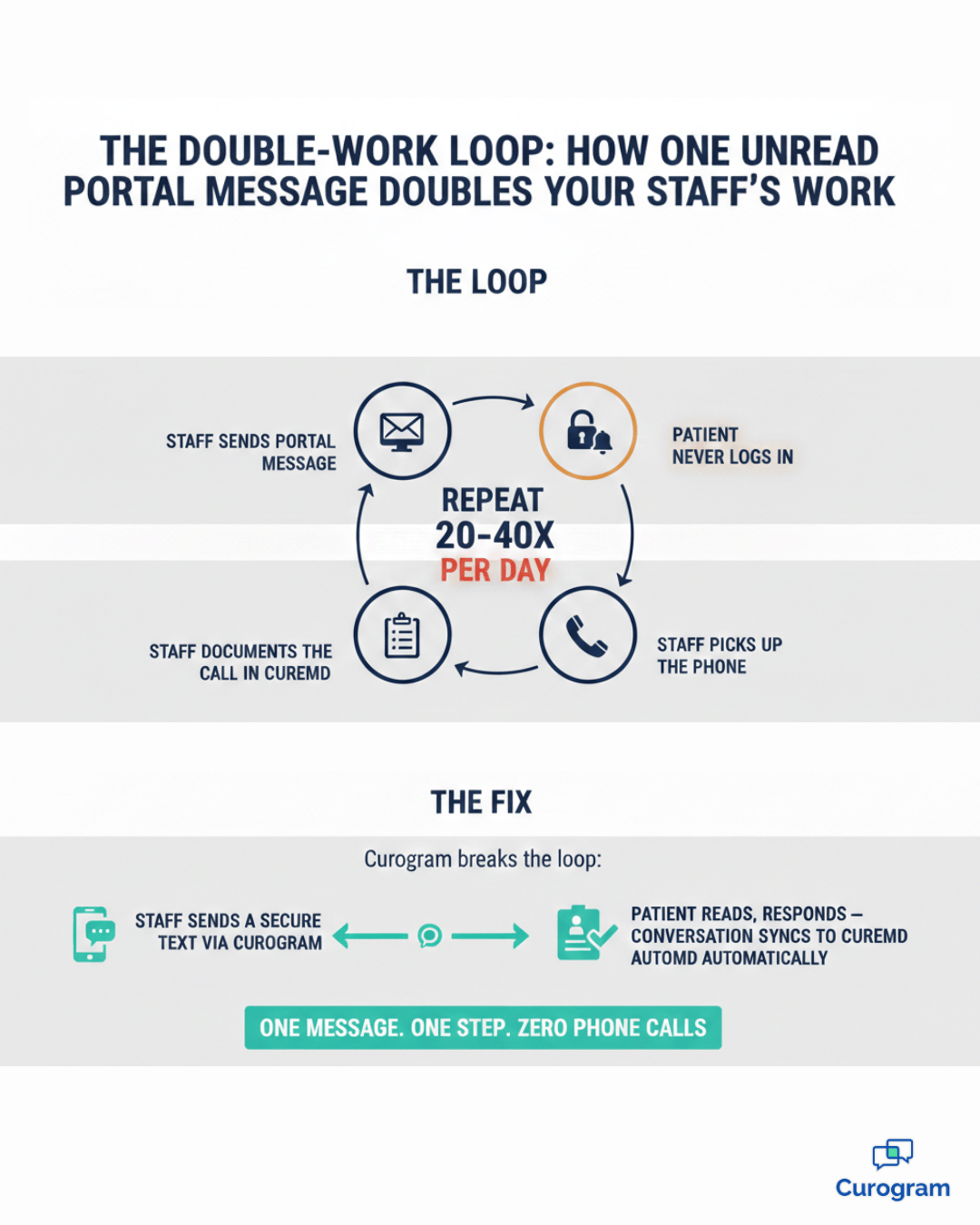
An unanswered portal message doesn’t disappear. It creates more work.
When there’s no response, your staff has to:
What should have been one secure digital message becomes multiple manual touchpoints, adding to the administrative burden of your front desk team.
If a single reminder call takes 5 minutes and your team makes 30–40 of them per day, that’s 2.5 to 3+ hours spent repeating information that was already written once.
Multiply that across weeks and months, and the productivity drain becomes structural—not occasional.
Practice managers feel it first: the click fatigue, the phone tag, the constant backlog of “just checking in” calls. The front desk juggling ringing phones while trying to check patients in.
The issue isn’t that secure messaging doesn’t exist. It’s that secure patient messaging without portal logins doesn’t exist inside the default workflow.
When communication depends on patient behavior you can’t control, friction becomes inevitable.
Remove the login barrier, and you remove the friction.
That’s the difference between sending a message and actually reaching someone.
Curogram doesn’t ask you to rip out your CureMD system and start over. It does something much simpler—and far more practical. It adds a secure texting layer on top of CureMD, so your staff can reach patients in seconds instead of minutes, without disrupting the workflows they already rely on.
Instead of forcing patients into a portal-first experience, Curogram brings communication to the device they check dozens of times a day: their phone.
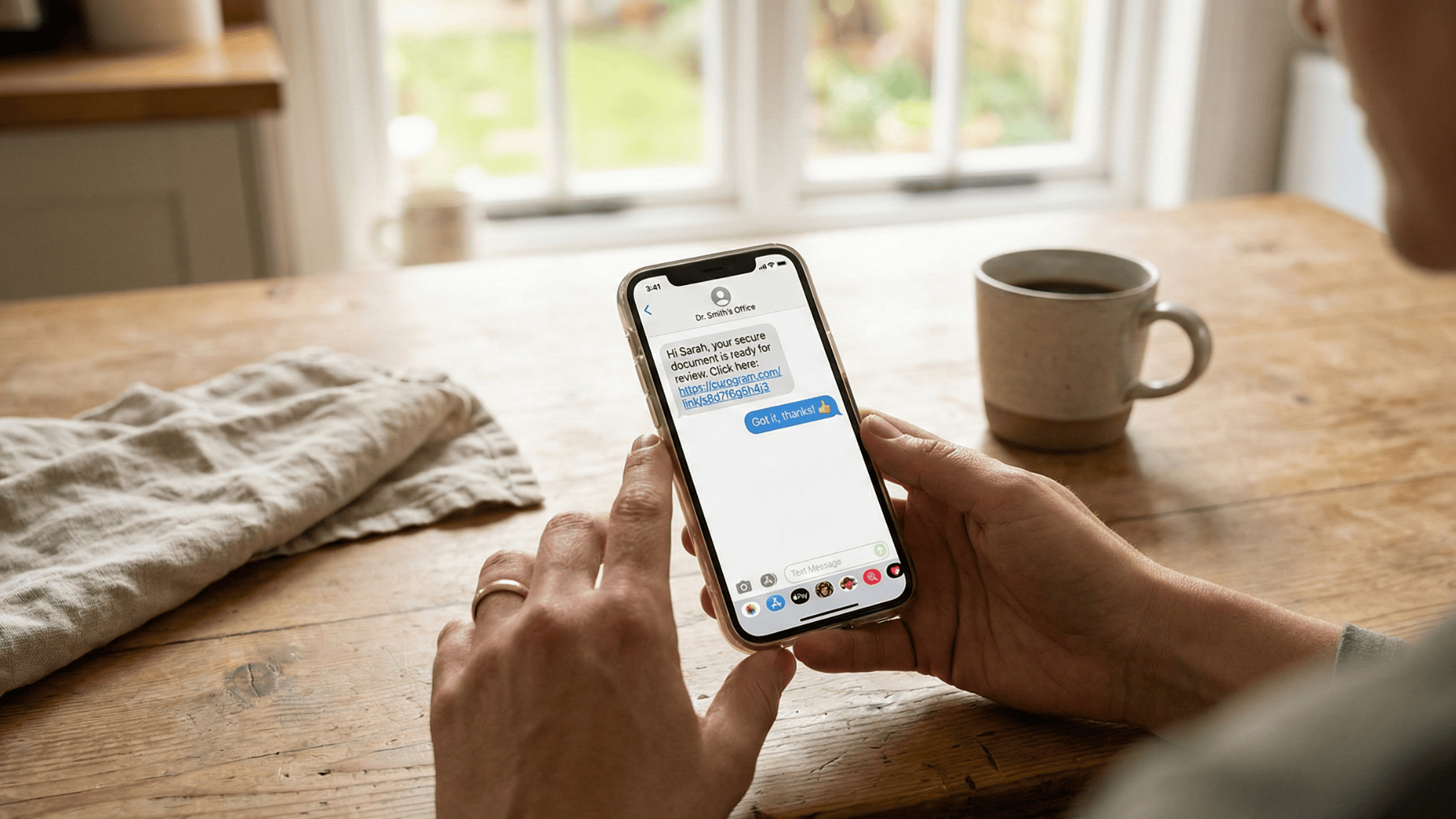
When your team sends a message through Curogram, the patient receives what looks like a regular text message. Inside is a secure link—what we call a “Magic Link.” They tap it, confirm their date of birth, and instantly access their message.
No app download.
No usernames to remember.
No password reset emails.
It feels familiar because it is familiar. That’s why patients actually respond.
Behind the scenes, the interaction remains fully HIPAA-compliant. You get the security and audit trail of a protected portal, but the usability of everyday texting. That balance is what makes CureMD SMS integration so effective: it removes friction without sacrificing compliance.
Communication only works if it’s documented.
Curogram ensures nothing lives outside the record.
That efficiency compounds quickly. If your front desk makes 40 reminder calls a day, even saving 3–4 minutes per interaction adds up to hours recovered every week.
The platform supports 2-way texting for specialty practices of all sizes. Whether you’re a solo provider or managing multiple locations, Curogram scales with you.
Your existing office phone number stays the same, so patients see a familiar caller ID—an important detail that increases response rates and builds trust from the very first message.
Curogram doesn’t replace CureMD. It activates it—turning your EMR into a communication engine that actually reaches patients where they are.

It’s one thing to talk about features. It’s another to look at measurable outcomes. The difference between “we offer texting” and “it actually changes performance” shows up in the numbers.
Here’s what clinics are seeing when they implement automated patient communication CureMD teams run through Curogram.
Atlas Medical Center had a familiar problem: reminders were technically being sent, but patients weren’t engaging. Portal notifications went unread. Emails were ignored. Phone calls went to voicemail.
After switching to Curogram’s SMS reminders, their no-show rate dropped by 53%.
That’s not a model or a forecast. That’s an operational shift. Fewer empty chairs means more completed visits, steadier provider schedules, and thousands of dollars in recovered revenue every month. Even a practice averaging 20 no-shows per week can feel the impact immediately when that number gets cut in half.
A portal only reaches patients who log in. Email only reaches patients who check it. SMS reaches virtually every patient with a mobile phone.
Text message open rates can reach as high as 98%, compared to much lower engagement in traditional portals. That’s the difference between hoping your message was seen and knowing it was delivered and opened.
For high-volume practices, specialty clinics, and multi-location groups, that reach translates directly into fewer missed confirmations, faster responses, and more predictable schedules.
Technology only works if staff actually use it. Curogram was designed to feel intuitive from the first login.
Most teams are sending messages within 10 minutes of setup. There’s no steep learning curve, no complicated configuration process, and no workflow overhaul. If your staff knows how to send a text message, they already understand the interface.
That simplicity reduces rollout friction and eliminates the hidden cost of long training cycles.
When phone-heavy workflows shift to 2-way texting, the time savings are immediate.
Instead of spending 5–7 minutes per reminder call—often ending in voicemail—staff can manage multiple conversations at once. A single team member can handle five to ten active text threads in the time it takes to complete one phone interaction.
Practices using Curogram report productivity gains of 30% or more. That reclaimed time goes toward patient-facing tasks, smoother check-ins, faster intake processing, and a calmer front desk environment.
And when staff feel less overwhelmed, morale improves alongside performance.

The numbers are one thing. But what does this actually feel like for the person sitting at the front desk? Let's walk through a typical morning at a practice that's made the switch from portal-only messaging to Curogram.
Your day starts the same way it always does. Patients are checking in, the phone is ringing, and there's a list of people who need to confirm their appointments for tomorrow.
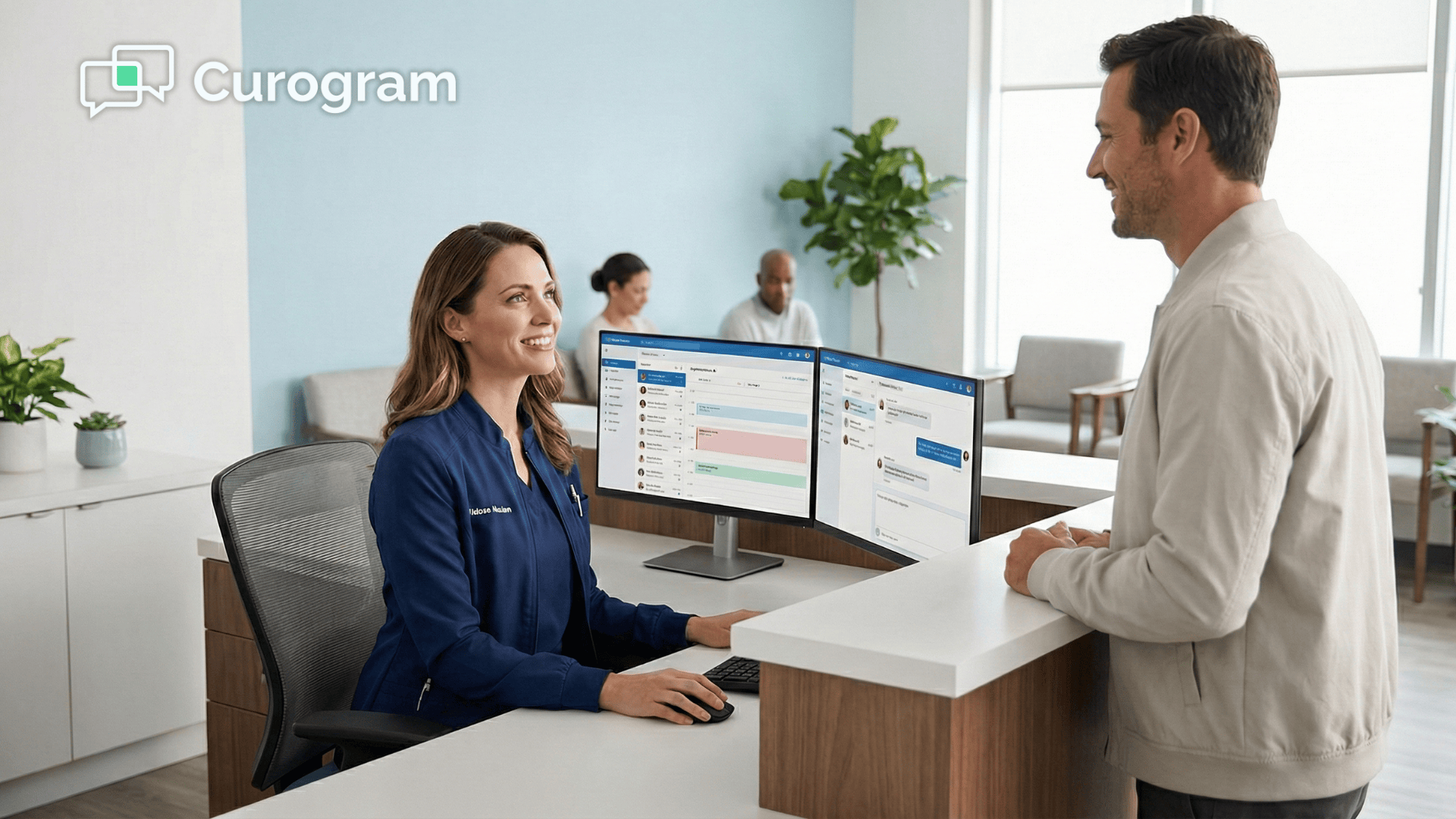
Before Curogram, that list meant an hour or more of outbound calls. Now, your staff opens the Curogram dashboard — which sits right on top of CureMD — selects the patients who need a reminder, and sends a batch of secure texts in a few clicks. Most of those patients confirm within minutes, right from their phones.
Around mid-morning, a patient texts back with a question about their upcoming visit. Your front desk sees it pop up in the same dashboard, types a quick reply, and moves on.
That exchange took about 30 seconds. A phone call would have taken three to five minutes, assuming the patient even picked up. The conversation is already saved to the patient's chart in CureMD, so there's nothing left to document.
After lunch, a new patient calls to schedule. Your staff books the appointment in CureMD and then sends the patient a text with a link to fill out their intake forms on their phone.
No printing, no scanning, no clipboard handoff at the front desk. The patient fills everything out before they ever walk through the door, which means less waiting and a smoother check-in for everyone.
By the end of the day, your team has handled dozens of patient conversations — confirmations, reschedules, follow-up questions, form requests — without the phone ringing off the hook. The CureMD chart for every patient is up to date because Curogram synced each exchange automatically. Nobody stayed late to catch up on documentation.
That's the shift practices notice first. It's not just that Curogram saves time. It's that the day feels different. Your staff isn't reacting to a flood of callbacks and voicemails.
They're in control of the conversation, reaching patients on their terms, and wrapping up the day with everything already in order.
Yes. CureMD's built-in messaging requires patients to log into the portal first. Curogram bypasses that entirely. Patients receive a secure SMS with a "Magic Link," tap it, and verify their identity with their date of birth.
No account needed. No password needed. The message is still fully HIPAA-compliant—it just reaches the patient where they actually are.
Absolutely. Every conversation that happens through Curogram syncs directly to the patient record in CureMD. That means your documentation stays current and compliant without anyone on your team having to manually update charts after a text exchange.
Yes, and this is one of the features practices love most. Curogram layers texting onto your existing business landline.
You keep the same number your patients already recognize. When they get a text from your practice, they see your caller ID—not some unknown number that gets ignored.
There's a version of your day where your staff isn't spending hours on the phone chasing patients who never saw a portal message. A version where your front desk sends a text, the patient reads it, and the conversation is documented in CureMD—all without a single phone call.
Instead of playing voicemail tag, your team sends appointment reminders, insurance updates, intake forms, and follow-ups in seconds. Patients respond in real time. Confirmations update automatically. Questions get answered without clogging your phone lines.
Your staff focuses on patients who are physically in front of them—not the ones who might call back—because all texting patient information is captured and accessible in CureMD, fully integrated into your daily workflow.
That's not a dream scenario. It's what HIPAA-compliant texting for CureMD workflows looks like in practice. Curogram removes the Portal Wall by meeting patients on their phones with secure messages they actually open. No apps. No logins. No extra steps.
Because texting has open rates as high as 98%, your communication stops disappearing into unread portals and ignored emails.
Messages are delivered, documented, and synced automatically—so your team never has to copy and paste conversations or manually enter texted patient information into the chart again.
The practices already using Curogram are seeing real, measurable change: 53% lower no-show rates, staff productivity gains of 30% or more, faster response times, and onboarding that takes less than 10 minutes.
Your CureMD SMS integration stays clean because every message syncs to the chart on its own.
We built Curogram to fit the way your practice already works. You keep your phone number, your CureMD system, and your team's routines. The only thing you lose is the wall between your messages and your patients—and the hours wasted trying to reach them.
Schedule a 15-minute demo to see how it works for yourself. In less time than it takes to return a batch of voicemails, you could see exactly how to modernize your CureMD communication workflow.
💡 Medical practices using 2-way SMS integration for CureMD administrative workflows are saying goodbye to the callback nightmare. Staff now handle...
💡 Imaging centers using Medstreaming face growing communication demands as patient volume increases. Prep requirements vary by modality, schedules...
💡 Mass texting helps GE Centricity clinics cut costs and improve patient care. Automated messages reduce staff workload while keeping patients...