10 min read

How to Eliminate the Callback Queue with 2-Way SMS for CureMD

How to Eliminate the Callback Queue with 2-Way SMS for CureMD
💡 Medical practices using 2-way SMS integration for CureMD administrative workflows are saying goodbye to the callback nightmare. Staff now handle 5-10 patient conversations in the time a single phone call used to take.

The shift from phone-first to text-first communication cuts daily call volume by 50% and boosts productivity by 30%. Pre-written templates let teams answer common questions in seconds, not minutes. Messages sync directly with CureMD, creating one organized dashboard instead of scattered voicemails.

The transformation is immediate: quieter phones, faster patient responses, and staff who can finally focus on care instead of callbacks.

The practice manager unlocks the clinic door at 8:30 AM every Monday morning. Before the lights even come on, the reality sets in. Forty-seven missed calls from the weekend. A voicemail box stuffed with messages about appointment times, billing questions, and "quick" insurance verification requests.

By 10 AM, the front desk team will have made maybe twenty callback attempts. Twelve will go straight to voicemail. Five patients will call back while staff are checking someone in. Three will get frustrated and call their insurance directly. The cycle never stops.

If this sounds like your practice, you're not alone. Thousands of CureMD users fight this same battle every single day. Phone calls dominate the workflow even though everyone knows they're the slowest way to communicate.

Your staff can only talk to one person at a time while dozens more try to get through.

But here's what's changing: practices are discovering that 2-way SMS integration for CureMD administrative workflows isn't just another technology add-on. It's a complete workflow transformation.

Instead of spending mornings buried in voicemail, teams now handle patient questions through quick text exchanges that take seconds, not minutes.

Think about how you communicate in your personal life. When was the last time you called your bank instead of texting them? How often do you leave voicemails for friends? The answer is probably "almost never." Patients feel the same way about calling medical offices.

This article shows you exactly how reducing call volume CureMD practices deal with through text messaging creates space for actual patient care.

No more phone tag. No more voicemail marathons. Just efficient communication that works for everyone. Ready to see what your front office could look like?

The Morning Voicemail Avalanche (And Why It Keeps Growing)

Walk into any busy medical practice at opening time and you'll witness the same ritual. Staff huddle around the phone system, dividing up voicemail messages like soldiers planning an assault. "I'll take billing questions." "You handle the appointment reschedules." "Who wants the insurance verifications?"

It's exhausting just to watch. And these aren't complex medical questions requiring doctor consultations. Most are simple administrative tasks that should take thirty seconds. What time do you close? Can I bring my mom to the appointment? Do you validate parking?

One Task at a Time: The Linear Trap

The real killer is what happens next. Your front desk person calls a patient back about their 2 PM appointment. While they're on that call, another patient tries to reach the office about their copay amount. They get voicemail and leave a message. Now there's another callback to make.

Phone calls trap you in this linear pattern. You can only help one patient at a time, even when ten others need quick answers. Meanwhile, CureMD has all the information your team needs, but it lives on a different screen from the phone system.

Staff toggle back and forth, put patients on hold, transfer calls, and generally waste time just trying to access basic data.

The Patient Portal Nobody Uses

Every practice manager has the same question: "Why won't patients just use the portal?" The answer is simple. They tried it once, sent a message, and waited two days for a response. After that experience, they went back to calling because at least someone picks up the phone eventually.

This creates a vicious cycle. Poor portal response times drive patients to phone calls. More phone calls overwhelm staff. Overwhelmed staff take longer to check portal messages.

And around it goes. Your team ends up as full-time voicemail managers instead of the skilled healthcare professionals they actually are.

What Happens When Everything Flows Into One Dashboard

Now imagine this instead: the practice manager opens the computer Monday morning and sees a clean communication dashboard. Twenty-three patient messages came in over the weekend, all organized by type.

Billing questions in one column. Appointment requests in another. General questions in a third.

This is what CureMD patient messaging workflow looks like with 2-way SMS integration. The system layers directly on top of your existing practice management software.

When patients text your office number, messages appear instantly in your dashboard with full patient context pulled from CureMD.

Messages Find the Right Person Automatically

Here's where smart routing changes the game. A text about an overdue balance goes straight to your billing specialist. Someone asking about flu shot availability lands with your nursing team. Appointment reschedule requests flow to front desk staff.

Nobody transfers calls anymore because there are no calls to transfer. The right person sees the right message from the start. And because these are text conversations, your team can handle multiple patients simultaneously.

A receptionist checking in a walk-in patient can glance at incoming texts and send quick replies between tasks.

The Template Library That Saves Hours Every Day

The real time-saver is the template system.

Your team builds a library of quick replies for questions they answer twenty times a day:

  • Office hours and location details
  • Insurance plans accepted
  • Directions and parking information
  • New patient paperwork instructions

Someone texts asking what time you close. Your front desk person clicks the office hours template and hits send. Three seconds.

Compare that to a five-minute phone call where you look up the information, explain it, answer follow-up questions, and say goodbye. This is how you eliminate phone tag medical practice teams face every day while actually improving patient communication quality.

Real Results from Practices Using HIPAA-Compliant Texting with CureMD

The Numbers Don't Lie: 5 Texts Beat 1 Phone Call

Let's get specific about time.

A typical patient phone call takes between three and five minutes when you factor in everything:

  • Looking up patient information in CureMD
  • Waiting while they find their insurance card
  • Explaining the answer
  • Handling follow-up questions
  • Saying goodbye professionally

That's the best-case scenario when they actually answer. Most callback attempts go to voicemail, which means you'll spend another three to five minutes trying again later. Some patients you never reach at all.

HIPAA-compliant texting flips this equation completely. A patient texts asking about appointment availability. Your scheduler checks the CureMD calendar, types a quick response using a pre-written template, and sends it. Total elapsed time: thirty seconds.

While doing this, that same staff member can greet a patient who just walked in and glance at three other text conversations to prioritize which needs immediate attention.

This multitasking ability is what drives the 30% productivity increase practices report after implementing 2-way SMS integration for CureMD administrative workflows.

Staff can visually scan multiple conversations, decide which are urgent, and respond efficiently—something impossible while trapped on a phone call.

The efficiency gains multiply when you look at overall volume. Practices consistently report 50% reductions in daily phone calls after adding text messaging.

For example:

  • An office with 80 calls per day drops to 40
  • The saved hours translate directly into staff capacity for patient care instead of administrative busywork

Here's the practical impact on front desk workflow:

  • Current scenario: 40 outbound callback attempts daily, half fail and require multiple follow-ups
  • With text messaging: only ~20 calls remain, mostly for complex issues that genuinely need voice conversation

Your team suddenly has bandwidth they haven't experienced in years. No new hires are required. No overtime budget increases. Just better tools that respect how people actually want to communicate.

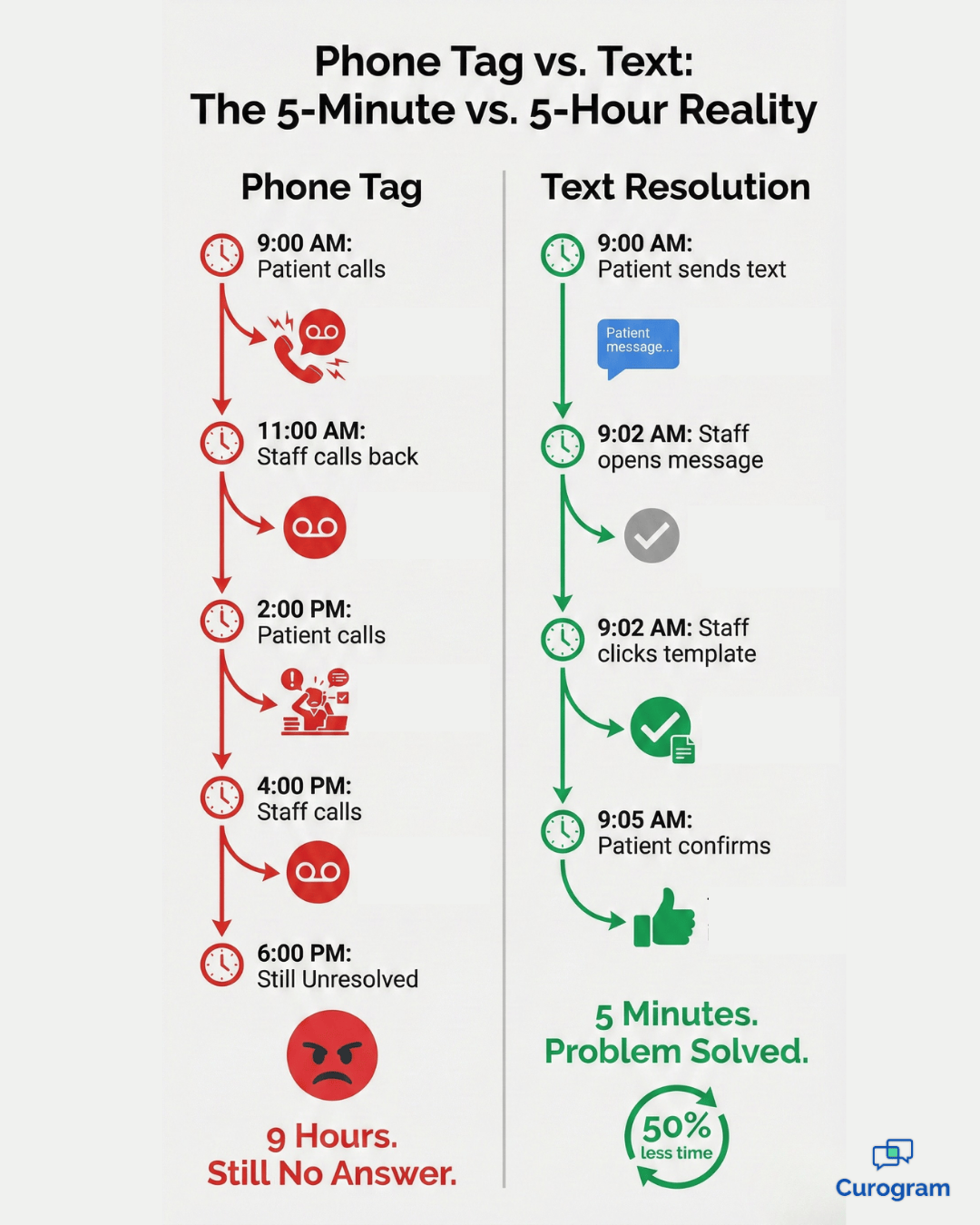
Phone tag vs text messaging timeline showing 9 hours of callbacks versus 5-minute SMS resolution

Real Scenarios Where Text Messaging Wins Every Time

Some situations practically beg for text messaging instead of phone calls. These are the daily frustrations that disappear once your practice implements 2-way SMS integration for CureMD administrative workflows.

The Insurance Card Photo Exchange

A patient calls asking if you accept their insurance. Your front desk person asks them to read the group number and member ID.

The patient squints at their card, reading numbers slowly while your staff member types them into CureMD. Half the time, there's confusion about whether that's a zero or an O, a one or an I.

With text messaging, the patient simply snaps a photo of both sides of their insurance card and sends it over. Your staff sees the actual card, verifies the information in seconds, and responds with a clear yes or no.

The entire exchange takes less than a minute, and there's zero chance of transcription errors.

The After-Hours Appointment Request

It's 7 PM on a Wednesday. A patient realizes they need to reschedule tomorrow's appointment because of a work conflict.

With phone-only communication, they either call and leave a voicemail that won't get checked until morning, or they wait until tomorrow and call during business hours when they're probably at work themselves.

Text messaging solves this completely. The patient texts their reschedule request at 7 PM. The message sits in the queue overnight. When your scheduler arrives at 8:30 AM, they see the request, check availability, and send back three optional time slots.

The patient picks one during their coffee break. The entire transaction happens without a single phone call or game of tag.

These scenarios play out dozens of times every week in busy practices. Each one represents wasted time and frustration when handled by phone, but smooth efficiency when handled through text. This is what reducing call volume CureMD users experience really means in practical terms.

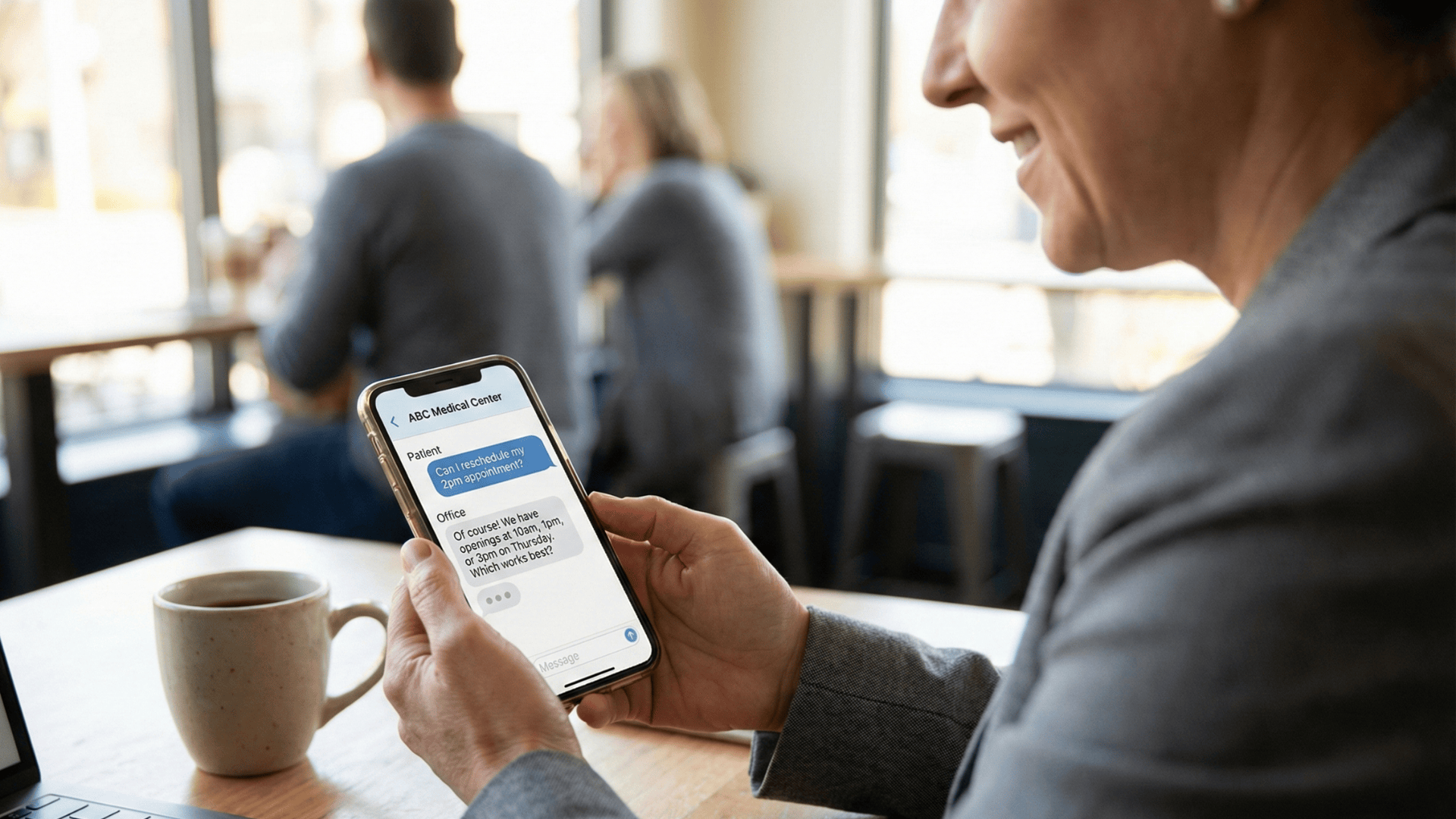
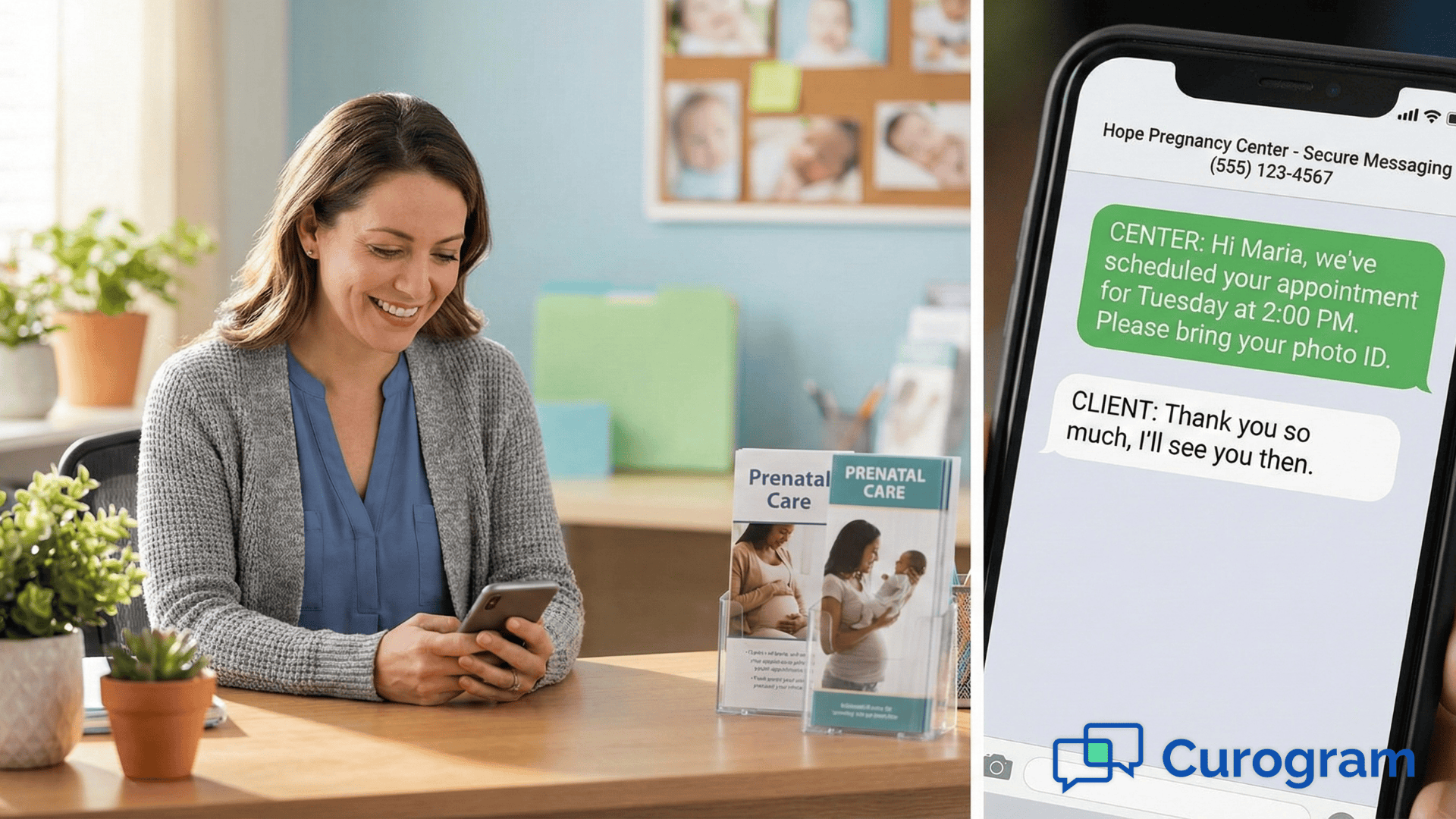
Patient texting medical office for appointment scheduling on smartphone from home

How Staff Productivity Actually Changes Day to Day

The 30% productivity boost isn't marketing hype. It's what happens when you remove artificial constraints from how your team works. Let's look at what a typical front desk staff member's day looks like before and after text integration.

Before: The Phone-Dominated Day

Your receptionist starts at 8 AM with forty voicemails to return. By 9 AM, they've reached twelve people, left twenty-three voicemails, and five more messages have come in.

A patient walks up to check in, but the phone rings mid-sentence. The receptionist holds up a finger, answers the phone, and the walk-in patient waits.

Throughout the day, every patient interaction at the front desk gets interrupted by phone calls. Checking someone in takes twice as long because the receptionist keeps having to pause to answer the phone.

By 5 PM, there are still fifteen callbacks pending, and your staff member stays late to try reaching a few more people before giving up.

After: The Text-Integrated Day

Same receptionist starts at 8 AM and opens the messaging dashboard. Forty messages came in overnight, but the system has already sorted them.

Twelve are simple questions that get template responses in five minutes total. Fifteen are appointment requests that route to the scheduler. Eight are billing questions that go to billing. Five complex issues get flagged for phone calls later.

When a patient approaches the desk, the receptionist gives them full attention. If a text comes in during check-in, it sits in the queue for thirty seconds until the current patient is finished.

No interruptions. No putting people on hold. By 5 PM, the message queue is clear, and your staff member leaves on time.

This shift in daily rhythm is what makes text integration transformative. It's not about working faster. It's about removing the constant interruptions that make phone-based communication so exhausting.

Staff can finally control their workflow instead of reacting to whoever happens to call at any given moment.


Getting Your Team On Board With the Change

Any workflow change faces resistance at first. Your staff has spent years adapting to the phone-based system. Even though it's inefficient, it's familiar. Here's how successful practices handle the transition to text messaging.

Start With One Enthusiastic Team Member

Don't force the entire front desk to switch on day one. Find your most tech-comfortable staff member and let them pilot the system for a week.

They'll naturally start showing coworkers how much faster they're getting through their work. Nothing converts skeptics like watching someone else clear their queue in half the usual time.

Within two weeks, other staff members will be asking how they can access the messaging dashboard too. This organic adoption works far better than mandatory training sessions that generate resistance.

Build Your Template Library Together

Get your team involved in creating message templates. They know better than anyone which questions they answer repeatedly. Let them write the templates in their own words. This ownership makes them much more likely to actually use the system.

You'll be amazed at how creative staff get once they realize templates can save them hours each week. Some practices build libraries of fifty or more templates covering every common scenario. The time invested in building these templates pays back within days.

Frequently Asked Questions

Won't text messaging just add to my staff's workload?

Actually, the opposite happens. Texts are significantly faster to answer than phone calls, which means overall workload decreases. The average text exchange resolves in thirty seconds compared to three to five minutes for a phone conversation.

Plus, the organized dashboard shows exactly which messages need attention, which ones can wait, and which are already handled. Staff consistently report feeling less stressed because they're finally in control of communication flow instead of reacting to a constantly ringing phone.

Can patients send us photos through text?

Yes, and this feature alone saves massive amounts of time. Patients text photos of insurance cards, driver's licenses, prescription bottles, even minor skin conditions when appropriate for triage. Your staff downloads these images directly from the messaging platform and attaches them to the patient's CureMD chart.

This eliminates the "I forgot my insurance card" scenario at check-in and reduces errors from hand-copied information. It also means new patients can submit their paperwork before they even walk through your door.

How does this work if we have multiple office locations?

The system handles multi-location practices beautifully. Each location keeps its own phone number and message queue, but your team can monitor and respond to all of them from a single dashboard.

This is especially powerful if you run a central call center. One team can manage patient communication for three, five, or ten locations without switching between different systems.

The dashboard toggles between CureMD instances seamlessly, so your staff always sees the right patient information regardless of which location they're texting from.

How long does it take to get this running in our practice?

Most practices are live within a few days. The integration syncs with your existing CureMD system without requiring data migration or complicated technical setup. Your team gets training on the messaging dashboard, learns how to build and use templates, and starts handling patient texts.

Because texting is already familiar to most people, the learning curve is minimal. Practices typically see measurable reductions in call volume within the first week as patients discover they can text instead of call.

What happens to patients who still prefer calling?

Your phone system stays exactly where it is. Some patients will always prefer voice calls, and that's fine. The goal isn't eliminating phones completely. It's giving patients options while reducing unnecessary calls.

What you'll notice over time is that simple administrative questions naturally migrate to text, while complex clinical conversations still happen by phone.

This sorting process means your staff spends phone time on discussions that genuinely need real-time conversation instead of answering "what time do you close" forty times a day.

Your Front Office, Three Months From Now

Picture what Tuesday morning looks like in your practice three months after implementing text messaging. The practice manager arrives at 8:30 AM and opens the communication dashboard. Fifteen patient messages came in overnight. A quick scan while coffee brews shows what needs attention.

Three appointment reschedule requests get handled with template responses in under two minutes. Four billing questions route automatically to the billing team.

Six people asking about office hours receive instant replies. Two complex insurance questions get flagged for phone follow-up after 9 AM when the verification specialist arrives.

By 9 AM, the morning queue is clear. The phone rings occasionally instead of constantly. When it does ring, it's usually something that genuinely needs a conversation.

Staff move smoothly between checking in patients and sending text replies. Nobody looks stressed. The callback list that used to haunt everyone has simply disappeared.

This isn't a fantasy scenario. It's what actually happens when practices stop forcing communication through a system designed in 1876 and start using modern tools like HIPAA-compliant texting and a secure messaging workflow, built for how humans work in 2025.

Your staff didn't become healthcare professionals to spend their days playing voicemail tag. They joined your practice to help patients.

2-way SMS integration for CureMD administrative workflows gives them that opportunity. The 30% productivity increase isn't just a statistic. It represents real time that staff can now spend on patient care instead of callback attempts.

It means fewer interruptions during check-in. Less stress. Better work-life balance.

Want to see this transformation in your own practice?

Schedule a demo and watch how Curogram's 2-way SMS integration turns your noisy front office into the calm, efficient command center you've always wanted. 


Optimize Your Practice with Secure Messaging for Cerbo Staff

Optimize Your Practice with Secure Messaging for Cerbo Staff

💡 Integrative practices can optimize their Cerbo EMR secure messaging workflow by shifting patient inquiries from phone calls to secure, two-way...

Read More
Reducing Call Volume with HIPAA-Compliant Texting in Allscripts PM

Reducing Call Volume with HIPAA-Compliant Texting in Allscripts PM

💡 Secure patient communication in Allscripts cuts phone chaos while keeping patients valued. By using HIPAA-compliant texting, you can: Shift...

Read More
HIPAA-Compliant Texting for Medstreaming Imaging Workflows

HIPAA-Compliant Texting for Medstreaming Imaging Workflows

💡 HIPAA-compliant texting in Medstreaming keeps patients informed, on schedule, and protected—streamlining communication for high-volume imaging...

Read More