12 min read
Cerbo Telehealth Workflow Efficiency: A Guide for Busy Clinical Teams
Mira Gwehn Revilla
:
January 30, 2026
- Patients join visits with one click via SMS link
- No app downloads or portal logins needed
- Staff save 10 to 15 minutes per patient visit
- Automatic alerts when patients enter the virtual room
- Built-in tech checks prevent camera and mic issues
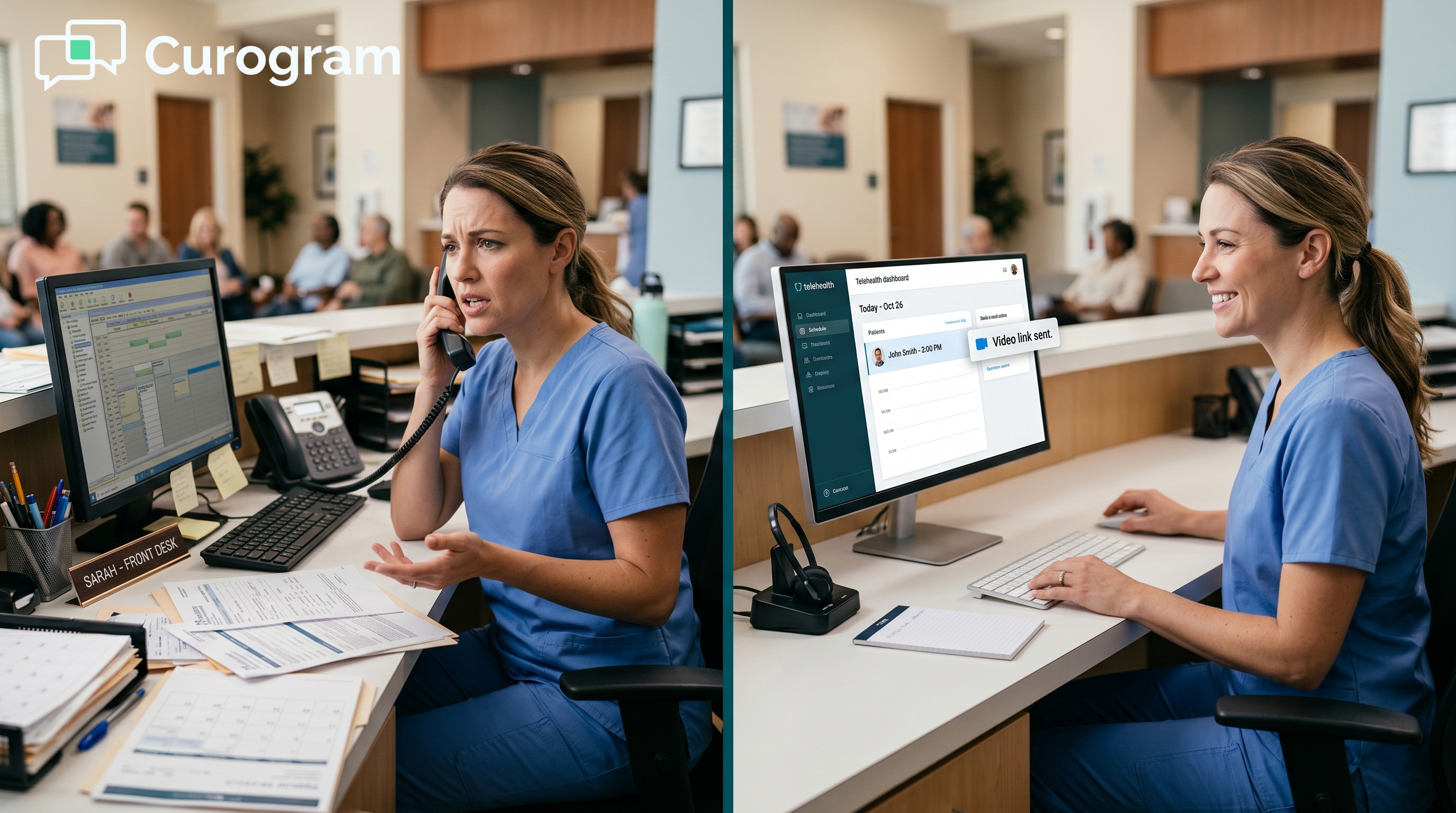
Your front desk just spent 20 minutes on the phone. The patient couldn't log into the portal. Then their camera didn't work. Now the doctor is running late, and three more patients are waiting.
Sound familiar?
This is the daily reality for many independent practice virtual visits. Your staff didn't sign up to be tech support. Yet every video call seems to bring new problems. Forgotten passwords. Clunky apps that won't load. Confused patients who just want to see their doctor.
The worst part? All this chaos eats into real patient care time.
Here's the good news: You can fix this without adding more work. The key is to rethink how patients join your video calls in the first place.
Think about it. When you text a friend a link, they just tap it. No login. No app download. It just works. That same simple idea can change how your practice runs MD-HQ video consults.
By removing login screens and app stores from the equation, you create a no-app telehealth workflow that works for everyone. Your patients tap one link and they're in. Your staff gets alerts when patients arrive. And your doctors start calls on time.
This article shows you exactly how to make this happen. We'll look at why the old way drains your team. Then we'll walk through a better system step by step. You'll learn best practices for smooth virtual visits.
If you're tired of your team playing IT support, keep reading. It's time to give them their time back.
The "Tech Support" Villain: Why Traditional Virtual Care Drains Your Staff
Let's talk about what's really happening in your practice right now.
You've set up video visits. You've told patients how to use them. Yet your phone still rings off the hook every time someone has a virtual appointment. Why? Because the system you're using was never built with real patients in mind.
The Login Friction
Your EMR portal seemed like a good idea. One place for everything. But here's the problem. Patients don't log in very often. Maybe once every few months. By the time they need a video visit, they've forgotten their password.
Now, your medical assistant is walking them through password resets. That's five minutes gone. Then the patient can't find the video link inside the portal. Another five minutes. Some patients give up entirely and just call to reschedule.
For an independent practice virtual visits setup, this creates real problems. You don't have extra staff to handle these calls. Every minute on tech support is a minute away from patient prep, charting, or calls that actually need clinical attention.
The Troubleshooting Loop
Even when patients get into the portal, the video part often fails. Their camera won't turn on. Their microphone is muted at the system level. They're using an old browser that doesn't support video.
Now, your staff becomes the help desk. They're asking patients to check settings, restart browsers, and grant permissions. Meanwhile, the doctor waits. The next patient waits. The whole schedule falls apart.
In functional medicine remote care, this hurts even more. These visits often run 30 to 60 minutes. A 15-minute delay throws off the entire afternoon. Your doctor might see two fewer patients. That's real revenue walking out the door.
The Multi-Channel Mess
Here's another issue that drains time: Your staff has to jump between too many systems to get one patient into a video room.
First, they check the Cerbo schedule. Then they send an email reminder with the portal link. When the patient doesn't show up, they call to remind them. When the patient can't log in, they text them login help. When video doesn't work, they try a backup plan.
Each switch takes mental energy. Staff lose focus. Mistakes happen. Someone sends the wrong link. Someone forgets to confirm a patient. Small errors add up to big delays.
This "context switching" is one of the biggest hidden costs in healthcare today. Studies show it takes over 20 minutes to fully refocus after switching tasks. In a busy practice, your staff might switch dozens of times per day.
The Real Cost
Let's put some numbers to this. Say you have 10 video visits per day. If each one has just 10 minutes of tech trouble, that's over 1.5 hours of staff time. In a week, that's nearly a full workday lost to troubleshooting.
For a small practice, that's huge. You might have two or three front desk staff handling everything. Losing 8 hours a week to tech problems means something else doesn't get done. Patient calls go to voicemail. Referrals sit waiting. Charts don't get prepped.
The fix isn't to train your staff better. It's not to create more how-to guides for patients. The fix is to remove the friction entirely. Take away the login. Take away the app download. Make it so simple that anyone with a phone can join in seconds.
The "Zero-Troubleshoot" Workflow: Curogram + Cerbo
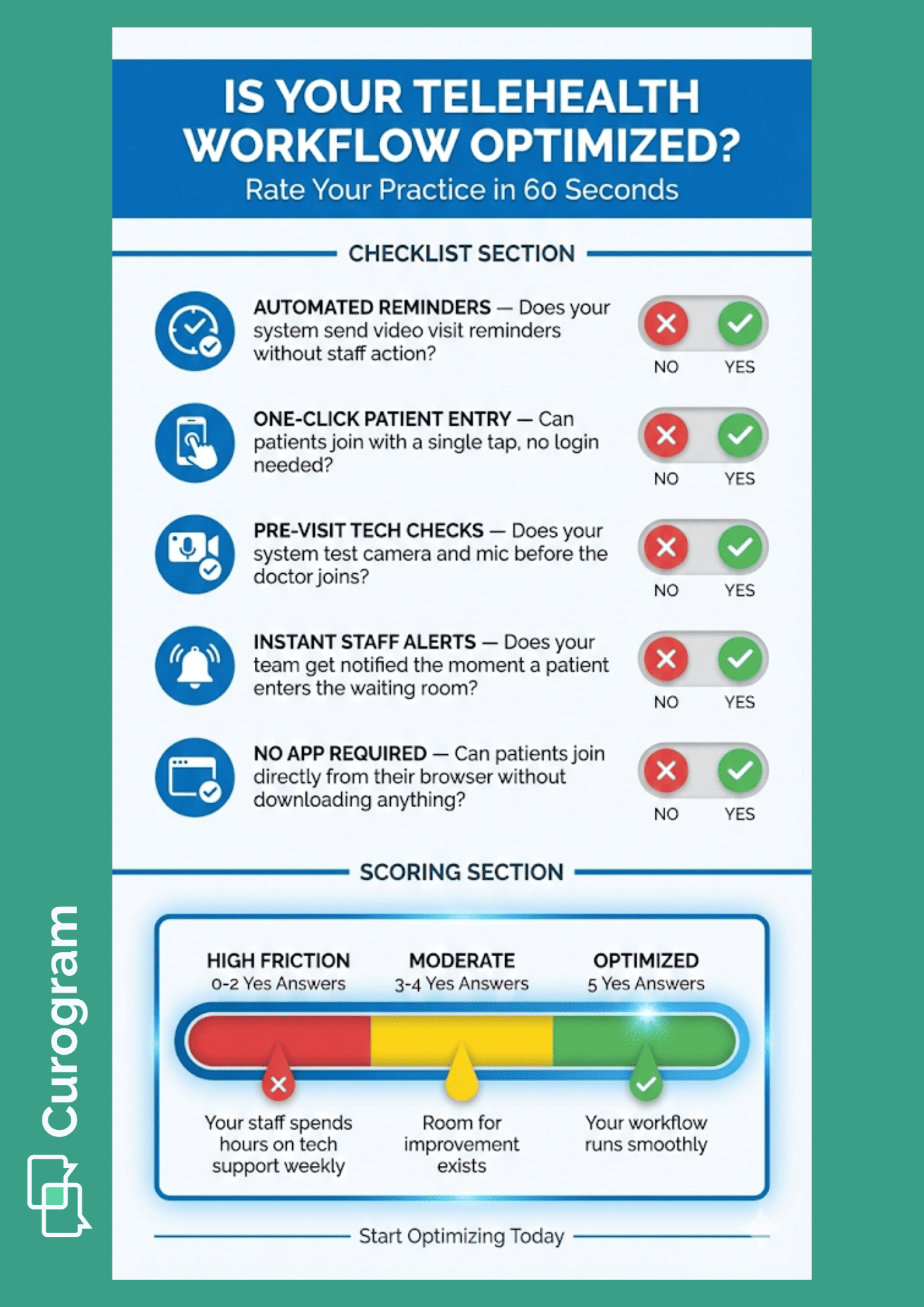
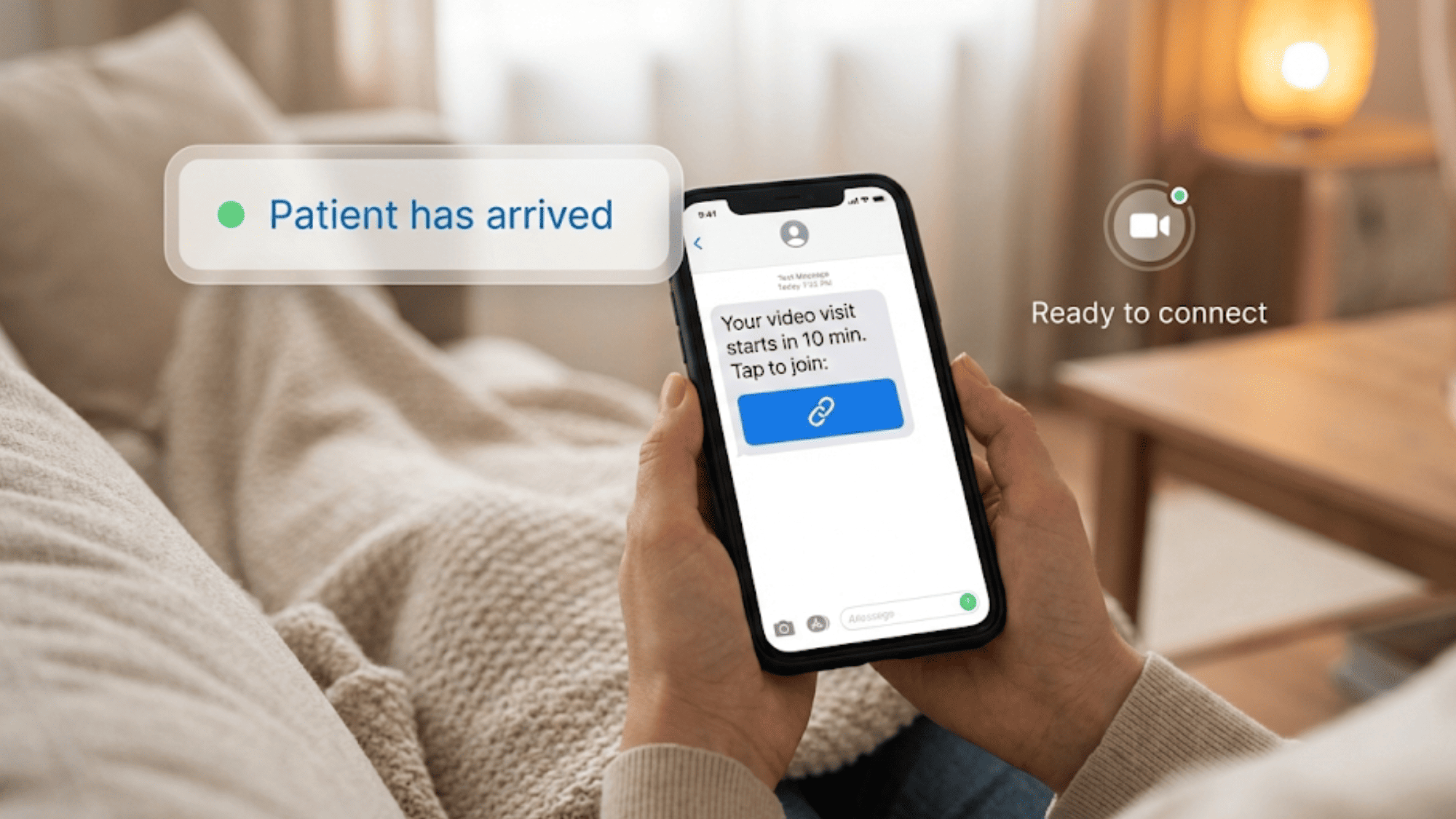
Imagine this scenario instead: It's 10 minutes before the appointment. Your system sends the patient a text. The text has one link. The patient taps it. They're in the virtual waiting room. Your staff gets a ping. The doctor starts on time.
Automated SMS Delivery
The magic starts with smart scheduling. When you book an appointment in Cerbo, Curogram knows about it. At the right time, usually 10 to 15 minutes before the visit, it sends a text message to the patient.
This message contains one thing: a secure link to join the video call. No login instructions. No portal directions. No "click here, then there, then find this button." Just one link.
Your staff doesn't have to do anything. They don't email links. They don't call to remind. They don't worry about whether the patient got the message. The system handles it all.
This is huge for practices using the Cerbo telehealth workflow. You already have your schedule in one place. Now your video invites go out on their own. One less thing to track. One less thing to forget.
The One-Click Entry
Here's where things get really simple.
When the patient taps that link, it opens right in their phone's browser. Not an app store. Not a download screen.
The patient sees a quick screen to check their camera and mic. Then they're in. Total time from text to waiting room? Usually under 30 seconds.
Think about what this means for your patients. Many of them are older. Some aren't great with technology. Some get anxious just thinking about video calls. With one-click entry, none of that matters. If they can open a text message, they can join your visit.
This is what makes it perfect for functional medicine remote care. Your patients want to focus on their health, not fight with software. A simple join process shows them you respect their time.
Instant Staff Notification
The third piece completes the puzzle. The moment a patient enters the virtual waiting room, your clinical team gets an alert.
This notification can go to your MAs, your nurses, or directly to the doctor. You can set it up however fits your workflow best. The point is that no one has to watch a screen waiting for patients to show up.
Your MA can be prepping charts. Your doctor can be finishing up with the last patient. When the alert comes in, they know it's time. The hand-off is smooth. The visit starts on schedule.
Why This Works So Well
Let's break down the math one more time:
- Outdated way: Patient tries portal, fails, calls office, gets help, finally joins. Time spent: 10 to 15 minutes per visit.
- New way: Patient gets text, taps link, joins. Time spent: under 1 minute.
With 10 video visits per day, you're saving close to 2 hours of staff time. In a week, that's nearly 10 hours. In a month, it's 40 hours or more.
But it's not just about hours saved. It's about stress reduced. Your front desk stops dreading video visit days. Your doctors stop running late. Your patients stop feeling frustrated before they even see you.
This is what Cerbo telehealth workflow efficiency really looks like. Not fancy features. Not complex setups. Just removing the barriers that slow everyone down.

Best Practices for High-Performance Virtual Consults
Getting patients into the room is just step one. Now let's talk about making the actual visit as smooth as possible.
Great video visits don't happen by accident. They take a few simple habits and the right setup. The good news? None of this is hard. Once you build these practices into your routine, they'll feel natural.
The "Pre-Visit" Tech Check
Most video problems happen in the first 30 seconds. The patient's camera won't work. Their microphone is muted. They can't hear you. Sound familiar?
Here's the fix: Run the tech check before the doctor ever arrives.
With Curogram, when patients tap their link, they land on a quick check screen first. The system looks at their device. Can it access the camera? Can it access the microphone? Is the volume on?
If something's wrong, the patient sees clear steps to fix it. Turn on your camera. Allow mic access. Try a different browser. Most issues get solved in seconds, before the visit even starts.
This alone can prevent 90% of the tech problems that derail your day. Think about what that means. Instead of the doctor waiting while a patient fumbles with settings, the patient arrives ready. Camera on. Sound working. Ready to talk.
For your staff, this means fewer frantic calls. Fewer visits that start late. Fewer doctors pacing in front of blank screens. The pre-visit check acts like a filter, catching problems early so they don't become your problem.
Setting Up Your Workspace
Your physical setup also matters. Here's what works best for high-quality video consults.
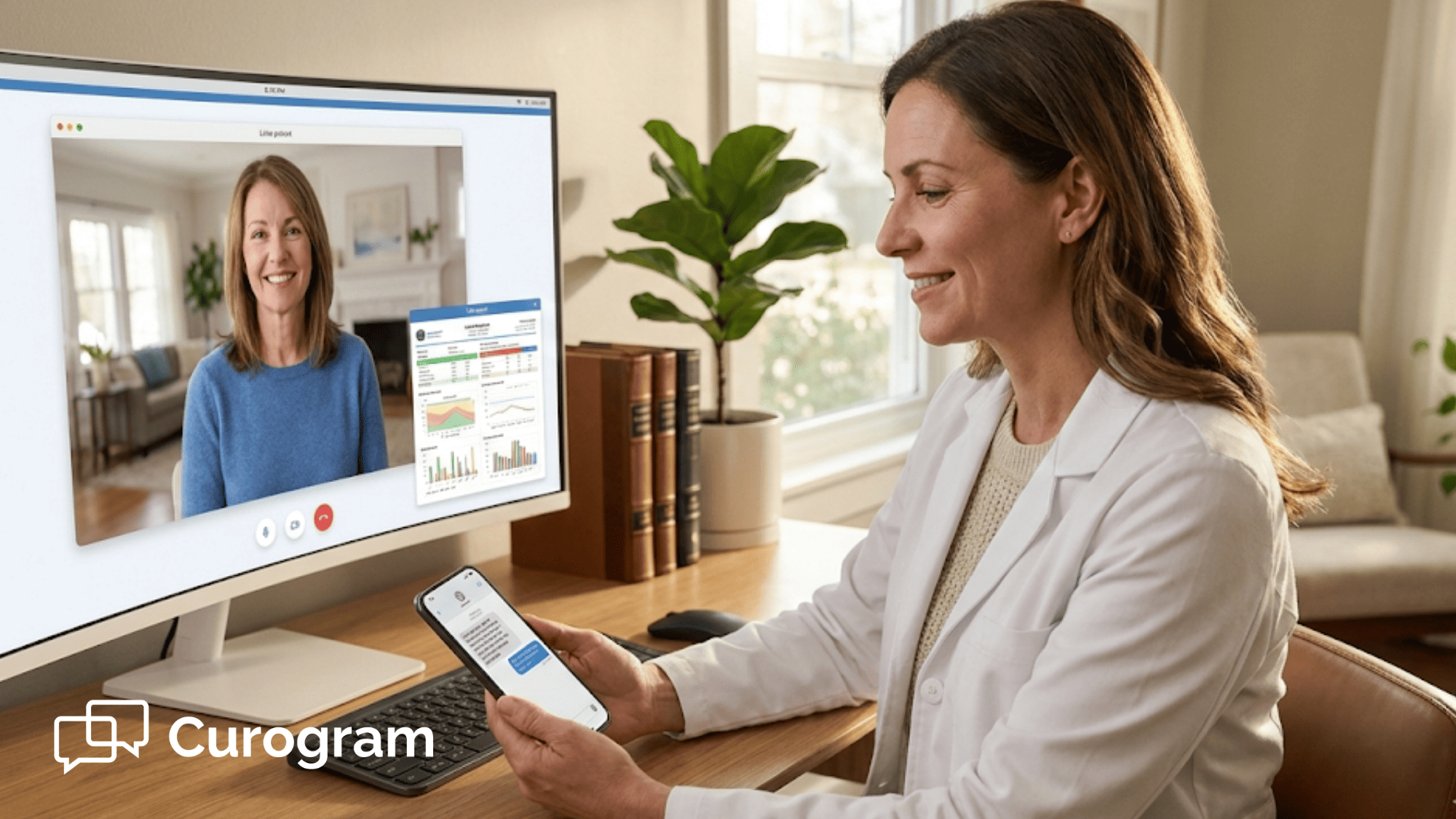
Consider using two monitors or a split-screen setup. On one side, you have Cerbo open for charting. On the other, you have the video call with your patient. This lets you take notes without looking away for long stretches.
Why does this matter? Eye contact builds trust. When you're staring at your keyboard typing notes, patients feel ignored. When you can glance at them while you write, they feel heard. It's a small thing that makes a big difference.
If you can't do two monitors, try positioning your windows side by side. Keep the video window near the top of your screen, close to your camera. This way, even when you're looking at notes, you're looking in roughly the right direction.
Also think about your background and lighting. Sit facing a window if you can. Natural light makes you look better on camera and helps patients see your expressions clearly. A plain wall behind you keeps things professional.
Using Screen-Sharing for Patient Education
One of the biggest wins in video visits is screen-sharing. Use it to walk patients through their results in real time.
Say, you're reviewing lab work with a patient. In an office visit, you might print it out and hand it to them. On video, you can do something better. Share your screen and show them exactly what you're looking at.
Pull up their Cerbo chart. Show them the lab panel. Point to specific numbers. Explain what each one means. Patients can see the same thing you see, at the same time.
This is huge for practices doing functional medicine remote care. Your patients often have complex panels with dozens of markers.
Walking through them together builds understanding. It helps patients ask better questions. It makes them partners in their own care.
When you share your screen, make sure you're only showing what you intend. Close other tabs. Hide patient lists. Focus on just the information you want to discuss. A little prep goes a long way.
Timing and Scheduling Tips
Virtual visits need buffer time, just like in-person ones. Build in 5 minutes between appointments. This gives you space for tech hiccups, late arrivals, or visits that run slightly long.
If you're new to video visits, start with fewer per day. Maybe four or five to begin. Get comfortable with the rhythm. Work out the kinks. Then add more as your team gets faster.
Also, think about when you schedule them. Some practices find mornings work best for video. Patients are fresh. Tech problems are easier to solve with a full day ahead. Others prefer afternoon video blocks, keeping mornings for in-office visits.
There's no single right answer. Pay attention to what works for your team and your patients. Adjust as you learn.
Making Visits Feel Personal
Here's something easy to forget. Video visits can feel cold if you're not careful. You're looking at a screen instead of a person. The connection feels different.
Fight this with small touches. Greet patients by name when they join. Comment on something personal if you know it. Ask how their day is going before diving into clinical stuff.
Keep your camera at eye level. Looking down at a laptop camera makes you seem distant. Raising it up, even with a stack of books, creates a more natural angle.
Smile more than you think you need to. On video, facial expressions can look flattened. A warm smile at the start sets the right tone for everything that follows.
Handling Emergencies and Backup Plans
Even with the best setup, things go wrong sometimes. Have a backup plan ready. If video fails completely, can you switch to a phone call?
Make sure you have the patient's number handy. If internet goes down at your office, is there a hotspot you can use? If a patient's device dies, do they have another way to reach you?
Talk through these scenarios with your staff. Know who handles what when problems arise. A simple checklist can save everyone stress in the moment.
Documenting Your Workflow
Finally, write down how your practice runs video visits. What time do reminders go out? Who gets the patient-arrived alerts? How do you handle late joins?
Having this documented helps when staff change or call out sick. It also helps you improve over time. When everyone follows the same steps, you can spot patterns and fix bottlenecks.
This is how you build a system that runs well every day, not just when everything goes perfectly.

Give Your Staff Their Time Back
Let's zoom out and look at the bigger picture.
Your clinical team went into healthcare to help people. They wanted to make patients feel better. They wanted to be part of healing.
Somewhere along the way, tech got in the middle. Now they spend hours each week on password resets, camera troubleshooting, and portal guidance. That's not what they signed up for.
When you reduce telehealth troubleshooting, you give them back what matters most. Time with patients. Time for clinical prep. Time to do the work they love.
This isn't about fancy technology. It's about removing obstacles. Every barrier you take away is more energy your team can put toward actual care.
Your doctors can spend visits talking about health, not apologizing for delays. Your MAs can prep charts instead of playing IT support. Your front desk can focus on scheduling and patient questions instead of tech crises.
The result is a practice that runs smoother. Staff feel less stressed. Patients feel more cared for. And everyone gets more done in the same number of hours.
That's the real promise of better Cerbo telehealth workflow efficiency. Not doing more with technology. Doing less with technology, so you can do more with people.
How Curogram Powers Your Virtual Care
Curogram was built to solve exactly the problems we've talked about here. It's not a generic video tool adapted for healthcare. It's purpose-built for medical practices that need things to just work.
At its core, Curogram connects to your Cerbo or MD-HQ system. Your schedule flows through automatically. When a video visit is coming up, Curogram sends the text. When the patient joins, your team gets the alert. Everything talks to everything else.
The video quality is high-definition and crystal clear. Patients see you clearly. You see them clearly. No grainy feeds or freezing screens. This matters for clinical work where visual details count.
Security is built in from the ground up. Every link is encrypted. Every session is HIPAA-compliant. You don't have to worry about meeting federal rules. The system handles it for you.
Setup takes minutes, not days. Your staff can learn the basics in a single short training session. There's no complex system to master. No thick user manual to read. And because it works through SMS, you reach patients where they already are.
Text messages have open rates above 90%. Compare that to email, where many messages never get read. Your video invites actually get seen.
Curogram also gives you options. Need to send a quick chat before the visit? You can. Want to share a document after? Easy. The same platform that powers your video calls also handles secure messaging.
For practices running independent practice virtual visits, this makes everything simpler. One tool for texts, reminders, and video. One less vendor to manage. One less login for your staff to remember.
Conclusion
Virtual care doesn't have to be hard. The problems you face today aren't about your patients or your staff. They're about friction in the system.
When you remove login screens, patients join faster. When you skip app downloads, tech issues drop sharply. When you automate reminders, your staff stops playing phone tag. These are simple changes with big results. The goal is to make video visits feel as easy as texting a friend.
Your practice can get there. It starts with choosing the right tools. It grows with smart habits like pre-visit tech checks and good screen-sharing. It lasts when you build a workflow your whole team can follow.
The payoff shows up in hours saved. In smoother days. In happier staff who can focus on clinical work. In patients who show up ready instead of frustrated.
This is what great functional medicine remote care looks like. Not complicated systems. Not endless training. Just clear paths from appointment to video room to care delivered.
We've seen practices save 10 hours or more per week after making these changes. That's 10 hours back for patient calls, chart prep, and the work that actually moves your practice forward.
You don't need a huge tech budget. You don't need a dedicated IT person. You just need a system built for how real patients and real staff actually work.
Curogram makes that possible. It connects to your existing Cerbo or MD-HQ setup. It sends the right messages at the right time. It gets patients into video rooms without drama.
Start focusing on what matters most: your patients. Schedule a quick demo today to see how your practice can stop wasting time on tech support.
Frequently Asked Questions
The beauty of SMS is how simple it is. Almost everyone knows how to open a text message. The link inside looks like any other link they might tap in a text from a friend or family member. There's no app to find in the store. No username to create. No password to remember. If your patient can tap a link on their phone, they can join your visit.
Use a video system with built-in tech checks. When patients tap the join link, the system tests camera and mic access automatically. This catches and fixes problems before the doctor arrives, preventing most delays.
Modern tools like Curogram cost less than hiring extra staff to handle tech problems. Most practices see time savings that far outweigh the monthly fee. Setup is quick, and training takes just minutes.