
End the Manual Confirmation Call List in Azalea Health
 Jo Galvez : Jun 22, 2026, 4:00:00 PM
Your front desk still calls to confirm every appointment. See how Curogram automates Azalea Health confirmations — 1,100+ a month, zero added staff.

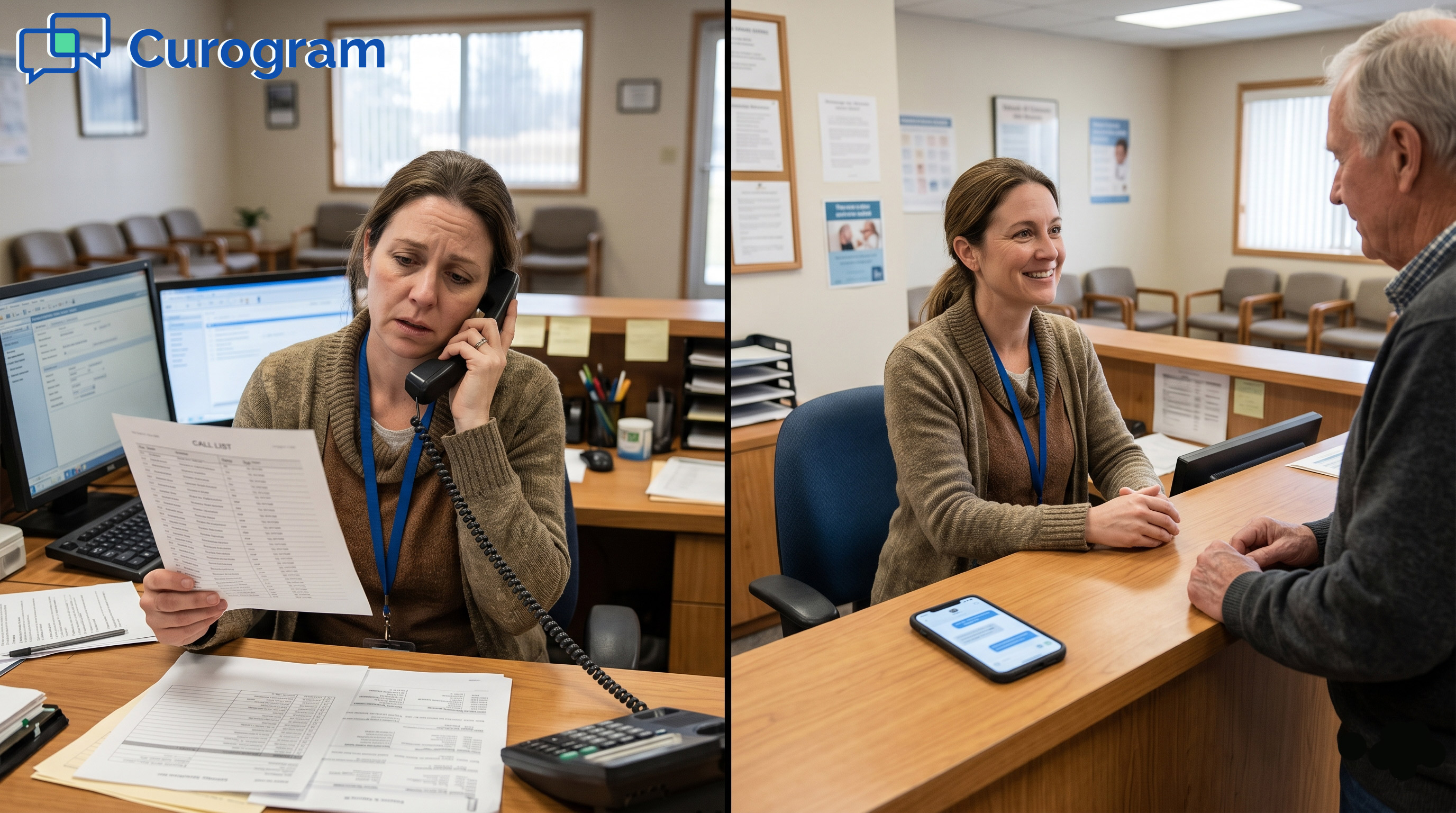
It is early morning at a rural clinic. The first patient is due soon. The front desk staff member is already on the phone. She is working through a paper list, calling to confirm who will show.
Some calls ring out. Some go to voicemail. A few people pick up and say they cannot make it. She crosses out names and pencils in others.
The reminder system sent texts last night. Yet here she is, dialing anyway. This is the daily routine for many practices on Azalea Health. The native reminders are real and useful.
They go out by text, email, and phone at set times. But they only travel one way. When a patient texts back, nothing updates the calendar. The reminder asked the question, then handed the answer to a human.
That gap has a name. It is the open loop. The clinic sends a nudge, but the reply never lands on the schedule. So staff fills the gap by hand, every single morning.
For a rural health clinic or FQHC, this is more than a hassle. Every slot is an encounter, and every encounter is revenue.
An empty chair that no one expected cannot be rebilled. A steady stream of quiet no-shows drains real money.
There is a better way to run this. Curogram layers sequenced reminders and two-way confirmation on top of Azalea Health. Replies write back to your schedule on their own. Your front desk opens a calendar that already knows who is coming.
This guide shows how the loop closes. You will see how the workflow runs, what it protects, and why rural practices feel the gain first.
Each section is short and easy to scan. By the end, the simple fix will feel obvious. You will know just what to ask your own team.
Azalea Health does send reminders. That part works. The trouble starts after the patient replies. Let us look at where the loop breaks and what it costs.
The built-in tools handle the outbound step well. They fall short on the inbound one. That single gap shapes the whole morning.
Azalea Health appointment reminders fire by text, email, and phone at set intervals. Patients get a clear heads-up before each visit. This part is a genuine strength. The clinic looks organized and on top of its schedule.
Most patients read a text within minutes. So the outbound nudge does reach them. The weak spot is what happens next.
Here is the catch. When a patient texts back to confirm or cancel, the schedule stays the same. The message sits in an inbox, not on the calendar. Someone has to read it and update the slot by hand.
Now multiply that by dozens of visits a day. The unread replies pile up fast. A busy front desk cannot catch every one.
So the front desk builds a workaround. They run a confirmation call list, and it eats the morning. The task is dull and easy to get wrong.
Every morning starts with the phone. Staff call, leave voicemails, and call again. They cross out no-shows and pencil in new names. There is a way to end the manual confirmation call list in Azalea Health for good.
It is slow, manual, and tiring. Worse, it repeats the very next day. The reminder did half the job, then handed back the rest.
Without a true confirmation-to-schedule loop, the clinic never knows who is really coming. In an encounter-based rural clinic, a missed slot is lost income. Even a modest no-show rate adds up fast across a month. That is money a small practice cannot spare.
An unconfirmed slot is a guess, not a plan. Some patients show, and some do not. The clinic absorbs the gap either way.

Curogram does not just remind. It confirms, and it tells your schedule what happened. This is how automated appointment confirmations for Azalea Health with schedule write-back actually run. Here is the workflow, step by step.
A single text is easy to miss. A short series is not. These are reminders Azalea Health patients confirm by text, not just one-way alerts. Each message is built to earn a quick reply.
Curogram sends sequenced smart reminders at staggered points. A common pattern is 72, 24, and two hours out. Each one is short and friendly. The cadence keeps the visit top of mind without nagging.
You set the timing once. After that, it runs on its own. Every patient gets the same steady cadence.
Every reminder invites a reply. Patients can confirm, cancel, or reschedule right from their phone. It runs on the same two-way patient texting channel your clinic already uses.
This two-way appointment confirmation for Azalea Health captures the answer the moment it arrives.
No app or login is needed. A simple text reply is enough. That low effort is why so many people respond.
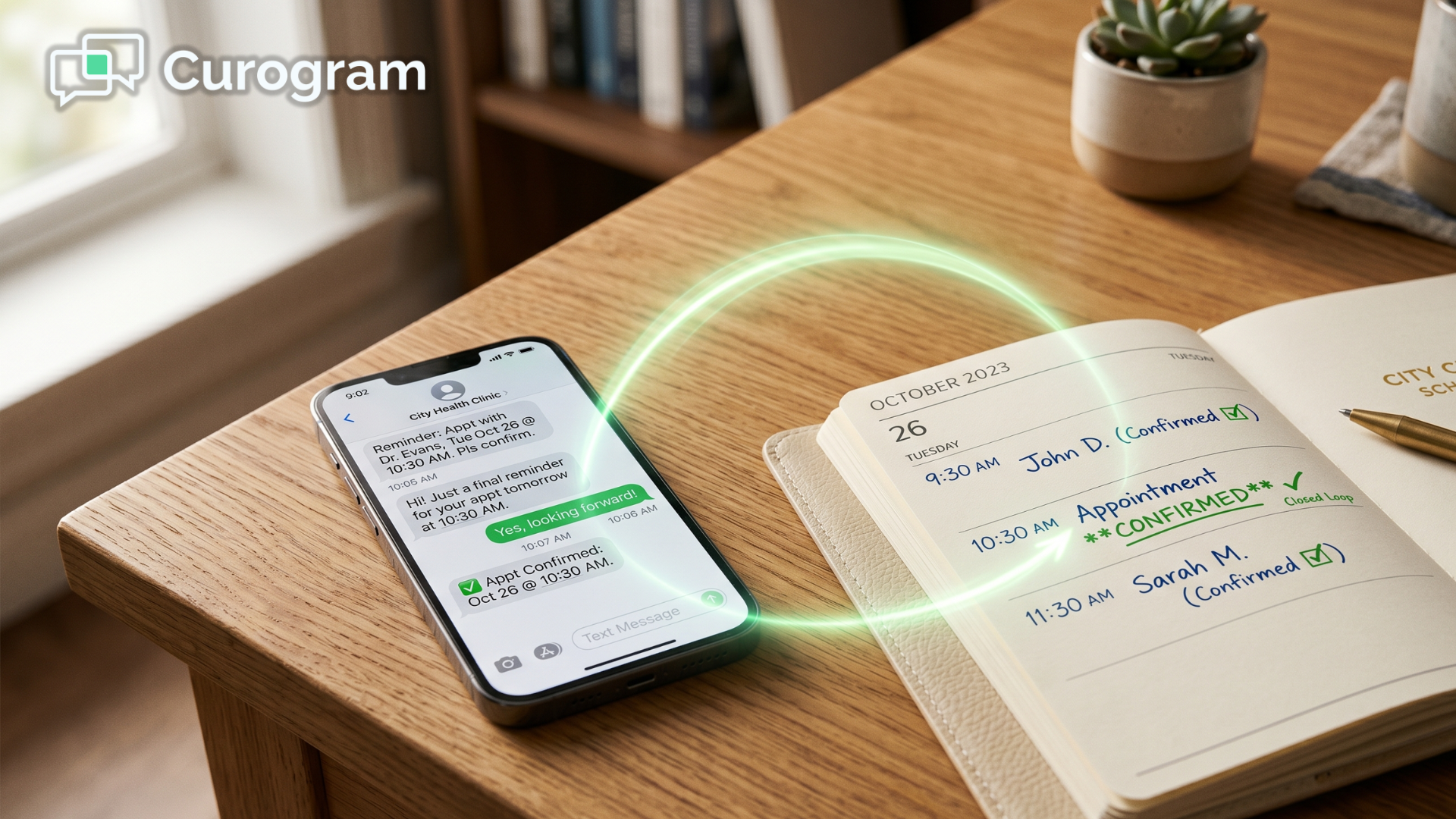
A reply only helps if it lands on the calendar. That is where the write-back comes in. This step is what most reminder tools skip.
Replies flow into Azalea Health through Curogram's integration. When a patient confirms or cancels, the schedule write-back for Azalea Health updates the slot. No one re-keys the message. The calendar simply reflects what the patient said.
There is no second system to check. The schedule is the single source of truth. What you see is what the patient said.
For RHCs and FQHCs, an accurate schedule is revenue protection. This SMS confirmation workflow for rural practices helps reduce no-shows for an Azalea Health rural clinic without adding staff. Patients get timely nudges instead of a rushed call at lunch. Automation here feels more attentive, not less.
Distance makes phone tag harder out here. Text meets patients where they already are. The result feels personal, not robotic.
An automated reminder sequence vs DoctorConnect or native alerts comes down to one thing. Does the reply reach the schedule? This table shows the difference.
|
What it does |
Native reminders or DoctorConnect |
Curogram Confirmation Engine |
|---|---|---|
|
Reminders go out on schedule |
Yes |
Yes |
|
Patient can reply by text |
Limited |
Yes |
|
Reply writes back to the calendar |
No |
Yes |
|
One platform for texting, recalls, and pay |
No |
Yes |

When the loop closes, the schedule starts to confirm itself. The change shows up in the numbers and in the morning routine. Here is what practices see.
The results are easy to measure. They land on confirmation rates, no-shows, and revenue. The trend points the same way across practices.
Across automated sequences, more than 75% of patients confirm on average. That figure comes from Curogram client data from clinical settings.
One clinic logged more than 1,100 confirmed visits a month with no new staff. The schedule fills itself while the front desk does other work.
A confirmed slot is a slot you can trust. Plan your staffing around it with confidence. Guesswork drops out of the day.
Curogram clinics run no-show rates about 53% lower than the industry average, based on Curogram client data from clinical settings.
One practice cut no-shows from 14.20% to 4.91% in three months. Recovered slots tend to lift revenue by 10 to 20%. Each saved visit flows straight to the bottom line.
Fewer empty chairs means steadier cash flow. The gains build week over week. Small clinics feel that lift the most.
Numbers aside, the daily feel changes. The morning starts calm, not frantic. Staff trade busywork for patient care.
When someone cancels early, the slot does not have to sit empty. Staff can fill it from a waitlist while there is still time.
A cancellation becomes a booking instead of a loss. You could even offer a telemedicine and virtual visits option to save the encounter.
Early notice is the key here. The sooner you know, the easier the fill. A quiet cancellation becomes a quick rebooking.
In a rural clinic, every encounter slot is revenue you planned for. A self-confirming schedule guards that revenue all day.
The front desk opens a calendar that already reflects reality. That is the shift from an open loop to a schedule that confirms itself.
This is revenue you already earned the right to bill. The schedule just helps you keep it. Nothing slips through unseen.
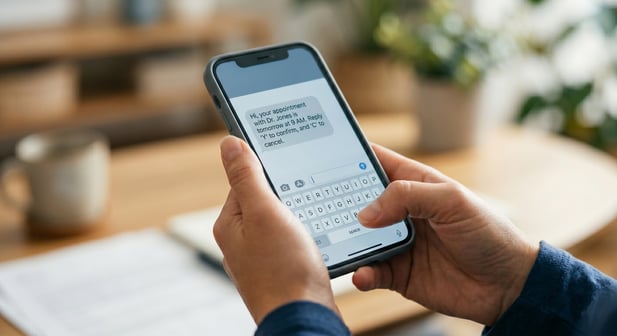
Azalea Health holds your schedule and your clinical record. It does its job well. But its reminders only travel one way. They ask the question and leave the answer for your staff to chase.
That is the open loop in a nutshell. The nudge goes out, yet the reply never reaches the calendar. So the front desk spends each morning on a confirmation call list. The reminder system created work instead of removing it.
Curogram closes that loop. It sequences the reminders, captures the reply, and writes the result back to your schedule.
Think of it this way. Azalea Health is for your calendar and your record, while Curogram is for their reply.
That reply is the confirmation that actually lands on the schedule. The payoff is a calendar that confirms itself. Confirmation rates climb past 75% on average. No-shows drop well below the industry norm.
Recovered slots lift revenue without adding a single staff member. Those figures come from Curogram client data from clinical settings.
For a rural health clinic or FQHC, this is not a nice-to-have. Every slot is an encounter, and every encounter is revenue you counted on.
A schedule that confirms itself protects that income all day long. It also gives patients a calmer, more attentive experience.
Picture the new morning. Your front desk opens a calendar that already knows who is coming.
Cancellations are filled from a waitlist before the day starts. No one is dialing a paper list with a highlighter in hand. The team can focus on care instead of confirmations. That is what closing the loop really buys you.
None of this asks your team to learn a new calendar. They keep working in Azalea Health as always. Curogram runs quietly in the background. The patient just sees a friendly text.
The patient experience improves, too. There are fewer surprise calls and more gentle reminders. People feel looked after, not chased. That goodwill keeps them coming back.
Stop spending mornings on a call list that your reminder system should have finished. The tools to close the loop already sit on top of the Azalea Health calendar you use now.
The only question is how many slots you want to keep protecting by hand. Close the loop, and let your schedule confirm itself.
Ready to see it on your own schedule? Book your Azalea Health integration demo.
 Jo Galvez : Jun 22, 2026, 4:00:00 PM
Your front desk still calls to confirm every appointment. See how Curogram automates Azalea Health confirmations — 1,100+ a month, zero added staff.

.jpg?width=30&name=square-formal-photo%20(1).jpg) Mira Gwehn Revilla : Jun 21, 2026, 3:00:00 PM
Mira Gwehn Revilla : Jun 21, 2026, 3:00:00 PM
See how Lytec appointment reminders with 2-way patient confirmation let patients reply by text, so your front desk stops chasing confirmations by...
 Aubreigh Lee Daculug : Jun 26, 2026, 9:00:01 AM
CharmHealth reminders that close the loop: texts write confirmations back to the schedule with no 250-message cap. Clinics hit 1,100+/mo. Book a demo.