
AdvancedMD Google Reviews | From Survey Scores to Search Visibility
💡 AdvancedMD includes a built-in reputation module that automates post-visit surveys. But patient feedback collected this way stays inside the...
11 min read
Jo Galvez
:
April 1, 2026
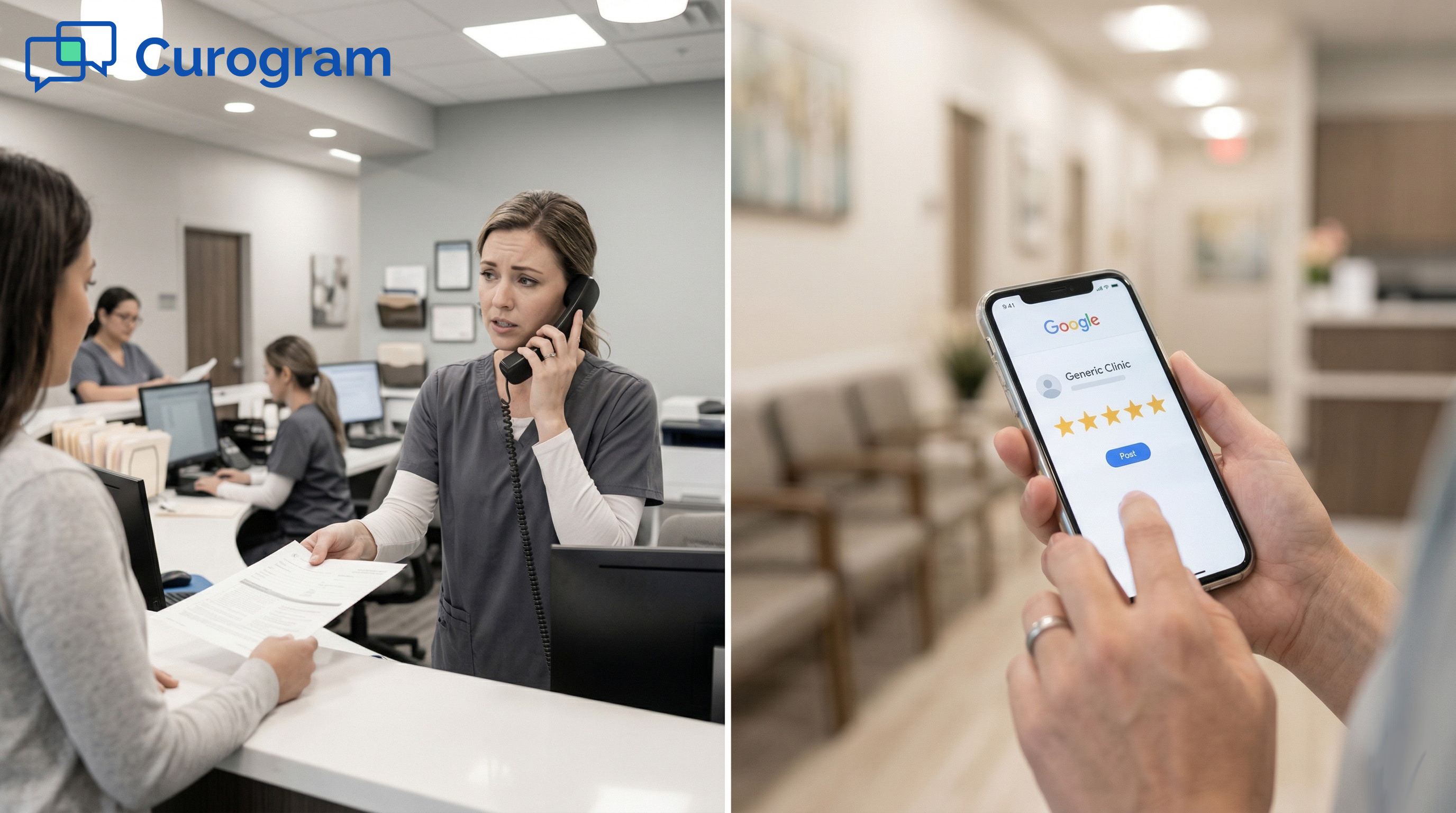
Picture this: your front desk is juggling payments, insurance questions, and follow-up schedules. The last thing on their mind is asking a patient for a Google review.
That’s the reality at most independent practices. The verbal ask happens sometimes. It gets forgotten often.
And when it does happen, most patients nod politely and move on. By the time they reach the parking lot, the thought is gone.
The result? Your practice sees maybe 5–10 new Google reviews per month. Meanwhile, a competitor down the street is running an AdvancedMD review automation setup that pulls in 50–60+ reviews every month, all without a single staff member lifting a finger.
Google reviews are not just a vanity metric. Based on our internal research, 90% of new patient leads look at a practice’s Google Business Profile before they ever visit the website.
The practices with the most reviews and the highest ratings are the ones that show up first in local search. That visibility turns into new patients.
The gap between 10 reviews a month and 60 reviews a month is not about how hard your staff works. It’s about whether you have a system in place.
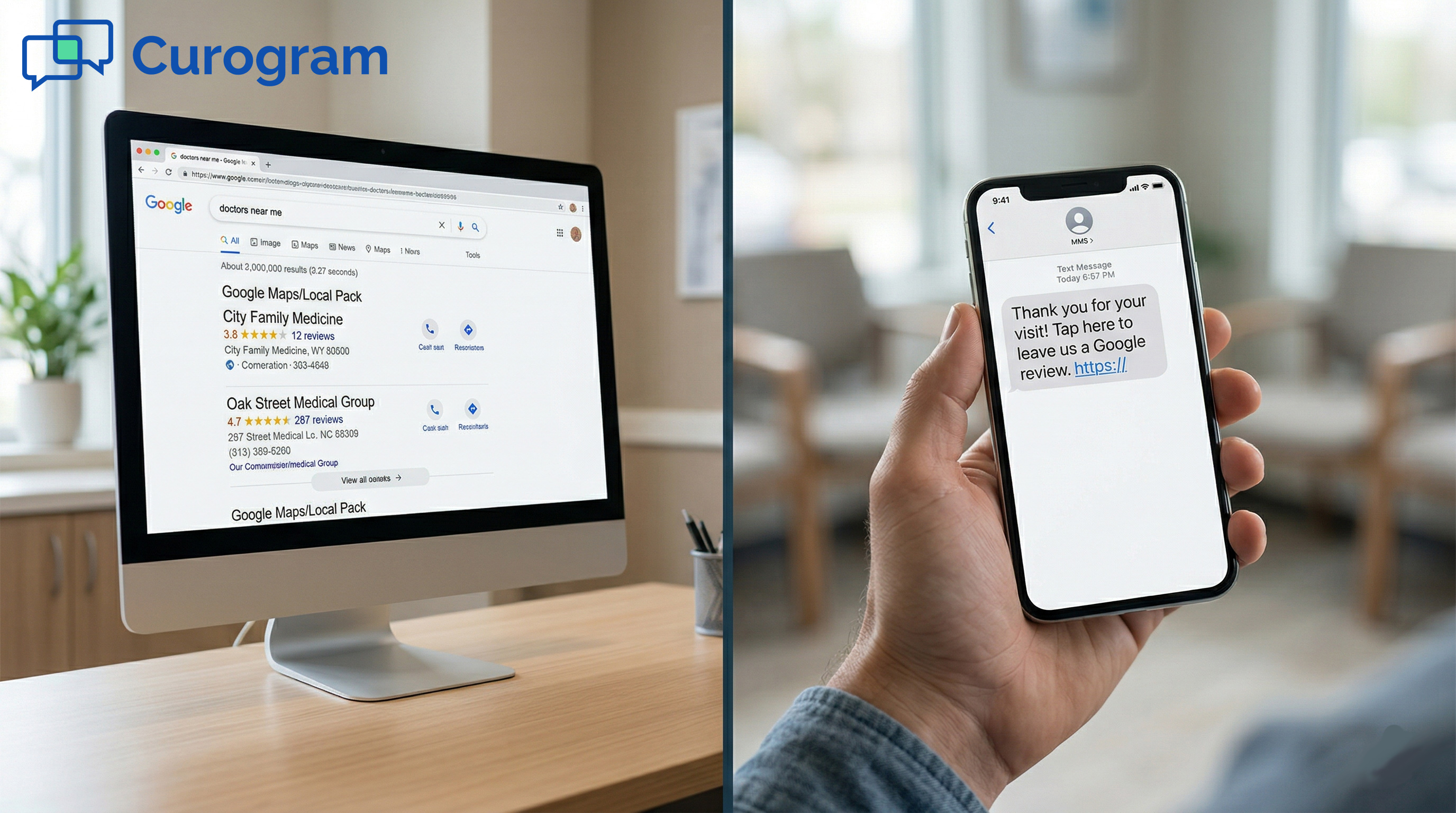
Curogram’s set-and-forget review pipeline connects directly to your AdvancedMD schedule. When a visit ends, a text goes out.
The patient taps a link, shares their experience, and if they’re happy, they land on Google. The review posts. Your profile grows. No staff involvement is needed after the initial setup.
In this article, we break down why manual asking fails, how the automated review pipeline works, and what it looks like when the system runs on its own every day.
Most practices rely on one of two methods to collect Google reviews: asking patients at checkout or using AdvancedMD’s built-in survey tool. Both have real limits.
The verbal ask depends too much on the people delivering it. The survey tool collects useful feedback, but that feedback stays internal. Neither method builds the kind of Google review volume that moves the needle on local search.
The verbal ask is the most common approach. A front desk team member says something like, “If you had a great visit today, we’d really appreciate a Google review!”
It sounds simple. In practice, it rarely works.
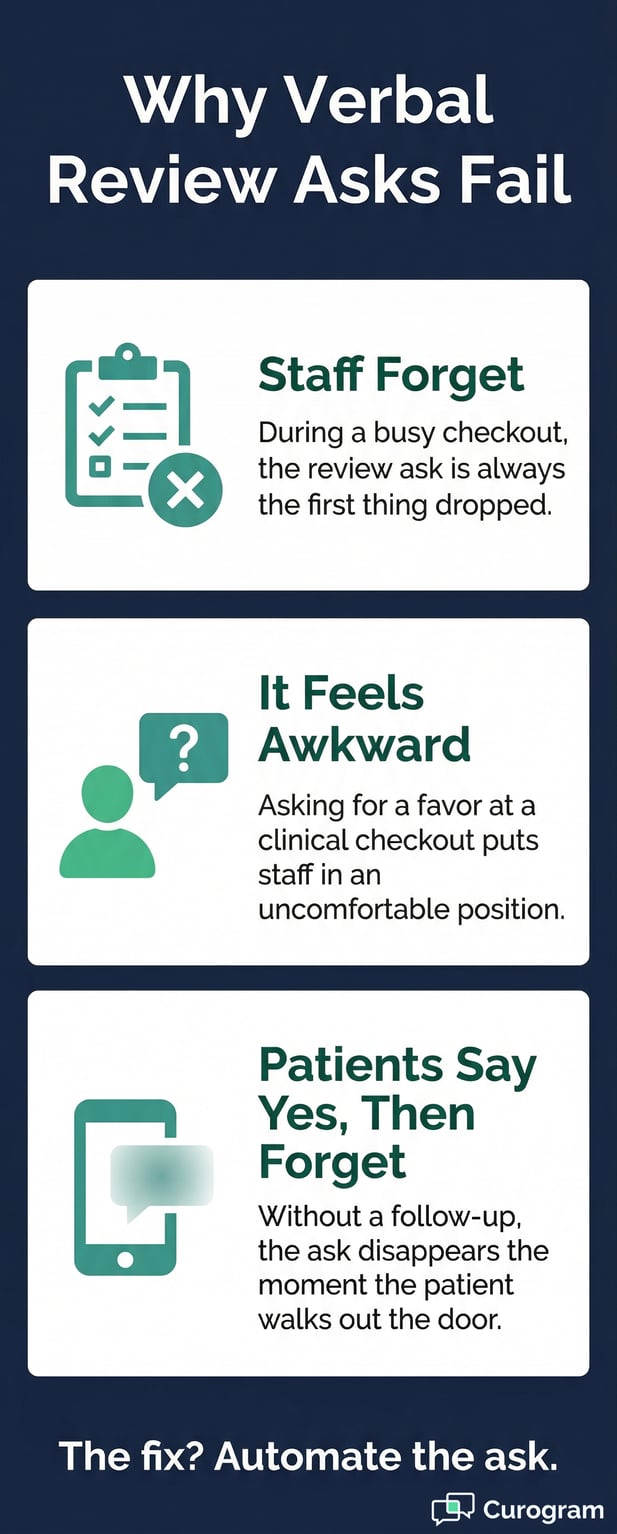
There are three things working against it. First, the staff forgets. Checkout involves payment, scheduling the next visit, verifying insurance, and handling questions. The review is the lowest-priority task, and it gets dropped under pressure.
Second, the staff feel uncomfortable. Asking for a favor at the end of a clinical transaction feels out of place, especially for staff who were not hired for a sales or marketing role.
Third, patients say yes and do nothing. The ask happens once, in the moment, with no reminder to follow up.
By the time the patient gets to their car, they’ve already moved on. A verbal ask has no mechanism to reach the patient again.
Even when your team is motivated, the structure of the checkout flow works against consistent review asks. A front desk team member who asks every single patient is the exception, not the rule.
Most practices see one or two reviews come in after a good stretch, then nothing for weeks.
This creates a cycle. Low review volume means low search visibility. Low search visibility means fewer new patients.
Fewer new patients means less urgency to fix the review problem. The issue compounds quietly while the practice focuses on care delivery.
Manual asking takes real staff energy. Training staff to ask. Reminding them when they stop. Tracking which team members follow through.
That effort produces 5–10 reviews per month on a good month. It is a high-effort, low-output approach that does not scale.
Review generation that depends on manual effort will always be uneven. On days when your most proactive front desk person is working, you might get three review asks done.
On days when the team is short-staffed or overwhelmed, you get zero. The result has nothing to do with the quality of care patients received. It’s entirely a function of who happened to be working that day.
This inconsistency is a real problem for your Google profile. Review recency matters for local search rankings.
A practice that gets 3 reviews in one week and then nothing for two months looks stagnant compared to one that posts fresh reviews every few days.
Imagine two Monday mornings. The first has a full team, low patient volume, and a team member who enjoys connecting with patients. Three review asks go out. Two patients follow through.
On the second Monday, a team member calls in sick. The waiting room is busy. No one mentions reviews at all. This pattern repeats every month, making your Google profile’s growth feel random.
Manual review asking generates no data trail. Your practice doesn’t know how many patients were asked, which team members are asking, or what your conversion rate is.
Without that information, you can’t figure out what to improve. The same low output repeats month after month with no way to break the cycle.
A solo practitioner seeing 15 patients a day might be able to personally mention reviews to most of them. A practice with 5 or more providers seeing 80–100 patients a day cannot.
The math does not work. Even if every front desk team member remembers to ask every single patient, the checkout flow does not have room for that interaction at high volume.
This is where the need for automated review generation for AdvancedMD practices becomes unavoidable. A system that triggers from the schedule handles every patient automatically, whether your practice sees 20 patients a day or 200.
|
Approach |
Reviews/Month |
Staff Time Required |
Scales with Volume? |
|
Manual verbal ask |
5–10 |
High |
No |
|
AdvancedMD survey tool only |
0 Google reviews |
Low |
No |
|
Curogram automated pipeline |
50–60+ |
None (after setup) |
Yes |
Practices that rely on manual asking have no way to know what is working. No conversion rate data. No provider-level breakdown. No visibility into which days or times produce the best results.
Without tracking, there is no way to improve. Automated review generation for AdvancedMD practices solves this by logging every request sent, every link clicked, and every review posted.

The set-and-forget pipeline is exactly what it sounds like. You configure it once, and it handles the rest. When an appointment is marked complete in AdvancedMD, Curogram triggers a post-visit text to the patient.
That text includes a short satisfaction check and a direct link to your Google Business Profile. Positive responses go to Google. Negative responses go to an internal form. The system does not need staff to monitor, nudge, or maintain it.
Curogram’s integration pulls directly from AdvancedMD’s appointment data. When a visit is marked complete in the schedule, the patient’s name and phone number move into the review request queue.
A text goes out at the interval you set during onboarding, typically one to four hours after the visit. This timing matters because patients are most likely to engage with a review request when the experience is still fresh.
There is no CSV export. No list upload. No staff data entry. The pipeline connects to your schedule automatically. Every completed appointment becomes a review opportunity without anyone on your team doing a thing.
The review request text is short, clear, and personalized with the patient’s name and your practice name. It opens with a brief question: “How was your visit today?”
Patients who indicate a positive experience get a direct link to your Google Business Profile. Patients who indicate a less positive experience are routed to an internal feedback form where your team can follow up privately.
This two-step design keeps the pipeline from sending unhappy patients straight to Google. It also gives your practice a chance to address concerns before they become public reviews. The flow is smooth for patients and safe for your star rating.
Because Curogram connects directly to AdvancedMD’s schedule, the pipeline works across all providers and locations. A multi-provider practice does not need separate setups for each doctor.
Every completed appointment, regardless of provider, feeds into the same review pipeline. Patient names, phone numbers, and provider assignments flow through automatically.
The Review Velocity Dashboard gives practice administrators a clear view of how the pipeline is performing. It is the data layer that turns review generation from guesswork into a system you can actually manage.
The dashboard shows total reviews generated per week and month, conversion rates from text sent to review posted, reviews broken down by provider and location, average star rating trends, and review recency scores.
If one provider is generating fewer reviews than others, you can see it. If conversion rates drop off on certain days, you can see that too.
The Review Velocity Dashboard is the operational tool that closes the tracking void that manual asking creates. Instead of wondering whether your review pipeline is working, you can see the numbers in real time.
This is especially useful for office managers overseeing multiple providers, since it surfaces performance gaps before they become bigger problems.
If the dashboard shows a drop in conversion on Fridays, you can adjust the send time. If one location is underperforming, you can investigate whether appointment completion data is syncing correctly.
The dashboard transforms the review pipeline from a set-it-and-hope tool into a measurable, improvable system.
Every automated review pipeline carries some risk: what if a dissatisfied patient gets routed straight to Google? Curogram’s Sentiment-First Routing addresses this directly.
Before any patient sees the Google link, they answer a quick satisfaction check. A 4- or 5-star response routes them to Google. A 1- to 3-star response routes them to an internal form.
This means your AdvancedMD Google review automation is not just generating volume. It is filtering for quality. Satisfied patients add to your public profile.
Unhappy patients give you a chance to follow up privately. Star ratings at practices using this model tend to stabilize at 4.8 or higher.
When a dissatisfied patient fills out the internal form, your practice gets advance notice. You know what went wrong before it shows up on Google.
Your team can reach out, resolve the issue, and potentially turn a negative experience into a positive one. This is a proactive approach to reputation management that manual asking simply cannot replicate.
Google’s local search algorithm weighs review volume, recency, and rating. A practice with consistent new reviews and a stable high rating will rank better than one with a higher total count but no recent activity.
Sentiment-First Routing helps keep your rating steady while the automated pipeline keeps your review count and recency scores moving forward. Building an AdvancedMD Google review profile through this approach compounds over time.
The clearest way to understand what this pipeline does is to look at what it produces. A practice using manual asking might end the year with 100–150 new Google reviews.
A practice using Curogram’s automated system ends the year with 600–700+. That difference shows up directly in local search rankings and new patient inquiries.
Based on our internal data, one multi-location client generated 1,064 new 5-star reviews in just 3 months. Their total review count grew from 993 to 8,159 during that period. That is not just a marketing win. It is a complete shift in how that practice appears to prospective patients searching for care in their area.
For a single-location AdvancedMD practice seeing 30 patients per day, the automated pipeline typically produces 50–60+ reviews per month. A practice starting with 50 Google reviews can realistically reach 300+ within six months.
At that volume, local search positioning changes meaningfully. Your practice moves from being one option among many to being the obvious, trusted choice.
|
Metric |
Manual Asking |
Curogram Automated Pipeline |
|
Average reviews per month |
5–10 |
50–60+ |
|
Staff time required |
Ongoing |
Zero (after setup) |
|
Review recency |
Sporadic |
Consistent (daily) |
|
Negative review protection |
None |
Sentiment-First Routing |
|
Data and tracking |
None |
Review Velocity Dashboard |
|
Scalable to 10+ providers |
No |
Yes |
Fifty reviews per month means your Google profile is visibly active. Prospective patients can see that people are leaving reviews every few days, not every few weeks.
Review recency is one of the signals Google uses to assess how engaged a business is. A practice that posts fresh reviews consistently looks alive and trusted in a way that a dormant profile simply cannot match.
When review generation moves from a staff task to a running system, the way your team operates changes. Staff is not responsible for asking.
hey are not tracked on whether they asked. They are not retrained every time consistency slips. The pipeline handles every step, and the front desk stays focused on patient care.
This shift matters more than the review numbers alone. The best automated reputation growth for an AdvancedMD practice is one that does not add complexity to the clinical workflow.
When the system runs in the background, it frees your team to do what they are good at. The reviews build up quietly while care continues without disruption.
During onboarding, the practice administrator sets the text send timing, the message template, and the Sentiment-First Routing thresholds. That is the full extent of the ongoing involvement required.
After that, the pipeline runs automatically for every completed appointment, every provider, every day. There are no weekly reviews to schedule, no monthly reports to pull manually, and no retraining of front desk staff.
Review growth compounds. A practice that gains 50 reviews in month one starts month two from a stronger base.
A higher review count improves local search ranking, which brings in more patients, which produces more completed appointments, which feeds more review requests.
The pipeline creates a loop that reinforces itself over time. This is why building an AdvancedMD Google review profile through automation is not just faster than manually asking. It is structurally different.
When the pipeline has been running for six months, the practice’s Google profile looks very different from where it started. Reviews are recent. The average star rating is stable at 4.8 or higher.
The review count is high enough to signal broad patient trust. Prospective patients see a practice that is clearly active, clearly preferred, and clearly worth contacting.
This is the outcome that AdvancedMD review automation builds toward. Not just more reviews, but a profile that converts lookers into new patients.
The reviews do the marketing. The staff delivers the care.
When someone searches for a doctor in your area, they see the practices with the most reviews and the highest ratings first. A practice with 300+ recent reviews at a 4.9 average looks fundamentally different from a competitor with 40 reviews at 4.2.
The review count signals that many patients trusted this practice. The rating signals they were right to do so. That combination drives clicks and calls.
Practices that build review volume early create a durable lead in local search. A competitor who starts running automated review generation later will need months to close the gap.
The practice that automates first establishes a floor that is hard to undercut. This is the compounding nature of Google review growth: getting started earlier produces a larger and longer-lasting advantage.

Manual review asking generates 5–10 reviews per month and requires ongoing staff effort. It is inconsistent, untracked, and does not scale.
Curogram’s set-and-forget review pipeline generates 50–60+ reviews per month with no ongoing staff involvement after initial setup.
Every completed appointment in AdvancedMD becomes a review opportunity automatically. Satisfied patients get sent to Google.
Dissatisfied patients get routed to a private form. The Review Velocity Dashboard shows you exactly how the pipeline is performing at every point.
Your front desk has enough to do. Review collection should not be on their task list.
If you are still relying on verbal asks to build your Google profile, you are working harder than you need to for a fraction of the results.
The set-and-forget pipeline does the work. Your team does the care. Your profile does the marketing.
Ready to see how it works with your AdvancedMD schedule? Schedule a demo today and see the difference for yourself.
Setup happens during Curogram’s standard onboarding process. The practice administrator configures the text send timing, the message template, the Google Business Profile link, and the Sentiment-First Routing thresholds.
Once those settings are in place, the pipeline runs automatically from the AdvancedMD schedule. No ongoing maintenance is needed after the initial configuration.
Every patient receives a short satisfaction check before any Google link appears. Patients who rate their experience 4 or 5 stars get directed to the Google review link. Patients who rate 1 to 3 stars are routed to an internal feedback form instead. This keeps the Google-facing pipeline focused on satisfied patients while giving the practice a chance to address concerns privately.
Google’s local search algorithm treats recent reviews as a signal that a business is active and actively serving patients. A practice with a steady flow of new reviews each week looks more relevant than one with a large review count but no recent activity. Consistent review generation through an automated system keeps your recency score healthy and your local search ranking stable.
The Review Velocity Dashboard breaks down review performance by provider, location, day of week, and time period. Administrators can see which providers have the highest conversion rates, which locations are underperforming, and whether overall review velocity is trending up or down. This data helps identify gaps and confirm that the pipeline is operating correctly across all providers.
A solo practitioner seeing 15 patients a day might manage consistent verbal asks. A practice with 10 providers seeing 100+ patients a day cannot rely on that approach. The checkout flow is too busy to accommodate a review ask for every patient at scale. Automated review generation for AdvancedMD practices removes the dependency on individual staff behavior entirely, making review volume a function of appointment volume rather than who happens to be working that day.
💡 AdvancedMD includes a built-in reputation module that automates post-visit surveys. But patient feedback collected this way stays inside the...
💡 For small clinics running on Practice Fusion, asking patients for Google reviews at checkout is one of those tasks that almost never gets done....
💡 Practice Fusion automated Google review requests, powered by Curogram's Review Engine, send a post-visit text to every patient after each...