

Skip to the main content.

15 min read

Healthcare Software Integration: Why It Matters & How to Succeed

Healthcare Software Integration: Why It Matters & How to Succeed
 💡 Healthcare software integration connects your medical systems so they share patient data on their own. When your EMR talks to your appointment system, patient portal, and texting platform, your staff saves hours on duplicate data entry.

Good integration cuts errors, prevents missed appointments, and helps your team focus on patient care. The right connected healthcare systems can reduce staff time by 30% while improving patient satisfaction.

This guide shows you how to evaluate medical system interoperability, avoid common integration pitfalls, and choose platforms that work together smoothly.

Your front desk staff spends hours each morning typing the same patient information into three separate systems before even finishing lunch. Nurses painstakingly copy appointment notes from one screen to another, while the billing team re-enters insurance details that are already stored in the EMR.

Meanwhile, clinicians wait for lab results or imaging reports that haven’t yet synced across platforms.

This scenario plays out every day in medical offices across the country. The root cause? Healthcare software that either doesn’t integrate properly or, in many cases, doesn’t integrate at all. Each system works in isolation, forcing staff to spend time duplicating work instead of focusing on patient care.

The result is a cycle of inefficiency: hours wasted on double data entry, preventable errors creeping into records, delayed workflows, frustrated patients who must answer the same questions multiple times, and staff burnout from repetitive administrative tasks.

The good news is that modern healthcare technology integration can solve these problems. With connected systems, patient data is entered once and flows automatically to every relevant platform—scheduling, clinical documentation, billing, and beyond.

Lab results, insurance information, and appointment notes update in real time, reducing errors, improving efficiency, and enhancing the patient experience.

This guide will walk you through everything you need to know about medical system interoperability. You’ll learn why integration matters, what risks arise when your systems don’t communicate, and how to choose software solutions that work together seamlessly—helping your practice save time, reduce mistakes, and deliver care that truly centers on the patient.

Understanding Electronic Medical Records and What They Do

The real benefits of healthcare software integration are more than just convenience. When your software shares data automatically, everyone saves time, mistakes drop, and patients get a better experience.

  • Staff efficiency and time savings: Integration eliminates duplicate data entry. A patient’s phone number entered once can populate your EMR, appointment system, and messaging platform instantly. Most practices see staff save 2–3 hours each day once systems are connected.
  • Reduced errors: Manual transfers lead to mistakes — mistyped digits or misplaced information. Integrated systems move data accurately between platforms, freeing your team from correcting errors and letting them focus on patient care.

Patient care also improves when providers have complete information at their fingertips. Imagine a patient calls about test results while you’re updating their chart. With integrated systems, you immediately see lab work, appointment history, and messages in one place. This allows faster, more informed responses and better decision-making.

Workflow efficiency and automation further free your staff for high-value tasks. Appointment confirmations can send automatically when your scheduler and messaging system are connected. Lab orders flow directly to the lab system without manual entry. Your team spends more time with patients and less time on repetitive data tasks.

Better analytics is another advantage. Connected systems consolidate data from all platforms, giving you a clear picture of your practice. You can spot which appointment types have the most no-shows, which providers run behind schedule, and where bottlenecks occur. This actionable insight helps you make smarter operational decisions.

The patient experience improves as well. When information flows seamlessly, patients don’t have to repeat themselves at every visit — whether in-office or during virtual care. They get quicker responses to questions, timely reminders, and smoother payment processes when billing and communication systems are integrated.

Modern integration gives your practice a competitive edge. Patients notice when things run smoothly — not having to fill out forms twice or wait while staff searches for information creates a positive experience that keeps them coming back and recommending your practice to others.

What Poor Integration Costs Your Practice

Medical practices without good healthcare software integration pay a hidden tax every day. The costs show up in wasted time, frustrated staff, and missed revenue.

The Time and Money Drain

Staff time disappears into duplicate entry tasks. A typical front desk employee spends 90 minutes each day typing information that already exists in another system. Multiply that across your team and you lose 10–15 hours of productive work daily. At $20 per hour, that's $200–$300 wasted every single day.

Here's how the costs add up for a typical small practice:

Cost Factor Daily Impact Monthly Cost Annual Cost
Duplicate data entry (3 staff) 4.5 hours $1,980 $23,760
Error correction time 1 hour $440 $5,280
Missed billing opportunities $100–$140 $2,640 $31,680
Total Annual Cost $60,720


Errors from manual data transfer put patients at risk and cost money to fix. When staff copy information between systems, studies show error rates reach 8–12%. Wrong phone numbers mean patients miss appointment reminders. Each error takes 15–20 minutes to find and correct.

Lost revenue from missed billing opportunities adds up fast. Without integration between your EMR and billing system, charges slip through the cracks. A practice seeing 100 patients per day might lose $500–$1,000 weekly from unbilled services. That's $50,000 or more per year.

Patient Satisfaction and Technology Barriers

Patient dissatisfaction grows when communication gaps frustrate people. Imagine a patient confirms their appointment through your portal, but your staff calls asking them to confirm again because systems don't sync. These disconnects damage trust and drive patients to competitors.

The inability to adopt new technology keeps practices stuck with outdated tools. When legacy systems can't integrate with modern platforms, you face a tough choice: keep using old software that holds you back or replace everything at once. Neither option feels good.

Real Practice Examples

Real practices face these challenges daily. One primary care office discovered they were entering the same patient data into four different systems. Staff turnover was high because employees hated the repetitive work.

After putting connected healthcare systems in place, they reduced data entry time by 40% and saw staff satisfaction scores improve within two months.

Another specialty clinic missed thousands in revenue because appointment changes in their scheduler didn't update their billing system. Insurance verification happened based on old information, and claims got rejected. The practice hired a full-time employee just to reconcile scheduling and billing data — a cost that proper integration would have prevented.

Key Integration Points for Medical Practices

Knowing where your systems need to connect helps you plan better healthcare software integration. Most medical practices benefit from linking these common platforms.

Core System Connections

The connection between your EMR and practice management system forms the foundation. Patient demographics, insurance information, and appointment history should flow both ways. When a patient updates their address at checkout, it should appear in their medical record right away.

Your EMR and patient communication platform need tight integration for smooth operations. Platforms like Curogram pull appointment schedules, patient contact details, and medical history to send timely reminders and messages.

Changes in one system update the other automatically, so your team always works with current information.

Clinical System Integrations

Laboratory system connections get rid of manual order entry and result copying. When your EMR sends lab orders electronically, results come back on their own and attach to the right patient chart. This medical system interoperability saves time and prevents the errors that happen when someone types results by hand.

Imaging and PACS system integration works the same way. Radiology orders flow from your EMR to the imaging system, and images and reports return to the patient chart on their own. This connected approach means providers see imaging results faster and patients get answers sooner.

Pharmacy system connections speed up prescriptions and reduce errors. E-prescribing through integrated systems lets providers send medications to the patient's preferred pharmacy in seconds. The pharmacy sees the patient's insurance and allergy information, which prevents dangerous interactions.

Financial and Patient-Facing Connections

Insurance eligibility and claims systems need to link with your practice management platform. Real-time eligibility checks before appointments prevent surprises. Claims flow automatically from completed visits, reducing billing delays and improving cash flow.

Payment processing integration makes billing easier for everyone. When your practice management system connects to payment processors, patients can pay through your portal, by text, or at checkout. All payments record automatically in the right account.

Your patient portal ties everything together by connecting to all other systems. Patients see their appointments, messages, lab results, bills, and medical history in one place. Updates happen in real-time because connected healthcare systems share information constantly.

How Different Integration Methods Work

Healthcare technology integration happens through several different methods. Each approach has strengths and weaknesses depending on your needs.

API Integration: The Modern Standard

API integration is the modern standard for connecting systems. An API (Application Programming Interface) lets software talk directly to other software in real-time. When a patient books an appointment through your website, the API sends that information to your EMR right away. This method gives you fast, reliable data exchange.

Most new software platforms offer API integration because it provides the best user experience. The downside? Both systems need modern APIs, and setting them up takes some technical know-how. The investment pays off through reliable, instant data exchange.

HL7 Integration: Healthcare's Established Standard

HL7 integration uses healthcare's established standard for medical system interoperability. HL7 messages carry patient information, lab results, and other medical data between systems. Some HL7 connections work in real-time while others send data in batches every few hours.

This method is great at moving clinical data like test results and patient admissions. Most EMRs and hospital systems speak HL7, making it reliable for healthcare-specific needs. The format can seem complex, and customizing HL7 interfaces often requires expert help.

FHIR Integration: The Newer Healthcare Standard

FHIR integration is the newer healthcare standard gaining popularity fast. FHIR (Fast Healthcare Interoperability Resources) uses modern web technology to share medical information. It works more like consumer apps than traditional medical software.

FHIR makes connected healthcare systems easier to build and maintain. Patient apps can pull data from your EMR securely, and specialists can access records from referring providers quickly. The standard keeps improving, though not all systems support it yet.

Basic Methods: Files and Automatione

Flat file and CSV import/export offers a basic integration option when better methods aren't available. Systems create files with data that other systems can read. This works for moving information that doesn't change often, like patient demographics or fee schedules.

The process requires manual triggers or scheduled automation. Someone exports data from System A, then imports it to System B. It's simple and works with almost any software, but real-time updates don't happen and errors can slip in during file transfers.

Screen scraping and RPA (Robotic Process Automation) should be your last resort. These tools watch what happens on screen and copy information between systems on their own. Think of it as a robot typing for you. This method works when nothing else does, but it's fragile — any change to how a system looks can break it.

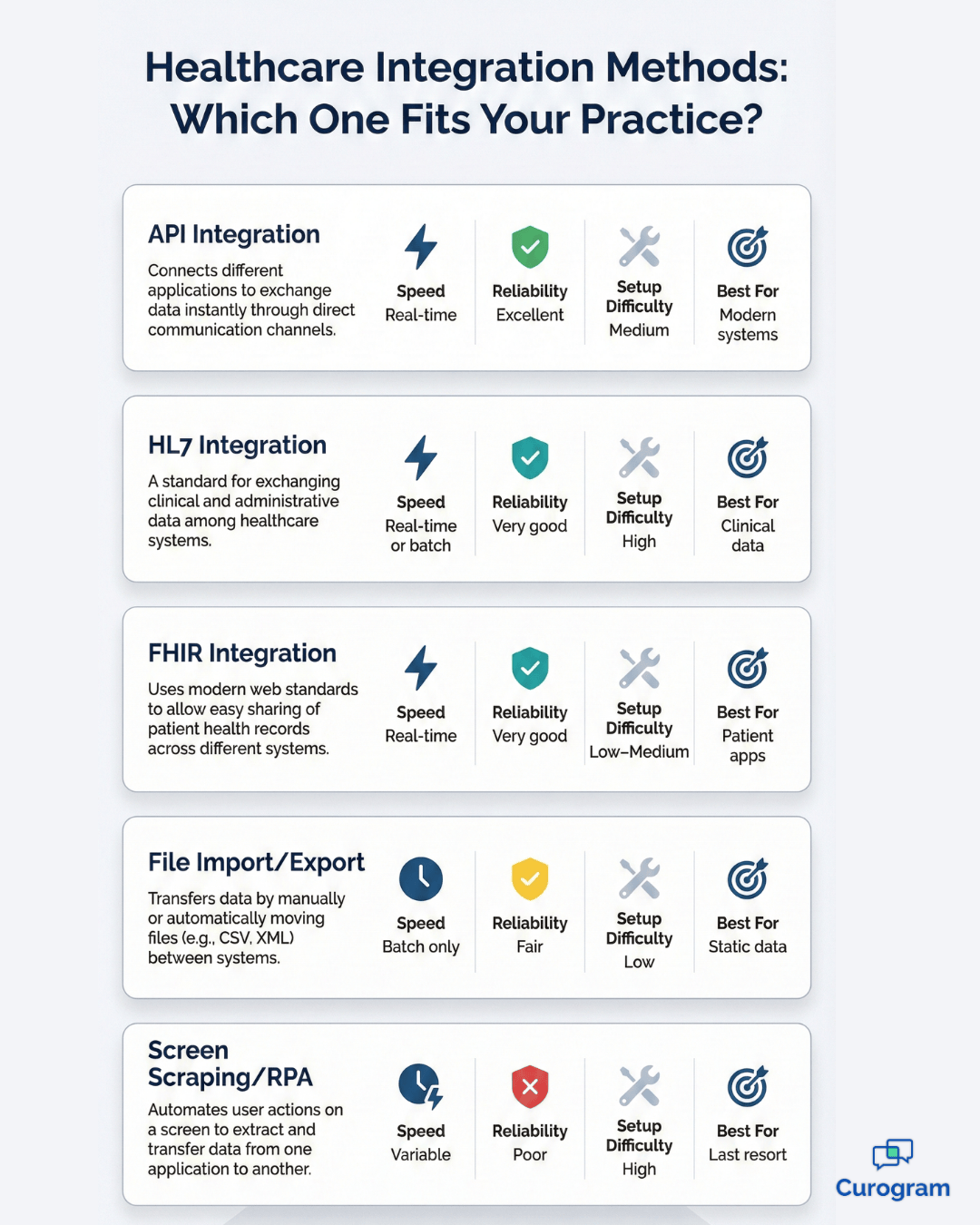
Here's a quick comparison to help you choose:

Method Speed Reliability Setup Difficulty Best For
API Integration Real-time Excellent Medium Modern systems
HL7 Integration Real-time or batch Very good High Clinical data
FHIR Integration Real-time Very good Low–Medium Patient apps
File Import/Export Batch only Fair Low Static data
Screen Scraping/RPA Variable Poor High Last resort

Understanding Healthcare Integration Standards

Integration standards help different software systems speak the same language. Knowing these standards helps you make better decisions about healthcare software integration.

HL7 Versions: The Foundation

HL7 version 2 powers most healthcare data exchange today. This messaging standard defines how systems send patient admissions, transfers, lab results, and more. An HL7 v2 message contains specific segments like patient demographics (PID), observation results (OBX), and common orders (ORC).

Medical practices and hospitals use HL7 v2 because it works reliably and most vendors support it. The format looks technical but follows logical patterns. Messages get sent when events happen, like a new lab result becoming available or a patient getting admitted.

HL7 version 3 tried to improve on the original but never gained wide adoption. It uses XML format and more complex data structures. Some systems support it, but HL7 v2 remains far more common in real-world medical system interoperability.

FHIR: Modern Web-Based Exchange

FHIR brings healthcare data exchange into the modern web era. Instead of custom message formats, FHIR uses REST APIs similar to consumer apps. Each type of health information — patient, appointment, medication — becomes a resource that systems can request or update through web calls.

This standard makes integration faster to build and easier to maintain. Developers familiar with web technology can work with FHIR without learning healthcare-specific formats. The standard keeps growing as vendors add support and extend capabilities.

Why Standards Matter

Why standards matter for connected healthcare systems becomes clear when you mix vendors. Your EMR from Company A needs to share data with a lab system from Company B and a patient app from Company C. Without standards, you'd need custom connections for each pair. Standards mean systems can connect using shared rules, which saves time and money.

Other important standards include DICOM for medical imaging and X12 for insurance transactions. DICOM makes sure CT scans and X-rays display correctly across different systems. X12 formats claims, eligibility checks, and remittance advice so payers and providers exchange information smoothly.

Medical practice integration methods comparison chart showing API, HL7, FHIR, and file options

Evaluating Integration Before You Buy

Choosing software with good integration capabilities saves huge headaches later. Ask the right questions before signing contracts.

Critical Questions for Vendors

Start by asking vendors specific questions about their integration options. Don't accept vague answers like "we integrate with everything." Get details on which methods they support (API, HL7, FHIR), which specific systems they connect with, and whether integration comes standard or costs extra.

Watch for these red flags during vendor conversations:

  • Sales reps who can't explain their integration technology clearly
  • Claims of universal integration without specific examples
  • Missing or poor-quality API documentation
  • No customer references for similar integrations

Good vendors provide clear documentation and actual customer examples. They answer technical questions directly or connect you with implementation specialists who can.

Validation Steps Before Committing

Ask to review their API documentation before buying. Well-designed healthcare technology integration comes with complete, clear documentation. The documentation should explain available data, update frequency, and authentication methods. Poor documentation means difficult integration down the road.

Check their integration partner ecosystem too. Platforms that work well with others usually have partnerships with common EMRs, billing systems, and communication tools. A strong partner network shows the vendor prioritizes medical system interoperability.

Talk to your existing software vendors before choosing new tools. Ask if they've worked with the new system before. They might know about compatibility issues or have pre-built connections. This conversation often reveals problems you wouldn't discover until you start setting things up.

Request a proof of concept or demo integration when possible. Some vendors will connect their software to your current systems on a trial basis. This test run shows you exactly how data flows, what works smoothly, and where challenges might appear.

Get integration costs in writing upfront. Some vendors charge separately for each connection, others include basic integrations in the base price. Setup fees, ongoing maintenance costs, and charges for future updates should all be clear before you commit. Hidden integration costs can double your total spending.

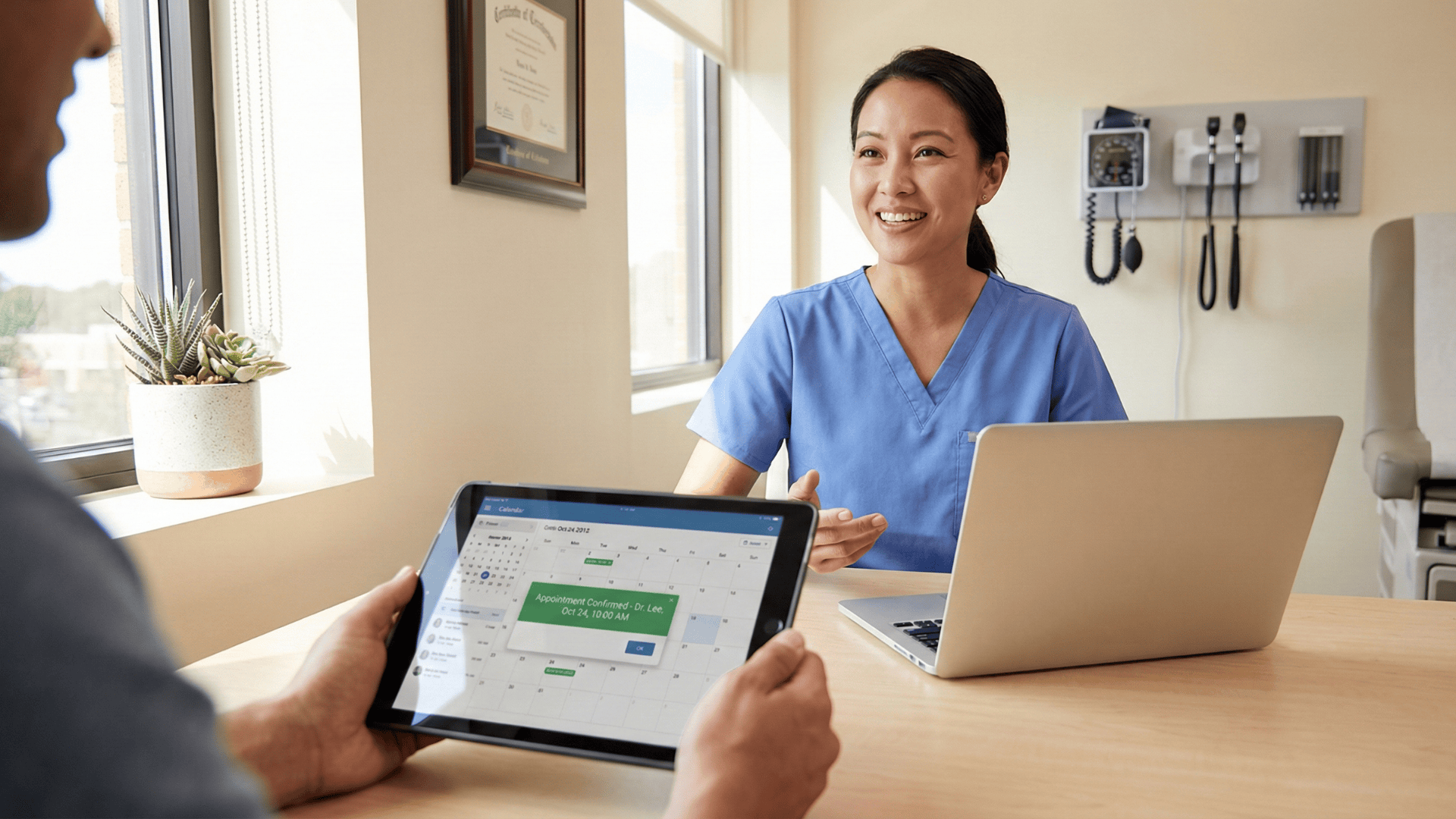
Patient viewing appointment reminder on tablet during visit with medical office staff

Overcoming Common Integration Challenges

Even with careful planning, healthcare software integration can face obstacles. Understanding common challenges ahead of time helps your practice prepare solutions and avoid surprises.

  • Vendor and technical barriers: Some vendors are unwilling to share data or provide APIs, citing security concerns or technical limitations. Check integration capabilities before purchasing — if a vendor won’t commit to open integration, consider alternatives. 

    Legacy systems can also be a hurdle. Older software may work well for its core functions but lacks APIs or standard interfaces. While planning a migration path, temporary workarounds like scheduled file exports can meet immediate needs.
  • Data and synchronization issues: Field compatibility and data mapping can create headaches. Your EMR might call it “patient first name” while your billing system uses “name.” Differences in field lengths, date formats, and coding standards need careful documentation and mapping. 

    Real-time versus batch synchronization can also cause delays. Some systems update only every few hours, not instantly, which can confuse staff expecting immediate changes. Understand each system’s limitations and train your team accordingly.
  • Resource and maintenance challenges: Connected systems require ongoing attention. Updates can break integrations, and new data fields often need remapping. Budget for maintenance as well as setup, and partner with vendors who provide advance notice of changes. 

    Integration projects can also exceed initial cost and time estimates. Technical complexity, data cleanup, and testing all add effort. A realistic plan adds 30–50% to vendor time and cost projections. Start with the most critical integrations, then expand gradually.

Working around challenges often requires creativity. One practice couldn’t get their legacy billing system to fully integrate with a new EMR.

They implemented a hybrid approach: critical data updated through nightly file exports, while staff manually entered time-sensitive changes. It wasn’t perfect, but it was far better than no integration at all, and it kept workflows running smoothly.

Creating Your Integration Strategy

A solid strategy prevents integration chaos and wasted money. Follow these steps to build connected healthcare systems step by step.

Planning and Prioritization

Prioritize integrations by impact and how doable they are first. List every system connection you want, then rank them. Which integration saves the most time? Which prevents the most errors? Which seems easiest to put in place? Focus on high-impact, achievable wins early to build momentum.

Don't try connecting everything at once. Phase your rollout over several months or quarters. Maybe start with EMR to appointment reminder integration because it directly reduces no-shows. Add billing system connections next, and save complex, lower-priority integrations for later when your team has more experience.

Smart Vendor Selection

Choose integration-friendly vendors from the start whenever possible. When buying new software, make medical system interoperability a top decision factor. A slightly more expensive platform with excellent integration capabilities costs less than a cheaper one that can't connect to anything. Think long-term.

Budget for integration costs realistically from day one. Include setup fees, consultant charges if needed, staff training time, and ongoing maintenance.

Many practices budget only for software licenses and get shocked by integration expenses. A typical small practice should expect to spend $5,000–$15,000 annually on integration-related costs.

Future-Proofing Your Approach

Plan for future integrations and scalability upfront. Your practice will grow, and you'll add services and adopt new technology. Choose platforms that can expand with you. Ask vendors about adding integrations later, and understand whether your chosen approach can handle more complexity without starting over.

Document your integration architecture clearly. Create diagrams showing which systems connect and how data flows. Note what information syncs in real-time versus batches, and record who to contact when something breaks. Good documentation helps new IT staff understand your setup quickly and speeds up troubleshooting.

Successful healthcare software integration requires patience and planning. One multi-location practice spent three months mapping their integration strategy before doing anything.

They identified 12 potential integrations, ranked them, and tackled three per quarter. After 18 months, they had a fully connected system that saved over 100 staff hours per week.


When to Use Integration Middleware

Integration middleware acts as a translator between systems that can't talk directly. Understanding when it makes sense saves time and money.

What Middleware Does

Healthcare integration middleware sits between your applications and manages data exchange. Think of it as a universal adapter. System A sends data to the middleware, which translates it for System B. The middleware handles format conversions, data mapping, and routing.

Middleware makes sense over direct integration in several situations:

  • When connecting many systems (one hub beats multiple point-to-point connections)
  • Legacy systems without modern APIs need special handling
  • Complex data changes that would be hard to maintain
  • Organizations without in-house integration expertise

Popular healthcare integration platforms include Redox, Datica, and Rhapsody. These services specialize in medical system interoperability and often have pre-built connections to common EMRs and other healthcare software. They understand HIPAA requirements and healthcare data standards.

Costs and Trade-Offs

Costs for middleware vary widely based on data volume and complexity.

Here's what different practice sizes typically pay:

Practice Size Monthly Cost Setup Fees Annual Total
Small (1–3 providers) $500–$1,500 $2,000–$5,000 $8,000–$23,000
Medium (4–10 providers) $1,500–$3,500 $5,000–$8,000 $23,000–$50,000
Large (10+ providers) $5,000–$10,000+ $8,000–$15,000 $68,000–$135,000+

Benefits of the middleware approach include faster setup, reduced technical complexity for your team, and ongoing support from specialists. The vendor handles updates and troubleshooting, and you get access to pre-built integrations that work out of the box.

Drawbacks include recurring costs that add up over time, dependence on a third party for critical functions, and potential delays in data exchange. Direct integration can be faster because data doesn't pass through a middleman.

Choose middleware vendors carefully by checking their healthcare experience, customer references, and security practices. Ask about uptime guarantees and support response times. Make sure they work with your specific software systems.

The right integration partner becomes a critical part of your healthcare technology integration setup.

How Curogram Integrates with Your Practice

Curogram takes healthcare technology integration seriously because we know connected systems make your practice run better. Our platform connects with your existing software to improve patient communication without disrupting workflows.

Our EMR integration supports most major platforms used by medical practices. We connect with athenahealth, DrChrono, AdvancedMD, Kareo, Practice Fusion, and many others. This wide compatibility means you probably won't need to change your core system to use our patient communication tools.

We offer multiple integration methods to match your needs and technical capabilities. API integration provides real-time synchronization for practices with modern systems. HL7 interfaces work well with hospital-based EMRs and larger practice management platforms.

We work with your IT team or vendor to find the best approach.

The data that syncs between Curogram and your EMR includes appointment schedules, patient demographics, and basic contact information. When someone books an appointment in your EMR, Curogram sees it right away and can send automatic reminders.

Patient phone numbers and email addresses stay current across both systems.

Our integration flows primarily from your EMR to Curogram, making sure we always have current information for sending messages and reminders. Some setups support two-way sync where appointment confirmations in Curogram update your schedule. This medical system interoperability gets rid of the back-and-forth that wastes your staff's time.

Setup typically takes 2–4 weeks from start to finish, depending on your EMR and technical setup. Our team handles the technical details, working with your current vendors if needed. We test thoroughly to make sure data flows correctly before you go live. Most practices start sending automated reminders within days of completing setup.

The integration runs continuously in the background after launch. Appointments sync throughout the day, and patient information updates within minutes when changed in your EMR.

Your team works normally while Curogram stays synchronized on its own. This seamless operation lets you focus on patients instead of managing technology.

Conclusion

Healthcare software integration changes how medical practices operate when done right. Connected healthcare systems save time, reduce errors, and improve patient experiences.

The path forward starts with understanding what you need. Look at where your team wastes time on duplicate entry or struggles with disconnected systems. Prioritize fixing those pain points first.

Choose new software with medical system interoperability in mind. Ask tough questions about integration capabilities before signing contracts. Request documentation and proof that systems connect as promised.

Remember that healthcare technology integration is a journey, not a destination. Start with critical connections, then expand over time. Budget for both setup and ongoing maintenance, and document your systems so future changes go smoothly.

The investment in connected systems pays off through better efficiency, stronger patient care, and less stress for your team.

Ready to see it in action? Book a demo today and discover how integrated systems can transform your practice.


Frequently Asked Questions

How much does healthcare software integration typically cost?
Integration costs vary widely based on complexity and vendor fees. Simple connections using pre-built integrations might cost $1,000–$3,000 for setup plus $100–$300 monthly. Complex custom integrations can run $10,000–$50,000 for initial work. Most small practices should budget $5,000–$15,000 annually for integration-related expenses.
Can I integrate systems myself or do I need technical help?
Pre-built integrations between common platforms often work without technical expertise. Your software vendors usually handle setup through guided processes. Custom integrations or connections involving legacy systems typically require IT professionals or consultants. Start with vendor support before hiring outside help.
What happens to my integration when I update software?

Standard software updates usually don't break properly built integrations. Vendors test updates against common integration methods before releasing them. Major version upgrades or platform changes might require integration updates. Good practice includes testing integrations in a non-production environment before applying major updates.

How do I know if my integration is working correctly?

Monitor key signs like whether new appointments appear in all systems, patient data stays in sync, and automated processes trigger as expected. Set up test patients to verify data flows correctly. Check error logs provided by integration platforms. Schedule regular reviews comparing data across systems to catch subtle issues.

Is real-time integration always better than batch processing?

Real-time integration provides immediate updates but costs more and requires strong internet connections. Batch processing works fine for data that doesn't need instant updates, like daily patient demographic changes or billing summaries. Choose based on your actual needs rather than assuming real-time is always best.


Free EMR System Checklist: What to Look for in Healthcare Integration

Free EMR System Checklist: What to Look for in Healthcare Integration

💡An integration-ready platform helps clinics connect EMRs, communication tools, and billing systems without adding more manual work. The right...

Read More
The Hidden ROI of EMR Integration (FREE Checklist Included)

The Hidden ROI of EMR Integration (FREE Checklist Included)

💡The hidden ROI of EMR integration is measured in time saved, staff relief, and patient loyalty. Beyond cutting costs, integration drives new...

Read More
Before vs. After Integration: EMR Integration Daily Workflow Changes

Before vs. After Integration: EMR Integration Daily Workflow Changes

💡Clinic workflow integration changes everything. Before integration, staff juggle phone calls, paperwork, and disconnected systems. After...

Read More