
How to Switch from Weave to Curogram: Complete Migration Guide
 Aubreigh Lee Daculug : May 29, 2026, 8:00:01 AM
Step-by-step guide to moving from Weave to Curogram with EHR integration, hardware removal, and staff onboarding.
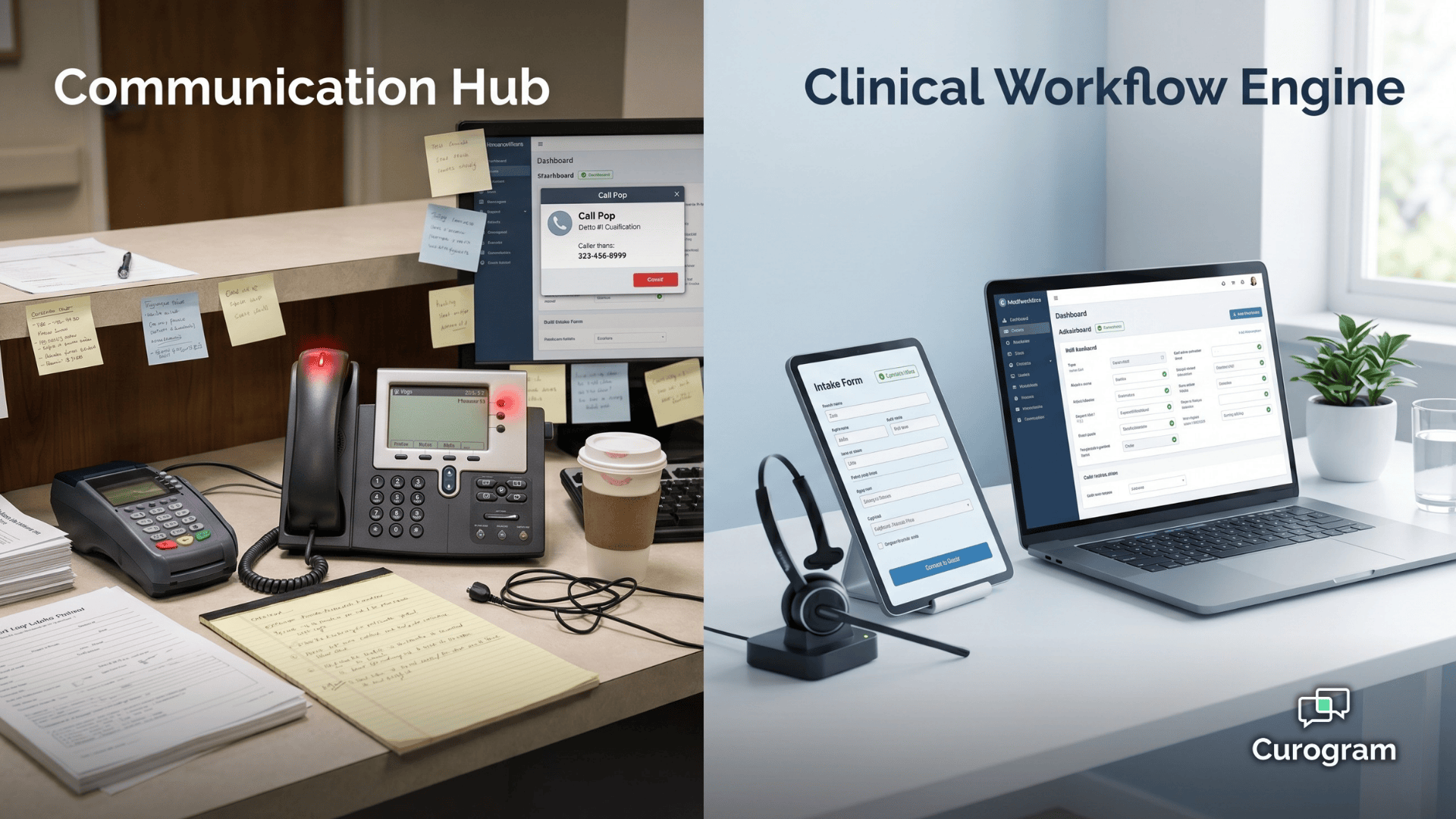
Picture your front desk on a Monday morning.
The phones are already ringing. Three patients are walking in for 9 a.m. appointments, two more are calling to confirm, and someone on hold has been waiting four minutes. Your receptionist is doing her best.
But every call, every reminder, every intake form still ends the same way: she has to open the EHR and type in what just happened.
That is the hidden cost most medical practices never put on a spreadsheet.
Your software looks modern.
The phones ring. The reminders go out. Patients get texts. On paper, everything works. In practice, your staff is still the glue holding it all together.
They are the ones updating charts, reconciling schedules, and chasing no-shows by hand.
This is the real difference between a communication platform and a clinical one. One organizes the conversations. The other finishes the work those conversations create.
That distinction sits at the heart of the curogram weave clinical workflow automation debate.
Weave gives you a clean VoIP hub with caller pop-ups, texting, and reminders. Curogram gives you a medical-first automation engine that writes structured data back into the EHR the moment a patient responds.
It sounds like a small difference. It isn’t.
For a practice fielding 80 or more inbound calls a day across multiple specialties, every unfinished workflow adds minutes. Minutes become hours. Hours become FTEs. And every FTE spent on data entry is one not spent on patients.
In this guide, you’ll see where each platform shines, where Weave’s phone-centric model runs into medical-practice limits, and how clinical automation changes the math on staffing, no-shows, and revenue. Let’s break it down.
Patient engagement platforms in 2026 fall into two camps. One camp starts with a phone system and adds patient features on top. The other starts with clinical data and adds communication on top.
That starting point decides everything.
A platform built on a VoIP core will always think in calls, rings, and hardware. A platform built on clinical data will think in charts, fields, and workflows. Both can send a text. Only one can finish the job that text was meant to start.
This is the core of the patient engagement VoIP hub vs clinical automation conversation.
It isn’t about which platform has more features. It’s about which one resolves the work your staff is doing by hand right now.
Medical practices feel this every day. You don’t just need a call to be answered.
You need four things to happen for every patient interaction:
A communication hub helps with step one. A clinical workflow engine owns all four. That’s the difference that shapes your headcount for years.
Choose a phone-first platform and you keep paying staff to close loops.
Choose a clinical-first platform and those loops close themselves.
This guide is written for front desk coordinators and office managers in medical practice environments.
If you run a dental or veterinary SMB, Weave is a strong fit and we’ll say so openly.
If you run a medical clinic with an EHR, multiple specialties, and heavy call volume, the math looks different.
Let’s get specific about how each platform actually handles a patient interaction.
On Curogram, an appointment confirmation is a closed loop.
The system sends a text. The patient replies “yes.” The EHR updates the status automatically. The schedule reflects it in real time.
No one touches a keyboard.
On Weave, that same confirmation lights up the reminder system and shows activity in the messaging thread.
But the EHR status? That usually still needs a staff member to log in and update it by hand.
The reminder went out. The workflow didn’t finish.
This is what clinical workflow engine vs communication hub healthcare really means in day-to-day operations.
One resolves the data. The other displays it.
Weave’s VoIP core is genuinely impressive for the markets it was designed for. Call Pop shows caller history the moment the phone rings. Hardware terminals consolidate payments. Desk phones, texting, and reviews all live under one roof.
For a two-dentist practice or a three-room vet clinic, this is a clean, all-in-one setup.
That’s why the weave dental SMB vs medical enterprise workflow distinction matters. Dental and veterinary offices have simpler clinical workflows, fewer integrations, and less EHR complexity. Weave fits that shape.
Medical practices are a different animal. You have multi-specialty scheduling, complex EHR fields, referral loops, and discrete data requirements.
Verified reviewers consistently point out the same pattern:
Weave handles the conversation, but the clinical data behind it still needs manual entry.
That creates friction in three specific places:
Each of these is a small tax. Stack them across 80+ daily calls and the tax gets expensive.
This is where front desk automation phone-centric platform users start to feel the ceiling of what a VoIP hub can do for them.
Let’s put real numbers on the difference. Because at the end of the day, architecture only matters if it shows up in your revenue and your staffing.
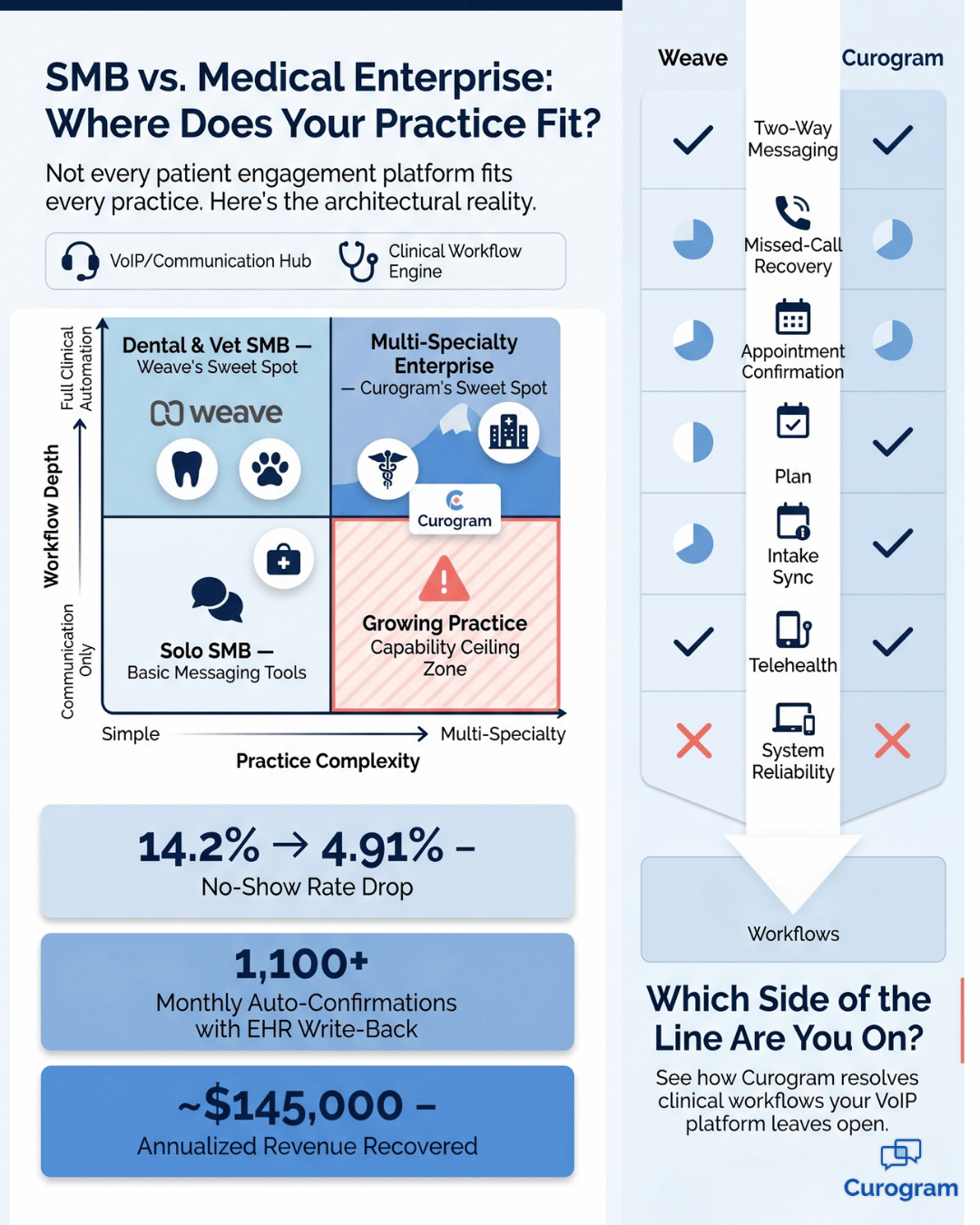
Atlas Medical cut its no-show rate from 14.2% to 4.91% in three months after moving to Curogram. That’s a 65% reduction.
Here’s what that means in plain dollars.
A practice seeing 200 patients a week at an average visit value of $150 would lose roughly $4,260 a week at 14.2% no-shows.
At 4.91%, that loss drops to about $1,473.
This didn’t come from sending more reminders. It came from deterministic confirmations that wrote back to the EHR automatically. Every “yes” closed the loop without a staff touch.
Covina Arthritic Clinic processes over 1,100 automated confirmations per month on Curogram. Each one completes the full cycle: patient confirms, EHR updates, schedule reflects, no staff intervention.
Now run that same volume on a VoIP-centric platform without deep medical EHR write-back.
Each confirmation still needs a staff member to update the status by hand. At roughly 90 seconds per update, that’s 1,650 minutes a month, or about 27.5 hours, or nearly a full workweek of wasted time.
~$2,800 |
| Recovered every week for a sample practice running 200 visits at $150 |
On the revenue side, that same 200-visit practice recovers close to $2,800 every week once no-shows drop from $4,260 in weekly losses to about $1,473.
That is one workflow. Multiply it across intake, recalls, and referrals and you’re looking at a full FTE.
Curogram’s SMS recall campaigns brought back 1,240 patients at a 35% reconversion rate for one practice. Reviews jumped by 1,064 new 5-star ratings in three months. Text-to-pay removed the need for hardware terminals entirely.
~$145,000 |
| Annualized revenue recovered from the no-show workflow alone |
Zoom out and the no-show workflow alone recovers roughly $145,000 a year for that same sample practice, and that’s before counting recalls, reviews, or reclaimed staff hours.
None of this is magic.
It’s what happens when every patient touchpoint is a structured workflow instead of a phone notification.
For your team, it means fewer tasks bouncing back to the front desk and more closed loops running in the background.
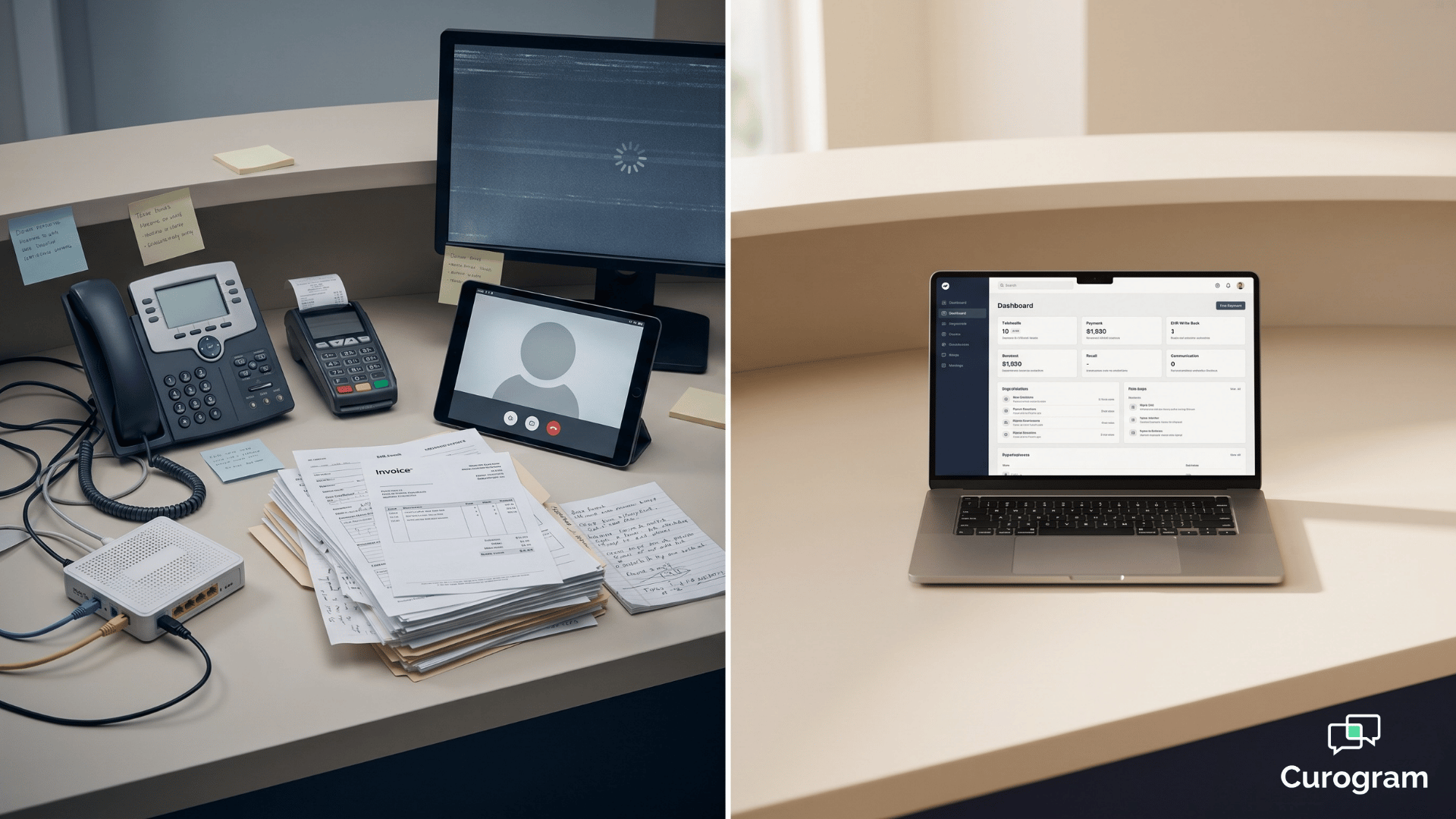
.png?width=1920&height=1080&name=curogram%20weave%20clinical%20workflow%20automation%20-%20landscape%20(1).png)
Curogram includes a native telehealth module with a virtual waiting room, patient queueing, and integrated pre-visit intake.
Weave does not offer native telehealth. If your practice needs virtual care, that’s a full platform you’d otherwise have to bolt on, pay for, and train staff to use.
Here’s how the two platforms stack up across the workflows medical practices care most about.
| Workflow Capability | Curogram | Weave |
|---|---|---|
| Two-way messaging | Native unified inbox, app-less patient experience | Messaging as an extension of VoIP, phone-centric |
| Missed-call recovery | Native missed-call-to-text with automated routing | Call Pop shows caller info, no native call-to-text automation |
| Appointment confirmation | Deterministic with real-time EHR auto-update, 75%+ rate | Reminders sent, limited clinical write-back in medical EHRs |
| Intake data sync | Discrete write-back to structured EHR clinical fields | Link-based forms, limited discrete sync, manual EHR update often needed |
| Telehealth | Native virtual waiting room + structured patient queueing | Not a native platform capability |
| Text-to-pay | Native text-based, no hardware required | Integrated payments, hardware terminal dependent |
| System reliability | Cloud-native, enterprise-grade, ISP-independent | VoIP-dependent, verified reports of dropped calls and glitches |
| Target market | Medical specialties and enterprise | Dental, veterinary, optometry SMB |
Read this table carefully. The feature names look similar. The architecture behind them isn’t.

Weave’s column is strong where phone-system integration is the main job. Curogram’s column is strong where the clinical workflow needs to finish inside the EHR, not just show up on a screen.
That is the entire argument in one table.
The gap between these two platforms is not a feature gap. It is an architectural one.
A phone-first platform can add messaging, reviews, and reminders. It cannot retroactively build deep bi-directional EHR integration, discrete write-back, or cloud-native reliability. Those are foundational. They either live in the core or they don’t.
This is why medical practices that start on Weave and grow into complex multi-specialty operations often hit a wall. The features keep expanding. The ceiling doesn’t move.
When your platform resolves clinical workflows through discrete data exchange instead of routing calls and displaying caller info, three things happen fast:
Recalls come back on their own because the system knows who hasn’t been in and reaches them automatically. Reviews grow because every visit ends with a structured prompt.
The work that used to live on your front desk now lives in the platform.
For most practices, the switch is less about a new tool and more about reclaiming staff capacity. One front desk coordinator running on clinical automation can do the work of two running on a communication hub.
That math is what makes the category change pay for itself within the first quarter for most offices.
Every practice we talk to says the same thing at the start: “Our current system works.” And it does, on the surface. The phones ring, the texts send, the reminders go out.
But when you look underneath, your staff is still carrying the weight.
That is the real test. Not whether the platform sends a message, but whether the workflow behind the message actually finishes without a human closing it.
For dental and veterinary SMBs, a phone-first hub like Weave handles that well enough. For medical practices with EHR complexity, multi-specialty scheduling, and high call volume, the gap gets expensive fast.
Curogram was built for that gap. Confirmations that write back to your EHR automatically. Intake that lands in discrete clinical fields. Missed calls that turn into text conversations without a single staff touch. Native telehealth. Text-to-pay without hardware.
Recall campaigns that reconvert 35% of lapsed patients. All on a cloud-native platform that doesn’t care how strong your internet is on a Tuesday.
If you’re already spending hours each week on manual EHR updates, schedule reconciliation, or recall outreach, that’s your baseline.
Now picture those hours back in your week, every week, and what your team could do with them.
The best way to see the difference is to see it running in a practice like yours. A short demo walks you through the exact workflows you handle today and shows how each one closes itself on Curogram.
No pressure, no lift from your team, just a clear look at what medical-first automation actually does.
Schedule a Demo with Curogram today and see how curogram weave clinical workflow automation comparisons play out in a real medical practice. Your front desk will thank you by the end of the week.
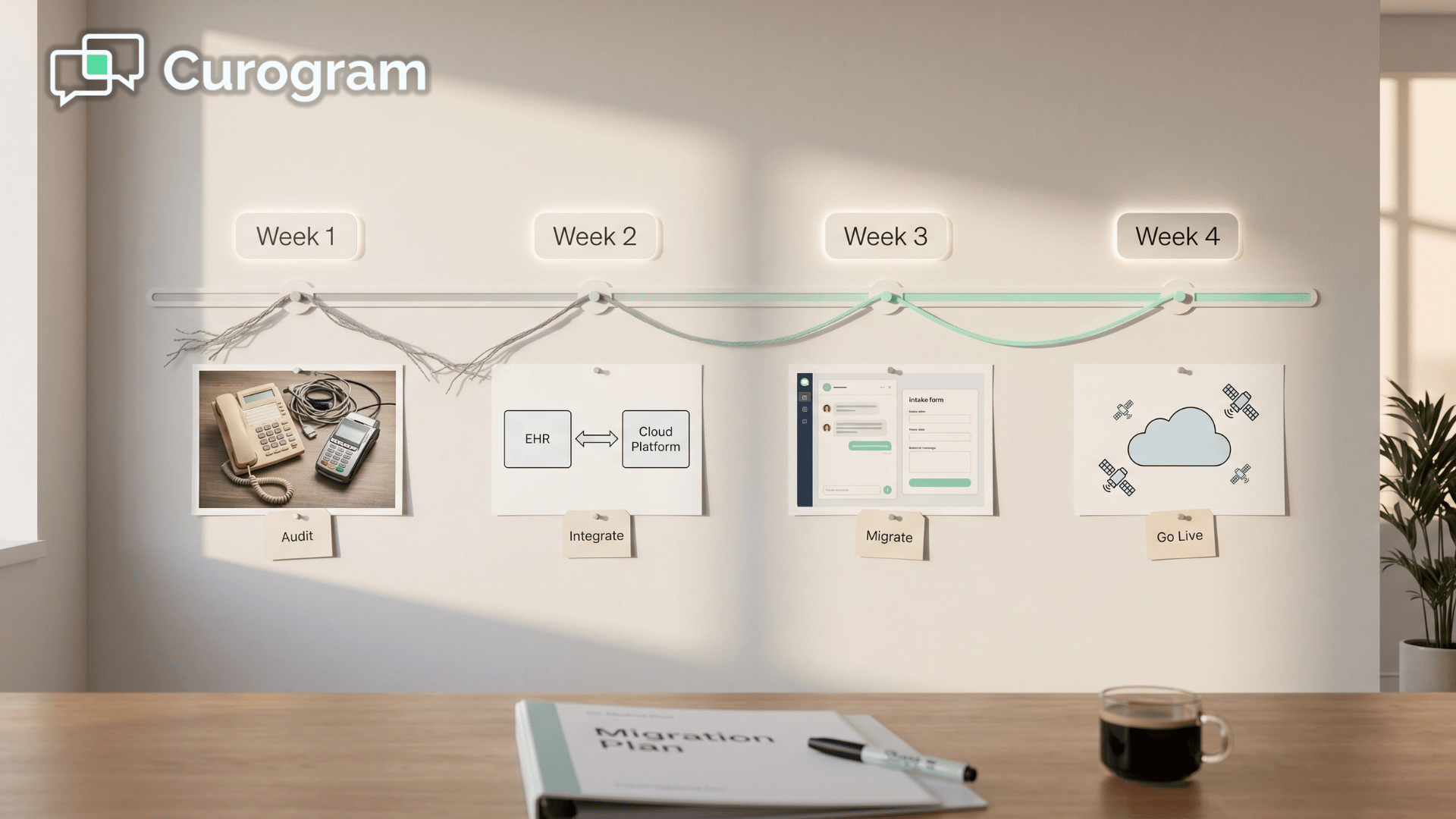 Aubreigh Lee Daculug : May 29, 2026, 8:00:01 AM
Step-by-step guide to moving from Weave to Curogram with EHR integration, hardware removal, and staff onboarding.
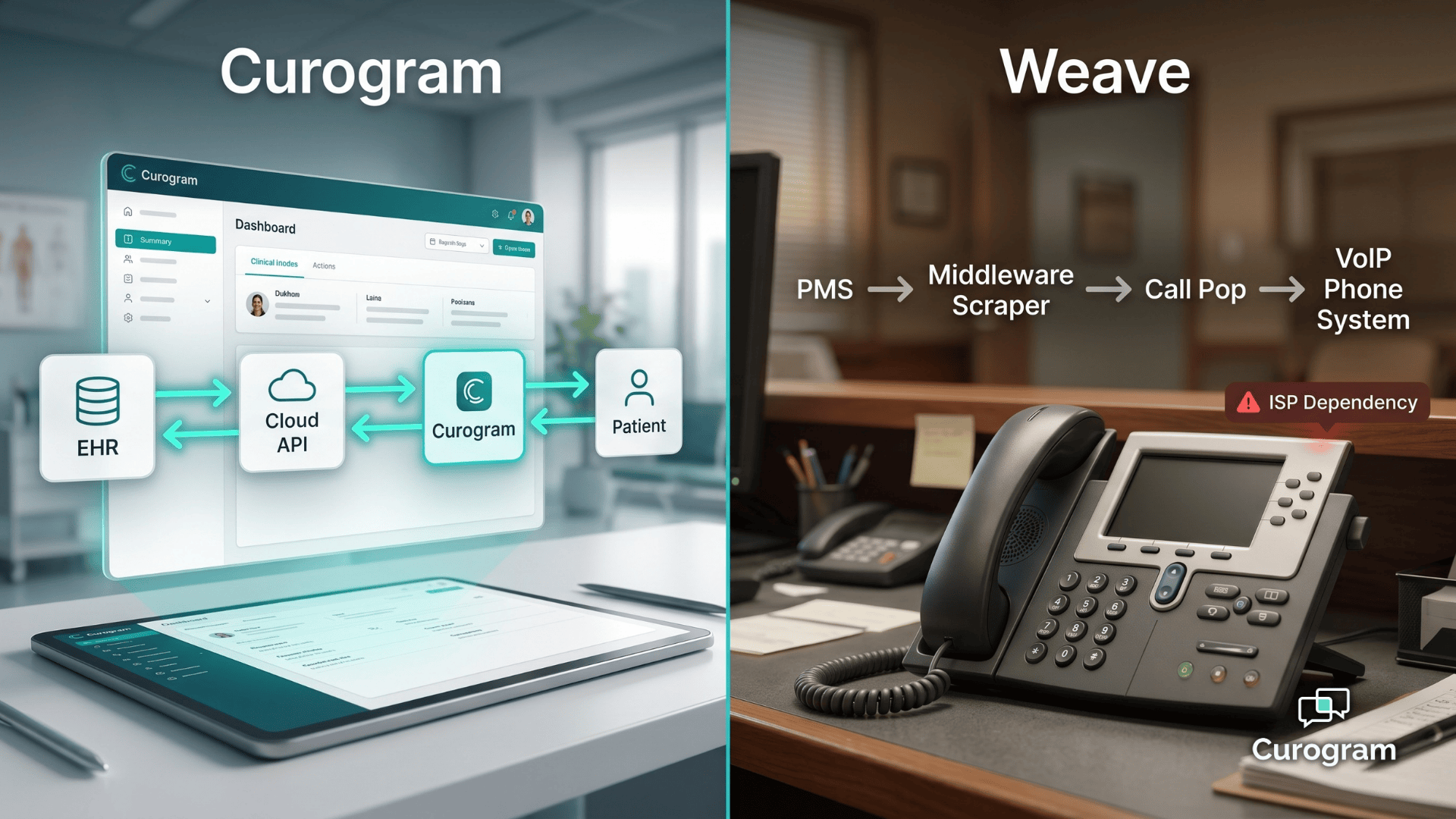 Aubreigh Lee Daculug : Apr 21, 2026, 8:00:01 AM
Compare Curogram’s clinical automation vs Weave’s VoIP hub across intake, confirmations, messaging, and enterprise reliability.
 Aubreigh Lee Daculug : May 27, 2026, 11:00:01 AM
Compare Curogram vs. Weave total cost, including VoIP hardware, manual EHR labor, and revenue gains from medical-first automation.